Student Stenomask Guide
Turn the school's list into an equipment plan. Learn first-recording checks, repeatable practice blocks, file organization and troubleshooting.
Compare seven Martel stenomask microphones for court reporters and voice writers.
A stenomask, also called a steno mask or voice writing mask, holds a microphone close to your mouth while helping contain your spoken voice. Match its connection to your computer or recorder, then decide whether you need a separate second microphone output.

Start with your computer or recorder input. Then decide whether you need one mask microphone output or two independent outputs.

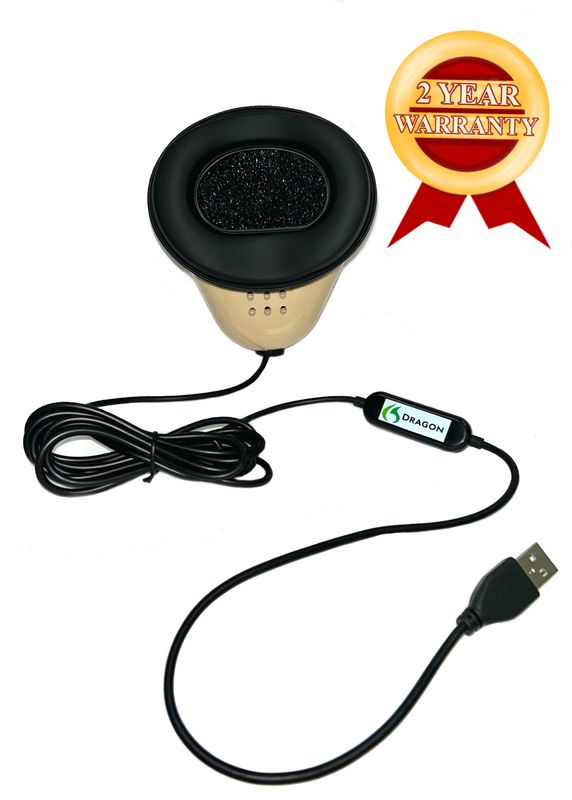
Choose this if: you need a direct USB computer connection and a separate 3.5mm microphone output for a compatible recorder.
Choose this if: your voice writing setup needs one direct USB microphone connection to a compatible computer.
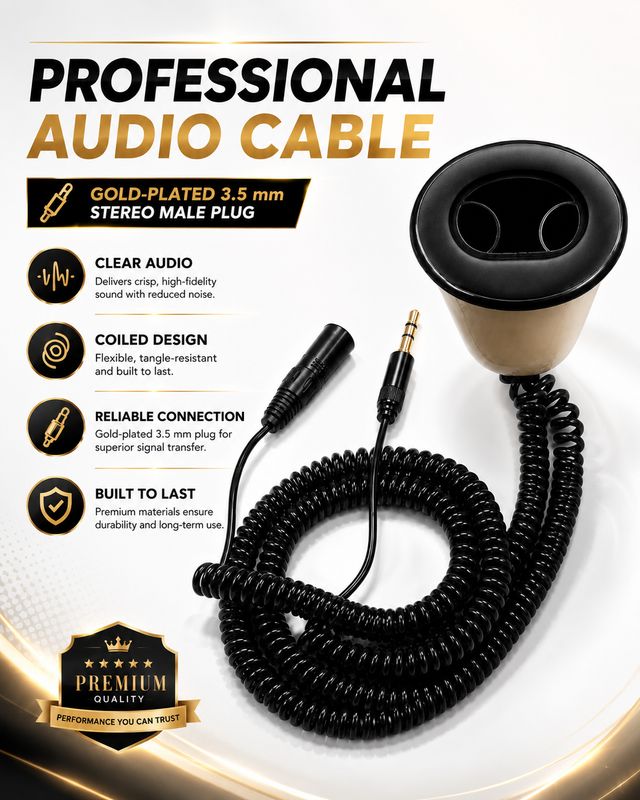
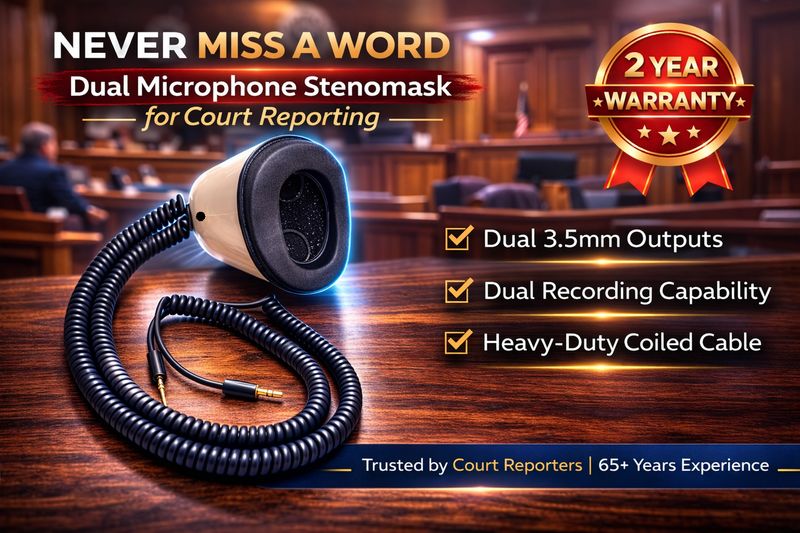
Choose this if: your setup calls for two independent 3.5mm microphone outputs feeding compatible inputs.
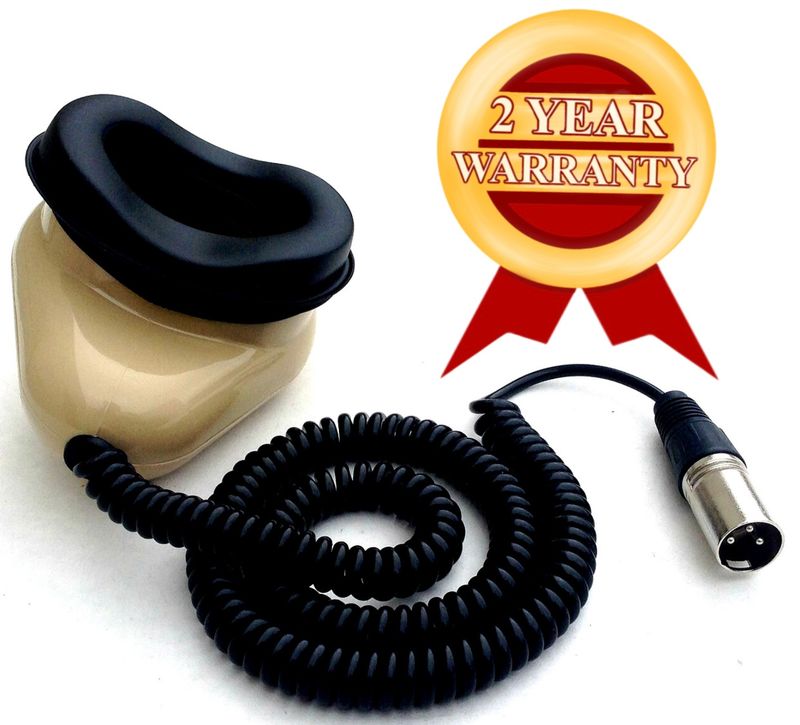
Choose this if: you need an XLR microphone connection for professional equipment plus a separate 3.5mm microphone connection.
If you only need one microphone connection, choose the Stenomask that matches the input on your computer, recorder, mixer or audio equipment.
Choose this if: your compatible computer or handheld recorder uses a standard 3.5mm microphone input.
Choose this if: your professional recorder, mixer or audio interface requires an XLR microphone connection.
Choose this if: your recorder, mixer, PA system or other compatible equipment specifically requires a large 1/4-inch microphone plug.
Start with Best For, Connection, and Choose This If.... For most shoppers, these three rows make choosing the right Stenomask easy.
| FEATURE |
USB + SEPARATE RECORDER CONNECTION
Double Dragon 2
|
DIRECT USB COMPUTER CONNECTION
Dragon Stenomask
|
TWO INDEPENDENT ANALOG OUTPUTS
DUAL 3.5MM MODEL
Stereo MM-ST1
|
XLR + 3.5MM
MM-ST2
|
|---|---|---|---|---|
| Best For | USB computer input + separate recorder path | One direct USB computer input | Two compatible 3.5mm microphone inputs | XLR device + 3.5mm device |
| Connection | USB + 3.5mm | USB | 2 × 3.5mm | XLR + 3.5mm |
| Direct Digital Connection | YES
Digital USB path |
YES
Digital USB path |
Analog 3.5mm | Analog |
| Separate Second / Backup Path | YES — 3.5mm | No second output | YES — second 3.5mm | YES — second mic path |
| Choose This If... | You need USB for the computer and a separate 3.5mm microphone input on a compatible recorder. | You need a direct USB computer connection and do not require a second mask microphone output. | Your school or work setup specifies two compatible analog microphone paths. | You need an XLR microphone path plus a separate 3.5mm microphone path in the same mask. |
| Price / Shop |
$399.99
View Double Dragon
|
$299.99
View Dragon
|
$249.99
View Stereo MM-ST1
|
$299.99
View MM-ST2
|
| FEATURE |
COMPUTERS & HANDHELD RECORDERS
3.5mm
MM-18
|
PROFESSIONAL AUDIO
XLR
MM-XLR
|
SPECIALTY CONNECTION
1/4"
MM-14
|
|---|---|---|---|
| Best For | Computers & handheld recorders | Professional XLR equipment | Equipment requiring a 1/4" microphone plug |
| Connection | Single 3.5mm (1/8") | Single XLR | Single 1/4" |
| Choose This If... | You need one standard 3.5mm microphone plug for a compatible computer or handheld recorder. | Your professional recorder, mixer or interface requires an XLR microphone connection. | Your equipment specifically requires a large 1/4-inch microphone plug. |
| Important Note | Single analog microphone path | Match the XLR input on your equipment | NOT compatible with Andrea or USB sound cards |
| Price / Shop |
$199.99
View MM-18
|
$199.99
View MM-XLR
|
$199.99
View MM-14
|
Once you have chosen your Stenomask, these professional accessories can add comfort, simplify your computer connection and keep your mask ready for daily use.
Premium comfort upgrade for all-day Stenomask users. Helps create a softer, more comfortable seal against the face.
Holds your Martel Stenomask in position during long sessions with a flexible 33-inch arm and 360° positioning.

External USB stereo sound card for compatible 3.5mm Stenomask setups that need a dependable computer audio path.
Twelve genuine Martel replacement foam inserts so you can keep fresh replacement foams ready throughout the year.
A voice writer speaks into the enclosed microphone. The connected computer or recorder receives that spoken input. Speech-recognition software can turn the input into text; the mask itself does not create a finished transcript. Read how a stenomask works for the full workflow.
Choose around the receiving device. Dragon provides direct USB; MM-18 provides one 3.5mm analog microphone output. An analog mask may need a compatible USB audio adapter for a laptop. For two independent mask outputs, compare Double Dragon 2, MM-ST1 and MM-ST2. Our stenomask buyer’s guide explains the complete connections.
Start with the current mask price, then add any required adapter, computer, software and separate recorder. A mouthpiece upgrade, stand or spare foam may be optional for your setup. Check package contents before adding accessories, and use the stenomask price and setup guide to organize the purchase.
Use your school’s current equipment list, including software and any backup-recording requirement. Send Martel the exact computer and recorder models when confirming a purchase. The student stenomask guide helps turn those requirements into a working setup.
Use these Martel guides to prepare for voice writing school, compare connections and plan a complete stenomask setup. Then check the product listings for the equipment you intend to order.

Understand the mask, the voice writer, speech-to-text input, separate room recordings, connections and first equipment choices. Includes practical examples for first-time voice writers.
Read the complete Stenomask explanation →
STENOMASK HELP · NOVEMBER 2026
Start with the symptom: no sound, low volume, muffled speech, USB dropouts, recognition errors, or missing saved audio. Use the diagnostic steps and connection matrix to identify the affected input before choosing a repair or replacement.
Open the Stenomask troubleshooting guide →
EXPANDED EQUIPMENT GUIDE · NOVEMBER 2026
Connect USB, verify Windows and application input, compare seven Martel masks, and practice reviewing separate mask and room recordings. Includes practice exercises and a visual model comparison.
Read the complete Dragon setup guide →Turn the school's list into an equipment plan. Learn first-recording checks, repeatable practice blocks, file organization and troubleshooting.
Review all seven masks, compatible receiving inputs, accessories, separate recording plans and illustrative setup costs.
Choose among one USB path, USB plus a separate analog output, or two analog microphone paths around your actual equipment.