Two files, one voice and a question worth answering
The reason to buy the Martel Double Dragon 2 is easy to state. You can send your own dictation to a computer through USB and send your own dictation to a compatible recorder through a separate 3.5 mm connection. The harder question comes when you sit down after a practice session. If somebody asks for the words immediately before a correction, which file will you open? Can you open the other one and find the same moment? This guide walks through a test you can do at your own desk and gives you original practice material to use with it.
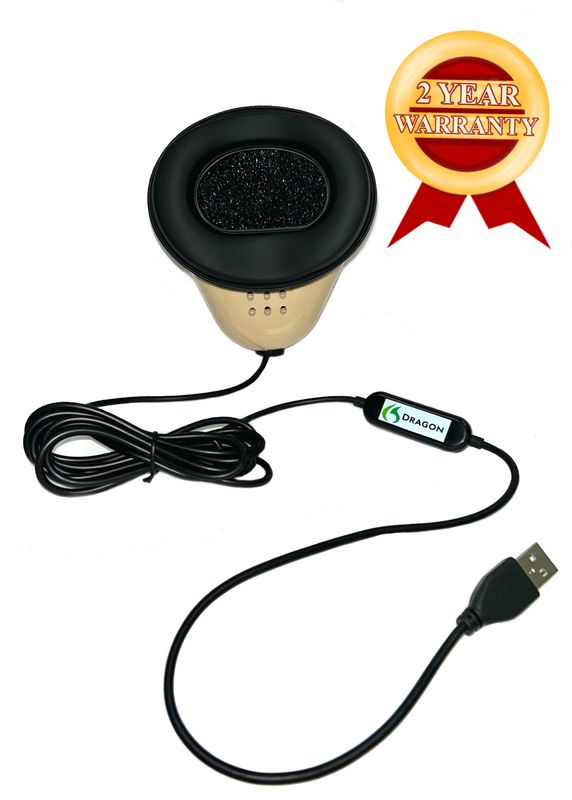
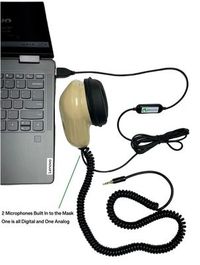
Martel describes two microphone elements in the Double Dragon 2. The USB path uses the mask’s built-in sound card. The analog lead is a separate output for an appropriate microphone input. A second cable gives you the means to make a separate recording. You establish that the recording exists by starting it at its destination, saving it, and playing the saved file. Seeing words appear during Speechmatics dictation is helpful evidence about the recognition workflow. It leaves the condition of the recorder file as a separate question, one you can answer before taking the equipment to an assignment. Martel Double Dragon 2 microphone connections · Martel’s mask connection comparison.
Think about the word backup from the editor’s perspective. During a practice handoff, Priya tells Jules she has a backup of the exchange about the signature block. Jules asks whether she will hear counsel’s own voice or Priya repeating counsel. Priya has saved two excellent mask recordings. Both contain her rendition of counsel’s words. If Jules needs to hear the original voice, she needs a separate, appropriate recording of the source speakers. Giving the file a precise description such as “Priya’s dictated track from the recorder” lets Jules start in the right place. Priya and Jules are fictional, as are all the exercises below.
Your test uses two devices, one spoken marker at the beginning, another at the end and an ordinary question from somewhere in the middle. The objective is to return with two identifiable files. For each one you should be able to name the input, the device that saved it and an actual phrase you played from it. If you can do that today, you can carry the same method to a different desk. If you settle only one of those questions today, your notes tell you exactly where to resume.

Put the destination names on the equipment drawing
Sketch a mask at the left of a piece of paper. Draw an upper line to a box marked with the name of the laptop. Mark that line USB. Draw a lower line to a box with the name of your recorder. Mark that line 3.5 mm. Now add two blank spaces at the right, one for a computer filename or job and the other for a recorder filename. A date alone can be ambiguous if you practice twice on the same day. Choose a descriptive session name such as “North Pier bookbinding exercise, afternoon.” A short name with ordinary words is easier to say into the mask than a long string of numbers.
Pick up the USB cable and trace it to the laptop with your hand. Look at where it enters the computer or a computer accessory. In your notes, record the equipment you are actually using. If the cable runs through a hub in your regular setup, include it on the drawing. If you connect directly, note the port you chose. Neither description needs to include a claim about how every hub behaves. It simply lets you recreate your own working arrangement later or tell Martel which connection you tested if a device name changes after moving the setup.
Follow the analog cable with the same care. Many small recorders put several openings close together. Read the marking on the input and check the documentation for the exact recorder. A round opening that accepts the plug mechanically does not tell you which signal a device can record through it. An output for listening and an input for recording serve different purposes. If the documentation distinguishes between microphone and other input types, follow the description for your recorder. Leave the connection undecided on your drawing until you can identify the intended input. The file test comes after that identification.
Place the recorder where you can see that you have actually started a file and reach it to stop and save. Choose a spot where normal movements while seated will leave the cables comfortably in place. A deliberate test at a desk gives you a chance to notice whether a device slides when you turn toward a screen or whether a file label becomes unreadable after you put your notes down. Those are practical observations about your particular work area. Make a note of what you changed and then do a full recording with that arrangement.
Establish which microphone Windows is hearing
Microsoft’s Windows 11 microphone test lets you select an input under Settings, System, Sound, open the device properties, make a sample and play it back. Use a phrase that identifies the computer test, such as “North Pier computer check, pale blue cover.” Speak into your own mask in your working position and listen to the sample before opening a CAT job. Write down the name shown for the input. A phrase containing the word computer is more useful for this exercise than counting to three, because you can identify it later without guessing what the numbers referred to. Microsoft’s Windows microphone test.
A built-in laptop microphone can also pick up your voice. To tell two inputs apart, make two clearly labeled samples in a quiet practice space. First speak a short phrase using your usual mask position with the intended USB device selected. Then select the laptop microphone deliberately and record a different final word from your ordinary seat. Listen to the difference. Return to the intended USB selection and record a new phrase that ends with “ready.” A close, intelligible voice, the selected device name and a repeatable result together give you more information than watching an input meter move.
Make a computer recording you can deliberately reopen. Depending on the workflow you are practicing, that might be a separately saved Windows recording or a computer-side recording made and reviewed through your reporting software. Identify it in plain language. “Tuesday mask audio saved in the practice job” is a useful description only if you can close the job, reopen it and find the sound again. If your configuration gives you text and you have yet to arrange to save computer-side audio, write “text confirmed, computer audio still to test” on the drawing. You can then choose the appropriate recording procedure for your setup.
Publisher documentation matters if the computer path includes CAT software. Stenograph describes its Speechmatics integration with CATalyst VP as on-device. Advantage Software publishes release and equipment information for Speechmatics in EclipseVox, including its specified arrangements for local recognition. Identify the option the publisher supports for your own installation. The second microphone in the Double Dragon 2 has a particular advantage during this transition. You can test the recorder path with a short piece of your own dictation independently of the choice you make for computer recognition. Write which tests you actually completed and retain the two results separately. Stenograph’s Speechmatics integration · Advantage Software’s EclipseVox description · Advantage Software’s version and hardware table.
Establish which microphone the separate recorder is hearing
Start by identifying the selected source and recording mode on your recorder from its own instructions. Some equipment can record sound at its built-in microphone. A recording made on that device can therefore be perfectly audible while answering the wrong question about the analog feed. For the first check, place the recorder on the desk in its planned position and speak a distinctive sentence into the mask. Save the recording and play it on the recorder. Write its exact file identifier. If the recorder makes numbered files, include both the identifier and a phrase from the file in your notes.
If a practice partner is available, give each person a different line. Your partner can say “the tables are numbered in pairs” from across the room. You dictate “the picture has a silver border” into the mask. Listen for the close dictating voice on the recorder file and note which words you can distinguish. A little surrounding sound can be present even in a mask test. Use the source setting, relative voices and a repeated test together to identify the input. Do the exercise in a practice space where both people have agreed to record these invented lines.
For a more informative comparison, make a separate sample with the recorder deliberately set up for its own microphone according to its instructions. Give the recording a distinct marker, such as “room reference, round table.” Then restore the external mask input and use “mask reference, square table.” Save and listen to both. A mistake in one of those selections becomes much easier to describe when you have a known reference for each. Do the comparison between recordings and return every connection to its intended position before starting the timed practice. Avoid handling a cable while you are trying to judge the sound of an important sentence.
Finally, take your hands away from the devices and dictate at a normal working level. Listen to a complete question and a complete answer, including the part after a natural pause. Can you recognize the words without consulting the written passage? Does the file continue through the last word? Write down the answers while the files are still open. If you want Martel or the recorder manufacturer to help interpret the result, you now have a useful description of the cable, selected source and saved file. A report that the screen lit up gives them substantially less information.
Give the recordings a common set of landmarks
A common marker is a phrase you intentionally send into both mask microphones. It need not be loud or unusual. It should be easy to identify in playback and unlikely to occur accidentally in the rest of the material. For this drill, use three markers from an imaginary bookbinding shop. Say “Blue wrapper opens the session” once both destinations have started. In the middle, say “Copper hinge marks the correction.” End with “Maple cover closes the session.” Record the exact wording on paper, because a rough that contains a small recognition difference can still help you locate the corresponding sound.
Start the recorder and confirm its file indication. Start the chosen computer recording, confirm the relevant practice job if you are using CAT and get ready to speak. You may need a few seconds to operate the second device. That is fine. Recorder time and computer time can begin at different moments. Wait until both destinations are recording and then speak the opening phrase. If the marker begins eight seconds into the computer file and fourteen seconds into the recorder file, you have located a common sound. The different readings tell you when each recording began relative to that sound.
An example helps explain why the ending marker is valuable. Suppose the opening phrase appears at eight and fourteen seconds, and you later locate the middle phrase at two minutes eight seconds and two minutes fourteen seconds respectively. In these invented times the difference is six seconds at both locations. If the final phrase cannot be found in the shorter file, look at what is present near that file’s actual end. A matching time difference in the middle does not establish that both files continued to the end. Listen for the final marker, then listen to the statement immediately before it.
Level differences between the recordings do not by themselves tell you which file is correct. An easily heard file on the recorder and a quieter file on the computer can both preserve the spoken words. Use a comfortable playback level and check the same target phrase on each. Give separate attention to whether all the words are present, whether you can distinguish consonants, and whether the chosen source is the intended mask microphone. Write your observations in ordinary language. “I can distinguish packed from pack on both files” is more informative than assigning a sound-quality number that nobody else can reproduce.
Try an original handoff exercise at the bookbinding shop
Read the next exchange as invented training material. One person can read the source lines while you repeat them into your own mask. If you are alone, use the printed passage as a fixed dictation reference. The wording contains two different books, two times, two price figures, a changed instruction and a name spelled aloud. Your aim is to locate each detail in both saved recordings. Punctuation and the visual layout of the rough may be reviewed separately according to your usual practices. Neither the exercise nor the sample results describe a case, customer or measured product performance.
Question. Please tell us which books you picked up from the west counter. Answer. I picked up a blue notebook with a linen cover and a gray book with a map folded inside the back cover. They were next to one another on the counter. The blue notebook belonged to the caller whose name appeared on the white ticket. The gray book was waiting for the person holding the yellow ticket. I put each ticket inside its own book before carrying them to the worktable. I had both tickets in my hand for a moment, but I did not exchange them.
Question. Which ticket contained the instruction about replacing a corner? Answer. The white ticket said to replace the upper corner on the back. At first I thought it meant the upper corner on the front, because I had put the book down with the front facing the table. When I turned it over, the mark on the drawing matched the damaged corner on the back. The yellow ticket had an instruction about the folded map. It told me to keep the old paper band with the map when I made a new pocket.
Question. When did you call the person named on the white ticket? Answer. I wrote down eleven forty when I called from the workroom. There is another time on the slip that reads eleven fourteen. That was the time I received the first message. I remember the distinction because I went to get a ruler between the first message and my call. Question. Was anybody else present at the counter during that call? Answer. I was in the workroom and could not see the counter. I can tell you who was in the workroom, if that would help.
Question. What price did you quote? Answer. The estimate on the white ticket was sixty dollars. The figure on the yellow ticket was sixteen dollars for the new pocket. I did not prepare the yellow estimate. The person I spoke to about the blue notebook asked whether sixty included replacing the whole cover. I said the estimate covered work on the marked corner. I also said I would keep the original scrap in a small envelope if the customer wanted it. I made a note of that request below the price.
Question. Please spell the name of the assistant who took the second message. Answer. The assistant’s name is Oren Pell. The first name is O, R, E, N. The last name is P, E, L, L. He placed a short message beside the ruler. It read, “Keep the band.” He told me those were the caller’s own words. The message related to the paper band around the map in the gray book. I never used a band to hold the blue notebook closed.
Question. At the end of the afternoon, where did you leave the two books? Answer. The blue notebook went on the narrow cart by the workroom window. The gray book went back to the west counter. There was a brown parcel on the cart before I placed the notebook there. I moved the parcel to the lower shelf of the cart so that it would not rest against the repaired corner. I left the white ticket inside the notebook and the yellow ticket inside the gray book. The next morning I recognized the blue notebook by the two short threads at the edge of the cover.
For your first run, use the opening marker before the first question and the ending marker after the last answer. Put the middle marker immediately before the question about price. Leave a natural pause before the witness spells the assistant’s name. Your partner can prompt you with the markers if you are repeating from speech. If you omit one, note where you expected it and move on. The missing phrase itself can become an observation about how the test was performed. A second complete run can then use a different session name and a clean set of files.
Use an answer key that tests each recording independently
Start with the white ticket and keep the yellow one out of the discussion for a moment. The white ticket belonged with the blue linen notebook. The requested repair concerned the upper corner on the back. The estimate was sixty dollars for the marked corner. The white ticket ended the afternoon inside the notebook on the narrow cart by the window. Play your computer file and try to establish those details from your own dictation. Write which question or nearby phrase led you to each item. Then put that file aside and recover the same four details from the recorder file.
The yellow ticket traveled with the gray book and concerned the pocket for the folded map. The existing paper band was to remain with the map. The yellow estimate was sixteen dollars and the witness did not prepare that estimate. The gray book returned to the west counter with the yellow ticket inside. Check the entire phrase containing sixteen dollars on both devices. You should be able to distinguish it from sixty dollars in the preceding answer. If one is difficult to understand, identify exactly which file, phrase and listening arrangement required a replay.
The witness received the first message at eleven fourteen and called from the workroom at eleven forty. Both times belong to the exchange about the white ticket. Ask for the identifying event as well as the time in each file. A listener who hears forty clearly but cannot determine whether it refers to receiving the message or placing the call has only part of the answer. Return to the beginning of the question and follow the account of getting a ruler. The physical action helps identify the sequence without relying solely on similar-sounding numbers.
Oren Pell is the assistant connected with the second message. Listen for the spelled sequence in each file before looking at the rough. On paper, write the four letters in the first name and the four in the last. Now check your letters against the reference. A CAT rough might represent a spelled sequence differently according to the reporting setup and style, while both recordings clearly preserve each spoken letter. If a letter is difficult on one take, record the location of the spelling and the words that follow. Those details let another listener find the exact comparison.
The changed instruction is intentionally easy to misremember. The witness initially thought the damage was on the front and corrected that understanding after turning the notebook over. The instruction on the white ticket concerned the back. There is a second potential mix-up involving the message “Keep the band.” That referred to the gray book’s map. In both recordings, listen through the explanation of which book never used a band. A recording that contains a recognizable keyword is a promising starting point. Verifying a complete thought requires checking the correction or limitation associated with it.
For the final location question, identify three objects. The notebook went on the narrow cart near the window, the brown parcel moved to the cart’s lower shelf and the gray book went back to the west counter. Ask a partner to describe the destination of the parcel without reading the script. The final marker helps locate the part of the recordings near the answer, but the marker alone tells you nothing about the parcel. Recovering this one unmarked detail supplies a meaningful middle-or-end content check in addition to an opening and closing phrase.
Record what the two elapsed-time displays can tell you
Give each device its own column on a practice note, even if one shows minutes and seconds and the other displays a different form. In each column write the position of the opening marker, the price marker, the name spelling and the closing marker. Record actual values by listening to the named file on the identified device. For example, “price marker, recorder two fourteen” makes sense only if that note also identifies the recorder file. If you later open a new take, begin a new note rather than overwriting the positions from the first run.
Calculate a difference for orientation only when you can hear the same actual words in both files. Suppose you find a particular marker at two minutes eight seconds on the computer and two minutes fourteen seconds on the recorder. In seconds the positions are 128 and 134. The recorder position is six seconds later on its own display. Someone looking for this exact marker on the recorder could start near 2:14. To find a different statement farther into the session, use another spoken landmark and verify it by listening before relying on any projected time.
There are several ordinary reasons a comparison may stop following the same offset. A device may have been paused, recording may have been stopped and restarted into a separate file, or a listener may have selected a different take with the same opening phrase. A pair of observations by itself cannot identify the cause. Look at both file lists and hear the words immediately before and after the place that differs. Preserve the files you actually have. In an exercise you can rerun the affected transition with a new marker to learn how your devices behave under normal operation.
Consider an intentionally staged review problem. Both files contain the opening and price markers. The recorder file then contains the complete spelling of Oren. The computer file contains “The assistant’s name is” and proceeds to a different line. First check whether you opened the expected job and whether its playback is using the portion you think it is. Try playing the saved computer material independently as supported by your workflow. If the two files truly differ, document the boundary in actual words. A vague description such as “a section is missing” is much less useful than identifying the last shared words and the next words heard on each path.
Take another comparison in which an entire saved file appears to begin with “Copper hinge marks the correction.” A person could conclude that the opening was lost. Before making that claim, check whether the device produced an earlier segment and whether the intended first segment is among the files for this session. Compare the opening words, end words and nearby actual testimony across the candidate files. You may discover that the material exists under two identifiers. If you cannot find it, record the extent you successfully verified and respect that boundary when using the take.
Verify the copies that will be used away from the original desk
The practical value of two recordings is being able to use them later. After listening on the devices themselves, make the working copies your authorized workflow calls for while retaining the original practice material. Give each copy a source description and record its original identifier. Open the recorder copy at the destination where it will be reviewed and locate the price question. Find one detail toward the end, such as the two short threads on the blue cover. This checks a portion that an earlier opening-only test would have missed.
Open the computer practice job and locate the matching price question. If the job can play associated audio, use the supported playback procedure. Stenograph’s public CATalyst guidance describes playing available audio at a job location. It also documents channel selection for Direct Audio. Use the procedures for the release and recording arrangement you actually have. If your computer recording was separately made in a Windows recording application, identify and reopen that actual file. A working text export alone is not independent evidence that the corresponding audio copied successfully. Stenograph’s CATalyst audio playback controls.
Give a practice partner a short retrieval assignment without showing them the written answer key. Say, “Find the exact words about which corner was marked, name the source you listened to and give me the recorder position of the correction.” On a second round ask for the yellow estimate in the computer material. After each round compare the partner’s answer with the reference. You are evaluating both the content of the recordings and the usability of the handoff directions. It may turn out that the audio is excellent and the labels simply need to be clearer.
Martel’s VOX Elite 32 GB and 64 GB packages describe assistance with CAT file transfers and stenomask setup. If you are planning a replacement laptop, bring a small fictional paired recording exercise to the appointment. Identify one old job with audio you can recognize and one new test you want to record on the prepared VOX. For local recognition through EclipseVox, include Advantage Software’s specified Boost Box or supported computer from Advantage Software in the equipment discussion. The useful laptop test is being able to retrieve the old work and verify the two current Double Dragon destinations in a new session. Martel VOX Elite 32 GB · Martel VOX Elite 64 GB · Advantage Software’s supported local arrangements.

Compare the amount of time it takes to answer a specific review question using your first attempt at labeling with the time it takes using the revised directions. Keep the question and success standard the same, such as correctly distinguishing the yellow estimate from the white estimate. The independent Double Dragon recording can give you readily accessible evidence of your own dictation. A repeatable microphone setup, readable filenames and well-chosen spoken markers can support quicker review of important words. Measure that benefit in your own session without assigning a universal speed or recognition percentage to the mask.
We handcraft our Dragon USB and Double Dragon 2 stenomasks in limited quantities. If a batch sells out, there may be a waiting list.
Thirty questions about verifying independent Double Dragon recordings
What is the minimum evidence that both files were saved?
Identify each receiving device and reopen the actual file or supported job recording it produced. Listen for the common opening marker, a substantive phrase in the middle and the closing marker on each destination. Name the two file identifiers and the specific words you heard. This verifies more than two filenames or moving counters. It also distinguishes the computer recording from the CAT rough, which is a separate result containing text.
Can the two recordings contain identical words and still be independent?
Yes. The reporter speaks into one personal Double Dragon 2 containing two microphones. One path can feed the computer and another can feed the compatible recorder. Independence here concerns the receiving paths and saved files. Hearing the same dictated line on both is precisely what the shared marker is intended to demonstrate. Trace each copy back to its actual device so that duplicate copies of one source file are not mistakenly counted as two captures.
What does the mask record when counsel speaks across the table?
The stenomask is intended to capture the person dictating into it. When the reporter repeats counsel’s words, a listener generally hears the reporter’s rendition in a mask file. If the original voice of counsel must be recorded, arrange a suitable separate room source and verify the resulting recording. Label each Double Dragon destination as dictation when that is what it captured, even if the person being quoted in the transcript is someone else.
Why include a statement before the closing marker?
A marker can tell you that a recording reached an identifiable point. The statement immediately before it tells you whether meaningful dictation was still being captured clearly near the end. In the bookbinding practice, try to recover how the witness recognized the notebook the next morning. Then listen for the maple-cover marker. A file containing both the detail and the closing words gives a more useful end check than a few seconds of sound with no clear content.
What makes a marker easy to use in a real review exercise?
Choose a phrase that is short, distinct from the surrounding invented testimony and easy to speak at normal volume. Record the actual wording on paper. An opening marker about a blue wrapper is easy to distinguish from the correction marker about a copper hinge and the closing marker about a maple cover. An expression like “check now” may occur several times by accident. The best marker is one another listener can identify confidently without guessing.
Must the recorder start at the same second as the computer?
Start both in a controlled order, verify that both are recording and then give the common opening. The part you intend to compare runs from that marker onward. An extra few seconds at the start of one recording are easy to document. Synchronizing the displays by hand is unnecessary for this exercise. When reporting playback positions, retain the device and filename alongside the time, since positions belong to individual files.
What if one recording sounds much louder than the other?
Check intelligibility and completeness separately from loudness. Play the same price sentence on each at a comfortable listening level, and use the same playback system for a further comparison if practical. If both clearly distinguish sixty dollars from sixteen dollars, record that finding and note the level difference separately. If one file is genuinely hard to understand, investigate its own capture and listening path using a new marked test.
How can I tell if I accidentally played a file twice on the laptop?
Stop all playback, note the filename you have just verified and close it before opening the second file. If the recorder is available, first play its original directly on the device. Later use the original recorder identifier to find the transferred working copy. Check both the source-specific information and the location of a shared marker. Two entries in a playlist may be duplicates, so the path back to the recording device matters.
Which file should I check first?
Choose an order you can repeat, such as recorder original, computer recording and finally the rough. Write down the result of each before switching. Doing the independent recorder first can be helpful if you normally begin with the computer and tend to forget the second destination. The decisive action is stopping the first playback and deliberately opening the other saved source. A consistent routine reduces ambiguity without making either order compulsory.
Can a clear Windows microphone test prove that my CAT job recorded audio?
It establishes that the selected Windows test received and played a sample. A saved CAT job recording has to be created and verified through your actual supported reporting arrangement. Reopen the job and locate an identifiable phrase using the relevant recording or playback function. If you kept the computer-side audio in a separate Windows recording, label it accordingly. State which file you verified instead of assigning the Windows test result to a different application.
Why do I need the recorder model when asking about analog input?
Different receiving devices can have different input types, control choices and saving procedures. Give the recorder’s exact model, the input label and the steps you used to record and reopen the sample. Include which words you heard from your own mask. These details let the recorder maker or Martel discuss the actual analog connection. The fact that a 3.5 mm plug fits an opening does not identify what the receiving device does with it.
What if the recorder captured the practice partner more strongly than me?
Check the source selection and whether the analog mask lead reaches the correct external microphone input. Compare a deliberately identified internal-microphone reference with a fresh externally fed take if the recorder supports both choices. Keep your personal mask in its normal working position and let the partner speak at a known distance. Record what you heard in both files. Relative voice prominence and a verified setting are more informative together than separately.
What does a six-second difference between displays mean?
It means the particular shared sound you measured appears six seconds later on one file’s own elapsed-time scale. In the worked example, the computer marker is at 2:08 and the recorder marker at 2:14. It does not establish that every later phrase is also six seconds apart. Check another landmark and listen for the actual words. A pause, a new file or a mistaken file selection can change the apparent relationship.
How do I check whether a file continues after a recess?
Use a distinctive return phrase and ask for one complete answer spoken after everyone resumes the mock exercise. Locate both the return phrase and that answer in each recording. Check whether the recorder or computer produced a second separate file under your chosen procedure. A correct closing file from before the recess establishes only the pre-break segment. Give the post-break material its own identifier in the handoff note when necessary.
What if the middle marker is missing on both files?
Find the testimony that should surround it and listen to your own dictation on both paths. You may have forgotten to say the marker, especially if the substantive price question appears on both sides of the expected point. Write down what the files actually contain. In a second practice run, use a different session name and have a partner prompt you with the middle phrase. Do not assign the missing words to the equipment without checking whether you spoke them.
Why listen for sixteen and sixty instead of only checking the markers?
They are similar-sounding numbers with different meanings in this practice job. The white ticket gives the higher estimate for a corner repair and the yellow ticket gives the smaller estimate for the map pocket. A recording can preserve a loud opening marker while leaving an ordinary spoken number difficult to distinguish. Listening for the two real details tests whether the file can actually help you resolve an editorial question.
What is the correct name spelling in the bookbinding exercise?
The assistant is Oren Pell. His first name is spelled O, R, E, N, and the last name is P, E, L, L. Use the spelled line as the reference for what you should be able to hear in each recorded take. If the rough suggests a similar name, compare the mask files before editing. The exercise tests whether the distinct letters survived dictation and can be retrieved on both destinations.
Which time should I search for if the reviewer wants the outbound call?
Look for the witness describing calling from the workroom. The time given for that call is eleven forty. Eleven fourteen refers to receiving the first message. If you search only for eleven, you may stop at the wrong event. Play enough of the question and answer to establish which time you heard. When handing off the file, include “called from the workroom” as a nearby phrase for the next listener.
How do I verify an audio copy away from its original device?
Identify the source file according to your approved transfer procedure and copy the practice material while retaining the original. At the destination, open the copy and listen at the beginning, a meaningful middle passage and the end. Record the original identifier and the working copy’s name. Opening only the folder or observing similar file sizes tells you less than hearing the correct words from the file that will actually be reviewed there.
Can the file size prove that no words were missed?
File size and duration can be helpful clues when selecting a candidate file or identifying an unexpectedly short take. They cannot establish that a particular spoken word is intelligible. Two files of similar duration may contain different sources, different speech or silence during an important phrase. Use the common markers to locate the correct file, then play a substantive line such as the correction about the front and back of the notebook.
What if the computer has text and the recorder has audio?
Write down exactly those two results. They are useful, but they do not establish two saved audio recordings. If your intended workflow includes computer-side dictation audio, learn the appropriate recording setting or use a separate supported recording arrangement on the computer. Make a new paired exercise and reopen both audio results. Preserve the original rough and recorder file so you can distinguish what each rehearsal actually demonstrated.
How can I use CATalyst to check a passage against recorded job audio?
Stenograph documents playback from a location in the CATalyst job when suitable audio is available. Follow its instructions for your recorded arrangement and select the appropriate channel where supported. Find the question about the yellow estimate and play enough context to hear the witness identify the pocket. Record whether that job audio contains your mask dictation or another source. Then listen to the independently saved recorder file as a separate step.
Does my Speechmatics processing option change the identity of the analog file?
The analog file is produced by the compatible recorder receiving the Double Dragon microphone connection, provided it is properly set up and recording. The recognition choice in your CAT software addresses how input reaches text in that supported workflow. Identify the actual option with your software publisher and verify the recorder result separately. This distinction is particularly helpful when changing CAT releases or moving to a new VOX laptop while retaining the same personal mask and recorder.
What should I verify after a laptop transfer?
Open an earlier fictional job that contains audio you recognize and use the supported method to hear a particular line. Then reconnect your own mask, create a new practice job and repeat the two-device recording exercise. The first action checks access to the transferred material. The second checks new capture on the prepared computer and independent recorder. Keeping both examples lets you talk about transfer results and recording results accurately.
What can a second listener contribute?
Ask the listener to find a particular correction without looking at your private working notes. Give them only the handoff information you intend to provide and authorized fictional files. See whether they can identify the actual source, find the right passage and describe what they heard on each destination. If they can distinguish sixteen from sixty but cannot tell which file came from the recorder, improve the labels before changing the audio setup.
How should I describe audio that cuts off during a spelled name?
State the exact last word or letter you heard in the affected file and the next words or letters available in the other recording. Add the two filenames and nearby shared landmark. Then check whether the affected source continues in another segment. This description lets someone reproduce your observation. A general comment that spelling sounded strange does not distinguish an incomplete recording from a clearly spoken name represented differently in text.
What if both files preserve a word that differs from the scripted reference?
Listen for how you actually dictated it. Two independent mask recordings can faithfully capture the same repetition, including an unintended change in your delivery. In the practice exercise you can return to the original script or an appropriately captured original speaker to confirm what the source line said. If the issue arose in repetition, use a new passage with a similar contrast for the next training run. Keep the first examples as evidence of what happened.
How can I evaluate review speed without promising a recognition rate?
Set a small retrieval task with a clearly defined correct result. Time how long you take to locate and verify the corrected book corner in both files, and note whether your answer identifies the upper back corner. Repeat with a new item using improved labels and landmarks. That measures your own workflow. The Double Dragon provides separate microphone paths, while your organization, listening conditions, dictation and reporting software all affect the time needed to reach a checked answer.
What source details should go into a request for support?
Describe the Double Dragon model, computer USB arrangement, recorder model and external input. Identify the sample files by name, say which markers and substantive phrases you heard and identify the first place the results differ. If your computer uses CAT playback, include the product, release and whether a separately saved computer recording is available. A short fictional sample makes the question reproducible without disclosing any identifying details from an actual proceeding.
When can I tell my reviewer I have verified both recordings?
Say so when you have deliberately opened the independently captured computer and recorder files, identified your own dictation, heard the shared boundaries and checked the requested substantive details in each. If the reviewer will use transferred copies, include playback of those copies in the exercise. Give the source names, file identifiers and one example of a phrase you heard. That statement lets another person reproduce your finding and retrieve the right audio when they need it.
Manufacturer sources
How to Verify Both Double Dragon 2 Recordings
Verify each Double Dragon 2 recording with distinct markers, real playback and a fictional bookbinding hearing. Compare computer and recorder copies.