TIME IS RUNNING OUT FOR 2026 TAX WRITE-OFFS

MARTEL ELECTRONICS • EQUIPMENT BUYING GUIDE

Stenomask Buyer’s Guide: Models, Connections & Accessories

Learn how a stenomask works, compare seven Martel models, and choose the connections and accessories for your court reporting or voice writing setup.

Start with your recording plan

The right stenomask is the one that connects correctly to your equipment and supports the way you work. First decide where your voice needs to go: one computer, one recorder, or two separate destinations. Then match the microphone connections and choose the comfort accessories you need.

Compare all seven Martel models or start with the basics.

What is a stenomask, and how does it work?

A stenomask places a microphone inside an enclosure held against the mouth. The enclosure helps contain the user’s spoken voice while the microphone captures that close spoken input. Court reporters and voice writers use this arrangement to repeat speech, identify speakers and dictate the record into their chosen recording or recognition workflow.

Think of the mask as the beginning of an audio chain: your voice reaches the microphone, the connection carries the signal to a computer or recorder, and the application processes or saves it. Recognition software can turn spoken input into draft text. Recording software saves audio. Your selected applications determine which of these tasks happens.

The mask itself does not listen to every participant in the room or produce a finished transcript. Room audio, when required, needs its own suitable microphones and recording plan. Your speaking technique, fit, software configuration and review process all matter.

Four questions to answer before buying

  1. What does your school or workplace require? Students should get the current equipment list before choosing a mask, computer adapter or software. Ask whether the course expects a separate backup recording and which microphone connections its setup uses.
  2. Where must your voice be recorded? A single destination can use a single microphone path. A computer plus a separate recorder may call for a dual-microphone model. Name both destination devices before choosing plugs.
  3. Which inputs do those devices actually have? Check the exact device model and input label. A headphone socket is an output. A microphone socket is an input. Similar-looking sockets can serve different functions.
  4. What will you use throughout a long session? Include mouthpiece fit, cable placement, an appropriate stand and replacement foam in the decision. A complete, correctly connected setup is more useful than an isolated specification.
Buying for a class? Give Martel the school’s equipment list and the exact computer or recorder model. This makes it possible to check the whole connection plan before you order.

Compare seven Martel stenomasks

Use the connection column first. Then consider whether you need a second microphone output. The model names below link to current product details, package contents and ordering information.

Martel stenomask connection and price comparison
ModelConnectionsTypical reason to choose itListed price
Double Dragon 2USB + separate 3.5mmFor a computer recognition input and a separate analog backup path.$399.99
Dragon StenomaskDirect USBFor a direct computer connection when a second mask output is unnecessary.$299.99
Stereo MM-ST1Two independent 3.5mm outputsFor two compatible analog microphone inputs.$249.99
MM-ST2XLR + separate 3.5mmFor a professional XLR input and a second 3.5mm input.$299.99
MM-18One 3.5mm microphone plugFor one compatible computer or handheld-recorder input.$199.99
MM-XLROne 3-pin XLR plugFor a compatible recorder, mixer or audio interface with an XLR microphone input.$199.99
MM-14One 1/4-inch plugFor equipment that specifically requires this 1/4-inch microphone connection.$199.99

Prices checked October 24, 2026. Prices and availability can change; each linked product page shows current ordering information. Compatibility depends on the complete setup.

Which Martel stenomask fits your setup?

Martel Double Dragon 2 stenomask

Double Dragon 2

USB + separate 3.5mm

For a computer recognition input and a separate analog backup path.

Its two internal microphones provide separate outputs. Plan the USB connection for your computer and the 3.5mm connection for a compatible recording input. Confirm that each destination is recording its intended source.

Listed price: $399.99

See Double Dragon 2 specifications and availability
Martel Dragon USB stenomask

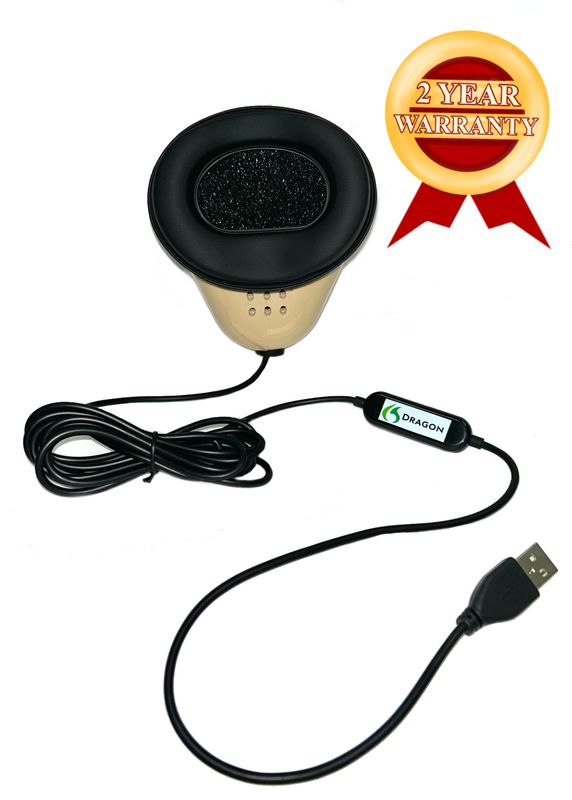
Dragon Stenomask

Direct USB

For a direct computer connection when a second mask output is unnecessary.

The USB connection provides the computer audio input without adding an analog USB sound card in that path. Select this microphone in your operating system and recognition software.

Listed price: $299.99

See Dragon Stenomask specifications and availability
Martel Stereo MM-ST1 stenomask

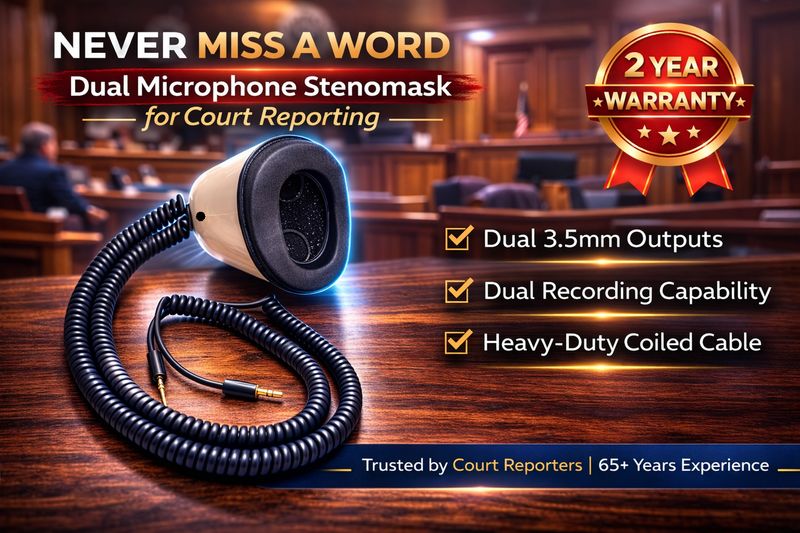
Stereo MM-ST1

Two independent 3.5mm outputs

For two compatible analog microphone inputs.

This model has two microphone paths with separate 3.5mm plugs. It can suit a computer-and-recorder arrangement when the computer has the correct microphone input or a compatible USB audio adapter.

Listed price: $249.99

See Stereo MM-ST1 specifications and availability
Martel MM-ST2 stenomask

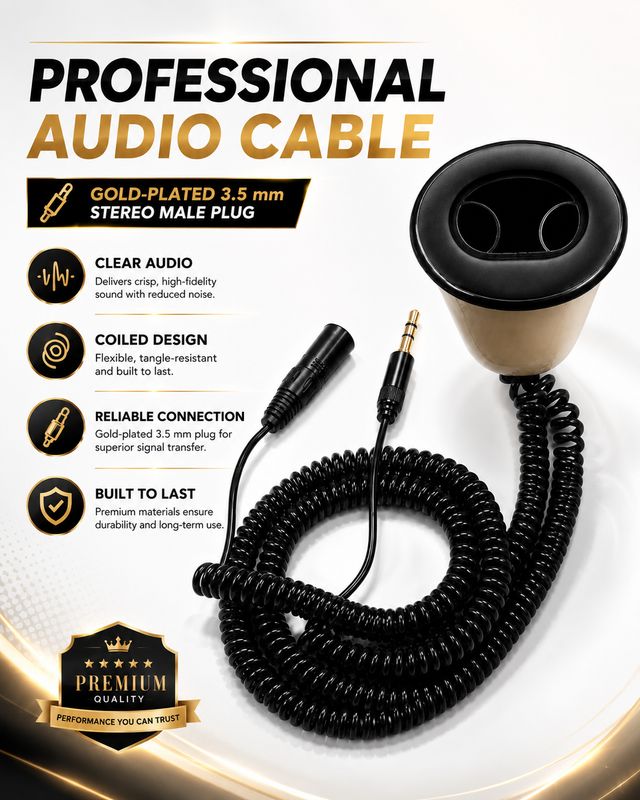
MM-ST2

XLR + separate 3.5mm

For a professional XLR input and a second 3.5mm input.

Choose it around the inputs on your equipment. The two different connections support separate microphone paths; confirm the receiving devices and their electrical requirements before connecting.

Listed price: $299.99

See MM-ST2 specifications and availability
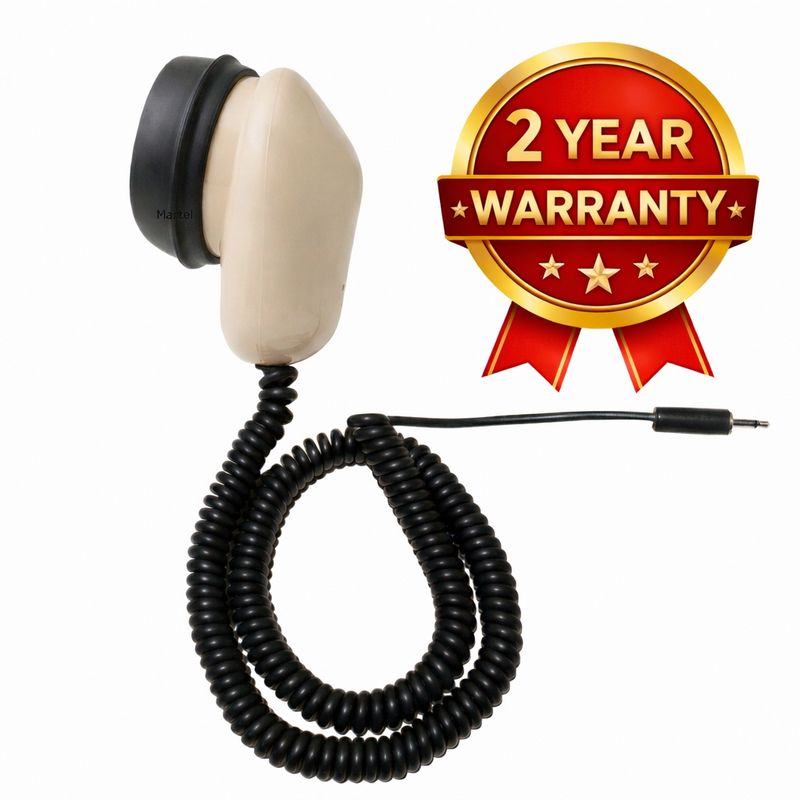
Martel MM-18 stenomask

MM-18

One 3.5mm microphone plug

For one compatible computer or handheld-recorder input.

A single analog microphone path keeps the connection plan straightforward. If your computer lacks a suitable microphone jack, include a compatible USB microphone adapter in your equipment budget.

Listed price: $199.99

See MM-18 specifications and availability
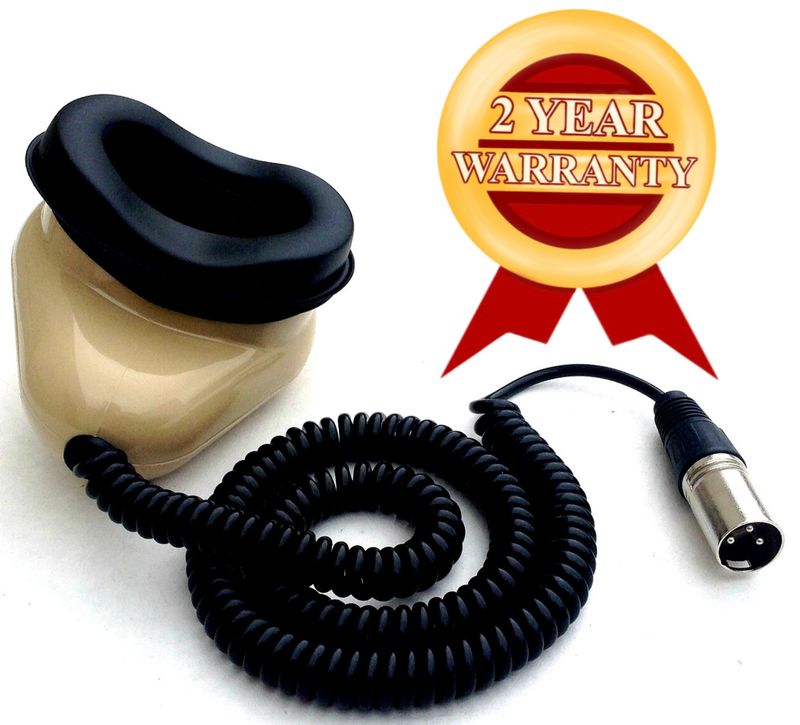
Martel MM-XLR stenomask

MM-XLR

One 3-pin XLR plug

For a compatible recorder, mixer or audio interface with an XLR microphone input.

Start with the exact receiving equipment model. An XLR connector alone does not establish the correct input settings, power or wiring for every device. Have Martel confirm the match when you are unsure.

Listed price: $199.99

See MM-XLR specifications and availability
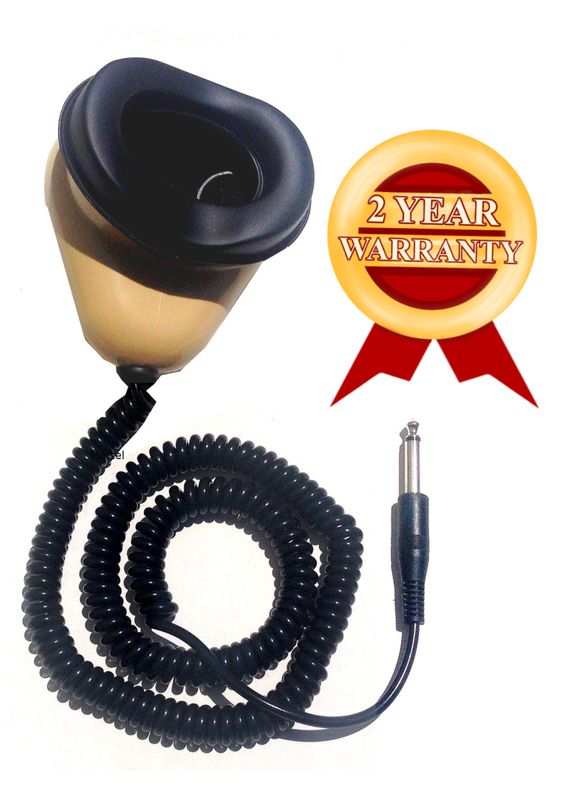
Martel MM-14 stenomask

MM-14

One 1/4-inch plug

For equipment that specifically requires this 1/4-inch microphone connection.

This is a specialty connection choice. Martel lists this model as incompatible with Andrea and USB sound cards. Choose it only after confirming the intended equipment input.

Listed price: $199.99

See MM-14 specifications and availability
Martel Electronics | 1 hour ago

Stenomask Buyer’s Guide: Models, Connections & Accessories

Understand how a stenomask works, compare seven Martel models, and choose the connections, recording paths and accessories that fit your court reporting or voice writing setup.

Connections and technical terms, explained

USB: digital audio into a computer

A direct USB model supplies its audio through the USB connection. A compatible analog mask connected through a USB sound card reaches the computer through a different chain: analog microphone, sound-card input, then USB. Both arrangements still require you to select the correct recording device in the application.

3.5mm and 1/8 inch mean the same plug size

A 3.5mm microphone plug needs a compatible microphone input. Some computers combine headphone and microphone functions in one headset socket. A plug fitting in that socket does not confirm that its wiring or microphone requirements match. Check the computer and adapter specifications rather than choosing by plug diameter alone.

XLR and 1/4 inch identify connection types

XLR and 1/4-inch inputs appear on professional audio equipment, but their supported signals and settings vary. Confirm whether the input is intended for a microphone and which power settings the connected mask requires. Do not assume that a mechanical plug adapter makes two devices electrically compatible.

Two microphone paths are different from a cable splitter

Double Dragon 2, MM-ST1 and MM-ST2 provide separate microphone paths. A passive splitter branches an existing signal; it does not add a second microphone. Separate mask outputs can support a backup plan, but they do not start a recorder or save a file automatically.

Also distinguish two microphone paths from two tracks in one application. Your interface, routing and software determine which inputs are captured and how files are saved. Verify the recorded result for each destination.

Gain, clipping and recording formats

Input gain controls the recording level. Too little can leave speech difficult to hear; too much can distort louder syllables. Use your normal reporting voice when testing. Raising playback volume later cannot restore detail lost through clipping at the input.

Sample rate describes how frequently audio is sampled, and bit depth describes the digital resolution of those samples. Use the settings supported by your selected device and required by your software or school. Choosing the largest number does not, by itself, establish better recognition.

Choose accessories around your Martel mask

Add an accessory to solve a specific need: comfort, positioning, a computer connection or replacement consumables. Check the exact model’s included items before ordering anything separately.

Martel SS4 Soft Seal stenomask mouthpiece

SS4 Soft Seal mouthpiece

Consider this optional mouthpiece when comfort against the face is a priority. Fit it according to the product instructions, then check your normal speaking position and recorded sound.

View the SS4 Soft Seal mouthpiece
Martel hands-free stenomask Flex Stand

Hands-Free Flex Stand

A stand can support mask positioning while leaving your hands available for other work. Check mounting, desk clearance and your normal sitting position. Route the cable so it does not pull on the mask.

View the Martel stenomask Flex Stand
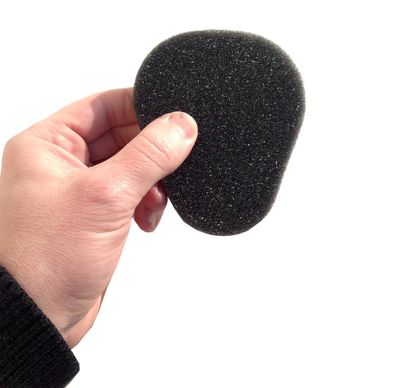
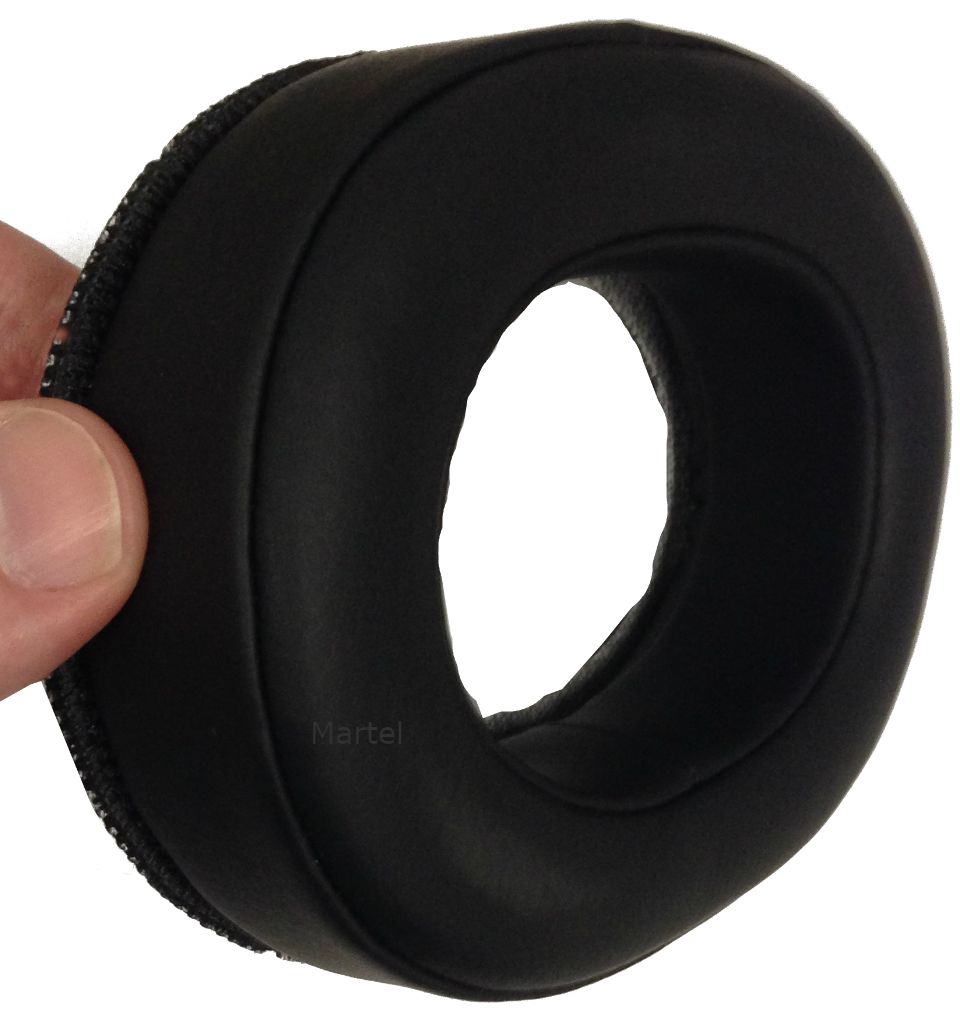
Replacement foam silencing filter for a Martel stenomask

Replacement foam

Choose foam intended for your mask and follow the fitting and care instructions. Keep replacement consumables available so a worn or missing insert does not interrupt your equipment preparation.

View Martel stenomask replacement foam
Martel SS1 silicone stenomask mouthpiece

SS1 silicone mouthpiece

When replacing a mouthpiece, match the part to your Martel mask. Review what your original package includes before choosing a replacement or an optional comfort upgrade.

View the SS1 replacement mouthpiece

Does an analog mask need a USB adapter?

If the computer lacks a suitable microphone input, a compatible USB microphone adapter may provide the required connection. The USB-SA microphone adapter sold by Martel is one option for compatible 3.5mm setups. Check the mask and computer requirements before ordering. It is not the adapter for the MM-14 1/4-inch model.

For your total budget, include the mask, any necessary input adapter, your chosen mouthpiece, optional stand and replacement consumables. Compare package contents so you buy only the extras you need.

Set up and test the complete recording chain

  1. Connect the intended path. Insert the correct plug fully and secure the cable without tension. For two destinations, connect each microphone output to its planned input.
  2. Select the microphone in Windows. Open Settings, then System, then Sound. Under Input, choose the connected microphone. For an analog mask, the device may appear under the name of its USB adapter.
  3. Check microphone access if the application cannot hear you. In Windows 11, review Settings, Privacy & security, Microphone. Check access for the application you intend to use, including desktop-app access where applicable.
  4. Make a short recording before opening recognition software. Speak at your usual working level, stop the recording and play it back. Confirm the saved speech sounds clear and complete. Adjust the input level and repeat if necessary.
  5. Select the input inside your working software. Check its audio-device selection and any required profile or recording settings. A Windows default alone does not prove the application is recording that device.
  6. Test the backup independently. Start and stop each destination, locate both saved files and listen to both. A moving level meter shows input activity; playback of a saved file confirms that a recording was actually saved.
  7. Practice the full assignment workflow. Include names, numbers, punctuation and speaker changes. Check any required room-audio recording separately, then rehearse saving, reopening and backing up your work.
If speech is missing or muffled: first identify whether it is missing in the audio recording or only in the recognized text. Confirm the selected input, connection, fit and recording level. Bring Martel the mask model, adapter model and a description of the test result so the next troubleshooting step addresses the part that needs attention.

Common Questions and Answers

Which stenomask is best for a beginner?

Start with the school’s current requirements and the devices the student will use. A beginner who needs one computer input has a different connection plan from a student required to maintain a separate recorder. Match those requirements before selecting a model.

Do two plugs mean I can record everyone in the room?

No. Both outputs of a dual-microphone stenomask capture the voice spoken into that mask. To capture other participants, plan suitable room microphones and the required recording channels separately.

Does a stenomask include speech-recognition software?

Check the exact package listing. A microphone purchase and a software license are separate items unless the product description explicitly includes both. Confirm the software version and computer requirements before ordering.

Will a different mask guarantee perfect recognition?

No microphone can guarantee a perfect transcript. Clear input is one part of the workflow. Speaking technique, vocabulary, software configuration and careful review remain necessary.

Can I clean every mouthpiece the same way?

Use the instructions for the particular mouthpiece and mask. Different materials can need different care. Avoid soaking microphone components or applying an unapproved cleaner; ask Martel about the exact part when instructions are unclear.

Keep learning about your stenomask setup

New to voice writing? Start with our Stenomask Guide for Voice Writing Students for an equipment worksheet, practice routine and first-session recording checks. For more on the computer workflow, read our Martel Dragon Stenomask setup overview.

Choose your next step

Know your connections? Compare the current models and package details. Need help confirming a match? Send the mask model you are considering, the exact computer or recorder model, your software and whether you need a separate backup path.

Shop Martel stenomasksAsk Martel about your setup

Written by Martel Electronics. Product details and prices checked October 24, 2026. This guide covers Martel stenomasks and accessories available through Martel.

Save this guide with your equipment list, or share it with someone planning a Martel stenomask setup.

Martel Electronics