Wireless or Bluetooth Stenomask? A Guide to Martel’s Wired Connections
Searching for a wireless or Bluetooth stenomask? Understand Martel’s wired USB, 3.5mm and XLR options, choose a connection for your equipment, and use the planning worksheets and 25 FAQs.
By Martel Electronics · Updated
Looking for a wireless stenomask or a Bluetooth steno mask? The seven Martel mask models discussed here use wired USB or analog microphone connections. Their reviewed product listings do not describe a built-in Bluetooth or Wi-Fi mask transmitter. Your computer can use a wireless network while your mask stays connected by cable. Start by separating those two connections, then choose the Martel mask that fits the equipment receiving your voice.
This guide helps you turn a broad request for “wireless” into a useful purchasing decision. You might want fewer items on the desk, an easier laptop connection, room to move your chair, or a workstation that travels well. Those are different requirements. Each deserves a specific solution instead of an assumption that a different connector will solve every problem.
The examples and worksheets below are original planning exercises, not reports of customer installations or measured product tests. Product connections are drawn from the linked Martel listings. For current package contents, availability, and the exact equipment needed at the receiving end, open the relevant product page before placing an order.
What do you mean by a wireless stenomask?
Begin with the part of your setup you want to change. If an external audio adapter is the inconvenience, a direct USB mask may simplify that particular path. If the cable pulls when you turn toward a second screen, the placement of the computer and the available cable movement deserve attention. If you need to hear a remote event, the connection delivering that event to you is separate from the microphone carrying your repeated speech.
Write the desired result in ordinary language. “I want the mask to connect to my laptop without a separate analog audio interface” is a useful requirement. “I want wireless” leaves unanswered which signal should travel, where it should arrive, and whether recording, recognition, or live communication is the intended result. The first description leads to an equipment check; the second can lead to an unsuitable purchase.
Also distinguish a portable system from a cable-free one. A workstation can be packed, carried, and rebuilt while using a wired mask at each destination. A hands-free arrangement can support the mask at a desk while still using its cable. A laptop can receive an online class through Wi-Fi while a USB mask sends microphone audio into that same computer. None of those arrangements makes the mask itself a wireless transmitter.
If the requirement really is to walk away from the receiving equipment while speaking into the mask, tell Martel that explicitly. Include the intended distance, the receiving device, the application, and whether another recording destination is required. The product descriptions in this guide do not establish an approved wireless conversion or a range specification. A purchasing answer needs the complete proposed arrangement.
Separate the microphone path from the network path
A useful equipment drawing has a separate line for each job. The mask path starts with your voice and ends at a receiving microphone input or computer audio device. The network path connects the computer to an online service or another system. The listening path brings other speakers to you. The caption or transcript path handles the text produced in the supported software workflow.
| Connection | What it carries | Question to answer |
|---|---|---|
| Mask to receiving equipment | The voice spoken into the mask | Which microphone input or USB device receives it? |
| Event audio to the writer | The speakers the writer must hear | Can the writer hear each required source clearly? |
| Computer to network | The online application's traffic | What connection does that application require? |
| Software to reader or document | The resulting text | Where should the text appear, and who confirms it? |
| Optional second mask output | Another microphone feed of the writer | Which separate device is intended to receive it? |
This drawing gives you a practical way to describe a failure. A remote speaker may stop reaching your headphones while your mask still records normally. A microphone may reach the computer while the selected application is listening to another input. Text may appear correctly on your screen without reaching the person who needs to read it. Each observation points to a different connection.
For a first sketch, label the physical equipment rather than writing only “audio.” Put the mask model at the beginning of the microphone line. Put the exact laptop, recorder, or interface at the other end. Add the application receiving that input. If the line passes through an adapter, name that component as well. The drawing should explain what you would reconnect after packing the workstation.
A wireless network indicator answers a network question. A microphone meter answers a limited input question. Neither proves that an intended recording was saved or that a reader received captions. Choose the evidence that matches the job: listen to a reopened recording for saved audio, inspect the application's recognized text for recognition, and check a reader's actual display for text delivery.
Which connections do Martel stenomasks use?
The connection families below are a starting point for matching equipment. They are not a ranking of recognition quality. A suitable receiving input matters more than choosing a connector because it looks newer or larger. For a broader equipment comparison, use the Martel stenomask buyer’s guide.
| Martel model | Listed mask connections | Buying question |
|---|---|---|
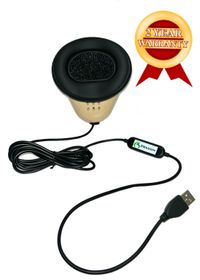
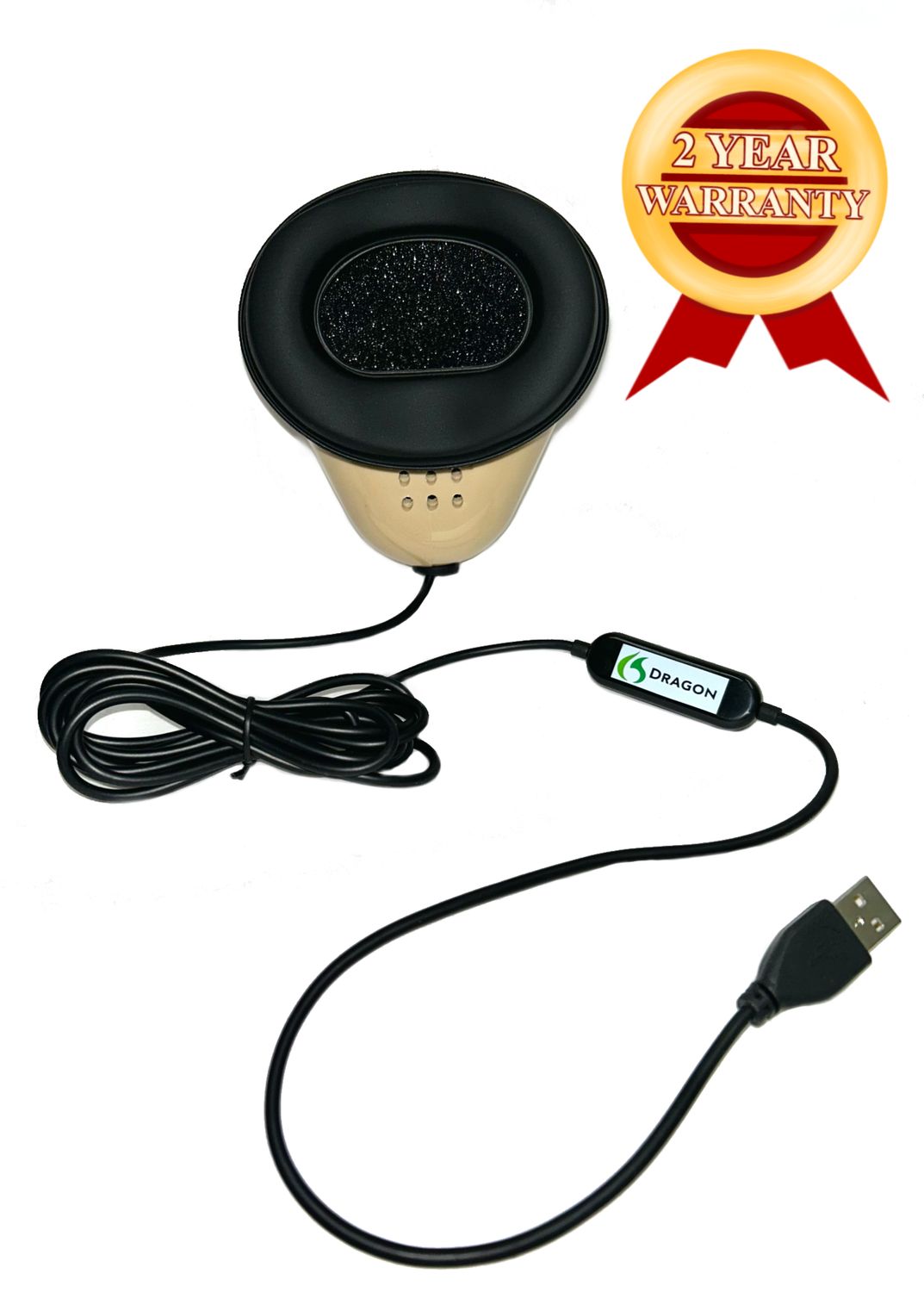
| Dragon | Direct USB | Do you need one direct computer microphone path? |
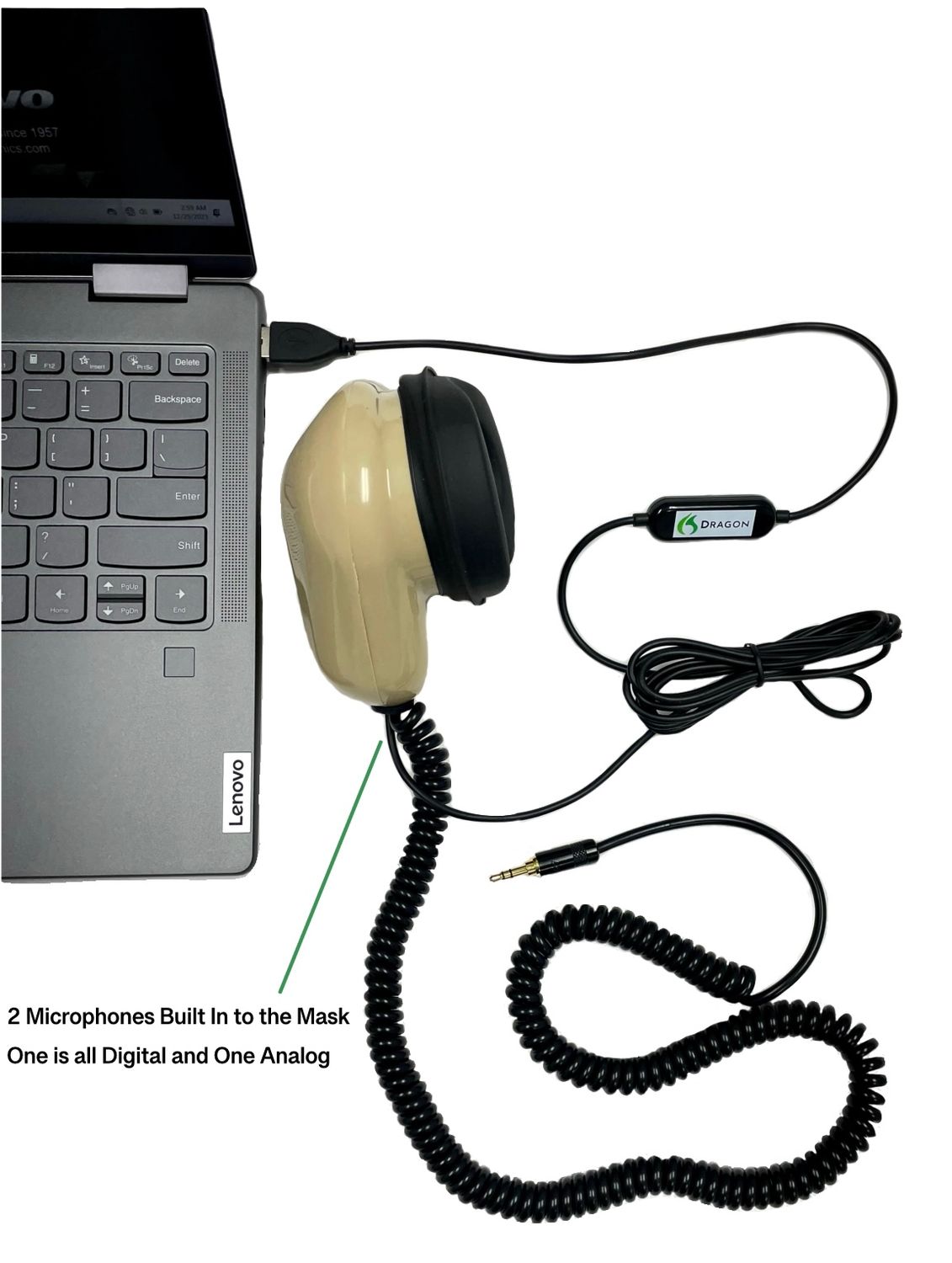
| Double Dragon 2 | USB and an independent 3.5mm microphone output | Do you need a computer path plus another compatible receiving device? |
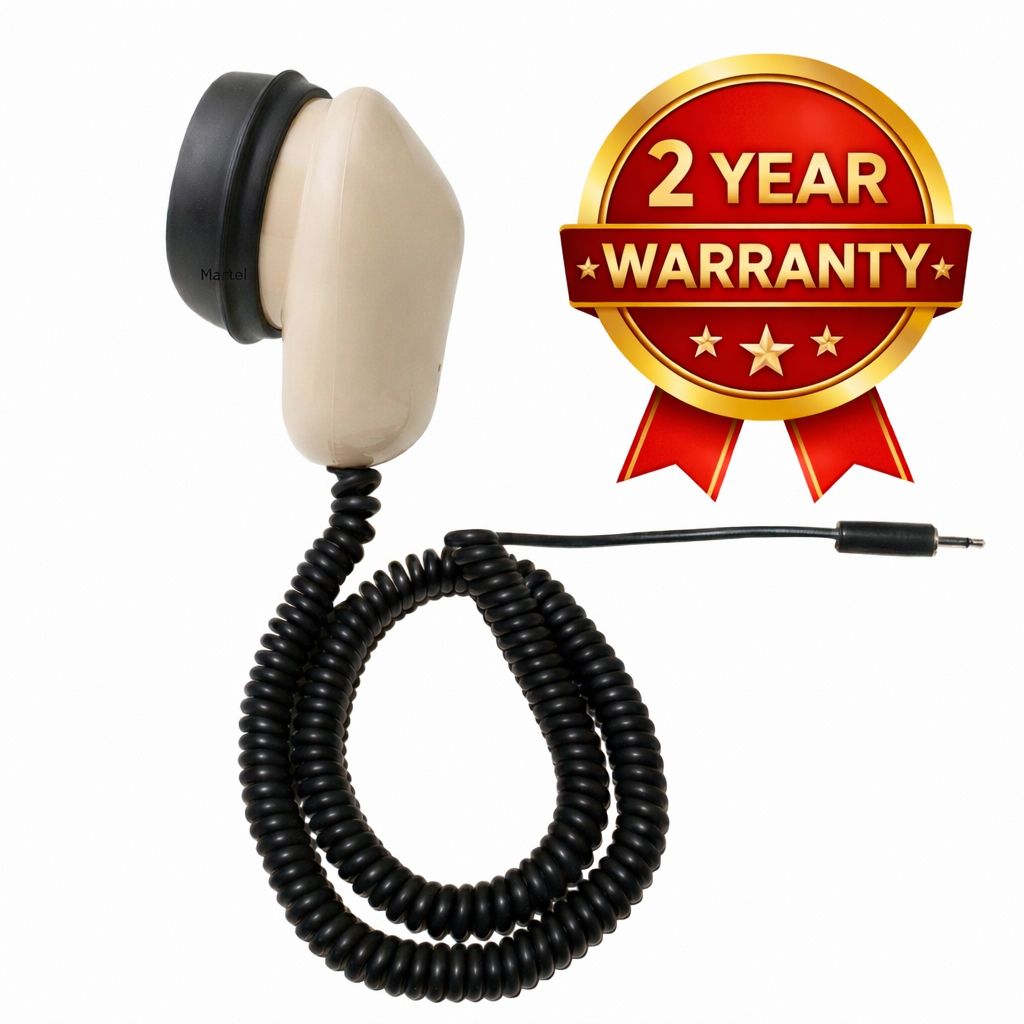
| MM-18 | One 3.5mm analog microphone output | Which compatible input will receive the single mask feed? |
| MM-ST1 | Two independent 3.5mm microphone outputs | Do both intended receiving inputs match the mask? |
| MM-ST2 | Independent XLR and 3.5mm microphone outputs | Does your plan require these two different input routes? |
| MM-XLR | Three-pin XLR | What compatible XLR microphone input will you use? |
| MM-14 | Quarter-inch microphone plug | Does your specified equipment require this particular connection? |
The MM-14 is a specialty choice; its listing states that it is not compatible with USB sound cards. The presence of an adapter that physically joins two plugs should never be treated as confirmation of a supported microphone path. Similarly, an XLR connection needs the correct receiving input and settings. Ask about the whole route before purchasing a specialty connector model.
For dual-microphone models, identify both destinations before deciding that the additional output is useful. A second plug is not a room microphone, and connecting it does not start a recorder. It supplies another path for the voice spoken into the mask. The receiving device and its recording settings must do the saving.
When direct USB answers the real buying question
A buyer searching for a wireless stenomask may actually be trying to reduce the number of separate components between the mask and a laptop. Martel Dragon provides a direct USB microphone route. That is a specific connection choice: it removes the need to build an analog-mask-to-USB audio path for that input. It does not remove the mask cable, supply every software license, or establish that every computer configuration is supported.
List what currently sits between your mask and the computer. Perhaps there is a 3.5mm mask, an external audio interface, and a physical port adapter. A direct USB mask changes that equipment list, but the laptop's available port still needs to match the supplied connection. Check the actual connector and package contents rather than assuming that the words “USB laptop” describe every required part.
After the physical connection is settled, record the microphone device selected in the application. A computer may have its own microphone, a webcam microphone, and an external microphone available at the same time. The useful result is that the application receives the intended mask, not merely that a new device appears somewhere in the operating system.
Choose Martel Dragon for a direct USB stenomask connection when that route fits the supported computer workflow. If you also require a separate analog microphone destination, review Double Dragon 2’s USB and 3.5mm outputs. Keep the second destination on the drawing and verify it independently.
When an existing analog arrangement still fits
A working 3.5mm microphone path can remain a sensible choice when the receiving equipment and your requirements are unchanged. The MM-18 offers one analog mask output. MM-ST1 supplies two independent 3.5mm outputs. These are different destination plans, so choose between them by the inputs you must feed rather than by the number of plugs alone.
Before replacing a functioning mask to reduce desk clutter, identify the source of the clutter. The computer may be placed too far from the speaking position, an adapter may hang unsupported from a socket, or several unrelated cables may cross the same workspace. Moving a receiving device or organizing the routes can address that problem without changing the microphone model. Use only arrangements that leave the connections supported and accessible.
Conversely, do not retain an unsuitable connection merely because you already own it. If a new laptop no longer supports the old route, establish a compatible interface or reconsider the mask connection. Reusing equipment is useful when its role remains clear. A collection of unverified plug converters can make a simple microphone path harder to explain and harder to troubleshoot.
The MM-18 computer and recorder setup guide covers the single-output arrangement in more detail. For a planned model change, the MM-18 upgrade guide helps separate reusable equipment from components that must change. Use those guides after defining the connection requirement here.
Build a desk layout that gives the cable a clear route
Sketch the working position before attaching anything permanently. Mark the chair, main screen, secondary screen, computer ports, and any recorder. Then draw the mask cable's route through that layout. The goal is to see where normal movement could pull a connector, trap a cable under an item, or move the mask away from the position you established.
Put the receiving equipment where its connections can be reached without reaching across your face or pulling on the mask. Leave appropriate movement for turning toward a screen and setting the mask down during a break. Follow the product's handling instructions; do not stretch a cable to create a workstation layout it does not comfortably reach. A cable route that works while you sit motionless may behave differently during ordinary use.
Give each device a stable resting place. An interface hanging by its cable may transfer its weight to a computer port or the mask lead. A recorder balanced behind a laptop is harder to check than one with its controls visible. Arrange the equipment so you can read a recording indicator and reach a stop control without disturbing the microphone connection.
Keep mask movement separate from keyboard and document movement. A cable laid across a stack of papers can be moved every time you turn a page. A route that passes through the chair's normal movement area can be caught when you stand. Test your actual routine: look at the second screen, reach for a note, set the mask down, and return to the speaking position.
If you use a Martel hands-free stenomask stand, treat it as mechanical support. It does not change the microphone's output type or make a mask wireless. Check the stand's listed dimensions, clamp requirements, and fit with your desk before ordering. Set the position so the support helps maintain your chosen speaking arrangement without requiring you to lean into an awkward posture.
Finish with a short layout note or your own photograph. Include enough of the desk to show the cable route and receiving equipment, while keeping private screens or paperwork out of the image. That reference can help you rebuild the setup after travel. It also makes a support request more precise than saying that the cable “does not feel right.”
Plan portability, remote work, and hands-free use separately
For a portable kit, make a packing list from the completed connection drawing. Include the mask, the correct receiving equipment, any verified connection components, and the items required to operate those devices. Identify which parts belong to the microphone path and which belong to listening, network access, or power. This avoids buying a new mask to solve a missing component elsewhere.
At the new location, rebuild the microphone path first and prove that it works. Then establish the event-audio and network connections. Finally, check the text or recording destination. Building in that order makes it easier to locate a problem because you have a record of which functions worked before the next part was introduced.
For remote captioning or reporting, make an explicit plan for communication with the organizer. Your mask speech may contain repeated event content and commands used in your workflow. Do not assume that the mask should also be the microphone sent to every participant in an online meeting. Identify the intended communication input and verify what other people actually hear during a rehearsal.
Hands-free use presents a different question: how the mask is supported while you work. A supported mask still needs a suitable seal, a repeatable position, and its normal cable connection. Evaluate the actual supported arrangement during ordinary tasks, including looking at a reference screen and using the keyboard. A stand purchase should be driven by a placement need, not by an expectation that it changes microphone electronics.
When your work requires realtime text for a reader, continue with the Martel CART captioning equipment and workflow guide. That guide follows the text to its audience. It is a separate question from whether the microphone itself has a cable.
Run a connection rehearsal before making the setup routine
Use a short, original passage that contains information you can recognize when listening back. For example: “This is the desk connection check. The first folder is green. The appointment is on Thursday at nine fifteen. The reference number is four seven two. This is the end of the sample.” These sentences are practice material, not a professional test or a product accuracy standard.
First, record the passage through the intended mask input using an application appropriate for that equipment. Note the selected input and the file location. Stop the recording, close it, and open the saved file. Listen for the opening phrase, the numbers, and the closing phrase. The purpose is to confirm that the recording contains the intended source from beginning to end.
Next, repeat the passage while performing ordinary desk movements. Turn toward your reference screen, return to your usual position, and reach for an item you normally use. Keep the movements modest and representative. Listen for changes and note when they occur. If a change appears, inspect the placement or connection involved before changing several application settings at once.
If the setup includes recognition, run a separate recognition exercise. Keep the recorded speech and the first text output from the same attempt, where the software supports that workflow. An audio problem and a recognition problem are not the same observation. The stenomask recognition evaluation guide explains how to review those results without inventing a universal accuracy percentage.
For Double Dragon 2, MM-ST1, or MM-ST2, check each intended receiving destination. Label the saved recordings by device so you do not accidentally listen to one file twice and assume both paths worked. A second connected device deserves its own start, save, close, and playback check. If your plan includes recording other people, evaluate that source separately from your mask voice.
Finish with a reconstruction exercise. End the practice session normally, pack the equipment as you would for travel, and rebuild it later using your connection note. Confirm the selected inputs again. The useful result is a setup you can identify and restore, with observed evidence for the functions you require. This exercise does not establish that any connection will never fail.
Three original buying scenarios
A student wants fewer separate pieces beside a laptop
In this hypothetical example, a student describes the goal as a “wireless mask,” but the actual inconvenience is an external analog interface and several loose parts. The course uses one computer microphone input and does not require a second mask recording destination at this stage. The student should first confirm the current equipment requirements with the instructor, then examine whether a direct USB Martel Dragon route meets them.
The buying list should still identify the laptop port arrangement, software, mask, and any connection component actually needed. The acceptance check is a saved practice recording from the selected input and a successful exercise in the required application. It is not a judgment based on the number of objects removed from the desk. If the course requires a different established arrangement, that requirement must be resolved before purchase.
An experienced writer needs two destinations
Here, the writer already uses a computer for recognition and wants a separately identified recording path for the repeated speech. The key question is not wireless versus wired. It is whether the planned receiving devices match the two mask outputs. Double Dragon 2 offers USB and an independent 3.5mm output; MM-ST1 offers two independent 3.5mm outputs; MM-ST2 combines XLR and 3.5mm.
The writer should select the model after confirming the computer route and the separate recorder input. A dual-output mask does not establish that the recorder is configured correctly, that recording has started, or that a file survives a particular interruption. Those are distinct checks. The final equipment note should say which source each file contains and how the writer verifies it after a practice session.
A captioner changes work locations regularly
In this example, the captioner wants a compact arrangement that can be rebuilt at different desks. The practical concern is portability. The mask can remain wired while the kit becomes easier to identify and pack. A useful list includes the mask, the known receiving route, listening equipment, power requirements, and the connection used to deliver captions to the reader.
The captioner should rehearse the actual reader-facing delivery at the destination, not stop after seeing text on the working laptop. Desk placement should leave room for the mask cable and normal movement. If a stand is part of the kit, its desk fit belongs in the location check. The model decision then follows the microphone destination instead of a general preference for fewer visible cables.
Use a purchase worksheet that resolves specific questions
Before contacting Martel, collect the facts that would let someone understand your setup without seeing the desk. Give the exact mask you currently own, if any. Identify the receiving computer or recorder and the application that needs the microphone. State whether a second device must receive your voice. Describe the inconvenience you are trying to remove in one sentence.
| Worksheet field | Useful entry |
|---|---|
| Desired improvement | Describe the connection or placement problem, not just “wireless.” |
| First destination | Exact device, input, and application receiving the mask. |
| Second destination | Exact recorder/input, or a clear statement that none is required. |
| Existing components | Mask, interface, physical adapters, stand, and relevant cables. |
| Working location | Fixed desk, repeated travel setup, classroom, or remote workspace. |
| Purchase scope | Mask only, specified accessories, or a complete equipment plan. |
| Acceptance evidence | Which recording, application result, or reader display will be checked? |
Budget for the complete route you choose. A mask price does not automatically include a computer, recorder, software license, stand, or every connection component. Compare required items first and optional items second. Use current product listings for price and availability; those details can change independently of the technical arrangement described in an article.
Send a focused question when something remains uncertain. For example: “I need a direct USB mask input on this laptop and a separate mask recording on this recorder. Which Martel model and receiving connections should I confirm?” That gives the support conversation a clear purpose. Include photographs of the relevant ports if requested, without sharing private documents or account information.
Describe a connection problem before changing equipment
Keep a small observation log when deciding whether the microphone route needs to change. Give each entry a time, an action, and the result you actually checked. For example, you might write that the practice file was audible before moving the laptop, then record whether the same selected input worked afterward. This makes the difference between a repeatable observation and a general impression.
Separate silence from an unwanted source. A file containing the laptop microphone may sound different from the intended mask recording even though audio is present. A file containing your mask voice but missing a remote speaker may reveal that the recording plan never included that speaker. Replacing the mask would not resolve an omitted source assignment.
Also separate a physical interruption from an application change. If the connection remains in place but another application selects a different microphone, the next useful question concerns routing. If ordinary movement affects the connection, inspect the equipment and placement involved. Describe the evidence without assigning a cause you have not established.
When requesting support, attach the equipment list and explain which short practice check succeeded and which failed. Do not send a confidential proceeding merely to demonstrate an input-selection problem; an original practice passage can often make the issue clear. Ask what additional information is needed before sending a recording.
Use the Martel stenomask troubleshooting guide for a more detailed diagnostic sequence. The purchase decision should follow the identified requirement: a supported connection, a functioning component, or a placement change. Keep the working arrangement documented while a new option is evaluated so you have a clear reference for what changed.
Choose the next step from the requirement you established
If the requirement is one direct computer connection, review Dragon. If it is USB plus a separate analog destination, examine Double Dragon 2. If your existing compatible 3.5mm route is the intended destination, review MM-18 or MM-ST1 according to the number of independent outputs required. Select specialty XLR or quarter-inch models only after confirming the corresponding receiving input.
For positioning questions, start with the Martel stenomask accessory guide. For outside audibility and seal questions, use the sound leakage and fit evaluation guide. Neither a cable type nor a hands-free stand establishes complete acoustic isolation.
Find the Martel connection that fits your equipment
Browse Martel stenomask microphones to compare current models and ordering details. If the destination is still uncertain, ask Martel about your specific computer or recorder connection before selecting a mask.
25 questions about wireless searches and Martel stenomask connections
1. Does this guide offer a wireless Martel stenomask?
No. It explains the wired connections in the seven Martel models reviewed and helps you identify what you actually need from the setup. Those listings do not describe a built-in wireless mask transmitter. If you have a requirement for a different arrangement, give Martel the complete receiving-equipment details rather than assuming a conversion is available.
2. Is a USB stenomask the same as a Bluetooth stenomask?
No. The direct USB connection described for Martel Dragon is a cable connection to the computer. A Bluetooth label would describe a different communication arrangement. Choose from the product's stated connection and the receiving device's supported input, not from the fact that the computer happens to include Bluetooth capabilities.
3. Can my laptop use Wi-Fi while the mask stays wired?
The mask connection and the laptop's network connection have separate jobs. Your laptop may use Wi-Fi for an online service while a wired mask supplies microphone input. Confirm both functions in the actual application arrangement. A successful network connection is not evidence that the application has selected the mask microphone.
4. Why might someone search for wireless when USB is suitable?
The person may want fewer external audio components rather than freedom to move away from the computer. State that goal directly. A direct USB Martel model may suit a supported computer workflow, but it remains wired. Verify the port arrangement and application input before deciding which components can be removed.
5. Which Martel mask has one direct USB path?
Martel Dragon is the direct USB option described here for a single computer microphone route. Review its current listing for the supplied connection and package details. Establish the computer, operating system, and application requirements separately; the model name alone does not confirm every possible workstation combination.
6. When should I examine Double Dragon 2?
Examine it when your plan calls for USB to a computer and an independent 3.5mm mask microphone feed to another compatible destination. Name both receiving devices before ordering. The additional output is useful only when the intended second input and recording process are suitable and have been checked.
7. Does a second mask microphone record the room?
It provides another feed of the speech spoken into the mask. A plan to record participants or event sound requires the appropriate separate source. Label mask audio and room audio distinctly on your equipment drawing so you know what each saved recording can actually help you review.
8. Is the MM-18 a wired steno mask?
Yes. The MM-18 listing identifies one 3.5mm analog microphone output and a coiled cable. Its receiving computer, recorder, or interface must accept the microphone appropriately. It does not plug directly into a USB socket merely because the computer has USB ports available.
9. How does MM-ST1 differ from MM-18 for connections?
MM-ST1 provides two independent 3.5mm microphone outputs, while MM-18 provides one. That changes the possible destination plan. It does not, by itself, establish better recognition or a completed backup recording. Verify each receiving input and check the resulting saved files in the arrangement you intend to use.
10. Is MM-ST2 a wireless dual-microphone model?
No. The reviewed MM-ST2 listing describes wired XLR and 3.5mm outputs from independent microphones. Consider it when those two connection types match the planned receiving equipment. Do not choose it simply because a product description uses the word “stereo”; identify the actual inputs and recording channels you need.
11. Will any XLR socket work with MM-XLR?
A matching connector does not establish the full microphone requirements. Confirm the exact device, input settings, signal arrangement, and applicable power requirements before use. If you cannot identify those details, ask for help with the intended path rather than trying a sequence of unverified adapters.
12. Can I use MM-14 as a general USB-mask substitute?
The MM-14 listing states that it is not compatible with USB sound cards. It is a specialty quarter-inch connection choice. Select it for a confirmed receiving-equipment requirement, and avoid treating a physical plug-size converter as proof that an otherwise unsupported microphone route will work.
13. Does a USB-C socket settle the purchase decision?
No. You still need to know the mask's supplied connection, any necessary port adapter, and whether the computer and application support the intended microphone path. Write those details down before ordering. The shape of a laptop socket is only one part of the equipment specification.
14. Can I make a mask wireless with an unspecified adapter?
This guide does not establish an approved wireless conversion. Adding an unspecified device creates new questions about input compatibility, output routing, operation, and the evidence needed to rely on it. Bring a complete proposed arrangement to Martel instead of assuming that physical connections alone make the conversion suitable.
15. Does a hands-free stand remove the cable?
No. A stand supports and positions the mask; the microphone retains its normal connection. Evaluate the desk fit, speaking position, and cable route as a group. The purpose of the stand is mechanical support, so select it for a real placement need rather than an expected change in electronics.
16. Is a portable stenomask kit necessarily wireless?
No. Portability means you can carry and rebuild the equipment you need. A practical wired kit can have a clear packing list, identified connections, and a repeatable setup check. Test reconstruction at a second desk before relying on the kit at an unfamiliar location.
17. How should I handle a cable that pulls during use?
Review the location of the receiving device, the route of the cable, and the movements that cause the pull. Avoid stretching the cable to compensate for an unsuitable layout. If a component appears damaged, follow the product support process rather than disguising the problem with a different speaking position.
18. Does a moving microphone meter prove recording works?
It shows activity at a particular point, which may be useful for checking input selection. To verify saved audio, make a practice recording, stop it, and reopen the intended file. Listen for recognizable beginning and ending phrases so a meter reading is not mistaken for complete recording evidence.
19. Should I send mask speech to an online meeting?
Only when that is part of the intended, supported workflow. Mask speech and communication with meeting participants can serve different purposes. During rehearsal, check which input the meeting receives and ask a helper to confirm what is audible. Keep that check separate from recognition and local recording.
20. Does changing from analog to USB guarantee better recognition?
No recognition improvement is guaranteed here. Input selection, speaking technique, software, configuration, and the entire audio route affect the result you observe. Evaluate the actual new arrangement with a consistent practice passage and preserve its audio and text evidence before deciding whether it meets your requirements.
21. Is recognition software included with every mask purchase?
Do not infer a software license from a microphone's product name. Review the current package contents and the license requirements of the application you plan to use. Keep the mask, computer, recording tools, and recognition software as separate purchasing entries unless the specific offer explicitly includes them together.
22. What should a student confirm before choosing a connection?
Obtain the current equipment requirements for the course and identify the receiving computer and applications. If the list is unclear about USB, analog inputs, or a separate recorder, resolve that point before ordering. A general article cannot establish the exact setup expected in an individual program.
23. What information makes a support request useful?
Include the mask model, receiving equipment, connection components, application, and the particular result that failed. Explain what still works. “The saved mask file is clear, but the text stops in this application” is more useful than “wireless is not working” when the mask is connected by cable.
24. How can I compare total purchasing needs?
Make one list of required components for each proposed route, including items you can reuse after compatibility is confirmed. Then list optional accessories separately. Compare the complete supported arrangement, not only the mask prices, and use the live product pages for current pricing, contents, and availability.
25. Where should I start if I still cannot choose?
Start with the destination: one computer, one recorder, or two independently identified receiving paths. Open the corresponding Martel product links in the connection table, then ask Martel about any unresolved input requirement. A precise equipment question gives you a stronger purchasing basis than a broad wired-versus-wireless preference.
Prepared by Martel Electronics. Product connections and model names were checked against the linked Martel catalog pages on November 13, 2026. The desk examples, purchase worksheet, and rehearsal passage are original educational material. No comparative performance results, wireless range measurements, or universal recognition claims are presented.