Courtroom Microphones: Choosing One Microphone or a Multi-Microphone System
Compare single and multiple courtroom microphones. Plan speaker coverage, recording inputs, mixed audio versus separate tracks, monitoring and setup tests.

Understand how a stenomask works, what voice writers do, how speech becomes text and which connections matter. Includes practical examples and FAQs.
A stenomask is a microphone enclosure used to capture a voice writer’s speech close to the mouth while helping contain that speech. If you have seen a court reporter holding a small mask and wondered what it does, the essential idea is straightforward: the reporter is speaking information into a recording or speech-recognition system as part of a trained reporting workflow.
The mask is one component of that system. It does not independently understand a proceeding, identify every speaker or produce an approved final transcript. The voice writer supplies the trained input, and the connected recording and software tools handle the audio and text according to the chosen workflow. This guide explains the basics before turning to connections and practical equipment checks.
The mask places a microphone near the writer’s mouth and helps limit how much of the writer’s speech carries into the surrounding room. Fit and speaking technique matter. It is better to think of it as a specialized voice-input tool than as a promise of complete silence in every setting.
A beginner may first notice the unusual shape, but the useful questions are about the job: does the mask fit comfortably, does the intended application receive the writer’s voice clearly, and does the setup work consistently during practice? Those questions are more informative than judging a mask only by its appearance.
The microphone inside the mask primarily captures the writer. It is not positioned to be the room’s main microphone for everyone else. If the workflow also requires original proceedings audio, that is a separate source to plan. Our stenomask versus room microphone guide explains when both paths are useful.
The National Verbatim Reporters Association’s explanation of voice writing describes trained professionals who capture spoken material and use computer-aided tools to produce text. Their voice notes contain information needed to prepare the record, rather than simply being an unstructured repetition of sounds.
That distinction helps explain why buying a mask is not equivalent to learning the profession. A person must follow the source material, maintain clear input and use the workflow taught by the training program or required for the assignment. Equipment should support that work without being presented as a substitute for it.
In a fictional practice exchange, two speakers may take turns discussing an appointment. The learner needs to keep the words and speaker information organized in the chosen method. If the learner loses track of who spoke, a clear microphone signal alone cannot supply the missing decision. Practice should therefore examine both the input quality and the information captured.
A useful way to understand the equipment is to follow the signal. The writer speaks into the mask. The microphone produces an audio signal. That signal reaches a compatible computer, interface or recorder. Software may use it for recognition, recording or both, depending on the configured system. The resulting material then moves through review and document preparation.
Some workflows emphasize realtime text; others use recorded voice notes in later preparation. The details depend on the software and professional method. Do not assume that a microphone sold for recognition includes every required application, license or integration. Identify those components explicitly when planning a system.
Recognition output should be assessed against the source and the intended task. A plausible-looking sentence can contain an incorrect name or number. A reader unfamiliar with voice writing should therefore distinguish a live draft from a reviewed final document. Ask the training program or software provider how that distinction is handled in the proposed workflow.
| Part of the setup | Purpose | Question to answer |
|---|---|---|
| Stenomask | Capture the writer’s voice | Which fit and connection suit the required system? |
| Computer or recorder | Receive and process or save audio | Does it support the intended input and software? |
| Software | Provide the required recognition or reporting functions | Which edition and license are actually included? |
| Monitoring and review tools | Check the input and saved result | Can the user verify the complete recording? |
| Accessories | Support fit, connection and routine use | Are they specified for the actual mask and destination? |
Write “included,” “already owned” or “still required” beside each part. This simple exercise catches purchases that look complete because the photograph shows several items but omit a necessary software entitlement or compatible interface. Use the current package description, not assumptions about what usually comes with similar equipment.
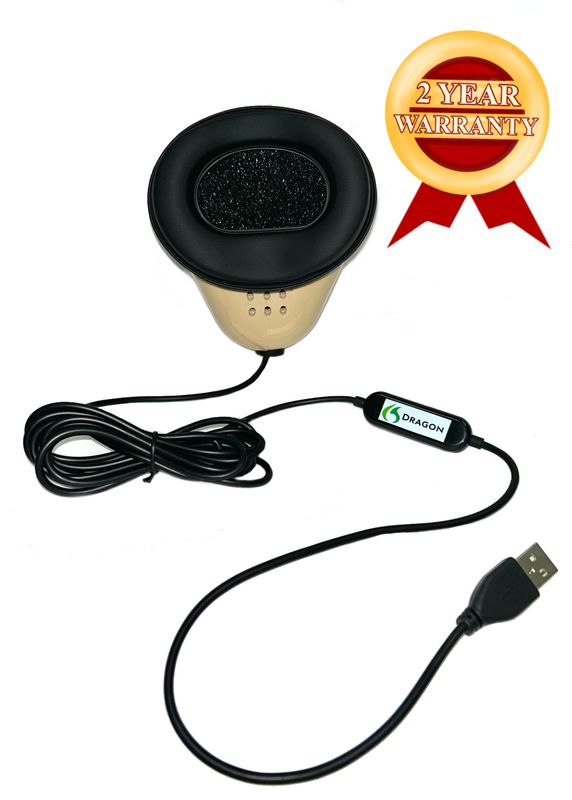
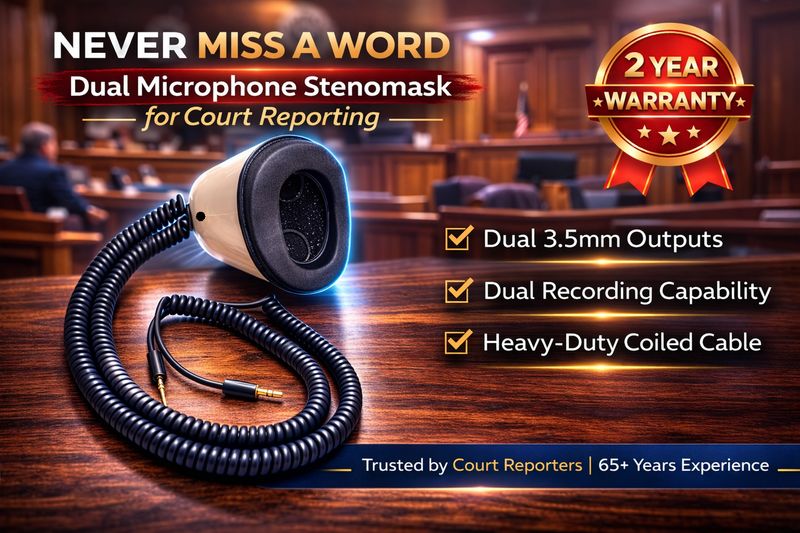
The Martel Dragon Stenomask provides a direct USB connection. The Double Dragon 2 adds a separate 3.5mm microphone path alongside USB. The MM-ST1 uses two 3.5mm outputs. Choose according to where the voice signal must go, particularly if the system uses both a computer and a separate recorder.
These are connection differences, not a universal ranking for every learner. A school may specify a particular interface and mask arrangement because that is the setup it teaches and supports. Ask for the current equipment list before substituting a different connector or assuming that a simple plug adapter provides the same result.
For a detailed purchase comparison, continue with the Martel stenomask buyer’s guide. If you are starting a course, the student stenomask guide covers planning around the program’s requirements. This introductory article is intended to explain the tool’s role before those buying decisions.
Begin with fictional, nonconfidential material. Fit and hold the mask as directed for the model and the training method. Check that the software selects the intended microphone rather than the laptop’s built-in input. Speak a short passage, save it where appropriate and listen back before increasing the length or difficulty of the exercise.
Look for a stable, understandable voice recording. If it is faint, distorted or interrupted, resolve that before treating recognition results as a fair test of the whole system. Note the device selection, connection and recording settings used. Change one variable at a time so you can tell whether a fit adjustment or software change helped.
Repeat the same passage at the next session. Consistency is useful evidence: can the learner reconnect the equipment and reproduce the working arrangement? A setup that succeeds once after several unexplained changes is harder to rely on than one that can be assembled and tested deliberately.
Follow the instructions supplied with the mask for fit and routine care. Keep the microphone area and any openings in the condition intended by the manufacturer. Do not pack extra material into the enclosure or cover openings in an attempt to make it quieter without approved guidance. A change that alters the acoustic path can also affect the captured voice.
Use replacement mouthpieces or filters specified for the model. Confirm compatibility before ordering accessories that look similar in a photograph. Allow components to dry as directed before reassembly, protect cables during transport and avoid pulling on a lead to remove a connector. These simple habits support repeatable setup and reduce avoidable wear.
If comfort changes during a session, pause and check the fit and holding position rather than compensating by forcing the mask harder against the face. Discuss technique with the instructor where relevant. The goal is a setup the person can use consistently, not a particular appearance in a product photograph.
A USB mask presents its microphone signal through a digital computer connection. An analog mask needs a suitable receiving microphone input or interface. The computer still needs to select the correct device in the application. A USB plug fitting the port does not establish that every software edition or mobile device supports the intended workflow.
A dual-output mask offers two signal paths, but each destination must be tested. Confirm that both devices are receiving and saving the expected voice. Two connectors do not automatically create two usable files, and two files saved on the same computer may share important failure points.
Keep live monitoring and saved playback separate in your checks. Hearing the voice in headphones tells you about the monitored path. Playing the saved file tells you whether the recording was actually retained. Both can be useful, and neither should be silently substituted for the other.
It contains a microphone, but its enclosure and close speaking position serve voice writing. A room microphone is arranged to capture participants around a space. The two tools are selected for different sound sources and can be used together when the workflow calls for both.
No. The microphone supplies audio. Supported recognition or reporting software performs the relevant processing, and the user supplies trained input and review. Confirm which software is included with a purchase and which applications or licenses must be obtained separately.
It is intended to help contain the writer’s speech, but fit, speaking technique and the setting matter. Avoid treating any mask as a universal guarantee of inaudibility. Follow the model’s instructions and the training or workplace requirements for the actual use.
Obtain the course’s current equipment and software requirements first. The instructor may support a specific connection arrangement. Choosing compatible equipment at the beginning can prevent unnecessary adapters, duplicate purchases and troubleshooting that interrupts practice.
They may need to feed two compatible destinations, such as a computer and a recorder. That choice should follow a defined recording plan. Test each destination and identify what protection the second path is supposed to provide.
Browse Martel stenomask microphones and the Dragon, Double Dragon 2 and MM-ST1 comparison. Start with connection requirements and the supported software arrangement, then evaluate fit and accessories.