


A Mock Court Hearing From Roll Call to Readback With Speechmatics
Run a complete fictional footbridge hearing with Martel stenomasks, two witnesses, exhibits, a recess, a disputed readback, and four separate scores.
Back up your Dragon profile, word list, CAT dictionaries, layouts, jobs and audio. Verify your copies with a court reporter’s practice recovery exercise.
Before moving from Dragon to a Speechmatics workflow, preserve what lets you reopen yesterday’s work and what lets you start a fresh job in your familiar way. Include your Dragon user profile, an export of custom words, the CAT dictionaries you rely on, your layouts and blank job material, and at least one practice job with the audio you expect to hear. Add any separate recordings you keep on a recorder or elsewhere. The most informative check is a small recovery exercise. Open a copied practice job, find a distinct sentence, listen to the expected recording, and locate a custom term while the original setup remains available.
Picture arriving for a lesson after the change. You may want to show the instructor the exact output from last week, open a clean question-and-answer template and explain how you used to say an unfamiliar organization name. These activities require different things. A printable copy of last week’s work can show the words you delivered. Your native CAT material lets you work with a job in the program that created it. A word-list export helps identify a vocabulary entry. A recording gives you the speech to compare. Checking all four avoids a frustrating situation in which a folder seems full but contains only one type of evidence.
Make the inventory while the old system is available for ordinary use. Open an example first and note what actually happens. Which item do you select to start a job? Which template name appears? Which personal dictionary and job-specific material matter? When you play the practice answer, where is its audio? If you ordinarily use a separate recorder, pick up the recorder and find the matching file. Answers gathered from a working session preserve decisions that can be difficult to recover merely by looking at a directory after the computer has been packed away.
Choose fictional teaching material for the demonstration whenever you can. It removes the need to share an actual proceeding to prove that you can open text and play audio. Your real work may have separate instructions about storage, access, transfer and retention. Use those instructions for the real inventory and use the fictional examples here to practice the mechanics. A demonstration can be complete without disclosing a client’s name, witness testimony or a private vocabulary list to a person who only needs to see that the process works.
Nuance describes a Dragon user profile as a collection of files used in processing dictation. Its documentation identifies microphone information, custom words and vocabularies among the things stored there. Its Dragon Professional 16 documentation also distinguishes profile backup arrangements for standalone and managed installations. Identify the edition and arrangement you actually use, then follow the matching publisher procedure to preserve the profile. If an administrator manages your installation, ask how its backup will be available for the planned move. Put that answer next to the profile name and the date you verified it. Nuance user profile procedures.
Use a separate inventory line for the vocabulary export. Nuance documents exporting custom words and phrases from Dragon Professional 16 as text or XML. The XML option includes word properties defined for the custom words. Choose the format for the purpose you have in mind and keep the original export intact. A text list can be convenient for reading or marking up a working copy. An XML export is useful when preserving those properties matters. An export describes custom entries in Dragon. Whether another CAT recognition workflow accepts a particular format is a separate question for its publisher. Nuance custom-word export options.
If you have used more than one profile, identify the one you use for your current work. A file labeled “last backup” gives little help if it belongs to an old practice profile. Start with an entry you remember creating recently and confirm that it appears in the export made from the intended profile. Check its written form, including any spaces, capitalization or punctuation you expect to see. Put the date and the intentionally selected profile label beside the result. This inspection provides a recognizable test for a later copy without requiring you to make an experimental change to the active profile.
A profile, an exported list and a reference sheet play different roles. The profile preserves material for the Dragon environment under the publisher’s documented procedures. The exported list gives you specific entries to inspect. The reference sheet explains what you want those entries to do when you dictate. For example, an entry may represent a made-up laboratory name, an unusual surname or a short spoken form that expands into a standard heading. Record one example of each role you actually use. It will help you decide which habits to teach the new workflow and which ones simply tell you the history of your old setup.
Consider a reporter who used a short spoken phrase to introduce a particular heading. The heading might come from a Dragon vocabulary entry, a custom command, or a function in the CAT workflow. If the reporter only remembers the final words, the correct next step is to identify where the behavior was defined. Nuance discusses custom commands and vocabularies separately in its Dragon management guidance. Ask the CAT publisher about behaviors defined in its own application. Record what you established and keep a small example of the result. The fact that words appeared after you spoke does not establish which file should contain them. Nuance profile, vocabulary and command guidance.
Start a list with the native jobs you must be able to reopen. For each group, name the reporting program and edition that created them, then record which associated components you need. A class exercise might only require text and a particular layout. A working review example might also require linked audio and a small job-specific dictionary. Identify any physical media or folders associated with separate recordings. There is no need to list hundreds of jobs individually to begin a useful inventory. Start with one example from each kind of work and expand the inventory to cover the real retention requirements that apply to you.
Include personal and job-specific dictionaries in separate entries when your CAT workflow uses both. A personal dictionary can represent decisions made over many assignments. A term prepared for one job might live with that job or in a separately selected resource. Demonstrate the distinction using an invented name in a practice environment. Record where you found the personal term and where you found the job-specific one. When reviewing a copy on the destination, reproduce those lookups according to the installed product’s instructions. This helps explain a missing name without inviting unnecessary changes to a dictionary that is working well.
Keep the actual working layout and a simple visual reference for it. The layout helps create the intended appearance in an editable job. A reference page shows you what the result looked like on the source system. Choose a sample that reveals features you care about, such as a second speaker on the same page, room for a continuation line, a heading or a page break. A blank first page may look reassuring while giving no evidence about the part of the layout that turns up on page two. Label the reference with the template and layout used to produce it.
A blank job starter deserves its own inventory line even when you also have a complete older job. Think about what you actually do at the beginning of class or a reporting exercise. Do you open a personal blank, use a publisher-supplied template, or make a working copy from a prepared practice file? Document that routine using the names your application displays. Include sample labels or fields that you expect to fill in. A successful recovery produces a clean practice starting point with the intended settings and without personal details copied forward from another assignment.
Stenograph describes CATalyst Backup as a way to package selected files and cases into a compressed archive. Its published example uses the Backup function in Manage Jobs, selects the material and the destination, and identifies the resulting file. It also explains that a prompt can appear when the selected material includes audio. Choose the option that matches your intended archive, then verify the result in a practice recovery. Write down what you chose. Two archives with similar names can have different contents if audio was included in one and omitted from the other. Stenograph Backup instructions.
Stenograph’s separate Restore guide describes restoring an archive created by CATalyst, selecting the destination, and checking the case structure. It also describes choices when a file with the same name already exists. For a rehearsal, arrange a separate practice destination with the correct instructions for your installation and check it before continuing. If a prompt identifies an existing file you did not intend to replace, stop that operation and review the target. An exercise designed to prove you have a copy should leave you able to compare the original with the recovered material. Stenograph Restore instructions.
Advantage Software’s public EclipseVox Speechmatics workshops distinguish audio setup, recognition settings, vocabulary work and Eclipse dictionaries. Use those distinctions to identify the corresponding material in your own EclipseVox setup. Follow the guidance appropriate to your release for backing up and recovering it, and ask Advantage Software about the items in your particular configuration when needed. An instruction written for CATalyst describes that program’s archive behavior. An EclipseVox user can use the same inventory questions while following the procedures for EclipseVox to make and verify the actual copies. Advantage Software’s workshop topics.
Pick one practice answer with a memorable sound or sequence of words. Play it from the source you normally review first. Then find it using the method you would use a day later. Is it linked with the CAT job? Is it a standalone recording made on the laptop? Is it on the card or internal storage of a separate recorder? Could a second recording of the very same dictation have a different filename? Write the answer in ordinary language. Naming the device that created the file clarifies what needs copying even when a hard drive contains several backups with similar names.
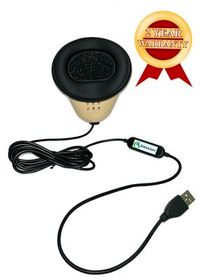
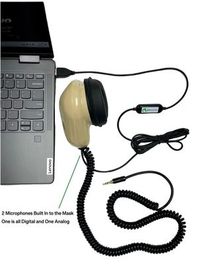
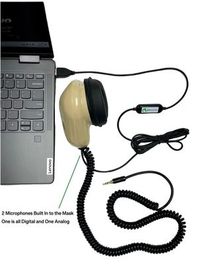
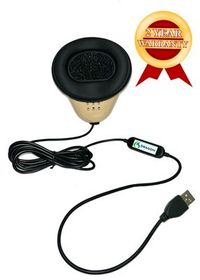
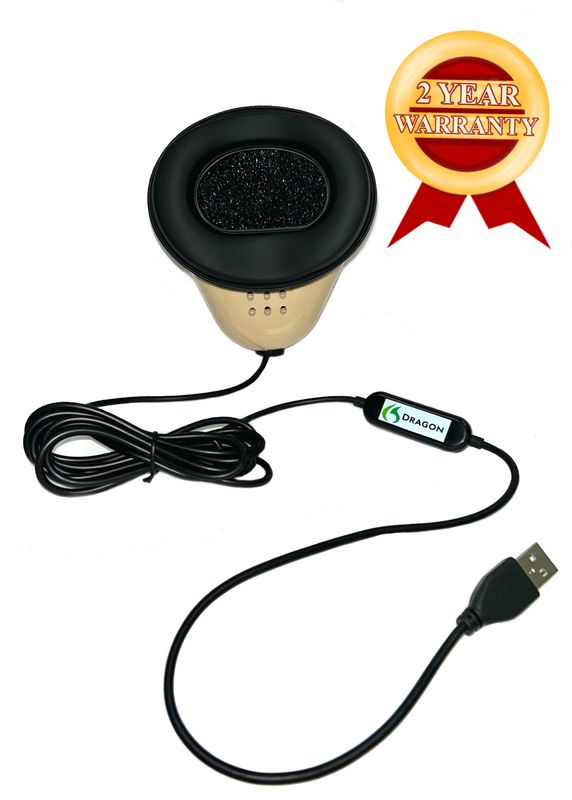
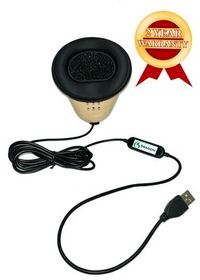
The Martel Dragon USB supplies one direct microphone path to the computer. The Double Dragon 2 can send mask dictation over USB to the computer and through a separate microphone with a 3.5 mm output to a compatible recorder. The recorder must make and save its own file if you want that second recording. Include that file in the inventory as a separate item. The computer’s CAT archive can only account for the material included in the archive. A recording that is still on another device has a separate route into your recovery set. Dragon USB microphone · Double Dragon 2 microphone outputs.
Walk the separate recording through the entire sequence with an invented spoken marker. Start a fresh practice file, say “teaching sample, parcel counter, return shelf,” add a short question and answer, and close the recording correctly. On playback, identify both the spoken marker and the answer. Make the copy you would keep under your normal procedures, then open the copy and listen. A copied file might have a generic name assigned by the recorder. The recognizable words let you verify its contents without depending on a timestamp that could match other files made during the same class.
Where you have both mask and room audio, distinguish the listening perspective in your inventory. A mask recording captures the words you repeated. A room recording, if made and authorized for the session, can capture the original speakers. Labeling both simply “audio” makes it difficult to tell which one supports a particular review task. Ask a partner to read an invented question while you deliberately repeat a slightly different version. The two recordings can then be identified by what they contain. Do this only in a practice exercise and preserve the correct reference with it.
A good recovery inventory records five things in prose a colleague can read. Identify what the item is, where it was created, how you copied it, where the copy is held and what you did to verify it. Use full displayed names when they help, but keep passwords, activation secrets, private transcripts and customer identities out of a general handoff sheet. If access to a file is managed, identify the responsible person or normal process. Someone reading the sheet should understand which items have been verified and which still depend on a publisher or administrator.
For example, your entry for an invented practice job could say that the job came from the training user in the current CAT program, was packaged under the publisher’s backup procedure with audio selected and was restored into the designated practice area on the destination. Its verification sentence could say that you reopened the second question and heard the spoken words “return shelf.” If the external recorder file was copied separately, give that file its own entry. These sentences turn a list of filenames into a record of completed actions that another person can understand.
When possible, keep the working source accessible during the trial. If the only computer you have is also the one used for work, obtain the publisher’s procedure for an isolated test destination before attempting a restore that could touch active settings. It may be more appropriate to rehearse with a small training job or wait until the new computer is available for that particular step. Label the untested item honestly. A copy whose recovery remains untested can still be worth keeping, and a clearly identified pending test is much better than an inventory that silently assumes every copy has already been restored.
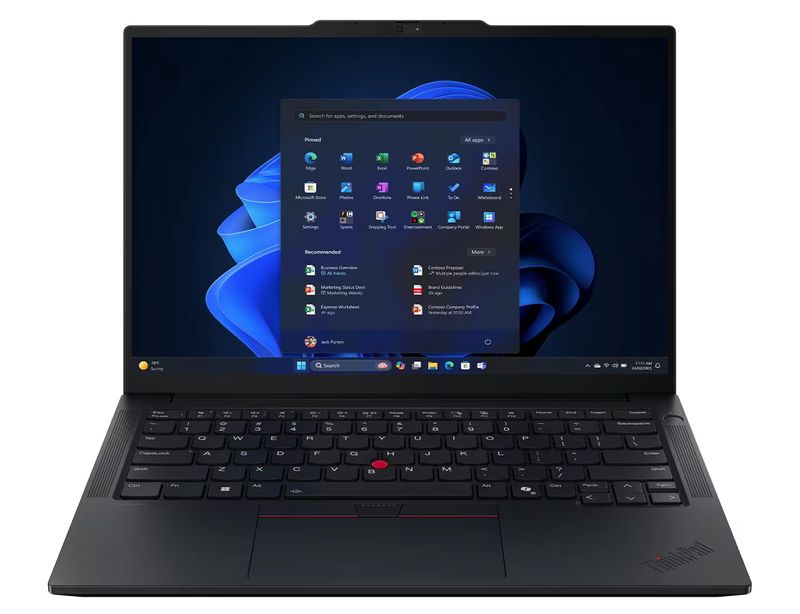
If you anticipate moving to a new Martel VOX Elite laptop, prepare the inventory before the setup appointment. Martel’s 32 GB and 64 GB VOX product listings describe stenomask setup help and file-transfer assistance. Tell Martel which original practice job you want to open, the naming convention you used, and which hardware will supply new microphone input. Confirm with the relevant software publisher how your edition and recognition entitlement are supported on the intended system. Separate the file-transfer demonstration from the test of a new Speechmatics practice job. Both can be on the appointment agenda. Martel VOX Elite 32 GB setup · Martel VOX Elite 64 GB setup.
For local Speechmatics in EclipseVox, Advantage Software lists a Boost Box or a supported computer purchased from Advantage Software. Stenograph describes on-device Speechmatics integration in CATalyst VP. Use the appropriate publisher’s information for your product and current access. An archive that restores successfully answers a question about your existing files. The publisher-supported recognition arrangement answers a separate question about generating new text. A VOX laptop, a personal mask, the copies and the publisher’s instructions each have a distinct place in the plan. Advantage Software version and hardware table · Stenograph CATalyst VP announcement.
We handcraft our Dragon USB and Double Dragon 2 stenomasks in limited quantities. If a batch sells out, there may be a waiting list.
This exercise uses an invented parcel counter at a public craft fair. The people, items, order numbers and organization names are fictional. It is designed to expose omissions that a directory listing alone cannot reveal. Work in a training area appropriate to your installed program. Choose your own file names and keep any originals you make available for comparison. The objective is for a second person to find a saved answer, identify its audio, reproduce a blank layout and locate one unusual Dragon custom word from an export. It is an inventory exercise, so you can complete the pieces in more than one sitting.
The reference name for the exercise is Alderwick Parcel Guild. Use a custom entry you already maintain in a training profile, or enter a fictional example in a suitable practice environment according to the publisher’s instructions. Keep the intended written form on the reference sheet and speak the name once in a full sentence. If you choose a different example from your own training vocabulary, make sure it is appropriate to share with anyone helping. A name with unusual spelling makes later verification easier because it is less likely to appear accidentally in every file on the computer.
Begin a practice job using your chosen blank and give it a distinctive name that includes the phrase parcel counter. Introduce a question speaker and an answer speaker according to your ordinary CAT procedure. Add a title or heading you use in class and enough material to show the relevant formatting. If the blank includes reusable fields, enter fictional values so you can recognize the sample. Preserve a separate clean blank as well. The filled-in sample shows what the layout produced, while the clean starter demonstrates what a new session will contain after the move.
Question. Where was the folding parcel counter when you arrived at the craft fair? Answer. It stood just inside the west entrance. A wooden sign with Alderwick Parcel Guild painted across it faced the walkway. The shelf for returned parcels was behind the person at the desk. I could see that shelf through a gap between the sign and the table lamp. I could not see the lower storage bin from the place where I waited.
Question. How did you identify the parcel you collected? Answer. The person at the counter read the number forty six, then asked me to check the color of the string. I said mine was tied with green string. She put a small parcel with blue string back on the return shelf. She handed me a longer parcel with green string and asked me to sign the collection slip. I signed the line under the number, not the empty line at the bottom of the page.
Question. Did you open the parcel at the counter? Answer. I carried it to the bench next to the west entrance and opened it there. I could see a folded map, a short wooden ruler and a blank label. There was writing on the map. The ruler was marked in inches. The label had an uneven corner but no writing. I put the label back before I carried the other two items to the information desk.
If your setup provides linked audio, make the corresponding practice recording. If your requirement includes separate recorder audio, start it knowingly and use a different lead-in that helps identify the file. At the end, read the question about where the parcel was opened once more as a check marker. A partner can then verify a passage near the beginning and one near the end of your saved material. That exercise gives you a stronger indication of useful audio than checking whether a file of an expected size exists.
Now create the copies under the procedures appropriate to your software and destination. Record which cases, job material, layouts and dictionaries you included. Export the relevant Dragon custom words, preserve the original export, and make a separate reference copy for any annotation. Place your visual reference page and the original rehearsal script with their own labels. If you used the separate recorder, bring the intended recording into the recovery set by the normal procedure for that device. At this stage your inventory should distinguish the published procedures from the additional practice materials you created yourself.
Recover the practice job into the separate destination you planned. Close any original copy that might let you open the right-looking answer from the wrong place. Then navigate to the recovered job deliberately. Find the question about the string and read the full answer. It should distinguish the parcel with blue string that went back to the return shelf from the green-string parcel collected by the witness. Listen for that distinction in the recording you expected to accompany the job. Finally find the standalone recorder file, where used, and identify which device supplied it.
Open the blank separately. Check that a new practice job made from it contains the intended headings or fields and that the fictional parcel details from the completed job are absent. Compare a filled practice page against the visual reference to examine spacing, labels and continuation lines. Search a working copy of your Dragon word export for Alderwick or your chosen substitute. Record the exact written form you see. You have now tested four different recoveries. They answer questions about editable text, audio, reusable presentation and custom vocabulary, each with a result you can identify directly.
If a part of the rehearsal is missing, follow its origin. A practice job that opens with no expected sound sends you back to the audio choice during backup, the source location and the restored destination. A perfectly spelled name in a saved transcript tells you the result of that earlier job, but it cannot locate the word in your export. A blank that carries the last witness’s name is a cue to revisit how you created or selected the clean starter. Record the specific item you located and the one that still needs work, then repeat just the affected part.
A partner who did not make the backup can reveal ambiguities in your inventory. Give the partner a short task using the fictional files, such as finding the answer about the ruler and the blank label. Provide the inventory and access only to appropriate practice material. Observe where the partner looks and which file seems likely from its name. If the partner chooses the visual reference when the task calls for the editable job, your descriptions may need to identify the content type more clearly. The finding becomes a practical improvement to your transfer sheet.
For the audio task, ask a different question. Where can the listener hear the reporter repeat the witness’s description of the west entrance? The partner might open the room recording or the original script recording first. If those exist, each can contain the same words but from a different source. Label each file by the voice or input it records and its intended review purpose. When the partner can open the right one and explain what they are hearing, you have tested the usability of the inventory as well as the presence of the files.
For the template task, ask the partner to start the next fictional job with a new witness and an empty collection number. Stay within the practice area and use the publisher-supported steps. Look for details carried into the new file that make sense, such as the chosen paragraph layout, and details that should be entered fresh for each job. Record the result as a comparison with the clean starter. This is especially useful when a familiar practice routine has depended on copying last week’s material and replacing fields from memory.
For the vocabulary task, give the partner the intended written form of one synthetic entry and ask where its export came from. They should be able to locate the preserved original, identify the profile you selected and explain which working copy you used for annotation. If you saved both XML and text, ask which one you kept to preserve any defined word properties in the Dragon export. Locating both answers shows why two files with similar stems can be useful. Make clear which files have actually been examined and which are being retained for a later publisher-supported recovery.
A partner does not need access to your business records to verify the design. You can make a one-page example consisting entirely of fictional material, demonstrate the procedure, and perform your own checks on real files within the authorized working environment. Date both activities and describe their scopes. A practice recovery can demonstrate that you know how a method works. It cannot establish that every item in a larger business archive is present. Include separate entries for any larger collection and the checks you actually completed for it.
A reporter may prepare a laptop on Monday and continue working in the old setup until Friday. Monday’s copy can be excellent and still predate a word added on Wednesday or a practice job edited on Thursday. Record when the first transfer was made and how you will handle subsequent changes. One simple approach is to maintain a short list of new jobs, vocabulary edits and altered templates during that interval and make the necessary final copies using the publisher’s documented procedures. Keep the earlier tested copy available while you verify the later one.
Suppose the reporter changes the spelling of Alderwick in a training dictionary on Wednesday. A transcript created on Monday contains the previous spelling. The Wednesday dictionary and the earlier written output now document different moments, each legitimately. Label the change by date and purpose. Check the later dictionary by looking up the intended entry. Check the Monday transcript by opening the Monday copy. If you want a new practice output from the corrected dictionary, give it its own job name. Then there will be a sensible explanation for the different spellings when a trainer compares the files.
A final copy made shortly before an appointment should still be identifiable afterward. Label it with the source, date and scope, record the intended destination and list the checks performed on it. If the last copy covers only the few jobs that changed, say that. If you made a complete new archive, say that instead and keep the relationship to the earlier tested archive clear. A collection titled “final,” “final two” and “really final” tells a future reader more about the pressure of the move than about which package contains the right material.
On the first day with the new setup, use an uncomplicated acceptance test. Open the recovered sample, locate its matching sound, then close it and create a fresh fictional job. Dictate a line that could only have been composed today and save the result. Check which software and microphone input were used to generate that new work. A current sample demonstrates the active recognition setup. The recovered example demonstrates access to the older material. Keep the two tests together in your notes, with dates that let you compare the results a month later.
Make a note of one deliberate exception. For instance, you might choose a second fictional practice job solely to demonstrate a text-only handoff, while preserving the audio-inclusive archive from the parcel exercise. Label those choices plainly and test the two packages for their distinct purposes. A reviewer opening the text-only sample should understand why audio playback is outside that sample’s intended scope. A reviewer opening the parcel archive should have an identifiable passage to hear. The existence of both files teaches more about the archive settings than two copies whose differences nobody can describe.
Keep a dated observation from the destination as well as the source. An archive creation date identifies when you made it. A recovery date identifies when you actually opened its contents in the environment where you intend to use them. If the software is later updated or a template is revised, that distinction helps you select an appropriate sample for the next test. A small amount of precise recordkeeping makes the work you have already done useful beyond the day of the transfer.
Start with an editable practice job you have actually reopened. Describe where it lives, what software opens it and which recording belongs with it. It gives the other inventory items a purpose. You can then identify which template created the job, which dictionary supplied an unusual entry and which audio needs to be included when that kind of work is copied.
Nuance describes different profile-management arrangements for managed and standalone installations. The exact profile also matters if you have used more than one. Record the edition and profile you use for current work so you can follow the applicable publisher instructions and verify a familiar custom entry. This is especially useful when practice and working profiles appear side by side.
Find out when and where the relevant backup was made and how it can be recovered on the intended setup under Nuance’s instructions. An automatic backup is one part of that answer. Your transfer also concerns CAT jobs, audio, layouts and any independent recorder files. Put each under its own line in the inventory and check the items your next assignment requires.
Nuance says the XML option includes word properties that you have defined for custom words. Keep the export in its native form and make a separate copy for reading or annotation. If your aim is to use material with a different recognition workflow, check its publisher’s supported method before attempting an import. The export can still provide a valuable reference for manual testing.
A text copy can make it convenient to locate a familiar entry, build a practice list and annotate which words you want to test first. Preserve the original file that Dragon created and work on a copy. Include the profile name and export date in your notes so a later change to a spelling can be traced to the correct source.
Write the spoken cue and the intended result in plain language, then demonstrate the behavior on fictional material in your existing setup. Determine whether it comes from Dragon vocabulary, a custom command or the CAT application using the relevant instructions. Save a small example of what the behavior accomplishes even while you are working out which backup should preserve it.
Yes, if it is something you use to begin work. Save the clean starter and a filled fictional example with different names. Use the clean copy to create a fresh practice job after recovery. Then compare the filled example with a visual reference. These checks catch different problems, including old details carried forward or a layout selected differently on the new setup.
Keep a readable example when it helps you check the appearance of the recovered job. Also retain the native material needed for editing, reviewing and using the reporting program’s supported features. A visual copy can tell you how speaker labels looked on the old system. Opening the recovered native job tells you whether you can continue working with those labels.
Choose one fictional example from each category in a training environment. Record where you found each entry and in which jobs you expect it to apply. After the transfer, repeat the lookups using your program’s documented process. If a case-specific term appears only when the appropriate practice material is selected, that observation helps identify exactly what was restored.
Record the containing case or folder and a distinctive sentence from each job. Consider an unambiguous label for the rehearsal copy where your program permits it. Check the restore destination and preserve the relevant case relationships. A search hit for the right short filename tells you relatively little until you confirm the surrounding case and the text you expect.
Choose a sentence with a recognizable detail and play its corresponding audio from the recovered job using the publisher’s supported procedure. Listen for enough context to identify the correct speaker and answer. Repeat with a later passage if the recording length matters. A text file that opens correctly can coexist with a missing or differently located recording, so check the two independently.
First determine where the recorder wrote its audio and what the archive actually included. A file still held only on the recorder needs its own copying step. Play a recognizable marker on the recorder, copy the intended file by its normal procedure and play the copy. Mark both the original device and the destination so the two paths stay distinct.
Draw its USB path to the computer and its independent 3.5 mm microphone path to the compatible recorder. Add a box at the end of each path naming the saved file or job. That last box changes the diagram from a simple wiring sketch into a backup aid. You can point to what needs preservation on each device.
When CATalyst offers a choice concerning audio in a selected backup, record the choice you made and why. Stenograph describes the prompt in its Backup guide. Recover a practice file and play the expected phrase to verify the result. The combination of an archive name, a recorded selection and actual playback makes subsequent support much easier.
Stenograph describes Restore as the tool for archives made by CATalyst Backup. If a package was created with another tool, identify that tool and the format before choosing a recovery method. Keep the native CATalyst archive under a recognizable name. Packaging unrelated files into a compressed folder for transfer serves a different purpose from creating a CATalyst backup.
It means the chosen restore destination already contains an item with the name being restored. Stenograph documents ways to handle an existing file. Pause and compare the target with your intended practice destination. If the existing material matters, arrange a separate destination under the applicable procedure. You want a successful recovery you can compare with the original.
Identify your release and which material you use for user setup, translation, vocabulary and job-specific work. Ask how to preserve and recover those items on the intended configuration. Advantage Software’s public workshops distinguish these elements of voice writing. Use your own fictional practice job to demonstrate the recovered result after following the correct procedure for your release.
A new laptop can hold transferred work even while you are still arranging the equipment required for new recognition. For local EclipseVox Speechmatics, Advantage Software specifies its Boost Box or a supported computer purchased from Advantage Software. Record which arrangement you will use. This keeps the hardware discussion and the backup verification connected without using one as evidence for the other.
Bring an inventory of the existing work, the particular practice files authorized for the appointment, your personal stenomask information and the CAT release you intend to use. Ask to open a transferred job and generate a fresh one. Those two demonstrations give a useful purpose to transfer assistance and stenomask setup assistance described for the VOX Elite laptop packages.
Choose a name that tells you the source application, the practice subject and when the copy was made. Put additional details in the inventory if the full name becomes unwieldy. If two archives have different audio contents, make that difference visible. The goal is to choose the right recovery input without opening several packages merely to identify them.
Find the answer comparing the green-string and blue-string parcels. The content is distinctive, and the relationships between the two parcels matter. Read the question before the answer to verify the surrounding exchange. If you can locate it in the recovered editable job, you have evidence beyond the existence of a filename or a printed page.
The witness could see a return shelf and could not see the lower bin. Locating that distinction tests whether you opened the correct reference and copied a meaningful passage. It also gives a listener a small, recognizable audio target. You can repeat this technique with another fictional job using any short passage where a single phrase changes the meaning.
Name the part actually checked and the part still outstanding. For example, say that the blank produced a new job and the first audio passage played, while the job-specific dictionary remains to be verified. This preserves credit for work already done and makes the next session actionable. A broad statement that the move looks fine offers much less guidance.
A fictional practice session lets a trainer or equipment helper observe how you saved, recovered and verified the objects in the exercise. Handle actual material within the procedures and access rules that apply to that work. Document the scope of each check. A practice recovery tests the method without giving another person access to records beyond the purpose of the demonstration.
Give the reader a task whose answer is known, such as locating the second question or opening the clean blank. Provide the inventory without coaching the reader through every click. Observe which descriptions correctly identify the needed item and which invite confusion. Revise the wording based on those observations, then ask the reader to locate a different item.
Any job, vocabulary item, layout or template edited in the intervening days may have a later version. Keep a short list of what changed, make the appropriate updated copies and verify them. Preserve the first tested set while examining the later one. Record the scope of the last transfer so the two sets can be understood together.
Arrange the recovery so the original material stays available and the test destination is suitable for practice. Follow the publisher’s guidance for the particular type of item. If you have a single uncertain copy and the procedure might overwrite active material, clarify the safe destination first and use fictional training files to learn how the recovery behaves.
Identify whether the file you opened came from a location still available on the old system or from the intended recovery destination. Note the location opened by the application through its supported controls. Then conduct a deliberate test from the new practice destination using the copied material. A recognizable spoken phrase confirms the content once you know which file supplied it.
Follow the policies, agreements and requirements that apply to your work and organization. A software transition creates a practical reason to preserve tested originals through verification. It does not by itself establish a universal retention period. Record who determines when working copies, backups and particular practice materials can be removed, and keep that decision distinct from a successful technical transfer.
You can identify the recovery items, reopen the copied practice job, locate the expected audio, find the sample custom word and start a fresh blank with the intended layout. Your notes say which items were verified and where the originals are held. With those results in hand, use your publisher-supported recognition setup and a new fictional passage to test your next reporting workflow.