Does a New Stenomask Mouthpiece Mean You Need to Retrain Your Voice Profile?
Changed your stenomask mouthpiece? Test fit, saved audio and word recognition on Windows 11 before retraining a voice profile or ordering another part.
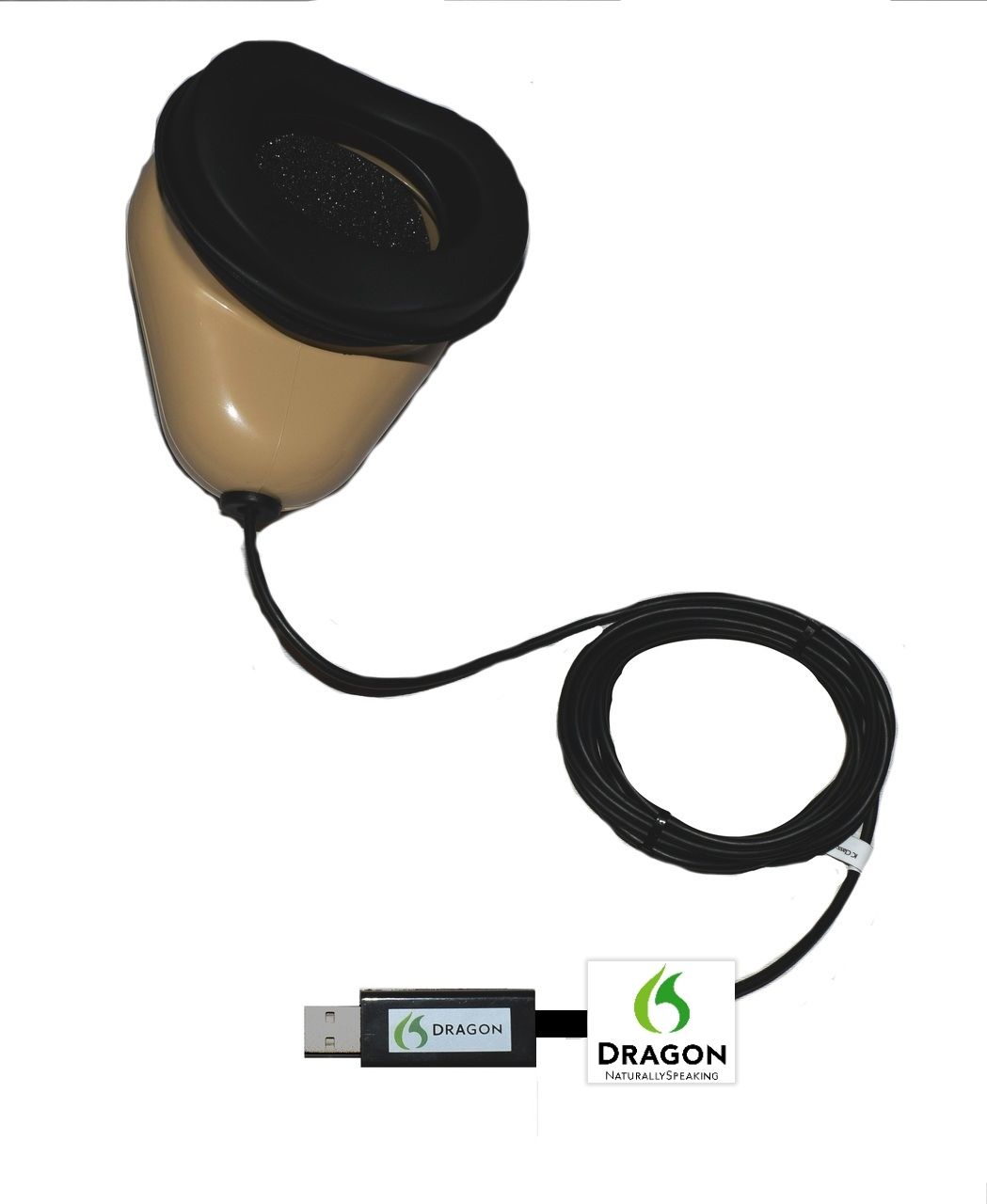
A replacement stenomask mouthpiece, by itself, is no reason to start a new voice profile. Keep the profile you already use. Fit the correct part to your own mask, record a little speech in your regular working voice, and compare the recognition with a familiar passage. Your next decision depends on what changed. A faint recording calls for an input or fit check. A clearly recorded surname that consistently comes back misspelled deserves a vocabulary check. A new mouthpiece cannot tell you which of those situations you have.
The Martel Dragon USB Stenomask, SKU 1941, is a wired mask with a built-in sound card. The mouthpiece sits between your face and the mask, while the electronics send your speech to a compatible computer. The recognition software on that computer interprets the sound. A reporter can investigate all three parts of that chain without sacrificing a working vocabulary. The exercises below use invented testimony, ordinary paper notes and short Windows 11 recordings. They are designed for one reporter using their own equipment.
Check the Dragon USB Stenomask and compatible accessories.
Identify precisely what you replaced
Lay the mask, its cable, the old part if still suitable to handle, and the new part on a clear desk. Read the model name from the equipment or order. Check the replacement against its own description and supplied instructions. A mouthpiece is the face-contact part. An insert inside the mask, a windscreen, a USB adapter, and an entire mask are different purchases. A small part that looks close in a store photograph can still belong to a different housing. Identifying the part takes less time than tracing a recognition change back through three software menus.
Take one photograph of the mask and its connector and a second of the place where the part fits. The photograph of the connector is useful even for a mouthpiece question. Two reporters may use the same everyday name for masks with different electronics. A clear picture gives Martel a better chance of identifying the arrangement. A picture of the empty packaging alone tells someone what was ordered, but it does little to establish what was actually on the reporter’s desk. Leave client names, calendars and screens outside the frame.
Consider what changed between the last successful session and today's replacement. A reporter might have put a fresh foam insert inside at the same time, moved the mask onto a stand, taken the laptop out of its dock or started class in a new room. Write down those details while they are fresh. If the entire mask was exchanged, the computer may also be seeing a different input. If only a compatible mouthpiece was exchanged on the same wired mask, the computer still receives its signal from the same electronics. That distinction determines the first useful test.
Martel lists the SS1 as the standard replacement mouthpiece for Mini Stenomasks. The SS4 Soft Seal is an optional face-contact accessory for compatible Martel masks. Identify your exact mask and fitted part before ordering either one, particularly when the mask was bought some time ago or came with several accessories. The Dragon USB product page describes the complete digital mask. The Stenomask Accessories page is the better shopping destination for someone who already likes the mask and needs a confirmed replacement for a worn part.
Find a comfortable seal in the position you work in
Sit in the chair you would normally use for a deposition or class. Hold the assembled mask according to its instructions while looking ahead, then look down at a short question on paper. Notice whether the mouthpiece shifts when your jaw moves. A position that feels even while you are silent can feel quite different when you say a sentence with a wide vowel or turn toward a second speaker. A useful fit allows you to speak in your working voice through a whole exchange. Pressing harder on one corner whenever an answer gets longer is an observation worth recording.
Give the cable room to lie without pulling. A laptop placed to your right might draw the cable to the side when you lean left to see a witness. A stand can carry the weight of the mask, yet a stand tightened a little too far away can encourage the reporter to reach forward with their chin. Try saying the same sentence while looking at the two locations you actually use. If a rubbing sound accompanies only the turn, watch for contact with a sleeve, jewelry, a desk edge or the stand. Repeating that small movement is more informative than changing the entire recognition setup.
Use a personal mask and mouthpiece throughout both trials. If several students are doing the exercise, each student works with their own equipment and their own profile. A partner can read the mock witness lines or mark the paper, and never needs to wear the reporter’s mask. Preserve any designed openings in the part and follow its fitting instructions. If the new part will only stay seated with tape or requires you to speak in an uncomfortable position, stop the fitting experiment and ask for the correct model or fitting guidance.
For a short comfort check, read a single invoice number, glance at the next line, and read a full sentence without reseating the mask. Then set it down and pick it up as if returning after a recess. Observe which grip, height and chair position you naturally resume. A fit that depends on remembering an unusual hand position can be hard to reproduce once testimony begins. Describe the position in plain words, such as “cable supported to the left, elbow on the armrest.” That note helps recreate the condition when you test the profile later.
Make a reference recording that you can actually use
If you still have a suitable old mouthpiece, record a short sample before changing it. If the old piece is torn, uncomfortable or already discarded, use an earlier authorized practice recording if you have one. Otherwise establish a reference with the correctly fitted new part. You can still investigate recognition using the current setup. Describe it as a present-day test. You cannot reliably reconstruct yesterday’s audio from your memory of how a sentence appeared on screen.
On a Windows 11 computer, open Settings, choose System, then Sound. Under Input, select the microphone you mean to inspect and open its properties. Microsoft’s microphone test lets you start a sample, stop it and play it back. Speak into the mask as you normally would. Identify the selected device by its displayed name and connection. A laptop’s internal microphone can pick up something in the room even when the mask is on the desk. Movement on a level meter proves there is an incoming signal, but listening tells you more about which voice reached it.
For a lasting comparison, use the practice recording function your reporting setup already supports, or record a short file using Windows Sound Recorder with the intended input. Name the copies so they will still make sense tomorrow. A name such as “Mouthpiece A seated at home desk” carries more information than “test one.” Add a brief spoken identifier before the exercise sentence if your recorder does not let you choose the name up front. Leave the original files alone when trimming or arranging a copy for comparison.
Listen at the same comfortable playback volume on the same headphones. First pay attention to the start of the sentence, then listen to its last syllable. On another pass listen for breathing, bumps and clothing contact between words. Capture what you hear in ordinary language. “I hear the breath before Friday, but the F is difficult to distinguish” is more useful than “quality was poor.” It gives a colleague a specific event to locate. An attractive waveform or a high percentage on an input display does not settle whether that consonant is intelligible.
Dictate the same fictional exchange two ways
Use this original practice exchange with each setup. An examiner asks, “Which label did you attach before the delivery truck left?” A witness answers, “I attached the pale blue label to carton fifteen. Carton fifty stayed by the east door.” The examiner follows up, “Who checked the note?” The witness replies, “Ms. Hale checked it on Friday after lunch.” Read the lines aloud once before scoring them, then dictate in your ordinary reporting manner with your usual speaker cues. Keep the written script available as the intended wording, but do not silently correct the output while you are measuring it.
Choose the details that matter before you run the exercise. Here they might be the color, each carton number, the location, the surname and the day. Count fifteen and fifty separately because confusing one with the other changes the meaning. Decide in advance how to treat capitalization, punctuation and the software’s choice between digits and spelled-out numbers. For an equipment trial, “15” and “fifteen” convey the same quantity. For a separate formatting trial you may care how the number appears on the page. Tracking those two questions separately will reveal more than a single percentage.
Run one pass with no editing or spoken corrections. Save the first output so a later run cannot overwrite what you saw. Take a short ordinary break, fit the new part according to its instructions, and make the next pass under the same conditions. If you have already changed the part, do two independent runs with the new mouthpiece, putting it down and picking it up between them. An error that comes and goes after you reseat the mask asks a different question from one that follows the same word every time.
After you have scored that exchange, try this unfamiliar one. “I walked past the west gate at eight. The west gate was locked, but the small gate beside it was open. The tag read Linette, with one N in the middle.” Linette is an invented example here. The spoken spelling is a detail to preserve even if the engine selects a different spelling on its first pass. See whether the microphone still captures the quiet word “but,” the final sounds in “west” and “locked,” and the spelling instruction. The second exchange gives you a fresh look at speech after you have grown familiar with the first.