



A Mock Court Hearing From Roll Call to Readback With Speechmatics
Run a complete fictional footbridge hearing with Martel stenomasks, two witnesses, exhibits, a recess, a disputed readback, and four separate scores.
A witness says, “I put the green envelope on the second shelf.” As the voice writer, you hear the witness, identify the speaker and repeat the answer into your stenomask. Your mask supplies your voice to the computer. In a CAT setup that supports Speechmatics, speech recognition helps turn that input into text. You then read what appeared. Did it say second shelf? Is the sentence under the witness’s answer? If someone asks for readback, can you find it again? Those are three different questions about one short sentence. A practiced reporter can use them to check an entire setup.
Start with the sound you want to preserve. If you want a recording of what you said into the mask, follow the mask connection. If you also want a recording of the person who spoke across the table, follow the room microphone. If you want text, follow the input selected by your CAT software. Draw each of those paths on a sheet of paper, ending with something you can open or play. This small drawing makes a much better equipment list than a list of brand names alone. It tells you what the pieces must accomplish together.
A reporting partner can help with a simple demonstration using invented testimony. Ask the partner to say the envelope sentence while you leave out the color when repeating it. If your mask recording says only “the envelope,” it has accurately captured what you spoke. If a separate room recording clearly contains “green,” it has preserved a detail you can consult. If the text on screen says “the envelope,” comparing both recordings tells you where the difference arose. You can repeat the exercise with a deliberate speaker change or a correction instead of a missing word. Use your usual professional procedures for the actual record.
This guide follows that answer through a Martel setup. You can work through it with a training partner, read both parts yourself for a solo exercise, or use it as the agenda for a laptop setup appointment. Every person, business, exhibit and line of testimony in the exercises below is fictional. The references at the end connect the equipment and software descriptions to the companies that publish them.
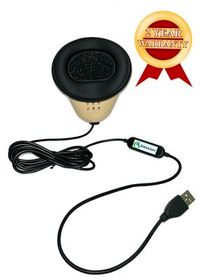
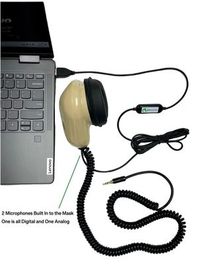
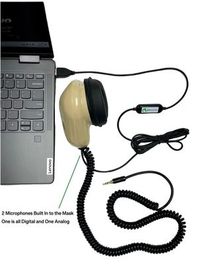
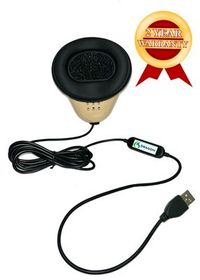
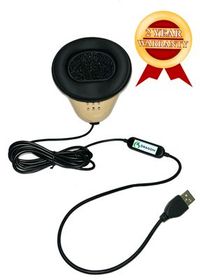
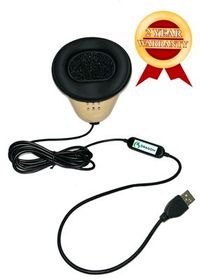
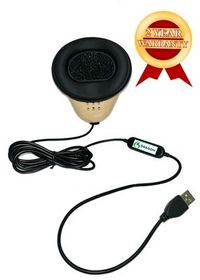
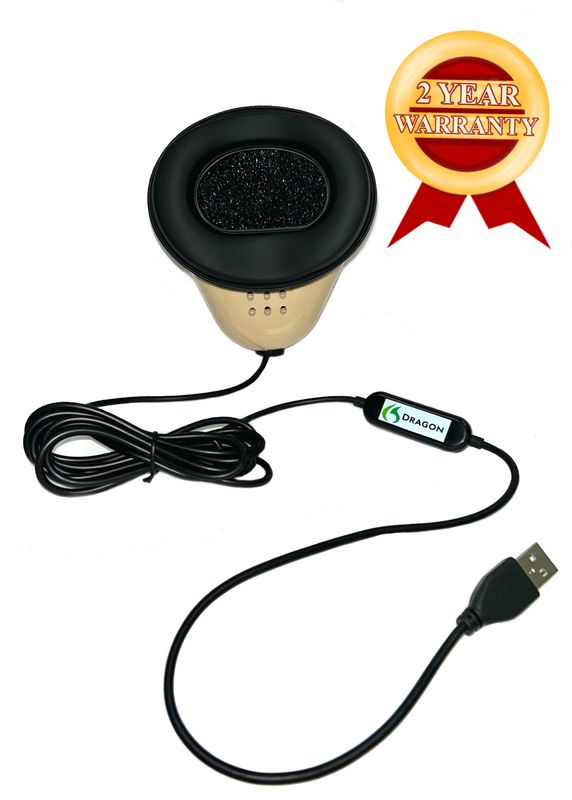
Pick up your own mask and trace the cable to its destination. On the Martel Dragon USB Stenomask, the built-in sound card delivers microphone audio through the USB connection. This is the model to consider when the purpose of the mask is to provide one direct microphone input to the computer. It is possible to have several microphones visible on a laptop at once. Giving this one a written description, such as “my Dragon mask at the left USB port,” helps you connect the device you recognize physically with the input name you see on screen. Martel Dragon USB product details.
The Martel Double Dragon 2 gives you another choice. One microphone sends your dictation to the computer over USB. A second microphone in the same mask can send your dictation through a 3.5 mm connection to a compatible recorder. Put the recorder at the end of its own line on your drawing. Write down how you will start its recording and where you will listen afterward. A plugged-in recorder can look perfectly ready while sitting at its main menu. Seeing elapsed time advance, saving the recording and hearing your test sentence on playback are concrete checks of that second path. Double Dragon 2 microphone connections.
Consider two reporters working the same practice session. Rowan wants to hear a clear recording of her own question and see it appear in her CAT job. She can begin with the Dragon USB connected to her VOX laptop and the recording functions available in her chosen setup. Noel wants a recording of his dictation on a separate device that he can take to his desk for review. The Double Dragon 2 gives him a separate microphone connection to feed that device. Both reporters can add a room microphone when their assignment calls for one. The reason for choosing the two-microphone mask is the second destination for the reporter’s own words.
Martel also lists the dual 3.5 mm MM-ST1. If your mask has two analog plugs, use its own product description to identify the connections and match them to suitable inputs. A photo that shows only the mouthpiece cannot settle this question. Include the connector ends in your equipment notes and label each destination in plain language. This matters when a classroom has similar-looking equipment or when you move your own gear from one desk to another. Give each reporter a personal mask and base practice on the mask that person actually uses. MM-ST1 connector details.
The Martel VOX Elite 32 GB and VOX Elite 64 GB are Windows 11 Pro court reporter laptop packages. Martel’s product pages describe stenomask setup assistance and help moving CAT files. If you are replacing a reporting computer, bring the inventory that matters to you. That might include your personal dictionary, an empty job you like to use as a starting point, a mock job with audio you are allowed to transfer and the name of the CAT edition you use. Keeping your original files available lets you check the transferred versions against something you already know.
Imagine receiving the prepared laptop on a Wednesday and using it in class on Friday. The first question you can settle on Wednesday is whether a familiar practice job opens and whether you can find its associated material. The second is whether a new spoken sentence travels from your personal mask into a fresh practice job. An old job that plays well helps confirm the transfer. A new recording tests the connected equipment. Set aside time for each task. Mark the date of the session on the new job so that a clear recording from last term cannot be mistaken for today’s check.
When choosing memory, describe the work you actually do in a session. A student who runs one CAT job, reads an exhibit on screen and saves a mask recording has a different shopping discussion from a working reporter who also keeps a remote meeting and several work documents open. Ask Martel to walk through the available VOX packages against that description. Both product listings identify a 1 TB solid-state drive. Write down where the test job and audio go on that drive and how you will copy material according to your own work procedures. More memory and a larger collection of files answer different buying questions.
For local Speechmatics in EclipseVox, Advantage Software describes a Boost Box or a qualifying computer purchased from Advantage Software. Include the publisher’s specified recognition hardware in that plan when discussing a Martel VOX laptop. For CATalyst VP, start with Stenograph’s announcement of on-device Speechmatics integration and confirm availability, requirements and access for your own installation with Stenograph. Bring the answers to your laptop discussion. A helpful purchase note says which CAT product you use, which recognition option the publisher supports for you, which mask you own and where your recordings need to go. Advantage Software version and hardware table · Stenograph integration announcement.
Advantage Software identifies EclipseVox as its voice-writing CAT software. Its public product information describes Speechmatics options, and its version table distinguishes what is available across Eclipse releases. If you know that a colleague uses Speechmatics with Eclipse, ask a second question about the release and whether recognition runs locally or through the cloud. Put that answer beside the publisher’s table. You can then identify which part applies to your own setup. A classroom example can be an excellent reason to ask about an option, while your own installation and entitlement determine which steps you can perform. EclipseVox product information.
Stenograph announces Speechmatics speech recognition built into CATalyst VP and describes the integration as on-device. Stenograph also publishes a getting-started guide that describes using Dragon with CATalyst VP. Those documents answer different questions. Use the announcement to identify the Speechmatics integration and the Dragon guide for the Dragon workflow it documents. If you are changing engines, write down the full version shown by your installed software and ask Stenograph how to enable the workflow supported for that version. Avoid assigning a setting a name before you have seen the publisher’s instructions for the release at hand. Stenograph’s Dragon workflow.
The name on a microphone and the name of a speech recognition application serve different purposes. You might own a Martel Dragon USB Stenomask, use Dragon software today and be considering Speechmatics for a future class. Record each item on its own line. The mask line identifies the device providing audio. The software line identifies what recognizes your dictation. The CAT line identifies where you manage the reporting job. If a step changes the next time you practice, that three-line record makes it easier to tell a trainer what you kept and what you changed.
There is a practical way to write a question for technical support. Instead of saying that you want “the Speechmatics version,” say that you use a named CAT product and release, want to dictate through your own USB stenomask and need to know which recognition options are available with your license and computer. If you use an external recognition device, mention its model. If you need to work where internet access is restricted, include that requirement. The publisher can then answer a question about an actual configuration, and Martel can help you plan your mask and laptop connections around it.
Microsoft describes a microphone test under Settings, System, Sound in Windows 11. Under Input, choose the microphone you intend to use, open its properties and start the test. Speak at the level you ordinarily use in your mask. Stop the test and use the playback option available there. Pick a distinctive phrase for this first check. “Amber file, west cabinet, shelf four” gives you several words you can recognize immediately. Write the displayed input name exactly as it appears. A device can use a general USB audio label even when its retail name is printed clearly on the housing. Microsoft’s Windows microphone test.
It helps to test the identity of the input as well as its level. With a partner, let the partner speak a different invented phrase across the table while you speak yours into your personal mask. Listen for the close voice and the words you actually dictated. In a quiet space a microphone may still pick up a little surrounding sound. Make the judgment from the relative voices, the selected input and a repeatable recording together. If you work alone, make a second recording from the laptop microphone on purpose, label it and compare the sound and distance with your mask recording.
If the test displays activity and you hear the expected words, record that finding before moving on. If the selected input sounds like the room, recheck the selected device and physical connection, then make a fresh sample with a new final word. The new word helps distinguish a current recording from an older file. If Windows hears the mask and an application cannot access it, Microsoft’s microphone permissions page describes the relevant Windows 11 controls, including access for desktop apps. Follow the settings that apply to the application and account on the computer you are using. Microsoft’s microphone permission settings.
A Windows recording and a CAT practice job are two separate checks. Windows playback tells you that the chosen input was heard by that test. Opening a new practice job, selecting the publisher-supported recognition setup and dictating another identifiable sentence tells you what happens in your reporting workflow. Give the two samples different spoken endings, such as “Windows sample, amber” and “practice job, violet.” Write both names on the connection drawing. When the audio and text are reviewed later, those endings identify the sample without depending on an exact clock time or remembering which window was open first.
A useful mask for voice writing lets you put a familiar microphone in position and send the words you intend to dictate to the chosen input. A direct USB connection on the Dragon mask gives you one mask path to set up and check. A separate dictation recording from the Double Dragon 2 gives you another place to hear what you said during review. To see what that means for speed in your own work, time both dictation and correction. Finishing a reading promptly is valuable. Being able to resolve a name, an amount or a change of speaker promptly matters as well.
Use a passage with a fixed reference. Read it once at a pace at which you can enunciate the first and last sounds in each answer. Read a second passage of similar difficulty at your working pace. Save the rough before editing. Mark the words you added, omitted or replaced, then mark punctuation and speaker attribution in a separate column. A displayed “15” and a spoken “fifteen” can represent the same answer. A displayed “fifty” changes the answer. Decide how you will treat equivalent number formats before counting so that the score means the same thing next week.
Here is a worked timing example using invented measurements. A reporter dictates a 150-word reference in 75 seconds. That is 120 words per minute, because 75 seconds is one and a quarter minutes. On a second reading, the reporter takes 60 seconds, or 150 words per minute. Suppose the first rough takes 45 seconds to correct and the second takes two minutes. The first route reaches a checked practice copy in two minutes. The second reaches it in three. These example totals say something about this imagined session only. Your own recordings and saved roughs supply the figures for your setup.
Use your judgment about which details deserve special attention. In a schedule discussion, “before noon” and “after noon” point to different parts of the day. In an inventory discussion, one missing word in “I did not sign” matters more to the listener than the capital letter in the name of a color. Flag critical meaning alongside the word count. That way you can compare delivery pace without letting a good average hide the one entry the witness carefully corrected. If a partner reads the lines to you, have that partner keep the reference out of view during the first pass.
We handcraft our Dragon USB and Double Dragon 2 stenomasks in limited quantities. If a batch sells out, there may be a waiting list.
The following exercise gives a reporting partner actual lines to read. It has a beginning and an end, several words that can change the meaning of an answer, and an exhibit referenced in more than one way. Make an initial rough without studying the answer notes. If you practice alone, record yourself reading the dialogue as the fictional speakers first and set the script aside. Play that recording as the source for your voice-writing exercise. Keep it with the practice material and give it a name that distinguishes the source recording from your later dictation.
Question. Please describe what you could see from your desk when the delivery arrived. Answer. I could see the glass panel in the door and the short filing cabinet below the clock. I could not see the counter where people usually sign. The driver placed a green envelope on my desk and waited while I found a pencil. I asked whether he wanted me to sign the front of the envelope. He turned it over and pointed to a white label on the back. I signed that label with my first initial and last name.
Question. Where did you put the green envelope? Answer. I put it on the second shelf of the cabinet. The shelves are numbered from the top. There were three blue folders on that shelf at the time. I slid the envelope between the first and second folders. Question. Were you able to close the cabinet door? Answer. Yes. I turned the handle to close it. I left the key on its hook. Turning the handle closed the door, but I did not use the key to lock it.
Question. Please look at the sheet marked Exhibit Four. Is that your signature on the line at the bottom? Answer. My signature is at the top. The person who collected the envelope signed at the bottom. If you enlarge the picture, you can see a small circle around the first line. I drew that circle during a staff meeting the next morning when somebody asked me to identify my initials. There was no circle on the sheet when I first signed it.
Question. What time is printed beside the signature on the first line? Answer. The copy in front of me reads ten fifteen. I remember the clock above the cabinet showing ten fifty when I went to get coffee. Those are different times for different events. Question. Was there a clock on the delivery driver’s receipt? Answer. There was a printed time. I did not see the machine that printed it, so I cannot say what that machine displayed when the driver arrived.
Question. I will show you a photograph marked Four A. Is this the envelope? Answer. The photograph shows the cabinet door and part of the second shelf. The corner you can see belongs to a blue folder. I cannot see the green envelope in this picture. Question. Is this where you had placed the envelope? Answer. Yes, that is the shelf. I can recognize the chipped edge next to the round metal bracket. I do not remember whether the bracket was loose at that time.
Chair. Before we take a break, let's identify the items that will stay on the table. Counsel. I am leaving Exhibit Four and the photograph Four A with the witness. The original envelope is still in the clerk’s box. Chair. Thank you. We will return to the question about the key after the break. Witness. May I leave my glasses here? Chair. Yes. We will begin again with the same documents in front of you.
Question. After the break, I have one more question about the key. Who took it off the hook that afternoon? Answer. I saw Delia Marsh take it from the hook. I did not see what she did after that. Question. Is Delia the person who removed the green envelope? Answer. I saw her take the key. I would have needed to look around the corner to see somebody open the cabinet from where I was standing. I did not look around the corner.
Question. Please spell the first name you just gave. Answer. D, E, L, I, A. Question. And the last name? Answer. Marsh, M, A, R, S, H. Question. Thank you. One last point. You referred to a pencil earlier. Is that what you used to sign? Answer. I found the pencil, then the driver handed me a pen. The marks you see in my signature came from his pen. I used my pencil the next morning to draw the circle.
Close the job the way you normally close a practice job. Save the first rough and label an editable copy. Before reaching for the reference, try to answer three questions from the saved rough alone. Where exactly was the envelope placed? Which of the two times referred to getting coffee? What did the witness personally see Delia do? The ease or difficulty of finding those answers tells you something about paragraphing and speaker identification as well as words. Then open the reference and look at the original lines in context.
Begin with the cabinet door. The witness described turning the handle and leaving the key on its hook. A rough that reads “I did use the key to lock it” has changed one of the most important facts in the exercise. Go to the mask recording and listen to the whole answer through headphones at a comfortable level. Did you say the short word “not”? If you can hear it, mark a recognition or transcription difference for review. If your dictation omitted the word, mark a listening or repetition difference. That distinction gives you a specific skill or setting to work on during the next pass.
Next, look for which document contained the signature. The witness signed a label on the back of an envelope. Exhibit Four is a sheet on which the witness identifies the first line. Four A is a photograph of a cabinet. The witness can recognize the shelf from the photograph and cannot identify a visible green envelope in it. Search for the exhibit references exactly as they appear in your working copy. If “Four A” appears as “for a,” write down both the recognition result and how you plan to represent the exhibit in the finished practice copy. The dictated sound and the exhibit designation are related but different things to check.
Follow the two times through the document. Ten fifteen appeared beside the first signature. Ten fifty was what the witness recalled seeing when leaving for coffee. Circle the event as well as its time. A rough can contain both numbers correctly and still connect one of them to the wrong speaker or the wrong question. During readback practice, start far enough before the number for a listener to know which clock or printed time was being discussed. That habit makes a readback useful to someone who has never seen your notes.
The break gives you a place to test returning to work. In the room, the chair speaks, counsel answers, the chair thanks counsel, the witness asks about glasses and the chair answers again. Read only the speaker identifications on your working copy. Then play the passage and point to the speaker changes as they happen. If your words are right and one label is wrong, keep the finding about attribution separate from your recognition score. Ask a partner to request the chair’s final line. You should be able to find the return to the documents without reading the witness’s question as though it came from the chair.
At the end, pay attention to what changed and what stayed the same. The first mention of a pencil was accurate. The later testimony explained that the driver handed over a pen for the signature and that the pencil was used the next morning for the circle. It would be easy to edit the first mention of a pencil into a pen after hearing the later answer. Preserve the sequence of statements in your practice copy. This is a good test of whether you are checking what each person said at that moment or unconsciously rewriting the story now that you know how it ends.
Suppose you reopen the rough and discover that every answer starts on a question line. Your mask recording contains complete sentences and the Windows sample is clear. Put your attention on how you identify a speaker change in your CAT workflow and how the change appears in the saved transcript. Look up the method supported for your edition. Try a new two-turn exchange using familiar words. Changing the mask at the same time would make it harder to learn whether the speaker-change practice made the difference. Save the little exchange with the corrected labels so it can serve as a reference.
In another example, the rough matches your mask recording, yet both say “the second folder” when the partner said “between the first and second folders.” Listen to the source sentence at a comfortable rate and mark the words that locate the envelope in space. Repeat the whole thought into the mask as a single unit. Then read a different sentence about position, such as an item lying underneath a red folder and beside a pencil case. The new sentence tests whether you improved your handling of positional words. Memorizing the old sentence alone could give a misleadingly easy second result.
A third reporter has clear CAT text and a silent file on the separate recorder. Return to the second line on the Double Dragon drawing. Identify the analog plug, the recorder’s actual input, the selected recording source, the recording level and whether the file counter advanced during dictation. Use the recorder maker’s instructions to check the input type. Start a new file, say its name into the mask, stop, save and listen to that file on the recorder itself. When it plays correctly, copy it according to your practice routine and listen to the copy as well.
Sometimes the files are good and the problem is simply finding them. A practice partner asks for the answer about the chipped shelf. You have three similarly named jobs, a morning Windows sample and two recorder files. Write a small index in ordinary language. Record the session name, a memorable phrase, the source, and where you found the matching file. Add the format of the handoff your class or office uses. The next time you repeat the exercise, use a different session name before you begin. Organizing a known good sample is easier than identifying a collection of unnamed ones at the end of a long day.
For a readback drill that another person can score, give your partner two paper slips. On the first, write “What was on the back of the envelope?” On the second, write “What did the photograph actually show?” Have the partner choose a slip without telling you which part of the hearing it comes from. Start the clock when the partner asks for the passage. Stop it when you have found the start of the relevant exchange, then read it aloud. Ask the partner to note whether the readback supplied the witness’s actual words and enough of the question to explain them. Record search time, the passage selected and any missing context on three separate lines.
When you repeat that drill, change something meaningful about the request. Ask for the testimony about whether the witness saw the cabinet being opened. The word “cabinet” occurs several times, so finding its first appearance may leave you at the wrong answer. Use the surrounding question about who took the key to narrow the search. If the passage is easy to retrieve from your edited practice copy, try retrieving it from the saved rough as well. This gives you a concrete reason to care about intelligible wording, accurate speaker labels and the ability to recognize your own dictation during review.
The cable supplies microphone audio from the Martel mask to a compatible computer input through the mask’s built-in sound card. In your notes, the next item after the cable is the selected microphone in Windows or your application. The words on screen come later, when your configured recognition and CAT workflow processes that sound.
It provides a second microphone in the same mask and a separate 3.5 mm path for your dictation, in addition to the USB path to the computer. Identify the recorder you plan to connect and its supported microphone input. Try a recording and playback using both destinations during the same short passage.
Listen first for your own voice repeating the proceedings. In the practice hearing, your mask recording should contain your rendition of the witness’s words about the envelope. A separately arranged room recording can supply the voices that were actually speaking in the room. Label the files so a reviewer knows which one they opened.
Yes. Record the fictional source dialogue in advance, changing your speaking style slightly for each role, and then play that recording during a separate dictation session. Label the source recording with a different name from the mask recording. Listening first and repeating later lets you test how well you preserve a detail you did not just read from paper.
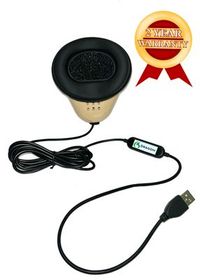
Trace a witness’s answer through a Martel stenomask, a VOX laptop and your CAT practice job. Use fictional testimony to check the audio, text and speaker labels.
Say one identifying phrase close to the mask in normal working position, select the intended input by name, record it and listen. Make a separately labeled sample with the laptop input deliberately selected. Compare the two, then restore and confirm your working selection. The comparison gives you a personal reference for the sound of each path.
A saved first rough can answer a question that a clean final copy cannot. It shows what was present before you corrected a surname or moved an answer to a new speaker line. Give the edited copy its own name. You can then listen to the audio, examine the first output and demonstrate the particular change you made.
Give your CAT publisher the product name, edition, installed version and the role you need recognition to perform. Ask where recognition runs for the option available to you and which equipment and access it requires. Keep the answer with the date and version. That makes the information useful when you change computers or bring a question to class.
Stenograph describes Speechmatics recognition operating on the device as part of its CATalyst VP integration. Use Stenograph’s own information for the supported installation and access details. If a school or workplace has a separate question about storing or sharing jobs and recordings, trace those files and destinations with the responsible person as well.
Start with Advantage Software’s current version and hardware table. It describes the Boost Box or a qualifying computer purchased from Advantage Software for local recognition. Note which supported arrangement you intend to use. If you also want a Martel VOX laptop, discuss the computer’s reporting role and the specified recognition hardware together before ordering equipment.
Bring your current CAT product and version, the model and connectors on your mask, the files you want help transferring and a description of a normal reporting session. Identify which recorder, USB accessories or room inputs you use. A specific example from your desk helps the setup conversation focus on the connections and work you actually need.
Open the transferred practice job and find a detail you recognize from the original. Try the answer associated with a particular exhibit and, if the practice job includes linked audio, play that passage. The job name alone is only the first clue. A recognizable piece of text and matching audio tell you much more about the copy.
It checks the path you will use from this point forward. Open a fresh practice job, dictate a sentence that includes today’s session name, save the job and reopen it. That tests present-day capture. Keeping it beside an older transferred job gives you examples for two different questions that could otherwise sound identical in a support conversation.
For the exercise, speak the reference naturally, then compare the recorded words with the exhibit label and the transcript style you use. Mark whether the intended identifier survived. A typed numeral and its spoken word may mean the same thing. A missing letter in “Four A” points to a different exhibit and deserves its own correction.
Read the question asking where the envelope was placed, then listen through the statement about the folders. The answer contains both the shelf number and the position between folders. Checking only “second shelf” misses the other location detail. Compare the whole thought with your mask audio before deciding which words need attention.
Use the return from the imaginary break. Pause comfortably, reestablish your normal mask position and dictate the first question without rushing. Check the first word of the question, the speaker label and the next complete answer. If one element differs, name it specifically so your next exercise addresses the finding you actually observed.
Find a place where the rough differs from the reference and listen to your mask recording at normal playback speed. Can you hear the distinction yourself without looking at the script? Try a new sentence of similar difficulty at a comfortable pace. Record reading time and correction time for both, and consider what each rough took to finish.
When the witness identifies the pen after describing the pencil, preserve both statements in their original positions. Mark whether your rough preserved the sequence and the corrected fact. Scoring only the final mention of the pen would miss the witness’s explanation. Your comparison should reward a faithful record of how the testimony unfolded.
Write the laptop model, CAT edition and version, publisher-supported recognition choice, selected microphone name and destinations for each recording. Add one practice job you have reopened successfully. Include a short phrase you can find in it. A future reviewer should be able to point to a file and explain what question it helps answer.
A directory may contain several recordings made a few moments apart. A spoken marker identifies a file from the audio itself. For instance, end the Windows test with “amber” and the CAT test with “violet.” If you move the practice files to another folder, you can still identify them even if the display order changes.
Yes. Two files made during the same session can contain the very same words. Verify the source by playing the recorder file on the recorder and checking the separately saved computer file on the laptop. Write down which you opened first. Identifiable filenames and the connection drawing help keep their purposes clear during review.
A clear rough shows you what the text contains. To check a backup recording, start it, speak, stop and save it, and play back the particular file you intend to keep. Try one passage near the beginning and another near the end. Include the recorder as a separate item when you pack up after the practice hearing.
Keep the ambiguity available for review. The fictional witness saw Delia take the key and could not see who opened the cabinet. A tidy sentence saying who removed the envelope would introduce an inference. Compare the original speech, what you repeated and the saved text. Write the exact difference you hear before editing the exercise.
Have the partner describe the subject without quoting the line, such as “Please find the answer about the marks drawn in pencil.” Find enough surrounding text to identify the question and witness. After the readback, check whether the selected passage actually answers the request. Time the search separately from the length of the readback itself.
Return to the portion where the witness spells Delia Marsh. Read the rendered name aloud, letter by letter, against that exchange. A familiar-looking surname can draw the eye past a one-letter difference. Keep the spelled line available in the working material so another reviewer can verify the name without relying on your memory.
If you have made an appropriate room recording for the exercise, you can compare the speaker’s original words with your own repetition. For instance, listen for “on the back” in the envelope answer, then check whether you repeated it. A listening difference calls for a different practice exercise from a clearly dictated phrase that changed on screen.
Ask to open one old practice job and create one new one with your mask connected. Describe the particular audio you expect to hear in each. A session in which you perform both actions gives you a personal example of retrieving work and capturing new work. Add the filenames to the notes you keep with the computer.
Bring the school’s stated CAT edition and requirements, details of your personal mask connection, and a short fictional passage that includes a question and answer. Ask which parts the instructor expects you to demonstrate. An identifiable saved sample makes it easier to discuss what you already know and what you will practice next.
Describe the events you can actually observe. For example, record when you finish a sentence and when the last word appears in the practice job. If you time the observation manually, say so. Keep the method the same when you repeat it. Do not assign the whole interval to the microphone or recognition engine from that observation alone.
Keep that sample as a reference, including the passage, setup notes, rough and review result. Then try new material at a similar pace. The new reading checks whether familiar names and a remembered ending made the first reading especially easy. Over time, a small collection of varied short passages is more informative than repeated readings of one memorized script.
Finish when you can identify who spoke, what you repeated, what appeared in the rough and where you saved the recordings you intended to keep. Reopen the job and find one requested answer with the reference put away. If you can demonstrate those steps to another person, your equipment drawing now describes a working practice session.
Select one result to carry forward from the cabinet exercise. For one reporter it might be getting the words did not into each of three unfamiliar answers. For another it might be accurately labeling the chair’s return after a break. For a buyer, the result might be knowing exactly why a second independent dictation recording matters on a normal workday. Identify one sentence, one file or one physical connection that demonstrates the result and put it in your notes. That makes your next equipment discussion or lesson begin where this one ended.
If your purchase depends on a recognition change, start with the Speechmatics versions guide and then use the VOX laptop buyer’s checklist. If you already have your laptop and are planning your microphone connections, compare Martel’s stenomask models and their output destinations. When discussing supplies for a class or upcoming assignment, check the specific model’s current availability. A product photo helps identify what you want to order. The practice job tells you what you need the order to accomplish on the first day you use it. Speechmatics versions for court reporters · Martel VOX buyer’s checklist.