
Buying Martel Stenomasks for Court Reporting Schools
Plan a Martel stenomask purchase for your program, from approved classroom connections and quantities to budget review, receiving checks, and student readiness. Includes 25 purchasing questions and answers.
A school stenomask purchase begins with the teaching arrangement: who owns the equipment, how many people need it at the same time, which microphone connections the course requires, and what each student must save or produce. Select Martel models around those requirements, confirm one complete workstation, and document quantities and availability before placing the wider order.
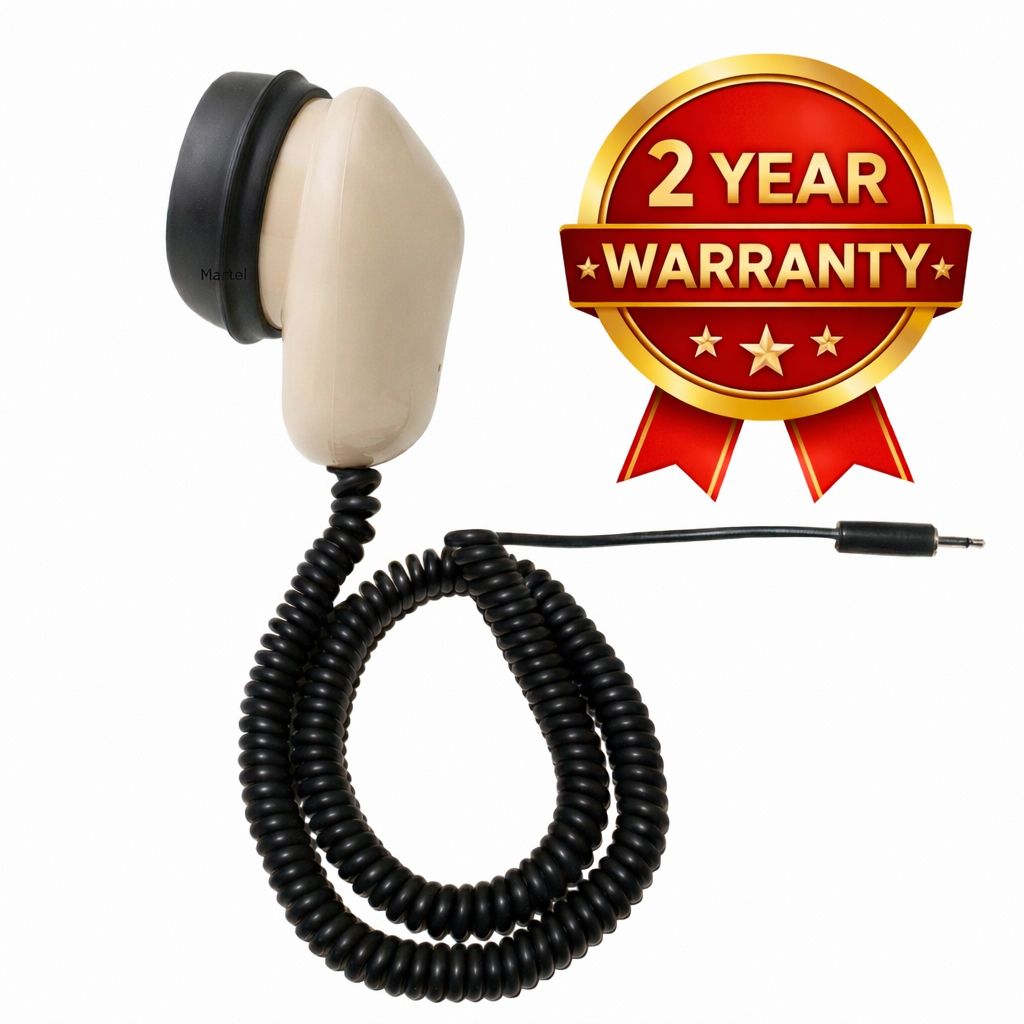
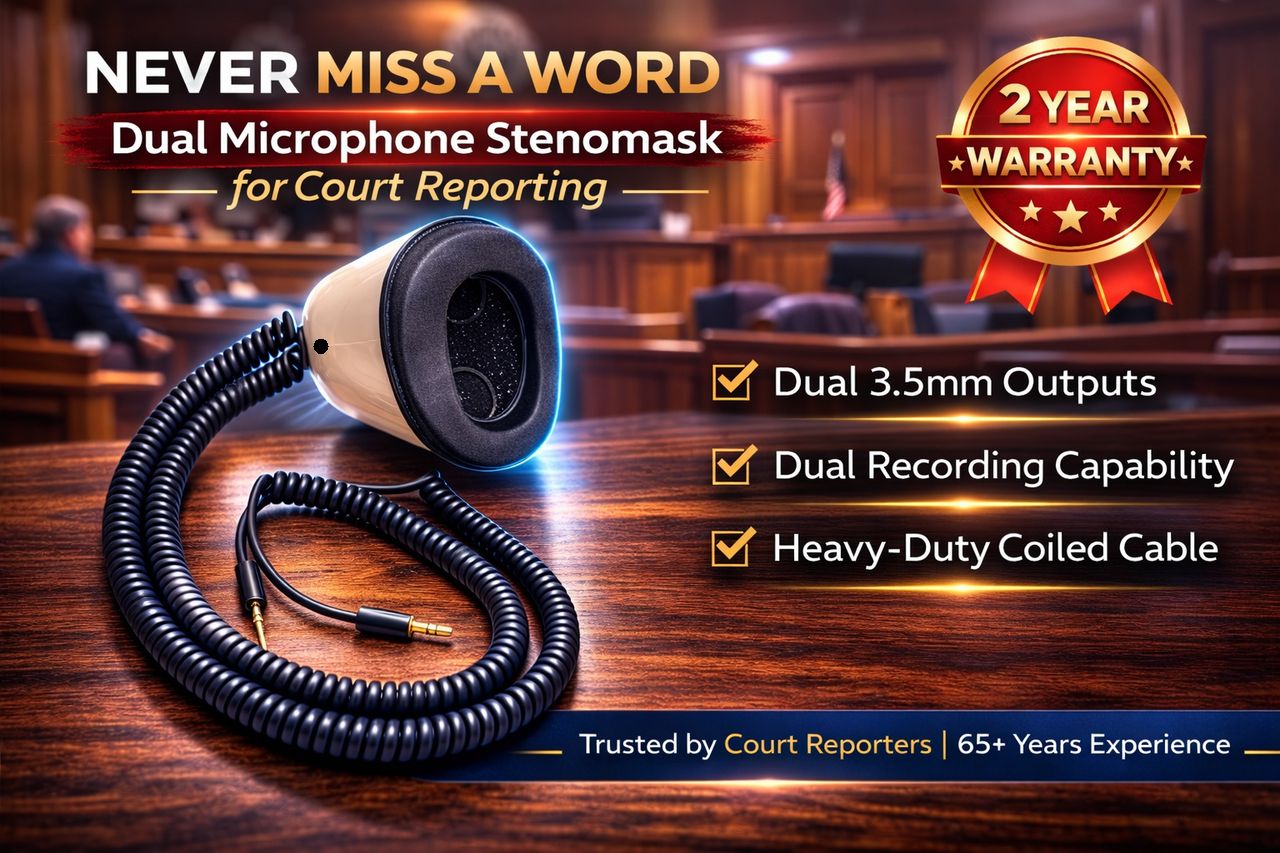
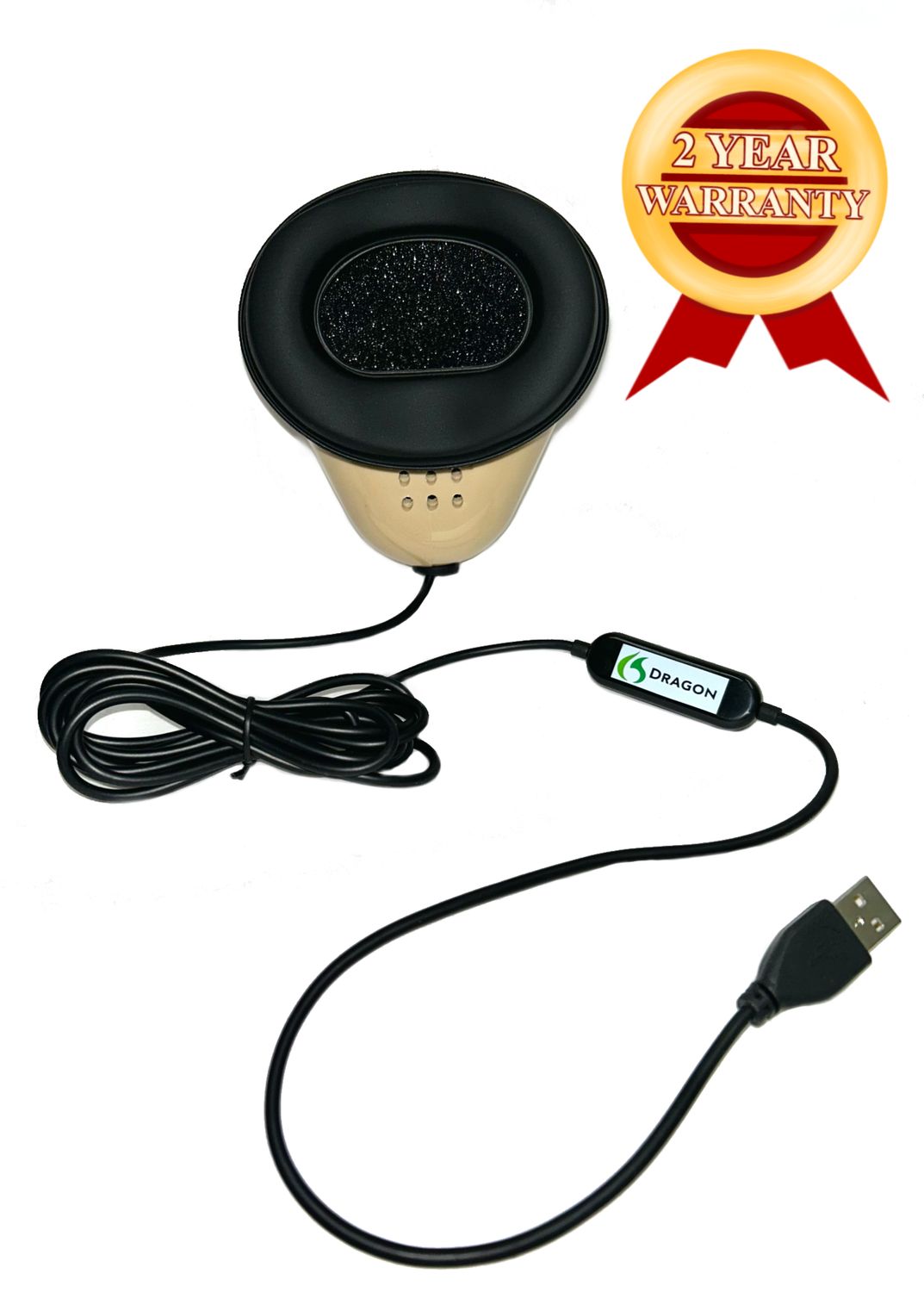
This purchasing guide is written for instructors, program directors, laboratory coordinators, and staff who approve equipment orders. It focuses on the institutional decisions that come before a student's first practice session. The worksheets and classroom scenarios are original planning examples. They do not describe a particular school, assert an endorsement, or claim that a classroom trial has already been performed. Photographs are Martel catalog images, not photographs of a completed school installation.
Define the court reporting school equipment requirement
Begin with the current course plan, not a list of attractive products. Identify what students are expected to do with their spoken input: practice recording, use an approved recognition application, work in the program's reporting software, or preserve a separate writer recording. Different stages of a course may have different equipment requirements. Put those stages in writing so the initial order matches what must be available on the first teaching day.
Ask the instructor to describe the complete path from the student's mask to the required result. A microphone supplies audio. A recording application saves sound. Recognition and reporting applications perform their own functions. A school can purchase appropriate hardware and still have an incomplete workstation if it has not arranged the necessary software, permissions, storage, or receiving connections. Keep those categories separate in the equipment specification.
Have the technical coordinator review that specification against the actual computers or proposed computer models. Record the operating system, available ports, required software versions, and any planned interfaces. Avoid a description such as “all students need a USB setup” when the intended arrangement could mean either a direct USB mask or an analog mask used through a separate interface. The purchasing staff needs the exact approved arrangement.
Distinguish a school requirement from an optional preference. If the course requires two receiving destinations for a student's mask speech, put that near the top of the specification. If a stand is optional, say so. If the school already supplies computers, identify them as existing assets. This prevents a single classroom equipment list from becoming several inconsistent interpretations when students, instructors, and purchasing staff read it.
Assign one person to maintain the approved list and record its revision date. When a program changes software or computers, an older equipment handout can remain in circulation. A dated list with a responsible contact helps staff recognize which information applies to the next cohort. It also gives Martel a stable reference when reviewing a proposed school order.
Choose an ownership arrangement before calculating quantities
A school-owned laboratory, student-owned equipment, and a lending program create different purchasing obligations. In a laboratory, the institution manages the workstations and needs a clear plan for assignment, storage, support, and reuse. With student-owned masks, the institution may publish an approved specification while students purchase their own equipment. A lending program adds check-out records, return inspection, and a process for replacing missing components.
Write down who owns each component, who may take it off campus, and who keeps the purchasing record. A mask can belong to a student while an interface belongs to the laboratory. A stand can remain at a desk while a personal mouthpiece travels with its user. These arrangements are possible planning choices, but they should be explicit so that a routine classroom move does not separate equipment from its owner or instructions.
For equipment that contacts the user's face, establish the institution's assignment and handling policy before circulation. Follow the current instructions for the particular Martel components. This guide does not prescribe a disinfectant or claim that one mouthpiece can be transferred between users through an undocumented cleaning procedure. Personal assignment of contact components is a purchasing question to settle with the school's responsible staff.
If students buy their own masks, publish the required model and connection arrangement clearly, along with the person who approves alternatives. Avoid an informal list that names a category but leaves the receiving computer or adapter undefined. Link students to the actual Martel listing and to the stenomask equipment guide for voice writing students so they can understand their part of the setup.
For a lending program, decide how a kit is identified. A practical record includes the mask model, assigned kit number, included components, issue date, and the staff member responsible for receiving it back. Do not invent serial numbers or assume every component carries one. Use the identifying information actually present and an institutional asset label where appropriate.
Match Martel stenomasks to the approved classroom connections
The appropriate school model is the one that fits the confirmed teaching workflow and receiving equipment. The following table summarizes four Martel configurations relevant to many computer and recording plans. It is a selection aid, not a promise that every computer or recorder accepts every mask. The school's approved software and actual input requirements remain part of the decision.
| Martel model | Connection arrangement | School purchasing question |
|---|---|---|
| MM-18 | One 3.5mm microphone output | Does the station provide the verified analog input or required interface? |
| Dragon Stenomask | Direct USB microphone connection | Does the course need one direct computer microphone route? |
| Double Dragon 2 | USB plus a separate 3.5mm microphone output | Are both destinations required, compatible, and available within current purchasing restrictions? |
| MM-ST1 | Two independent 3.5mm microphone outputs | Does the approved station use two suitable analog receiving inputs? |
For a station built around one analog input, investigate the Martel MM-18 stenomask for a compatible classroom workstation. Record any interface required between its 3.5mm plug and the computer. An interface that is optional in one classroom may be essential in another, so the quantity calculation must follow the actual approved connection plan.
For an approved direct USB computer arrangement, review the Dragon USB stenomask for voice writing. Confirm the computer's connection and the software's supported microphone selection. Direct USB identifies the microphone route; it does not automatically include a software license, a configured computer, or a separate recording device.
If the class must send mask speech to a computer and another device, compare the required inputs with the dual-output Martel models. Double Dragon 2 provides USB and a separate 3.5mm path; MM-ST1 provides two independent 3.5mm paths. In either arrangement, both microphone elements serve the student's voice inside the mask. Capturing an instructor or other room participants is a separate recording requirement.
At the November 12, 2026 fact check, the Double Dragon 2 listing included a one-per-customer limit. A school should confirm current quantity availability directly with Martel before including multiple units in an approved order. Do not assume a proposed classroom plan overrides the live restriction, and do not split orders to work around it. Resolve availability before treating a model as the institution's standard for a cohort.
The full Martel stenomask buying guide also covers other connection arrangements. This school guide concentrates on procurement and classroom planning. If a program specifies a specialty input, provide that exact requirement to Martel instead of substituting one of the four examples merely because it appears in this table.
Calculate classroom quantities from simultaneous use
Enrollment and simultaneous equipment use are different numbers. A program might enroll more students than it seats in one laboratory session, or it might issue a personal mask to every student even when computers are shared between class periods. Determine the ownership arrangement first, then calculate the number of complete setups needed at the same time.
For each item, record the teaching quantity, instructor quantity, approved spare quantity, usable existing quantity, and resulting quantity to order. Calculate these separately for masks, interfaces, recorders, stands, and other components. A spare mask does not automatically create a spare workstation if the only required interface or power supply remains in use elsewhere.
As an illustrative planning example, suppose a school has twelve simultaneous student stations and one instructor station. It decides, through its own policy, to hold one additional compatible mask for temporary replacement. That plan calls for fourteen masks before accounting for existing usable units. This is arithmetic for a hypothetical arrangement, not a recommendation that every school maintain a particular spare ratio.
Now suppose four existing masks meet the approved configuration and pass the school's receiving-equivalent checks. The mask purchase quantity in that example becomes ten. The interface quantity may be different if the retained equipment uses a different confirmed route. Calculate each line from the complete station design rather than subtracting four from every item in the budget.
Make future growth a separate decision. If the next cohort's size is uncertain, label additional equipment as a planned expansion rather than current teaching demand. This allows the approving staff to understand which purchases are needed now and which depend on a future decision. It also helps Martel respond accurately to questions about a first order and a possible later quantity.
Build a voice writing classroom equipment list
Describe one approved station in enough detail that another staff member can assemble it. Include the mask model, receiving computer, any interface, the selected software arrangement, and any required separate recorder. Add positioning accessories only when the institution has decided they belong in the standard station. Record whether each component is school-owned, student-owned, included with another item, or separately purchased.
| Equipment line | What to record | Why purchasing needs it |
|---|---|---|
| Stenomask | Exact Martel model and output arrangement | Prevents substitution of a different connection |
| Computer and input | Actual model, ports, and approved software requirements | Defines what will receive the microphone |
| Interface or adapter | Exact supported component, if required | Separates essential connections from optional extras |
| Separate recorder | Model, input, storage, and power requirements | Makes the second recording destination complete |
| Positioning accessory | Approved stand and mounting requirements | Connects the accessory choice to actual furniture |
| Software and setup | Required applications, licenses, permissions, and responsible staff | Prevents hardware delivery from being mistaken for a ready station |
| Personal and spare components | Assignment policy, quantities, and exact replacement items | Supports controlled issue and replenishment |
Keep the included-items list tied to the current offer. For example, the MM-18 listing identifies the mask, silicone mouthpiece, and foam filter. That does not mean it includes every accessory shown elsewhere in the catalog. A computer, stand, software, or recorder should appear as a separate requirement unless the particular package expressly includes it.
If stands are part of the proposed classroom, inspect the actual desks. Martel's Flex Stand listing describes a 33-inch flexible arm and a clamp for desks up to 2.75 inches thick. Thickness alone is not the entire installation question: the edge must be accessible, the work surface suitable, and the placement practical for the user. Confirm the arrangement before ordering a stand for every station.
Accessories can support the classroom plan without becoming universal requirements. Review the Martel stenomask stand for approved classroom desks and SS4 Soft Seal mouthpiece where relevant. Record personal fit questions individually rather than assuming one optional component will suit every student in exactly the same way.
Approve one complete workstation before a larger rollout
A pilot station lets the institution check its proposed combination before repeating it across a classroom. This guide recommends a process; it does not claim that Martel has tested an unnamed school's configuration. The school should decide who approves the pilot, what must be demonstrated, and which observations are retained with the purchasing record.
Use the intended computer, application versions, connections, and representative desk arrangement. A demonstration on an unrelated computer may answer a product question, but it does not verify the actual classroom station. If the institution expects students to work under restricted accounts, include that condition in the pilot. Determine whether microphone access, recording locations, and software permissions work under the intended account arrangements.
Have the instructor identify the required learning task and the technical coordinator identify the required equipment behavior. A practical check might include selecting the mask input, saving a non-confidential practice recording, reopening it, and completing the approved application task. When a second recording destination is required, review its saved output separately. Define success before the session so it is not reduced to a vague impression that the equipment seemed to work.
Document any change made during the pilot. If a connection component or application setting changes, update the station list before purchasing the wider quantity. The final list should describe the arrangement that was actually approved. Otherwise the school can inadvertently order one configuration after demonstrating another.
Separate equipment verification from student proficiency. A student learning voice writing may produce incomplete speech or text while the microphone route is functioning correctly. The instructor evaluates the learning task; the equipment check establishes what audio was captured and where it went. This distinction helps staff respond appropriately without treating every practice error as a hardware failure.
Prepare a transparent voice writing lab equipment budget
Build the budget from approved quantities and current written prices. Give each line an exact model or package description. Add an extended amount for quantity multiplied by unit price, then account for shipping and applicable charges according to the actual quotation or order. Keep optional items, required items, and possible future expansion visible as separate decisions.
Do not treat a public sale price as a promised institutional discount. The current product page is a useful reference, while a written quotation can document the particular quantity and arrangement under review. Any discount, payment terms, shipping commitment, or allocation must be confirmed by Martel. This article does not create school pricing or imply that an institution is automatically eligible for a specific offer.
Compare complete station costs rather than mask prices alone. A direct USB arrangement and an analog arrangement may require different supporting components. The appropriate comparison includes the equipment the school already owns and can verify. A lower mask price does not answer the total-cost question if a necessary input component has been omitted.
Include the institution's own preparation tasks in the project plan, even when they are not supplier charges. Staff may need to install approved applications, configure accounts, assign equipment, prepare storage, and teach the first setup procedure. Recording those tasks avoids confusing a delivered box with a classroom that is ready for instruction.
Use current listings when checking replacement components. For example, Martel offers genuine stenomask foam inserts in a 12-pack. A school should determine its quantities using current product instructions, its assignment policy, and the actual number of masks in service. Do not assume one pack represents a fixed classroom supply period regardless of enrollment or use.
A purchasing worksheet for approval
- Program and cohort: the group and teaching period covered by the request.
- Approved station version: the dated configuration reviewed by the instructor and technical staff.
- Quantity calculation: simultaneous users, instructor equipment, approved spares, and usable existing items.
- Required purchases: exact models, quantities, unit prices, and extended amounts.
- Optional purchases: accessories that can be approved separately.
- Availability questions: allocation, delivery estimates, and any quantity restrictions.
- Institutional tasks: software, accounts, receiving, assignment, and classroom preparation.
- Approval record: the person authorized to approve equipment and the person authorized to place the order.
Request a Martel school stenomask quote with complete details
A clear inquiry gives Martel enough information to check both the products and the proposed order. Include the institution's name, a purchasing contact, the requested models and quantities, delivery location, required timing, and the approved connection arrangement. Use the Martel written quote form for school stenomask equipment when you need a formal quote. Explain whether you need pricing for approval, a product recommendation, or clarification of an existing order. These are different requests and should be identified accordingly.
If the school has not selected a model, describe the required inputs and work instead of asking for a generic “school package.” State whether each station needs one computer microphone route or another separate writer-audio destination. Include the computer and application details and identify which components the institution already owns. Martel can then respond to a defined requirement.
For an institution that uses purchase orders, review Martel's purchase-order information and confirm that the institution and proposed terms are accepted. The public page specifically describes government-entity purchase orders; it should not be read as automatic approval of every private school's account or requested payment terms. Obtain the applicable arrangement before relying on it in the school's approval process.
Use the Martel contact form for a school stenomask purchasing inquiry to identify a product question, written-quote request, or purchase-order question. The customer-facing email is stef@marteldigital.com. Send only the institutional purchasing information needed for the request; student records and confidential classroom work are not necessary to describe an equipment order.
When a response arrives, reconcile it against the station list. Check model names, quantities, included items, charges, availability, and unresolved compatibility questions. If the proposed model or component changes, have the instructor and technical coordinator review the change before approval. Keeping that review with the order prevents a substitution from becoming an undocumented classroom assumption.
Use a receiving checklist that connects delivery to the approved order
Designate the staff member who receives the shipment and the staff member who verifies the equipment. Those may be different people. The receiving record should connect the delivery to the quotation or order, count the items, identify the models, and note visible discrepancies. Keep the packaging and documentation while any missing or unexpected component is being resolved.
Separate counting from operational checks. Counting twelve boxes establishes a quantity, not twelve ready workstations. Verify the contents of each package against the actual offer, assign the institution's equipment identifiers, and record any visible damage or mismatch. Then use the approved station procedure to establish the receiving connection and confirm the required saved output.
For a group of similar stations, maintain a simple status list: received, inspected, configured, checked, and assigned. Record a specific unresolved issue rather than marking an entire shipment defective when one component needs attention. This makes it easier to communicate with Martel and to understand which equipment is ready for the first class.
Use non-confidential practice material during receiving checks. The purpose is to establish that the selected input reaches the intended destination and that the application can save or use it as required. A classroom receiving check is not a published recognition benchmark. Do not describe a brief inspection as proof of a universal accuracy percentage or guaranteed results for every student.
Retain the purchase record and the applicable warranty terms in a place accessible to authorized staff. The MM-18 listing describes a two-year limited warranty involving repair of the originally purchased unit under Martel's terms. Check the terms applicable to each purchased item and follow the required service process. Do not promise students immediate new-unit replacement unless a written agreement actually provides it.
Prepare the first class around the approved station
Give students a concise setup card based on the verified classroom arrangement. Include the mask model, connection route, selected input, location for practice files, and the person to contact when a check fails. The card should describe the actual station rather than list several possible equipment combinations that beginners must interpret themselves.
Demonstrate the difference between connecting equipment, recording speech, and completing the course's application task. Let students save and reopen an ordinary practice sample before moving to more demanding work. The existing Martel stenomask guide for students provides a broader learning reference; the school-specific setup card should remain short enough to use at the desk.
Keep equipment support and instruction connected but distinct. A question about punctuation conventions belongs to the instructor's method. A missing input belongs first to the documented equipment route. A failed saved file needs its source, destination, and operation identified. Using those distinctions consistently helps students ask questions that staff can resolve efficiently.
For remote learners, provide the same approved specifications and ask them to confirm their own computer and connections. A campus workstation check does not verify a student's home computer automatically. Identify which checks the learner must perform and where to obtain help before a course deadline. Avoid presenting a photograph of the campus setup as proof that every remote arrangement is equivalent.
Three illustrative school purchasing scenarios
A shared computer laboratory with individually assigned masks
In this hypothetical arrangement, computers remain at school while each student has an assigned mask and personal components. The institution defines one approved computer input arrangement and checks the components that remain at each station. Purchasing tracks student-issued items separately from laboratory assets. The important decision is who supplies each required connection and how a student knows which equipment stays with the desk after class.
The school may choose an analog or direct USB Martel arrangement after reviewing its actual requirements. The scenario does not endorse a model without that review. The purchasing benefit comes from an explicit ownership and connection plan: every item has an owner, every station has a defined input, and the order covers the missing components rather than duplicating equipment already provided.
A small program issuing complete take-home kits
Here the institution plans a kit that travels with a learner. It records the mask, required interface if any, personal components, instructions, and the equipment the student must supply independently. The school identifies the actual supported computer and software requirements rather than assuming that any home computer will work. Each issued kit has a contents record and a return process if the equipment remains school-owned.
A complete kit description is useful even when the school purchases only the mask from Martel. It explains how that purchase fits into the overall arrangement and prevents a student from discovering a missing required input after delivery. Any pictured computer, recorder, or stand should be labeled according to whether it is included, separately supplied, or optional.
An established program replacing part of its equipment
This school begins with an inventory of current masks and receiving components. It verifies which items remain suitable, identifies the new requirement, and orders only the appropriate replacements and additions. If the project involves moving from MM-18 to a direct USB model, the Martel MM-18 stenomask upgrade guide helps document what changes at each affected station.
The institution updates its station specification and teaching card after the pilot, then separates old and new configurations in its records. It does not silently mix them in one equipment list. This scenario illustrates controlled replacement and inventory management; it does not claim a particular school achieved measured savings or improved recognition after an upgrade.
Review the equipment plan between teaching periods
At the end of a cohort or teaching period, compare the assigned equipment list with what is returned or remains in service. Note missing parts, unresolved support issues, changes in software requirements, and accessories that need review under their instructions. Keep personal assignment records in the institution's normal system and limit access appropriately.
Update the next purchasing request using observed needs. If the school repeatedly lacks a required connection component, correct the kit list. If an optional item was ordered but did not fit the furniture, revise the mounting specification. These are practical lessons from the school's own operation, not reasons to invent a general performance claim about every user.
Maintain a dated master station list and archive superseded versions so staff can identify which cohort used which arrangement. When requesting additional Martel equipment, send the current version. A consistent record helps the school expand, replace, and support its equipment without asking each new instructor to reconstruct the purchasing decisions from loose boxes and older emails.
Plan your Martel school order
Explore Martel stenomasks for court reporting schools, compare the approved connection requirements, and request help with your school stenomask purchase. Include model preferences, quantities, existing equipment, and the date the classroom must be ready. Martel can confirm the current offer and availability for the proposed order.
25 questions and answers about school stenomask purchasing
1. Which Martel stenomask should a court reporting school buy?
Choose the model that fits the instructor's approved workflow and the actual receiving equipment. MM-18 provides one 3.5mm output, Dragon provides direct USB, Double Dragon 2 provides USB plus a separate 3.5mm output, and MM-ST1 provides two independent 3.5mm outputs. Confirm the full workstation and quantity availability before treating a model as the program standard.
2. Should every student use the same model?
A consistent configuration can simplify the school's instructions and equipment records, but the institution must decide what its teaching and technical requirements permit. Document any approved alternative and the complete connection arrangement it requires. Consistency should mean a clearly supported station, rather than identical product names attached to several different, undocumented computer inputs.
3. Should the school buy masks or ask students to buy them?
That is an institutional ownership and budgeting decision. School-owned equipment requires assignment, receiving, support, and return procedures. Student-owned equipment requires a precise approved specification and clear statements about what the institution supplies. Decide ownership before calculating quantities, and explain who keeps the purchasing record and who handles a service request.
4. How many masks should we order?
Calculate the quantity from the ownership arrangement, simultaneous student use, instructor needs, approved spares, and verified existing equipment. Enrollment alone may not describe the requirement. Calculate supporting components separately, because one mask does not necessarily correspond to one newly purchased interface or recorder. Keep the arithmetic and the assumptions with the approval request.
5. How many spare masks does a school need?
There is no universal spare quantity established by this guide. The school should consider its schedule, the number of simultaneous users, service arrangements, and how it would continue instruction when equipment is unavailable. Approve a spare policy explicitly. Also check whether the spare mask has the supporting components needed to form a usable alternate station.
6. Can a classroom share masks between students?
Establish the institution's assignment and handling policy for equipment and face-contact components, and follow the current instructions for the particular products. Do not assume that an undocumented cleaning method makes every component suitable for transfer between users. Ownership, storage, personal components, and staff responsibilities should be settled before equipment begins circulating through the classroom.
7. Does a Dragon mask purchase include recognition software?
Check the actual offer. A microphone's product name does not automatically include a software license, computer, or configured application. Put hardware, software, and services on separate lines in the school specification. If a package expressly includes software, identify the application, version, permitted use, and quantity covered before approval.
8. Does every MM-18 station need an external interface?
The answer depends on the receiving equipment. The MM-18 needs a suitable input for its 3.5mm analog microphone output; some computer arrangements require a compatible external interface. Confirm the actual computer and connection before calculating quantities. Do not order interfaces simply because another school's older equipment list used them, or omit them when your approved route requires them.
9. When does a school need a dual-output mask?
When the approved workflow requires separate mask microphone outputs for identified receiving destinations. The instructor and technical coordinator should explain what each destination does and how its result will be checked. A second output is not automatically necessary for every beginner, and it does not create a room microphone or guarantee that a recorder saves a file.
10. Can the school order a classroom quantity of Double Dragon 2?
Confirm directly with Martel. The listing checked on November 12, 2026 stated a one-per-customer limit, so a multi-unit classroom plan requires clarification of current availability and any approved purchasing arrangement. A guide or worksheet does not override a product restriction. Resolve that issue before approving a budget or promising students that model.
11. Are school or bulk discounts guaranteed?
No discount is created or promised by this article. Request a written quote for the exact models and quantities and review the offer Martel provides. Keep any approved pricing, charges, terms, and availability with the purchasing record. Do not convert an example budget or a public sale price into an assumed institutional agreement.
12. Can a school use a purchase order?
Review Martel's purchase-order information and confirm the institution's eligibility and proposed arrangement. The public page describes government-entity purchase orders; it does not automatically approve every private school or requested payment term. The purchasing office should obtain confirmation before relying on a purchase order as the approved payment method for a particular order.
13. What information belongs in a quote request?
Include the institution and contact, exact models or required connection arrangements, quantities, existing equipment, delivery details, and the date the classroom must be ready. Identify whether the request is for product guidance or a formal quote. Student records and confidential practice material are unnecessary for describing the purchasing requirement.
14. Should we buy a pilot station first?
Verify one complete proposed workstation before repeating an unconfirmed arrangement across the classroom. How the school obtains that equipment is part of its purchasing plan. The pilot should use the intended computer, software, connections, and account conditions. Record the approved configuration and any changes, then use that final record for the wider order.
15. What should the pilot demonstrate?
It should demonstrate the required equipment behavior and application task defined by the school. Typical checks include selecting the intended microphone, saving and reopening practice audio, and completing the approved software procedure. If another destination is required, verify its saved output separately. Keep hardware checks distinct from the student's developing voice-writing proficiency.
16. Are hands-free stands required for every station?
Only if the institution decides they belong in the approved arrangement. Confirm the user position and actual furniture before ordering. Martel's Flex Stand listing specifies mounting and reach details that should be checked against the desk. A stand can be an optional positioning accessory; its appearance in a photograph does not establish that it is included or required.
17. How should we budget for mouthpieces and foam?
Identify the components included with each purchased mask, the school's personal-assignment policy, and the current product instructions. Calculate additional quantities from the actual number of masks and intended use. Keep replacement supplies separate from initial included items so they are not counted twice. Confirm the exact accessory model before ordering a quantity for the program.
18. Can existing school computers be reused?
They may be suitable, but verify their actual ports, installed system, software requirements, and account permissions against the proposed station. A microphone purchase does not establish computer compatibility by itself. Record usable existing computers in the budget and pilot the complete arrangement before assuming every machine in the laboratory behaves the same way.
19. How should remote students confirm their setups?
Give them the current approved specification and ask them to identify their own computer, connection components, and software versions. Have them perform the program's required practice checks before the relevant deadline. The institution should identify where equipment questions go and what information to provide. A campus demonstration does not automatically verify an unnamed home setup.
20. What should we check when the shipment arrives?
Match the delivery to the order, count and identify the models, inspect the included items, and record discrepancies. Then perform the approved operational checks before assignment. Counting boxes and verifying a workstation are separate steps. Keep the order documents and packaging while any issue is being resolved, and identify the staff member responsible for follow-up.
21. Do the masks come with guaranteed recognition results?
This guide makes no universal accuracy promise. Recognition depends on the full equipment route, application, configuration, speaking work, and material. School receiving checks should establish the intended input and output under documented conditions. If the institution evaluates recognition performance, use a defined method and report actual observations rather than attributing an invented score to a model.
22. What warranty should the school expect?
Review the current terms for the exact purchased items and retain them with the order. The MM-18 listing describes a two-year limited warranty for repair of the original unit under Martel's terms. Do not assume that this creates an automatic new-unit exchange, a replacement loaner, or an immediate turnaround promise for every situation.
23. How can we avoid ordering the same component twice?
Mark each line as already owned, included, separately required, or optional. Compare package contents with the station specification before approval. A photograph is useful for identification but does not determine what is included in the sale. Keep one purchasing worksheet shared by the instructor, technical coordinator, and purchasing staff so their lists remain consistent.
24. How should a school replace older MM-18 equipment?
Inventory the existing arrangements, identify the new requirement, and verify the proposed change on a representative station. The MM-18 upgrade guide for Dragon and Double Dragon 2 helps distinguish retained components from changed connections. Update the institution's station list and teaching instructions before rolling the new arrangement out to students.
25. What is the next step toward a Martel school order?
Prepare the dated station specification and quantity worksheet, then contact Martel with the models, requirements, and timing. Confirm availability, included items, and the applicable purchasing arrangement before approval. After ordering, keep the receiving and classroom preparation plan connected to that same specification so the equipment delivered is the equipment the school intended to teach with.
Product connections, photographs, and cited mounting details were checked against Martel product listings on November 12, 2026. Purchasing contact and purchase-order information were checked on Martel's public contact and purchase-order pages. Current offers and written confirmations govern the actual order. Classroom scenarios, quantity examples, and worksheets are original planning aids and are not reports of measured results or school endorsements.