


A Mock Court Hearing From Roll Call to Readback With Speechmatics
Run a complete fictional footbridge hearing with Martel stenomasks, two witnesses, exhibits, a recess, a disputed readback, and four separate scores.
One CAT job opens with clear audio of your own dictation. In another, you hear a distant voice, or you can read the words on screen but cannot find the recording you expected to replay. A court reporter can get farther by asking which evidence changed than by rebuilding the whole workstation. Make a new, identifiable Windows recording of your personal stenomask, then a new CAT job with a different spoken marker. Open and play both. Add one more Windows recording immediately afterward. You have now bracketed one real CAT practice session with two observations of the computer’s input.
The central question is narrow. What did the selected Windows input receive, which source did the CAT job use, what text did it save and what can you play back afterward? These are four related pieces of evidence. A good recording made this morning does not prove what entered a different CAT job yesterday. A correct sentence displayed in an old job does not establish that its associated audio came from your stenomask. A fresh test with distinctive words can often sort these questions without changing a single setting.
This guide is for someone who can sometimes get good results and wants to locate an intermittent difference between jobs. The exercises use fictional testimony from an exhibit about a town clock being moved from a library to a visitors’ hall. Each practice job receives a unique phrase that identifies the actual recording even if multiple files have similar names. The objective is a repeatable comparison you can bring to Martel, a CAT publisher or your instructor, depending on which stage first shows the difference.
Begin with your own voice inside the stenomask. Trace the cable to its first connection and then to its physical destination. Name the computer input shown in Windows. Next identify the source your publisher-supported recognition setup uses for dictation. Separately identify any sound the CAT job is configured to record for later listening. Some setups intentionally use a room microphone for recording the original speakers while the reporter dictates into the mask. In that arrangement a room recording can be exactly the intended file even when the text came from the reporter’s voice.
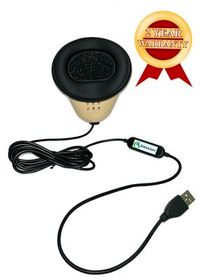
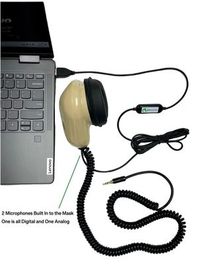
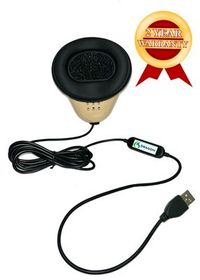
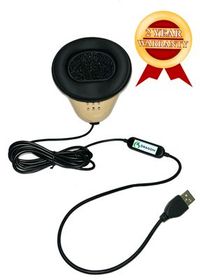
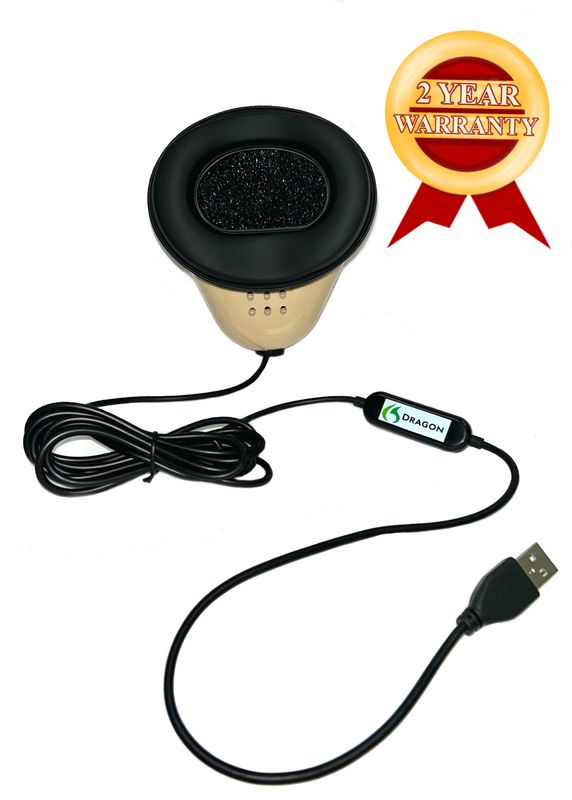
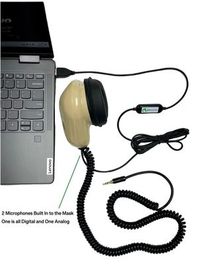
Martel describes the Dragon USB Stenomask as a mask with a direct USB connection and built-in sound card. With the Double Dragon 2, one microphone connects to the computer by USB and another can feed a compatible recorder through a 3.5 mm connection. Draw the independent recorder on its own branch. Both mask microphones capture the reporter’s dictation. A separate room microphone, if you use one, is another source. Trace the actual cables before naming files. A drawing with two destinations for the reporter’s words differs from a drawing with two different people’s voices. Compare Martel Dragon and Double Dragon 2 connections.
For a concrete fictional example, Dana dictates into a Dragon USB connected to a VOX laptop. Luis, acting as the witness, speaks across the table. Dana’s CAT practice job is configured to record Luis through a room input and to use her mask for dictation. When she reopens the job, she can read her repeated words and hear Luis speaking. That outcome alone does not show a mixed-up input. The job was asked to preserve room audio. Dana would need a verified mask recording from the appropriate session to determine exactly what she said into the mask.
A second fictional reporter, Mo, uses a Double Dragon 2. The USB connection feeds the laptop, and a compatible recorder is connected to the second mask microphone. Mo can hear their own dictation on the recorder even if the CAT job saved the room. That gives an additional way to check whether Mo repeated “library clock” or “hall clock.” It still cannot directly establish which computer input the CAT software selected on that run. Distinguish the physical mask branch reaching the recorder from the computer branch that actually supplied recognition.
If your personal mask has another connector arrangement, identify it before applying USB instructions. Martel’s model comparison distinguishes the two 3.5 mm connections on the MM-ST1 from the USB and analog arrangement on the Double Dragon 2. Record which suitable computer input or adapter each connection uses. A cable ending in a round plug may fit a physical socket while the socket’s intended function differs from the one you need. Follow the specifications of the actual receiving equipment and confirm the result with a short saved sample. Martel’s MM-ST1 and USB mask comparison.
Microsoft describes selecting a microphone for testing under Settings, System, Sound in Windows 11. In the Input section, select the intended microphone and open its properties. Start the microphone test, speak in your ordinary mask position, stop and listen to the recorded sample. Copy the device name exactly as shown. The test identifies what that selected input received in that short session. If the retail name on the mask and the name displayed by Windows differ, put both on your worksheet together with the physical port you used. Microsoft’s Windows 11 microphone test.
Microsoft’s Sound Recorder guidance explains how to start a new recording, stop to save it and give a recording a new name. Use it to keep a longer-lived fictional reference you can identify again during the comparison. Speak “Windows reference, brass clock, first visit” and then read a full sentence about the location of the clock. Stop, locate the new recording and play it. Check all three parts of the label, including “first visit.” This tells you more than recognizing the sound of your own voice in an otherwise unnamed file. Microsoft’s Sound Recorder instructions.
Listen once without looking at the written reference. Could you write the phrase you actually heard? Is your voice close enough and clear enough to distinguish “brass” from “glass”? Can you hear a partner behind you only faintly or more prominently than expected? Mark the observations in words rather than recording a bare “works.” The same voice can sound recognizable from a laptop microphone across the table. The combination of selected input, known physical connection and a deliberately differentiated recording gives you stronger evidence of microphone identity.
If two devices have similar display names, make one separately labeled sample with the intended mask selected and another with the other known microphone selected, then restore and verify the intended choice. Keep the dictation and room phrases different. Your partner might say “room voice, library door” while you say “mask voice, clock hand.” Listen for which speaker is prominent and which unique phrase is clear. This is a practical listening test, not a requirement for complete acoustic isolation. Room conditions and the actual microphone positions affect what else may be audible.
Microsoft’s Windows microphone permissions instructions distinguish access settings for apps and desktop applications. If Windows’ own test receives your mask while a particular application reports difficulty accessing the microphone, check the applicable permission settings for your Windows 11 account and approved application. Record what they actually show. If access already appears enabled, preserve that observation and move on to the application’s selected input and job configuration. Repeatedly toggling a setting without an observed reason makes tomorrow’s working setup harder to reconstruct. Microsoft’s desktop microphone permission guidance.
Use two distinctly named jobs. For the first, start a new fictional practice job using the method supported by your CAT publisher and the recognition option you actually have. Give it a name containing “clock gallery A” if that fits your usual naming convention. Record the CAT product, edition, installed release and provider-supported recognition route. Put the time and input name beside the entry for the Windows reference. Note which room or mask audio you intentionally plan to save in the CAT job, and separately note which input you intend recognition to receive.
Advantage Software’s EclipseVox getting-started workshop describes setting up audio input and the Speechmatics connection, practicing translation and relating speech to Eclipse output. Its product materials distinguish cloud and local Speechmatics Enhanced options and specify its equipment for local use. Follow the publisher’s instructions for your supported installation when identifying the input and opening the practice job. A Windows reference confirms one input at the operating-system level. A line produced in the current EclipseVox job adds evidence about this particular publisher-configured workflow. Advantage Software’s EclipseVox Speechmatics setup workshop · Advantage Software’s supported recognition routes.
Stenograph describes on-device Speechmatics recognition integrated into CATalyst VP. Its separate getting-started guide documents a Dragon-based VP setup, including its distinction between mask voice and room recording. Use the documentation appropriate to the installed version and recognition path. If a colleague’s older job was created using Dragon and today’s new one uses confirmed Speechmatics access, put that difference on the cover sheet. What appears to be a simple job-to-job difference may actually be a comparison between two separately configured workflows. Stenograph on-device Speechmatics information · Stenograph guidance for the Dragon-based VP setup.
For job A, say “Gallery A, bronze dial, starting entry.” Follow with “The library clock had a bronze dial and two black hands. The minute hand pointed to the blue marker when the movers arrived.” If you have a partner speaking for the room source, let the partner say, “Gallery A, room voice, the clock was wrapped at the library door.” Keep these lines fictional. Save the rough before you correct it and reopen the job you just created. Search for “bronze dial” and check which voice you can hear on each intended recording.
Next, return to your separate Windows reference process and make a new recording. Say “Windows reference, silver bell, after gallery A.” Play it back and identify the unique marker in the recording itself. If the first Windows sample, the CAT job and the second Windows sample all show their expected sources, you have documented one complete successful sequence. Keep it. A clean sequence provides a useful reference when a later job changes. If the CAT result differs while the Windows references on both sides are intelligible, preserve that exact combination before testing anything else.
A successful first and last Windows sample place a limit on the conclusion. They show the selected input was working when each of those recordings was made. The source may have changed temporarily inside the CAT workflow, or the job may have saved a different source intentionally. If you cannot show the very same utterance in a computer recording and the CAT result, say that. Evidence from two separate takes can guide a follow-up without establishing continuity through every moment between them.
Choose a transition that resembles the one you actually experience. If the intermittent issue occurs after closing one job and opening another, save job A, close it normally and open a fresh gallery B job under the same working configuration. Keep the mask connected, leave the room microphone where it is and use the same observer. Change the spoken job identifier so the two jobs can be distinguished on playback. This is a test of the job transition as used at your desk. It does not require unplugging equipment or changing Windows settings.
For job B, say “Gallery B, white dial, return entry.” The reference sentence is “The clock in the visitors’ hall has a white dial and narrow hands. Its brass bell is on the shelf behind the counter.” The fictional room reader says, “Gallery B, room voice, I carried the empty packing case into the visitors’ hall.” Ask which entry appears in the saved CAT text and which entry is prominent in the stored audio. Because both parties supplied different distinctive words, hearing “packing case” is evidence about the room recording, while hearing “white dial” provides evidence about your mask dictation.
Then make a new Windows reference ending “after gallery B.” Use exactly the same selected input as before if you can verify it, and note if the displayed list or selection differs. Your sequence now has Windows before A, CAT A, Windows after A, CAT B and Windows after B. That is a practical chain of evidence. You can mark the last successful point and the first different point without having to claim what happened in every unobserved second. A later support person can ask a precise question about that interval.
If the usual transition involves removing a laptop from a dock or moving between rooms, try that as a separate practice series once you have a baseline. First save and identify the fictional job. Follow your normal supported equipment procedures, reconnect only what you actually use, and record the physical connection and selected input afterward. A new room can change several conditions at once, including which speakers, microphones and displays are connected. List those actual differences. Avoid describing a multi-change transfer as proof about one cable merely because the cable was easy to see.
An especially useful comparison leaves the physical setup alone and changes only the practice job used as a starting point. If your own workflow includes a known supported starting job or settings set, open a fresh practice instance as instructed by your publisher, then use the ordinary default starting arrangement in a second fictional job. Record the selection actually displayed in each. Do this with practice copies and supported procedures. Do not alter your working dictionaries or a production job merely to create a contrast. The object is to compare observed job configurations, not manufacture a fault.
Imagine that the initial Windows test clearly contains “brass clock.” Job A text contains “bronze dial,” its room audio contains “clock was wrapped,” and the separate Double Dragon recorder contains “bronze dial.” The Windows test afterward contains “silver bell.” This is a complete, internally consistent example for a reporter who planned mask recognition, a room recording inside the job and separate dictation audio on the recorder. It provides a concrete answer to “Why do I hear the reader when I play back a correct rough?” The job’s recorded source was intended to capture that reader.
Now suppose job B has text from the fictional room reader instead of the reporter’s “white dial,” while the surrounding Windows references are still clear mask recordings. Verify that job B is the file you just reopened. Next review the source selections associated with that job under the publisher’s supported workflow. Try a fresh two-voice comparison in job C with unmistakably different wording. If the same pattern repeats, report the actual source used for each file and which text appeared. You have an observable routing question without a need to diagnose an internal software cause.
For a third pattern, imagine that job A text and job B text contain the intended mask phrases, but you can hear nothing when replaying job B. First play your previously verified Windows reference through the same intended listening destination. If it too appears silent, investigate playback output, volume and speaker or headphone choice before assuming that capture failed. If the known reference plays and the new job remains silent, check whether that job was actually configured and started to record the intended source. A perfectly readable rough cannot substitute for a saved, audible file.
For a fourth pattern, suppose job A works and the next Windows reference unexpectedly carries the partner’s room phrase. The first confirmed difference is now at, or before, that operating-system recording. Inspect the Windows selection, physical connections and input names at that point. Make a new Windows reference with a fresh marker after choosing the intended input. If the result is again clearly the mask, note the action and outcome. Repeat the job transition before explaining why the selection changed. A change you can demonstrate is more informative than a theory based on memory.
People often use “I have no sound” to describe two different experiences. One is being unable to hear a known, previously verified file through a chosen listening device. The other is opening a newly created job whose intended recording cannot be heard even when other files play clearly. Give yourself a way to tell the two apart. Keep a small fictional Windows reference that you have previously reopened and listened to, with a memorable phrase inside it. Test the known file through the same listening destination you are using to review the new recording.
If the known file plays on the laptop speakers but not through the headphones you selected for the review, write that exact outcome down. Distinguish the currently selected playback output from the microphone input. Changing a speaker for listening and changing a microphone for capture affect different parts of the comparison. Restore your working choices after a deliberate test and verify them by playing the known reference and recording something new. A saved file can be played through several outputs without changing which microphone captured it in the first place.
Stenograph explains that CATalyst can start audio playback from a chosen location in a job with associated audio. Its playback guidance also describes which controls are specific to particular recording modes. If you are investigating a quiet passage, begin before the target and check the actual source or available channels for your supported setup. A cursor positioned after “bronze dial” could take you past the words you intended to verify. Record whether you listened from the beginning of the file, from a job location or from a different separately opened recording. Stenograph’s audio playback guidance.
The clock-gallery exercise includes a simple location check. In job A, replay the passage beginning “The library clock” and listen through the blue marker. In job B, begin at “The clock in the visitors’ hall” and listen through the bell on the shelf. If an allegedly new file plays the line about the blue marker, you have identified job A material. Stop and locate the correct file before changing the input. Sorting out file identity at this point can save an entire exercise from being run against perfectly good, unrelated audio.
For the first outcome, all three successful observations line up. Windows receives your mask phrase, the CAT rough contains your dictated words and the associated recording contains the source you intended. Store that sequence with a brief description of the selected input and job configuration. If an intermittent issue returns, repeat the same short sequence under the changed circumstances. A verified working example tells you what “normal” meant on this equipment, with these files and this reporter. An old note saying everything used to work rarely gives the same detail.
For the second outcome, the Windows reference is wrong before you open the CAT job. Maybe the room reader’s voice dominates and your mask marker is distant. Verify which input you selected and where the actual cable leads. Correct the input selection if needed and record a new, uniquely named Windows sample. Then move to the CAT job. This order preserves the source of the first difference. It also prevents a perfectly reasonable change inside CAT from being credited for an operating-system sample made with the wrong microphone.
For the third outcome, Windows is clear on either side but the rough in one job differs. Reopen the correct job, verify the dictated marker and identify both the actual recognition input and intended recording source under the publisher’s guidance. Compare with a newly created practice job using the same supported arrangement. The problem may be reproducible at a specific job transition, or it may appear only with a differing setup. Give the next reviewer a pair of identified jobs and the surrounding Windows results. They can then examine a concrete difference rather than an anecdote.
For the fourth outcome, the rough is correct and the files play, but you were expecting a different voice. Start with the routing drawing and the original purpose of each recording. If the saved room source contains the witness’s phrase, that file may already be doing exactly what it was configured to do. If you need a separate recording of the reporter as well, plan and verify that additional source and destination. A useful purchasing conversation begins with that clearly named goal and which connections your current mask and compatible recorder already provide.
A concise example could read as follows. “I made a Windows mask reference marked first visit, opened clock gallery A, saved and checked its mask text and separate room recording. I closed A and opened gallery B without moving the USB connection. B’s saved text contains the room reader’s phrase. Both surrounding Windows references contain my close mask voice. The separate recorder contains my gallery B marker. I can reproduce this on the two fictional jobs named here.” Use that level of specificity only when the evidence truly supports every part of the statement.
Add the version you can verify, the date, whether the CAT route uses Speechmatics and which display or field showed an input choice. When a label is unavailable, write “I could verify the Windows input but do not know which specific recognition input the job selected.” That leaves a clear question for the publisher. The purpose of support notes is to identify the next uncertainty, not to pretend that every internal setting was visible. Never put a password, license secret or real witness information in a fictional support example.
If you want to report an intermittent frequency, define the trials. “Two of five newly opened gallery B practice jobs produced the room phrase on screen” is more informative than “occasionally.” Include where possible the three that worked. They establish the same procedure sometimes produced another result. If each trial also used a different conference app or USB arrangement, list that variation and avoid combining unlike runs under a single label. A narrow set of comparable samples can be much more useful than a larger pile of unrelated recordings.
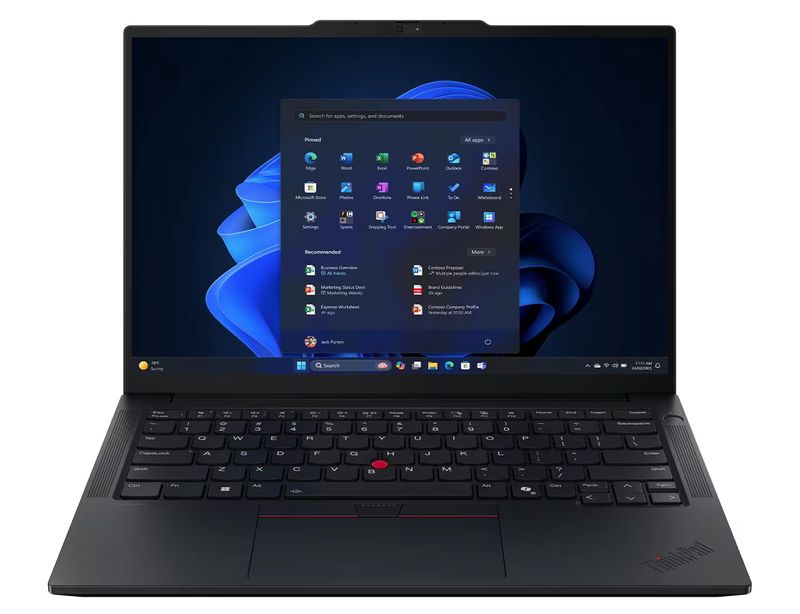
Martel lists stenomask setup assistance and help transferring CAT files for the VOX Elite 32 GB and 64 GB court reporter laptop packages. If you are moving to a VOX laptop, choose two clearly marked practice items to bring. The first is an older job with a known transcript phrase and known recording source. The second is a reference passage for a brand-new live input test. A successful playback of the transferred item checks retrieval. A fresh CAT and Windows comparison shows how the current mask and supported recognition setup behave on the new computer. Martel VOX Elite 32 GB package · Martel VOX Elite 64 GB package.
Build the appointment around what you actually carry to assignments. Show the USB mask connection, any separate recorder used for dictation, the room microphone and the headphones or speakers used during review. If you use cloud or local processing, provide the requirements published by the CAT vendor for your specific route. Ask to identify each recording source by listening to its fictional marker. The right VOX choice is the one planned against your reporting workload, publisher requirements and actual connected equipment, with setup services matched to the tasks you expect to perform.
We handcraft our Dragon USB and Double Dragon 2 stenomasks in limited quantities. If a batch sells out, there may be a waiting list.
A useful handoff to yourself is a one-paragraph description you could follow when arriving in a second room. Name the computer input to verify, one fresh phrase to record, the expected room or mask source in the CAT job and a known reference file for checking playback. Keep it short enough to use under ordinary working conditions. There is no need to perform the full fictional hearing every day. The extensive practice establishes why those few checks matter and what evidence to preserve if a job later sounds different.
Try a final exercise with a partner who keeps the source key. The partner gives you three fictional recordings in an unfamiliar order and the saved roughs from gallery A and gallery B. One recording contains the Windows “first visit” reference, another contains job A mask dictation, and another contains job B room testimony. Without changing any device settings, listen to a short passage from each and place it beside the matching job or Windows reference. Leave a space for every source you were expecting but were not given.
If you do this correctly, there will be an empty space for job B mask audio in that small set. The job B rough might contain the reporter’s “white dial” phrase perfectly. A person sorting by job title alone could be tempted to put the only job B recording in the mask space. Listen to its “packing case” phrase and identify the actual speaker. The empty space is intentional and informative. It demonstrates how easily an available room recording can be mistaken for a missing mask reference when the transcript and room file share a job name.
Have the partner then supply one additional file carrying “white dial” and ask what you can establish about it. If the partner documents that it came from the independent Double Dragon recorder during job B, you have a same-performance sample of the reporter’s dictation on that recorder. If the partner documents that it is a later rereading in Windows Sound Recorder, it is useful evidence about a new take. The words alone can match perfectly in either file. Its origin, session and spoken slate determine what claim you can make from it.
Now repeat the sorting task with a change outside the recognition system. The partner deliberately sends one listener to a muted or unselected practice listening output while leaving the recordings intact. The listener sees the familiar names but cannot hear any of the known clips. Start with the known Windows reference and the listening destination before diagnosing the saved CAT jobs. Once playback is restored, the original job evidence can be reviewed again. This controlled demonstration helps students remember to check whether a difficulty concerns hearing a file or creating one in the first place.
For an advanced variation, keep the actual files but give the observer an incomplete set of notes. Omit the word “room” from the job B recording label and write only “associated audio.” Ask the observer to recover the missing label from the intended routing drawing, the identifiable fictional words and the way the file was produced. If the evidence supports a firm identification, restore the label. If the observer cannot determine its source confidently, keep the uncertainty on the sheet instead of inferring that the most familiar cable must have supplied it.
Finish by exchanging roles as reporter and observer while each reporter continues using their own personal mask. A person who has just had to sort the recordings usually writes more informative markers on the next round. They know why the job letter, source role and unique phrase all earn a place together. The exercise has then produced a habit that transfers to real troubleshooting. Preserve enough information at the moment of capture that a second reviewer can distinguish the computer input, the CAT recording and the separate listening copy later.
It shows that the selected Windows input received intelligible sound during that particular test, provided you listened and recognized the intended phrase. Write down the device name, spoken marker and time. A new CAT job with a different marker tells you what happened there. A Windows pass and a CAT pass are two observations a reporter can record separately.
A recorded file with a memorable spoken marker can be reopened later and used to check playback through different approved listening outputs. The Windows input test is useful for an immediate connection check. A named Sound Recorder reference gives you an identifiable sample for the longer before-and-after comparison, including a way to tell new work from an older practice file.
Copy the exact displayed name and pair it with the physical model, connection and port you can identify. Use a unique spoken sample to confirm the voice actually received. If several inputs have similar names, run separately labeled practice checks with known devices and restore the intended one. A generic label alone is too little information to identify a working signal path.
Permission concerns whether an application may use microphone access under Windows settings. Selection concerns which available sound source is actually chosen for a given task. An app with access can still be configured to use a different microphone from the one you intended. An input that works in one program does not settle all permission and selection questions for another program.
Use it as one indication that a selected source is reacting. A short spoken marker and listening check establish more because they identify who was heard and which words were captured. If the laptop’s built-in microphone is receiving the room while you speak into your mask, its meter can still move. Preserve the simplest check that answers the actual source question.
Choose a fictional session, a distinctive object and a sequence marker. “Clock gallery, silver bell, after B” tells a future listener which comparison it belongs to. Avoid real case material and vague identifiers such as “testing one two.” Write down the corresponding filename or list entry when you make it so the spoken and written identification can be checked together.
It can demonstrate that the setup worked or differed today under the conditions you can document. It cannot establish the exact speech or routing of a prior job without evidence from that prior session. Compare the two as separate events. An older file bearing an identifiable contemporary marker is much stronger support for a claim about that older occurrence.
Give the practice reader and reporter different short identifying phrases, then listen to the saved sources separately. A room file should feature the intended original speaker, while a mask recording should feature the reporter speaking into their personal mask. Some surrounding sound may be audible. Use connection, selection, relative voices and unmistakable words together to identify the source.
Only after you establish what that recording was intended to capture. If the CAT job was configured to keep room audio while recognition used the reporter’s mask, hearing the witness may be expected. Check the rough for the reporter’s distinct fictional phrasing and consult the actual recording setup. Define the intended purpose of each source before calling an observation unexpected.
Check the selected input and the actual physical path, then repeat a uniquely named sample with your normal mask position. Compare it with a deliberately labeled room-microphone sample if helpful. Avoid changing several levels and devices at once. Once the intended Windows sample is identifiable and understandable, make a fresh CAT job and document how that separate stage behaves.
They tell you whether the chosen Windows input worked shortly before and shortly after the particular CAT job you are investigating. If both Windows samples are good and one CAT job differs, that narrows the next investigation. It still leaves questions about what happened during the unobserved interval. A same-session verified recording can add evidence about that exact performance.
Use similar difficulty and ordinary delivery, but include different spoken identifiers for separate recordings and jobs. Otherwise several files may sound identical and you may replay the wrong one without realizing it. If exact phrase matching is the purpose of a later test, keep the reference sentence unchanged and place an identifiable slate outside the measured or scored passage.
A simultaneous start is not guaranteed simply because both devices recorded the same practice session. For source identification, an audible marker and surrounding words may suffice. For a precise timing comparison, establish a shared time reference or verified alignment event. Describe which question the recorder can answer before using independent elapsed counters to draw a conclusion.
Its second microphone can give a compatible recorder a separate path for your own dictation while the USB microphone serves the computer. A clear recorder file can corroborate the words you spoke into the mask. Because the two microphones feed different destinations, it is still worth checking the computer input and the particular CAT configuration on the run in question.
Yes. Make sequential Windows and CAT practice samples through the direct USB connection and record the selected input and distinctive words. If simultaneous independent dictation audio on a separate recorder is part of your intended evidence, that is an additional equipment requirement. The basic before-and-after comparison remains useful with a single verified USB input and clearly named files.
Trace its two analog connections to the receiving devices and any required suitable computer audio adapter. Martel distinguishes that model from its USB Dragon and USB-plus-analog Double Dragon 2. Document the actual computer input name presented by the receiving equipment. The comparison method still applies, but the physical route in the notebook needs to match the mask you use.
A new, distinctly identified practice job shows what happens at the transition you are investigating. Opening a saved old rough can test retrieval but cannot show which microphone would capture new speech this minute. Use a unique fresh marker and verify it after saving. Preserve your known working sample so you still have a reference if the second one behaves differently.
Record both starting arrangements and reproduce the comparison with newly named practice copies using the publisher’s supported procedures. Inspect the actual source choices where the software exposes them. A repeatable difference between the two gives a publisher a specific question about that workflow. Protect your working dictionaries and jobs while making the comparison with fictional material.
First record what is currently selected and which file or display differs. Reconnecting immediately could change the conditions before you understand them. If reconnecting is a sensible next action in your practice setup, do it once, note the physical port and create fresh Windows and CAT samples. Report what changed after that action without guessing at hidden causes.
Listen for the session label, the job letter and the unique object spoken during the test. In this exercise, a supposed gallery B file containing “bronze dial” and “blue marker” points you toward gallery A material. Identify the actual file and its path or app entry. Correct a file identification mistake before changing microphone or recognition settings.
Clear text shows you what the saved rough contains. To verify a backup, identify the intended device and source, save the file and play it back. Test recognizable material near the beginning and end of the practice job. A separate recorder and the laptop can each produce independent results, so make a separate entry for every destination you rely on.
Use the same known file and verify the selected listening output with the headphones connected. This is initially a playback question because the file is already audible through one destination. Keep the microphone settings unchanged while investigating that listening path. After restoring the desired output, make a separate short recording to confirm new capture if that is also part of your objective.
A cursor near the expected answer or a playback position several seconds into the file can land after the part you are trying to inspect. Start far enough back to hear a recognizable lead-in and then the full phrase. Document which source and position you used. This simple step prevents a playback starting point from being mistaken for an input omission.
Give both listeners the same verified fictional file and starting position, initially without showing them the expected words. Have each write what they independently hear, then compare with the reference. If disagreement remains, mark the passage uncertain and make a new controlled sample. An honest uncertain row can guide a better test without assigning an unjustified cause.
List the meeting microphone, meeting playback and any direct or separate audio paths beside the CAT recognition input and saved job audio. Use a practice partner and distinct phrases for each intended source. Confirm what the partner actually heard as well as what you saved locally. A successful local Windows sample does not establish which microphone reached the remote participant.
Provide the product and release, confirmed recognition route, identifiers for a working and a differing fictional job, displayed input names if available, and the exact saved text and audio observations. Explain the transition between the two jobs. A brief example in which one source is clearly preserved and another is different gives support a specific behavior to investigate.
Identify your Martel mask model, the actual connectors and receiving devices, the selected Windows input and a short fictional spoken sample. Say whether the Windows or separate recorder file contains close intelligible mask speech. If a VOX package or desk transition is involved, describe the connected accessories and what changed physically between the last successful and first different observation.
Keep the verified successful comparison and its conditions, then prepare unique markers for the next ordinary practice session. Record the earliest observation you have when it recurs, including the actual job and any recent transition. Avoid deliberately disturbing a production job to force a problem. A small, ready-to-use fictional test can gather much better evidence the next time circumstances allow.
Each reporter uses their own personal stenomask. A partner can act as room witness or observer without using the reporter’s mask. Give each student a different session identifier, and keep equipment descriptions tied to that person’s actual setup. Share anonymized fictional conclusions about input selection and job behavior while keeping each recording identifiable to the appropriate exercise.
You can identify the physical source, the Windows reference, the intended recognition input, the source recorded with the CAT practice job and the listener’s output. You can reopen a newly saved job and explain which fictional voice and phrase each source contains. If a transition still differs, you have located the last verified stage and the first differing observation with evidence another person can check.
Compare Windows 11 stenomask recordings with two CAT practice jobs to trace an intermittent change in dictation, room audio or playback.