


A Mock Court Hearing From Roll Call to Readback With Speechmatics
Run a complete fictional footbridge hearing with Martel stenomasks, two witnesses, exhibits, a recess, a disputed readback, and four separate scores.
Identify the microphone feeding a Speechmatics job. Compare a Martel mask and room input on Windows 11, then repeat after reconnecting your dock.
You speak into a Martel stenomask and a sentence appears in your practice job. Which microphone supplied the sentence? The words alone can leave that question open. A laptop microphone at arm’s length may have heard some of the same speech. A headset left on the desk may still be selected. To confirm that Speechmatics in your supported CAT setup receives the intended mask, give the possible inputs different, recognizable material and trace the result. Then repeat the check after reconnecting the dock you actually use. This exercise ends with evidence from your own workstations.
Start with a fixed phrase that you are unlikely to say accidentally. For this guide use “Tuesday morning, the violet ticket belongs in drawer six.” Whenever you compare one setup with another, keep those words in the same order. Put a short identifier before or after the fixed phrase to distinguish the session. “Home desk, first take” identifies one file. “Dock reconnected, second take” identifies a different file. Later, if someone asks what changed after lunch, you can open two identified takes containing comparable speech and listen to what reached each one.
A useful source test needs more than a memorable phrase. It needs an alternative that a different microphone might hear. Work in a private practice space with a willing partner when possible. Have the partner sit near the laptop and say “The wall clock has a brass rim.” Then, during a separate interval, speak the violet-ticket sentence into your personal mask. Keep each voice distinct and record the complete exercise. A room input may pick up the partner prominently. Your mask input should give prominence to your dictation. Use your actual listening observations rather than expecting complete silence from distant sources.
If you are practicing alone, make a deliberate reference recording with the laptop’s built-in microphone selected, then switch deliberately to the identified mask input for a second take. Use the same fixed phrase and ordinary mask position. Identify each choice and each recording before switching again. A source comparison is especially helpful if you have never heard what your computer sounds like with the wrong input selected. Return the selected device to your verified mask configuration and confirm it with a new CAT test before closing the exercise.
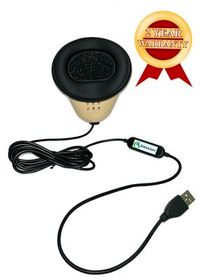
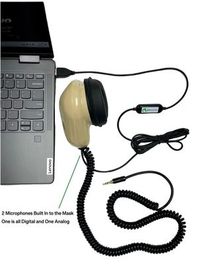
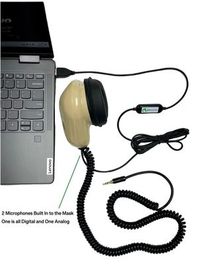
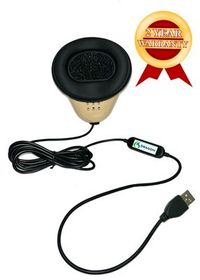
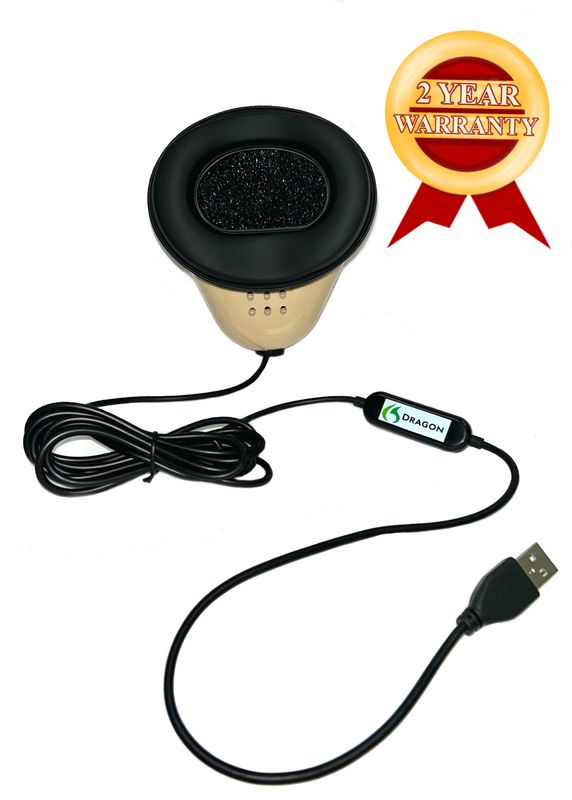
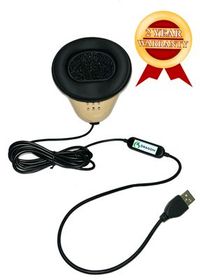
The Martel Dragon USB Stenomask presents a direct microphone route to the computer through its built-in sound card. The Martel Double Dragon 2 also provides a USB microphone path, with a separate 3.5 mm analog output for a compatible second device. Follow the physical cable used for the computer test and note your mask model. If your mask is a Martel MM-ST1, its two outputs are analog 3.5 mm connections. Identify the compatible microphone input or external audio adapter connecting the chosen analog path to your computer. A computer can display the adapter’s name even when the identifying product name on your desk belongs to the mask. Martel Dragon USB Stenomask · Martel Double Dragon 2 · Martel MM-ST1 analog connections.
Put any extra audio equipment in plain sight. At one desk you may have a webcam with a microphone, a headset, a meeting microphone and the built-in laptop array. You do not have to change every one of them. Write only the plausible input names and which object each seems to represent. Circle the one you intend to use. If an unrelated device is needed for the normal setup, leave it in place until you know what the computer is doing. The purpose of the exercise is to identify the choice you will make under real working conditions.
With all active practice recordings stopped and work saved, connect the mask using the configuration you intend to check. Look at the devices listed before and after that change. If one entry appears as you connect the mask and disappears as you disconnect it, you have a concrete clue to its identity. Reconnect it and make a controlled spoken recording. A missing entry on a temporarily disconnected external USB audio device is informative. An adapter permanently attached to the computer may remain listed even if you unplug only its analog microphone. In that arrangement, observing the adapter’s name is only the first step.
Consider a reporter using an MM-ST1 and a separate USB adapter. Windows may display the USB device when the adapter is connected, regardless of whether the correct analog lead is feeding its microphone input. The reporter can test the complete route by speaking the distinctive personal phrase into the mask and playing back a fresh recording. Note the mask model, the chosen analog lead, the receiving adapter and the input label. That level of detail prevents a later conversation about “the USB microphone” from overlooking the actual analog connection between the mask and adapter.
Microsoft explains how to test a chosen microphone in Windows 11. Open Settings, go to System and then Sound, and find the Input area. Open the properties for the candidate microphone. Use the microphone test while speaking at your normal working level, stop the test and use playback to hear the sample. Windows also provides an input volume adjustment there. Before adjusting it, settle which source supplied the sound. Increasing an incorrectly selected room microphone may make a distant setup sample louder while leaving the underlying selection question unanswered. Microsoft’s microphone properties test.
At the first desk, make an identifiable practice recording before you connect the dock you want to compare. If the laptop requires a particular adapter even away from the dock, describe that as the first configuration. Write the input label, the physical route and the listening destination at the top of a clean sheet. Use the violet-ticket phrase with a desk-specific marker. Ask your partner to speak the wall-clock phrase in its own interval. Keep the same speaker or headphones and comfortable playback level when you compare tests. Otherwise you may attribute a listening-volume difference to the recording source.
Make one recording with the intended input and then a separately labeled one with an available alternative input selected deliberately. You are conducting a controlled rehearsal, so tell the partner when each test starts and stop the recording before changing the configuration. Keep your personal mask for your own use. Compare the degree to which your voice and the partner’s voice stand out in each saved file. You might hear some of both in either recording. What matters is the combination of the physical route, the selected device and the characteristic words you can distinguish prominently.
In this exercise the wall-clock sentence and the ticket sentence have different jobs. The wall-clock sentence helps you identify the room-facing source. The ticket sentence gives you fixed words to check across configurations. If both speakers say the same words at the same time, the output is harder to interpret. Have one speak, pause briefly and let the other speak. In your log, report what happened in each interval. “Clock sentence prominent, ticket sentence distant” is an observation you can compare, whereas “the microphone is wrong” turns the observation into a conclusion before the other evidence is considered.
Use an independent Windows recording when you want a take that you can reopen later. Microsoft documents making recordings in Sound Recorder. Select the appropriate input as available in your setup, start a fresh recording, speak the marker and fixed sentence, stop and identify the saved item. Play the file back in the private practice space. Give it a name that includes the desk and source you selected. The Windows properties test and Sound Recorder can each provide information, but neither can substitute for selecting and testing the intended route in the CAT job itself. Microsoft Sound Recorder guidance.
At the end of this step, make your first useful prediction. Based on the files you heard, describe the characteristics you expect from the mask input in a new job. Perhaps the reporter’s spoken endings are clear and the partner sounds faint. Perhaps the laptop array picks up the partner’s entire phrase at a more even level. Use the specific differences in your recordings. Predictions drawn from your own equipment are more useful than a universal claim about how much background any mask, room or speaking position will admit.
Advantage Software describes speech recognition choices in EclipseVox, including Speechmatics Enhanced. Its getting-started workshop addresses setup and operating considerations, and its version and hardware table describes supported arrangements for local recognition. If you are planning local Speechmatics in EclipseVox, account for the listed Boost Box or qualifying computer purchased from Advantage Software. Confirm your release-specific procedure through the publisher. The software must be configured to use the relevant recognition option before the result of this dictation exercise can identify anything about that option. Advantage Software’s EclipseVox options · Advantage Software’s equipment table · EclipseVox setup workshop.
Stenograph describes an on-device Speechmatics integration for CATalyst VP. It also publishes separate getting-started material covering a Dragon-based workflow. Use each document for the workflow it actually describes, and confirm supported settings and access for your own release with Stenograph. If you cannot identify which recognition engine is active, say that explicitly in your practice notes. You can still verify the mask in Windows and in a saved recording while you obtain the publisher’s instructions for confirming the recognition option used in your job. Stenograph’s Speechmatics integration · Stenograph’s Dragon-based VP getting-started material.
Create a new artificial job with no client information. Give it a name that distinguishes this test from the Windows reference, such as “Violet ticket, CAT first desk.” Select or confirm the job input according to the publisher’s instructions where that control is available. Start the supported practice workflow, speak a short job identifier into your mask and dictate the fixed sentence. Add an answer with the number reversed, such as “I looked in drawer nine first, then I carried the violet ticket to drawer six.” Reopen the saved rough to check what appears there.
Why include two drawer numbers? Repeating the same string can make an older take look like a fresh result. The closing contrast between nine and six gives you something specific to find in the newly opened job. It also tests whether an important relationship survived the recognition process. The fixed sentence gives you a comparable input. The added answer gives you a unique check on the current job. Keep these purposes distinct when you make a later docked take with a different opening identifier.
If your job includes a saved dictation recording, use the supported playback feature to find the fixed phrase there as well. Compare the voice with your independently identified Windows mask take. If the job records room audio for a different purpose, label that source accurately and keep the separate mask sample to support the input check. If the job preserves text but no mask audio, your conclusion must rely on the supported input selection, deliberate source contrast and the actual behavior you observed. A sentence in a rough alone cannot identify a microphone uniquely when both mics could hear it.
To sharpen the comparison, use another short turn with your practice partner. While the reporter remains quiet with the mask in normal position, the partner says “The brass rim reflects the window.” In a separate interval the reporter dictates “Drawer six, violet ticket, first desk.” Inspect the result and the available recordings. If only the partner’s room phrase appears strongly and your masked phrase is distant or absent, revisit the intended input before judging transcription accuracy. If the task is normal operation after the test, return to your personal mask configuration and verify a fresh marked line.
Save and close the test job before rearranging cables. Note how the dock connects and whether your mask is going directly to the laptop or into the dock itself. Connect the desk as you normally would. Look at the Windows Input choices again and record the current selection you actually observe. A dock may add attached equipment to the workstation. The point of the test is to learn how your specific arrangement behaves after reconnecting, without assuming that Windows or your application must keep or change any particular setting.
Suppose you normally plug a display, headset and external microphone into the dock. Before believing that the output is coming from the wrong recorder, make sure you know where to listen. Check that a familiar nonconfidential sound plays through your selected speakers or headphones. Then repeat the Windows microphone test with the fixed violet-ticket phrase. Add “docked desk, first connection” at the end. Confirm whether the same mask entry is present and which input produced the close sound after the dock was attached. Write the displayed names instead of relying on the order in which the devices appear.
Make a second saved recording and compare it with the first-desk reference at the same listening volume. You may hear effectively the same close dictation. That is a meaningful result and belongs in your notes. You may discover that the desktop microphone is now prominent because an application followed a different choice. That finding belongs in the notes as well, together with exactly where you checked it. If you adjust the selection, preserve the earlier observation and create a new marked take to verify the change.
Open a new practice job for the docked arrangement. Use the same fixed phrase and follow it with a different sentence you can find later. Try “The docked desk has two drawers beneath the narrow shelf.” Confirm the application input where the publisher provides that option and test again through the supported Speechmatics workflow. Compare what you hear and what you read. Moving from a clear Windows sample to a fresh CAT result is the part of this exercise that distinguishes a check of one operating-system microphone from a check of the actual reporting route.
For the return trip, stop and save before disconnecting the dock. Restore your original connection and run a short take named “returned to first desk.” Include the same fixed phrase and finish with a new marker. This third point in the comparison can be quite revealing. A configuration that works at both desks when set up carefully may need a repeated selection after one of the moves. A training note that says “select this input when returning to the laptop” is more useful than describing the entire system as unreliable after a move.
In this invented example, Maris has a Martel USB mask at her home desk. Her direct-connection Windows sample contains a clear ticket phrase and a distant wall-clock phrase. At the dock, a recording contains a strong wall-clock phrase and very little of her masked sentence. She finds that the input selected for this take is the desk microphone. She selects the verified mask, records “docked desk, corrected take” and hears her own voice clearly again. Her note identifies the exact input change, the two samples and the successful new take. It does not claim that every dock changes microphone settings.
Maris then opens her CAT practice job. The earlier rough contained the partner’s clock sentence, so she keeps that job as the reference for the unintended route. In a new job with the publisher-supported mask source selected, she dictates the fixed phrase and the additional line about the narrow shelf. Both appear in the new rough. If a recording is part of this configuration, she verifies that too. She now has a documented desk-specific route she can select and test when returning to that workstation. The corrected take is more useful than the fact that the earlier selection surprised her.
In a second invented example, Theo gets a clear mask recording at both desks. The docked practice rough contains the words drawer six but also an unfamiliar phrase the partner spoke near the laptop. Before deciding which input the job received, Theo tests the two speakers in separate intervals again. He discovers that the partner was standing close enough to his personal mask to be audible in the supposedly controlled comparison. He moves the partner to the intended seat, uses a new job and repeats the test. This time the difference between the candidate microphones is easier to interpret.
Theo’s finding illustrates why the experiment depends on what the microphones can actually hear. The appearance of one room word in a rough is not automatically proof that the mask was bypassed. The closeness of the reporter’s voice, which input was selected, the relative prominence of the other speaker and the result of a deliberate comparison all contribute useful evidence. Record an inconclusive first result honestly. A better-arranged second test may distinguish the sources without changing the computer settings at all.
In a third fictional session, Amara’s Windows properties test works but a recording application shows no useful result. She checks the app’s input and the Windows microphone access available to the account. Microsoft’s Windows 11 documentation distinguishes general microphone access, choices for individual apps where available and access for desktop apps. Amara follows the relevant guidance for the kind of app on her own machine. After the appropriate access is confirmed, she records a fresh fixed phrase. She keeps the test within her training account and asks the administrator about any managed settings. Microsoft’s Windows microphone permissions.
If Amara’s application already has the access it needs, the same investigation points somewhere else. She can verify that she actually started recording, that she stopped and opened the correct saved file, and that ordinary playback is audible through the intended output. A window showing a microphone permission setting does not explain every silent take. Clear wording helps a support person follow what has already been established. “A Windows properties playback is audible, but my separately saved take with the same marker contains silence” is much easier to investigate than “Speechmatics did not hear me.”
In the fourth invented example, Finn moves an MM-ST1 and an external audio adapter between two desks. The expected USB adapter appears in the input list both times. At the second desk he hears no intended mask phrase. He traces the path and discovers that the analog lead never reached the adapter’s external microphone input. The adapter was present, but its intended signal was missing. He connects the correct lead, makes a new digital recording and verifies it acoustically. The lesson applies specifically to a route with an intervening adapter; the direct USB connections on the Dragon models are different physical arrangements.
Finn goes one step further. On a small card in his laptop bag, he writes “Adapter listed” and “My voice heard in saved take” on separate lines. The first statement records a connection Windows can identify. The second records an end-to-end result. This is especially valuable for a student who used a direct USB mask previously and now has a different personal setup. A device list cannot show the actual speech at the far end of an analog cable. The listening step supplies the piece of evidence the list cannot provide.
Here is an original fictional interview about a ticket archive. Its purpose is to make the source test more realistic after you have identified the expected inputs. The reporter and a practice partner should use their own roles throughout. Before reading, choose two comparable positions for a direct and a docked take. Record each arrangement under a different session name. The aim is to preserve the same information in two short jobs, not to claim that one configuration always produces identical wording to the other.
Question. What did you see on the front of the violet ticket? Answer. The digit six was printed inside a little square. There was another number on the reverse. The number on the reverse was a penciled nine. I turned the ticket over because I expected the larger printed digit to show the drawer where it belonged. I wrote printed six, penciled nine, in the book so that someone looking only at my note would know why both numbers mattered.
Question. Which drawer were you standing next to when you wrote that note? Answer. I was standing beside drawer nine. I had opened it first because the pencil mark was facing up when the ticket reached me. I carried the ticket across the desk to drawer six after I read the front. I did not put the ticket inside drawer nine. I left that drawer open until I had checked the next five tickets in the pile.
Question. Who handed you the pile? Answer. My colleague brought the pile from the side table. She called it the morning group because the tickets had been collected before noon. I accepted the tickets after noon. There is a time on my receipt and a separate time on the collection sheet. If you want to know when the tickets were gathered, I would look at the collection sheet. If you want to know when I received them, I would look at my receipt.
Question. Was the violet ticket the last one you checked? Answer. It was the first one I checked after opening drawer nine. It was the last one I placed in drawer six. I kept it on the desk while I looked at the remaining tickets. One of those had a round mark in purple ink. I described that as the purple mark. The ticket paper itself was white. Only the first ticket was violet from edge to edge.
Use the fixed sentence as a common opening for each version of the interview, then let the partner read the original turns while the reporter repeats them in their ordinary practice workflow. On the second desk, add its spoken identifier at the close. After both jobs are saved, find the line about the penciled nine. Can you hear the reporter’s own close rendition where you expected it? Can you read which drawer stood open and which drawer received the ticket? Identifying the microphone and verifying the meaning are related skills, but keep a separate result for each.
For a challenge, ask the partner to give one unspoken written question to the reporter after recording has stopped. The question reads “Did all purple things go into drawer six?” The exercise never established that claim. A reviewer should be able to identify the difference between violet paper and purple ink and say which part is supported by the original passage. This checks whether recognition output that contains appropriate color words can still tempt a reader into inventing a relationship. It is possible to verify a correct mask input and still need a careful human reading of the rough.
Start with the last observation you can demonstrate from a saved item. If the first desk gives you identifiable Windows and CAT results, changing the dock connection creates a specific comparison. If no candidate microphone has yet produced a recognizable local take, the dock comparison will mostly add variables. Work at the simpler desk until you can hear one known input. Then reintroduce the normal work arrangement. Martel’s public stenomask troubleshooting guide also uses comparison of actual saved samples and individual changes to narrow an issue. Martel’s stenomask troubleshooting guide.
If the phrase sounds clear in independent recordings but stumbles on one unfamiliar name in the CAT rough, do a separate recognition review on that word. Use a short new sentence containing the name, preserve the first rough and compare the dictated sound with the text. If an entire clause from the wrong room speaker repeatedly appears under one configuration, focus on the route selected for that job instead. Both situations can be described as “wrong words on the screen,” but your evidence points to different next steps.
Write a small support summary using precise observations. One example reads, “On the first desk, the microphone named USB Audio Device picked up my close violet-ticket sentence. After connecting the dock, Windows still played the close sample, but my new CAT job contained the partner’s wall-clock sentence. I verified those were different takes by their end markers.” Add the actual CAT product, edition and recognition route. Use made-up text as in this exercise so the discussion can stay focused on routing without including any private assignment material.
Martel’s VOX Elite 32 GB and 64 GB package pages describe help with stenomask setup and file transfer for court reporters. When arranging a laptop, mention that you use a dock and more than one audio device if that is part of your normal work. Ask to rehearse both desk arrangements with your own mask. Bring the accessory that supplies the additional inputs. Knowing how to verify a consistent input after connecting a desk setup is a practical buying consideration even when you are already comfortable dictating in class. Martel VOX Elite 32 GB · Martel VOX Elite 64 GB.
To judge speed and clarity after you identify the correct mask, measure what matters to your working day. Time a short, unfamiliar exchange from first dictation through verification of the key drawer number and qualifying words. Repeat it on a comparable passage as a separate performance exercise. The direct USB Martel mask supplies an identifiable computer path, and the Double Dragon 2 can also supply an independent recorder with your own words. Neither the microphone menu nor a faster typing display tells you how long you will spend producing a checked rough from an unfamiliar answer.
We handcraft our Dragon USB and Double Dragon 2 stenomasks in limited quantities. If a batch sells out, there may be a waiting list.
It is possible for more than one nearby microphone to hear the same sentence. Identify the selected input, compare deliberately different source phrases and listen to a saved recording where it is available. The fact that a sentence appears in the intended job confirms that something reached the reporting workflow. The source comparison helps establish which microphone supplied it in this arrangement. If both candidate microphones heard the same words equally well, record that the test was inconclusive and improve the contrast.
The fixed words give you comparable material across a direct connection, a docked connection and a return to the original desk. If you dictated only different passages, a difficult surname or a longer sentence could distract you from the input question. The changing opening or closing marker serves a separate purpose. It distinguishes one saved take from another so you can recognize a newly made recording even if an older file contains the same fixed sentence.
It gives a potential room-facing microphone something distinct to receive. If the partner is near that microphone and you are using your own mask in normal position, you can compare whether the clock phrase or ticket phrase is much more prominent. Keep the two speakers in separate intervals. If you hear a little of both on both inputs, use the relative sound, the selected label and the actual cable connection together when interpreting the result.
Make a short take using the laptop microphone you deliberately identify, then another using your mask microphone. Keep your position and ordinary voice consistent so you can compare the resulting sound. Mark each recording before moving to the next. If the difference remains unclear, document what you do know and schedule a separate source-contrast exercise with a willing partner when convenient. Never use another person’s live proceeding as substitute test material.
Describe which port connects the dock to the laptop and which device receives the mask plug. Include microphones, headsets or webcams attached through the dock that could provide alternative inputs. Write the exact name of the selected Windows microphone after the connection and the marker you heard on playback. These few details are usually more informative than the word docked alone, especially if your home and school desks use different accessories.
It identifies a device visible to the computer, often the audio adapter providing a digital connection. An analog mask connected through that adapter has an additional physical path to verify. Identify the correct microphone input on the adapter and make a fresh spoken recording into your own mask. The fact that Windows can list the adapter establishes part of the connection. Hearing the expected voice establishes that the analog portion was feeding the test as well.
The label you see is the device identity presented in that particular Windows configuration. It need not match the full retail wording on the product photograph. Compare the list with and without the device while recordings are stopped, then make an identifiable sample through the candidate entry. A written label combined with a physical port description and a saved phrase gives you three concrete ways to recognize the route the next time you set up.
Treat it as a reason to listen to the selected input. Nearby room microphones can respond while you are speaking into your mask, and the screen may show activity from whichever device is being monitored. Use a marked phrase and examine the saved audio. If possible add the independent partner phrase to distinguish the sources. The level display is informative about activity, while the words on playback tell you what that activity contained.
First check the candidate you selected in the Windows Input list. Compare it with your physical connection and any deliberately identified room microphone. Repeat the test with a fresh spoken ending, using separate intervals for each voice. If the room-facing source is prominent, select and test the intended mask entry. Write down both results. A specific comparison makes it easier to recognize and recover from the same selection at another desk.
A completed recording can be hard to hear when the selected playback equipment is quiet or the sound is going somewhere else. Try a familiar private practice file through the same listening route. If that too is inaudible, attend to playback before raising input levels or changing the CAT configuration. Once you hear the known file, reopen the marked take whose source you are checking and evaluate what it actually contains.
It verifies what Sound Recorder captured under its selected configuration. To test the reporting task, make a fresh job using the publisher-supported Speechmatics route and a new identifier. Confirm its input where that option is documented and find the fixed sentence in the saved text. If the job retains dictation audio, listen to that too. You can then state what each part of the setup demonstrated instead of using one app as evidence for another.
New jobs let you distinguish what happened under one configuration from material carried forward from a previous session. Use a distinct identifier along with the fixed sentence and save the first rough. If you later see the number six, the extra marker and unique second sentence tell you whether it came from the docked test or the original desk. This avoids turning successful playback of old material into a mistaken conclusion about current capture.
Permission concerns whether the relevant app can access a microphone. Source selection concerns which microphone it receives. You might have appropriate access while a different input is selected. You might also identify a working input in Windows while the app still requires appropriate access. Check the setting that matches your observation, then make a new marked recording. The new file is what tells you whether access and selection worked together for that test.
Record which Windows test or application produced the result and which setting appears unavailable under your account. Follow the school’s process for asking its administrator or instructor about managed settings. You can prepare the personal mask, fictional fixed phrase and device labels while that question is answered. Once access is available, repeat the specific blocked test using a new marker. There is no need to redesign the entire equipment setup to document an account-specific dependency.
No microphone name identifies the recognition engine currently selected in a CAT job. The Martel Dragon name identifies the microphone product. Confirm the actual recognition arrangement for EclipseVox or CATalyst VP through the publisher’s instructions for your installed version and access. Record that information separately from the input label. The comparison then describes a complete setup, such as a particular mask route plus a supported recognition option, instead of merging two different product names.
Describe what you can observe rather than inventing a menu control. Identify the publisher-supported setup, your Windows selection, the separate marked recording and the actual response to the two source phrases in the job. If you still need a way to confirm the input in the installed release, ask the software publisher with those details in hand. Your existing evidence narrows the question to the application or configuration you are using.
A partner sitting very close to the mask may be audible there as well as on the room input. Keep the partner at an intended seat, use different marked phrases and ask each person to speak in a separate interval. Record the positions along with the result. If both sources remain equally clear everywhere, repeat with an arrangement that gives the candidates a meaningful contrast. The goal is a distinguishable test, not perfect silence.
It keeps the setup change out of the take you are trying to interpret and allows you to save identifiable work first. End the first sample with its spoken marker, stop it, save it and then rearrange the cable or dock. Begin the new configuration as a separate take. You can listen to both outcomes at leisure without trying to guess exactly when a connector moved in the middle of one long recording.
What matters is which input your test actually selects and receives. The position in a list is a weak identity cue, especially when more devices are connected. Read the displayed name, check the physical route and confirm the marked phrase by playback. If the mask remains correctly selected despite a different list order, record the successful result. You can then return to that desk without treating every visual change as a recording issue.
That can be a satisfactory outcome. Check that you really opened distinct recordings by their spoken markers and that both contain close mask dictation. Find the unique follow-up sentence in each saved CAT job. If the results hold after an ordinary reconnection, write down the inputs used in both places. You have documented a working transition and a convenient verification routine, which is useful even though you did not encounter an issue to troubleshoot.
First verify that the clear file was recorded by the same application and in the same take as the rough, if that is what you believe. A separate Sound Recorder sample may originate from a different source choice. Then check whether the room speaker was close enough to be picked up by the mask. Compare the two marked intervals and the job’s input selection. Those observations can distinguish different explanations for a superficially similar result.
Keep an exact last known success and the first documented difference. For example, note that the mask recorded clearly in Windows at both desks, but the docked CAT rough contains the partner’s words while the direct CAT rough contains the reporter’s. Include both job names. That finding tells a helper where to look next. “The dock is bad” jumps ahead of the evidence and can distract from an application selection that is straightforward to check.
Once you recognize the intended input and have a verified reference, a compact routine may be enough for normal practice. Check the source, speak a fresh mask identifier and listen to the result from the system you will use. Return to the fuller two-voice comparison when the source becomes uncertain or the arrangement changes. Retain the original marked files as examples of what each input sounded like during the controlled exercise.
Start with an identifiable masked recording and a passage whose wording you know. If the close mask audio clearly contains each word while a particular name is represented differently in the rough, investigate the word in the supported reporting workflow. If the output instead consistently follows the partner’s distinct room phrases, examine source selection. Some cases remain ambiguous, so preserve the first material and repeat a controlled test before attributing every unexpected word to one cause.
The exercise separates the time of collection from the time the reporter’s fictional witness accepted the tickets. A rough containing both the morning group and a later receipt can still attach the timing to the wrong event. Listening to the fixed phrasing helps identify the microphone. Checking what the larger exchange actually means tests a different skill. A complete practice review can distinguish successful routing from a detail that needs editorial attention.
Locate the description of the white paper with the round purple ink mark and the separate statement describing the violet ticket from edge to edge. Read the surrounding sentence in each case. Listen to your dictation if the job saved it. The presence of a color word alone cannot settle which object it describes. This gives you a useful recognition check after you have already verified that the mask is the intended source.
The Double Dragon 2 has a separate analog microphone path that can feed a compatible recorder while the USB path serves the computer. Identify and test both receiving devices independently. The recorder can preserve another version of your own dictation. When checking what the CAT recognition job heard, still verify its computer-side input. A clear independent analog recording can assist review without proving that the computer selected the USB mask at that moment.
Bring the actual mask, describe the dock and list any microphone-equipped devices attached there. Identify which CAT product, version and recognition route you are preparing. Ask to practice the move into and out of the docked arrangement with a harmless fixed sentence. A written note containing each device label and one known good file can save time after you return to the second desk, where an unfamiliar list might otherwise look like a different setup.
Choose two unfamiliar passages of similar difficulty and use the same source identification method for each. Record how long you dictated and how long you needed to verify the essential facts in the initial rough. For the ticket exercise, count the number and location of the drawer separately from the distinction between purple ink and violet paper. A fast display can still require further review. Your own completed tests show how the chosen setup supports your particular work.
State the configuration, the app or job and the result you observed. For example, “After reconnecting the dock, I selected my verified mask input, heard my fixed phrase clearly in a fresh recording and found the unique docked sentence in the new Speechmatics practice rough.” Include any uncertainty about the available job recording or input selection if necessary. That one accurate sentence is worth keeping with your equipment notes for the next school or work setup.