


A Mock Court Hearing From Roll Call to Readback With Speechmatics
Run a complete fictional footbridge hearing with Martel stenomasks, two witnesses, exhibits, a recess, a disputed readback, and four separate scores.
A court reporter considering a speech recognition option usually needs to answer a practical question. Can I dictate into a practice job on the computer I will actually use, recover the exchange and read it back? This guide uses computer-aided transcription (CAT) software as the setting for that question. You will compare three fictional desks, write a question someone can answer and try a short hearing at a permitting office. The exercise lets you distinguish an option described for a different setup from a working arrangement you have demonstrated yourself.
First define the option you want to investigate. You might be asking whether your existing CAT setup supports dictation with Speechmatics, whether it can open a rough someone prepared elsewhere, or whether it can locate a saved audio passage during review. Write each as a separate question. If the school or office maintains the installation, ask who can identify its current configuration and the applicable instructions. An answer about viewing an old rough tells you something useful, even if it leaves the separate question about fresh dictation unresolved.
Use three headings on a sheet of paper. The first is “On my computer,” the second “Confirmed by the publisher” and the third “Demonstrated in practice.” Under the first, put what you can see without changing anything. Under the second, put only details the publisher has actually confirmed for you or documented for your configuration. Under the third, write what you successfully performed after following those instructions. This exercise makes it possible to have an honest answer at any stage. If you have confirmed your build and are waiting to establish access, your notes already tell you what to do next.
Suppose two reporters watch the same classroom demonstration. One expects to practise tomorrow on the instructor’s machine. The other will leave the building with a personal laptop that has different software installed. Both can accurately describe what they saw on the classroom display. To plan tomorrow's work, each should name the destination computer, the training job and the recognition option they intend to use. Have each person ask one question that the demonstration actually answered and a second it left open. The differences reveal why a successful example belongs beside a particular desk and date.
Use the software information or installation record available for the computer in front of you. Write the displayed product, version and build if those details are supplied. Some school installations are identified in an equipment inventory instead. Ask the person who maintains the room where to find the relevant description. A useful note can be as ordinary as “Cedar laptop, practice room, checked before the morning hearing.” Keep personal account information off the class worksheet. Your partner needs to tell two configurations apart, not identify who paid for one of them.
Give each computer a plain description that identifies it without disclosing a serial number publicly. “My reporting VOX laptop” and “the classroom workstation by the lectern” are good examples. Put the version and build beneath the matching description, add the date and close the information dialog. You can create this record without changing software or accepting an update. If you are examining a classroom device, follow the institution’s procedures. A line in your notebook saying “administrator will confirm this build” is more accurate than a number copied from a different machine.
Look at what you can demonstrate today. A shortcut on a desktop, a product name in a class handout and an option actually selectable in a new training job are different observations. Write the first two down as clues. To verify the third, use a disposable file and the instructions that apply to that desk. If the option is not visible, keep the exact task and machine description for the person who supports the installation. Do not revise your equipment inventory solely because a colleague remembers a different screen.
Separate four questions in your notebook. What software is installed? Which recognition options are documented for this configuration? Which one is selected for today's practice? What result did you get after speaking? For the fourth, record a recognizable phrase in a saved practice job. If you can answer only the first question, you still have a concrete starting point for support. If you can answer the third but the sentence does not appear, you have a new investigation involving the input, the active job or the capture method rather than the product name alone.
Begin the inquiry with the task and the actual desk. “Can I dictate the Linden Walk practice hearing using Speechmatics on my reporting laptop?” is a useful subject line. Follow it with the installed CAT version if known, the computer configuration and the microphone connection. Say whether you are asking about live entry or about editing a job someone has already prepared. Include what you can already demonstrate, such as hearing your mask in a short practice recording. One well-specified question gives the reply a clear purpose.
A student can describe the different responsibilities of the school and the owner of the computer. The school might maintain the classroom workstation while the student brings the laptop used at home. Ask which configuration the instructor expects for the lesson and who can confirm that the personal desk supports the same task. If the student only needs to follow the reference and review a supplied rough for this session, say so. That smaller task can sometimes be practiced before a separate live capture demonstration is arranged.
A firm with two nearly identical laptops can ask for a written comparison. Identify them as training computer and reporting computer. Under each write the confirmed product edition, version, build and the relevant hardware details for the requested recognition option. Ask the publisher to identify which machine is supported for the desired practice and which needs another step. Keep the reply attached to that pair of descriptions. If the computers exchange places on a desk, change the description in your notes so it continues to point to the tested installation. A photograph of a desk is useful only while the arrangement still matches it.
Make your first request about access small enough for someone to route. A message that simultaneously asks about billing, placement of microphone cables, recognition accuracy, a class timetable, punctuation and a missing audio file gives the recipient several different jobs. Write each question on its own line in your notebook. Address questions about supported software combinations to the person who maintains the CAT installation. Ask Martel about the equipment and setup services specified on your order. Ask the school which configuration is authorized for an assessment. Follow up with a sample recording only where it helps answer an actual question and where you can use it appropriately.
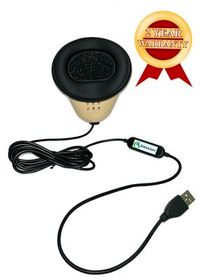
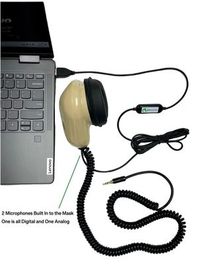
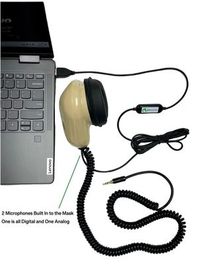
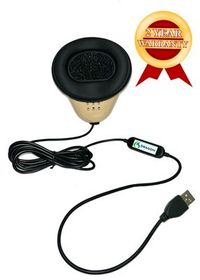
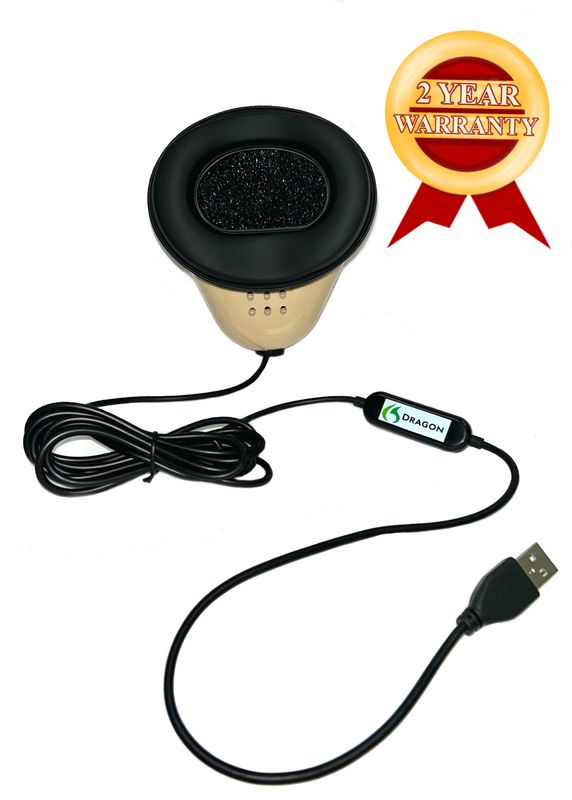
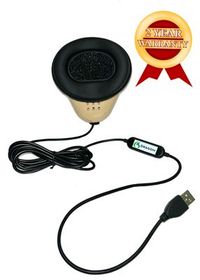
The Martel Dragon USB Stenomask is a microphone for a direct USB computer connection. The Double Dragon 2 has a USB microphone for the computer and an independent 3.5 mm microphone path for a compatible second device. In either case, record what reaches which destination. The word Dragon in the mask name identifies the Martel hardware. An access inquiry should separately name the recognition option you want to test on your reporting desk. This helps a support representative tell the difference between a person who owns a Dragon mask and a person who is asking about Dragon software. Martel’s stenomask connections compared.
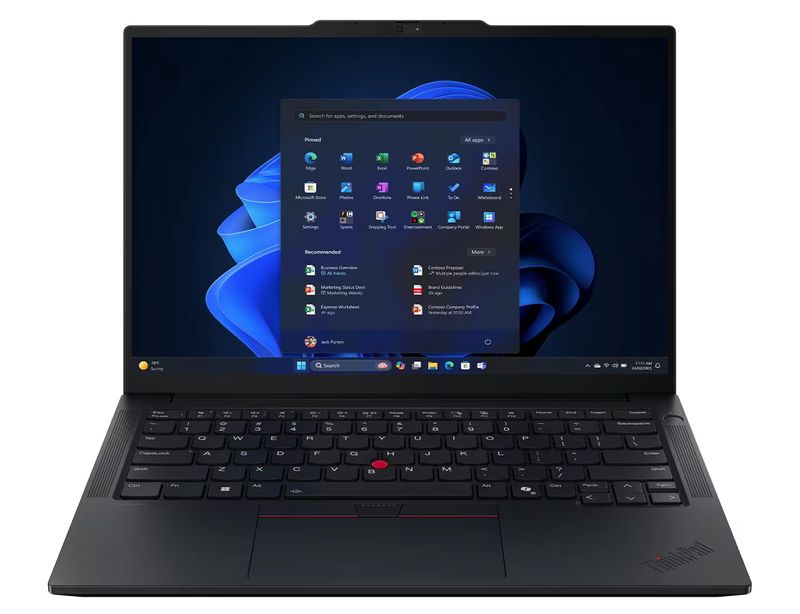
For a computer decision, compare the Martel VOX Elite 32 GB and 64 GB packages against the documented requirements for the CAT configuration for the intended workflow. Martel lists Windows 11 Pro on both packages and describes file-transfer and stenomask setup assistance. If a publisher or instructor asks for additional details, take them from the description of the exact configuration or the machine in front of you. A memory figure is one piece of that description. Your normal work might also involve exhibits, a recording destination and a remote meeting. Mention those needs in the hardware discussion so the purchase has a clear purpose. See the Martel VOX Elite 32 GB · See the Martel VOX Elite 64 GB.
Use your own mask for any check of recognition pace. Place it in your usual working position and repeat the same short question twice using the confirmed microphone input. Keep the first unedited output, listen to the dictation and compare the words you intended with the words saved. Time the exercise if speed is part of the decision. Practical readiness depends on your ability to obtain accurate names and figures at the pace you will use and then recover them during review. A connected mask supplies an input for that exercise. The saved result documents your experience on that setup.
We handcraft our Dragon USB and Double Dragon 2 stenomasks in limited quantities. If a batch sells out, there may be a waiting list.
Imagine a trainer replying to a reporter named Morgan. This is a fictional correspondence exercise. The trainer confirms which recognition option was used in last week's classroom demonstration and asks Morgan to identify the CAT build on the reporting laptop. Mark the first question answered and the second one open. Morgan can now request the missing description from the person who maintains the reporting laptop. The useful part of the reply is its scope. The trainer has identified one classroom session and has explained what evidence is still needed for a different desk.
In a second fictional situation, the publisher supplies instructions that apply after the instructor identifies the supported setup for the desk. The order is important. Write the condition first and the instruction second. Ask who at the school or firm can verify that the condition has been met. Keep working on the physical setup and practice material while that answer is pending. There is no reason to experiment with undocumented menu paths. You already have productive work to do, including labeling the personal mask, preparing a made-up test exchange and capturing a short sample from the intended input.
In a third situation, imagine that the reply confirms the installation and provides instructions for starting the new workflow. Read the steps once from beginning to end before acting on them. Mark which ones belong on the reporting laptop, which require an administrator and which simply tell you what the completed process will look like. Save the date or revision identification of the guidance. If a step mentions a command whose purpose is unclear, ask the publisher before altering an established setup. Your notes should describe the specific unclear step and the screen or result you expected at that point.
Sometimes the most useful reply is a question. “Which build is on the machine that will run the job?” narrows a broad conversation to a check you can actually perform. Answer with the verified value from the intended machine. Say if the computer is still on order and only a planned configuration is available. An answer about planned equipment can help you choose what to buy. A demonstration with the delivered computer gives you a different kind of evidence later. Date both entries and let each stand for what it demonstrates.
For a class exercise, assign three imaginary desks the names Cedar, Juniper and Willow. Cedar is a personal reporting laptop with a description taken from its own installed software. Juniper is the instructor’s presentation computer. Its lesson notes refer to recognition without naming the option used in last week’s demonstration. Willow is a new computer described on an order sheet, with setup planned for a later appointment. Use two pencils in different colors. With one, record what you can observe for each desk. With the other, record what someone still needs to confirm.
At Cedar the reporter can open a familiar CAT training job and hear a saved passage. Put that observation beside the job name. Now suppose the reporter also has an equipment sheet from the day the laptop arrived. Put those computer details on a different line. Opening the old job and identifying the physical computer leave a further question. Can the reporter start a new job on Cedar and dictate using the intended recognition option? Seek current instructions that address that workstation and arrange a disposable first-use test to establish the answer.
At Juniper, the instructor recalls seeing text arrive as a student spoke into a mask. Several people remember the exercise, yet none has the presenter’s version note. Ask the instructor whether the exercise used Dragon, Speechmatics or another documented source for the demonstration, and who can identify the installed build. The answer may be available within a minute. If it is still pending, enter “recognition route to confirm” in the appropriate box. That is more helpful for the next class than adopting the most frequently repeated guess in the room.
Willow's order describes a memory configuration and a storage capacity. Those figures help the buyer identify the computer. In this exercise the computer has not been delivered, so there is no observed saved job on Willow. Give its worksheet three empty spaces for the installed CAT description, a demonstrated microphone input and a recoverable first line. During the appointment, take the evidence from the delivered machine. Until then, the buyer can prepare an invented two-turn script and a list of connected equipment without representing a planned demonstration as a completed one.
Have a colleague read a series of statements and assign them to one desk or more. “We heard the reporter's voice on playback” can apply to Cedar if the played material came from the reporter’s own recording. “We saw a presentation” belongs at Juniper. “We know the package we ordered” belongs at Willow. “Our own Speechmatics practice job reopened on this machine” belongs only at a desk where that particular result has been demonstrated. This exercise trains the habit that matters in a real transition. A convincing observation is valuable only when it answers the question you are asking.
When your publisher-confirmed setup is ready, use a short passage you can identify easily. The imaginary office in this exercise issues permits to put small benches in a public garden. Read the words of applicant and clerk as a partner exercise, or prepare a source recording in advance for solo practice. Hold your personal mask as you normally would. Before you begin, name the training job and the document in which you will save observations. Include a unique spoken marker so that you can identify today’s sample if another file shares a similar name.
Clerk. Please identify the drawing you brought to the counter. Applicant. I brought the drawing marked Linden Walk, bench three. My first drawing put the bench beside the drinking fountain. I moved it six feet toward the entrance before I came to this appointment. Clerk. Did the committee ask you to move the fountain? Applicant. No. The fountain stays where it is. The bench is the piece I moved on the drawing. Clerk. What time did you deliver the revised page? Applicant. I delivered it at two twenty. I returned at two forty to add my initials.
Clerk. What initials did you add to the page? Applicant. I wrote M, then J, then the letter P. On the first version I had signed with my full name. Clerk. How can we recognize the revised drawing without looking at the initials? Applicant. The original shows a line of four trees beside the path. The revision shows those same four trees and a small circle indicating a new sign. Clerk. Was the sign already in place? Applicant. The drawing proposes a sign. When I visited the path that morning, there was an empty post but no sign.
Read the job back in a different order from the order you dictated it. Ask for the time the applicant returned, the thing the applicant moved and what was actually on the path that morning. The answers are two forty, the bench on the drawing, and an empty post. If any is unclear, identify which recording and which copy you checked. These questions require meaning as well as text. A transcript that merely contains the words “sign,” “post” and “bench” has not yet demonstrated that those details landed in their proper relationships.
Close and reopen the practice job before entering “verified” in your notes. Find one reference by its surrounding words and one by the speaker who supplied it. If you intended to keep audio, play the file you are actually going to keep and listen past your opening marker. If this is the first exercise after a laptop move, run one more fresh session with a different spoken marker. The first job confirms the initial demonstration. The second shows whether you can reproduce the startup routine using the instructions and equipment you will have the next time.
Turn the Linden Walk practice into a repeatable support example. Record only the invented applicant’s last answer on one practice copy, then include its full preceding question on another. Give both copies to a partner and ask which one establishes what moved six feet. The short copy can demonstrate that the desk recognized the words you spoke. The longer copy can also test whether a reviewer can attribute the answer and recover the object from the context. Tell the person helping you which of these two questions you are asking. It is possible for a desk to complete its initial recognition test before you have finished proving that the resulting job is suitable for readback.
A useful confirmation note has a narrow subject. For example, “Publisher confirmed the route for my personal training computer on the date below. I followed the supplied directions and completed the Linden Walk exercise.” Beneath it put the edition, installed build and equipment you actually used. If you change computers later, the prior note remains a record of the prior demonstration. Open a fresh page for the replacement. Carry over the list of questions and the reference exercise, then add the observations from the new machine. Someone reviewing the file can now distinguish past success from a current question.
Now imagine the student moves from Juniper to Cedar halfway through the term and brings a personal Dragon USB Stenomask. The student already knows how the mask feels and can repeat the same practice phrase. The new workstation still needs its own input check and a short capture test. Confirm the arrangement the student has been asked to use there. A working demonstration can be as brief as locating the job by name, speaking an identifying question and finding its saved answer. Keep the result on Cedar’s page.
Think also about a reporter handing duties over to an assistant who schedules appointments. The assistant needs to know who to contact, the general subject and whether the next action is a publisher inquiry, a Martel setup visit or a classroom practice. They do not need private account details to organize an appointment. An effective handoff could say, “Publisher has confirmed the supported installation. Next step is a VOX setup appointment with my mask and the fictional Linden Walk job. Please schedule enough time to create and reopen a test recording.” The receiver can act on that note without interpreting a technical claim.
When several people send helpful answers, keep each question with its reply. A trainer might confirm the method used at Juniper. An equipment specialist might confirm the laptop connections listed for Willow. Cedar's reporter might send back the first saved exchange made that morning. Put each contribution on the matching desk card. A discussion is easier to follow when a recommendation about what to buy, a description of what is installed and an observation from actual use are allowed to occupy separate lines.
One last exercise is worth doing with a colleague who has no role in choosing the software. Give the colleague four imaginary slips of paper. The first says a computer has been ordered. The second says which build was seen on a named laptop. The third says the publisher confirmed the intended configuration for the account. The fourth gives a fictional job name and the exact answer recovered from it. Ask the colleague to arrange them in the order in which they could support a purchasing or training decision. Several orders may be sensible because a buyer can seek requirements before purchasing. What matters is whether the colleague can describe what each slip proves. If two look interchangeable, rewrite the notes until the distinction is clear.
Next, remove the slip that mentions the named machine. Ask whether the remaining papers establish which computer actually ran the software. A delivery record and a successful test can refer to different units. Add one line connecting the test to the reporting computer. Now remove the job name and ask the colleague to find the exercise the following morning. They may be able to do it, but a distinctive job name and a memorable reference phrase make the task much easier. Use what the colleague actually needed to improve your own notes.
Finally, ask what would be safe to reuse in a public workshop. The fictional dialogue, sample questions, inventory headings and readback request are good candidates. A personal identifier, a real account confirmation or a screenshot showing other private material belongs in its intended private setting. A workshop handout can demonstrate the whole reasoning process with a fictitious account and three named desks. Write the date and purpose on that handout. An ambitious student should be able to practice the process correctly without treating the fictional paperwork as a real authorization.
For a final desk exercise, cover the names Cedar, Juniper and Willow on the completed sheets. Give your partner one instruction: choose the desk on which a student can reopen the revised drawing answer today. The partner may find the right machine but identify the classroom recording as its evidence. Ask which entry proves that the job with the corrected answer opens in this place now. Then ask which computer would be suitable for a shopping discussion about a second recorder. The answers may point to different desks. Restore the names and give each note one small improvement that would let a new reader make that distinction without asking you what you meant.
Read a public description for the specific task it actually describes. It may explain how audio becomes text or which kinds of recognition a system offers. Then ask which CAT configuration and computer you would use for that task. In the three-desk exercise, one classmate can read the public description and another can identify where it applies. A short saved practice exchange provides the evidence of what happened on your actual working desk.
Write each as the answer to a different question. Edition tells the publisher what product or level of access you are discussing. The displayed version and build identify the copy that is actually running. A person may accurately say “I have VP” while still needing to check the build. Another may know the build and be unsure which recognition options that particular setup offers. Fill in what you can demonstrate and ask the proper account holder for the missing information. These details together give a more useful picture than either one by itself.
Read the version information available in the application or consult the current classroom or office equipment record. Put the desk nickname and date next to the displayed details. If the information is unavailable, record who can identify the version, along with what you were attempting to do. A screenshot of a different workstation or the year on an old installer can provide a question to ask. It does not establish what was running while you dictated today's practice sentence.
The complete value gives support a precise description of your starting point. Two users may both give the same major release in conversation while using different installed builds. A publisher can then decide whether the distinction matters for the question at hand. Record exactly what appears, and keep the leading or trailing digits that might look unimportant. If someone later asks whether the machine changed after an update, you will have a dated value to compare. It takes very little work to preserve that degree of precision at the beginning.
Identify the model or configuration on the order and tell the publisher that the installed software has yet to be verified on the delivered computer. Ask which configuration is supported for your planned workflow and who should complete installation. Prepare the made-up test material and label your intended microphone connections in advance. Once the laptop arrives, read the actual version, confirm the supported recognition option and run the short exercise. The original response can guide your purchase while the later demonstration records what happened on the unit you received.
Identify both desks and each person’s responsibility. Ask the instructor which arrangements are accepted for the exercise, and ask whoever maintains the application how to confirm that arrangement on the personal machine. The owner of the laptop can demonstrate the connections, storage locations and available microphone input. Keep those observations on the same worksheet while distinguishing who supplied each one. A clear division of responsibilities makes it easier to arrange the first-use practice at the right desk.
Bring the general task, the version details you are allowed to share, the microphone connection and an invented two-turn passage. Leave personal account details and real proceeding material in their usual private location. If the point is to distinguish two desks, call them “training workstation” and “home laptop” on the class copies. A classmate then has enough information to explain what differs without receiving an unnecessarily detailed screenshot of your account or unrelated job files.
Describe the task, name the workstation and say exactly what you have already observed. You might have dictated into a classroom training job yesterday while today you can only open a previously saved file on your own laptop. Ask whether live dictation through your intended recognition option is supported on the personal computer and how the responsible person would demonstrate it there. Write the question in the present tense. An accurate statement of what is still unknown can be more helpful than repeating someone else's result.
It tells you where you normally begin an activity. To identify an available voice option, check the guidance and settings that apply to the actual installation. Then open a disposable practice job, verify that you selected the intended input and recognition route, and dictate an unmistakable sentence. Save the rough and find that sentence again. The icon, the current configuration and the saved result are three different pieces of evidence. Record what each one can actually establish.
Read the title, date and version scope of the directions. Compare those details with your desk card, then identify the first step or screen that differs. Send that small discrepancy to the person supporting the workstation. You can still prepare the invented permit questions or verify the microphone input while waiting for the appropriate instructions. A class exercise is a good place to learn how to ask for a relevant reference without changing a working configuration to match an unrelated example.
Read the task and recognition option identified in the directions. Instructions for a Dragon exercise can help you reproduce that Dragon exercise on a supported desk. A different recognition option may use a different setup or entry method. Keep a separate note for the Speechmatics route if that is the one you intend to try, then obtain directions that cover it on your actual installation. The Linden Walk dialogue and its reference answers can stay the same for either practice.
Find out which speech recognition options your CAT setup supports. Compare three fictional workstations and verify a first-use test with your stenomask.
Checking access asks whether your installed CAT configuration supports a selected recognition route. Checking a microphone asks whether the intended input captures your dictation. You can make a clear sample from a personal stenomask before a recognition option is confirmed. You can also have documented access and still need to select and test the correct input. Give the two questions separate lines. An affirmative answer to one then becomes real progress while the other is still being worked through.
Name the two elements in separate sentences. “My microphone is a Martel Dragon USB Stenomask connected to the reporting laptop” describes hardware. “I am checking which recognition option the CAT installation supports for this practice job” describes software. You can send the two sentences together with the purpose of the test. A person receiving the note can then address a microphone connection or a recognition question without needing to guess which meaning of the word Dragon you intended.
It tells you how you can route the reporter’s dictation to compatible equipment. A USB connection can feed the computer, while the independent 3.5 mm microphone can supply a compatible second recording device. Which recognition options your CAT installation supports is a separate question for the person responsible for that software. After access is confirmed, make distinct audio checks for the paths you intend to use. Save an identifiable sample on the computer and, when applicable, on the recorder. Write down where you actually heard each sample.
Include the specifications the publisher requests for the recognition configuration at issue, along with the product edition and installed build. When considering a VOX laptop, identify the exact proposed package and label it as proposed. For a delivered computer, get the details from that computer or its confirmed configuration. If your normal session also involves an exhibit, a remote meeting or an additional audio source, describe those needs concisely. The recipient can then distinguish the basic compatibility question from the broader discussion about how you plan to work.
Use an if-and-then sentence in your private notes. “If the administrator confirms the required access, then follow the publisher’s instructions for this installation.” Replace that imaginary wording with the actual condition and direction you receive. Put a name beside the person who can resolve the condition and a date beside any completed step. This technique keeps a helpful answer usable even when part of it depends on information another person must supply. Revisit the note after that person replies and identify exactly what can proceed.
Describe it as an observation about the demonstrated computer. Record what you actually saw or heard, the product named by the presenter and any version information the presenter supplied. Then ask what applies to your personal reporting installation. If the purpose of the demonstration was simply to show how to capture a fictional sentence, it may have met its goal without establishing anything about your account. A positive learning experience and an unanswered configuration question can coexist. Your completed personal practice job will eventually supply the missing local demonstration.
Prepare a fictional passage, a marker and a single readback question before arriving. Once the confirmed setup is ready, connect your personal mask, follow the publisher’s startup directions, dictate the passage and save the job. Ask the person assisting to request the answer about one time or one object. Reopen the job and locate that answer. If audio is part of your planned setup, play the intended file as well. The exercise is short enough to finish while still revealing whether you can repeat the process independently.
Ask for the change the applicant made before delivering the revised drawing. The applicant moved the bench six feet toward the entrance. The fountain stayed in place. A reader who searches only for “move” or “fountain” could point to the wrong item. Have the reporter read enough of the exchange to establish which object changed position. Then compare the recovered passage with the source. This is a direct test of whether the rough has preserved a relationship that a real reader would care about.
Start by acknowledging what you have demonstrated. The file contains your marker, so at least part of the intended sequence occurred. Identify whether the rest of the source was spoken, whether the recording continued and whether you opened the matching file. Write the last word you can hear and the last word in the associated rough. Then make a new short exercise with a different marker and a single complete exchange. Use your notes to decide whether the next question belongs to microphone setup, recording operation or the publisher’s workflow.
It gives you a reference for a particular observation. Add a fresh passage to test how you handle information you did not memorize during preparation. Ask a partner to describe an imaginary permit with an unfamiliar number and a change of destination. Listen and repeat using your ordinary mask position. Save and review the rough, the attribution and the answer to a spontaneous readback request. This makes the readiness discussion about actual tasks. The publisher’s access confirmation remains the separate evidence that the option is supported for your configuration.
Record the available selection and the job question separately. Revisit the starting instructions for your confirmed edition and use fictional material to demonstrate creation, closing and reopening. Include a unique phrase in the job and write its name on paper before you begin. After reopening, find the unique phrase and any intended audio. If you still need support, report the last point you could demonstrate. Seeing a setting and recovering a saved result are different milestones, and identifying the point reached gives support a concrete starting place.
Refer to your earlier question and the exact point the reply settled. Then ask one question about the remaining condition. For example, “The edition on my training laptop has now been confirmed. What first-session instructions apply to the build listed in my earlier message?” Add the original date and the broad device description so the recipient can connect the conversation. If the circumstances have changed, say what changed. This approach gives the publisher a clear subject and the context needed to respond without reading a new account of the entire purchase.
Give a factual status that separates what you can demonstrate from what still requires a reply. You might say that the installed edition and build are documented, the personal mask records a clear sample and the software support contact is confirming which Speechmatics arrangement that desk supports. If the supervisor needs a scheduling decision, identify which activity can take place now, such as a fictional dictation exercise on the established setup. An accurate status lets a supervisor plan around actual progress without confusing equipment readiness with software access.
Report the task, duration and checked details from your own sample. You could record the time taken to dictate the permitting-office exchange, whether the two spoken times were preserved and how long it took to find the answer about the empty post. Identify the mask, the setup and whether the passage was familiar. A result like that is meaningful to the person who will repeat the exercise. It does not turn one short drill into a general claim about recognition performance across all voices or installations.
Keep the earlier value and add a dated entry for the new version and build. Describe who confirmed the change and the publisher instructions used. Repeat one brief original check and save it as a new job. If the exercise behaves differently, you can now identify the two installations and two pieces of evidence under discussion. If it behaves as expected, your record shows when the new configuration was actually exercised. This small habit becomes especially useful when more than one computer is involved in a term or a firm.
Ask the instructor or the person responsible for the assessment what configuration the student is expected to demonstrate. Ask the person who supports the workstation how that particular configuration can be identified. Martel can address questions about the mask, laptop connections and setup services described for its equipment. Put the answers under the name and date of the course exercise. A demonstrated option in a practice room and approval to use it for a particular assessment answer different questions.
Send the invented questions, its reference answers and a short explanation of the task. Leave account details and real work files out of the example. The colleague can identify their own computer, personal mask and publisher-confirmed route on a fresh copy. Ask them to mark whether they could retrieve the revised drawing, the return time and the applicant's initials. The two of you can discuss the results without implying that a particular software option carries over from one reporter to another.
Save the title and location of the article the publisher says applies to your configuration and note the date you received that direction. Keep the earlier question so you remember what you were verifying. Read the new article in full and connect its scope to your own edition and build. If you follow it during a practice session, record which steps you demonstrated and your resulting job name. A future reader will then know whether a note was based on a demonstration handout, a general support page or instructions for your specific setup.
Describe the evidence in a sentence tied to a specific desk. You might report that the configured recognition option was identified for Cedar, that you produced a new fictional exchange there using your own microphone and that its corrected answer could be recovered after reopening the job. Add the date and the name of the test file. Keep an unresolved part of the exercise, such as an untested second recording path, on another line. This gives the next reporter a statement they can verify.