


A Mock Court Hearing From Roll Call to Readback With Speechmatics
Run a complete fictional footbridge hearing with Martel stenomasks, two witnesses, exhibits, a recess, a disputed readback, and four separate scores.
“The word after the pause appears in my mask recording, but it is missing from the saved practice rough. Where should I check the input selection for my installed CAT configuration?” That is a question someone can work on. It identifies the event, the two pieces of evidence that differ and the information the reporter needs. “Speechmatics isn’t hearing me” could refer to silence at the microphone, a working microphone paired with the wrong input, an inactive recognition option, a word rendered differently on screen or a file opened after the fact. Start with the smallest thing you observed.
Build the question from a new exercise with invented material. For this guide, the reference phrase is “After the bell, I counted seven brass tokens on the tray.” It contains a distinct first word, an ordinary action, a number and a final object. A reviewer can compare what you meant to say, what you actually said, what was saved and what appeared in the working text. There is no real passenger, ferry operator, case name or docket attached to our fictional ticket-office example. You can reproduce it as often as necessary without sharing working testimony.
Decide whether you are asking about sound, recognition, display or retrieval. If the recording is missing the start of your voice, begin with the audio path. If the saved recording is clear but the rough lacks a word, include both observations and ask about the supported recognition and CAT configuration. If the words are present after reopening the job but you recall waiting for the screen, describe a display timing observation. If you cannot find the right saved file, identify the file selection and naming question. The same opening complaint can lead to four useful and quite different requests.
A reproducible sample also protects your own time. An isolated practice job lets you repeat the event without modifying your working transcript. You can preserve the first result and make a second attempt with one deliberate change. A support person can then ask for a further comparison that builds on work you have already done. The purpose of making a sample is to give the next person a useful starting point. It does not require you to determine the cause or make changes outside your normal equipment and software setup.
Write down the CAT product, edition and exact installed version. A description such as “the newest version” depends on when somebody last checked and may mean something different at another desk. Stenograph explains that CATalyst’s Help menu includes About Case CATalyst, where the installed version and build are shown. Copy the version and build characters exactly. For a general support example, keep the note focused on that version information. A licensing screen can include information unrelated to the question, so use the needed lines or an appropriately limited image when sharing through the publisher’s requested channel. Stenograph’s version and build instructions.
Advantage Software’s EclipseVox and Speechmatics introductory workshop describes configuring audio input, the Speechmatics connection and realtime settings. Its published version table distinguishes local and cloud Speechmatics in Eclipse 12 and local Speechmatics in Eclipse 10 and 11. For local recognition, Advantage Software identifies its Boost Box or a supported computer purchased from Advantage Software. If your question concerns EclipseVox, record the release, the recognition arrangement you actually use and any qualifying equipment in that arrangement. Where you have yet to confirm the processing location, identify it as an open question for the publisher. Advantage Software’s EclipseVox setup workshop · Advantage Software’s version and local processing requirements.
Stenograph’s public announcement describes on-device Speechmatics recognition integrated with CATalyst VP. Use the wording of that announcement when identifying the announced integration and use your own installed configuration when describing what happened on your computer. A support note can say that you have a particular installed CATalyst VP build and want to confirm whether it includes the Speechmatics option available to your license. If the installed workflow was using Dragon for the test, say that. Calling a practice run “Speechmatics” solely because you are planning a migration sends support looking at the wrong operation. Stenograph’s CATalyst VP Speechmatics announcement.
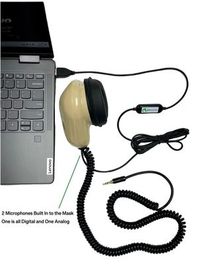
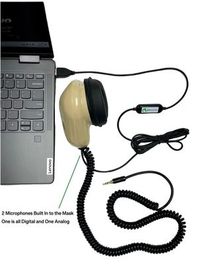
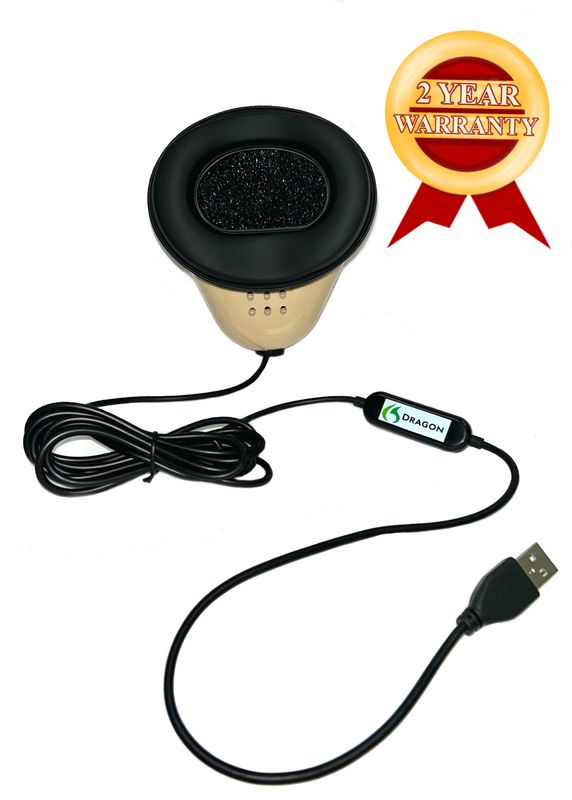
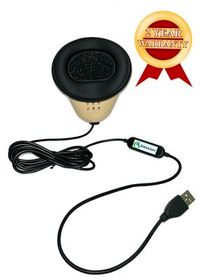
Next record the mask model and actual connectors. The Martel Dragon USB Stenomask connects to the computer over USB using its built-in sound card. The Martel Double Dragon 2 offers that digital path and a second microphone with a 3.5 mm connection to a compatible receiver. Name which connection was used for the file you are describing. “USB to my VOX laptop, second mask output to my practice recorder” describes a setup. “Two independent samples of the witness” would describe something different from two recordings of the reporter’s masked dictation. Martel Dragon USB connection · Martel Double Dragon 2 connections.
Record the Windows microphone name as it is displayed on your own laptop. Microsoft’s Windows 11 microphone instructions start from System and Sound, where you can choose an input and test it. Perform one short test at your normal dictation level. If the displayed name is a generic USB device label, copy that name instead of replacing it with the product name you expected. In the written note, pair the displayed label with the physical mask you traced. The recipient can then distinguish the device name they will see on a settings screen from the retail model written on your invoice. Microsoft’s Windows microphone test.
Write down the complete sentence before testing. Say it naturally during a ten- or twenty-second practice recording with a little time before and after. Include a unique spoken take name, such as “Ticket office, sample one,” before the reference phrase. If you are studying the word after a pause, leave the intended pause between the take name and the sentence. Record the approximate duration of that pause only if you actually measured it. Calling it “a short deliberate pause” is more accurate than attaching an exact number you do not have.
Make the sentence easy to check by ear. “After the bell, I counted seven brass tokens on the tray” gives you a start, a count and an ending. If you misspeak and say “bronze tokens,” keep that take as a record of what happened, but do not score bronze against brass as a recognition substitution. Either write down the delivered wording for that take or make a new one with the intended phrase. The support person needs a fair comparison between received audio and output. A typed script alone cannot establish which words entered a microphone.
Choose a second phrase that changes the vocabulary while preserving the event. For instance, after the same ordinary pause try “Beside the blue rail, a visitor unfolded a paper map.” If both starts are clear in the mask recording and only one start disappears from rough text, report the individual results. That is more informative than saying that “first words always disappear.” A controlled example can establish a repeatable pattern in your practice session; a small sample can also reveal that the pattern occurs less consistently than it first seemed.
If you are investigating a number, change the script to bring that feature into view. “The return fare was fourteen dollars, and the token box held forty tickets” contains contrasting values and distinct units. Listen for fourteen and forty in the actual delivery. Mark how the first rough renders each, distinguishing equivalent formatting from a changed value. Written “14 dollars” can convey the spoken amount accurately. Replacing fourteen with forty is a different observation. Identify the observed output exactly so the recipient knows whether you are asking about formatting, recognition or what was said.
A single mock sentence usually makes a better support sample than a lengthy fictional hearing. The shorter file is faster to identify, permits straightforward repetition and makes it possible to say exactly which few words matter. You can keep a longer exercise separately for your own evaluation. If the issue depends on a longer running job, keep the long practice material and note the small passage where the event occurs. Ask the relevant support contact what portion, file form and context they want before transmitting additional material.
Begin with the physical route. Place your own mask in its usual working position, connect the intended cable, and identify the receiving device. Make and play a saved sample of your own dictation via the selected computer input. If you also have a compatible recorder connected to the Double Dragon 2, start it deliberately and listen to its own completed file after the same take. Write down which recording you actually checked. A movement on a meter tells you that some input changed. Hearing “Ticket office, sample one” in the correct saved file tells you which practice event reached that file. Martel’s stenomask troubleshooting guide.
Now create a separate CAT practice job using the recognition option your publisher supports for your configuration. Speak a different take name and the same reference sentence. Save the rough before editing it. Open the saved job and copy out the specific passage as it appears. Keep punctuation if punctuation is your question. If the finding concerns the spoken number or an absent word, state that separately from capitalization and spacing. A useful note could say that the words following the first pause are present, the value seven is correct and the only difference is the form of the sentence ending.
Only compare like with like when making a claim about the exact take. A Windows-only sample recorded at 10:00 and a CAT exercise dictated again at 10:04 are separate performances. They can show that the Windows input worked in one test and that the CAT job produced a certain result in another. They cannot establish that one identical cut of audio went through both paths. If your supported setup captures a recording of your dictation during the CAT take, use that corresponding file for a closer comparison. Name each sample accurately in the support request.
If your ordinary equipment includes a separate room capture, decide whether it answers the present question. Suppose a reader said “seven tokens” and you repeated “several tokens.” An authorized room reference can help distinguish what originated with the reader from what you repeated. If the question is whether the mask’s USB path saved an intelligible sentence spoken directly into it during a solo exercise, a room recording may add little. Include the material that addresses the event under review and tell support what kind of recording it is.
Return to the sample after closing the applications in the ordinary way. Reopen the saved recording and rough, find the distinctive phrase, and verify that they belong to the same intended session. Write down any separate result about reopening. A word that was present in the saved rough could have been difficult to see while you were speaking, while an absent word in the saved rough is available for a precise text comparison. Make the distinction while the sample is fresh. It greatly improves the usefulness of the first message you send.
In the first training case, Jordan uses a Martel Dragon USB mask with a VOX laptop. Jordan tests the input identified in Windows as “USB Audio Device,” a fictional displayed label for this example, and makes a practice recording. Playback contains the person speaking across the table more strongly than Jordan’s masked voice. A second test deliberately made from the laptop microphone sounds very similar. The proper question concerns identification of the selected signal path. The two recordings suggest a useful comparison. They do not by themselves diagnose a particular connector or establish that an advertised product specification is inaccurate.
Jordan’s message can read, “I want help confirming which Windows 11 input corresponds to my Martel Dragon USB mask on my VOX laptop. I traced the USB cable to the left port. The selected input is displayed as USB Audio Device. In my fictional ticket-office test, I spoke the words ‘seven brass tokens’ into my mask. My partner across the table said ‘paper map.’ On playback the partner’s phrase is the clearer one. I can reproduce this result in a new short sample. Which physical or input-identification check should I do next?” This gives Martel a concrete hardware and setup question.
In the second training case, Noor saves a CAT practice job using a publisher-confirmed Speechmatics configuration. The corresponding mask recording clearly contains “After the bell.” The rough begins “the bell” after the deliberate pause. Noor runs two more fresh takes and hears the first word in each recorded mask file. The word appears in the rough on one of those later takes. Across all three attempts it appears in the rough once and is absent twice. That exact frequency is a stronger description than a broad claim that the first word never reaches the application.
Noor’s message to the software publisher might say, “My installed product and build are recorded below. I am using the recognition option and processing arrangement you confirmed for this installation. In a fictional three-take job, ‘After’ is audible on the corresponding mask recording in each take. The saved rough omits it on takes one and two and includes it on take three. The following words ‘the bell’ are present each time. I would like to confirm how to review the selected recognition input and the relevant start-of-speech settings available for this release.” If the publisher uses different terminology, the observed behavior still makes the request understandable.
The third training case concerns delivery to the screen. Ellis dictates the phrase and sees the complete sentence after a noticeable wait, then opens the saved rough and finds every word. Ellis has no synchronized measurement of internal processing time. The message should describe the interval observed, the start and end events used for any manual measurement and the fact that the final text was complete. “Last spoken word to first visible complete sentence” describes an external observation. Assigning the full interval to the mask, the engine or the CAT editor would require information these observations do not supply.
To make that third case easier to repeat, choose a passage with a clear ending and arrange a practice observer who can see the display. Have the observer note the first visible text and the moment the sentence looks complete, using a stated timing method. Save the rough after the take. Keep the observer’s notes separate from the sentence comparison. The support person can then tell whether you are describing first text, completion, later revision or the time it took to navigate to the saved file. Each endpoint names a different action even if the ordinary description is simply “it seemed slow.”
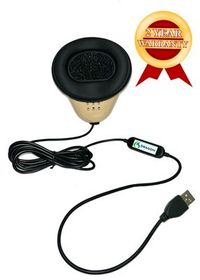
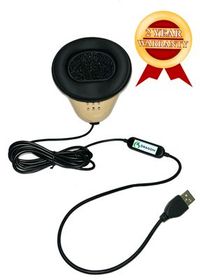
We handcraft our Dragon USB and Double Dragon 2 stenomasks in limited quantities. If a batch sells out, there may be a waiting list.
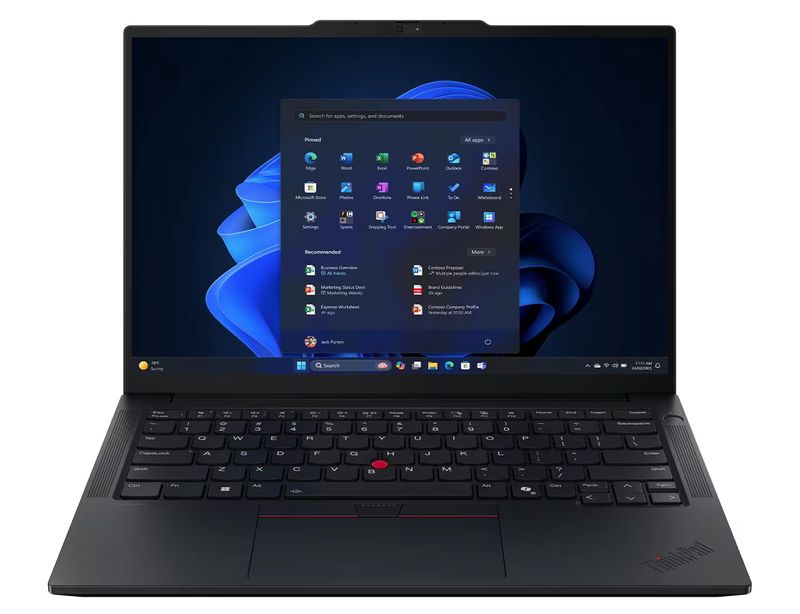
Martel’s VOX Elite 32 GB and 64 GB laptop listings describe assistance with stenomask setup and help moving CAT files. When the question concerns the physical mask, laptop connections or a transferred practice job, point to the precise model and the file or device action you tested. When it concerns which recognition option is available in a particular CAT release, address that question to the publisher with the edition and build. A mixed issue can have one short fact sheet and two different questions. That lets each recipient work from the same observations within the part of the setup they document. Martel VOX Elite 32 GB setup assistance · Martel VOX Elite 64 GB setup assistance.
A useful note has five ordinary sentences before any attachments. The first identifies what you want help answering. The second identifies the setup and exact software version. The third describes the action you performed. The fourth reports what was present in the relevant recording and what appeared in the rough. The fifth asks for the next specific check or the publisher’s applicable public instructions. When additional details matter, put them underneath with their actual values. A support reader can grasp the issue on a small screen without opening a folder full of evidence first.
Here is an example suitable for a school equipment rehearsal. “I am checking the microphone path on a VOX laptop used for voice writing. My own Double Dragon 2 is connected by USB to the computer, with its 3.5 mm output going to my compatible recorder. I spoke the invented token sentence once while recording both paths. I hear the whole sentence on the recorder, while the computer file contains the take name followed by faint speech. I would like help confirming which input and connection supplied that computer file.” The wording gives the practical observation without presenting an unverified cause as settled fact.
To prepare the corresponding publisher question, preserve the same sample only if it is relevant to software behavior. For example, once the correct computer source is confirmed and intelligible, test the supported CAT practice workflow in its own new job. Report the version, selected recognition option, actual processing arrangement if known, input label and result. If the original issue disappears once the input is identified, close the hardware question with that result. You can then begin a fresh practice record for any distinct formatting or timing question. One clean resolved example can be a better reference than several overlapping investigations.
Suppose support asks whether selecting a different displayed input changes the saved Windows sample. Before touching a setting, record the current displayed selection and the source of the file you just checked. Speak a new take name. Change only the requested input selection. Repeat the same fictional sentence with the mask in your normal position, then stop, save and listen. In the reply, state which input was selected for each file. If you also moved the mask, switched rooms and opened another application, name those changes. A useful retest is one whose results another person can interpret.
Choose an experiment that could actually separate two possibilities. To distinguish a missing spoken word from an omitted recognition result, compare corresponding audio and text for the same take. To distinguish a wrong microphone from quiet dictation, speak one phrase into the mask while another person supplies a clearly different phrase from the room. To distinguish a search problem from missing text, find a nearby anchor in the saved rough and read the complete sentence around it. Each exercise provides evidence about one particular question. Repeating an unrelated test can consume time even when the test itself goes perfectly.
Make a simple observation ledger for the ticket-office example. The first row can say that take Pine was made using the original input selection and the mask recording contains the entire sentence. The rough begins “After the bell.” The second row can say that take Elm used the same setup after a deliberate pause and the rough begins “the bell,” with “After” clear in the associated recording. The third row can report that take Ash includes the first word again. From these invented entries, you can demonstrate variability. You cannot identify an internal mechanism or infer a universal frequency from three observations.
Use a second ledger when support recommends one permitted change. Write the name of the changed setting or connection and leave the earlier rows intact. If all three new takes include the first word, report that finding with the precise number of takes and the tested conditions. If the change introduced a second difference, such as starting a new job or selecting a different profile, list it. The recipient can decide whether another comparison would clarify the relationship. A successful retest is useful immediately while still leaving room for continued evaluation on future practice material.
Prepare a small delivery packet if the recipient asks for files. The cover note states that the sample is fictional, gives the task and names the exact take. The recording has an identifiable title and plays when reopened. The rough excerpt contains enough context to locate the issue. The reference text is clearly labeled as what you intended to say. If masking or removing unrelated on-screen details is necessary, preserve the version string, selected input or exact message being discussed. A close crop of the actual public-facing control can communicate more than a full desktop showing unrelated work.
Try a deliberate mismatch before sending anything. Put the audio for Pine beside the text for Elm and see whether the spoken take labels immediately reveal the error. Then put the correct pair back together. This rehearsal makes the value of a spoken identifier tangible. Without it, the recipient could listen to an excellent recording of the wrong performance and conclude that the corresponding rough dropped a word it never received. If your practice arrangement cannot capture a spoken take name in both places, include another distinctive matching detail or identify the comparison as two separate readings.
Finally, rehearse the closing reply. A useful example is, “Using the input identified during our discussion, I repeated the three fictional tests. The saved computer recording now contains the mask phrase clearly on each take. I can identify both the USB signal and the independent recorder signal when I reopen the files. I am closing this input-identification question.” Another valid outcome might be that the evidence now points to a distinct software configuration question. In either case, write down what was established and the remaining question, rather than declaring an entire setup proven by one small test.
Give a partner this fictional message without any additional explanation. “My Double Dragon recording worked, but the text was wrong when I used the desk computer.” Ask the partner to identify the actual recording source, the expected words, the result and the software release. Most of those facts are absent. The phrase “Double Dragon recording” could identify the USB input on the computer or the independent analog microphone feeding a separate recorder. “Desk computer” says where the laptop was placed but identifies little about the selected device or the CAT job. “Wrong” could describe a missing word, an unexpected numeral, or an incorrect speaker label.
Now give the partner a second description of the same invented event. “During take Cedar, I used the Double Dragon 2 USB microphone for the computer and its separate 3.5 mm path for my practice recorder. The saved recorder file contains ‘seven brass tokens.’ The computer job displays ‘several brass tokens.’ I have not yet verified which audio source the job selected or listened to a matching computer recording. I want to identify the next check that can show what sound the recognition workflow received.” The partner can answer all four preliminary questions to the extent that the facts are known. In particular, they know where your knowledge stops.
Add the result of a new controlled check. “I repeated the phrase in a new take named Spruce. I confirmed the computer’s selected microphone, and playback of that computer sample contains ‘seven brass tokens.’ On this take the rough also shows ‘seven brass tokens.’ I can provide the earlier Cedar result if needed.” The accompanying conclusion is modest and concrete. The newer test establishes a working result on Spruce. It improves the account of Cedar without rewriting the history of a take for which the computer source was never confirmed.
Use this partner test on a question before you actually send it. Ask the reader to say which single action they would try next and what observation would show whether it helped. If the proposed action differs from the question in your mind, look for an ambiguous noun or an unnamed source. Replacing “the audio” with “the analog recorder’s mask recording” or replacing “it lost it” with “the reopened CAT rough omits the initial word” can correct the misunderstanding in one sentence. Clear language often improves a support sample more than adding a new piece of equipment or a longer recording.
Name the workflow, the observation and the point where you want help. “CATalyst VP practice rough omits first word heard on mask audio” gives a software publisher a concrete starting point. “Confirming Dragon USB input on VOX laptop” gives Martel a hardware question. Add the build or model in the body where you can transcribe it carefully. An exact subject also helps you find the conversation later when you build a second test or report the outcome of the first one.
Yes. Describe the one occurrence you actually observed and the practice checks that have succeeded since. Identify which original material, if any, is available under your assignment’s procedures, and ask what to record if the behavior recurs. Use a fictional sentence for follow-up. That gives support a truthful account without prompting either reader to interpret “happened once” as “happens on demand.” An intermittent issue can still yield a useful first question about recording the right future observations.
The publisher can use the full installed identification to determine which instructions apply. Two people may both describe their setup using the same major release name. The information displayed for the installed copy is more specific. Stenograph documents where CATalyst shows its version and build. Copy that relevant text into your message, label the machine on which you checked and identify the software you actually used for the test. This keeps a second laptop’s details from slipping into the request.
A general microphone or recognition example can identify the software using the product, edition, version and build. Copy the information that answers the question. If your verified publisher support contact requests additional licensing details for a specific account matter, follow the official process for that exchange. Keeping the technical note focused makes it easier to reuse a fictional example during training without inadvertently distributing unrelated account or license information.
Say which release and supported components you can identify, then ask the publisher to confirm the processing arrangement for that installation. Advantage Software’s public table distinguishes options by Eclipse release and identifies particular requirements for local Speechmatics. A description such as “Eclipse 12 on this laptop, processing location still to be confirmed” clearly separates your observation from the missing information. Guessing “local” from the presence of a laptop in front of you would make the request less useful.
The announcement identifies Stenograph’s on-device Speechmatics integration with CATalyst VP. Your own test still needs an identified installed product and supported configuration. If you used an existing Dragon workflow while preparing for a future change, label that reading accordingly. Ask Stenograph to confirm the available option for your particular installation if needed. A useful support sample ties its observations to an actual run without deriving that run’s settings from a product announcement.
Record the input name that was selected for the test and pair it with the physical connector and destination you traced. Then record what you heard on playback. “USB Audio Device selected; heard my mask phrase clearly” conveys more than “Windows is working.” When two similar labels are displayed, document which one you tested. Ask support how to distinguish them if your own checks leave the routing uncertain. Preserve the ordinary working selection so you can return to it.
Copy the displayed name as one fact. Separately identify the model from your own equipment or order information and describe its connectors. You can make a short original recording and compare sources as part of the identification process. A general input name can still be useful to support when paired with a traceable cable and a recognizable sound. Avoid quietly substituting a retail model name for the text actually displayed in the selection field.
A file can be copied, renamed or played from a recently used list. The spoken marker stays with the audio and helps confirm that the file you opened belongs to the intended take. In the practice exercise, Pine and Elm are short, distinct markers. Put the marker before the pause under study so you can listen to both that context and the first target word. Naming the recording and labeling the event inside it solve two different identification problems.
Start by describing whether it was a natural break or a deliberately timed interval. If an exact duration matters, state how you obtained it. A classroom partner using a timer can report an approximate observation. If you later measure the time between two events in the saved audio, name those events and the source. An estimate can be perfectly adequate for reproduction when it is labeled as such. Precision in the wording of the report matters more than unnecessary decimal places.
A familiar sentence makes repetition easier, especially when you are isolating a device input. Keep a second unfamiliar sentence available to see whether the behavior depends on one set of words. If you practice the first reading until your delivery changes, note that. A sample for a support question need only demonstrate the reported event. A study of recognition quality across ordinary assignments would require a different range of material and a broader set of observations.
For the audio stage, it means the saved file should contain the words you actually spoke clearly enough to identify them. For the recognition stage, describe the observed output relative to that spoken reference. If the exact issue is a first word, name the expected word and the words that followed it. For formatting, name the convention you expected and the publisher setting or agreed style relevant to it, if known. This keeps separate several meanings of “correct.”
A screenshot can establish a visible setting or a text difference at a particular moment. It cannot let the recipient hear what you dictated or determine whether a file from another take was played. In a request about a visual selection alone, the relevant portion of the display may be sufficient. In a request about an omitted spoken word, pair the text observation with a corresponding fictional recording when the official recipient requests it. Say what each item demonstrates.
Describe what you can test directly. Name the selected input and say whether the saved phrase is intelligible at an ordinary playback level. Compare with a new short sample made in the same position. A changing meter can be a helpful clue, but a number or animated bar alone does not identify the words that reached the recording. Share the actual listening observation before proposing a volume adjustment that might change a working setup unnecessarily.
Use the pace at which the event you are reporting can be demonstrated. If it occurs at ordinary working pace, start there. If it occurs when you speak faster, report the comparison and explain how you estimated the reading rate. Keep other factors as consistent as practical. A rushed recital that creates unrelated pronunciation differences may make the original question harder to hear. A clear ordinary take and a distinct working-pace take often make a more informative pair.
Say that the spoken words are intelligible on playback, identify the listening conditions you actually used and describe the concern in practical terms. Perhaps you had to raise playback volume compared with a known practice sample from the same setup. Keep the word-completeness observation separate from the level observation. If the CAT rough contains all the target words, include that fact. The recipient can then evaluate the level question without assuming that the recognition stage omitted content.
Yes. Check the spoken take marker, nearby wording and job name before making a claim about corresponding audio and text. If one microphone test and one CAT reading were made at different times, describe them as separate tests. They can both contribute information while answering different questions. When you can record the same practice dictation through two intended paths, preserve which file came from each one and label that shared performance clearly.
Include it only when the specific question calls for a source carrying the original room voices and the transfer is appropriate. For identifying your own USB microphone in a solo exercise, a saved mask sample and the selected input may suffice. For a listening discrepancy between a reader and a voice writer, an authorized independent reference can help establish what was first spoken. Choose the evidence by following the words from their origin to the point under review.
Describe what each one captured, including its source and connection. If they were both connected to a Double Dragon 2, both were listening to the reporter’s mask through different microphone paths. Check that you are playing the same take, then identify the exact difference you hear. The result may justify asking about the appropriate receiving input or the computer selection. It cannot establish what the original room witness said unless you have a separate appropriate source for that voice.
Say “two of five takes” and identify which two, then state what was the same and what differed across the attempts. Include whether the associated audio contains the disputed word in those two cases. The number describes this exercise. It should not be turned into a general failure rate or an advertised recognition accuracy. A support person can use the names of the affected files to compare the relevant portions without rechecking all five from the beginning.
Define the start and finish. You might time from the end of the spoken sentence to the first moment all its words are visible. Another observer might time from the first spoken word to any text appearing. Both measures can be useful, but they answer different questions. Write the method, the observed interval if measured and whether the final saved text changes later. That avoids assigning several different experiences to a single word such as “delay.”
Keep the first saved rough if available and identify what you changed on the working copy. An edited text containing the correct number no longer demonstrates the original recognition output. If you lack the original result, say that and try a new fictional reading. Include the delivered amount and the corresponding audio. A retest may show the same behavior or produce a different result, both of which are worth reporting accurately.
Describe the intended task on the specific laptop package. For example, ask whether the appointment can include selecting your personal mask input, making and reopening a short fictional recording, and opening a transferred practice job with its available audio. Martel lists setup and transfer assistance for its VOX models. Bring the CAT edition and recognition arrangement you expect to use so the conversation can address the computer and equipment roles that belong to your actual workflow.
Maintain one dated fact sheet for the fictional sample and one clear question for each recipient. If a hardware check changes the known facts, update the sheet and state which result is new. Give the publisher the additional configuration question that remains after that check. You can then distinguish “the selected input has been confirmed” from “the recognition output still differs on one take.” A shared factual starting point reduces the need to repeat unrelated tests.
For a general support demonstration, make a new passage with invented names, values and places that reproduces the same technical point. Keep real class or assignment material within the procedures that cover it. The ticket-office exercise works because its content can be replaced freely. If your test concerns an unusual spelling or a kind of formatting, create a different fictional name or value with the same relevant feature and record it yourself.
State the recording or job format you actually have and ask for the official supported way to supply it. Preserve the original practice file and distinguish any converted or edited listening copy. A converted excerpt can be convenient for hearing words, while a publisher investigating job behavior may need something different. Let the intended recipient identify what serves its diagnostic purpose. Never describe a converted copy as the original source from the recording device.
Include enough context to show what led up to it and what followed. For a first-word problem after a pause, retain the spoken take name, the pause and the complete target sentence. For a speaker change, retain the preceding and following turns needed to establish the transition. A fragment containing only “after” may be too short to demonstrate a start-of-speech event. Explain which part the recipient should listen to first.
Run the few comparisons that distinguish the stage where you observed the issue. A selected-input playback check and a corresponding practice rough may be sufficient to formulate a precise request. Keep track of one known working result so you can tell whether a later adjustment changes something else. If a support technician requests another sample, use their question to design that retest. More files have value only when they add a relevant observation.
Report the observed improvement and the conditions under which you saw it. For example, all three new takes now include the first word after the deliberately tested pause. Identify the change and whether other conditions remained the same. Save one good sample as a reference if appropriate. That gives support a concrete closure report while leaving you able to compare any future practice result without claiming a permanent guarantee from one session.
Ask for a next action the intended recipient can reasonably identify. For Martel, that might be how to verify which physical mask connection supplied a named recording. For a CAT publisher, it might be which instructions apply to confirming the recognition input for a particular installed build. If the issue is already resolved, state the exact result instead. A precise closing request turns a collection of observations into a support question someone can actually answer.
Prepare a repeatable Speechmatics support sample with a fictional sentence, CAT build, selected microphone, matching audio, and saved rough.