


A Mock Court Hearing From Roll Call to Readback With Speechmatics
Run a complete fictional footbridge hearing with Martel stenomasks, two witnesses, exhibits, a recess, a disputed readback, and four separate scores.
Teach a first Speechmatics voice-writing lab with a personal stenomask, matching audio and CAT rough, an original classroom script and a grading rubric.
A first Speechmatics lab for voice-writing students can end with two things an instructor can actually examine. One is a playable recording of the student’s own mask dictation. The other is the corresponding unedited CAT rough from that same practice performance. Together they answer different questions. Did the student’s intended microphone capture the words? Did the rough preserve what the student repeated? Did the question and the answer land under the correct speakers? A student who can open both files and explain a particular passage has demonstrated more than the ability to make words appear on screen.
Set one assignment that everyone can perform using fictional speech. The reading in this guide describes a tactile model in a community planetarium. It includes a pair of contrasting surfaces, a letter attached to a sample, a short negative answer and a change of speaker. No legal knowledge or astronomy knowledge is needed. A student can concentrate on listening and repeating, and a teacher can identify exactly which step a piece of feedback addresses. The reading, the example scores and the people described are invented for this lesson.
Give each learner a personal stenomask and have the student perform the connection checks on that equipment. The instructor can demonstrate with the instructor’s own mask or show the physical connections without taking over a student’s equipment. A classmate may read a witness’s words, listen to permitted practice recordings or review the rough. Those roles provide plenty of opportunity for collaboration while the student uses an individually owned mask. This also makes the result personally meaningful. The student leaves knowing the selected input and recording route for the equipment they will use again.
Keep the first assignment narrow enough to finish. The instructor should receive the exercise in the agreed, usable format and should be able to find the marked passage in both files. Practicing new vocabulary, testing increased speed and comparing several engines can wait for targeted follow-up exercises. For this lab, the evidence is a pair from one performance, a checked microphone route and a rough with identifiable speakers. Write those three expectations where students can see them before the reading begins. Each learner then knows how to recognize a completed task.
Advantage Software describes its EclipseVox Speechmatics getting-started workshop as connecting spoken input, audio capture, recognition, vocabulary interpretation and Eclipse output. Its public version table identifies local Speechmatics for Eclipse 10 and 11, and local or cloud Speechmatics for Eclipse 12. For the local option it specifies a Boost Box or a supported computer purchased from Advantage Software. An instructor using EclipseVox should identify the release, recognition route and required equipment for the class setup. Put that information in the lesson preparation so students know which part of the demonstration applies to their installations. Advantage Software’s starting workshop · Eclipse Speechmatics versions and hardware.
Stenograph’s announcement describes on-device Speechmatics integration in CATalyst VP. Stenograph also publishes directions for finding the installed CATalyst version and build in its About dialog. Use those published facts to prepare a version-specific lesson and confirm access for the students’ actual installations with the publisher. Students using a different edition or the Dragon-specific workflow may be able to complete the microphone exercise while waiting for the appropriate Speechmatics setup. Record which part was completed instead of labeling an audio-only demonstration a successful recognition lab. Stenograph’s on-device integration · Stenograph’s version and build guide.
Make a test pair yourself before the class begins. Use the same supported arrangement the students will use, capture a few fictional lines, save the dictation audio and the unedited rough and open both from the location where submissions will be reviewed. If the course needs a specific export or a companion file for a native CAT job, establish the supported procedure and choose a deliverable the instructor can actually open. A student can retain their native practice job as well. For grading, identify which audio file and which readable or editable rough count as the two items required.
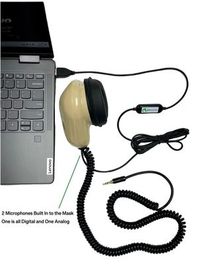
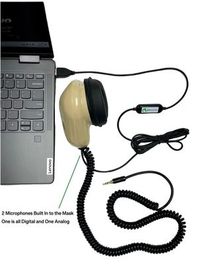
There are several reasonable ways to obtain the audio from the same performance, depending on the available tools. A class might use the program’s supported recording and export route where it provides one. A student with a Martel Double Dragon 2 can send the USB mask microphone to the computer and its independent 3.5 mm microphone to a compatible recorder. If the class uses another supported means of capturing the very same mask dictation, verify it beforehand. Two nominally identical readings made one after another cannot show the instructor exactly what was spoken during the rough being graded.
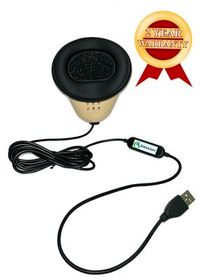
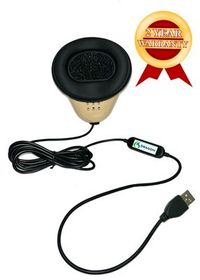
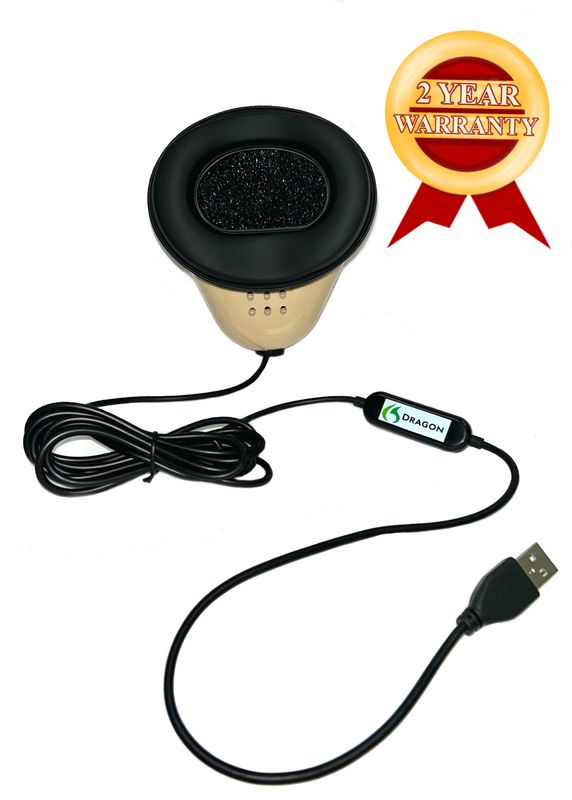
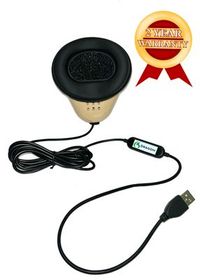
The Martel Dragon USB provides one direct USB microphone path to the computer through its built-in sound card. This can be a sensible choice for a student whose verified class setup obtains its needed recording on the computer. The Double Dragon 2 adds a physically separate microphone output for a compatible second destination when an independent recording of the student’s dictation is useful. Both of its microphones pick up the student’s mask voice. Choose the route according to the recording assignment, then test both destinations that will actually be used. Martel Dragon USB · Martel Double Dragon 2.
Design the file labels before the first student begins. Include a student code appropriate to the class, a lab identifier and a take identifier. The rough and audio should share that base and have descriptive endings so the instructor can tell them apart. For example, a learner with a practice code of Finch could use Finch model A take one as the common base, then add mask audio or first rough as the description. Keep any file extension supplied by the program. Renaming the visible description should help the reviewer identify the file without changing its actual type.
Prepare a fallback within the teaching plan for a student whose microphone check works but whose CAT access is still pending. Let that student complete and document the input-selection and playback parts of the lab using an appropriate practice tool. Provide a specific make-up task when the supported CAT setup is ready. The student can earn useful feedback about the portion they demonstrated. Assign the two-file comparison when both items can come from the same run. This makes the missing evidence clear without sending a beginner through unnecessary repetitions of the parts already working.
The Martel VOX Elite 32 GB and 64 GB listings describe voice-writing preparation, stenomask setup assistance and help with file transfer. A school or student discussing a laptop for this class should bring the actual CAT edition, confirmed recognition arrangement, personal mask model and intended audio destination to the conversation. Explain that the objective is to save and reopen a matching sample pair. The setup appointment can then include the specific practice input and file handling the student needs to demonstrate later. Confirm the publisher’s hardware requirements for the selected recognition configuration as part of that discussion. Martel VOX Elite 32 GB · Martel VOX Elite 64 GB.
We handcraft our Dragon USB and Double Dragon 2 stenomasks in limited quantities. If a batch sells out, there may be a waiting list.
Microsoft documents microphone testing in the Windows 11 Sound settings. Connect the mask and locate the intended device under Input in Settings, System, Sound. Open that microphone’s properties and use the test, speaking at your ordinary working level. Stop the test and listen to the available playback. Record the actual input name rather than writing the name you expected to see. A USB device may be identifiable at your desk even when its displayed label is general. The combination of a label, a physical connection and an audible practice phrase gives you a way to recognize it again. Microsoft’s microphone test.
Use a first phrase that has nothing to do with the graded passage. For example, say, “This is my Windows check. The practice bookmark is purple.” Have the student play back the phrase and identify the word purple. A student who sees movement on a meter can be confident that something supplied sound. A student who hears the just-spoken words can describe the signal in much more useful terms. If a class has several people speaking nearby, ask each learner to use a different final word and listen for their own voice on the saved result.
Microsoft also documents Sound Recorder for Windows. If you use it for the preliminary microphone check, follow Microsoft’s procedure to record and play a short sample. Keep that practice recording clearly distinct from the mask recording paired with the CAT rough. The warm-up proves the selected recorder received sound when you made it. It cannot represent a later dictation run simply because the same student reads the same printed sentence twice. If you intend to use a separate application while CAT is working, confirm the simultaneous route in the actual class configuration before assigning it. Microsoft’s Sound Recorder guide.
Ask the student to draw one line from the mask to the laptop and describe where the recording is made. If there is a separate recorder, add a second line and identify its microphone input and saved file. Ask where the words in the CAT rough will come from and what action starts that particular practice job. If the answer is only “from the computer,” break the question into smaller parts. Which input supplies the sound? Which supported setup recognizes it? Which application holds the rough? A beginner who can name those three steps can ask a precise question even before mastering all the menus.
Before the graded reading, have the student open the correct practice area, create a new job according to the installed CAT workflow and set up the verified simultaneous recording route. Use the agreed take name in both places. Have the student introduce the take with a fictional spoken marker and decide in advance how the marker will be treated when grading. A teacher might exclude the marker from the verbatim score while still using it to match the files. Mark the start of the scored passage clearly so learners do not count setup talk as testimony.
Assign the reader to speak from the original script, including the small correction and the switch between speakers. The reader should avoid improving the wording while reading. If the reader deliberately restarts a sentence or accidentally substitutes a word, mark the exact place on the source sheet. The instructor can then judge the student against the performance they heard. For a beginner’s first attempt, a comfortable, intelligible delivery matters more than a challenging pace. Record the pace only if the timing method has been explained and serves a clear lesson objective.
Assign the reporter to use their own mask, repeat the source speech and apply the school’s supported method for speaker identification. The student should concentrate on completing the sentence they heard and preserving who said it. A teacher can cue the transitions during a first demonstration, then reduce prompting in the graded run if appropriate to the class. When the exercise stops, save the first rough before making corrections. This protects the very evidence the instructor needs to see which skill has already developed and which deserves practice next.
Assign the reviewer to listen and read after the recording stops. During the passage the reviewer may mark any change from the printed reference, but should ordinarily leave the reporter free to work. In review the person should identify one precise observation for audio input, one for wording and one for speakers. “The answer about the smooth side was clearly audible, and the text placed it under the guide” is an observation. “The program seems happy” gives the student little to reproduce. Rotate reader and reviewer roles while each student continues to use their own mask for dictation.
If you study alone, prepare a source recording of the fictional roles at a separate time and use it to supply the lesson. Keep that source distinct from the later mask recording. The two sounds represent different things, even if you performed all the roles yourself. A source file can help check what was available to hear. A mask file shows what you repeated. Label each and retain the CAT rough for the actual take you intend to review. A teacher may ask for the two deliverables and use the supplied source script for comparison.
Decide how learners should handle clarification in the exercise. The instructor might wish the student to request a repeat when an invented name is unclear, or might prefer to evaluate the uninterrupted first attempt and discuss the ambiguity afterward. Explain the lesson choice beforehand. In either case, if a repeat occurs, mark it on the reference sheet or identify it verbally in a way the reviewer can recognize. The student should not have to guess whether asking for a repeat is part of the skill being graded on that day.
The instructor can choose the foundation section alone for a short assignment or include the extension section for a longer test. The cast consists of an examiner, a student guide named Iva Nolan and, in the extension, a technician named Sen Orr. The display is a fictional teaching model with three removable pieces. No prediction about a real astronomical object is part of the exercise. The purpose is listening: preserve which piece had which surface, where the guide stood and who corrected the reference letter.
Examiner. Please tell us what was on the low display table when you opened the room. Guide. There was a round base in the middle of the table and three separate pieces in a shallow tray beside it. One piece had raised dots. One had a smooth side. The third had a narrow ridge across the middle. I could feel the ridge with one finger before I put the piece down.
Examiner. Which piece did you put on the base first? Guide. I put the smooth piece on first. I left the piece with dots in the tray. The one with the ridge stayed in my hand until I found the mark at the edge of the base. The mark was a short raised bar. It pointed toward the door while I was standing behind the table.
Examiner. Did you put the piece with dots at the door side of the base? Guide. No. I did not put the dotted piece on the base during the first demonstration. I held it up so a visitor could see the dots, then let the visitor touch them after I returned it to the tray. I did not count the dots. I counted the three pieces at the start.
Examiner. What letter was printed beside the mark on the base? Guide. I first thought it was a B. When I turned the base toward the lamp, I saw that it was a D. The top of the letter was partly covered by my thumb during the first look. I made a note that the base carried the letter D. The letter on the tray was a separate mark.
Examiner. How did you identify yourself in the demonstration notes? Guide. I wrote Iva Nolan on the top line. My first name is I, V, A. I often hear people ask whether there is an E at the start. There is no E in my first name. My last name is Nolan. The name on my badge matched the name on the notes.
Technician. I brought the tray in before the guide arrived. Examiner. Please give your name and describe the tray you carried. Technician. My name is Sen Orr. The tray had a dark rim and a light center. There was a small C written on the rim. The base was already on the display table when I carried in the tray. I cannot tell you who put the base there.
Examiner. Iva, did you notice the letter on the rim when you began? Guide. I noticed it when the technician pointed to it later. During the first demonstration I was concentrating on the bar at the edge of the base and the piece with the ridge. I can describe what my hand touched. I cannot say where the tray was before I saw it on the table.
Examiner. Sen, how did you move the model after the visitor left? Technician. I lifted the base with both hands and put it on the lower shelf. I carried the tray separately. I did not put the base in the tray. The guide took the notes to the desk by the door. The three pieces remained together when I carried them, but the base was already on the shelf.
Examiner. Iva, what detail would you use to identify the piece you placed first? Guide. It was smooth on the side I touched. The drawing on the poster showed a circle, but I selected the piece by touch during the demonstration. I would identify it from that smooth surface and the shape I felt as I set it down. I am describing the piece I handled, not the picture above the table.
Immediately after the last scored line, save the two items using the agreed procedure. Open the rough and locate the first question. Play the mask recording from near that point and listen for what you dictated. Then identify a detail nearer the end of the selected passage. Matching an opening marker alone can miss a pair from different attempts that happen to start the same way. A unique take identifier and a verified late exchange make the pair much easier for the instructor to assess.
Use three separate categories worth four practice points each if a numerical score helps your class. This rubric is an original teaching choice. It carries no certification or publisher endorsement. Share it before the reading so a student knows what evidence earns each point. If the class uses a shorter foundation reading, grade the available turns and details within that section rather than asking a student to produce evidence from an extension never assigned. Preserve the category results alongside any total, because their differences identify the next lesson.
For the audio category, award one point for identifying the intended mask path and selected computer input. Award one for a playable recording in which the student’s own dictated words are identifiable. Award one for matching the recording to the rough through the take marker and a later passage. Award one for reopening both items from the actual submission location and finding the marked exchange. A learner might earn the first two points and still have work to do on matching files or saving deliverables. Write the missing action in the feedback rather than ending the explanation at a number.
For the wording category, award one point for preserving which piece was placed first and which one stayed in the tray. Award one for preserving the negation concerning the dotted piece. Award one for the sequence of the letter correction from B to D. Award one for retaining the supplied spelling information about Iva without inserting an initial E. On the extension reading you can add observations about C on the tray and the movement of the base as qualitative feedback without changing the announced four-point scale. This keeps scores comparable across students assigned the same material.
For the speaker category, identify four preselected features. In the foundation version these could be the opening examiner label, the opening answer under the guide, the transition to the examiner before the negation question and the placement of the spelled-name answer under the guide. For the extension, an instructor can announce four features that include the technician’s entry and return. Mark whether the structure clearly tells a reader who made each statement. A rough can preserve every word of an answer while giving it to the wrong person, so evaluate the actual placement of the text.
Use a short feedback conference to connect the marks. Suppose a fictional student receives four points for audio, three for wording and two for speakers. Find the missing wording point and identify the exact two speaker transitions to practice. Ask the student to play the relevant mask entry and read the saved line. If the dictated words include D clearly yet the saved rough needs B changed to D, assign a focused exercise for that observation. If the model surfaces were all correctly described but the technician spoke under the guide’s label, the next task concerns attribution. The score alone would not tell the teacher either of those things.
If the audio pair is the difficulty, give the learner a very short recovery assignment. Ask the reader to say, “The silver piece stayed in the tray until the end.” Have the student dictate that sentence under a new take identifier and open the corresponding mask file and rough. Use another new word near the end, such as copper, so the reviewer can distinguish the second take from the foundation passage. Once the student can present the pair from its actual saved location, return to the original rubric and record precisely which missing action was demonstrated.
If words near a correction are the difficulty, use a new set of letters and a different object. The reader might say, “I first saw an M on the card. Under the lamp I could read the letter N. I wrote N in the margin.” Ask the student to preserve the first impression and the corrected reading in sequence. A rough giving only the final N may tell the final answer while omitting part of the testimony. Compare the mask recording to the actual reading. A student who omitted M while repeating needs different practice from one who dictated both letters clearly.
If speaker attribution is the difficulty, make the language intentionally easy so the student can concentrate on the turns. The examiner asks who moved the stool. The guide says the technician moved it. The examiner asks the technician where it went. The technician says it went beside the door. Ask the student and reviewer to read only the speaker labels in the rough, then read each corresponding answer. A useful result is a transcript in which a reader can identify who said something about the technician and who actually spoke as the technician.
If the student is uncertain about working speed, let the second take begin at a comfortable pace and measure one task at a time. The reader can increase pace on a new short passage after the learner has shown that the input and speakers are correct. Time the reading from the agreed start to the agreed end, then separately record the time the student spends verifying the rough. A faster reading that requires more review may still be a useful training step. State what was practiced and what happened in the particular session before drawing conclusions about readiness.
If the learner’s equipment and the classroom computer differ, give the student an additional transfer-of-skill exercise at the second desk. They should use their own mask, identify its input, produce a new fictional pair and locate one marked exchange. Keep the new files labeled with the second location in the student’s own notes. If software access or recording arrangements differ, note which steps could be performed there. The student can then explain what carries over from the classroom and which publisher-specific details still need to be confirmed.
Start the discussion with one clear success from each student’s actual files. A learner may have captured the full negation, distinguished the letter on the base from the one on the tray, or submitted two files correctly matched on the first attempt. Name the observable act and point to it in the material. A precise success gives the learner something to repeat. It also makes the next correction easier to understand because the student can separate the parts that worked from the one skill currently under review.
Ask the student to explain the difference between their input and the source they heard. Use the line about the smooth surface. What did Iva say? What did the student repeat into the mask? What appeared in the first rough? If all agree, explain how the three pieces of evidence support the result. If one differs, identify where the paths first diverge and what a new practice pass could reveal. The student learns to discuss accuracy without assuming that every discrepancy is a software setting or a hardware problem.
Close with one independent task for next time. Examples include demonstrating the two-file handoff with a new passage, preserving a self-correction about a number, or identifying a third speaker who joins an exchange. Include a criterion the learner can judge alone before the next class. For instance, they might open the rough from the submission location, find the technician’s answer, and hear the corresponding utterance on the recording. When the task describes a visible or audible result, the learner can recognize progress before waiting for an instructor to grade it.
For a larger class, anonymized fictional examples can illustrate each of the three skills. Obtain any permission needed before sharing a student’s actual practice work and follow the school’s process. Alternatively, the instructor can create synthetic examples specifically for the discussion, including one misattributed answer, one missing negation and one mismatched file pair. Have the class decide which category each finding belongs in and what evidence would settle it. This allows everyone to practice diagnostic thinking with common material while each learner keeps their own equipment and individual results.
A student may open the correct recording immediately on their own laptop because the application remembers the last file it used. The instructor may begin with only the two items in the submission area. Rehearse that second experience before class ends. Ask the student to close the playback window, locate the submitted audio in its agreed location and start again from the file itself. Repeat with the rough. This demonstrates whether the handoff contains material another authorized reviewer can actually use without access to the student’s recent-file list.
Choose a retrieval question that directs attention to meaning rather than a memorized line number. For example, ask which piece remained in the tray while the guide placed the smooth piece on the base. The student should find enough of the question and answer for the instructor to recognize the exchange. Follow with a request about a different object, such as the card or the base in a later exercise. If the student initially finds a nearby mention of the same word, ask what in the surrounding testimony identifies the right passage. This teaches careful readback and close listening at the same time.
Leave each student with a dated statement of what they can demonstrate from their own files. One learner may be able to identify the right microphone quickly but still need practice saving a matching rough. Another may handle the entire file transfer smoothly and want more work on the technician’s interruption. Ask each learner to put their next task into a single sentence linked to the example they just reviewed. At the following session, use a new invented exchange with the same teaching objective. Seeing the student use the skill on unfamiliar material is a stronger sign of learning than seeing yesterday’s fully memorized passage performed again.
Provide the mask recording and the first unedited CAT rough from the same take, using the instructor’s approved formats and destination. Before handing them in, open both as they will be reviewed and locate one exchange in each. Keep the original native job according to the course procedure if the rough you supply is a separate readable copy.
The recording shows what you spoke into the mask. The rough shows what appeared in your reporting job and how its text was organized. If an answer differs from the script, the instructor can listen to your utterance before deciding what to practice. A text-only submission leaves open whether the difference first appeared when listening, repeating, recognizing or editing.
The Windows test is a useful preparation check. Its spoken marker identifies the input used during that test. For the graded pair, provide the recording made from your mask during the actual CAT take. The two pieces serve different teaching purposes, so give the Windows warm-up its own name and keep it distinguishable from the graded material.
Make a new rough and recording together if you need a replacement take. A later rereading may sound almost identical while containing a new hesitation, a slightly different letter or a changed speaker cue. If only the original rough survived, identify it honestly as an incomplete pair and follow the instructor’s process for demonstrating the missing part.
Use the actual Windows 11 Sound input list, select the intended microphone and make a distinctive spoken test. Trace your personal mask’s connection to the computer and play the recorded phrase. If similar names make selection unclear, compare an intentionally labeled laptop microphone sample with the mask sample and restore the intended input before you begin the lab.
Use different marker words and speak at ordinary working levels. Listen for which voice sounds closest in your own mask sample and verify the selected input name and physical connection. A little surrounding sound does not by itself identify the active microphone. The combination of your own clear marker, your cable route and a deliberate comparison is more informative.
This lab is intended to establish each student’s working equipment, comfortable position and recognizable input. Using your personal mask throughout gives you a reference you can reproduce after class. Partners can read, time, observe or check permitted samples using their own roles. The instructor can demonstrate technique on an individually owned mask without requiring students to exchange equipment.
Match the choice to the verified recording route. The Dragon USB supplies a direct USB microphone input to a compatible computer. The Double Dragon 2 adds a second microphone feed through 3.5 mm for a compatible recording destination. If your class expects an independent recorder file, confirm the recorder input and saving procedure before deciding which mask arrangement fits.
Its independent recorder connection carries the student’s mask dictation from the second microphone in the mask. A room recording of the reader is a different source. The required audio in this assignment is the student’s own dictation, so the independent mask recording can be valuable. Label it clearly as mask audio when you present it to the teacher.
Include the CAT product and release, confirmed recognition arrangement, personal mask connection, desired recording destination and other programs used during class. Discuss these with Martel when choosing between VOX Elite packages and with the software publisher for its applicable requirements. Bringing a short permitted practice job lets a setup appointment include both opening existing work and capturing a new sample.
Ask the instructor to identify the supported CAT product, release, recognition choice and intended setup procedure. Make the new practice job under that arrangement. A microphone working in Windows establishes audio reception there. It does not identify which recognition engine your CAT installation is using. Accurate labels on the lesson avoid giving a student credit for an integration they have not yet used.
Stenograph’s version guidance directs users to the About dialog under Help. Record the version and build needed for the course discussion, keeping private identifiers out of a general class worksheet. Ask the publisher which Speechmatics installation and access details apply. Then follow the confirmed directions when preparing the two-file exercise in the actual classroom environment.
Read Advantage Software’s version table and confirm the supported hardware for the local option. The publisher identifies a Boost Box or qualifying computer purchased from Advantage Software. A course may have its own established arrangement. Write down what the class uses and which steps you can perform on any personal VOX laptop you bring to practice.
Complete the microphone identification and playback exercise that your current equipment supports. Record those results and arrange a later performance under the supported CAT setup once access is ready. The instructor can give meaningful feedback about the completed input work now, while leaving the same-take rough and recognition portion open until it can actually be demonstrated.
Check their shared take name, the spoken marker and a passage from later in the same performance. Listen to the student’s actual wording around that second point and compare it with the rough, allowing for recognizable recognition differences. A marking such as a deliberately different take word helps distinguish two attempts that otherwise use the same printed script.
For this first-lab design, preserve and submit the unedited first rough so the teacher can see how the original result appeared. If the instructor also wants a corrected working copy, label it separately. An excellent correction is useful evidence of editing skill, but silently applying it to the only rough removes evidence from the recognition and wording parts of the lesson.
Mark the exact change on the supplied reference or tell the instructor which line differed. A student who correctly repeated the reader’s actual words should be assessed using the performance they heard. If the change makes a selected rubric item impossible to score, use another reading for that item. A careful teacher separates an altered source from a student’s omission.
The guide initially sees B and later reads D. The sequence matters because it describes a correction. A rough containing only D captures the final identification while losing part of the witness’s account. Ask the learner to find both letters, the reason given for looking again and the final note. These items provide a focused test of listening and reporting.
In the extension, Sen Orr says a C was written on the rim of the tray. It is a different mark on a different object. Iva Nolan gives the corrected B-to-D account about the base. A rough needs both the object and the speaker to preserve this distinction, which makes the extension useful for practicing attribution after the basic exercise.
The invented guide spells the name I, V, A and explains that it has no initial E. The reviewer can compare the displayed name, the explicitly spelled letters and the sentence explaining the distinction. A recognizable spelling exchange gives stronger grounds for correction than a guess based on how a familiar name normally looks in print.
Mark the audio result as observed and the written-form difference as a separate finding. Ask the teacher or CAT publisher about the supported way to handle that spelling in a practice environment. Then use a new sentence containing the same name and check the result. A spelling difference alone gives insufficient information to justify changing a working microphone connection.
This original twelve-point first-lab rubric awards points for audio evidence, wording and speaker identification. It does not require a speed score. If pace is a separate learning objective, measure it with a defined start, stop and reference word count and report it beside the rubric. This lets a beginner concentrate on establishing a reliable workflow before increasing difficulty.
Yes. The text of an answer can be reproduced accurately and still appear beneath the examiner or a different witness. Read just the labels and the opening of each turn. In the extension, the technician’s statement about moving the base belongs under Sen, while the description of the piece chosen by touch belongs under Iva. The rubric evaluates these relationships separately.
Use very short, familiar sentences and only the number of speakers needed to exercise the missed transition. Give one person a question about a stool and another a short answer about its position. Add the technician only after the learner can separate the initial two roles. Then reintroduce more demanding vocabulary in a new take.
Prepare a short question and a clearly defined pause followed by an answer beginning with a meaningful word. Let the learner reestablish normal mask position and record the exchange. Compare the source, mask audio and rough at the exact boundary. The comparison tells the teacher what the student actually heard and delivered before interpreting the text result.
First identify whether the delivered audio is the intended complete file and whether the instructor’s normal review setup supports the agreed format. Play the file from the actual submission location. If the course requires another supported export, use the original saved material to produce it and check the new copy, preserving which take it represents.
Use the school’s instructions and the permissions established for the lesson. Fictional subject matter makes the exercise easier to demonstrate, but student recordings and identifying information still deserve the handling the course requires. A teacher can create a new synthetic example for group review when sharing an individual student’s own performance is unnecessary.
Create a separate source recording of the roles earlier, then use it as the reader during your own later practice run. Keep the source and mask recordings under distinct names. Start the CAT job and verified mask recording together for the graded take. You can then evaluate what you heard, what you repeated and what the rough preserved.
Identify the personal mask model and connector, selected Windows microphone name, CAT release, confirmed recognition setup and one fictional sentence you spoke. Say where the audio was expected, what file you actually opened and whether the matching rough contained that sentence. This narrows a support or setup conversation to the exact step that needs attention.
Set up your own equipment again, create a distinctly named take, complete a short new exchange and open the paired results from their saved location. Identify the speaker and an important word in both the recording and the rough. If you can explain those steps and show the result to a teacher, the lesson has produced a repeatable skill.