


A Mock Court Hearing From Roll Call to Readback With Speechmatics
Run a complete fictional footbridge hearing with Martel stenomasks, two witnesses, exhibits, a recess, a disputed readback, and four separate scores.
Practice switching from Dragon to Speechmatics in EclipseVox with a mock examination, vocabulary checks, and a Martel stenomask and VOX laptop setup.
The first thing to bring from Dragon to Speechmatics is a job you understand. Think of a witness describing a repair to a theater curtain. You know how to capture the witness’s correction, mark a change of speaker and find the answer for readback. Those are reporting skills you can take into a new recognition setup. If the rough comes back with the wrong name, you want to hear what you dictated and find the entry you used. An empty job and a reference passage give you that opportunity before an actual witness is waiting for the next question.
Advantage Software describes EclipseVox as supporting both Dragon Professional and Speechmatics Enhanced. It says an EclipseVox user can choose between the two. Its published transition workshop is intended for reporters already familiar with EclipseVox and Dragon. The course description identifies audio setup, vocabulary management, pronunciation and practice translation as parts of the move. That gives you a good starting point for your questions. Bring the release you are using and the exact words you want to test to the publisher’s instruction for your installation. Advantage Software’s EclipseVox description · Advantage’s transition workshop.
Give your first rehearsal one concrete objective. A useful one might be to capture the distinction between an electrician named Eda and a workshop called Eda Lighting. Another might be to preserve the witness’s change from a weekday to a calendar date. Choose just one sentence you intend to retrieve at the end. If you can open the saved job tomorrow and show another reporter what you received, what you checked and what you changed, you will have made a measurable start. A clean screen at the moment of dictation offers only part of that evidence.
This article includes an original fictional examination about a theater repair. Use it with your own stenomask, your own EclipseVox setup and the recognition option your publisher supports. Later sections show how to interpret plausible outcomes from the exercise. The names, equipment events and illustrative results in the examination are invented. The cited product information comes from Advantage Software and Martel. References to the exercises describe reporting practice that you can adapt to the conventions of your training program or workplace.
Open one of your own saved practice jobs in the working setup. Pick a passage with an identifiable name, a short answer and a transition back to a question. Say or write down what you expect to see. For example, you may expect the witness to be on an answer line, a company name to have initial capitals and a speaker interruption to remain visible. Look at the rough you saved before editing if you have one. Your final document is a valuable reference for the finished style, but a corrected name in it cannot tell you how the name first appeared.
Make a simple inventory of the materials you will want later. Include the installed EclipseVox release and build as displayed by the program, the identity of the current speech engine, a practice job you can reopen, the location of any practice recordings and the names of dictionaries or other working materials you rely on. Preserve an untouched copy of the materials you are authorized to use. Use the software publisher’s own directions for backing up or restoring program-specific data. Give each copy a purpose in its filename so you can identify your baseline from tomorrow’s exercises.
Choose a short list of items that tell you something about your personal writing habits. A wedding photographer, a textile technician and a general contractor would all use the word “lead” differently in a sentence. Your reporting practice may involve a similarly small set of words that regularly change meaning with context. Write one full sentence for each troublesome term. Write a second sentence containing an ordinary neighboring word you also want to preserve. In the theater exercise, a person named Fay is paired with the word “fade” in the same stage direction. An isolated list would miss the distinction.
Include one personal shorthand or pronunciation decision and record what you actually say. If your usual practice involves voicing a special form to obtain capitalized text, document the sound and the desired written result in separate columns. Leave space for what the new practice job actually produces. Importing a complete working system is a different activity from using an old word list as a reference. Advantage’s workshop addresses transferring habits into deliberate VOCAB and pronunciation choices. Follow its instructions when you reach the point of creating or changing an entry in the program. How Advantage approaches vocabulary during a transition.
Make the handoff reversible. Keep the old practice job with the date it was written, identify your new rehearsal as rehearsal, and avoid overwriting the only copy of a dictionary while you learn a different workflow. After applying a change to your practice setup, reopen the old saved text and confirm which copy you are reading. Use an invented marker like “matinee trial, blue ribbon” in the new job. If you return after a busy week and see that phrase, you will immediately know you are looking at the rehearsal and can interpret its unusual expressions accordingly.
Advantage’s version information lists local Speechmatics for Eclipse 10 and 11. For Eclipse 12 it lists local and cloud Speechmatics. For a local installation, Advantage directs customers to its Boost Box or to a qualifying computer they buy from Advantage. Its current Boost Box product page gives its own requirement of Eclipse Steno or EclipseVox version 11 or later. A reporter using release 10 can take both references to Advantage to identify the supported equipment for that particular installation. That is a more precise buying question than asking whether a laptop can generally run voice software. Advantage’s release and local hardware information · Current Boost Box requirements.
Choose the route you can actually practice. On your rehearsal sheet write the installed release, the selected engine and whether the proposed setup uses local or cloud processing. Add who confirmed access for your particular license. Leave unanswered fields open. A useful note might read, “I have identified the release and the local hardware, and I am waiting for the publisher’s directions for starting the practice job.” That gives your next conversation a definite subject. It also prevents you from interpreting a general product description as proof that a particular account is already configured.
Work through the publisher’s own instructions to select and configure the supported engine. Advantage’s introductory workshop describes setting up the user environment, audio input and Speechmatics connection and checking how spoken words become written output. Its transition workshop is the closer fit for someone with an existing Dragon workflow. Pick the one that matches what you need to learn. Save the instructions that apply to your build or record where to find them again. If what appears on your desktop differs from a classroom demonstration, write down both release numbers before trying to reconcile the two screens. Advantage’s introductory workshop · Advantage’s course for Dragon users.
Decide what would make a fair first comparison. The same reporter, personal mask, desk position, passage and nearly identical speaking pace make two samples easier to interpret. Running yesterday’s Dragon practice in one room and today’s Speechmatics practice on a new laptop in a noisy hallway changes several things together. The hallway practice may still be valuable for preparing to work there. Label it as a different exercise. Separating the comparison from the more demanding rehearsal means you can learn something specific from both.
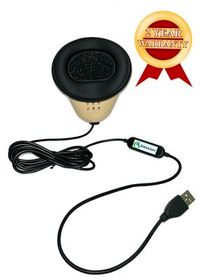
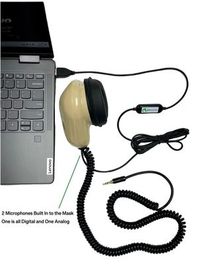
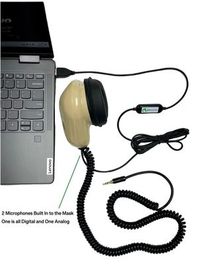
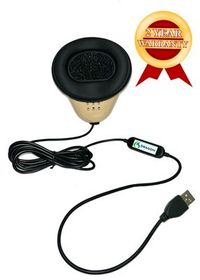
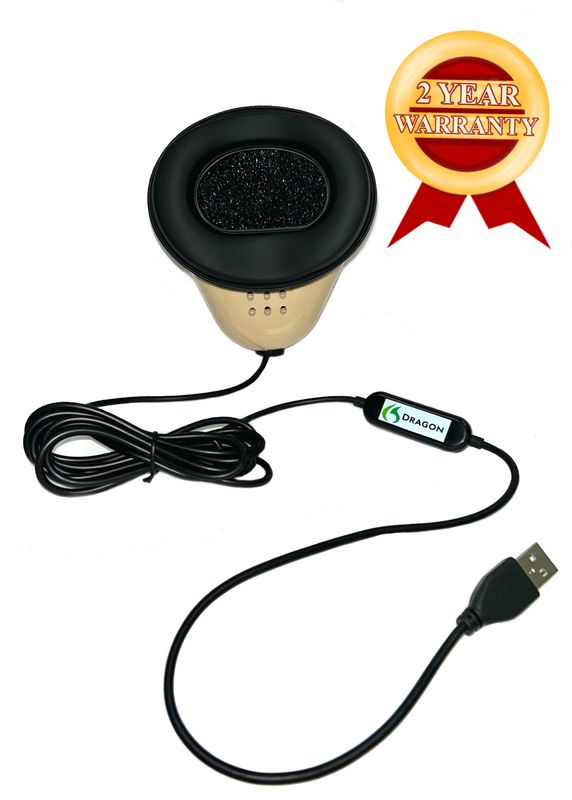
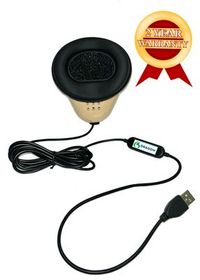
The Martel Dragon USB Stenomask uses a built-in sound card and sends your dictation to the computer through its USB connection. The Double Dragon 2 adds a second microphone in the same mask with a 3.5 mm output for a compatible second device, alongside its USB computer connection. A separate recording from that second microphone can preserve what you spoke into the mask during a comparison. If you want to hear the fictional witnesses as your partner reads them, arrange a separate appropriate room recording. Each type of audio answers a different question later. Martel Dragon USB Stenomask · Martel Double Dragon 2.
Mark a microphone test with a phrase you would never mistake for ordinary testimony. Say “theater rehearsal, balcony entrance,” then speak two lines of normal prose at your working level. Choose and check the intended input using the instructions for the computer and the application you are testing. Play back the saved sample before labeling it. Listening to the repeated words and how close the voice sounds gives you more evidence than merely seeing that an input meter moved. Include a few seconds of quiet, followed by a short answer, so you can hear your first word after a pause.
If you use a Double Dragon 2, start the compatible recorder separately and speak a second marker into the mask. Stop and save that short trial, then play it on the recorder. You now have proof of the particular file made through that connection. Begin a new recorder file for the mock examination itself. Recite a fresh identifier at the start and write down that filename. When you later compare the two roughs, you will be able to find the actual dictation from each reading even if the computer and recorder show slightly different times on their clocks.
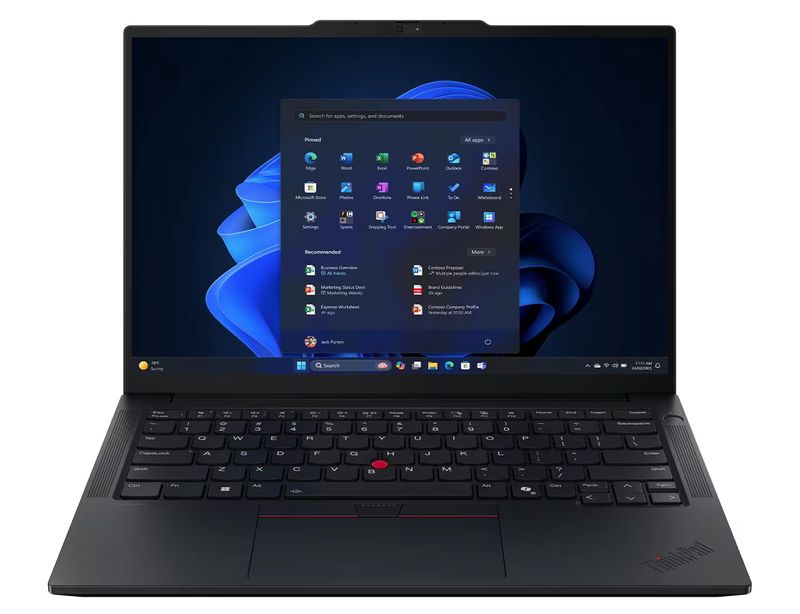
Martel’s VOX Elite laptop packages include stenomask setup assistance and help with transferring CAT files. Martel offers both 32 GB and 64 GB choices. Describe your current reporting job, storage needs and connected equipment when discussing those options. Bring the specific publisher-supported recognition route into the same conversation. When the route involves local EclipseVox recognition, identify the separate hardware specified by Advantage or the qualifying computer purchased from Advantage. This keeps the Martel reporting laptop, microphone connections and recognition equipment visible in your purchasing plan. Martel VOX Elite 32 GB · Martel VOX Elite 64 GB · Advantage’s local recognition hardware.
Ask a partner to read the following fictional exchange. The partner may pause for you to revoice the speaker names according to your training. For a solo practice, record yourself reading the source material in advance and use the recording as the witness and questioner for both passes. Keep answers intact, including corrections. If you make a spoken mistake during a reading, leave a small mark on a note next to the passage number. That mark can explain something in the rough later without requiring you to interrupt the whole trial and begin again.
Question. What work did you do at Hazel Pier Theater on the day of the matinee? Answer. I checked the curtain at the front of the stage. The curtain runs across two tracks that meet above the middle seat in the first row. My job was to find out why the left panel had stopped before it reached the center. I used a white chalk line on the stage floor to mark the spot where its edge came to rest. The line was on the stage floor, well in front of the first row of seats.
Question. Who called you to the stage? Answer. The stage manager, Fay Bell. I know her well because she runs the afternoon rehearsals. Eda Vale from Eda Lighting was there too. Fay reported that the light over the stairs came on when it was supposed to. What worried her was the gap between the two panels, which the audience could see when the stage lights began to fade. Eda said she had left her ladder in the wing after aiming that light. She offered to bring it out for me to use.
Question. Is the company called Aida Lighting? Answer. The spelling on the printed card is E, D, A, followed by the word Lighting. Eda Vale spells her first name the same way. I saw the company name on the card, and Eda told me her own name at the stage door. Those are the two ways I learned the spelling. The handwritten note you showed me a moment ago says only “lighting crew.” I cannot identify who wrote those two words.
Question. What did you find when you looked above the curtain? Answer. I found a strip of purple cloth tied around a bracket on the left track. It marked the place where the crew had measured the track the previous evening. The strip did not touch the moving curtain. About a hand’s width farther along, a metal clip was turned sideways. I straightened the clip and walked the panel forward by hand. It reached the middle after that. I left the purple strip exactly where I had found it.
Question. What time did you straighten the clip? Answer. I wrote twenty past one on the work sheet. That was when I began the inspection. The next entry, at ten minutes to two, is when I marked the work complete. I cannot give you the minute when I touched the clip. I was on the ladder then, and the paper was on a table in the wing. Question. Did the audience come in at twenty past one? Answer. I did not see anyone from the audience enter while I was doing the inspection.
Question. I am showing you a paper marked Exhibit Twelve B. Is it your work sheet? Answer. That shows the stages of the repair in my handwriting. The lower right corner is folded, which hides the letter after the exhibit number in this copy. I can read the letter on yours. The small sketch in the margin shows the clip before I moved it. Please turn the page a quarter turn to your right. The arrow pointing down now points toward the floor as it did when I drew it.
Question. Earlier you said the curtain moved to the right. Is that your right as you faced the audience? Answer. Let me make that clear. Standing on the stage and looking out at the seats, I moved the panel from my left toward the middle. Sitting in the middle seat and looking back at me, you would see that panel come from your right. I called it the left panel because I was on the stage. The audience’s view would reverse those directions on a drawing.
Question. What happened after the matinee? Answer. Fay asked me to mark the spot again during the evening rehearsal. I suggested a pencil mark this time because the chalk might rub off. We agreed to talk on Thursday. Let me correct the day. We agreed on Tuesday to talk on Thursday. The evening rehearsal itself was on Wednesday. All three days appear on my calendar. The entry for Thursday says “talk to Fay.” It does not say that I returned to the theater that day.
Question. Did you give the work sheet to Eda? Answer. I gave a copy to Fay and left the original on the table. Eda took a photograph of the small sketch. I remember holding the folded corner flat while she took it. She may have photographed the whole page as well, but I saw only the picture of the sketch on her screen. I have not seen the photograph since that afternoon. Question. Do you know what she called the file? Answer. No. I can identify what I saw on her screen. I cannot identify the name she used to save it.
The first reading describes an event in the theater. The second asks you to capture how much of that event the witness actually saw. Save a rough for each engine before making editorial corrections. Keep the reference text, your mask recordings and the job names beside your notes. Each time you listen back, use the source material to decide what the witness said, the mask audio to decide what you repeated and the untouched rough to identify what reached the page. Use a passage label such as “the exhibit corner” instead of guessing where the clock was during the reading.
Take the answer about the time of the inspection. Your reference contains a start time, a finish time and an explicit statement that the witness cannot identify the minute of the repair. A transcript can display both times correctly and still give the wrong impression if a phrase disappears between them. Find “when I began the inspection” and “when I marked the work complete.” Read the surrounding question too. Mark whether the witness attached each time to the intended event. Only after checking the relationship should you move to formatting the times according to your own transcript requirements.
Next, find Eda Vale and Eda Lighting. The spelling comes from two sources within the fictional testimony, the printed card and Eda’s introduction. If the rough has the person right and the company written as two unrelated words, listen to your own delivery before changing any vocabulary. Did you say the whole company name at the same level and pace as the person’s name? Did your voice trail off at Lighting? Try a short new sentence containing both names. A phrase from another setting, such as an invoice received from Eda Lighting, helps test whether your correction travels beyond the original passage.
Read the statements about left and right from two points of view. On stage, the witness moved the left panel toward the middle. From the audience, it came from the right. If you consciously simplify that into a single description while dictating, the software can faithfully transcribe a different sentence from the one the witness spoke. Compare one clause at a time. Write the observer next to the direction in a margin copy of the reference. Then read the passage back to a partner and see whether the partner can point to the correct observer without you giving an extra explanation.
Check the small words that limit what a witness knows. This witness saw Eda’s photograph of the sketch and allowed that there might have been a photograph of the whole page as well. Look for “may,” “only” and “cannot” across the last few answers. Mark each word you can hear in your own recording. A sentence that sounds fluent after one of those words disappears can still give the reader mistaken certainty. When working on an engine transition, give these meaning changes their own column. They are often more informative for your next rehearsal than a count of capital letters you corrected.
Now prepare a short report on your two passes. Choose four details to compare and quote the exact written words that appeared in each original rough. For instance, record the name of the person, the name of the company, the letter of the exhibit and the day of the follow-up conversation. Place a check beside a field only after verifying the detail against the reference. Leave an open field when you cannot verify what you personally said. You will get a much better practice plan from three known differences and one honest open question than from four guesses about recognition behavior.
Pick a term that occurs frequently enough to justify checking an entry. Let us suppose that during this invented exercise a reporter consistently sees “Ada Vale” in the unedited rough after speaking the fictional name “Eda Vale.” Preserve a short sample with clear audio and note the desired written form. Work with the publisher’s supported vocabulary process for your installed setup. Change one practice item. Dictate a new question asking whether Eda Vale came alone and another asking whether Eda Lighting sent a bill. Save both before making a judgment about whether the change helped.
A nearby ordinary word is a useful safeguard for any adjustment. A reporter who works on Fay’s name should also try a sentence about stage lights beginning to fade. If the name comes out correctly and the ordinary verb changes unexpectedly in that later sentence, the new result belongs in your notes. Bring both examples to a trainer with the entry you tried. Because the two sentences use different grammatical roles, they can show a distinction that a list of repeated proper names does not reveal. This gives the trainer a small, concrete way to reproduce your question.
Set two times beside your practice result. Measure how long the reading took, and measure how long you spent turning the saved rough into the practice copy you wanted. Say you dictated a fictional passage of 180 words in 90 seconds and spent 75 seconds checking it. Your delivery pace was 120 words per minute, and the combined time to reach the checked copy was two minutes and 45 seconds. Those figures simply illustrate the arithmetic. If you run your own timing exercise, keep the same start and finish definitions for both passes and record any pauses you took to handle equipment.
Use the next session to test something your first session could not show. If the first passage was familiar after the second reading, ask a partner to supply a fresh question with the same difficult name. If you worked in silence, bring in the normal classroom activity you expect, using fictional material. If you worked entirely from the printed script, try listening and revoicing while also tracking who holds the exhibit. Increase one demand at a time. A good transition note describes exactly which skill held up and what evidence you kept for your next decision.
We handcraft our Dragon USB and Double Dragon 2 stenomasks in limited quantities. If a batch sells out, there may be a waiting list.
Begin with what you already know how to demonstrate. Find an answer by subject, repeat a witness’s correction accurately and distinguish counsel’s voice from the witness you are repeating. Those skills have visible results in either practice job. Put the engine-specific questions on a second page of notes. For example, write down how the publisher wants you to represent a recurring spoken form in the new workflow. You can learn that operation while using the same familiar names, reference material and transcript standards.
Advantage says that EclipseVox offers a choice of Dragon Professional and Speechmatics Enhanced and that its choice of accompanying book does not restrict the software options. Use that public statement to frame the conversation about your own installation. Give Advantage your build, license information through its proper support channel, and the route you intend to use. The publisher can identify instructions applicable to you. A classmate’s working setup tells you what the classmate demonstrated and gives you precise questions to take back to the source. EclipseVox options from Advantage Software.
Choose a passage short enough that you will actually review every answer. Six accurately reviewed minutes can teach more about a particular habit than a long file you never reopen. For the very first pass, you can use the exchange about the company card, the spelling and the handwritten note. It includes a proper name, an ordinary word and a statement about the witness’s knowledge. When you can explain each difference between the first output and your reference, add another passage with different demands.
Record the build as well as the release, and check the exact product you intend to purchase. Advantage’s general version page identifies releases with local Speechmatics. The currently listed Boost Box page states a minimum of Eclipse Steno or EclipseVox 11 for that box. A reporter running Eclipse 10 should take those two facts to Advantage before choosing equipment. For a reporter on a newer release, the same conversation can confirm hardware, the connection to the reporting computer and the account arrangements for this installation.
Use a plain name you will recognize in six weeks. “Theater prior Dragon rough before corrections” conveys more than “old test final.” Give the edited reference a different name that explains why it exists. Include the date in your preferred filing convention and keep any identifying material out of practice files shared beyond your own work. When you open the old rough, confirm the title and read a distinctive line before entering comments. You want those comments attached to the intended working copy.
Identify the microphone you already use, select the supported input and make a saved trial. The Martel Dragon USB supplies computer microphone audio. The Double Dragon 2 gives you an additional microphone path for a compatible second device. Once you can hear a clear recording of your own words and see the intended job receive them, you can evaluate that setup. Buying a different mask becomes a specific decision about connections, personal fit or recording destinations, grounded in the work you intend to do.
You may remember a written name perfectly and still hear an unfamiliar pronunciation when someone else speaks it naturally. Give the partner an explanation of the intended pronunciation, then let the partner read at a reasonable reporting pace. Ask for a spelling in the mock dialogue. Listen to what you revoice immediately after the spelling. This practice checks listening, identification and revoicing together. It also gives you two independent observations, how the name sounded and which letters the source explicitly supplied.
Write down the actual durations beside both files and retain the comparison. If one run had a long interruption, say why. On another day, choose a new passage with similar demands and try reversing which engine you use first. A slower reading may capture more distinctions because you had time to articulate them. Alternatively, you may simply have known the passage better the second time. Reversing the order on unfamiliar material can help separate these influences without turning your own drill into a product ranking.
Decide what the pass is designed to show. To learn what first reaches the page, keep the original rough and note where a visible difference caught your eye. To practice editing, make an editable copy and correct the passage using your normal method. These two exercises measure different things. If your regular realtime method includes making certain corrections immediately, run another practice pass using that method and label it. Then you can evaluate both the first output and your actual working performance.
Play the source question and your own dictation for each pass. The witness mentioned Tuesday, Thursday and Wednesday in a particular sequence. If you repeated Wednesday where the witness said Thursday in both mask recordings, practice preserving the change of thought. If the recordings are clear and both roughs differ from what you said, look at how the surrounding phrases were interpreted in the configured workflows. Keep the original text from each run. The shared result gives you a place to investigate and still leaves room for different explanations.
Start by asking what the word does in the transcript. A rare adjective spoken once and spelled clearly by the witness creates a different maintenance decision from a company name repeated forty times throughout a practice job. Consider the written form you need, how you say it and what ordinary words sound similar. Try the candidate in more than one sentence before deciding. The point of your personal practice list is to identify the adjustments you can maintain and verify over time.
Names often contain ordinary words. The word lighting should remain available in “the lighting over the stairs” while the full company name may need capitalization in “Eda Lighting sent a bill.” Include both expressions in your sample. Ask the reader to use the company name at the beginning and in the middle of separate sentences. Correct capitalization at the start of a sentence alone may obscure what happens to the same name elsewhere. Save the four results with the dictation you used.
Mark the point where the witness starts one account and then corrects it. Read the text on both sides of that point. In the theater examination, the witness initially says an agreement was reached on Thursday, then clarifies that Tuesday was the day of the agreement and Thursday was the planned conversation. In your practice style, check that a listener can reconstruct that sequence. A polished summary describing only the final schedule would conceal the witness’s actual process of correction.
Put the sound you actually use on one line and the written result you expect on the next. Choose a reference sentence that makes the intended meaning explicit. Have a second person read back the text with no access to your spoken guide and ask what it means. If the reader understands something different, identify whether spelling, segmentation or meaning caused the difference. That specific observation is more useful in a VOCAB conversation than an unexplained list of words flagged as difficult.
Keep a small collection of unchanged test sentences beside your new entry. After adjusting the practice item, read one sentence from that collection and one containing the new term. Save the results together. A distinction that improves the person’s name but changes an ordinary verb has given you a pair of examples worth examining. Follow the publisher’s maintenance and restoration procedures for your practice materials. Once the older sentence and the new one both read correctly, repeat them in another order.
Start with a word you can hear. If the mask recording of “Vale” is distant and a partner’s voice is louder than yours, return to input selection and physical setup. If your own recording is clear and the saved text has the wrong written surname, examine the spelling and vocabulary question using a new sentence. If the recording contains the wrong word spoken clearly, the exercise points toward listening or revoicing. Each observation gives you a different next action while preserving the original evidence.
Memory tends to supply the words you intended. Listen to the recording once without looking at the printed reference and write down the short phrase you actually hear. Then compare what you wrote with the manuscript and your rough. You may be surprised by an omitted preposition or an extra “the” that was easy to miss while concentrating on a name. The saved sound lets a trainer work with the same event and gives you a fairer way to characterize a recognition difference.
You can compare the underlying answer if you state the scoring rule first. “Twelve B” and “12B” can both retain the exhibit’s number and letter while differing in style. An output that drops the letter names a different exhibit. Score the identifier and the formatting separately. For time expressions, also check what the time referred to. A visually correct rendering of 1:20 beside the wrong event is a substantive problem that a count of matching digits would overlook.
Have a partner request an answer by topic. “Find what the witness could see on Eda’s screen” is better for this exercise than asking for a sentence whose opening words the reader supplies. Locate the relevant question and enough of the answer to preserve the distinction between the sketch and the whole page. Time the search only if that measurement will guide your practice. Ask the partner whether the passage answered the question and whether the voice you attributed it to was clear.
Save a short index naming each job, engine, route, date, personal mask and any single setting changed since the previous run. Add one sentence on what you were trying to learn. A folder containing six files called “theater” is difficult to interpret later. A note saying that the third trial checked the exhibit letter after a pronunciation change identifies a real experiment. Include the location of the matching reference and the recording so you can reproduce the review without relying on memory.
Listen to the most consequential difference in your rough. If you tend to compress short negatives or qualification words, read a new answer at a pace that preserves those features. Record the time and the number of meaningful corrections. Then try a modestly faster reading using comparable new material. Compare the combined time to a checked copy, not just how quickly the words entered the mask. Your target is a pace you can sustain while listening to a speaker and preserving their intended answer.
Select the shortest fictional passage that reliably shows the behavior. Include a reference sentence, your mask recording, the first saved text and a note identifying the build and recognition route. Describe the single difference you want help with. A sample showing a particular surname twice is easier to discuss than an unannotated hour of practice. Ask the trainer which files their support process accepts and send only the training material you are authorized to share through the appropriate channel.
If the words of a question and answer are both accurate but the answer belongs to the wrong person on screen, make speaker attribution the specific practice target. Dictate an exchange with two clear voices and an obvious switch. Follow the labeling method taught for your EclipseVox workflow. Read back the labels along with the words and save the result. Adjusting vocabulary for words that already read correctly would give you less information about how the speaker change is being handled.
Open a familiar practice job, find a particular line and play related practice audio where your setup supports it. Then create a separate, fresh job on the VOX laptop and dictate a sentence that identifies the new computer session. These actions check two different parts of the transition, retrieving older work and capturing new work. Bring the test file and your own stenomask to the setup conversation if practical. Keep the publisher’s instructions for the chosen recognition option with those notes.
Choose one question with an answer that contains a name, an ordinary look-alike and a meaningful qualification. Test the microphone, complete one pass, save the rough and listen to that answer. Use the remaining time to record what you heard and decide which single item you will practice next. A complete small exercise gives you a usable reference for a longer session. If you have to pause before comparing the second engine, label the first run so you can resume it accurately.
Have a partner write a different final question whose answer uses the same target words in a new relationship. For example, ask who saw Fay photograph the curtain instead of who saw Eda photograph the sketch. Tell the reporter beforehand that this is deliberately different material. Score that new answer against its own reference. It tests transfer to a fresh sentence rather than inviting you to reconstruct a memorized story. Keep the unchanged core passage available for a direct comparison between the two runs.
Verify the items you actually use. A copied list can preserve written spellings, while a new recognition and translation setup may need its own supported preparation to produce your preferred text. Try a person's name, an organization, a common word that sounds similar and a short phrase that changes meaning with a pause. Record which item came through as expected and which needs specific work. That produces an accurate account of your own transition without assuming a universal conversion result.
Identify the author of each requirement and the job it describes. A school might specify the personal equipment it wants you to bring to class. Advantage specifies equipment for local Speechmatics, and Martel lists the contents of its laptop and mask packages. Put those statements beside your actual inventory. If two descriptions use different terms for what seems to be the same item, take the exact model and release to the relevant provider. That can settle the question before you purchase an accessory you already own.
A single reproducible example is enough to begin a focused question. Add a second sample when it changes the interpretation. One clear recording and one distant recording can demonstrate a change in input. Two equally clear recordings showing different spellings after one vocabulary change can demonstrate a difference in output. Name the distinguishing feature in the support note. Three nearly identical files with no explanation demand more time from the recipient and add little to the question you need answered.
It would describe work you can repeat. You might write that you verified your own EclipseVox release and route, used your Dragon USB mask in a new practice job, distinguished the person from the company in a fresh sentence and located the witness’s correction during readback. Add where the untouched rough and the recording are stored. Finish with any question you still intend to take to Advantage or Martel. That short note gives you a sound basis for deciding what to practice next.
Read back the answer about the photograph at the end of the theater exercise. On a sheet of paper, write the question a reviewer would need, the qualifier the witness used and the specific evidence that supports your reading. Add the title of the practice job in which you found it. Underneath, describe one action that now works through the new setup and one result that still deserves a second sample. You have just turned a general wish to change recognition software into a specific account of a reporter doing ordinary work.
If your next decision is a purchase, bring that page along. A reporter who wants a second record of the words spoken into a mask can explain exactly where a separate recorder would have helped. A reporter moving files to a Martel VOX laptop can name the job and audio to open after the transfer. A reporter considering local recognition can show Advantage the release and hardware under consideration. Each conversation starts with what you actually intend to capture, hear and deliver.