


A Mock Court Hearing From Roll Call to Readback With Speechmatics
Run a complete fictional footbridge hearing with Martel stenomasks, two witnesses, exhibits, a recess, a disputed readback, and four separate scores.
A voice writer planning local Speechmatics in EclipseVox should be able to point to the equipment that will process the dictation. It might be a small external computer on the table. It might be a supported computer purchased from the software publisher. The personal stenomask is easier to identify because it is in your hand, and the reporting laptop is where you will see the job. The local processor deserves the same attention. Identifying all three roles up front gives a reporter a purchasing list that can actually be checked against a finished setup.
Advantage Software specifies a Boost Box as one way to run Speechmatics locally. The other is a computer that Advantage sells and supports for that purpose. If you are considering the box currently for sale, read the minimum on its own product page first. It calls for Eclipse Steno or EclipseVox version 11 or later. Then check the separate version table. For releases 10 and 11 the table lists local Speechmatics, while release 12 also permits cloud processing. A reporter working in version 10 should ask Advantage which local hardware applies to that release before ordering the box. Advantage’s local hardware and version information · EclipseVox recognition options · Requirements for the current Boost Box.
Picture a reporter who already owns a Martel VOX laptop and likes where the USB mask connects. She wants a local processing option for a class. The relevant conversation starts with that existing equipment. Which EclipseVox release is on the laptop? Has Advantage confirmed the proposed local arrangement for that release? Is there a suitable Ethernet connection for the current box? Where does the reporter intend to save her dictation audio? Four direct answers will get her closer to a usable system than a comparison of isolated processor or memory specifications.
This guide follows a desk from the empty table to a saved, reviewed fictional practice job. The technical product descriptions come from manufacturer pages linked below. The floor plans, sample questions, equipment notes and worked review results are educational examples. Use them to decide what to confirm with each supplier and to build a rehearsal that resembles your work. Give each reporter a personal mask, and use invented practice content when other people are helping with a test.
Begin with the words that will enter the microphone. Write “my dictation” on one side of a sheet and “computer’s selected microphone input” on the other. Connect them with a line labeled with the actual mask and connector. Under that line write the name of the EclipseVox practice job you intend to create. Next to the job, add the word “recognition” and identify the physical host that the publisher supports. Keep a separate line for every destination where you expect to hear sound after the practice session. This drawing describes things you can point to or open later.
On an external-box plan, you can trace three different connections without confusing their jobs. One carries the microphone audio into the reporting computer. Another links the reporting computer with the local recognition box. Another may carry the reporter’s dictation to a standalone recorder. Your own notes might also include a headset for listening and a display for reviewing text. Label each by its job. A cable used to play audio back through headphones has a different purpose from a cable carrying the mask voice to a recorder, even when the plugs look similar from across the desk.
On a qualifying computer purchased from Advantage, the publisher may confirm a configuration in which the reporting and local processing roles share a supported machine. Ask for the exact model, release and configuration to which that answer applies. Mark a single physical computer with both roles on your drawing when the publisher confirms them. If a Martel VOX laptop is also under consideration for reporting work, identify which machine will be used in the arrangement you are pricing. A two-role machine and a two-device arrangement can be discussed accurately only when every role and device has a name.
Finish the drawing by giving each file a destination. Where will you find the first rough before editorial changes? Where will you find a recording of your own voice? Where will you find a recording of the people in the room if your assignment includes one? The local processor’s job is speech recognition. The existence of the device does not tell you which source an application recorded or where a usable recording was saved. Start, stop, save and play a short practice file at each intended destination to answer the recording questions.
Advantage describes its current Boost Box as an external mini computer with the speech engine and its supporting software prepared on the device. The product page describes a local connection to the reporting laptop over Ethernet using the supplied crossover cable. It identifies a suitable Ethernet port as a requirement and mentions an adapter as an option for a computer without that port. It also says Boost Minutes are separate from the box purchase. These are separate items for a purchase discussion. Record the supported release, local processor, physical connection and any applicable account arrangements. Boost Box hardware, cable and version requirements.
Begin a port inventory with the computer you actually expect to carry, including its usual accessories. Some reporters use an external display and a separate keyboard at home, a small adapter at school and a different setup during remote practice. For each arrangement, write down which connectors are already occupied. If you intend to use an adapter for Ethernet, identify where that adapter connects and whether something else normally uses that location. A clear desk photograph for your own notes can be more useful than guessing the layout from the model name printed on a sales invoice.
Give the current box listing its own date in your equipment notes. Product generations can differ. If a colleague remembers a different box working with an older software release, both the model and the year of that experience matter. Read the requirements for the unit in front of you or the unit being sold now. The published release table and the box page answer different questions about an Eclipse 10 installation. Send the model and build to Advantage so the answer covers the proposed hardware. The experience of someone with older equipment is a starting point for that specific question.
Think about the desk the way you would when packing at the end of a long class. Can you identify the network cable you need for the box without unplugging the wrong item? Can you set the box and laptop down with their cables comfortably reaching the intended connectors? Can you see the recorder well enough to check the elapsed recording time? Arrange the physical layout at home, then draw the order in which you normally place the pieces on the table. These observations can affect your choice of a bag or adapter even when the published software requirements are fully met.
Advantage publishes general hardware recommendations for EclipseVox and separate specifications for other Eclipse products. Its hardware page places products under individual headings. Start with the heading for the activity you intend to perform. Then consult the local Speechmatics requirement naming the permitted processing equipment, and the listing for any particular device you are ordering. Write down the source supporting each item. A general voice-writing memory recommendation and a rule identifying a supported local processor answer different questions, so they should appear in different places on your equipment sheet. Read the hardware recommendations by product · Read the local Speechmatics requirement.
Ask Advantage to confirm that the current build and account can use the proposed local route. Supply whether you intend voice writing through EclipseVox, which machine will host the reporting job and the model of the proposed local processor. Ask which connection and published setup instructions apply to the arrangement. If you plan to work with limited internet access, describe the actual circumstances. Local speech processing, signing in to an account, obtaining minutes and participating in a remote meeting are separate activities. The publisher can explain which apply to you and what should be arranged before arriving.
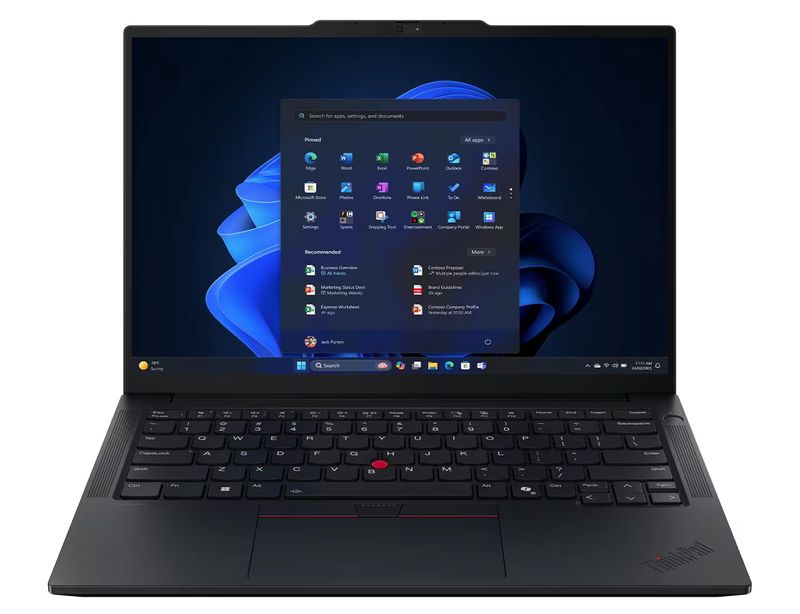
Martel’s VOX Elite 32 GB and 64 GB laptop packages include assistance with stenomask setup and file transfer. Use that discussion to address the reporting computer, your personal microphone connection and the work you intend to move. Ask about the exact package you are considering and bring the names of the existing CAT files and authorized practice audio you need to open. If your plan includes an external local processor, share the requirements supplied by Advantage. That gives Martel the physical details needed for a sensible discussion of your computer, connections and normal reporting workload. Martel VOX Elite 32 GB details · Martel VOX Elite 64 GB details.
Here is an original example of a buying inquiry. “I work in EclipseVox, and the version shown on my existing laptop is recorded on the attached equipment sheet. I want to use Speechmatics locally while a Martel VOX laptop holds the CAT job and receives my USB mask. Please identify the local hardware that Advantage supports for this build and the Ethernet connection it needs. I also want to confirm account requirements separately. My rehearsal will include saving a rough, finding a witness’s correction and playing a separate dictation recording.” That message gives the recipient specific items to confirm.
For a conversation with Martel, change the emphasis. “I have a personal Dragon USB Stenomask and a familiar practice job to transfer. I am comparing the VOX Elite packages. I use a second display while editing and a different desk arrangement in class. Advantage is confirming the separate local processor for my EclipseVox version. Please help me identify the computer connections involved and how we can verify the old job and one new dictation on the prepared laptop.” You can copy the structure and substitute the true details of your own equipment.
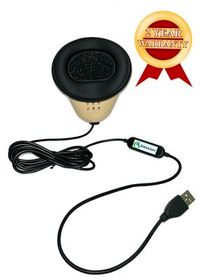
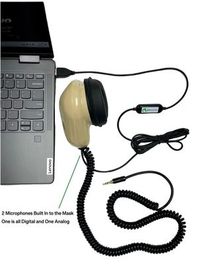
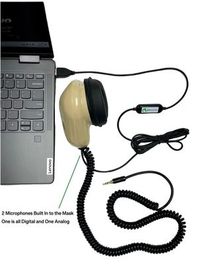
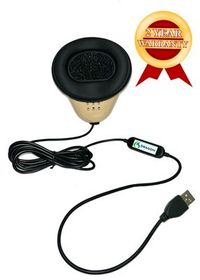
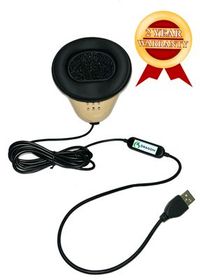
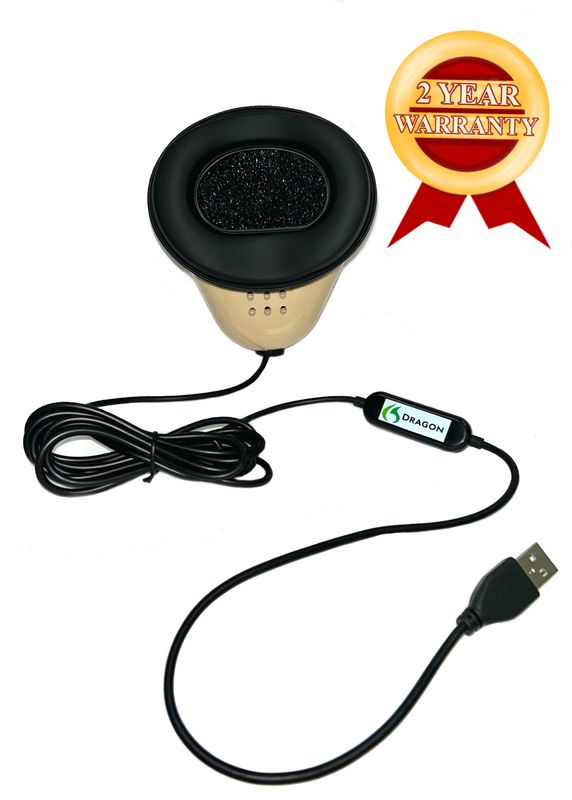
The Martel Dragon USB Stenomask sends your dictation to a computer over USB through its built-in sound card. It fits a plan in which one direct mask connection goes to the reporting computer. The Martel Double Dragon 2 adds a separate microphone with a 3.5 mm output for a compatible second device alongside the USB microphone path. The two microphones receive the reporter’s own spoken dictation. For the original voices in the room, plan a separate appropriate room source and recording arrangement whenever that is part of the permitted work. Martel Dragon USB Stenomask specifications · Martel Double Dragon 2 specifications.
An external local processor changes where recognized speech is processed. Choosing a Double Dragon 2 changes the audio destinations available from the mask. You can demonstrate this distinction quickly. Trace the cable from the mask to the laptop, then trace the publisher-specified cable between the reporting computer and the box. If you use a standalone recorder, trace the second mask output to the recorder. Ask a partner to point to what must be started to capture a new file on the recorder. The answer depends on the recorder’s own controls and its selected input, not the presence of the box.
Try a sound marker with both a soft beginning and a clearly articulated ending. “The small map is folded twice” works for this purpose. Use your normal mask position and speaking level, save the brief recording and listen before drawing conclusions. If the final word is easy to hear but the first word is difficult, repeat with a fresh sentence after a comfortable pause. When you later compare speed and accuracy, use the recorded words you actually spoke and the untouched CAT text. Your own samples make it possible to decide whether input, delivery or text interpretation deserves attention.
A buyer sometimes asks which mask is faster. Start with the endpoint that matters to your work. The Dragon USB gives you a direct computer path to configure and verify. The Double Dragon 2 can give you a separate copy of your dictation on a compatible recorder, which can be useful when checking a name or a disputed short word. Time a normal reading and the subsequent review on your actual setup. Good purchasing evidence might be that a second recording made one difficult name easier to confirm. That is a concrete benefit you can explain without assigning an unsupported speed figure to a microphone.
We handcraft our Dragon USB and Double Dragon 2 stenomasks in limited quantities. If a batch sells out, there may be a waiting list.
The first fictional desk belongs to Iris, a reporter who already has a Martel VOX laptop, a Dragon USB mask and an EclipseVox installation she uses in class. She wants local Speechmatics and has no external box yet. Iris begins by writing down the installed release and getting the published local hardware requirement from Advantage. She takes a picture of the connectors on her own laptop and notes which one a separate monitor normally uses. She asks Advantage about the current box and any appropriate adapter, then brings the confirmed connection information to her laptop discussion.
Iris chooses a short practice job as her acceptance test. A partner will read a description of a folding map from a fictional archive. Iris will revoice it, identify two speakers and save the rough on the reporting laptop. She has chosen the single USB mask because that is the dictation destination she wants for this trial. She expects to hear the words in the practice recording she intentionally makes on the computer. She writes down those expectations before ordering the local equipment. This is a plan for proving the new arrangement can perform her work, rather than a request for the largest specification number.
The second fictional desk belongs to Gavin, who takes training equipment from home to two separate offices. He wants his dictation on a standalone recorder as well as in his computer workflow. His list therefore includes the Double Dragon 2, a compatible recorder input and an identifiable file on that recorder. He is also evaluating a local processor. He treats the case for the second mask path and the case for local recognition as separate purchasing decisions. If he changes only the recorder later, the model supported for local recognition is still a question for the software publisher.
Gavin rehearses the pack-up as carefully as the first connection. He closes and reopens a practice job, stops and saves the separate recording, and listens to the final spoken line before disconnecting devices. He puts the box cable and its relevant adapter in a labeled compartment and leaves himself a card naming the file he just checked. At the second office, he records a new line with a different marker and compares the two sessions. An empty recorder file makes the second recording question visible without invalidating the separate observation that the laptop produced usable text.
The third desk is shared for demonstrations, while each reporter brings a personal mask and authorized practice materials. Mae is reviewing an offer for a supported computer purchased from Advantage Software to run local recognition. She asks for the exact confirmed model and installed configuration. The instructor also has a prepared Martel VOX laptop for other reporting practice. Mae labels precisely which machine performs each role in each proposed exercise. There is no reason to assign two computers the same role simply because both are present. The equipment needed for a given rehearsal follows the particular configuration its provider confirms.
Mae’s acceptance question is about reproducibility between spaces. Can the intended reporter identify the selected input on the intended computer, make a new practice rough with the supported local setup and locate the authorized files afterward? She asks the instructor to keep individual software account requirements with the people responsible for them. She gives each reporter a neutral fictional sentence to dictate and a blank line on which to write the actual job name. The resulting notes describe each verified installation, while the personal masks and individual working files remain clearly attributable.
The next exercise gives the hardware a real reporting task. Imagine an archive conservator explaining a damaged folding map. All names and materials are invented. A partner may read the questions and answers while you revoice them, or you can record the source in advance and play it back as you practice. Begin with a unique spoken marker that identifies this particular hardware rehearsal. If you use a standalone recorder, start and identify its file separately. Save the initial rough before opening a copy for corrections.
Question. What did you receive from Harbor Lane Archive? Answer. I received one folded map and two photographs of its cover. The map shows a footbridge crossing a narrow channel. In the photographs, the caption calls it Miller Bridge. The map itself has the name Milner Bridge, with the letter N between the L and the E. I copied both spellings onto my intake sheet because they came from different sources. I have no independent information about which spelling the town uses today.
Question. How was the map folded? Answer. The first fold ran north to south through the channel. The second ran across the printed scale near the bottom. The paper was thinner at the crossing of the two folds. When I opened the map, I supported that crossing with my left hand. My assistant supported the outside edge with a piece of clean card. Neither of us put a pencil mark at the crossing. The blue mark in the photograph was already present when we received the package.
Question. Who took the photograph marked Item Eight D? Answer. Jules Aven took the photograph of the cover after the package arrived. The photograph marked Eight D is an earlier photograph that came with the map. I can identify the handwriting on the note attached to it, but I cannot identify the photographer. The handwriting belongs to Teri Sol. I met her at the archive when she signed the delivery sheet. She handed me a sealed packet containing the map and the two photographs.
Question. You measured the height of the channel drawing at twelve inches. Is that correct? Answer. I measured the full drawing at twelve inches across. The channel at the printed footbridge was one and a quarter inches across on the paper. These are measurements on the map. I am offering no measurement of the real channel or the real footbridge. The scale printed below the drawing is partly obscured by the second fold, which is another reason I recorded only what I could measure on the page.
Question. Did the two photographs match when you set them side by side? Answer. They showed the same cover at different angles. In one photograph the title was partly beneath a ribbon. In the other, the end of the ribbon had been lifted. The photograph Jules took later shows my hand holding the ribbon up. I would distinguish his picture from the two pictures that came inside the packet. There are three pictures if you count his. There were two when I received the packet.
Question. What did the archive ask you to send back? Answer. It asked for a condition note and an image of the crossing folds. I prepared the note that afternoon and took the requested image the next morning. Let me be exact about who sent it. I gave the image to Jules, and he sent it with the note after he confirmed the mailing address. We returned the folded map in person later that week. The electronic message did not include a photograph of the cover.
Now take the role of a colleague evaluating the equipment you assembled. Ask for the part of the rough explaining the bridge spelling. The witness preserved Miller on the photographs and Milner on the map. In the mask audio, listen for the letter and the names of the two sources. In the rough, look for both spellings and enough context to identify which person actually knew what. If you used a separate recorder, find that passage on the recorder too. Write down the names of the successful files. That is stronger evidence of a functional setup than an illuminated light on an external device.
Check the count of photographs next. The delivery held two, Jules’s later picture made three, and the requested image of the folding lines was yet another activity. A reviewer should be able to distinguish the quantity in the package from the later work. If your sound and text preserve the distinctions, mark the practice task complete. If a detail is missing, keep the originals and decide where to investigate. A clear separate mask recording may tell you that your dictation contained the word “earlier.” A missing word on both mask recordings may direct your next rehearsal toward how you listened and repeated the answer.
Finish by moving the equipment, if relocation is part of the intended work. Use a second desk where you are permitted to set up. Connect the same identified components, start a fresh practice job and dictate a different question about the map. Save and reopen that job before declaring the traveling arrangement ready. Carry only the practice files you are permitted to move. If one accessory is easy to forget, update the packing note with the task it serves. “Adapter used between reporting laptop and local processor” will be clearer during pack-up than an unexplained reference to a black cable.
Identify the physical device Advantage has confirmed for the local Speechmatics configuration. On a supported box arrangement it is the external Boost Box. On another supported arrangement it can be the qualifying computer purchased from Advantage. Put the model on your equipment sheet and mark the source of the confirmation. If you can identify the reporting laptop and the stenomask but cannot identify the supported local host, that is the equipment question to resolve with the publisher before buying for local use.
Give the exact model, the installed EclipseVox release and build, the operating system, the network connection you intend to use and the role the machine will perform. Mention whether you normally use the port for another accessory. Say that your question concerns connection to the currently listed Boost Box for local Speechmatics. This is much easier for a support representative to evaluate than a broad request to approve a brand or a photograph of a laptop with its lid closed.
Describe the specific dock or adapter and how it attaches to your computer. The current box listing identifies Ethernet and mentions an adapter for computers without the port. Ask Advantage to confirm the connection you propose. Then rehearse the physical arrangement with the other devices you normally attach. A port that exists on a dock stored at home may not be available when you carry only the laptop into class. Add the actual adapter or dock to the travel list if it is part of the confirmed arrangement.
Check the exact device before placing an order. The general table lists local Speechmatics for Eclipse 10, while the published listing for the current box states version 11 or later. Supply your software build and the model you are considering to Advantage. Ask which supported local arrangement applies to you and whether a software change would be necessary for that particular box. Retain the answer with the purchase notes instead of assuming that each local hardware generation has identical requirements.
Both connections may be described with the word Ethernet, but the destinations determine their roles. Advantage describes connecting its current external box to the reporting laptop with the supplied crossover cable. A building network outlet serves the building network. Draw and identify each actual destination, then use the configuration the publisher prescribes for your setup. If you also need internet access for other work, ask how to arrange that separate connection at the office where the equipment will be used.
Keep the source and date of the current information along with the exact feature you intend to use. The box listing says minutes are separate. The publisher’s Boost page describes conditions for Speech Engine Minutes. Ask Advantage how those terms apply to your license and local use, and how to verify that required arrangements have been completed. Record confirmation in plain words. Keep private credentials and account identifiers in the secure place your organization uses for such information. Advantage’s Speech Engine Minute terms · What the Boost Box listing includes.
Consult the part of the hardware recommendations associated with the reporting product you intend to use, then apply the separate local Speechmatics requirement. One page can help explain requirements for a reporting workload. The other identifies what the publisher supports for this particular local processing role. If the computer you are considering has attractive specifications, take the model and proposed role to Advantage. Use the publisher’s confirmation for that role when completing the purchasing worksheet.
Describe your ordinary working session rather than trying to infer the whole answer from a memory figure. Tell Martel which CAT product you use, whether a second display is common, which meetings or documents you keep open and which devices attach to the laptop. Identify any confirmed external local processor separately. Ask about the precise VOX Elite package proposed for you and the setup assistance included. That conversation addresses a reporter’s daily work and a real set of connections.
Choose a fictional or otherwise authorized practice job containing a distinctive answer and an associated recording you can identify. Note the exact question or a memorable phrase before transferring the job. After transfer, open it on the prepared computer and retrieve the same passage. Then create a separate new job on the new setup. The first exercise checks the transfer. The second checks current capture and processing. Having different names for the jobs prevents yesterday’s successful recording from being mistaken for today’s test.
Martel’s published specifications identify the direct USB microphone path and built-in sound card. With a compatible computer, a selected input and a saved test, you can check whether the intended dictation reaches that destination clearly. The mask’s connection does not establish which software release is running or which separate device handles local recognition. Give the microphone a specific job on the drawing and verify it. That allows a later software question to begin from a known, audible source.
Select it when the second independent microphone path suits the way you review work. Its USB microphone can feed the computer while its second microphone supplies a compatible recorder through a 3.5 mm connection. Confirm the recorder’s input and actually play the file you make there. A reporter may value this arrangement when checking what was dictated during a difficult exchange. The decision applies just as clearly to the audio plan regardless of which supported local processing equipment Advantage confirms.
Open the new CAT rough and find the words you actually dictated during the same trial. Check which marker identifies the computer input and make sure the intended local setup was in use according to the publisher’s instructions. Then return to the separate recorder and confirm its file includes a late sentence as well as the beginning. These steps test different destinations. A successful recording is valuable in its own right while leaving a separate question about the text that reached the reporting job.
For a voice-writing equipment acceptance exercise, use the microphone and reporting workflow you actually intend to use. A room source may be appropriate for a separate authorized recording of the original speakers. Your personal mask supplies your repeated dictation. Swapping sources during a local recognition test changes the words and sound the system receives. Document any separate experiment explicitly so that a question about processing hardware is not inadvertently based on a different job and a different microphone.
Name both endpoints in words that you or a colleague will understand when the desk is dismantled. A label such as “reporting laptop to local box” or “mask to portable recorder” can be read without remembering which colored tape was used. If a cable is supplied for a particular product connection, keep that pairing in the inventory and follow the product instructions. Consider a small photograph of your own fully assembled practice desk as a companion to the written labels.
Open exactly the file you plan to hand over and listen to an unmistakable line. If it is a mask recording, the voice will be yours revoicing the testimony. If a permitted room recording is available separately, its voices and perspective are different. Name the source in the handoff and include the correct practice job. An external local recognition device does not decide what a recipient receives. The files you actually package, identify and verify determine the result of the handoff.
Choose a high-consequence distinction and confirm it across the sources you deliberately captured. The map and photographs use different spellings of the bridge. The witness knew one person’s handwriting while being unable to identify the photographer of a particular image. Either detail tests whether the words and context survived. A passing result includes the source phrase, the words you repeated, what appeared in the rough and the correct answer you could retrieve afterward. One illuminated device cannot supply that evidence.
Make each list describe a complete working arrangement. Identify the reporting laptop, approved local processor, physical connection, personal mask, desired recording destinations and applicable account arrangements. Mark equipment you already own and identify who confirmed each proposed purchase. Compare the same roles on both lists. A price for a laptop alone and a price for a processor alone do not represent two complete competing systems. Each may be one item in a different proposed setup.
Prepare a fictional reference passage, identify an existing practice job for transfer and record a short sample through your personal mask on your present working system. Make a list of the details your acceptance test must preserve. In the map exercise, those include two spellings and two different measurements. Set the local recognition result aside as an open field until you can perform the supported trial. This lets you use preparation time productively while keeping the status of the hardware decision clear.
Begin by identifying the job you opened and whether the intended mask can produce a new audible test. Then use the publisher’s instructions to verify the supported local setup and its connection. Make notes about observable facts, such as the selected release, the actual cable destination and whether the same fresh phrase reached a saved mask file. A blank document alone cannot identify which step requires attention. An organized set of observations gives support a much clearer starting point.
Use a familiar fixed phrase to check that the intended devices are connected, then add unfamiliar material to test actual reporting work. In the map exercise you may soon memorize which photo Jules took. Change the final question or ask a partner to provide a different fictional identifier for a second pass. Record that the material changed. Retaining a fixed equipment marker and a fresh reporting challenge gives both continuity and a meaningful test of current performance.
Assign each participant a short window to connect their own personal mask and use the computer and account authorized for their practice. Give each participant an individual spoken session marker. Have them identify their release and configured recognition route before writing. Ask each person to save and reopen a short rough and locate one specified answer. Collect descriptions of the results without exchanging personal masks or private account information. That format keeps each observation attached to the right equipment and reporter.
It proves only the scope of the check you performed. A two-minute sample can establish that a particular sound and text path worked during that sample. A longer rehearsal, including breaks, saving and reopening, can answer further questions about your routine. Choose a duration representative of the work you want to practice, use authorized fictional material and note interruptions or configuration changes. Keep the short acceptance trial separate so that you can still reproduce the basic connection quickly.
Identify the two events you timed, the method you used and the equipment present. For example, you might time from completing a spoken phrase to seeing its final word in the practice job, then separately time how long it takes you to find the answer for readback. Neither interval alone measures every component of the setup. Note whether you used a manual timer and whether another activity interrupted the reading. These details help a trainer interpret an observation about a particular trial.
Pack the equipment exactly as you would for the new room and reassemble it at a second work surface. Include the adapter or connection specified for the local processor, the personal mask and the recorder only if it is part of the plan. Start a fresh fictional trial after reconnecting. Write down anything you needed to fetch from the old desk. This is a straightforward way to discover which item actually belongs in the travel bag before the first class or assignment.
A sentence after a planned pause tests a real transition in reporting work. Speak a complete new question, save the result and listen for its opening word. Confirm that the first word appears under the intended speaker in the rough. If you use a separate dictation recording, check that file too. Keep observations about audio capture and text timing in different fields. A good practical setup should let you determine which result needs further rehearsal when the two observations differ.
Include a small acceptance exercise that directly tests the reason for each purchase. If the purchase is a second dictation path, demonstrate two saved recordings. If the purchase is an external local processor, demonstrate the publisher-supported local route and a new saved CAT job. If the purchase is a prepared reporting laptop, open a known transferred job and a fresh job made on it. That is enough to connect equipment spending to observable reporting work without creating a burdensome training manual.
Read it back against your equipment sheet. Does the answer identify the product and release? Does it refer to the particular box or supported computer you asked about? Does it identify any required adapter, account setup or remaining verification step? If the answer is a general statement about voice writing, ask one focused follow-up with the model and route. Keep the dated answer with your own successful practice result so that future questions can build on what has already been established.
List its exact identity and ask which role you want it to perform. A computer may serve well for reading documents, listening to practice audio or editing jobs in a supported configuration. The published requirement for locally deployed Speechmatics in EclipseVox specifically identifies supported hardware from Advantage. Obtain the publisher’s confirmation before assigning a machine that local recognition role. Strong general specifications can be valuable for other work while leaving this specialized compatibility question to be resolved.
For the acceptance exercise, start it before the first identifying line and keep it running until after a distinctive closing line. Stop, save and play both portions on the recorder itself. If your planned workflow includes copying the file to the laptop, verify the copy as well. Name the source and the session in your notes. A recording containing only a few seconds of successful input does not demonstrate that the entire fictional examination was captured.
It should identify the laptop used for the reporting job, the local processing hardware Advantage confirms, your release and relevant account arrangements, the cable or adapter for the connection and where each recording will be saved. Name the Martel mask you will personally use and the reason for your choice. Finish with the date, the supplier responsible for each confirmation and the short practice job you intend to reopen. That leaves you with a decision another person can understand and verify.
Set aside the first fully checked practice job as a reference. Place a one-page description beside it naming each component and the date the test was completed. Describe the particular passage you recovered, such as the statement distinguishing an earlier delivery photograph from the one Jules took. A useful reference also identifies the unedited rough and any separate dictation recording saved through the mask. When equipment moves or a release changes, this small package gives you an immediate example of what the original arrangement could do.
After the next change, add one more note rather than rewriting history. You might have obtained a different adapter, brought the laptop to another room or arranged a longer practice session. Name the change and repeat the part of the exercise it affects. If you replaced a recorder, test playback on the recorder. If you moved the CAT files, open the transferred practice job. If you changed the local processing arrangement, confirm support for the new configuration and make a fresh job using it. Each activity checks the thing you actually changed.
For the purchase itself, keep the confirmed roles visible. A Martel VOX laptop can be the reporter’s working computer in a plan discussed with the relevant providers. The Dragon USB and Double Dragon 2 offer different paths for your own dictation. Advantage publishes the rule governing the hardware that processes Speechmatics locally in EclipseVox. Choose the equipment that fills those particular roles, then verify the result with a piece of work you recognize. The last line of a saved and reviewed practice transcript is a better finish to the shopping process than a box left unopened on the desk.
Plan a supported EclipseVox local Speechmatics setup, identify the Boost Box connection, and test a Martel VOX laptop and Dragon stenomask.