Find your row before choosing a Speechmatics setup
A reporter tells you she uses Speechmatics with Eclipse and can work through a cloud connection. Another reporter tells you he uses Speechmatics with Eclipse and has a small computer beside his laptop. Both accounts fit options that Advantage Software publishes. To tell which one applies to your desk, you need one more fact from each person. Which release of Eclipse are they using? After you have that, identify where the speech is processed and which equipment the publisher supports for that arrangement. Then the two accounts become useful information for your own purchase or practice session.
Advantage Software lists local Speechmatics for Eclipse 10 and 11. Its release table lists cloud and local Speechmatics for Eclipse 12. For local use, the publisher specifies a Boost Box or a supported computer purchased from Advantage Software. The current Boost Box product listing sets a separate minimum of version 11 for Eclipse Steno or EclipseVox. Keep the release table and the box listing side by side. An owner of Eclipse 10 has a published local option at the release level and a reason to ask Advantage about the specific equipment supported for that installation. Advantage’s version table · Current Boost Box requirements.
| Eclipse release | Speechmatics processing | Current Boost Box consideration |
|---|---|---|
| Eclipse 10 | Local | Ask Advantage about supported hardware for your installation. The currently listed box requires version 11 or later. |
| Eclipse 11 | Local | The current box lists version 11 or later. Confirm your build, equipment and account. |
| Eclipse 12 | Local or cloud | The local route requires publisher-supported hardware. Confirm the requirements for your selected route. |
Start your own comparison by writing down the full version displayed by the copy of EclipseVox you actually open. Include the additional build digits if shown. If you have a classroom computer, an office computer and an older laptop used only for past jobs, give each a separate line. A sticker that says “Eclipse laptop” or a receipt bearing a purchase date does not tell you which release is installed today. Keep your license details private and use the publisher’s proper channel for an individual eligibility question.
This guide pairs the three releases with worked examples from a fictional reporters’ training day. The examples are ways to read a feature table and plan a rehearsal. They are not manufacturer compatibility certificates or reports from actual customers. When the article gives a product feature or a release requirement, it points to the publisher or manufacturer that states it. When it describes a question to ask, a sample to dictate or a decision to make at your desk, it is a practical suggestion you can adapt.
Read the release table and the hardware listing together
A release table answers a fairly broad question. If someone asks whether a given generation of software includes a local Speechmatics route, you can find the corresponding release and read across. A product listing answers a narrower question about a particular item you can order. The current Boost Box is a specific product with its own requirements. A release label can legitimately cover installations that are older than a particular piece of hardware now offered for sale. Matching a release number to a processing option is the beginning of a compatibility check. Matching the installed build and the proposed device completes the buying question.
Take Eclipse 10 first. Copy the word “local” into the Speechmatics column of your own notes. Write the next question in a second column. Which supported local arrangement is available for this release, build and license today? Put the current box listing next to that question, including its requirement of version 11 or later. If you already own an older device, include the model printed on that device when asking Advantage. If you plan to buy new equipment, identify the model being sold now. Those two inquiries may concern different configurations, so give the publisher the information needed to answer the right one. Eclipse release information · Check the proposed Boost Box.
For Eclipse 11, the published local Speechmatics row and the current Boost Box’s stated minimum are consistent at the major-version level. That still leaves ordinary implementation questions. Does your actual hardware match the proposed setup? Can you identify the required Ethernet connection? Which account arrangements does Advantage require for the use you intend? Write the word “verified” next to the individual answer only when you have obtained it. In a purchasing conversation, “my major version meets the posted minimum” is a precise and useful fact. It leaves your support contact free to check the rest. Eclipse local recognition table · Boost Box Ethernet and version requirements.
For Eclipse 12, you have two Speechmatics routes to investigate. Write “cloud” and “local” as two lines even if you intend to use only one. Next to cloud, identify the connection and account information you need from Advantage. Next to local, record the supported processing hardware. Beside both, put the same personal microphone if that is what you expect to use. Seeing the choice laid out this way helps distinguish a change in processing location from a change in where your voice enters the computer. A reporter can ask informed questions about one without buying the other again. Eclipse 12 local and cloud options.
Advantage’s EclipseVox page identifies Speechmatics Enhanced and Dragon Professional as options. Its release-specific table gives the detail needed to interpret the general product description. The general statement about cloud and local processing is useful when you are learning what the product family offers. The release table is the better starting point when deciding what to do with a computer already running a particular major release. Write both source names on the same sheet. If the publisher revises one of its descriptions later, the date and source you consulted will make your earlier decision easier to understand. Advantage’s EclipseVox description.
What the comparison means at a reporter’s desk
Consider three fictional reporters gathering for a training day. Carmen has Eclipse 10 on the computer she uses to read older practice jobs. Elias uses Eclipse 11 and wants an external device to handle supported local recognition. Priya has Eclipse 12 and wants to practice a cloud route at an office with an approved connection. They all dictate into personal masks. They all want to save a rough, find an obscure surname and read back a correction. Their reporting objectives line up. Their equipment and configuration questions start from different rows of the publisher’s table.
Carmen’s first task is to identify the setup she already has. She puts the major release and build in her notes and lists what is physically connected. She has a personal USB mask and a laptop, and nobody has identified a supported local processor for this machine yet. Her most useful question for Advantage is whether there is a supported route for her existing equipment and release, or which change the publisher would recommend if she wants to use a currently sold box. She can prepare a fictional practice job while awaiting that answer. Nothing about opening an existing job proves which processing option she is entitled or equipped to start.
Elias can get further on the physical plan before his appointment. The current Boost Box listing describes an Ethernet connection. He looks at the ports actually available on the reporting computer, accounting for the adapter used by his display and the cable for his mask. He makes a list of the items he has and the item he would need to obtain. He asks Advantage to confirm the box against his build and account. Only then will a practice job answer the next question, whether the configured system receives his dictation, produces the expected passage and lets him retrieve it later.
Priya is deciding how she wants to practice with release 12. She writes “cloud at office” on one practice job and leaves a separate line for a later local evaluation. She identifies the microphone she plans to select, the approved connection she can use, and the real source documents she is permitted to consult about her license. For the rehearsal she will use entirely invented testimony. If she later chooses local processing for an assignment, she will check the hardware requirement for that route. A successful cloud rehearsal gives her evidence about her cloud configuration. It does not establish that local hardware has been installed.
Each reporter can now ask a different, answerable question. Carmen asks which current equipment is supported for the older release she owns. Elias asks whether his proposed physical connection and account match the current box requirements. Priya asks how to configure and verify the cloud route available in her release. “Does your laptop work with Speechmatics?” would overlook all three distinctions. Describing the release, the location of recognition and the task the laptop must perform turns a generic shopping question into a real conversation about using EclipseVox.
Account questions belong on the same page as equipment
Advantage’s Boost information lists conditions for Speech Engine Minutes, including active Anytime Support, Eclipse 10 or later and keyless status. The Boost Box product listing says minutes are purchased separately. Those statements identify topics to discuss with Advantage for your chosen features and license. The box listing also describes local recognition on the device without an internet connection. Keep the product’s local processing capability separate in your questions from account validation, minute management and any other online service you plan to use. Ask the publisher how your particular configuration will operate in the place where you intend to work. Advantage’s Boost terms · Local recognition and separately purchased minutes.
Before a purchase, prepare a short description of the proposed day. You might say that you will begin in an office with a permitted connection, move to a class with a different connection and carry your laptop home that evening. You want to open the same practice job at each location and create new fictional text in the classroom. Ask the publisher which activities require a connection, what should be arranged in advance and how you can confirm the installation before travel. That question supplies more information than asking whether the entire product is “online” or “offline.”
Avoid calculating usage costs from dictation time alone unless the publisher’s current terms and your intended use support that calculation. A lesson may include a paused discussion, an unrecorded explanation and a short actual dictation. Calendar time in the room and time counted for a particular service can be different numbers. For your own exercise, record when you used the feature and compare it with whatever account reporting Advantage makes available to you. If you need a budget estimate, ask how the current terms apply to your plan, and date any quotation you receive.
A shared room creates another distinction. Each reporter may bring a different personal mask and use their own reporting materials, but the computer on the demonstration desk has one actual installation at a time. Write down which machine carries the license and configuration for the exercise. If your school uses particular demonstration equipment, ask which parts are supplied for the lesson and which you are expected to supply for personal practice. Keep your own mask with you. This turns the trainer’s general equipment list into a practical plan for your individual work.
Choose the laptop and mask for their particular roles
Martel offers a VOX Elite 32 GB court reporter laptop and a VOX Elite 64 GB court reporter laptop. Its packages describe voice-writing setup help, stenomask assistance and help transferring CAT files. Those services address practical needs such as getting a personal practice job onto the reporting computer and setting up the microphone connection. If your plan uses local Speechmatics in EclipseVox, include the Advantage-supported local hardware in your description. Ask Martel how the VOX laptop will serve your reporting work and ask Advantage to confirm the recognition hardware for the release you own. Martel VOX Elite 32 GB package · Martel VOX Elite 64 GB package · Local Speechmatics hardware specified by Advantage.
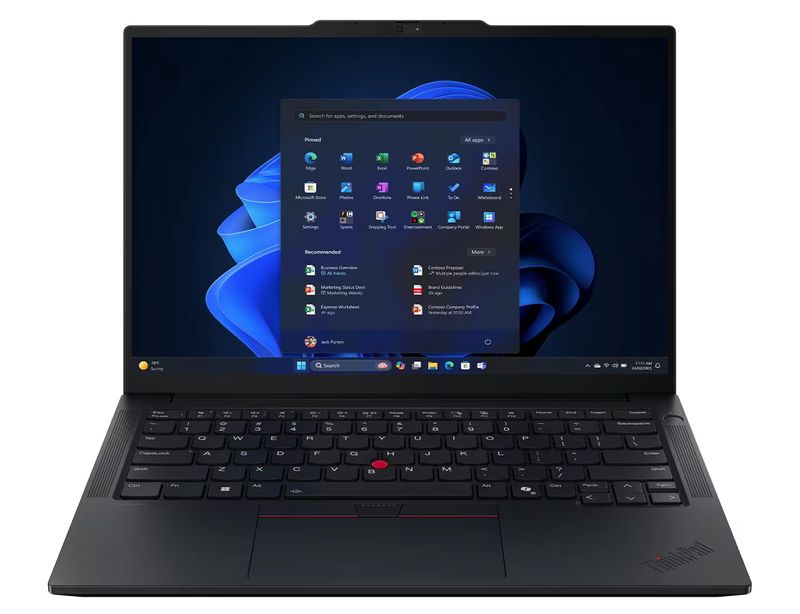

Use the same test shopping conversation for either memory size. Describe the applications and practice materials you normally have open at once, the microphone you use, whether you connect a separate display and how you keep room audio when the assignment calls for it. Ask for the exact configuration in the package being considered. Then make a two-part acceptance exercise for delivery. First, find a known line in an authorized old job and hear the expected associated audio. Second, start a new practice job, dictate a completely different marker and reopen it. These observations give different meanings to “it works on my new laptop.”
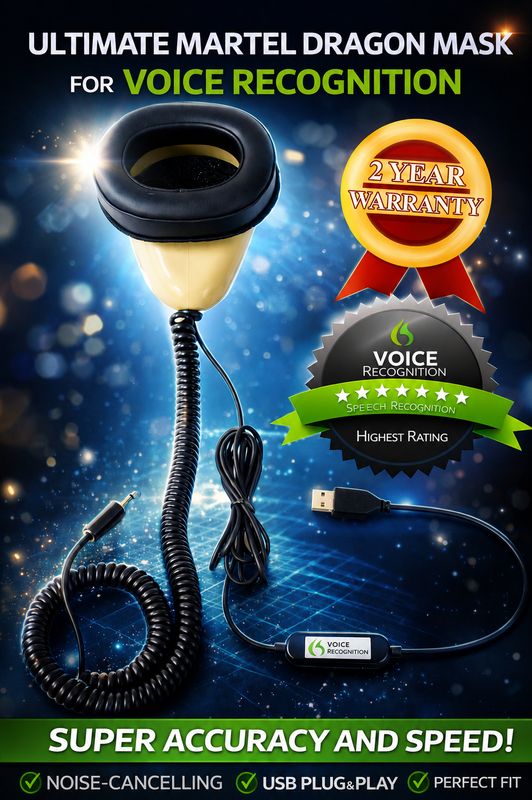
The Martel Dragon USB Stenomask has a built-in sound card and a USB microphone connection for the computer. The Double Dragon 2 has a separate second microphone with a 3.5 mm connection for a compatible recorder, in addition to its USB path. Each mask takes the words you speak into it. Choose between the models by identifying the destinations you actually need. When two reporters both say they are using “local audio,” ask whether they mean a mask recording saved to a device, or speech recognition processing locally. The microphone product and the software version each answer a different part of that question. Martel Dragon USB connections · Martel Double Dragon 2 connections.
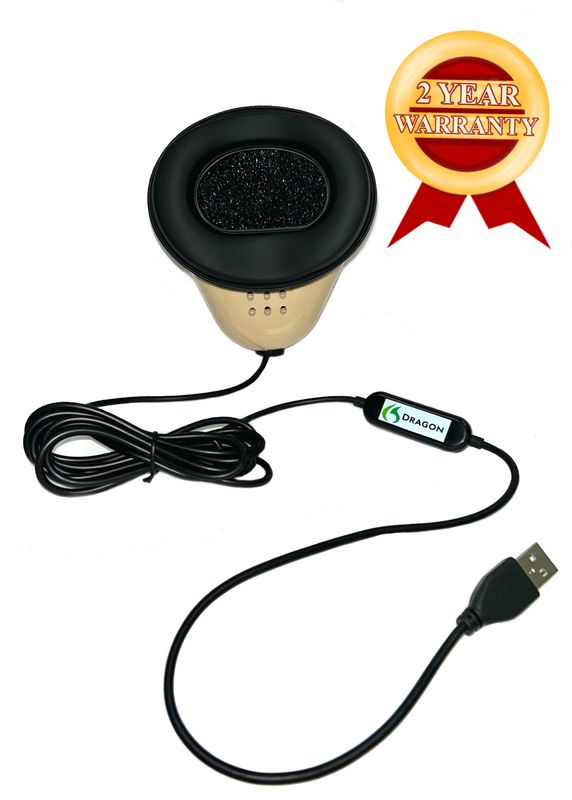
Use a modest recording to identify the difference. Say “south landing, revision four” into the mask at your ordinary working level. Listen to the test on the computer, noting which input supplied it. If you are using a Double Dragon 2 with a separate recorder, make a second file on that device and listen to it there. Next, use the supported EclipseVox setup to produce text from a different sentence. The recordings show you heard the intended words at the named destinations. The new CAT job shows what your configured release and recognition workflow did with the second sentence.
We handcraft our Dragon USB and Double Dragon 2 stenomasks in limited quantities. If a batch sells out, there may be a waiting list.
A release-specific practice with a shared fictional witness
Give all three reporters the same fictional source so they can discuss a real piece of work after their equipment questions are resolved. The witness is a museum conservator explaining a mural survey. There are no real clients or court files in the exercise. One reader can supply the questions and answers to the group, or you can make a reference recording for separate practice. The purpose is to see what evidence each reporter can collect from the configuration they personally verified. The exercise does not compare manufacturer products or assign a performance score to a release.
Question. What names did the museum give the two sides of the mural? Answer. The side with the sailboats is Harbor Wall. The side with the stone bridge is Landing Wall. Both sides can be seen from the south landing, which is where the photographer stood. When I use the word “landing” in a sentence, I might mean the wall’s title or the place where someone stood. The sketch at the top of the survey sheet shows the photographer’s position. The printed title under the sketch identifies the wall the photograph shows.
Question. Which surface did you number first? Answer. I numbered the panels on Harbor Wall first. From where I stood, panel five was immediately to the left of panel six. My assistant stood on the opposite side of the movable display holding the label cards. She could read the back of each card. She could not see the painted surface while the cards were in place. I described a small white mark on panel five and asked her to write “near the upper border” on the reverse of that card.
Question. The sheet says five feet. Is that the height of the mark? Answer. Five feet was the distance from the base of the wall to the camera tripod. The height of the mark was five feet, three inches above the baseboard. The number three appears beneath the five because the ruled line ends there. On the original sheet they are linked by a small curved pen stroke. The copy we are looking at today cuts through the lower end of that stroke. I can identify what I entered because I made the measurement myself.
Question. Who reviewed the sheet? Answer. Lio Mercer reviewed the photographs, and Dara Wen reviewed my measurements. Lio prepared a separate list of pictures. Dara initialed the lower right corner of the survey sheet in blue pencil. The initials next to the panel number belong to me. The two people used the same meeting room that afternoon, but I saw them at different times. I handed Lio the picture list before lunch and showed Dara my measurements after the museum opened for the afternoon session.
Question. Which page will help us find the mark now? Answer. The location is on sheet fourteen, revision C. Revision B shows a different mark nearer the lower border. If you look only at the panel number, both sheets say five. Read the revision letter and the description of the border together. Then look at the photograph of Harbor Wall taken from the south landing. The title printed along the bottom is a caption, and the handwritten letter in the corner identifies the revision of the survey attached to it.
The reference offers several ways to check your setup that are more informative than matching a list of single words. “Landing” can be a physical location or part of a title. Five feet is a measurement in one answer, and panel five identifies a part of the display. The letter C distinguishes survey revisions. Use colored pencil on a paper reference or a separate editable reference copy to mark each relationship. In the untouched rough, look for the question that gives the answer its meaning. An accurate number detached from its question can still make a passage difficult to use.
Divide the review into tasks. One person handles names and speaker changes, another handles the measurement, and a third handles the relationship between page, panel and revision. If practicing alone, use those roles as three successive readings rather than trying to inspect every feature on the same pass. Keep your results attached to your release and route. If the older installation has yet to be configured for a supported local route, its owner can still prepare the answer key and compare stored practice materials. Record the new recognition test when it has actually been run.
Write a short observation for each task. For the measurement, say exactly whether the rough preserved both pieces of information, the five-foot tripod distance and the five-foot-three height. For the revision, identify whether panel five and revision C were attached to the right sheet. For the names, check whose initials were blue and who reviewed the photographs. These observations demonstrate the practical value of a working setup. A label such as “Eclipse 12 local” identifies a configuration. The saved rough, an audio sample and the reviewed details show the reporting work the configuration produced in your own hands.
Turn conflicting advice into an exact question
A person who knows the current Boost Box may tell you that you need version 11. A person reading the release table may tell you that local Speechmatics is listed for version 10. When those statements arise in the same conversation, identify their subjects. Write “this box being sold today” beside the first and “local option listed for this release” beside the second. Give the publisher your actual build and the proposed hardware so it can identify the supported route. This technique is useful whenever a product family description and a particular accessory listing have different scopes.
A similar issue arises with the word “support.” It can mean a feature appears in the software family, a device is approved for a specific function, a particular customer has an active support arrangement, or someone offers help with setup. Write the complete sentence you need answered. “Does the publisher support this local processor with my build?” is different from “Can Martel help me connect my USB stenomask?” If both are relevant, ask them separately. Keep the source of each answer with the equipment notes so you can return to the right provider after an upgrade.
When comparing published instructions, start with who wrote the instruction, which product it names and what activity it describes. A general Windows microphone test is valuable for confirming a selected input. It cannot tell you which EclipseVox release offers cloud Speechmatics. A product page for a reporting laptop describes the package and its services. It cannot establish that a different company has approved that computer as a local recognition host. With those responsibilities written out, you can value every source for the information it actually supplies.
Give your final question a concrete ending. Instead of requesting “all the settings,” ask how to verify the specific route with one fictional phrase, which on-screen information the publisher wants you to record, and which file or observation you can retain for a follow-up. If the answer names another release or piece of equipment, ask the publisher to identify it precisely. You can then change the appropriate row in your notes and repeat the small rehearsal. A clear record of the answer can save you from repeating the entire purchase discussion each time you reconnect the computer.
A helpful way to close the loop is to ask a colleague to read your question without looking at your desk. Give the colleague the major release, the proposed processing location and the microphone model. Withhold the make and model of the local processing device. Ask what would still need to be verified before placing the order. Then add the currently listed Boost Box with its version requirement and let the colleague compare the two lines. For an Eclipse 10 owner, the missing information becomes quite visible. For an Eclipse 11 owner, the account and connection details become the next natural questions.
Try the same exercise with an Eclipse 12 cloud plan. This time give the colleague the reporting laptop model and note that a standalone recorder is present, but leave out which connection the reporter can use at the intended venue. The reader should be able to identify the practical question about the approved connection without adding the recorder to the software’s hardware requirements. This is a useful check on the clarity of your notes. A person who has never seen your desk can distinguish a computer, a recognizer, a source of sound and a place to save a file.
Thirty release questions, answered from the reporter’s point of view
Which row should I use when my school calls the software simply Eclipse?
Read the version on the installation you will actually use. Ask whether the school is teaching a voice-writing workflow in EclipseVox and which release it expects for the lesson. Write down the full displayed version. If your own machine runs a different release, keep a separate entry for it. This avoids making a purchase based on a classroom demonstration performed on equipment the school supplies only during class. The publisher can then answer the question for the exact computer you plan to take home.
What belongs in the Eclipse 10 row?
For Speechmatics, Advantage’s release table lists local processing. In your own notes put the installed build next to that entry and identify the hardware you already own or propose to purchase. Add a separate question about the current Boost Box because its product listing specifies version 11 or later. A good finished note identifies the particular local arrangement Advantage confirms for you or records that the equipment question is still open. Either entry is more useful than treating every external processor as interchangeable.
What belongs in the Eclipse 11 row?
Write local Speechmatics as the published option and record the supported local host you intend to use. If considering the currently listed box, check the required Ethernet connection, the specific installed software and applicable account arrangements with Advantage. Include any adapter needed for the reporting computer in your physical setup notes. Then record a trial with your personal mask and a saved practice job. You can point to the release, the supported hardware and the outcome without confusing one for the other.
What belongs in the Eclipse 12 row?
Write two possible routes for Speechmatics, cloud and local, as Advantage lists them. Mark the route you intend to test on this job and identify where your recognition is expected to run. If you change routes for a second trial, make a second entry and use a distinct spoken marker. Both trials may use the same personal mask and reporting laptop. Clear names for the jobs will make it possible to tell which route produced a result when you review the files together.
Is a cloud service mentioned for release 11 necessarily Speechmatics?
Read the service name beside the processing location. Advantage’s release table distinguishes the named cloud offering in the older releases from the local Speechmatics entry in those releases. A sentence that says only “cloud recognition exists” drops the identity you need to choose the correct row. In notes intended for someone else, spell out Speechmatics and the release followed by the stated processing location. If a training handout uses a broader term, ask the author which service and release it specifically means.
Can the current box listing answer a question about an unmarked older box?
It identifies requirements for the product shown in that listing. For equipment already in your possession, copy the model designation from the existing device or its purchase documentation. Send that information to Advantage through its normal support channel along with the release and build. Keep any response with the older unit’s records. A picture of a small computer on another reporter’s desk can help you recognize the category of item, but a model-specific answer is what matters for your installation.
How should I read a statement that EclipseVox supports local and cloud?
Treat it as a description of the product family and follow it to the publisher’s details for your release. The general description tells you which processing choices exist in the family. The version table tells you which choices are listed for 10, 11 or 12. The local hardware listing and the answer for your particular license finish the picture. Reading these in succession lets you move from a broad feature statement to a setup you can actually rehearse.
Are the numbers 10, 11 and 12 Speechmatics model names?
Here they identify Eclipse releases. Advantage’s EclipseVox description uses Speechmatics Enhanced for the recognition option. Record the CAT release and the recognition identification in separate fields. A sentence saying “we use 12” leaves someone uncertain whether you mean a software release, a class date or another model label. “Our rehearsal used EclipseVox 12 with the publisher-supported cloud Speechmatics route” gives a reader the relevant identities, provided you actually verified that configuration.
Does locally recording my own voice establish that recognition ran locally?
A mask recorder can save your voice in either kind of reporting setup. Its file tells you that the recording destination received your dictation. To document the location of recognition, identify the route configured in the publisher-supported setup and, for local operation, the supported hardware. For the exercise, use a separate line in your notes for “mask file on recorder” and “Speechmatics processing location.” A recording that plays successfully is good evidence for the first line.
Why identify the release on the replacement laptop too?
Moving personal files from an existing computer and installing or configuring a particular software release are distinct jobs. When your replacement arrives, read the displayed release and build there before applying the old row in your notes. Open a familiar, authorized practice job to check the transfer, then create a fresh job to exercise current input and processing. The old job can remain readable even if the recognition settings on the replacement have yet to be configured.
If two computers show the same release, will they behave identically?
Document the setup on each computer. One may have an available publisher-supported local host and a selected USB mask, while the other may be configured for a different permitted route or microphone. Two people can also dictate the same material differently. Compare equipment, account access and a saved test before drawing conclusions. Matching release numbers narrow the question considerably. They do not replace a physical inventory or a check of what the particular setup produced.
Which local equipment may I list in a buying worksheet?
Advantage identifies its Boost Box and supported computers purchased from Advantage Software as the local hardware options. If the proposed arrangement includes a Martel VOX laptop as the reporting computer, describe that role and identify any separate supported processing equipment. Provide model names and the release to Advantage. This phrasing lets the publisher evaluate a proposed configuration without implying that RAM alone makes any reporting computer eligible to run the locally deployed recognition software.
How can I plan the Ethernet connection without taking a machine apart?
Look at the ports and adapters you actually use, consult the published specifications for your exact computer, and bring the list to the provider if you have questions. Advantage’s current Boost Box page calls for Ethernet and mentions an adapter for computers without the port. Include the connection in your packing exercise. Set the equipment on the desk as you would for a lesson, then account for your mask, computer power, screen and any separate recorder before choosing the final arrangement.
Is the number of gigabytes the deciding factor for the version table?
The rows in the table describe software releases and processing routes. Memory is a separate purchasing variable for the reporting laptop. A large memory figure can be useful when choosing a package for your normal multitasking workload. For local Speechmatics, the identity of the publisher-supported equipment still matters. Record the package details and the confirmed local processing arrangement in two different boxes on the worksheet so your budget accounts for both decisions.
What does a presenter mean by using a cloud connection during a lesson?
Ask what service the presenter connected to, which Eclipse release was running and whether the internet connection carried the speech recognition work or another part of the lesson. A remote instructor can be present on a video call while recognition takes place locally. Similarly, the reporter can keep a local audio file while using a cloud recognition route. Asking about the destination of the speech being recognized is more precise than asking whether the laptop had an internet connection at the time.
What should I ask about minute eligibility before buying anything?
Name the intended release, recognition route and features. Ask Advantage what support and licensing conditions apply, whether minutes must be obtained separately, and how the account holder can check the relevant status or balance. Its public terms for Speech Engine Minutes provide a starting point. If the company supplies an individualized answer, keep it dated with your purchase notes. That lets you distinguish what was posted for everyone from what was confirmed for your own account.
Should I quote an old price from my notes when planning a class?
Use your old figure as a reminder of what to ask, then check the current public listing or an updated quotation for the product and account arrangements you are planning. Hardware cost, a reporting laptop package and usage charges can belong to different purchases. Write the date and what is included next to each current amount. Avoid combining a previous student’s equipment price with another person’s usage plan and treating the result as your own quote.
Which information matters if I am moving from an older release?
Write down the current working release, the release you are considering and the reason for the change. A reporter who wants the cloud Speechmatics option has a different question from one who wants to use a currently listed external box. Include how you will access old jobs and what you intend to dictate on the replacement setup. The publisher can describe a supported plan that addresses both your files and the recognition feature you want to use next.
How can I tell which version a past practice job used?
Look for your dated notes, the job label or other documentation you made at the time. Opening the saved job today shows the software presently in front of you. It does not, on its own, identify the release and processing route in use when the words were first recorded. If that historical detail cannot be established, label it unknown. Make a new, clearly identified practice job for the current setup so that future comparisons have a dependable reference.
What belongs in notes after an internet connection rehearsal?
Identify the location, approved connection, release, configured cloud route if used, and the passages you dictated before and after the change. Record what you saw and what you could reopen or hear afterward. If the purpose is to evaluate cloud use with Eclipse 12, check with the publisher first about the supported procedure. Count a result only when you have observed it on your setup. A rehearsal on that day describes the conditions tested and creates a useful basis for a follow-up question.
May I compare two classmates’ output to choose my release?
Use their examples to discover relevant questions. Find out which person dictated, what passage they heard, which personal mask they used and which route was selected. A difference in the rough may arise from different spoken words, setup choices or later edits. If you want a fairer comparison, run a short original passage on your own supported equipment and keep the untouched output. A classmate can help mark the reference without offering an unsupported prediction about which release you will prefer.
What does the museum exercise tell me about speaker attribution?
Have a partner ask for the answer addressing which person reviewed the measurements. The witness identified Dara Wen in that role and Lio Mercer as the person who reviewed the photographs. Find the question, confirm the speaker and read the full answer. A clean rendering of Dara’s name on another person’s line could still mislead the reader. This exercise helps you separate correct written words from correct assignment of those words to the person who said them.
Why include two expressions containing “landing”?
One is part of the fictional title Landing Wall and one describes the location of the photographer on the south landing. The sound of the shared word alone does not specify the relationship. Read back the sentence containing each use, paying attention to capitalization and meaning as separate editorial questions. A recognition trial with a single isolated term would miss that distinction. A fuller question-and-answer passage tells you more about how you will review actual reporting work.
How can I compare results if my colleague uses another mask model?
Label that as a comparison of two complete setups. To make a more focused comparison of version or processing route, use your own personal mask in the supported setup you are authorized to use and keep the source passage consistent. If your colleague is testing their own system, each person should keep and use their own mask. You can still compare how quickly each person finds the exhibit revision or how each describes a support question.
Is a separate recorder helpful for deciding between local and cloud?
It can supply a second recording of your dictation if you have the appropriate mask connection and a compatible recorder. You can then compare what you said with the saved rough for each route. That recording does not identify where software processed the speech. Treat it as evidence about the input words. Identify the selected recognition route through the publisher-supported configuration and your dated notes. Those two pieces of evidence complement each other during review.
How can I show a trainer that the relevant setup is ready?
Use a newly dictated phrase that includes the name of the practice session, followed by a short question with a unique answer. Save the rough, reopen it and locate the answer by subject. Play the relevant fictional recording if one is part of the plan. Then identify the release and route in your notes. The trainer can see a working example and ask for details without relying on a photograph of a settings screen whose significance may be unclear.
Should a support question include the whole practice file?
Start with the smallest fictional sample that shows the issue clearly. Include the release and build, the configured local or cloud route, the microphone connection and the exact difference between what you heard and what appeared. Ask the publisher which additional materials it wants and how to supply them. A page that names the exact step you cannot verify usually leads to a more focused answer than a long recording with no indication of where the question occurs.
What should I remember if my next assignment is in a different room?
The release on the computer may stay the same while available space, permitted connectivity and audio arrangements change. Review the route you planned for that room, where the equipment will sit and which recordings you are authorized and equipped to make. On practice material, test the actual connections you intend to use. A successful trial at the office supplies a useful baseline, while a rehearsal using the intended room arrangement can reveal a different practical need.
When should I review my release notes again?
Revisit them after a software upgrade, a change of reporting computer, a change of processing hardware or a new school requirement. Put a date beside what changed and retain the older notes as a record of the previous setup. Reopen a known fictional practice job and create a new short job with the updated configuration. There is then a straightforward way to demonstrate both continuity of an older file and current operation with the new release or equipment.
What is one sentence I can use to summarize my setup?
Fill in the facts you have confirmed. “I use EclipseVox release and build number as shown on this computer, the publisher-supported Speechmatics route recorded here, my personal mask at this input, and this destination for the files I review.” Read it back and replace general words with the exact names you know. If one field is still open, write down the question and the provider able to answer it. The result is a concise description another reporter can use.
Keep the release decision usable when somebody else reads it
Imagine writing instructions for a substitute reporter who is looking at a training desk you assembled. The substitute knows how to voice write and has their own personal mask. They need to know which computer carries the practice installation and what part each connected device plays. Place the version and route at the top of the sheet, followed by a simple description of the expected result of a test. Include a sentence from the fictional museum passage they can locate after recording a new job of their own. Avoid storing private account credentials on a shared equipment sheet.
Next, imagine discussing the same setup with the person approving a purchase. That reader needs the required items, which supplier confirms each item and what existing equipment can continue to serve its current role. Name the Martel VOX package under consideration and any separate local processor specified by Advantage. Describe the reason for a Double Dragon 2 if you need a second dictation destination or the direct USB route supplied by the Dragon USB if that meets your plan. The purchaser can now connect each line item to actual work a reporter intends to do.
Finally, imagine returning to the setup yourself after a year. Prices may have changed, a different Boost Box may be listed and a newer release may be available. What endures is your date, the release and build you used, the manufacturer sources you consulted, and the result of the rehearsal you saved. Open the case notes for the museum survey and find the line about panel five on revision C. That one small task connects a version choice made on paper to the practical reason you assembled the system in the first place.
Manufacturer sources
Speechmatics Options in Eclipse 10, 11, and 12
Compare local and cloud Speechmatics options in Eclipse 10, 11 and 12, check Boost Box requirements, and choose a Martel VOX laptop and stenomask.