TIME IS RUNNING OUT FOR 2026 TAX WRITE-OFFS

Martel Electronics | 2 hours ago

Police Body Camera Buyer’s Guide: Choosing a Complete Recording System

Choose a body camera around the people who will wear it, the situations they need to record, and the work of finding saved video afterward. This original Martel guide connects camera features, mounting, local storage, testing, and department purchasing.

A useful body camera purchase begins with the recording you need to retrieve later. Picture a supervisor searching for a particular interaction, an officer checking whether a camera is ready, or a records employee preparing an authorized copy. The camera, mount, battery, receiving computer, and storage arrangement all affect whether those tasks work. Buying by resolution alone leaves most of that work unanswered.

This guide helps you compare a complete system using Martel’s Crime Cam and department packages as concrete examples. Start with the assignment, test a representative recording, and specify what is included in the written quote. The goal is a purchase that your staff can operate and your department can maintain.

Compare Martel body camera packages or review the Crime Cam while you work through the questions below.

Martel Crime Cam body camera

Start with the job, then choose the camera

Write down three ordinary situations your team needs to record. For a patrol officer, those might be an outdoor conversation, a walk into a dim building, and a return to the station. For a security guard, they might be a lobby interaction, an evening perimeter patrol, and an incident report. For a property manager considering wearable recording, they might be an authorized inspection, a maintenance handoff, and documenting a condition before work begins.

Each situation exposes different requirements. Clothing can cover a lens during a seated conversation. A bright doorway can leave a face dark. A microphone can capture clothing movement more loudly than a distant speaker. A recorded interaction may be perfectly usable on the camera screen yet difficult to find after download if the assignment and time were recorded incorrectly.

Turn those observations into a short purchase brief. State the wearer’s role, the locations, approximate recording duration, mounting position, expected return time, and the person responsible for receiving files. Include what staff must do when recording fails. A brief that describes actual work gives a vendor something specific to demonstrate.

Who uses body cameras?

Body cameras are associated with policing, but the broader equipment category also serves public-facing security and workplace documentation. The following list identifies potential users and tasks. It is not a statement that every occupation should record every interaction, or that every Martel package is offered to every buyer. Martel’s current Crime Cam and department-package listings are directed toward law enforcement; other organizations should ask Martel about purchasing eligibility and suitability for their intended work.

Police, sheriffs, and other law enforcement personnel

Police officers, sheriff’s deputies, highway patrol personnel, transit police, campus police, park law enforcement officers, and other authorized agency personnel may use body-worn recording as part of an approved program. Their buying questions include activation, mounting, recorded audio, low-light performance, identification of recordings, and the work of receiving and preserving files. A camera’s presence does not determine an agency’s recording policy.

Detectives and investigators may have different recording assignments from patrol personnel. A planned interview, a scene walk-through, and an outdoor contact are different tests. Confirm whether a body camera is the right recording tool for the assignment rather than assuming the same device replaces every interview-room or vehicle recording system.

Security guards and private patrol teams

Stationary security guards, mobile patrol officers, corporate security personnel, warehouse guards, industrial-site patrol teams, and contracted security companies may evaluate body cameras for authorized incident documentation. A guard walking between buildings needs a mount that stays aimed correctly and a clear routine for ending a shift. A contract security company also needs to define which organization controls the recordings and who can review or receive them.

For guards assigned to multiple client sites, the handoff matters as much as the camera count. Decide how site names, assignments, and incident references are associated with recordings. Do not store unrelated client material in a broadly accessible shared folder simply because that is convenient for downloading.

Property management, apartments, and community security

Property managers, apartment community managers, residential security patrols, HOA security staff, maintenance supervisors, and authorized inspection teams may consider wearable video for documenting conditions or interactions. An inspection can involve occupied homes, personal belongings, visitors, and private conversations. Define the permitted purpose, notice, access, and retention arrangements before treating the camera as a routine work tool.

An HOA manager and a security officer may work at the same property but need different recording procedures. A camera purchased for patrol does not automatically authorize recording inside residences. Maintenance documentation may also be better served by still photos or a scheduled inspection record. Match the recording method to the task.

Retail, hospitality, and entertainment venues

Retail loss prevention staff, shopping-center security, hotel security, nightclub security, stadium security, concert teams, convention-center staff, and festival security may assess body cameras for approved incident recording. Their environments can include loud music, changing lighting, crowded spaces, and close physical movement. Test speech in those conditions rather than relying on an office demonstration.

For a hotel or retail operation, ask how a recording moves from the wearer to an authorized manager. The person reviewing a complaint may work a different shift. The purchase should include a reliable way to identify the recording without handing every employee unrestricted access to all captured video.

Hospitals, education, and emergency response

Hospital security officers, emergency department security, campus safety teams, school security, ambulance personnel, and other first responders may evaluate cameras within their organization’s permitted recording practices. Patient-care areas, student information, and sensitive conversations require particular care. A body camera specification is not a certification that a particular recording practice is appropriate in a healthcare or school setting.

The practical equipment questions remain concrete: can the wearer reach the control, is the lens covered by protective clothing, can the recorder distinguish speech from surrounding noise, and can an authorized employee retrieve the right file? Use staged demonstrations without patients, students, or real incidents when evaluating the equipment.

Municipal staff, inspectors, transportation, and field workers

Parking enforcement officers, code enforcement personnel, animal control teams, building inspectors, public housing staff, transit security, railway security, utility field employees, service technicians, and site inspection teams may have tasks suited to wearable recording. These are potential applications to evaluate individually. A camera can document the view it captures; it does not independently verify an inspection finding or replace a written report.

Construction supervisors, industrial safety teams, and field service organizations should also consider their physical environment. A general body camera must not be assumed suitable for hazardous atmospheres, specialized protective equipment, or every industrial site. Obtain confirmation of the specific requirements before selecting a device for those conditions.

Understand what the Crime Cam provides

Martel’s Crime Cam listing describes a body-worn video camera with a 2-inch color display, a 140-degree wide-angle lens, infrared recording, selectable video modes, pre-event recording, still photography, and audio-only recording. The page also describes Transporter software for downloading and organizing recordings, along with docking and mounting equipment. Review the live product page and your written quote for the current supplied configuration.

These features solve different parts of the workflow. The display allows a wearer to review captured material on the unit. The lens determines the general field of view. Infrared supports recording in low light. Pre-event recording can preserve a period before deliberate activation when the appropriate mode is operating. Downloading software handles the transition from a portable device to the receiving computer.

Do not convert those descriptions into guarantees they do not make. A wide field of view does not guarantee readable detail at every distance. Infrared does not guarantee identification under every lighting condition. A downloading utility does not by itself establish a complete evidence-management application, an access audit, or an automatic backup. Ask about each required function separately.

Video quality: test the detail you actually need

The Crime Cam specification page lists recording modes up to 2688 × 1512 at 30 frames per second, with MP4 files and H.264 or H.265/HEVC compression. A department should compare the practical result of its chosen mode on the computers used for review. Confirm playback, export, file size, and battery behavior together.

An effective test includes movement, changing distance, and changing light. Have a volunteer walk toward and away from the wearer while speaking normally. Include a doorway, a bright background, and an ordinary indoor space. Keep the original test clips and record the selected mode so a later comparison uses known settings.

If the requirement is reading a particular piece of information, stage that test directly. Do not infer fine-detail performance from a general scene that looks sharp. Explain the distance and lighting used in the test report. A result obtained in favorable daylight is useful evidence about that setup, but it does not establish performance in a dark parking structure.

Higher recording modes can require more storage and may change runtime. The right setting is the one that meets the department’s documented recording needs while fitting its operating and review process. Keep a standard configuration record rather than allowing every wearer to choose settings independently without an approved reason.

Audio deserves its own acceptance test

An image can look clear while the conversation is difficult to understand. Test the microphone with the camera on the intended clothing and mount. Use normal speech, a person standing off to the side, and realistic background noise. Listen on the receiving workstation, not only through the camera’s small speaker.

Include routine movements: sitting down, walking, turning, and reaching. Clothing brushing against the camera can create prominent noise. A radio, coat, reflective vest, or equipment strap may change what the microphone hears. A demonstration with the camera held away from the body does not answer whether the worn arrangement will work.

Record which words were understandable and which were obscured. Avoid assigning a vague score such as excellent audio without a shared definition. A second reviewer who did not participate in the test can help reveal whether the recording carries enough context for later review.

Mounting changes the recording

Martel’s current package description includes several mounting accessories, including clip and magnetic options. The purchasing team should confirm the exact supplied mounts and test them with representative uniforms or clothing. Check lens direction while standing and sitting, attachment security during movement, access to controls, and interference with other equipment.

A chest-mounted camera follows the torso. It does not necessarily show the wearer’s exact line of sight. A shoulder position may produce a different view and may be obstructed when the wearer turns. The purpose of the trial is to discover those limitations before deployment.

Keep an installation photograph of the approved worn position using a test participant and ordinary training clothing. Document how the camera should be checked after a coat change or a mount adjustment. A small shift in angle can change whether an interaction stays within the saved frame.

Battery planning starts with the selected mode

The Crime Cam page lists manufacturer-estimated recording times that vary by resolution, and it explains that infrared use, display activity, temperature, battery condition, and age affect actual results. Treat those figures as estimates for specified conditions. Plan your deployment around a measured trial using the intended settings and daily routine.

Distinguish continuous recording time from an entire duty period. A camera may be powered on, buffering, recording, playing back, and charging at different times. Write down how your test uses those modes. A runtime number without a defined operating pattern is difficult to compare.

Decide what staff should do when the low-battery warning appears. Include return-to-charge time and the availability of a replacement device in the operating plan. A department that needs uninterrupted coverage should define that requirement explicitly and test the proposed arrangement rather than assuming any advertised maximum covers it.

Pre-event recording: demonstrate the saved result

The Crime Cam listing describes pre-recording up to 60 seconds depending on resolution and quality. Ask Martel to demonstrate the exact supplied mode, the available duration, and the saved video before and after activation. Confirm whether the buffered period includes audio in that configuration. Do not infer audio behavior from the existence of a video buffer.

Use a visible staged sequence with a clock or spoken markers. Activate recording at a known point and inspect the resulting file on the workstation. Record how long the camera must be operating beforehand and what happens after a restart. This makes the feature understandable to both purchasing and training staff.

Buffering does not eliminate the need for a clear activation procedure. Staff must know when the camera is ready and which indication means an event is being saved. Include an operator demonstration as part of acceptance, with the reviewer watching the wearer use the real controls.

Night recording and changing light

Martel lists automatic or manual infrared operation and an approximate night-vision range on the Crime Cam page. Treat a range specification as a test starting point. Evaluate the actual spaces your staff use, including transitions between interior lighting, darkness, bright exterior lights, and reflective surfaces.

Have the wearer move at a normal pace. Check whether the required view remains useful and whether the transition changes the captured detail. Record the test location, lighting, mode, and approximate distances. The saved clip is more informative than a camera screen viewed briefly during a demonstration.

Do not assume that an infrared image reproduces colors or looks like daytime video. Train reviewers to understand what they are seeing. Keep a daytime comparison from the same location if it helps the department evaluate the recording task.

Weather resistance and physical handling

The product page identifies IP66 weather resistance. That rating should not be treated as permission to immerse a camera or ignore its care instructions. Confirm cleaning, connector care, operating conditions, and the procedure for inspecting a damaged housing or mount with Martel.

A normal equipment inspection should cover the lens, housing, mount, connectors, display, battery indication, and a short saved recording. If the camera has been dropped or exposed to unusual conditions, follow the department’s fault procedure. A light that turns on does not prove the microphone, files, and connection are all working correctly.

Ask how repair and warranty support work for the supplied unit. Record the serial number, purchase reference, accessories, and configuration. These details make it easier to distinguish a camera problem from a dock, cable, workstation, or storage problem.

Camera storage and department storage are different

A camera needs enough onboard capacity for its assigned recording work before download. The department needs enough receiving and archive capacity for the material it retains. Buying a larger workstation storage package does not increase how much a camera can hold during a shift. Confirm the onboard capacity of the actual supplied unit rather than assuming it from a package photograph.

For department planning, use measured file sizes. Record a representative sample in the chosen mode, calculate the average gigabytes per recorded hour, and multiply by daily recorded hours and the approved retention plan. Add space for held incidents, growth, exports, and operating reserve. The body camera storage planning guide develops that calculation.

Disk labels are only the beginning. RAID configuration, formatting, backup arrangements, and operating reserve affect the amount available for recordings. Two devices with the same nominal size may be used as working and backup storage rather than one combined archive. Ask for usable capacity and the intended role of each device in the quote.

Downloading: follow one test file all the way through

Transporter is described on Martel’s page as a utility for downloading and organizing video, photos, and log notes into the department’s folder arrangement. Have the demonstration follow a known recording from the camera to the receiving destination. Confirm camera identification, file naming, destination selection, completion status, and the result when the destination is unavailable.

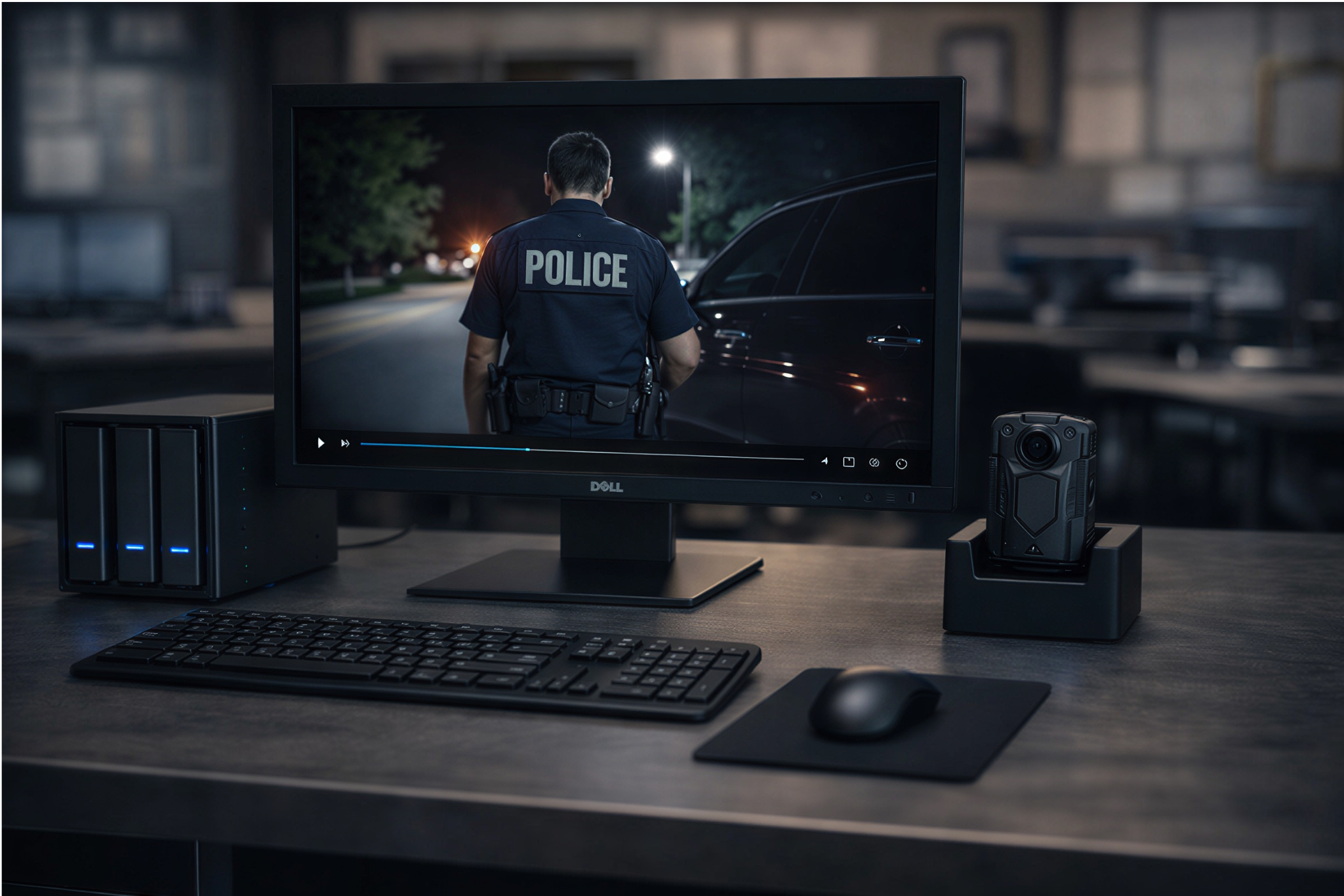
Do not assume that charging means downloading is complete. A dock can have different charging and data functions. Ask staff to identify the evidence that a transfer succeeded, then open the saved file from its final location. The docking and download guide covers the daily workflow in detail.

The department should also understand what happens to files on the camera after transfer. Do not invent that behavior from the word automatic. Demonstrate it with disposable training clips and retain the written operating instructions. Staff should not erase a device merely because it was connected for a while.

Local storage and recurring costs

Martel positions Crime Cam and its department packages around local recording workflows without a required monthly cloud-storage contract. That can be useful for an agency that wants to purchase equipment and operate its own receiving and storage arrangement. It also means the department must decide who manages storage, access, backups, and recovery.

Compare ownership costs over a shared period. Include cameras, mounts, docks, computer equipment, storage, replacement hardware, staff time, and any selected service. Avoid treating the absence of a required cloud subscription as the absence of all future cost. The local-storage guide and system-cost guide explain these decisions separately.

Ask what functions are included with the supplied software and what functions require other procedures or tools. Playback, file organization, access controls, redaction, release, and audit reporting are different requirements. A folder-based local workflow should be evaluated against the agency’s actual needs without claiming features that have not been confirmed.

Choose a Martel package by operational need

Start with the individual Crime Cam when the department is evaluating a unit, replacing a compatible camera, or adding cameras to an existing approved receiving arrangement. Confirm the dock, software, mounts, storage capacity, and support included in the specific quote.

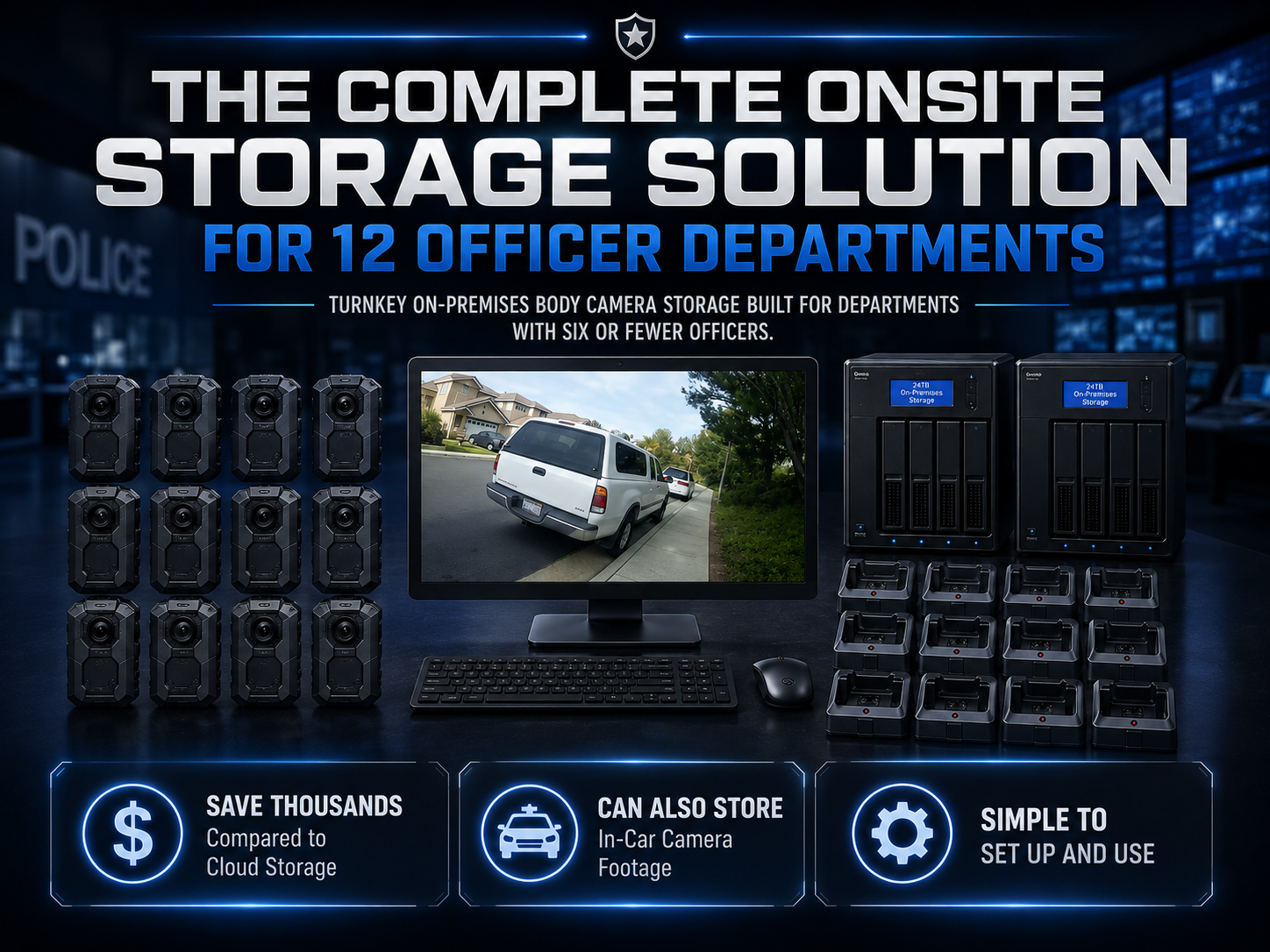
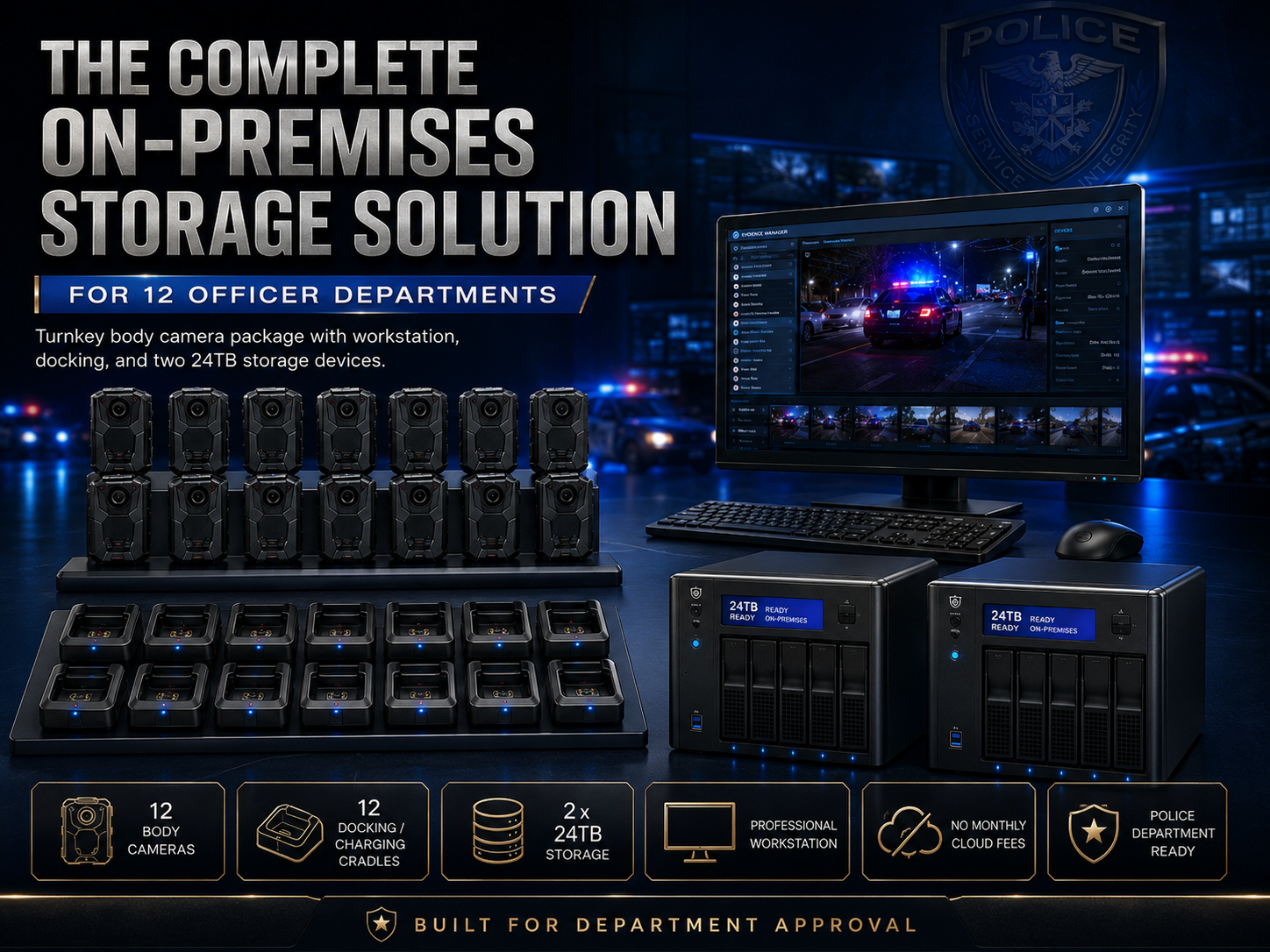
For a complete small-agency deployment, compare the 6-officer package and 12-officer package. Their listings describe cameras, docking, a workstation, and local storage. Count the people who need cameras, the shifts that return together, and the staff who receive recordings before deciding between packages.

Martel six-officer body camera package

View the 12-officer body camera package

Martel twelve-officer body camera package

View the 24-officer body camera package

Martel twenty-four-officer body camera package

The 24-officer package, 50-officer package, and 100-officer package support broader purchasing discussions. The number in the package name is a starting point, not a substitute for sizing storage or defining deployment responsibilities.

Build an acceptance trial before final rollout

Use training recordings and a repeatable checklist. Assign separate roles to the wearer, the workstation operator, and the reviewer. The wearer tests controls and mounting. The workstation operator receives the files. The reviewer locates a specified event and plays it without relying on the wearer’s memory.

Include a normal shift pattern, a low-light sequence, a brief interrupted-transfer scenario, and a retrieval exercise. Record what was expected and what happened. If a required feature is absent, document the gap before deployment. A demonstration is most useful when its outcome can be checked by someone who was not present.

The body camera evaluation guide provides a fuller test plan. The small-department guide explains how to keep a pilot manageable when a small team also handles everyday operations.

Define responsibilities before recording real incidents

Equipment selection and operating policy should develop together. The Bureau of Justice Assistance’s Body-Worn Camera Toolkit discusses program planning, documented procedures, and phased implementation. Use that material as a planning reference and have the agency determine its own recording, access, retention, and release requirements with the appropriate responsible staff.

This article does not supply a universal retention period or recording permission. Those choices depend on the organization and applicable requirements. From an equipment perspective, the important step is to turn the approved process into tasks that can be performed and checked: assign a device, capture a training clip, receive it, identify it, preserve it, and retrieve it.

See the recording-to-review workflow guide for a practical handoff framework. A camera purchase becomes more useful when every stage has an owner and a visible completion check.

Questions to include in a written quote request

Describe the number of intended wearers and whether cameras are individually assigned or shared. State the number of locations, the shifts that return together, and whether a receiving computer and storage are needed. Include the selected recording mode if it has already been approved, along with expected daily recording hours and the storage assumptions you want reviewed.

Ask for an itemized list covering cameras, onboard capacity, docks, cables, chargers, mounts, software, workstation, storage configuration, warranty, and support. Request the usable storage capacity and the role of every storage device. Identify optional items separately so the approving official can understand what the base price includes.

If an agency needs a particular audit, encryption, access, export, or integration function, name it explicitly. Do not assume it follows from an equipment category or a marketing phrase. Ask for written confirmation and a demonstration of any function that is essential to acceptance.

Use Martel’s written quote page to begin the purchasing discussion. The current product pages and final written quote govern price, availability, configuration, eligibility, and any selected payment terms.

A purchasing worksheet: six decisions to settle

Start your worksheet with the number of people who need cameras at the same time. Beside that number, record when they begin and end their assignments and whether a device is individually assigned or shared. Add a separate line for any evaluation unit, spare device, or planned expansion. This allows purchasing to see which quantities reflect present work and which reflect a future plan.

The second decision is the recording task. List the ordinary environments, the conversations or activities that matter to the organization, and the test conditions that will show whether the saved recording is useful. Include indoor and outdoor lighting, movement, and typical background sound. State what the reviewer will look for without promising that every event can be captured completely.

The third decision is the worn arrangement. Identify the clothing and equipment that the mount must work with, the location of the controls, and the movements a wearer performs. Ask the wearer to check the proposed position while seated as well as standing. If staff wear different garments across seasons, include those in the planning brief.

The fourth decision is the receiving schedule. Count how many cameras return at once and how long they have before the next assignment. Record which employee receives the files, how a successful transfer is confirmed, and where an exception is documented. Ask the vendor to demonstrate that workload with the proposed equipment.

The fifth decision is storage. Note measured or vendor-confirmed file rates, the expected recorded hours, the approved retention assumptions, and the need for recovery copies. Ask for usable capacity in the proposed configuration. When an assumption has not been settled, mark it for follow-up rather than disguising it in a precise total.

The sixth decision is the final quote. Request an itemized list of equipment, accessories, software functions, warranty, selected services, delivery, and terms. Compare the final proposal with the trial configuration. A reviewer should be able to see which requirements were demonstrated and which still require confirmation.

Scenario: a single-site security operation

Imagine a security organization evaluating wearable recording for a lobby and an evening patrol. The purchasing manager first lists the authorized recording tasks and the organization’s procedures for use. The proposed test includes movement between a bright entrance and a dim corridor, a short staged conversation, and the return of the camera to a receiving desk.

The wearer tests whether the camera stays in position while walking and sitting. A separate reviewer listens to the saved conversation with ordinary background sound. The receiving employee identifies the device, follows the supplied download procedure, and records whether the training file arrived at the intended destination. A supervisor then tries to locate the clip using the information normally available at the end of a shift.

This scenario is an evaluation framework, not a statement that Martel offers a particular law-enforcement package to every security business. A non-law-enforcement buyer should confirm eligibility, the intended application, and the current quoted configuration directly with Martel. The general exercise remains useful because it reveals the connection between the camera, its wearer, and the receiving organization.

Scenario: a property management inspection

Consider a property management team that wants to assess whether wearable video could support an authorized inspection process. The team first defines the inspection’s purpose and checks its organization’s rules for notice, access, and use in occupied or private spaces. It may find that a still photograph or a written checklist is more suitable for some tasks.

For a staged equipment test, the wearer can walk through an unoccupied training area and describe several known conditions. The reviewer checks whether the relevant view is visible and whether the spoken description is understandable. The team then asks how the resulting file would be labeled, who would have access, and when it would be retained or removed under its approved procedure.

This exercise prevents a purchase decision from resting on a camera feature alone. A device may capture a view while the organization still needs a clear method to connect that recording to an inspection report. Confirm the suitability and availability of any specific Martel equipment for the organization before purchasing.

Scenario: a department receiving cameras at shift change

In a staged police-department trial, assign several training cameras to volunteers and create recordings of different known lengths. Have the receiving employee connect the devices using the proposed docks and workstation. Record the time, transfer outcomes, and any staff actions needed to distinguish finished devices from exceptions.

When the files arrive, ask another authorized employee to locate one specified recording by its assignment and time. Then simulate the normal next step in the organization’s training environment: a review, an approved copy, or a documented recovery exercise. The test should follow the file beyond the moment the camera leaves the dock.

Afterward, compare the observed workload with the planned staffing and available turnaround window. If the intended routine is too crowded, document the exact point of difficulty and ask Martel about supported equipment or configuration options. A practical test gives the purchase discussion a concrete issue to resolve.

A handoff between purchasing and operations

Purchasing can make the quote easier to evaluate by attaching the assignment schedule, test brief, storage worksheet, and list of unresolved functions. Operations can then confirm whether the proposed equipment matches the day-to-day task. Records and technical staff can review the receiving and storage plan before a final choice.

After the equipment arrives, compare its identifiers, quantities, and accessories with the final quote. Repeat the acceptance checks using the supplied configuration. Record any substitutions or changes and resolve them through the normal purchasing and support process before the organization depends on the system.

Body cameras for security guards: questions to settle before a trial

A search for body cameras for security guards often begins with an individual device, but the employer also needs to define the receiving arrangement. A guard assigned to one building may return to a different supervisor from a mobile patrol employee. Record the site, assignment period, camera identity, and authorized receiving point so the recording remains understandable after the guard leaves.

For a staged trial, include the activities the guard actually performs: a lobby conversation, walking between entrances, sitting at a desk, and returning the device. Listen to the saved conversation with the camera attached to the intended clothing. Ask a supervisor who was not present to find the training recording. Confirm with Martel whether the proposed equipment is available and suitable for the organization’s use; the current Crime Cam package pages are directed toward law enforcement.

Police in-car camera systems alongside body-worn cameras

An agency searching for a police in-car camera system is evaluating a different recording position. Martel’s DC7 page describes front and rear coverage, a touchscreen, wireless officer audio, MP4 recordings, USB export, and an optional station-upload arrangement. Martel’s MDP6 is described as a portable vehicle and field-recording package with removable-memory recording and officer audio.

Evaluate the body camera and vehicle system together in a staged sequence, while checking each device’s saved result separately. Do not assume their controls, clocks, event identifiers, or activation are synchronized. Ask for written confirmation of any required integration. Use the body camera versus in-car video guide to plan complementary viewpoints and identify which recording is expected to cover each part of an event.

Body Camera FAQs: 50 Buyer Questions and Answers

1. What is a body camera?

A body camera is a wearable recording device that captures video and, when enabled, sound from its mounted position. A useful purchase includes more than the camera: consider mounting, charging, downloading, storage, review, and the organization’s operating procedures.

2. Who might use a body camera?

Potential users include police, private security, campus and hospital security, parking enforcement, property management personnel, and certain field teams. Suitability and recording permission depend on the task and organization. Confirm purchasing eligibility with Martel because its current Crime Cam package listings target law enforcement.

3. What is the Martel Crime Cam?

Crime Cam is Martel’s body-worn camera offering. Its product page describes video recording, a 2-inch review display, infrared operation, pre-event recording, docking, mounting accessories, and Transporter downloading software. Confirm the current supplied configuration in the product details and written quote.

4. Can I request one Crime Cam instead of a department package?

Martel lists the individual Crime Cam for evaluation, additions, or other eligible purchases. Identify the receiving computer, storage, accessories, and support you need when requesting a quote. A single-camera purchase still needs a complete plan for receiving and finding recordings.

5. What is the purpose of the six-officer package?

The six-officer package is a starting point for an eligible agency seeking several cameras with receiving and local storage equipment. Compare its current itemized contents with your assignments, shift-return schedule, and storage estimate. The package name alone does not determine the complete operating requirement.

6. When should we compare the twelve-officer package?

Compare it when your assignment schedule or planned rollout calls for more cameras than the smaller proposal supplies. Review simultaneous return demand, workstation equipment, usable storage, and training together. Request the exact current configuration rather than selecting solely by camera count.

7. What should we check in the twenty-four-officer package?

Ask for camera quantity, docking equipment, workstation, storage-device count, nominal disk sizes, usable capacity, software functions, and support. Clarify each storage device’s role. Do not assume that the sum of disk labels is all available as working archive space.

8. How do we choose a package size?

Start with simultaneous assignments and the turnaround between users. Then estimate recorded hours, receiving workload, and storage needs. Separate active devices from proposed spares or evaluation units. Ask Martel for a proposal that addresses those requirements and any expected growth.

9. Do we need one camera for every employee?

That depends on the operating plan. Individually assigned and shared cameras create different charging, receiving, and assignment tasks. Build a representative schedule and identify how many devices must be ready at once before deciding on quantity.

10. Should we include spare cameras?

Define how the organization will handle an unavailable device, repair, or late return. If a spare is needed for that plan, request it as a clear quote line. There is no single spare percentage that fits every deployment.

11. Can security guards evaluate body cameras?

Wearable recording can be relevant to authorized security incident documentation. Test the intended clothing, movement, sound, return routine, and supervisor retrieval process. Confirm with Martel whether the proposed equipment is offered and suitable for your organization’s specific application.

12. Can property management teams use wearable video?

Some inspection or interaction tasks may be candidates for evaluation, subject to the organization’s recording and privacy requirements. Occupied properties need particular consideration. Establish the purpose and approved procedure first, then confirm product suitability and purchasing eligibility with Martel.

13. Are body cameras appropriate for hospitals or schools?

Evaluate the specific role and environment through the organization’s responsible staff. Security work, patient areas, and student settings can have different requirements. A camera feature does not establish recording permission or regulatory compliance. Use staged training material for an equipment trial.

14. Does wearing a camera guarantee safety or prevent complaints?

No equipment purchase can guarantee those outcomes. Evaluate the camera’s ability to support the defined recording task and maintain usable files. Training, operating procedures, and organizational responsibilities remain important parts of the deployment.

15. How is a body camera different from a police car camera?

A body camera moves with its wearer and mount. A vehicle system records from its installed or specified portable position. Their viewpoints can complement each other. Determine which recording should cover each task and confirm any desired integration separately.

16. Can Crime Cam automatically synchronize with DC7 or MDP6?

Do not assume shared activation, timestamps, event identifiers, or software. Ask Martel to confirm the exact capability required for the proposed combination and demonstrate it. Complementary recording products do not by themselves establish automatic integration.

17. What resolution should we choose?

Test the supported modes against required detail, saved-file playback, measured size, runtime, and receiving workload. Select a known configuration that meets your requirements. The highest listed resolution is not automatically the most suitable setting for every assignment.

18. Does a wide-angle lens capture everything the wearer sees?

No. The camera records from its mounted position, which may differ from the wearer’s line of sight. Clothing, equipment, body position, distance, and obstructions affect the view. Test standing, sitting, walking, and turning with the intended mount.

19. Does Crime Cam have a screen for review?

Martel’s page describes a 2-inch color display for on-camera review. Also inspect saved recordings on the intended workstation, since a brief view on a small screen does not replace the department’s playback and retrieval acceptance checks.

20. Can a body camera record clear conversations in every location?

Audio depends on position, movement, clothing contact, background sound, and speaking conditions. Use a staged normal-voice conversation with representative surroundings. Have someone absent from the recording assess the saved speech before deciding whether the arrangement meets the task.

21. Does Crime Cam support infrared recording?

The product page describes automatic or manual infrared operation. Ask for a demonstration of the supplied configuration in representative low-light training conditions. Evaluate the saved result for the required task rather than treating a range specification as a guarantee of detail.

22. Is infrared video identical to daytime video?

Do not assume the same color appearance or detail. Test the relevant lighting transition and review saved footage on the workstation. Keep the conditions documented so the department understands the result and its limits.

23. What does pre-event recording do?

It can preserve a supported period before deliberate activation when the camera is operating in the appropriate mode. Crime Cam’s page describes a duration dependent on resolution and quality. Demonstrate the actual saved sequence and confirm buffered-audio behavior separately.

24. Can we assume the maximum buffer is available in every mode?

No. Confirm available duration, settings, startup conditions, and the resulting file on the supplied unit. Keep that configuration in the training record. A maximum product-page figure should not become an untested assumption for every operating mode.

25. Does Crime Cam offer still photos or audio-only recording?

Martel’s page lists still-photo and audio-only functions. Confirm the supplied controls and configuration during evaluation. The organization should determine how those recording types fit its approved operating, receiving, and records procedures.

26. How should we evaluate battery life?

Measure the intended pattern of active recording, display review, infrared use, and other operating states with the proposed settings. Record conditions and warning behavior. Treat manufacturer estimates as conditional figures rather than a guarantee for every shift or battery age.

27. Does a full duty period equal continuous recording time?

Not necessarily. A camera may be powered on, buffering where supported, actively recording, reviewing, or charging at different times. Define the actual test pattern before comparing runtime with the assignment schedule.

28. How long does charging take?

Review the current product specification and measure the proposed turnaround with the supplied charging equipment. Starting battery condition and operating conditions matter. For shared cameras, test the real interval before the next assignment rather than assuming overnight charging is available.

29. Does a charging indicator prove files downloaded?

No. Charging and receiving recordings are different tasks. Use the supplied software’s completion indication and the organization’s saved-file verification procedure. Confirm readiness for reissue separately from the fact that the camera is connected.

30. What does the docking station do?

Its role depends on the supplied arrangement and may include charging, a data connection, or both. Ask Martel to demonstrate the actual camera, dock, cable, computer, software, and destination together. Confirm each required outcome independently.

31. Can we use any cable that fits?

Use supplier-confirmed equipment for the accepted configuration. Connector shape alone does not establish supported data transfer or charging behavior. Ask for approved replacement information and repeat the affected training-file check after a connection component changes.

32. What is Transporter described as doing?

Martel describes Transporter as downloading and organizing recordings into the department’s folder arrangement. Confirm the supplied version, startup process, naming, destination, completion indications, and exception handling. Do not infer additional evidence-management functions without confirmation.

33. Does automatic downloading also create a backup?

Not necessarily. File receiving and recovery-copy protection are separate functions. Have responsible technical staff define the backup arrangement and demonstrate restoration using a training recording. A successful download alone does not establish recoverability.

34. What if the receiving destination is unavailable?

Follow the supported exception procedure and preserve the affected camera’s status. Record the device identifier and visible message. Use training files to learn the recovery process before deployment and verify the resulting saved material after the condition is resolved.

35. Should we erase a camera immediately after docking?

Follow the supplied instructions and the organization’s approved verification process. Do not infer clearing behavior from the phrase automatic downloading. Demonstrate the supported sequence with disposable training clips and keep the instructions at the receiving station.

36. What does no required monthly cloud fee mean?

Martel positions the described workflow without a required cloud-storage contract. Confirm the actual quote and any selected services. The organization still needs staff, usable storage, maintenance, access administration, backup, and recovery procedures for its local arrangement.

37. Is local storage always cheaper?

The answer depends on equipment, required functions, operating period, staff work, replacement assumptions, and selected services. Compare complete proposals using the same requirements. Do not claim a savings amount until the relevant inputs are known.

38. How much video fits on the camera?

Confirm the actual supplied onboard capacity and measure representative recordings in the selected mode. Available duration depends on file production and usable space. The size of a workstation archive does not increase the camera’s capacity during an assignment.

39. How much department storage do we need?

Multiply measured data per recorded hour by expected recording workload, then apply approved retention assumptions. Account separately for longer-held material, reserve, growth, exports where relevant, and recovery copies. Use confirmed usable capacity when comparing the result with equipment.

40. Can we size storage from resolution alone?

No. Compression, quality settings, scene content, and implementation can affect file size. Measure representative original files from the proposed configuration and retain the conditions with the calculation. Generic internet rates should not be presented as Crime Cam specifications.

41. Can we add all disk labels to calculate usable archive space?
Only if the confirmed design makes that space available for the same working purpose. RAID, formatting, system use, and recovery-device roles can change the result. Ask for usable working capacity and a written explanation of every device’s role.

42. Is RAID the same as backup?

No. A RAID arrangement may address particular disk failures while other problems can still affect the working archive. Responsible technical staff should define separate recovery requirements and demonstrate the approved restoration process.

43. How long should recordings be retained?

The organization should establish its schedule and preservation requirements through the appropriate responsible staff and applicable rules. This equipment guide does not prescribe a universal period. Storage planning should support the approved requirement rather than silently determine it.

44. Can recordings be played on any computer?

Test the selected mode on the intended receiving and review computers. A file extension alone does not establish identical playback support everywhere. Confirm the approved software and any requirements for authorized exported copies during acceptance.

45. Can we use an existing workstation?

Proposed reuse needs confirmation. Test camera recognition, receiving, selected-format playback, destination access, restart behavior, and expected batch workload. An available computer is not automatically suitable for the entire operating arrangement.

46. How do we test equipment before a rollout?

Use staged recordings and documented conditions. Test mounting, ordinary speech, lighting transitions, selected settings, runtime, receiving, retrieval, and supported exceptions. Keep the original training files and specific outcomes with the accepted configuration.

47. What should an acceptance record include?

Record the requirement, test conditions, supplied configuration, expected outcome, observed outcome, relevant training-file references, status, and follow-up owner. Keep preferences separate from essential requirements and resolve important differences between the trial and final quote.

48. How do we calculate the complete purchasing cost?

Include cameras, accessories, docking, workstation, usable storage, selected services, staff work, training, and maintenance assumptions over one shared planning period. Keep payment timing separate from total cost and identify any unresolved input before claiming savings.

49. What should we send Martel for a written quote?

Provide organization details, camera quantity, simultaneous assignments, return schedule, receiving locations, existing equipment, storage assumptions, required functions, and intended purchase timing. Ask for current itemized contents, configuration, warranty, support, delivery, and applicable terms.

50. What should happen after equipment is delivered?

Compare it with the final quote and accepted configuration. Have normal and alternate staff repeat the relevant training checks, verify receiving and retrieval, resolve essential differences, and keep current instructions and support references with the equipment record.

## Continue the body camera equipment series

Start with the next decision you need to make: local storage without required monthly cloud fees, complete system costs, docking and downloading, video storage planning, small-department packages, equipment testing, or recording-to-review workflow.

Browse all Martel equipment guides, compare police camera equipment, or request a written quote with your camera count and deployment needs.

Reference: Bureau of Justice Assistance Body-Worn Camera Toolkit — Implementation. Product examples are based on Martel’s live listings reviewed November 4, 2026; final configuration and current pricing should be confirmed in the written quote.

Request a Martel written quote

Martel Electronics

More Posts

Body Camera Video for Evidence: A Recording-to-Review Workflow ChecklistBody Camera Video for Evidence: A Recording-to-Review Workflow Checklist
Body Camera Video for Evidence: A Recording-to-Review Workflow Checklist

Follow a recording from device assignment through receiving, verification, local storage, review, and authorized copies. Give every transition a responsible owner and a clear completion check.

How to Test a Police Body Camera Before Your Department Buys

Use staged recordings to evaluate mounting, daylight and infrared video, audio, buffering, runtime, downloading, retrieval, and exports. Keep a clear acceptance record for the proposed Martel configuration.

Body Camera Systems for Small Police Departments: A 6- and 12-Officer Buying GuideBody Camera Systems for Small Police Departments: A 6- and 12-Officer Buying Guide
Body Camera Systems for Small Police Departments: A 6- and 12-Officer Buying Guide

Compare 6- and 12-officer body camera packages around assignments, shift returns, local storage, training, and daily responsibilities. Build a practical small-agency rollout using Martel equipment.

How Much Body Camera Video Storage Does a Police Department Need?

Estimate body camera storage from measured file sizes, recorded hours, approved retention assumptions, usable capacity, and recovery needs. Includes original worked examples and a purchasing worksheet approach.

Body Camera Docking Stations Explained: Charging, Downloads, and Daily Workflow

Make the return-to-station routine understandable. Learn how to distinguish charging from downloading, verify saved recordings, handle transfer exceptions, and prepare cameras for their next assignment.

How Much Does a Police Body Camera System Cost?

Build a complete body camera budget that includes cameras, docks, computers, usable storage, staff work, and support. Compare Martel package options using clearly stated purchasing assumptions.

Body Cameras Without Monthly Cloud Fees: How Local Video Storage Works

Explore a local body camera workflow: receiving recordings, organizing files, planning access, maintaining storage, and testing recovery. Compare Martel Crime Cam and department package options.

Case CATalyst AudioSync Not Recording? A Windows 11 Microphone Troubleshooting GuideCase CATalyst AudioSync Not Recording? A Windows 11 Microphone Troubleshooting Guide
Case CATalyst AudioSync Not Recording? A Windows 11 Microphone Troubleshooting Guide

We write for customers, neighbors, and anyone interested in what we do and how we do it. This is a place to stay connected, learn something new, and get a closer look at what’s happening around our business.

How to Review a Microsoft Teams Transcript Against the Recording

A meeting transcript is a working draft. Use the recording to check names, numbers, speaker labels and decisions, then improve the room’s microphone coverage before the next meeting. Keep a record of each correction and its supporting timestamp.