Dictation Systems for Multiple Attorneys Sharing a Secretary
Plan dictation for multiple attorneys sharing a secretary: compatible recorders, author identification, priorities, workload, corrections and software checks.
Compare police body cameras and vehicle video by viewpoint, audio, recording routines and the work of finding the complete event.
Published · Martel Electronics
Police body cameras and in-car video systems record from different positions. A useful comparison begins with the department’s coverage needs, not a claim that one viewpoint can replace every other viewpoint. The right questions are what each camera is expected to show, which audio it captures and how reviewers will find the related recordings. This guide compares those practical roles using Martel’s vehicle and body-camera choices, without assuming electronic integration between products unless it has been specifically confirmed.
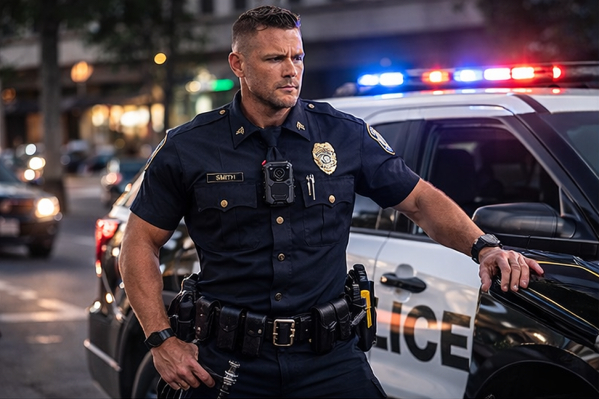
An in-car camera records from its installed vehicle position. A body-worn camera moves with the wearer. Either viewpoint can be obstructed or can miss activity outside its field of view. A reviewer should therefore understand where the camera was and what it could reasonably capture. Treating a recording as a complete view of every surrounding event can lead to expectations the equipment cannot satisfy.
The Justice Department’s 2012 primer on body-worn cameras discusses the distinction between a vehicle viewpoint and recording outside the vehicle. It is useful background for coverage planning, not a current product specification or a promise of a particular policing outcome. Build the department’s own evaluation around its equipment, assignments and approved procedures.
The DC7 police car camera system is presented as a dedicated front-and-rear vehicle setup. The MDP6 police dash cam package offers a portable camera role as well as vehicle use. The Crime Cam police body camera is the body-worn option to review. These distinctions help a buyer organize an evaluation before comparing individual controls and package contents.
Verify the exact equipment and accessories on the current product pages and written quote. In particular, do not assume that buying a body camera and a car camera establishes synchronized activation, automatic pairing, shared event identifiers or a common evidence application. Those are separate integration questions. If the agency requires any of them, obtain written confirmation for the specific combination and demonstrate the behavior before accepting it.
Use a safe staged sequence that includes time in the vehicle, a movement away from it and a return. Identify which view is expected to cover each portion. Add a separate transport-compartment scenario if that is part of the vehicle assignment. A simple coverage map can list the activity, intended camera, intended microphone and expected event identifier. This makes gaps visible without claiming that a second camera eliminates every limitation.
Ask what happens when the wearer turns, when clothing or equipment changes position and when the vehicle camera’s view is obstructed. Evaluate recordings from the actual mounts rather than from a camera held by a demonstrator at an ideal angle. The result should tell the agency which viewpoints provide useful context and which conditions still need to be understood by reviewers.
Camera location and microphone location are not always the same. A vehicle system may use an officer wireless microphone for sound away from the car. A body camera records from the wearer’s position, subject to its design and configuration. Test the expected speech in a controlled exercise and listen to the original saved tracks. Do not conclude that a clear picture or a charged microphone proves that the expected sound is present.
For each recording, note which microphone produced the audio and whether staff can select or identify the relevant track. If two systems record the same staged conversation, compare what each retained and any difference in timing. Use the wireless officer microphone guide for a more detailed audio evaluation. Keep adjustments within the instructions for the specific equipment.
Have staff demonstrate how each system starts recording, how they recognize that state and how an event ends. Document any confirmed automatic input separately from manual controls. A feature on the vehicle recorder does not establish how a body camera will behave, and the reverse is also true. Training should identify the actual controls on the issued equipment rather than relying on a general statement that the cameras work together.
Define a pre-shift readiness routine for every device. Include the appropriate checks for power or charge, camera view, storage status, microphone assignment and recording indications. Shared equipment also needs a clear assignment record so staff can identify the units used during a test or event. The pre-shift camera checklist provides a framework to adapt to the agency’s approved procedure.
Two files from the same staged activity may use different clocks, file names, segment boundaries or event identifiers. Record how the department will associate them. During evaluation, note the devices’ displayed times and the reference used to compare them. Preserve the original files and accompanying information. A reviewer should not silently assume that matching displayed seconds means the systems share a verified timing source.
Use a simple visible and audible marker in a non-evidence test to help reviewers compare the sequence. Document the test conditions and observed differences. This is an evaluation aid, not a universal forensic synchronization method. If an important timing interpretation is required, use the agency’s qualified personnel and procedures. Avoid changing source recordings to make the files appear aligned.
Follow each test recording from the device to the authorized review location. Ask who transfers it, who checks completeness and how a second reviewer finds it. If systems have separate receiving routes, define how the department will locate all material associated with the same event. A camera program needs an organized retrieval process as well as recording equipment.
For a department using local storage, account for the combined recording workload, backups and retained events. Include staff time spent handling exceptions. A single camera test may not reveal the workload of several officers and vehicles returning together. The local storage and ownership cost guide explains how to estimate capacity from measured files and plan responsibility for the receiving process.
Ask an operator to evaluate controls and everyday handling, an installer to assess the vehicle arrangement, and evidence or IT staff to assess retrieval and storage. Give each the same staged event and ask them to record unresolved questions. A feature that looks simple during a demonstration may create additional work in receiving, review or maintenance. Documenting those observations gives purchasing a more complete comparison.
Finish with a requirement table identifying which camera role satisfies which need. Mark capabilities that remain unverified. If the department chooses more than one recording device, document the operating, assignment and retrieval responsibilities for each. That approach supports a clear equipment decision without presenting a larger camera count as a substitute for a reliable workflow.
Do not assume equivalent coverage. Evaluate the required transport view and the actual position of each camera during a staged scenario. The department should decide which recording is required for that assignment and confirm that the selected configuration saves it.
No. Audio transmitted to a vehicle recorder and video captured from a worn camera are different recording functions. Confirm what each supplied component records and inspect the saved files. A microphone should not be described as providing an additional camera viewpoint.
This guide does not establish that integration. Obtain confirmation for the exact models and configuration if coordinated activation is required. Demonstrate it and keep the result with the purchase record rather than inferring compatibility from a shared supplier.
Start with the recording gap the department needs to address and the workflow it can support. Compare the required viewpoints, audio, vehicle installation and receiving responsibilities. Department size alone does not determine which camera role should be the first purchase.
Browse Martel police body and in-car camera systems, then use the DC7 versus MDP6 comparison for the vehicle choices. Keep body-camera package questions and integration requirements explicit in any written quote.
Give an authorized reviewer an event reference and ask them to locate the vehicle recording and the associated body-camera recording without assistance from the demonstrator. Record which identifiers they used, how they distinguished the devices and whether every expected component was available. Then give the same task to another reviewer using the written instructions. This tests the receiving and retrieval process instead of only the cameras’ ability to record.
If the recordings cannot be associated reliably, identify the missing step. The department may need clearer assignment records, a better event index or more explicit handoff instructions. Do not assume that two devices from the same supplier automatically solve the problem. Retain the sample files and retrieval worksheet as a training example. The eventual purchasing decision can then describe the views that each device contributes and the practical process staff will use to review them together.
