TIME IS RUNNING OUT FOR 2026 TAX WRITE-OFFS

Martel Electronics | 1 hour ago

Body Camera Video for Evidence: A Recording-to-Review Workflow Checklist

Follow a recording from device assignment through receiving, verification, local storage, review, and authorized copies. Give every transition a responsible owner and a clear completion check.

Martel’s Crime Cam page lists a one-year parts-and-labor warranty in its package information. Confirm the current warranty, support scope, and repair process in the quote. Keep purchase and service references with the equipment inventory.

An example handoff exercise

Create a staged conversation with a clear training identifier. Assign a camera, perform readiness checks, record the sequence, and return the device. Have the receiving operator download and verify the file through the proposed arrangement.

Next, have a different authorized employee locate the recording using the normal request information. Prepare a training export through the approved process and verify playback in the intended receiving environment. Finally, demonstrate restoration from the recovery arrangement where that is within the approved test scope.

Record the points where anyone needed help or guessed. Each is an opportunity to improve instructions, configuration, or training. The exercise should end with a clear chain of responsibility from device issue through saved-file review.

Matching the workflow to Martel equipment

The individual Crime Cam can support evaluation or an approved addition to an existing arrangement. The 6-officer package and 12-officer package provide starting points for complete small-agency proposals.
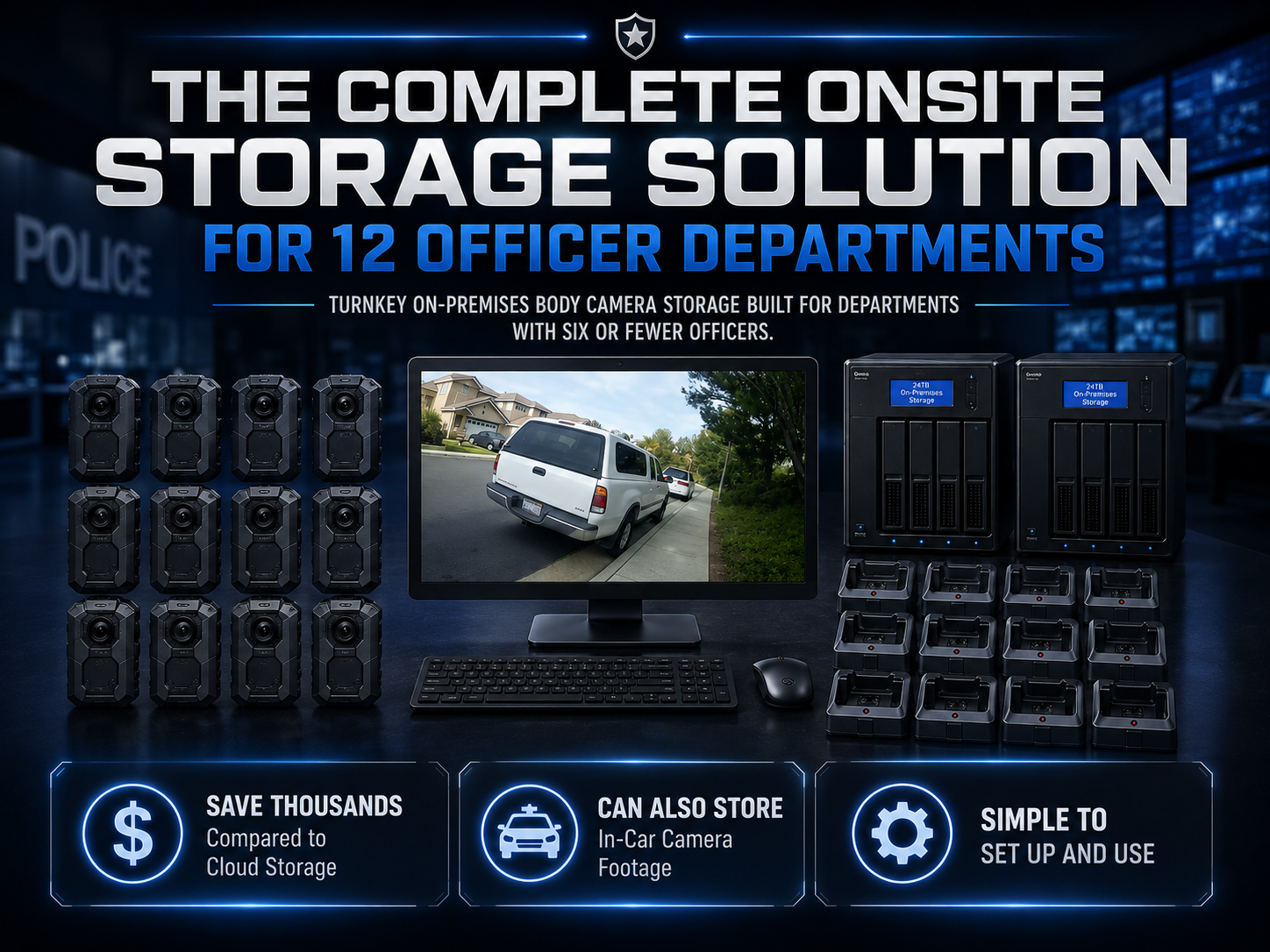
Martel twelve-officer package with receiving and storage equipment

For larger deployments, compare the options in Martel’s police camera category. Request the current itemized contents and confirmation of every required function. Camera count, receiving workload, usable storage, and staff responsibilities should be reviewed together.

Build a responsibility worksheet for the full recording path

List every stage from camera issue through later review. Beside each stage, name the normal task owner, alternate, required information, completion evidence, and exception contact. A small organization may assign several stages to one employee, but the worksheet should still distinguish the tasks so unfinished work remains visible.

For issue, the required information may include device identity and assignment period. For receiving, it includes the returned camera and intended destination. For review, it includes the approved request information and source reference. The organization should choose fields consistent with its own requirements and avoid collecting unrelated sensitive information merely to fill a form.

Ask employees to walk through the worksheet using a known training recording. They should explain what they receive from the previous stage and what they provide to the next. If a handoff depends on an unwritten conversation, record the missing context in the approved procedure.

The worksheet is not a substitute for an agency’s evidence, records, or access requirements. It is an operating aid that makes ownership understandable. Responsible staff should determine which additional controls, technical records, and authorizations are necessary for the actual deployment.

Device identity, wearer identity, and event reference

A camera identifier describes a piece of equipment. A wearer assignment describes who used it during a period. An event reference describes a particular activity or recording request. These may be connected through the organization’s records, but they are not interchangeable fields.

Shared cameras make the distinction especially important. A device can retain the same identifier while being issued to several employees over time. A replacement camera can create more than one device reference within a single assignment. The operating process should preserve those relationships without relying on staff memory.

Use a staged training event with a planned camera exchange to test the records. Ask a reviewer to locate both portions using the normal request information. Record any ambiguity and improve the assignment procedure. The exercise checks organizational records; it does not assume the equipment automatically links the files.

If an agency requires automatic event association, synchronized clocks, or integration with another system, specify the requirement separately. Obtain written confirmation and demonstrate the proposed capability. Do not infer an integration feature from a camera’s ability to record an identifier or from a downloading utility’s folder organization.

Time settings and overnight assignments

The organization should define how date, time, and assignment periods are recorded and reviewed. A shift that begins on one day and ends on another can create understandable files while still confusing a reviewer who searches only by the calendar date of return. Include this scenario in training.

Record the time convention used in the accepted configuration and the procedure for checking it. Have staff follow the supplied instructions and agency requirements for any adjustment. If a time issue is discovered, preserve the context and follow the approved correction and documentation process rather than silently changing references.

Create two training clips on either side of an ordinary overnight boundary where practical in an approved exercise. Alternatively, use a documented training dataset that represents that situation. Ask the receiving employee and reviewer to explain the assignment relationship using the normal records.

The purpose is to make later retrieval understandable. A general article should not prescribe a universal timestamp correction or evidence-handling method. Responsible staff should decide how discrepancies are documented and which source information remains authoritative.

A return record that preserves unfinished work

When a camera returns, record its assignment and any relevant equipment issue through the approved process. The receiving employee should know whether the device is awaiting transfer, has a known fault, or needs another action. A verbal report alone may be lost during a busy handoff.

Use clear status definitions linked to actual checks. Connected, charging, receiving, transfer verified, and ready for assignment describe different conditions. The organization may choose different wording, but staff should know what observation allows a device to move from one stage to another.

An exception should identify the affected device, observed symptom, time, responsible follow-up person, and approved next action where known. Avoid treating a suspected diagnosis as a confirmed finding. Camera not recognized through the approved connection is different from declaring the camera defective.

Have another trained employee review the status record before taking over. Ask that person to identify which work is finished and which remains unresolved. Improve the record wherever the incoming employee needs extra context from the outgoing operator.

Receiving verification as an organizational requirement

The department should define what verifies a successful receiving result for its work. The supplied software may indicate transfer completion, while the organization may require additional checks of identity, file presence, duration, playback, or integrity. These should be specified by responsible staff and demonstrated with training material.

Do not treat the presence of files as proof of every required property. A file can appear in a folder while the operator still needs to confirm that it belongs to the expected device and assignment. A charging indication does not establish transfer completion. An application status should be understood according to the actual supplied instructions.

Use a known sequence with a clear training identifier and expected final marker. Receive it through the proposed arrangement and apply the required checks. Record the method and outcome so another employee can understand why the result was accepted.

If a specialized technical control is required, confirm it separately. Checksums, immutable storage, detailed access logs, automated retention, and redaction are distinct capabilities or procedures. This guide makes no assumption that Transporter or another component provides a function that has not been confirmed.

Keep source recordings and prepared copies distinct

The organization should identify which location holds original recordings under its approved process and which locations contain review copies, working material, or authorized exports. Staff need to understand the purpose of each location. A convenient copy should not silently become the only version treated as authoritative.

For a prepared copy, record the source reference and purpose through the approved method. If the copy is converted, trimmed, redacted, or otherwise processed, follow the organization’s requirements for documenting that action and preserving its relationship to the source. The appropriate process depends on the intended use and governing procedures.

Use training material to test the distinction. Ask a reviewer to identify the source and a prepared copy, explain why each exists, and locate the associated reference. If file names alone are ambiguous, improve the approved record or naming convention without improvising changes to actual case material.

The receiving workflow should also explain where temporary working files belong and who manages them. Do not assume every copy should be stored indefinitely or removed immediately. Responsible records and technical staff should define the handling and retention of each category.

Retrieval requests should carry enough information

A useful request provides the information the organization normally uses to identify the desired material. Depending on its process, that can include assignment date, approximate time, a wearer or device reference, and a short event description. The reviewer should know what additional information to request when those details are insufficient.

Test retrieval without giving the reviewer the answer in advance. A direct link supplied by the wearer can show playback but does not test whether the archive is searchable through the normal process. Use known training events and keep the expected result separately for the exercise.

Record where ambiguity occurs. An overnight assignment, a replaced device, multiple file segments, or similar folder names can complicate the task. Those observations can guide improvements in instructions or assignment records. Avoid adding unnecessary personal details to make a search convenient.

The organization should determine access and authorization for requests. This article does not grant permission to view or distribute a recording. It helps staff identify the operating information needed to perform an already authorized task reliably.

Review a staged event from more than one source

An event may have body camera and vehicle recordings or recordings from several wearers. Plan how the agency’s records identify the related sources. A shared training reference can help test the manual process without claiming the equipment automatically creates one synchronized event.

Have participants create a safe staged sequence and record which device is expected to capture each part. Receive the files through the proposed arrangements. Give a reviewer the normal event information and ask that person to locate the expected sources and explain any gap or uncertainty.

Do not assume all clocks, activation points, audio tracks, or viewpoints match. The reviewer should understand what the recordings show under the test conditions and which relationships have been established by records or confirmed integration. A body camera follows its mount; a vehicle camera records from a different position.

Martel’s DC7 and MDP6 pages provide equipment context for vehicle recording. Confirm the exact quoted configuration and any desired integration in writing. The body camera versus in-car video guide provides a related planning framework.

Authorized-copy preparation needs a completion check

Before creating a copy, follow the organization’s request and authorization process. Identify the source material, intended content, required preparation, and destination environment. Keep those decisions separate from the mechanical act of exporting a file.

After preparation, play the result in the intended environment using an approved method. Check the expected picture, audio, duration, and required accompanying information. A file appearing in a folder does not prove the intended recipient can open or understand it.

If specialized processing is required, use a confirmed capability or approved procedure. Do not assume that ordinary downloading or playback software provides redaction, secure delivery, an audit trail, or every export format the organization might need. Put essential requirements in the purchase brief and demonstrate them.

Record the outcome and any exception through the approved process. Use training copies for acceptance exercises so staff can check the method without involving actual disclosure decisions. The goal is an understandable relationship between source, preparation, and verified result.

Storage maintenance and preservation decisions

The working archive needs enough usable capacity for its approved workload, but capacity monitoring does not authorize an employee to change retention or remove material. Identify who notices warnings, who evaluates equipment needs, and who approves records-related action. These responsibilities may belong to different people.

Keep routine recordings and separately held material accounted for in the storage worksheet. Use measured production and documented assumptions to forecast growth. The storage planning guide explains calculations without prescribing a universal retention period.

Where a warning affects receiving, preserve the device’s status and follow the approved exception procedure. Staff should not clear a camera or remove archive files simply because space is needed. The organization should establish its response before a capacity problem becomes urgent.

Review the estimate after deployment and after significant changes. More cameras, longer recording periods, new settings, or additional held events can change the archive. A maintained worksheet helps staff request expansion with evidence rather than discovering the issue only when a transfer fails.

Recovery exercises and alternate staff

Use a known training recording to demonstrate the approved recovery method. Restore it to a designated test location, check identity and playback through the required process, and document the result. The organization should define the test scope and who is authorized to perform it.

Have an alternate employee participate where appropriate. Recovery should not depend on one person remembering an undocumented path or step. Keep the current instructions and required references available through approved administration. Do not expose credentials or recordings in an informal training handout.

Record limitations as well as successes. A restored training file demonstrates the tested procedure under recorded conditions. It should not be presented as proof that every possible outage or loss has been addressed. Responsible technical staff should determine what additional recovery checks the organization needs.

Repeat affected exercises after a workstation replacement, storage migration, account change, or other significant configuration change. Preserve the earlier record so the department can explain why the procedure was updated and which parts were retested.

Configuration changes should have an owner

Assign responsibility for camera settings, mounts, receiving software, workstation maintenance, storage paths, and access administration. Record changes with their purpose and affected checks. Different parts of the system may have different owners, but the overall workflow needs a way to connect their work.


A change in recording compression may affect playback and file size. A changed storage path may affect receiving and retrieval. A new mount may affect the view and clothing noise. Identify the specific consequence and repeat the relevant training exercise rather than assuming every earlier result remains valid.

Compare delivered or replacement equipment with the accepted configuration. A familiar product name does not necessarily establish identical accessories or behavior across every supplied revision. Ask Martel to confirm relevant details and document any approved substitution in the equipment record.

Update operating instructions after the change is accepted. Staff should know which version is current and where to find it. Retain the earlier decision history through the organization’s approved document process without leaving conflicting instructions at the receiving station.

Support requests that preserve useful context

A concise support report should identify the affected component, configuration, observed symptom, time, visible message, and recent changes. Include authorized training-file test results where helpful. Keep observations distinct from suspected causes so support can follow the actual failure path.

Avoid sending sensitive recordings merely because an equipment problem exists. Use training material or non-sensitive configuration information when sufficient, and follow the organization’s approved support-access process for anything else. The equipment owner should control access to actual recordings.

When a supplier-supported comparison is performed, record one changed condition at a time where practical. If several components change simultaneously, a successful result may not explain the original issue. Keep the accepted working arrangement documented after the problem is resolved.

Finish the support event with the relevant verification. A recognized camera may still need a training transfer and playback check. A repaired storage connection may still need a retrieval or recovery test. The required completion depends on the affected stage and the organization’s procedure.

A complete tabletop exercise

Before ordinary deployment, gather the employees responsible for issue, wearing, receiving, records, technical maintenance, and review. Use a staged training event and walk through the entire process. Ask each person what information they need, what confirms completion, and whom they contact when something goes wrong.

Introduce a planned camera exchange, a receiving exception, and a request from an authorized reviewer. Keep the exercise controlled and use only training material. Observe whether the records preserve the assignment relationship and whether unfinished work remains visible after the handoff.

Prepare an authorized training copy and verify it in the intended environment. Where within the approved exercise scope, demonstrate restoration from the recovery arrangement. Record all unresolved questions with owners and follow-up actions. Do not label the process complete merely because the wearable device recorded successfully.

Use the results to improve instructions, training, configuration, or purchasing requirements. The exercise should produce a repeatable process that the actual staff understand. Keep its record with the accepted equipment configuration and repeat affected portions after meaningful changes.

Review the process during ordinary operation

Use the organization’s approved review method to examine assignment clarity, receiving exceptions, retrieval difficulty, unexpected storage growth, and the ability of alternate employees to perform their tasks. Look for patterns that point to a specific improvement rather than drawing broad conclusions from one unusual event.

Keep observations linked to relevant changes. A new recording mode may explain file growth; an updated computer may explain a playback issue; a changed assignment routine may explain retrieval confusion. The configuration history helps staff evaluate these possibilities without relying solely on memory.

When a change is approved, assign an owner, update instructions, and repeat the affected training check. Preserve the result so future staff can understand what was demonstrated. The workflow remains useful when it reflects the equipment, people, and requirements actually in service.

This operating review does not replace evidence, records, legal, or technical oversight. It provides a practical way to identify where the equipment handoff needs attention. The organization should keep its required approvals and specialized controls connected to the daily routine.

Keep the accepted workflow record current when equipment or responsibility changes. Identify the affected stage, update the relevant instructions, and repeat the appropriate training exercise. Preserve the result with the configuration history so another authorized employee can understand what was demonstrated. A practical recording-to-review process connects the camera, assignment information, receiving outcome, saved material, and authorized review through clear ownership and observable completion checks.

For a final handoff check, have an alternate employee describe the task they receive, the information needed, the evidence of completion, and the person responsible for an exception. Use a known training event to test the explanation from issue through retrieval. Record any missing context and improve the instructions. This exercise helps keep the workflow understandable across shifts and staff changes, while the organization retains responsibility for its required recording, access, preservation, and disclosure decisions.

Frequently asked workflow questions

Does automatic downloading finish the evidence workflow?

It handles a file-receiving task as described for the supplied software. The organization still needs assignment, verification, approved access, storage, recovery, retrieval, and authorized-copy procedures. Confirm any required technical functions separately.

Can one employee handle the entire process?

A small organization may assign several tasks to one employee, but it should still define completion checks and an alternate person. The workflow should remain understandable when that employee is absent.

Does local storage establish compliance automatically?

No. Location alone does not establish the required controls or operating practice. Responsible organizational staff must determine requirements and confirm the proposed equipment and procedures meet them. This guide makes no blanket compliance claim for a camera or package.

What should be checked first when a recording cannot be found?

Follow the approved exception process. Check the assignment information, expected date and time, receiving outcome, and intended destination without altering original material. Record the search and seek responsible support rather than guessing or deleting files.

Continue the equipment series

Start with the buyer’s guide, then review system cost, docking, storage, small-department planning, and equipment testing. Request a Martel written quote describing the workflow your department needs.

Request a Martel written quote

Martel Electronics

More Posts

How to Test a Police Body Camera Before Your Department Buys

Use staged recordings to evaluate mounting, daylight and infrared video, audio, buffering, runtime, downloading, retrieval, and exports. Keep a clear acceptance record for the proposed Martel configuration.

Body Camera Systems for Small Police Departments: A 6- and 12-Officer Buying GuideBody Camera Systems for Small Police Departments: A 6- and 12-Officer Buying Guide
Body Camera Systems for Small Police Departments: A 6- and 12-Officer Buying Guide

Compare 6- and 12-officer body camera packages around assignments, shift returns, local storage, training, and daily responsibilities. Build a practical small-agency rollout using Martel equipment.

How Much Body Camera Video Storage Does a Police Department Need?

Estimate body camera storage from measured file sizes, recorded hours, approved retention assumptions, usable capacity, and recovery needs. Includes original worked examples and a purchasing worksheet approach.

Body Camera Docking Stations Explained: Charging, Downloads, and Daily Workflow

Make the return-to-station routine understandable. Learn how to distinguish charging from downloading, verify saved recordings, handle transfer exceptions, and prepare cameras for their next assignment.

How Much Does a Police Body Camera System Cost?

Build a complete body camera budget that includes cameras, docks, computers, usable storage, staff work, and support. Compare Martel package options using clearly stated purchasing assumptions.

Body Cameras Without Monthly Cloud Fees: How Local Video Storage Works

Explore a local body camera workflow: receiving recordings, organizing files, planning access, maintaining storage, and testing recovery. Compare Martel Crime Cam and department package options.

Police Body Camera Buyer’s Guide: Choosing a Complete Recording SystemPolice Body Camera Buyer’s Guide: Choosing a Complete Recording System
Police Body Camera Buyer’s Guide: Choosing a Complete Recording System

Choose a body camera around the people who will wear it, the situations they need to record, and the work of finding saved video afterward. This original Martel guide connects camera features, mounting, local storage, testing, and department purchasing.

Case CATalyst AudioSync Not Recording? A Windows 11 Microphone Troubleshooting GuideCase CATalyst AudioSync Not Recording? A Windows 11 Microphone Troubleshooting Guide
Case CATalyst AudioSync Not Recording? A Windows 11 Microphone Troubleshooting Guide

We write for customers, neighbors, and anyone interested in what we do and how we do it. This is a place to stay connected, learn something new, and get a closer look at what’s happening around our business.

How to Review a Microsoft Teams Transcript Against the Recording

A meeting transcript is a working draft. Use the recording to check names, numbers, speaker labels and decisions, then improve the room’s microphone coverage before the next meeting. Keep a record of each correction and its supporting timestamp.

A body camera workflow begins before the first recording and continues after the wearer returns. The device must be assigned and ready, the recording must be received, and an authorized reviewer must be able to locate the correct material later. Each transition needs an owner and an understandable completion check.

This guide describes a practical framework using Martel Crime Cam and local department-package examples. It does not establish an agency’s recording permission, retention schedule, or legal evidence requirements. The organization should apply its approved procedures and use the equipment plan to make those procedures workable.

Martel Crime Cam body-worn camera

Give the workflow a beginning and an end

Define the intended outcome in plain language: the correct recording can be identified, retrieved, played, and handled through the organization’s authorized process. That outcome requires more than a recording light. It depends on assignment information, date and time, file receiving, storage, and review.

Map the stages from issue to archive. Include device assignment, readiness, recording, return, transfer, verification, storage, retrieval, authorized copy preparation, and maintenance. The same employee may perform several stages, but the process should show where responsibility changes.

Use training recordings to demonstrate the map before deployment. A person who did not design the process should be able to follow it. If a step depends on unwritten knowledge, add the missing instruction while the test is still manageable.

Assign the device

Record which camera is issued, the wearer or assignment, and the relevant time period through the organization’s approved method. Keep hardware identity distinct from user identity. When devices are shared, the relationship can change several times while the camera number remains the same.

Define how exchanges are handled. A camera may fail a readiness check or be replaced during an assignment. The record should preserve which device belongs to which period without relying on memory. Include who is responsible for correcting an assignment mistake.

For an equipment inventory, retain the model, identifier, purchase reference, supplied accessories, and relevant configuration. That inventory supports maintenance and replacement. It should connect to the operating record without exposing recordings more widely than authorized.

Check readiness before use

The wearer should follow the supplied instructions and the organization’s approved readiness routine. Typical equipment checks include the mount, lens, housing, battery indication, date and time, available recording capacity, and a short saved training check where required.

Confirm that controls and indicators are understood. Staff should be able to explain which condition means powered on, which means recording, and how faults are reported. Do not substitute familiarity with another camera for training on the supplied unit.

Martel’s Crime Cam page describes a display, audible and vibration indications, recording modes, and battery warnings. The actual configuration should be demonstrated during acceptance. The organization should decide which approved settings are standardized and who may change them.

Mount for the recording task

Attach the camera in the approved worn position and check the view after clothing changes. A coat, equipment strap, or shifted clip can obscure the lens or microphone. Routine movements should have been tested with representative clothing before deployment.

A body camera follows its mounting position. It does not necessarily show exactly what the wearer sees. Training should explain that limitation without treating it as a reason to ignore the equipment’s practical value. The aim is an understood viewpoint.

Retain an approved mounting reference for training. When a different mount is introduced, repeat affected tests. The body camera evaluation guide includes a staged mounting exercise.

Record under the approved process

The organization determines when recordings should begin, continue, and end. Equipment training should make the required control actions and indicators clear. A product guide should not invent a universal activation policy for every agency or workplace.

If pre-event recording is used, demonstrate the exact supplied mode and saved result. The Crime Cam listing describes a buffer dependent on recording mode and quality. Confirm the duration and audio behavior through testing rather than assuming a video-buffer feature answers every question.

When a fault occurs, follow the organization’s reporting procedure. Preserve the context needed for later review: device identity, approximate time, visible symptom, and the action taken. Avoid changing multiple settings without a record, because that makes the original condition difficult to understand.

Return the device with its assignment information

The receiving employee should be able to identify the returned camera and relevant assignment period. Define how unfinished work, a damaged device, or an unusual recording condition is communicated. A verbal comment is easy to lose during a busy shift change.

Use a clear status arrangement for returned devices. Staff should know which cameras await receiving, which have unresolved exceptions, and which have passed the readiness checks for another assignment. The format can be simple as long as the meanings are defined.

For shared cameras, the next issue should not erase the previous assignment context. Keep the device-use record and the receiving outcome connected through the approved process. This is particularly important when several users return equipment together.

Receive files through the supplied workflow

Connect the camera using the approved dock or cable. Confirm that the receiving computer and software recognize it. Martel describes Transporter software for downloading and organizing video, photos, and log notes into the department’s folder arrangement; obtain the exact operating instructions for the supplied version.

Observe the transfer result. The operator should know which notification or status establishes completion and which indicates a problem. Do not assume a charging light means downloading finished. Charging and file receiving are different checks even when one connection serves both.

The docking guide develops this stage in detail. Use it as a planning framework alongside Martel’s instructions and the organization’s approved procedure.

Verify what arrived

Define saved-file verification before rollout. Depending on the organization’s requirements, it may include expected device or assignment, recording dates, file presence, duration, and playback checks. Staff should understand what evidence supports a successful result.

Use known training clips to test the procedure. A spoken identifier at the beginning and a planned final marker can help reviewers check that the expected material is present. Keep the test independent of real case handling.

Avoid describing file presence as proof of every integrity requirement. If the agency requires particular checksums, audit records, access controls, or other technical functions, its responsible staff should define them and confirm the supplied capability. Do not assume those features are provided by a folder-based download utility.

Handle receiving exceptions visibly

An unavailable destination, interrupted connection, unrecognized camera, or unclear assignment should have a documented response. Record the affected device, time, visible message, and responsible follow-up person. Keep the device’s status distinguishable from completed work.

Test supported recovery procedures with disposable training material and vendor guidance. Confirm the expected files after recovery. Do not improvise by deleting suspected duplicates or clearing a camera simply because it has been connected for a long time.

The exception procedure should also explain how the next shift learns about unfinished work. An unresolved transfer should not disappear from view when the receiving employee goes home. A concise status record protects continuity.

Keep originals and working copies understandable

Identify the approved location for original recordings and distinguish it from folders used for review copies, exports, or prepared material. Staff should know which version a task requires and how a prepared copy relates to its source.

Use the organization’s approved naming and documentation process. Do not rely on improvised names such as final, final-new, or latest to distinguish important files. A clear reference to the source recording and purpose of the copy is more useful.

If a file is converted for playback or another authorized purpose, preserve the relationship to the original through the approved procedure. A converted copy can have different properties, so it should not silently replace the source in the archive.

Make retrieval work for another employee

Give an authorized reviewer a realistic training request with date, assignment, approximate time, and a brief description. Have the reviewer find and play the correct recording without assistance from the wearer or original receiving operator.

Observe uncertainty in the assignment record, folder convention, time settings, and file organization. Correct the process where the test exposes ambiguity. A well-recorded event remains difficult to use if only one employee knows where it was placed.

Repeat after a normal shift change. The workflow should support retrieval by a properly authorized person who was not present when the recording was made. Written instructions and consistent identifiers make that possible.

Prepare authorized copies carefully

Before export, identify the intended recipient or purpose through the organization’s approved request process. Determine what material is authorized and which preparation steps are required. This equipment guide does not define disclosure rules or permissions.

Test the prepared file in the intended receiving environment. Confirm the expected duration, picture, sound, and playback support. A file that opens on the archive workstation may still require a different approved playback arrangement elsewhere.

Record the source, preparation action, and outcome as required by the organization. If redaction or other specialized processing is needed, use an approved method and confirm that capability separately. Do not describe ordinary downloading software as a redaction system without evidence.

Plan storage and recovery together

Local archives need enough usable capacity for the approved recording and retention workload. Measure representative file sizes and calculate expected production. Separate routine material from recordings held longer and include operating reserve and growth.

Backup and recovery require their own design. A second storage device is not automatically an independent recovery copy, and RAID should not be treated as a substitute for backup. Ask responsible technical staff to define the arrangement and demonstrate restoration using a training file.

The storage planning guide explains capacity calculations. The local-storage guide explains the responsibilities associated with an equipment-owned archive.

Control configuration changes

Record changes to camera settings, mounts, docks, receiving computers, software, storage paths, and access arrangements. Include the reason, date, responsible person, and affected checks. A short history can explain why a previously working process changed.

Repeat the relevant training test after a significant change. A new compression setting may affect playback or file size. A changed storage path may affect receiving. A different mount may alter the view or clothing noise. Test the specific consequence instead of assuming the entire workflow remains identical.

Keep the current instructions at the receiving station and with the responsible staff. Retire outdated copies through the organization’s document process. Staff should not have to choose between conflicting versions during an exception.

Maintenance and support records

When reporting a fault, identify the device, supplied configuration, connection arrangement, visible symptom, and recent changes. Include results from authorized training-file tests where useful. Avoid sending sensitive recordings merely because a support request is being prepared.

Separate a camera fault from a receiving-path problem through the supported procedure. A cable, dock, account, software startup, or storage destination can produce symptoms that look like a device failure. Record one change at a time where practical.