Schedule review according to the organization’s approved maintenance plan and repeat affected checks after significant changes. A recovery process that was demonstrated once on old equipment should not be assumed unchanged after a storage migration.
A worksheet the purchasing team can review
Create one row for each data category. Routine footage should show camera count, recorded hours, measured rate, retention assumption, and calculated total. Longer-held material should have its own size and duration assumptions. Add exports or other required files only where the organization actually stores them.
Then record usable working capacity, reserve, expected growth, and the separate recovery-copy requirement. Include the source and review date for each assumption. The result should distinguish measured inputs from estimates and policy decisions.
Have operations review recording hours, records staff review retention assumptions, IT review usable capacity and recovery design, and purchasing review the quoted equipment. This distribution of review helps prevent a camera-count assumption from silently becoming the entire storage plan.
Applying the estimate to Martel packages
Martel’s 6-officer and 12-officer listings describe workstation and local storage equipment alongside cameras and docking. Larger choices are available through the police camera category.
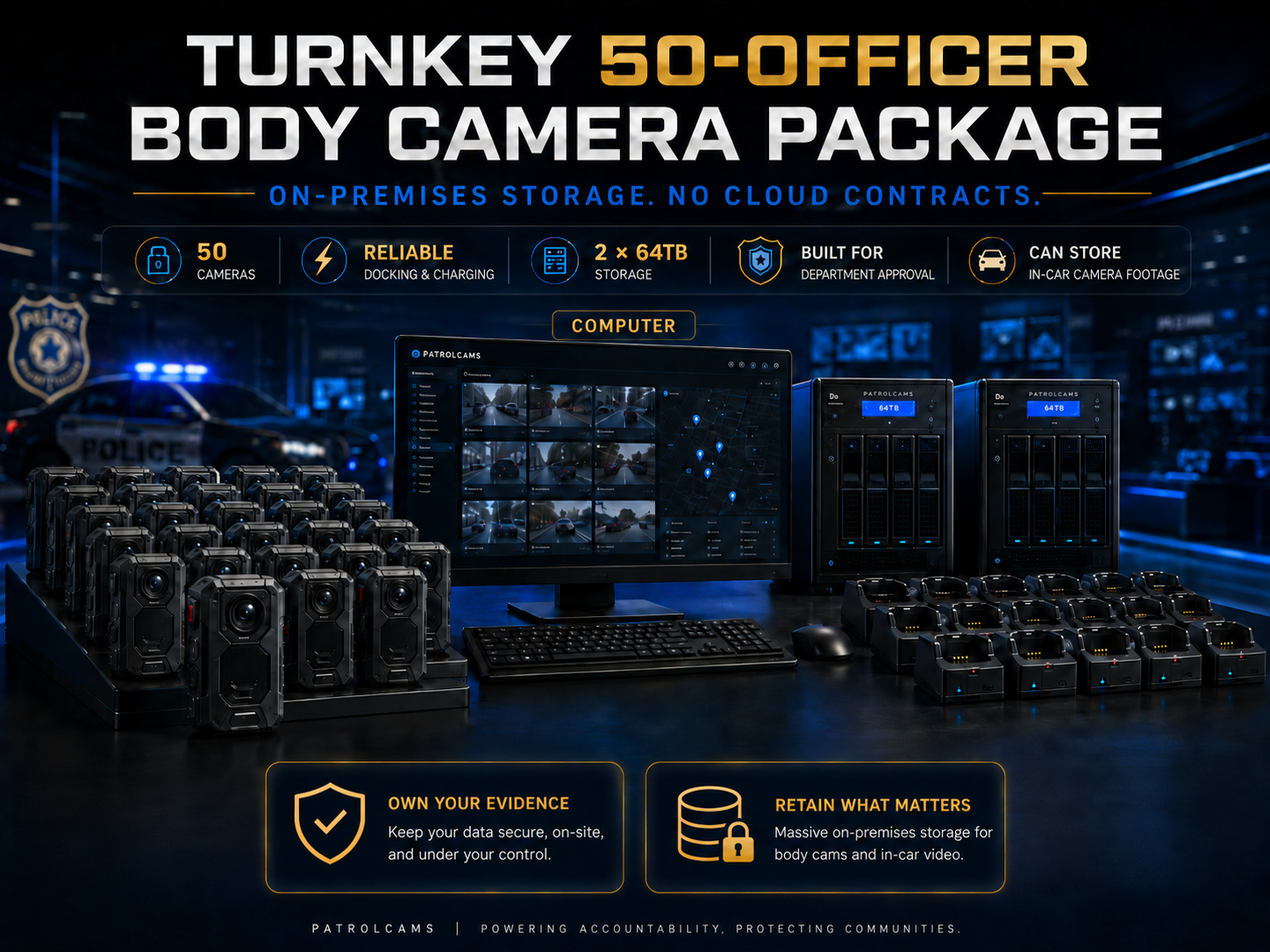
Send the worksheet assumptions with the quote request. Ask Martel to identify the current supplied storage devices, usable capacity, RAID arrangement where applicable, and intended role of each device. Confirm setup and support responsibilities. Do not assume that package camera count alone establishes the right archive size.
Build a recording sample that represents the workload
Choose a sample duration long enough to include the types of scene the department expects to record. A camera facing an empty wall is a poor substitute for an assignment involving walking, changing light, and conversation. Use staged activity with volunteers and keep the setting, recording mode, quality, and compression choice documented beside the files.
Record the actual duration from the file information or approved playback tool. If the camera splits a recording into multiple files, include every part that belongs to the sample. Confirm how the supplied device handles file segmentation rather than assuming one event always equals one file. Add the sizes of the relevant original files before calculating the observed rate.
Use a consistent unit for the calculation. A worksheet may use decimal gigabytes for planning, but it should explain that choice. If the computer displays a different convention, have technical staff convert consistently. Record the source measurement so a later reviewer can reproduce the arithmetic instead of trusting an unexplained number.
Create several samples if recording conditions vary substantially. Keep the smallest, typical, and largest observed rates with their conditions. The planning rate should be an explained choice from those observations. Do not present a sample average as a guaranteed maximum for every future scene.
Calculate from minutes when hours are inconvenient
A short training sample can still support an estimate if its limits are understood. Suppose a twenty-minute sample occupies 900 decimal megabytes. Twenty minutes is one-third of an hour, and 900 megabytes is 0.9 decimal gigabytes. Dividing 0.9 by one-third produces an observed rate of 2.7 gigabytes per recorded hour for that sample.
If twelve cameras each record two hours per operating day at the illustrative 2.7-gigabyte rate, daily production is 64.8 gigabytes. For a purely illustrative sixty-day accumulation, the routine total is 3,888 gigabytes, or 3.888 decimal terabytes. These numbers exclude recovery copies, held material, exports, reserve, and any other required data.
This example does not state a Crime Cam file size or an approved retention period. It demonstrates how to convert a measured short recording into a planning input. Replace every example input with the proposed device’s observed rate and the organization’s approved workload and retention assumptions.
Check the result with a second sample of a different duration. If the calculated hourly rates differ, retain both results and investigate the conditions rather than silently choosing the smaller number. A variable workload can justify a range in the estimate, with the selected capacity based on an explained planning assumption.
Different assignments may need separate rows
An agency may have patrol, event, and supervisory assignments with different recording patterns. Instead of applying one average to every camera, create a row for each assignment group. Record active cameras, recorded hours per day, measured rate, operating days, and the retention or preservation assumptions applicable to that group.
For illustration, four training cameras recording one hour daily at two gigabytes per hour produce eight gigabytes per day. Another eight cameras recording three hours daily at the same illustrative rate produce forty-eight gigabytes. Together they produce fifty-six gigabytes, even though a simple twelve-camera average might obscure the different operating patterns.
Keep assignment groups only when they improve the estimate. An excessively complicated worksheet can be difficult to maintain. Start with meaningful differences and revise the groups when actual deployment data shows that another distinction matters. Preserve the source and review date for each input.
Do not use staffing headcount as a substitute for active-camera count. Some employees may not carry a camera every day, while shared devices may serve more than one assignment. Use the recording workload and assignment schedule that the department actually plans to operate.
Operating days and calendar retention
Daily data production and retention can use different time bases. A group may record on five days each week while its approved retention period is expressed in calendar days. State that distinction in the worksheet. Multiplying a five-day operating average by every calendar day without explanation can overstate production; ignoring weekend assignments can understate it.
One approach is to calculate total recorded data for a representative week, then use the organization’s approved planning method to estimate the relevant accumulation period. Document exceptions such as special events, additional shifts, or periods of higher activity. The exact method should be consistent and understandable to the purchasing and technical reviewers.
For a camera used every day, a daily average may be appropriate. For an irregular assignment, a schedule-based estimate may be clearer. Do not force different patterns into one formula merely to produce a neat total. The purpose is a useful estimate that can be compared with actual storage growth later.
Retention decisions should come from the organization’s approved process. This article supplies arithmetic examples and planning questions; it does not prescribe how long a department should keep a recording. Capacity should support the approved requirement rather than determine it by accident.
Separate held events from the routine rolling archive
Material that remains under a separate preservation requirement may continue occupying storage after ordinary routine footage would have left the working archive. Estimate that material in a separate row. Include an explained event count, average size, and expected accumulation under the organization’s approved assumptions.
Suppose an illustrative routine archive totals eight terabytes, while separately held training-case examples are estimated to add one terabyte during the planning period. The combined working requirement is nine terabytes before reserve, growth, and other files. The example explains the categories; it does not predict a department’s case volume.
Avoid counting the same material twice without explanation. If held footage is included in the routine total during its initial period, the worksheet should describe how the additional long-term accumulation is estimated. The responsible records and technical staff can choose a method appropriate to their information and requirements.
Review the held-material assumption after deployment. A small number of long events or an unexpected accumulation can change the archive significantly. Keep the estimate linked to documented observations so capacity planning can respond before the available margin is exhausted.
Reserve calculations should explain the denominator
Reserve percentages can be misunderstood. Adding twenty percent to a ten-terabyte workload produces a twelve-terabyte target, leaving two terabytes beyond the estimated workload. That reserve is twenty percent of the workload, but it is about 16.7 percent of the twelve-terabyte target.
If the design instead requires the workload to occupy no more than eighty percent of usable capacity, divide ten terabytes by 0.8. The result is 12.5 terabytes. These are different calculations. Neither example is a universal recommendation; the organization’s technical staff should select the appropriate reserve method for the proposed system.
Write the method beside the number. Use the same method when comparing proposals so one system is not credited with a reserve that another estimate omitted. Identify whether usable capacity has already excluded operating reserve, system use, or another allowance to avoid subtracting the same item twice.
Reserve should also connect to an operating response. Identify how capacity is monitored, when a warning is escalated, and how long the organization expects a supported expansion or repair to take. A percentage has practical value when it gives staff time to act through an approved process.
Use sensitivity checks before selecting equipment
A sensitivity check changes one input at a time to show how much the estimate depends on it. Start with the proposed workload, then increase recorded hours while keeping camera count and rate constant. Next test a higher measured rate, then a larger deployment. Keep each scenario labeled so the purchasing team can understand the cause of the change.
For illustration, ten cameras recording two hours daily at three gigabytes per hour produce sixty gigabytes per day. Increasing recorded hours to three raises the result to ninety gigabytes. Keeping two hours but increasing the rate to four gigabytes produces eighty gigabytes. Increasing camera count to fifteen at the original inputs produces ninety gigabytes.
Those examples show why camera count alone is insufficient. A change in operating practice can affect data production as much as adding equipment. They also show why an estimate should retain its inputs: staff can revise one assumption without reconstructing the entire calculation.
Use the scenarios to ask useful purchasing questions. How would the proposed storage arrangement expand? Which configuration work is needed? Would the receiving workstation still handle the workload? Do not treat a sensitivity scenario as a forecast that the organization has committed to adopting.
Estimate body camera and vehicle video separately
If the organization retains both body-worn and vehicle recordings, calculate each source separately before combining their archive requirements. A multi-camera vehicle system may produce more than one view at a time. The total data includes the required simultaneous streams and their associated files, not merely one preview view.
Martel’s DC7 page describes front and rear coverage with local export and an optional station-upload path. The MDP6 page describes portable vehicle and field recording with removable memory. Those descriptions provide equipment context, but the file rate should come from measured samples of the selected configuration.
Keep the sample conditions and intended receiving method for each source. A body camera dock and a vehicle-upload arrangement may impose different return-time workloads. Combining their terabyte totals does not establish that the same receiving computer or network can process both at the required time.
Ask for confirmation of any proposed shared archive, indexing, or integration function. Do not infer common event identifiers or synchronized activation from the fact that the equipment is sold by Martel. The vehicle storage guide provides additional questions for the in-car portion of the plan.
A storage purchasing worksheet in sequence
Begin with a source column that identifies the recording group: body cameras, vehicle views, or another approved source. Add the active device count and the observed data rate. Record the sample date, settings, duration, and file sizes so the rate can be checked later.
Add the operating pattern and the approved retention assumptions. Show daily or weekly production using a consistent time basis. Then identify longer-held material, required working copies, and other known data categories separately. Avoid adding speculative categories that the organization does not actually store.
Next record the expected growth scenario and reserve method selected by responsible technical staff. Calculate the required working capacity and identify the separate recovery-copy design. Put usable quoted capacity beside the requirement using consistent units and explain the role of each supplied storage device.
Finish with unresolved questions, owners, and review dates. The worksheet should distinguish measured information, approved requirements, estimates, and supplier confirmations. That distinction is more useful than an apparently precise number built from hidden assumptions.
Check the calculation after the first month
Use the organization’s approved monitoring process to measure actual data added during a representative period. Compare that amount with the estimate and identify significant differences. Additional cameras, longer events, different settings, more held material, or duplicate working copies may explain a change.
Do not revise the forecast from one unusually quiet or busy day without context. Look at an appropriate period for the deployment and record notable events. If a recording mode changed halfway through the period, separate the observations where practical so the new rate is not hidden in a mixed average.
Update the worksheet and the expansion forecast. If usable capacity is being consumed faster than expected, identify the approved response early. Storage maintenance should not rely on unauthorized deletion or an informal reduction in retention to make the numbers fit.
Keep the earlier worksheet as part of the decision history. The change from an initial estimate to measured deployment information is normal. A transparent revision helps the organization understand what it learned and why a capacity decision changed.
Test recovery capacity as well as working capacity
The recovery arrangement needs enough capacity for the material and versions the organization requires it to preserve. Ask responsible staff to define what is copied, how often, where it is kept, and what recovery point is expected. Those decisions affect both space and operating work.
Use a known training recording to demonstrate restoration to an approved test destination. Confirm its identity, duration, picture, and sound through the approved verification method. Record the equipment, account, operator, time, and outcome so another authorized employee can understand the result.
A successful restoration of one training file is useful evidence about the tested procedure. It should not be overstated as proof that every possible failure has been addressed. Have technical staff determine the required test scope and repeat affected checks after significant changes.
Keep recovery capacity distinct from spare working space. If one device serves a recovery role, its nominal size should not also be added to the working archive as though both uses were available simultaneously. The written design and quote should explain the intended arrangement.