TIME IS RUNNING OUT FOR 2026 TAX WRITE-OFFS

Martel Electronics | 1 hour ago

Body Camera Systems for Small Police Departments: A 6- and 12-Officer Buying Guide

Compare 6- and 12-officer body camera packages around assignments, shift returns, local storage, training, and daily responsibilities. Build a practical small-agency rollout using Martel equipment.

Record changes and the reason for each. If mounting or recording settings change, repeat the affected test. A small department benefits from a short configuration history because it reduces the amount of troubleshooting that depends on memory.

Questions to send with the quote request

State how many people need cameras at once, whether devices are shared, and how many return together. Identify receiving locations, available computer equipment, expected recording hours, and the approved storage assumptions. Explain the planned rollout date and any required trial.

Ask for current package contents, onboard camera capacity, supported docks and connections, workstation specification, usable storage, software functions, selected services, warranty, and support. Ask how expansion and equipment faults will be handled.

Use Martel’s written quote page with that information. A quote tied to the actual daily routine gives the approving official a clearer picture than a request for a price on six or twelve cameras alone.

A six-camera planning scenario

Imagine a small agency starting with six cameras and one receiving location. The first planning task is to list the assignments that need recording equipment at the same time. Include shift overlap and any approved supervisory use. Keep a separate line for an evaluation device or proposed spare so the purchasing request explains why each camera is included.

Draw a normal day from issue to return. Identify when each camera is worn, when files are received, how long charging is available, and when it may be assigned again. This exercise does not prescribe a particular shift pattern. It exposes the timing assumptions behind the department’s proposed quantity.

Ask the receiving employee to review that schedule. A package can include the needed hardware while the daily return period still conflicts with another duty. The employee should identify which checks require attention, how exceptions are recorded, and who continues the work if a camera arrives after the normal receiving period.

Use the schedule in a controlled training trial with the proposed equipment. Create known clips and have staff complete the return, receiving, verification, and readiness sequence. Record what happened, where assistance was needed, and whether the planned turnaround was achieved under the test conditions.

A twelve-camera deployment with two return groups

A twelve-camera deployment may create two distinct receiving periods instead of one large batch. Record the actual expected groups and their return times. Count the devices that need connections together and the time before each group is reissued. The total fleet size and the peak receiving demand should both appear in the planning brief.

Ask Martel to explain the supported receiving configuration for that demand. Confirm docks, cables, workstation connections, software, and destination. Demonstrate the intended arrangement with representative training recordings. Do not assume the performance of one short transfer predicts the result for a larger group.

Have the second operator take over using the written status record. That person should identify completed work and unresolved exceptions without relying on the outgoing employee’s memory. The test checks whether the proposed daily process remains understandable when several cameras are in different stages.

If the trial reveals a timing problem, identify its cause before changing the purchasing quantity. The issue may involve charging opportunity, operator attention, a receiving connection, or another part of the approved arrangement. Ask for a supported response tied to the observed problem rather than adding equipment without a defined purpose.

Individually assigned and shared cameras

Individual assignment and shared-device use create different administrative tasks. An individually assigned device still needs a record of exchanges, repairs, or temporary replacements. A shared camera needs a reliable way to connect each assignment period with the relevant wearer and recordings. The department should choose its method through the approved operating process.

Test a planned device exchange during training. Have a volunteer record one clip on the first camera and another after the exchange. Ask the receiving employee to receive both devices and preserve the assignment relationship. A reviewer should be able to locate both parts using ordinary request information.

This exercise does not require automatic synchronization or a shared event identifier. It tests the department’s assignment record and retrieval procedure. If automatic association is required, specify that function separately and obtain written confirmation and a demonstration before relying on it.

When comparing prices, include the work associated with the chosen assignment method. Sharing devices may reduce a proposed quantity while increasing turnaround and handoff demands. The right choice should follow the actual routine and requirements rather than a general assumption about which method is always simpler.

Plan for seasonal clothing and equipment

Small agencies should test mounts with representative clothing, including ordinary seasonal changes. A mount that works with one uniform arrangement may point differently when a coat or additional equipment is worn. The approved test should include standing, sitting, walking, and turning in a safe staged environment.

Listen to the saved audio as well as checking the picture. Clothing movement near a camera can change the recording even when the lens remains unobstructed. Have a reviewer who was not present identify details from the staged conversation. Record uncertainty rather than describing every clip as clear by default.

Keep a reference to the accepted worn position and supplied mount. If another accessory is selected later, ask Martel to confirm compatibility and repeat the affected checks. A visually similar mount should not automatically be treated as equivalent to the configuration that passed the trial.

The organization should also define the wearer’s check after a clothing change or device adjustment. That instruction belongs in its approved training routine. The equipment guide provides the planning question, while the supplier’s instructions and agency procedure determine the actual operating steps.

Who owns receiving when staff cover several duties?

In a small department, a receiving employee may also handle dispatch, records, administration, or another assignment. Record who performs each body camera task and who takes over when that person is unavailable. Responsibility should remain clear even when several tasks belong to one employee.

For each task, define the completion evidence and exception contact. Camera returned, transfer verified, and ready for issue describe different outcomes. The status record should show the relevant result and any unresolved issue instead of relying only on the camera’s physical position at the workstation.

Have an alternate employee follow the instructions with training equipment. Ask that person to start the approved receiving arrangement, identify a device, observe its software status, verify a known recording, and document the readiness outcome. Note the steps requiring help and improve the instructions.

This exercise can reveal an undocumented startup step or unclear folder convention before it causes confusion during ordinary work. The goal is not to make every employee a technician. It is to give trained staff an understandable routine and a known point at which to seek support.

A practical package comparison meeting

Bring the six- and twelve-officer proposals, assignment schedule, storage worksheet, and equipment inventory to the same meeting. Have operations explain the recording task, the receiving employee explain the return workload, and technical staff explain the storage and recovery arrangement. Purchasing can then compare complete proposals against shared requirements.

For each item, mark whether it is included, selected as an option, supplied by the agency, or unresolved. Confirm the actual camera capacity, mounts, docks, chargers, cables, software functions, workstation, storage configuration, warranty, and support. A product photograph is useful context but does not replace an itemized quote.

Record essential questions in plain language. Can the intended reviewer play the chosen format? How does the operator identify a failed receiving destination? What is the usable storage after configuration? Who maintains recovery copies? These questions describe observable tasks that can be demonstrated with training files.

Do not declare a proposal complete while required work has no owner. An organization can supply some components or procedures itself, but that decision should be explicit. The comparison becomes more useful when it shows both what Martel supplies and what the agency plans to operate.

A phased rollout with clear decision points

A pilot can begin with a controlled group and expand after the relevant requirements are demonstrated. State what the pilot must establish: wearable use, recording quality under defined conditions, receiving, retrieval, storage growth, charging turnaround, and staff understanding of exceptions. Keep each required result tied to an exercise.

Before adding the next group, review unresolved questions and the accepted configuration. Confirm that the larger receiving workload and storage estimate remain suitable. More cameras can change the busiest return period even when each individual camera behaves exactly as it did during the pilot.

Train new wearers and receiving staff using the approved process. Keep the configuration, original training samples, instructions, and results available to the responsible employees. Expansion should preserve a known routine instead of creating several informal variations that no one can compare.

A phase should have a clear handoff rather than an arbitrary date alone. The department should know which requirements are complete, which issues remain, and who approves the next step under its purchasing and operating procedures. That structure supports deliberate expansion without assuming every agency needs the same timeline.

Prepare an equipment fault plan

Identify how a device requiring attention is recorded, removed from ordinary issue, and reported for support. Preserve its assignment context and the visible symptom. Staff should not have to guess whether a camera with an unresolved receiving problem can be cleared or reused.

The report should distinguish what was observed from what is suspected. Camera not recognized through the approved connection is an observation. Battery failure may be an unconfirmed diagnosis. Include the device identifier, connection arrangement, software message, and recent changes to help support evaluate the issue.

Use approved comparison procedures with training files where appropriate. A different cable or dock may help isolate a problem when the supplier supports that test, but changing several components at once obscures the result. Keep the supported configuration and the test outcome documented.

The agency should also plan how its recording requirements are handled while equipment is unavailable. A proposed spare unit, repair arrangement, or alternate receiving setup should have a defined purpose and be included in the quote if selected. Do not assume that a general support statement answers every downtime question.

Storage planning for a small agency

Use measured training files to estimate data production. Record the selected mode, duration, and total original file size. Calculate gigabytes per recorded hour and combine that rate with the expected operating schedule. Use the agency’s approved retention and preservation assumptions rather than choosing a period to fit a package label.

Ask for usable capacity and the role of each storage device in the proposed package. Two devices may serve different purposes, including a recovery role. Do not count both as working archive space unless that is the confirmed design. RAID configuration and backup are also separate questions to review with responsible technical staff.

Keep a forecast for growth and separately held material. A small deployment can still accumulate recordings that remain longer than routine footage. Review actual growth after rollout and revise assumptions while there is time to respond through the approved maintenance and purchasing process.

Have an authorized employee demonstrate restoration of a known training file through the proposed recovery arrangement. Confirm playback and document the result. A second device on the equipment list does not by itself establish that the organization can recover the material it requires.

Body cameras and a small patrol fleet

Some agencies plan body-worn and vehicle recording together. Count wearers and vehicles separately and identify which viewpoint is needed for each task. A camera worn by an officer and a camera mounted in a patrol vehicle do not automatically capture the same areas or portions of an event.

Martel’s DC7 page describes a dedicated vehicle arrangement with front and rear coverage, officer wireless audio, USB export, and an optional station-upload feature. The MDP6 page describes portable vehicle and field recording with removable-memory storage. Confirm the supplied configuration and options in the current quote.

Use a staged event to identify expected recordings from each source. Ask a reviewer to find the body-camera portion and vehicle portion using the agency’s approved information. Do not assume automatic synchronization, common software, or shared event identifiers unless those functions are confirmed for the actual proposed combination.

Include the combined receiving and archive workload in planning. A single station may receive body cameras and vehicle files during the same busy period. Measure each source and test the intended arrangement rather than assuming sufficient capacity because each product works alone.

Train through short, repeatable exercises

For wearers, use a staged issue, mounting check, recording, and return. Have the participant explain the relevant indicators and the approved fault-reporting process. Use the actual supplied equipment and instructions. Keep policy decisions about activation and recording permission within the agency’s approved training.

For receiving staff, use known clips that can be checked for identity, expected duration, and playback. Include the approved completion check and one supported exception exercise. The operator should know when to seek help and how to preserve the device’s status while follow-up is pending.

For reviewers, provide a realistic training request rather than a direct file link. Ask them to locate and play the recording using the instructions and normal assignment information. This tests whether the handoff remains understandable to someone absent from the original recording.

Document where assistance was required and improve the process. Avoid interpreting one successful exercise as proof that no further training is needed. Repeat affected checks when settings, mounts, software, computers, storage paths, or responsibilities change.

A first-quarter operating review

Compare the accepted trial with actual routine work through the organization’s approved review process. Look at receiving exceptions, unclear assignments, unexpected data growth, charging turnaround, and the ability of alternate staff to perform their tasks. Keep observations specific enough to suggest a useful response.

Separate equipment issues from procedure issues where the evidence permits it. An unavailable storage destination is different from an unclear camera assignment. A new recording mode may explain a file-size increase. Avoid treating every difficulty as a defect in the wearable device without following the supported diagnostic process.

Update the worksheet, instructions, and configuration record when changes are approved. Preserve the earlier record so staff understand why the process changed. A concise history can help a small organization support its equipment without relying entirely on personal memory.

Use the review to plan expansion deliberately. If the agency wants more cameras, assess actual receiving demand, storage growth, training, and support needs before selecting another quantity. A measured operating history gives the next purchasing decision a stronger foundation.

Write the small-department quote request
State the number of simultaneous assignments, individually assigned or shared use, receiving locations, and shift-return pattern. Identify existing equipment proposed for reuse and whether workstation or local storage equipment is needed. Include the selected recording mode if it has been approved through testing.

Ask Martel to itemize current contents and selected options. Request camera capacity, mounts, docks, cables, chargers, software functions, computer specification, usable storage configuration, setup, warranty, support, and delivery details. Essential functions should be named rather than inferred from a package title.

Include your acceptance requirements and any unresolved pilot questions. Request a demonstration of the tasks that matter to the department: recording, receiving, playback, retrieval, and supported exception handling. Keep payment timing separate from total equipment cost and confirm eligibility for any proposed agency terms.

The final request should describe a daily routine and a purchasing need clearly enough for a supplier and approving official to understand. That is the purpose of comparing six- and twelve-officer packages: selecting equipment that fits the agency’s actual people, schedule, and recording responsibilities.

## A delivery and acceptance checklist for a small agency

When equipment arrives, compare the supplied quantities and identifiers with the final quote. Check cameras, mounts, docks, cables, chargers, workstation components, and storage devices. Record any approved substitution and ask how it affects the accepted configuration. Receiving the shipment and accepting the operating system are related but separate tasks.

Have the normal operator follow the current instructions with training recordings. Confirm recognition, transfer outcome, required saved-file checks, charging status, and readiness for another assignment. Have the alternate operator perform the same exercise. The result should demonstrate a routine that the actual staff can repeat with the delivered equipment.

Ask an authorized reviewer to find a specified training event using the normal assignment information. Include an overnight or device-exchange scenario if that is part of the planned routine. Document ambiguity and resolve it before assuming that every recording will remain findable after staff change shifts.

Review usable storage and the role of every device with responsible technical staff. Compare the installed arrangement with the capacity worksheet and recovery plan. A package title or photograph does not establish the final usable space or prove that a recovery copy is operating as intended.

Close essential questions through the organization’s normal acceptance process. Record outstanding items, owners, and the effect on deployment. A short list of unresolved requirements is more useful than a broad statement that everything is complete while staff still need help performing a required task.

Keep a small-agency equipment reference

Maintain a concise reference containing the final quote, equipment inventory, accepted configuration, current operating instructions, training results, and support details. Identify the employee who maintains it and an alternate. The reference should be accessible to the people who operate and maintain the system through the organization’s approved document process.

Use it when adding or replacing equipment. Compare the new component with the accepted arrangement, obtain supplier confirmation where needed, and repeat affected tests. Record the change and its purpose so another employee can understand why the configuration differs from the original purchase.

The same reference helps with the next budget discussion. Actual receiving workload, data growth, support experience, and assignment changes provide useful inputs for expansion. Keep those observations factual and tied to their operating period rather than turning one experience into a universal prediction.

Before the final handoff, have a trained alternate employee explain the assignment record, receiving status, and approved support contact. Then ask an authorized reviewer to locate a known training event. Keep the observations with the accepted configuration and resolve any essential ambiguity. This check helps a small department maintain continuity when the employees who organized the original purchase are unavailable. The equipment record should remain useful to the people who actually issue, receive, maintain, and review the cameras during ordinary work.

Frequently asked small-agency questions

Does a six-officer department need exactly six cameras?

The number depends on simultaneous assignments, shared-device turnaround, downtime plans, and operational requirements. Start with a sample schedule and identify the actual peak need. The package name is a convenient starting point for a proposal.

Can we use an existing computer?

Proposed reuse should be checked with Martel and the agency’s responsible technical staff. Test recognition, receiving, selected-format playback, storage access, and restart behavior on that computer. Availability alone does not establish suitability.

Is a local system manageable for a small team?

It can be when responsibilities, instructions, and technical support are clear. Measure the receiving and maintenance work during the pilot. The absence of a required cloud-storage subscription still leaves local operating tasks to assign.

Can security companies use the same planning approach?

Assignment, charging, receiving, storage, and retrieval questions apply broadly. Martel’s current Crime Cam department-package listings target law enforcement, so another organization should confirm purchasing eligibility and suitability before assuming the package is available for its use.

What is the best first step?

Define the assignment schedule and recording task, then request a controlled demonstration or written proposal. Use the buyer’s guide and test guide to make the evaluation concrete.

Continue the complete system guide

Review docking and downloads, storage planning, system cost, and the recording-to-review workflow. Compare the current 6-officer and 12-officer equipment, then request a written quote.

Request a Martel written quote

Martel Electronics

A small department needs a body camera system that its staff can run consistently while also handling everyday duties. The purchase should make recording, receiving, storage, and retrieval understandable. A package with the right number of cameras still needs a workable assignment routine and someone responsible for the files after each shift.

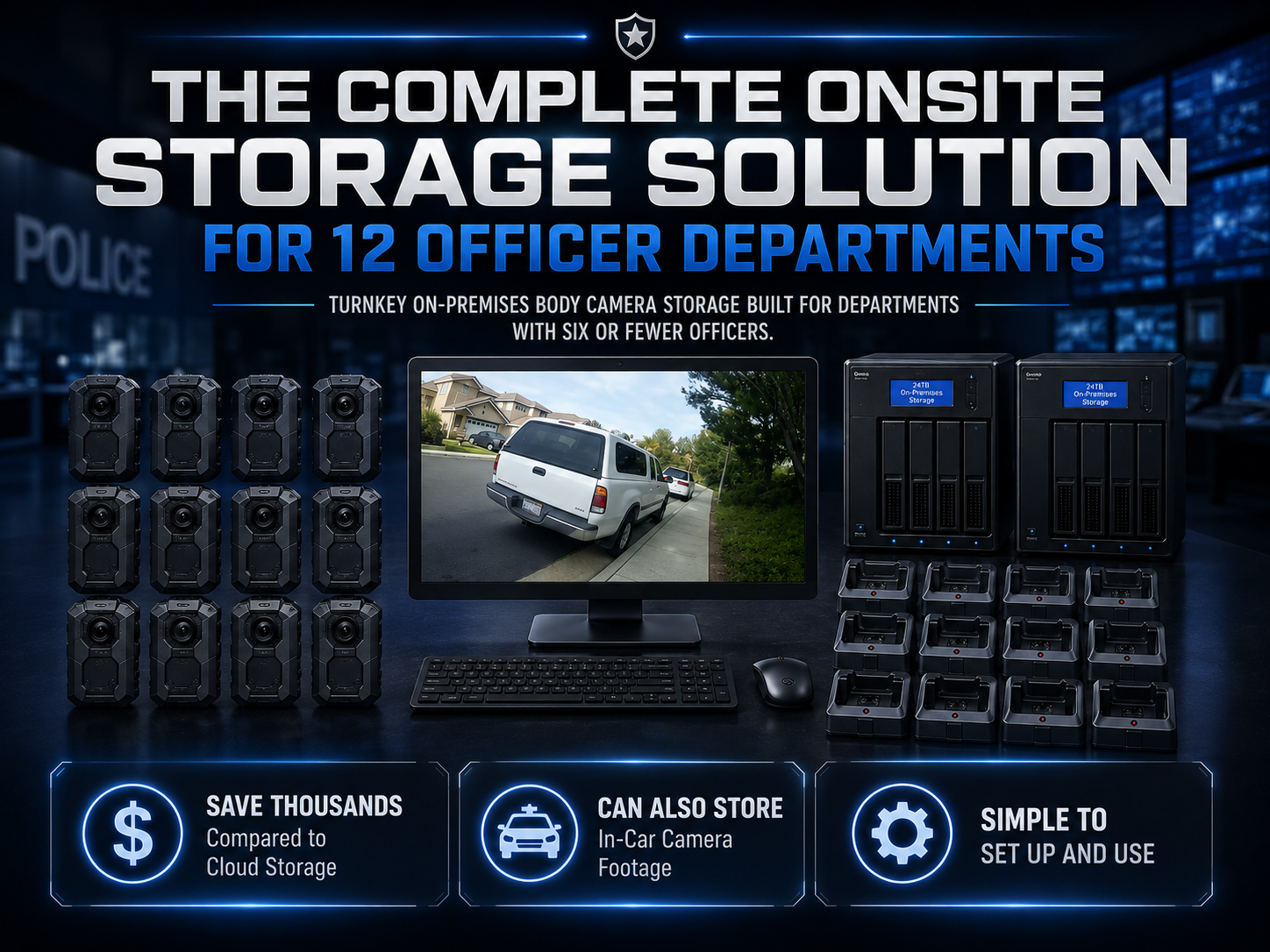
Martel’s 6-officer package and 12-officer package combine Crime Cam cameras with docking, workstation, and local storage equipment. This guide helps a small agency compare those starting points and prepare a useful written quote request.

Martel six-officer body camera package

Count assignments before counting cameras

Start with the people who need a camera during the busiest ordinary operating period. Include overlapping shifts, reserve assignments, supervisors who require recording equipment, and any planned evaluation units. Separate active assignments from proposed spare devices so the purchasing team can understand the quantity.

Then decide whether cameras will be individually assigned or shared. Individual assignment can make device history and wearer identification easier to organize. Shared equipment can serve different users, but it adds turnaround, charging, assignment, and handoff questions. Neither approach should be selected solely from the visible camera price.

Write a sample week of assignments. Mark when each device is in use, returning, transferring files, charging, or available. This simple exercise often reveals that the peak equipment requirement differs from the department’s total employee count.

A six-camera package is a starting configuration

Martel’s six-officer listing describes six body cameras with receiving and local storage equipment. It is a useful starting point for an agency that needs a compact complete deployment. Confirm the exact current camera, dock, workstation, storage, software, accessory, and support contents in the written quote.

Do not assume that six cameras automatically serve every six-person organization without adjustment. Recording schedules, downtime requirements, multiple locations, and shared-device use can change the operational need. A six-camera pilot and a six-camera full deployment are also different purchasing decisions.

Ask how additional compatible cameras would be introduced later. Confirm receiving capacity, software configuration, assignments, storage growth, and training before treating expansion as a simple unit purchase. The current system should have a documented path to the next expected stage.

When to compare the twelve-camera package

The twelve-officer package provides a larger starting quantity with workstation and local storage equipment described on its listing. It may be appropriate for an agency with more simultaneous assignments or a broader planned rollout. The decision should follow the assignment schedule and recording workload.

Ask which shared components differ from the six-camera proposal. Compare usable storage, the role of each storage device, receiving connections, included setup, and support scope. Dividing the total by twelve gives an arithmetic allocation, but it does not explain the package’s operating design.

If the agency expects to grow from six to twelve cameras, compare a phased purchase with a larger initial package using the same requirements. Include configuration work and staff training in the comparison. Avoid assuming either route is cheaper without an itemized proposal.

Begin with a controlled Crime Cam evaluation

The individual Crime Cam can support a controlled equipment evaluation where appropriate. Use staged recordings and the actual proposed mounting position. Include the people who will wear the camera and the staff who will receive and review files.

Martel’s page describes a 2-inch display, infrared recording, pre-event recording, multiple video modes, docking equipment, and Transporter downloading software. The evaluation should demonstrate how those features behave in the supplied configuration. Do not assume a feature’s maximum setting is the setting the department should standardize.

Keep the pilot configuration, test clips, results, and unresolved questions. The equipment evaluation guide provides a fuller framework. An evaluation becomes more useful when another employee can repeat it and understand the result.

Give each part of the workflow an owner

Small departments often rely on employees who cover several duties. The body camera process should still identify who manages assignment, readiness, receiving, storage, retrieval, and support. Name a backup person for essential tasks so the system does not depend on one employee being present.

Responsibility can be recorded in a short task list. For each task, identify the normal owner, alternate, completion evidence, and exception contact. The format should fit the organization, but it should answer what happens when the usual person is absent.

Avoid an arrangement where every employee assumes someone else checked the transfer. A specific completion check and a visible exception record are more dependable than informal reassurance that the cameras were plugged in overnight.

Keep the receiving station practical

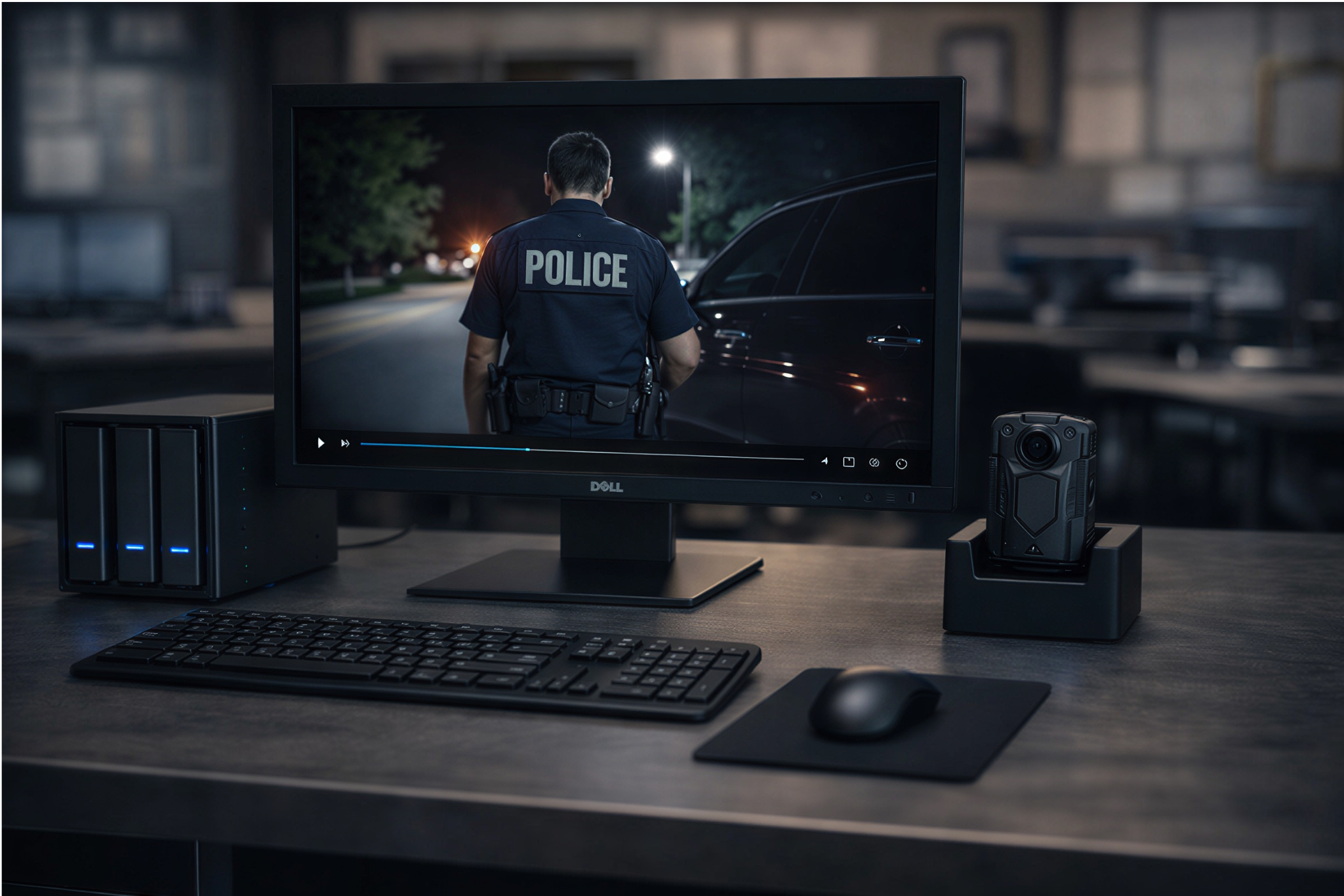
Plan space for cameras, docks, cables, the workstation, and storage equipment. Count the cameras that return together and the interval before reuse. Make indicators and device labels visible, and arrange cables so routine desk activity is less likely to interrupt connections.

Have operators demonstrate the difference between charging and downloading. A charging indicator does not prove that files reached their destination. Staff should know how the supplied software reports completion and how the organization verifies saved files.

The docking guide explains the sequence in detail. Use it to prepare station instructions based on Martel’s supplied operating information and the agency’s approved procedure.

Local storage needs a maintenance routine

Martel positions these packages around on-premises storage without a required monthly cloud-storage plan. The department should identify who monitors available capacity, maintains the receiving computer, checks backups, and handles recovery. Equipment ownership and operating responsibility belong together.

Ask for the usable capacity of the supplied arrangement and the role of every storage device. If two devices are included, confirm whether they are intended as working and recovery storage or another design. Do not count both as one archive without understanding the configuration.

Use measured recording sizes and the agency’s approved retention assumptions. The storage planning guide shows how to estimate data production. The local-storage guide connects that capacity to daily operating work.

A small pilot should test the whole handoff

Have a wearer make a known training recording. Ask the receiving employee to download it through the proposed arrangement. Then ask a different authorized reviewer to find and play it from the saved location using a realistic request.

This exercise tests more than video quality. It checks device assignment, date and time, folder organization, playback, and the written instructions. A problem at any stage can be corrected before the entire team depends on the system.

Record outcomes in concrete terms. Instead of saying easy to use, note which steps were completed without assistance and which required help. Instead of saying good audio, identify whether a reviewer could understand the staged conversation under the test conditions.

Plan for overlapping shifts

Shift overlap can concentrate receiving work. If incoming staff need the same cameras immediately, both transfer and charging turnaround become critical. Use the actual expected interval in a training exercise rather than assuming overnight charging is always available.

For shared devices, maintain an approved assignment record that identifies the wearer and period of use. Define what happens when a camera is returned late, fails a readiness check, or is exchanged during an assignment. Those exceptions should be understandable to the next operator.

A package quantity should support the organization’s chosen routine. If the schedule reveals a gap, ask Martel to quote a supported alternative or additional equipment. Do not hide the gap by assuming staff will always return early.

Train wearers and receiving staff separately

Wearers need practice mounting the camera, checking readiness, recognizing indicators, starting and ending recordings under approved policy, and reporting faults. Receiving staff need practice connecting devices, checking transfer results, preserving assignment information, and identifying exceptions.

Reviewers need a different exercise: find a specified event and play it using the approved workstation. Include the employees who handle authorized copies or records requests. A successful wearer demonstration does not establish that the records workflow is ready.

Keep training concise and repeatable. A short set of staged scenarios is easier to maintain than an informal demonstration that changes with every instructor. Preserve the approved configuration and update training when equipment or software changes affect the steps.

Document a camera fault before improvising

Define how a camera is removed from use, identified, and reported for service. The report should include its identifier, the visible symptom, relevant settings, and any recent change. Use vendor guidance for approved comparisons involving cables, docks, or the receiving computer.

Do not assume every connection problem means the camera is defective. The fault may be in a cable, dock, software startup, account, or storage destination. A short structured record can help Martel support understand the actual failure path.

The department should also define how recording requirements are handled while equipment is unavailable. That is an operational decision to make before a failure. The equipment purchase can then include the appropriate spare or service arrangement if needed.

Budget for the complete program

Compare cameras, mounts, docks, workstation equipment, usable storage, selected setup services, training time, maintenance, and replacement assumptions. Keep optional items separate. A package proposal should be clear about what the agency must still supply or operate.

Use the same comparison period for every option. A low initial equipment amount can be misleading if important setup or operating work is omitted. The system-cost guide provides a purchasing worksheet approach.

Some Martel pages describe budget-year quote options for eligible agency purchases. Confirm the specific order’s eligibility and terms with Martel in writing. Payment timing should be explained separately from total equipment cost.

Expand deliberately

Before adding cameras, review actual daily data production, transfer workload, capacity, and exception frequency. Expansion should preserve the assignment and retrieval process. More cameras can increase both file volume and the chance of overlapping return work.

Update the equipment inventory and training records when a device is added or replaced. Confirm the supplied version and configuration rather than assuming all units behave identically because they share a product name. Repeat affected acceptance checks.

For growth beyond a small deployment, review the 24-, 50-, and 100-officer choices in Martel’s police camera category. Ask for a proposal based on measured workload and the organization’s approved storage design.

Martel twelve-officer body camera package

A first-month review

After the approved rollout begins, review whether staff can perform the intended routine. Examine receiving exceptions, unclear assignments, unexpected file growth, playback issues, and readiness failures. Use the organization’s approved review process and avoid drawing conclusions from a single unusually quiet or busy day.

Compare actual recorded hours and data size with the planning assumptions. If they differ, update the storage estimate while there is time to respond. Check that the alternate task owners can perform their roles and that instructions remain accessible at the station.

More Posts

Body Camera Video for Evidence: A Recording-to-Review Workflow ChecklistBody Camera Video for Evidence: A Recording-to-Review Workflow Checklist
Body Camera Video for Evidence: A Recording-to-Review Workflow Checklist

Follow a recording from device assignment through receiving, verification, local storage, review, and authorized copies. Give every transition a responsible owner and a clear completion check.

How to Test a Police Body Camera Before Your Department Buys

Use staged recordings to evaluate mounting, daylight and infrared video, audio, buffering, runtime, downloading, retrieval, and exports. Keep a clear acceptance record for the proposed Martel configuration.

How Much Body Camera Video Storage Does a Police Department Need?

Estimate body camera storage from measured file sizes, recorded hours, approved retention assumptions, usable capacity, and recovery needs. Includes original worked examples and a purchasing worksheet approach.

Body Camera Docking Stations Explained: Charging, Downloads, and Daily Workflow

Make the return-to-station routine understandable. Learn how to distinguish charging from downloading, verify saved recordings, handle transfer exceptions, and prepare cameras for their next assignment.

How Much Does a Police Body Camera System Cost?

Build a complete body camera budget that includes cameras, docks, computers, usable storage, staff work, and support. Compare Martel package options using clearly stated purchasing assumptions.

Body Cameras Without Monthly Cloud Fees: How Local Video Storage Works

Explore a local body camera workflow: receiving recordings, organizing files, planning access, maintaining storage, and testing recovery. Compare Martel Crime Cam and department package options.

Police Body Camera Buyer’s Guide: Choosing a Complete Recording SystemPolice Body Camera Buyer’s Guide: Choosing a Complete Recording System
Police Body Camera Buyer’s Guide: Choosing a Complete Recording System

Choose a body camera around the people who will wear it, the situations they need to record, and the work of finding saved video afterward. This original Martel guide connects camera features, mounting, local storage, testing, and department purchasing.

Case CATalyst AudioSync Not Recording? A Windows 11 Microphone Troubleshooting GuideCase CATalyst AudioSync Not Recording? A Windows 11 Microphone Troubleshooting Guide
Case CATalyst AudioSync Not Recording? A Windows 11 Microphone Troubleshooting Guide

We write for customers, neighbors, and anyone interested in what we do and how we do it. This is a place to stay connected, learn something new, and get a closer look at what’s happening around our business.

How to Review a Microsoft Teams Transcript Against the Recording

A meeting transcript is a working draft. Use the recording to check names, numbers, speaker labels and decisions, then improve the room’s microphone coverage before the next meeting. Keep a record of each correction and its supporting timestamp.