


A Mock Court Hearing From Roll Call to Readback With Speechmatics
Run a complete fictional footbridge hearing with Martel stenomasks, two witnesses, exhibits, a recess, a disputed readback, and four separate scores.
Rehearse a connection change with EclipseVox cloud Speechmatics and a Martel stenomask. Check resumed dictation, saved audio, and the CAT rough.
Imagine you finish the first part of a training session on an office connection, take a break, and resume at a different desk using another approved connection. Your laptop, personal stenomask and practice job travel with you. You can remember the last sentence you dictated before the break. Can you open the saved rough and show where the new material begins? Can you hear the first words after the move on the recording you intended to keep? Those are useful questions to answer before a connection change becomes part of a real working day.
Advantage Software’s release information lists cloud Speechmatics for Eclipse 12, which it also lists with a local option. For Eclipse 10 and 11 the publisher lists Speechmatics locally. The EclipseVox product page describes Speechmatics Enhanced among its voice-writing options. Start a cloud exercise by identifying the installed release and obtaining Advantage’s directions for the cloud route available to your account. For a local arrangement, the publisher specifies a Boost Box or a supported computer purchased from Advantage Software. A second wireless network and a supported local recognition system are different resources. Advantage’s release and local hardware table · EclipseVox recognition options.
Design a rehearsal around behavior you can actually observe. Begin and end with fresh fictional speech, save the relevant job and play the source files you intended to record. During the change itself, record whether text appeared, whether an on-screen message was displayed and which deliberate actions you took. Save the exact words of any explanatory message for the support conversation. Keep a place for “unknown.” Seeing the last word remain on screen does not reveal what another computer did with the next phrase or what the program might do on another installation.
This guide gives a reporter a complete practice session that can be adapted to an approved work or school setting. The registration slips, printed colors and witnesses in the exercise are fictional. The connection scenarios are planned classroom examples, with illustrative outcomes labeled as examples. Use the instructions from your network owner for permitted connections and those from Advantage for your installed software. The article focuses on preserving and interpreting observations, which is work you can do regardless of the exact interface your build displays.
List the tasks that would be happening at the same time during the class or assignment you want to rehearse. Speech recognition through a cloud route is one. Listening to a remote speaker over a meeting connection could be another. Receiving a digital exhibit from someone else could be a third. Saving a separate dictation file to a nearby recorder is a different operation again. A single change of network can affect several activities at once. Writing down each activity helps keep the result of one from being attributed to another without evidence.
Begin the first trial with a nearby partner or a prerecorded source that is already available locally and that you are authorized to use. This choice lets you keep hearing the fictional witness through a planned change of network, if your practice design calls for that. If you instead use a remote partner whose voice arrives through the same connection under test, a gap in what you heard may occur before you revoice anything. That later trial is valuable too. It needs its own notes because it tests more than the cloud recognition connection.
Draw three short lines on the practice sheet. The first runs from something the witness said to something you heard. The second goes from what you chose to repeat to the saved recording of your own dictation. The third runs from the configured recognition workflow to the text saved in the CAT job. Choose a distinctive phrase for every important stage. “Copper type, first proof” and “indigo type, second proof” make it easy to recognize which part of the exercise you have found even if two files display similar creation times.
Make the two permitted connections identifiable in your private practice notes. You can call them “office connection” and “training-room connection” for the purpose of a report that will be shared. Keep network credentials and any sensitive infrastructure details out of the sample. If a school or employer controls the connection, arrange the exercise according to its procedures. You only need a planned change for your own practice computer. A useful rehearsal can also be done by stopping between two separate sessions on different approved connections. There is no need to change a building’s network for the rest of its users.
Start at the desk where the practice job will begin. Write the EclipseVox release and build, the cloud route confirmed for you and the microphone selected in your working setup. Record whether you have a separate recorder and whether the fictional source is local or remote. Establish the condition you want before you time anything. Read a short, ordinary sentence containing a visible object and a one-word answer. Save the rough or identify the untouched copy you will keep. Reopen or review that short baseline using the publisher’s supported procedure.
Advantage’s introductory Speechmatics workshop covers choosing the audio input and setting up the Speechmatics connection within the EclipseVox user environment. The manufacturer’s public description identifies those as separate parts of the workflow. Follow the detailed directions for your installed configuration if either part needs attention. For the connection rehearsal, verify a new, audible mask sample and the corresponding practice text before proceeding. This gives you an actual working starting point. A desktop icon or an earlier successful job is a much weaker basis for diagnosing what happened later. Advantage’s EclipseVox and Speechmatics workshop.
Measure a simple baseline if timing is important to you. Say “the order was for copper ink” and note when you finish the phrase. Note when the last word you intend to check appears in the practice job. If you use a stopwatch and observation by eye, describe it as a manual estimate. Repeat with a few different sentences at a comfortable pace. Keep the individual times. Your first impression of a “long wait” later in the day is easier to discuss beside observations made with the same person and method earlier.
Record enough context to understand unexpected changes. Was someone else speaking during the baseline? Were you reading a printed card, listening to a recording, or following a remote speaker? Did you save the untouched rough before correcting the color name? Clear answers let you make a fair comparison later. For instance, going from a local printed card to a remote person who speaks more quickly changes what enters the mask. A reporter can learn from the second trial while keeping it distinct from a simple comparison of the two connections.
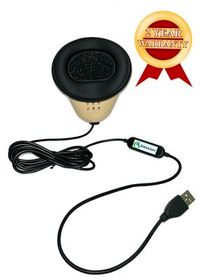
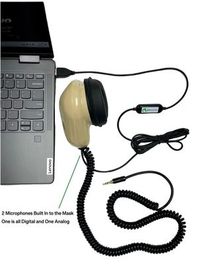
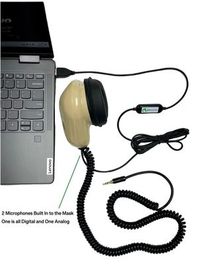
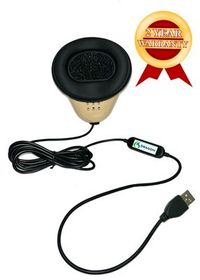
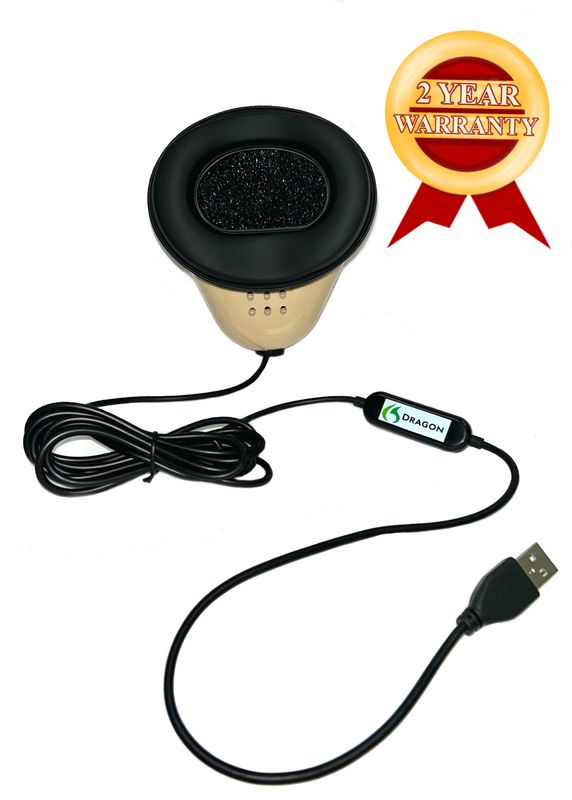
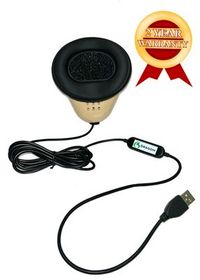
Martel’s Dragon USB Stenomask supplies one direct USB microphone connection to the computer through its built-in sound card. You can use it to verify the reporter’s input on the VOX laptop and in the supported CAT workflow. When you expect the computer to save a mask recording, identify the recording function you actually started and the filename it produced. A selected microphone is a source. Obtaining a playable file also requires a configured recording destination that is actually recording. Martel Dragon USB Stenomask specifications.
The Martel Double Dragon 2 has a USB microphone path for the computer and a separate 3.5 mm microphone path for a compatible recorder. Both paths carry the person dictating into the mask. For a cloud-connection exercise, the recorder can provide another place to hear the words you actually said, provided it was correctly connected, started and saved. The second mask microphone serves a different purpose from a room microphone positioned to hear the original speakers. Label the source and the destination on every file you keep. Double Dragon 2 recording connections.
If using a standalone recorder, set up its microphone input according to its own manufacturer’s instructions. Make one short file containing a phrase unique to the recorder test, then save it and listen on the device itself. Start a fresh file for the full exercise. Include an opening identifier and a closing identifier in your revoiced practice. At the end, check that the same saved file contains both and listen to the material surrounding the planned connection change. A recorder can keep its own file, but only the test tells you what that particular file actually contains.
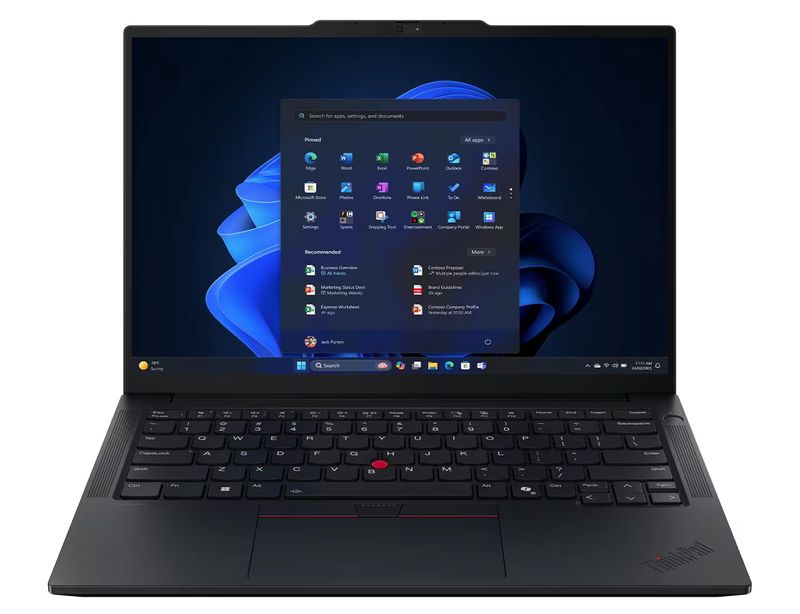
Martel’s VOX Elite laptop packages are offered with 32 GB or 64 GB of memory and include help with stenomask setup and CAT file transfers. Bring your devices and a fictional practice job to a discussion of the package that suits your reporting work. Ask to open the transferred practice material and create a fresh job with your intended input. For the cloud portion, confirm the release, access and configuration with Advantage. The reporting laptop’s memory choice and the permission to use a particular cloud service are decisions with different evidence behind them. Martel VOX Elite 32 GB package · Martel VOX Elite 64 GB package.
Use the same personal mask, position and working pace on both sides of the planned change if your purpose is to observe the effect of changing connections. Carefully articulated dictation and a verified input make a comparison of speed and recognition accuracy more informative. Mark substantive changes such as “can” becoming “cannot,” along with the time needed to find the passage and check it. If you use the Double Dragon 2 recording to resolve a specific question more quickly, note which question and how long the review took. That gives the equipment choice a meaningful result in your own work.
We handcraft our Dragon USB and Double Dragon 2 stenomasks in limited quantities. If a batch sells out, there may be a waiting list.
Agree on a stopping point with the person reading your fictional source. For the first run, stop after a whole question and answer. Let the witness finish, repeat the answer into the mask, and find the last distinctive words in the working rough. Write them down beside the reported time of the pause. Check whether a recording or the CAT job needs to be saved or otherwise handled according to your normal authorized procedure. State the planned pause aloud in the practice recording if that is part of your design, using a phrase you can later distinguish from the witness’s words.
Next, change from the first approved connection to the second using the process provided for your environment. If you are practicing two separate sessions, end the first according to the publisher’s instructions, move, and begin the second in the supported way. If your question specifically concerns what your installation does during a live handoff, ask Advantage how it recommends rehearsing that situation. Record what appears and whether you need to take any action. Record the action you actually perform before trying to interpret what caused a change on screen.
After the connection change, ask the witness to begin with a new complete question that includes an unmistakable identifier. Do not begin by repeating only the last few words from before the pause. If the new text appears, the unique phrase identifies it as new material. If no new text appears, note how long you observed, what you said and the status visible in the application. Save the observations on paper if necessary. A newly visible duplicate of an earlier sentence can otherwise look like evidence of successful capture of the sentence you just spoke.
Once you have a working session again, dictate two further turns. One should contain a proper name spelled by the fictional witness. The other should include a correction to a quantity or date. This tests whether you can continue ordinary reporting activity after the connection change, as well as whether a few words appeared. Stop, save and reopen the practice material using the supported workflow. If you changed a setting during the exercise, identify it in the results. That detail will matter if another reporter or a trainer later tries to reproduce the same conditions.
This original script concerns two proofs of a concert program. Read the first group before the planned connection change, the second only under the practice conditions you arranged, and the third after you have confirmed the intended working condition. A partner can hold the source so you hear the corrections in natural order. If recording the source for solo practice, prepare three clearly named files and keep them available locally. Write down which file you actually played. The script remains the reference even if the display stops changing at some point in the exercise.
Question. Who delivered the artwork to Reed Street Print? Answer. Nella Dorn delivered the first artwork on a cream-colored proof sheet. She called the heading copper, although the heading on the paper was printed in black. She was asking us to use copper ink when we prepared the first working proof. I wrote her request along the edge of the cream sheet in pencil. The sheet itself was the artwork she brought in. The copper proof was the next item we printed in our own shop.
Question. What name did you enter for the job? Answer. I entered Reed Hall Quartet. Please spell Reed as R, E, E, D, as on the concert hall sign. Our print shop also uses Reed in its own name. The concert organizer signed simply Nella Dorn, without adding the hall’s name beside her signature. When I say who delivered the artwork, I mean Nella. When I refer to the printed heading, I mean the words Reed Hall Quartet that appeared above the concert date.
Question. How many copies of the copper proof did you make? Answer. I pulled two copies from the press. I set one beside the cream artwork and sent the other to the person doing the binding. Neither copy went to the concert audience. Both were working proofs. The slip on the binding table says “two copies printed, one copy delivered here.” I wrote that sentence myself because the binder wanted the number printed and the number on her own table recorded separately.
Question. What could you see on the lower border of that first proof? Answer. There was a thin line beneath the concert date. It was straight under the day of the week and slightly curved beneath the year. I marked the place with a small pencil arrow on our shop copy. The copy already on the binding table had no arrow when I left it there. That is the distinction I would look for if you asked me which copper proof I marked.
Pause here for the planned exercise. These instructions to the reader are separate from the fictional witness’s answers. Let the witness finish the answer about the arrow and identify its last words in the rough. If the exercise involves moving between two separate working sessions, close out the first practice segment according to the plan you agreed with the trainer. If you are running a handoff test, make the approved connection change at this point. Record whether the next group was read during the change or after you established the second connection.
Question. On the indigo proof, which words appeared in the lower left corner? Answer. The words were “second impression.” The revised heading above the date was indigo. The staff did not print the word indigo on the page. I used that color name to identify the ink when I wrote the order for the press operator. The small letters in the corner were printed as a revision marker. They can be read without deciding whether the ink looks blue or purple under the lamp.
Question. Who authorized the new heading? Answer. I spoke to Corin Pyle on the shop telephone. Corin asked for the color change and kept the same concert date. Nella was present on the earlier visit and had already left. I know Corin’s name from the caller’s introduction and the spelling written on the returned work order. I do not know whose handwriting supplied that spelling. The name and the color change appear together near the bottom of the order.
Question. Did the binder receive a second copper copy or an indigo one? Answer. She received another working copy, and that new copy was indigo. Her earlier copy was copper. She placed the two side by side and asked me whether the curved line beneath the year had been straightened. I could see the line was straight on the new one. I did not inspect the older one again at that moment. My earlier note about the curve belongs to the shop copy I had marked.
For the third part, identify the working condition you have confirmed. Record a new marker before the source begins. It is helpful for the next statement to be a full question with a distinctive answer, even if you have already seen words flowing on screen. This is where you begin to gather evidence about normal work after the change. Use the same mask position and speaking level as in the first part. Save this segment separately if that is what the publisher-supported procedure or your agreed practice plan requires.
Question. Please spell the binder’s name as it appears on the delivery slip. Answer. Her first name is Aline, A, L, I, N, E. Her last name is Perrin, P, E, R, R, I, N. She signed the slip when she received the indigo proof. The copper proof was left on her table before she returned from lunch, so the earlier slip carries my initials. Only the later one bears her signature. That is why the two slips show different handwriting in the received-by box.
Question. You mentioned one hundred copies of the finished program. Did the shop deliver all of them? Answer. I mentioned the initial order for one hundred. The organizer changed the final quantity to one hundred and ten. We delivered the first hundred in two bundles and the other ten in one smaller sleeve. The working proofs were kept apart from the finished programs. If you count the proofs with the finished order, the total will answer a different question from the number of programs delivered to the organizer.
Question. What sentence on the final receipt helps you identify that last delivery? Answer. It says the extra sleeve contained ten programs for late seating. The words “late seating” were written in green pencil by someone at the hall. I recognized my own writing on the line above it, which gives the total quantity delivered. I can identify the color of the added words and where they appear. I cannot identify who at the hall wrote those particular words.
Find the final answer about the pencil arrow in the first segment and record the last complete sentence you can verify. Find the new phrase “second impression” from the indigo segment and identify whether it appeared in the untouched rough and the recording of your dictation. Then find the spelling of Aline Perrin in the third segment. Give every observation a source, such as “heard in recorder file” or “visible in saved CAT rough.” A single comment like “everything resumed” cannot tell a trainer which material was captured during which part.
Suppose, as a fictional result, you find the arrow sentence and Aline’s spelling in the rough, while the passage about the indigo proof is audible only in your separate mask recording. You may state exactly that about those saved files. You still need the software publisher’s help or further evidence to explain what the application did during the change. First check that you reopened all the job segments you intentionally created. Check that the separate recording really belongs to the same rehearsal. Then describe the difference without treating it as a feature promised for every installation.
Consider a different illustrative outcome. Your rough includes the phrase “second impression” twice. Listen to your mask recording across that point. If you said the phrase twice while trying to decide when to resume, your input may account for the repeated text. If the recording contains only one instance, keep the surrounding seconds and the untouched output for a follow-up question. Compare the reference with the editing copy, too. A repetition introduced while combining practice segments should be documented as a later editorial event rather than attributed to the network change.
Use a simple timeline for the report. An acceptable entry might say that the reader finished the arrow answer, the reporter heard and repeated it, a planned pause followed, and the reporter observed the second connection become available. The next entry might say that the operator read the indigo question beginning with the words “On the indigo proof.” Then state where you found those exact words afterward. Numbering events in sequence can be more reliable for a short rehearsal than treating two clocks on different devices as precisely synchronized.
Finally, ask someone to request a readback from each side of the change. For the first segment, ask how many copper proofs were made and where they went. For the last, ask how many finished programs were delivered. If the answer from the middle segment is unavailable in the saved rough, say what you did find and where you found it. Use permitted working procedures for review or correction. The ability to respond accurately about a missing or uncertain piece of a practice job is as important to training as an immediate readback from a fully captured segment.
If somebody asks how long material is missing, distinguish what you know from what you can estimate. Suppose the last words you verified occurred at an elapsed four minutes and the first verified new phrase began at five minutes and ten seconds. The two markers enclose seventy seconds of elapsed practice. They do not establish that seventy seconds of testimony went unrecorded. Part of that interval might include the planned silence, time spent moving the laptop or a question the reader never delivered. Use the source and the mask recording to identify the actual lines spoken between those markers. A report that names the missing utterances and gives the bounding interval tells a colleague much more than an unsupported duration for lost speech.
Read the installed EclipseVox release and build, then consult Advantage’s release-specific information. It lists cloud Speechmatics in Eclipse 12 and local Speechmatics in releases 10 and 11. Confirm how to access the intended route on your account. If your machine uses an older release, you can still rehearse collecting your mask and room recordings or identifying a new job after a break. A rehearsal specifically about the EclipseVox cloud Speechmatics connection belongs on a configuration the publisher supports for that activity.
Use a fresh practice job, a willing reader and entirely fictional material. Arrange the connection change for your own authorized practice device and network. If the goal is to change locations between sessions, finish and save a practice segment at the first desk, then set up the next segment at the second. If you specifically need to understand an interruption during a running job, obtain the publisher’s supported rehearsal procedure and document that exact test separately.
Use a short identifier that a reporter would not normally repeat by accident, followed immediately by ordinary speech. “Copper type, opening rehearsal” can identify the file, and a complete question about the concert program can test normal dictation. Record the identifier on your worksheet before you begin. If you later open a file that contains a different marker, you can set the file aside without drawing a conclusion about the planned connection change from the wrong sample.
A remote meeting may make two kinds of speech dependent on the same connection. You need to hear the original speaker, then your configured cloud recognition needs to receive your revoiced input. If the first activity stops, there may be nothing new for you to repeat. A locally available fictional source lets you test one part of the chain more clearly. Once that baseline is established, run a second authorized rehearsal with your ordinary remote workflow and label it accordingly.
It is one observation about the computer’s connection. You still need a fresh phrase to demonstrate that your configured recognition workflow receives new material and shows it in the intended CAT job. Use a sentence you did not dictate earlier and check the saved rough afterward. If the symbol looks normal and the words do not appear, record both facts. That combination is more useful for support than interpreting the icon as a complete test of the cloud service.
Write down the exact visible message and what you were doing immediately before it appeared. Include the release, intended recognition route and whether you could still hear the fictional source. Keep personal account information out of any sample you plan to share. Ask Advantage about the meaning and recommended action for that message in your version. A paraphrase such as “the laptop lost everything” makes assumptions the displayed words and saved files may not support.
Choose this in advance according to the question you want to answer and the procedure approved for the exercise. A planned stop between sessions should include a real pause in the source. A rehearsal to learn what is captured during a permitted handoff might keep a local fictional reader speaking. Mark on the worksheet which choice was made. If the reader stopped and the mask recording is silent, the silence alone says little about recognition behavior during the same interval.
A repeated sentence can be ambiguous in the reopened rough. You may be seeing the earlier copy, a fresh repetition or a later editorial duplication. A distinctive new phrase identifies the point at which new material was dictated. In the print-shop passage, the transition from the pencil arrow to “second impression” supplies that distinction. If you decide to repeat an earlier answer for any reason, mark the repetition and keep the original unedited output for comparison.
With a compatible recorder and the Double Dragon 2’s separate 3.5 mm microphone output, it can preserve the reporter’s own dictation as a distinct file. It can help establish what you actually said when the screen changed or a question was repeated. It must be separately set up, started, stopped, saved and checked. A working recorder does not establish that the cloud service received the same material, and it does not supply a separate recording of each person in the room.
The Dragon USB mask supplies a direct microphone input to the reporting computer. Set up and check any computer recording you intend to keep and clearly identify what that file contains. You can still compare the fictional source, the dictation file you deliberately saved and the rough for the configured cloud route. When making a purchase decision, describe whether a second independent destination for your voice is a requirement or whether one computer microphone path meets your planned workflow.
Locate the spelling exchange and listen to the whole sentence on the mask recording. Check whether you spoke every letter, whether the witness’s source gave the correct spelling and whether the rough attached it to the right person. Mark the exact difference. If you can clearly hear a missing letter in your dictation, you have a specific text comparison. If you yourself omitted a letter while handling the connection, that is a practical training observation about resuming work.
Choose a single clock or stopwatch to record elapsed time for your observations. Write times alongside distinctive events, including the last confirmed sentence, the planned change, the first new spoken marker and the first new text you could identify. If another device has its own clock, record that separately. Two devices can have different clock settings or start times. Spoken markers give you a way to align events without assuming those displayed clock values refer to precisely the same instant.
Follow the publisher’s recommended practice for your intended situation. If you deliberately make separate job segments, record that choice and give each a meaningful name. If a single practice job is part of the approved procedure, retain the untouched saved version and any associated files. The exercise can be useful either way as long as the report identifies what you intentionally created. Check all known segments before describing any material as missing.
A cloud trial demonstrates the behavior you actually observed on that configured setup. Advantage publishes separate requirements for local Speechmatics, including supported hardware. Ask Advantage about supported transition and recovery procedures for your release and configuration. If a trainer has you perform a separate, explicitly configured local trial, name it as such and record the hardware involved. Do not infer an automatic handoff solely because text appeared again after a connection change. Advantage’s separate local Speechmatics requirements.
Compare the original fictional source, your notes about the planned stop and a recording of the words you actually repeated. If nobody spoke during the approved pause, silence is part of the trial by design. If the reader spoke locally and you repeated the material, a separate mask recording can identify the particular words to look for in each rough segment. Keep the distinction explicit, especially if you practice with a remote source in a later trial.
Treat speaker attribution as a separate result. Check the source for the actual speaker change and your practice method for identifying it in EclipseVox. Read the relevant passage from the untouched rough to see which label was present before editing. You may have complete, recognizable words with a speaker assignment that needs correction. A short fresh exercise with one question and one answer can help you work on attribution without repeating the entire network change.
Return to the object being counted. In the fictional job, two copper proofs, one indigo proof delivered to the binder and one hundred and ten finished programs represent different things. Write the object and quantity together when you compare roughs. If the digits survive but the sentence attaches them to the wrong item, the numerical text alone is misleading. Play the surrounding source and mask audio before deciding which piece of the chain needs attention.
Keep the original saved rough, any separate job segments, the fictional source and the dictation recordings that actually exist. Make a clearly named working copy for editing. Note which sentence you found twice or which words you could hear only on the recording. In the edited copy, follow your training and work procedures for restoring or resolving practice material. Retaining the first version prevents the editorial solution from erasing the evidence needed to understand what happened during the trial.
It gives you a controlled point of comparison. A local source can continue playing even if the remote meeting you normally use would be unavailable under the same conditions. It lets you test whether you heard, revoiced and captured the intended passage while isolating one variable. After documenting that result, repeat with an authorized remote partner if remote work is the real objective. Different results across those two trials give you specific questions about the incoming speech and the outgoing recognition route.
Describe the hardware observations that are relevant to the reporting laptop and mask. Identify which input recorded successfully, which Martel mask and connection you used, what changed when the computer moved desks and whether other connected equipment was involved. Include an authorized fictional sample if the support process calls for it. Bring questions about EclipseVox cloud behavior, version support and account access to Advantage. The same event can involve two providers with different responsibilities and useful information.
Identify the installed release and build, that the test concerns the confirmed cloud Speechmatics route, the events you observed and any exact message. Tell the publisher which parts of the practice rough you could reopen, where the independent recording contained your dictated passage and which actions you took before new text appeared. Ask for the supported procedure to apply on the next rehearsal. Avoid supplying private network or account credentials in ordinary notes when a concise description of the configuration is enough.
Start by measuring the interval you care about and confirming the source. One missing word in a phrase with a similar-sounding neighbor is different from a new sentence that never reaches the job. Document the first audible input, the first identifiable new output, the saved result and any visible message. If you later compare approved connections, hold the rest of the practice setup as steady as practical. A repeatable difference warrants a targeted question. A single uncertain observation does not isolate a cause.
Use a permitted location for the active handoff exercise, or rehearse a deliberate stop and start in two separately approved sessions. Prepare the fictional questions, file naming plan and recovery questions in advance. You can also practice checking the first resumed words and a readback after a simple pause on one stable connection. Mark what the test covered. These exercises develop useful reporting habits while leaving venue operations and network permissions in the hands of the responsible people.
First check whether they refer to the same settings and the same location. Record any change of room, reader, mask input, connection, laptop equipment or recording plan. A lunch break may coincide with several unrelated changes. Look for fresh spoken identifiers and when each file was started. Compare the parts that can reasonably be aligned, then design a shorter follow-up to investigate any specific difference. It is possible for both sessions to be valuable without treating them as identical tests.
Give that job to the person who can observe the events being timed without compromising the exercise. If a partner times the interval, define the start and finish before dictation and record that the timing was observed manually. If you practice alone, choose a simpler measure you can capture reliably, such as the total check-and-save time for a small segment. Use the same definition when comparing sessions. Precision in describing the measurement is more important than displaying extra decimal places.
Yes, when you explain exactly what was counted. A 120-word fictional passage dictated in one minute represents a delivery rate of 120 words per minute. That is different from time to first visible text and different again from time to a fully reviewed rough. Record corrections, speaker assignments and critical names as separate observations. If the cloud handoff adds a planned pause, indicate whether that pause was included in the timed interval. Readers can then interpret the figure fairly.
It fits where the reporting computer needs appropriate connections, setup support and capacity for the work you actually do. A Martel VOX laptop discussion can address the personal mask, CAT file transfer and your normal combination of reporting tasks. Specify the publisher-confirmed cloud route and the approved connection you intend to use. If a separate local route is also under consideration, add its hardware requirement explicitly. A change of laptop does not remove the need to understand how your chosen software route is supported.
Ask about a detail that could only appear after the change. “Find who wrote the words about late seating” requires the reporter to locate a qualified answer. The witness could specify the color and position of the writing and could not identify its author. A response naming a person from the earlier part of the testimony would change the answer. This kind of request checks the first resumed material and the ordinary editorial judgment required to play it back accurately.
Preserve the sample and the conditions under which it worked. Record the release, route, two approved connections, whether the reader was local and which files you saved. Identify one passage from before the change and another after it that you successfully reopened and checked. This documentation gives you a useful baseline for a future change of location, computer or software release. There is no need to invent a fault to make a successful practice session worth keeping.
Choose the least certain observation with the greatest practical consequence. If you can verify the text but have not played the standalone recording, check the recorder with a short new passage. If you are unsure whether your revoicing resumed before or after the job began receiving words, add a distinctive first marker and a partner’s observation. If the question concerns account or automatic behavior, take the recorded facts to Advantage. A targeted second trial is usually easier to interpret than repeating the full exercise unchanged.
Give yourself a handoff note that fits at the top of the practice folder. State the last complete answer before the planned change, the first verified new phrase afterward and the location of the untouched job or jobs. Identify whether you had a room source, a mask recording and a separate portable recorder file. A note like this can be read in a few seconds by someone who has never seen your desk. It also serves as a check on whether the exercise actually demonstrated what you set out to learn.
Then put the fictional reader’s reference away and ask for one last readback. Describe the difference between the number of copper proofs printed and the total number of finished programs delivered. Find the color of the added words about late seating and what the witness knew about its author. When you can recover the correct answers from the intended saved material and explain any gap accurately, the exercise has produced real evidence about your working setup. Keep the manufacturer’s current guidance beside it for the next time the release, connection or equipment changes.