Court Reporter Laptops for Remote Depositions: One or Two Computers?
Choose a remote setup by its audio roles, supported connections and saved result, then verify the complete arrangement with a short practice meeting.
Compare voice writing packages by the workflow they prepare, the equipment they connect and the help you need before your first session.
Buyer’s guide
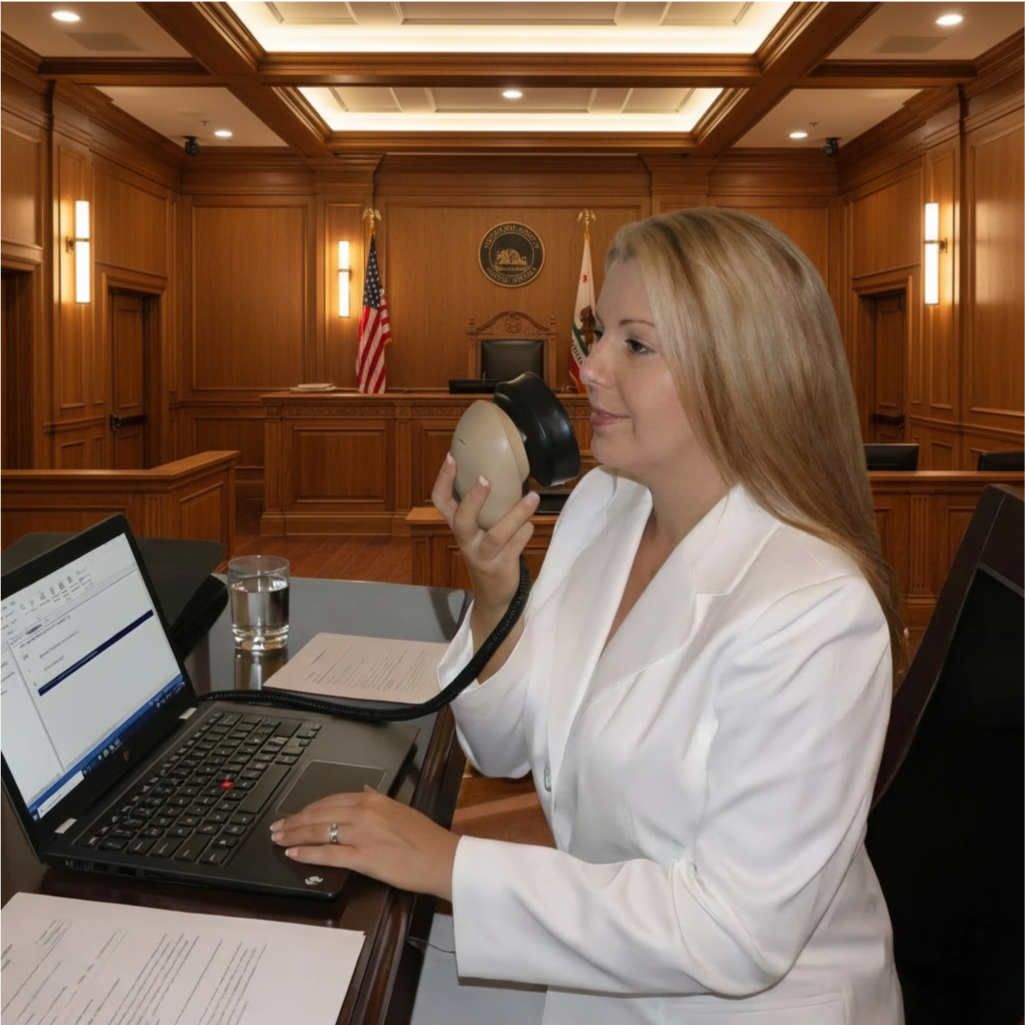
A voice writing laptop needs to connect the way you speak, the equipment that captures your voice, the recognition system you use and the CAT environment where you develop the record. Buying those pieces separately without a plan can leave you with suitable products that have never been checked as one working arrangement.
Martel’s VOX laptop selection gives voice writers a focused place to begin. The buying conversation should establish your software, school or professional workflow, Stenomask connection, personal file needs and setup assistance. Hardware configuration is part of the product choice, but this guide concentrates on the practical questions that determine whether the complete package fits you.
Start with Martel Voice Writing and VOX Laptops. Use this guide to prepare a clear request rather than choosing from a model name alone. If you primarily write steno and are replacing a CAT computer, the broader Court Reporter Laptop Buyer’s Guide may be the better first step.
Voice writing begins with a trained reporter’s spoken input. A Stenomask or microphone supplies that input to the chosen system. Recognition and CAT tools then perform the functions assigned to them in that workflow. The reporter still needs to monitor, correct, review and produce work according to the assignment and training method.
Do not treat every voice writing arrangement as an identical chain of programs. Some workflows use Dragon with a compatible CAT environment; others use a different supported recognition arrangement. Product descriptions mentioning several applications are not instructions to run all those applications together.
Ask Martel to identify the specific arrangement being prepared for you. Which program receives the microphone? How does recognized input reach the intended CAT task? What audio will be saved, and where? Who will help with the first practice session?
These questions give meaning to “ready for voice writing.” The result should be something you can describe and operate. A laptop that merely contains program icons has not yet demonstrated that your mask, recognition settings and CAT workflow are working together.
A new student, an experienced voice writer and a steno reporter exploring voice have different starting points. Tell Martel which describes you. That determines whether the conversation begins with a school package, a personal migration or a supported transition between methods.
A beginning student may need the exact software and mask arrangement expected by an instructor. An experienced voice writer may already have profiles, commands and familiar correction routines worth preserving. Someone changing methods may need help distinguishing existing CAT material from the recognition resources that do not yet exist.
Write down what you already own and what you expect to receive. Include software licenses, input equipment, interfaces, training accounts and any existing laptop. Identify items by actual model or edition when possible. “I already have a mask” is less helpful than knowing the mask’s connection and the system with which you have used it.
Also state the first task the new system must handle. Preparing for an introductory class differs from replacing a production laptop before an official assignment. The next real task should guide the timing and readiness checks.
Obtain the equipment list for your actual program and course intake. School requirements can describe software editions, supplied training material and a preferred equipment arrangement. A package that worked for another student in a different program should not be assumed to meet your requirements.
Ask how the school wants the laptop prepared before instruction begins. Establish whether software is purchased through the school, separately from a vendor or within a specific Martel school package. Confirm which accounts you must create yourself and whether the instructor expects an existing profile or a newly created one.
Use the school’s exact name when contacting Martel. The court reporter laptop category includes school-focused listings alongside general systems. Read the selected package rather than transferring inclusions from a similarly named product.
Allow time to complete setup and a harmless practice exercise before the first required session. Shipping, personal configuration and learning how to open the right applications are different milestones. A delivered computer is not the same as a completed orientation to the workflow.
Martel offers more than one VOX configuration. Use the VoiceWriter VOX Elite package and the alternate VoiceWriter VOX Elite package as starting points for a recommendation based on your work. Confirm the selected configuration directly instead of relying on an article to freeze changing product details.
Explain whether you practice at one desk, travel daily, work in a courtroom or take remote assignments. Describe the software you expect to use together and whether you need realtime delivery. Include your carrying and connection preferences. Those details help identify an appropriate package and preparation plan.
Ask what is being recommended and why. A useful answer connects the choice to your workflow, existing equipment and required software. You should not need to interpret technical charts to understand the recommendation.
Record the full package on the quotation: laptop option, mask or input equipment, relevant accessories, preparation, transfer assistance and support. That written scope is a better buying reference than a shortened product nickname used during a telephone conversation.
Prepared for Dragon, compatible with a CAT program and supplied with a paid software license are different statements. Establish which statements apply to the package you select. Installation help does not create a license, and transferring files does not transfer rights that a vendor has not authorized.
The base VOX product pages distinguish Dragon compatibility from inclusion of Dragon software. A school-specific bundle can have a different scope. Ask for the software inclusions in writing, including any separate purchase, subscription, activation or student eligibility requirement.
For an existing license, confirm how the move will be handled before making changes on the old computer. You may need to sign in, locate purchase details or speak with the software vendor. Keep those tasks visible in the transition plan rather than expecting them to resolve automatically during a transfer appointment.
Also ask about optional services used for recognition or live delivery. If your workflow depends on an account, network connection or particular edition, list it. The goal is to avoid reaching the first practice session with the laptop prepared but an essential entitlement still missing.
A Stenomask is a voice input device with a specific connection arrangement. The socket or cable determines what additional equipment may be needed, but the application receiving the signal also matters. Do not select an adapter solely because its plugs look as though they will fit.
Tell Martel whether you are using a supplied mask or keeping an existing one. Identify each output and its intended destination. If a mask provides more than one microphone path, establish how each will be used. Multiple outputs should not be interpreted as automatically providing every recording or recognition function.
The Double Dragon 2 Stenomask page provides one example of a model with USB and additional connections. Use the Stenomask Buyer’s Guide to compare models and connection questions before finalizing a package.
A successful fitting and input check should use your normal working posture and speaking method. A good demonstration by someone else cannot substitute for checking the input that your own voice and technique will provide.
Your mask carries the speech you repeat into it. A room microphone is positioned to capture people in the proceeding. Incoming audio from a remote meeting is a third source. A clear voice recognition input does not establish that the laptop is saving an appropriate recording of the room or meeting.
Before buying, specify which sources need to be heard, processed or recorded. Ask which application receives each one and whether any source requires a separate connection. This is especially important when you want both recognition and a review recording available during the same assignment.
Draw a simple list of sources and destinations in words. For example: mask to the selected voice input; meeting participants to monitoring; approved proceeding audio to the recording workflow. The exact connections should be confirmed for your equipment rather than inferred from that conceptual list.
For additional background, read Stenomask versus room microphone. That distinction helps you ask a much more specific question than “Does the laptop have good audio?”
An experienced voice writer may have several kinds of personal resources. A recognition profile can hold information associated with the speaker and audio source. Custom vocabulary and commands may need their own attention. CAT dictionaries, layouts, user settings and case files belong to the CAT side of the workflow.
Do not put all these items under one vague request to “move my dictionary.” Name the application that holds each resource and explain how you use it. A transfer can appear successful while one less visible command set or user preference has been left behind.
Before the appointment, prepare a short list of familiar phrases and commands you want to verify. Use harmless examples that represent the way you normally work. Ask how the selected software edition handles profile migration and whether anything needs to be recreated or checked with the vendor.
Keep the old material available until the new arrangement has passed its checks. The CAT migration guide explains how to distinguish an installed application from a complete personal working environment.
The useful service question is what happens between receiving a computer and using it for your own reporting work. Martel’s VOX listings describe preparation for voice writing, help with CAT files and Stenomask setup, and support after the purchase. Confirm how those services apply to your particular order.
Some tasks depend on you. The person assisting needs to know the exact applications, your existing input equipment and whether the old computer is available. Account-based software may require you to sign in or obtain vendor authorization. School arrangements may require the instructor’s current setup directions.
Ask which tasks will be addressed before shipment and which require an appointment afterward. Then put the appointment, practice time and any unresolved vendor task into your calendar. Do not treat an estimated delivery date as a guarantee that every personal transition step will be complete that day.
For an explanation of the service handoff, read Martel laptop preparation, transfer and support. Keep the written scope of the selected package with your order information.
A simple readiness sheet helps you compare packages and plan the first session. Complete the following entries before you commit to a system. An unanswered item is a buying question to resolve, not something to conceal under a general compatibility claim.
| Item | What to confirm |
|---|---|
| Method and instruction | The professional workflow or current school method the system will support. |
| Recognition arrangement | The engine, edition, license source and intended connection to CAT. |
| CAT environment | The exact application, user files, dictionaries and outputs you need. |
| Voice input | The mask or microphone, interface and receiving application. |
| Review audio | The source, recording destination, playback method and backup plan. |
| Personal transition | The resources to preserve and the practice examples used to verify them. |
| Service | Setup arrangements, confirmed warranty terms and how to request help. |
Use the same sheet when speaking with your instructor, Martel and the software vendor. It reduces the chance of different people preparing for different assumptions about the system.
Begin with a fictional practice matter and a short prepared passage. Include ordinary sentences, a few names or numbers and the formatting actions taught in your method. Use a passage you can compare against the resulting text without depending on memory.
First verify that the intended input is selected. Then use the supported recognition and CAT workflow to create material, correct it, save it and reopen it. Check any recording that is supposed to be available for review. Finish by producing a sample output in the form you expect to use.
Record the nature of any problem. Missing words, incorrect formatting, a command interpreted as text and absent playback audio are different observations. Do not assume they all point to laptop performance or that buying a different microphone will solve every one of them.
This is a suggested practice exercise, not a claim that Martel has run that test on your personal files. It helps confirm that preparation has resulted in a system you understand and can operate.
Recognition quality depends on the complete input and software arrangement, along with the reporter’s technique and vocabulary. A new laptop cannot promise flawless recognition. A product demonstration also cannot predict your result on every speaker, topic or reporting assignment.
When checking a concern, keep the task small enough to compare. Use the same passage, input device, working position and application arrangement. Change one relevant item at a time with appropriate assistance. Save the result and write down what changed.
Separate audible input quality from recognized text quality. Clear recorded speech with a recurring proper-name error suggests a different question from an intermittent signal or the wrong microphone being selected. Formatting and command behavior can introduce another category of issue.
Ask for help with the observed symptom. “The mask input is present, but this command is appearing as text in this application” gives support a useful starting point. “The laptop does not understand me” leaves several different parts of the system unexplained.
If you take remote assignments, discuss the meeting setup during the laptop purchase. You may need to hear remote participants while the recognition system receives your mask. You may also need a separate way to speak to the meeting and a verified recording path.
List those roles independently. A microphone selected for Zoom is not automatically the microphone selected for recognition. Muting one application should not be assumed to control another. Wearing a headset does not establish which audio is reaching the CAT recording.
Consider the physical routine as well. Can you identify the correct talk control while looking at the CAT screen? Can you rebuild the connection after travel? Can you demonstrate the saved audio without relying on the live meeting still being open?
The remote deposition laptop guide compares one- and two-computer arrangements. Use it to prepare a connection discussion with Martel, not as permission to assume an untested audio route will work with every program.
Know how to preserve the arrangement once it works. Keep a short record of the selected devices, important application settings, file locations and support contacts. Make approved backups of your work and the personal resources that would be difficult to recreate.
Plan software changes when you can repeat a practice check. A new recognition version, different mask, replacement audio interface or changed CAT build may affect the workflow. Record the change and verify the affected tasks before relying on the new arrangement professionally.
Confirm the warranty and support terms for the exact laptop package you order. Different listings and school bundles may have different terms or inclusions. Ask who helps with the laptop environment and when an issue belongs with the software vendor or instructor.
Ownership is easier when you can describe the system clearly. The value of preparation includes having a known starting arrangement and a practical way to explain what is different when a problem appears later.
Consider a hypothetical student comparing a general VOX listing with a package named for her school. She sees recognition preparation on one page and software described as included elsewhere. The useful next step is to ask for a written list of the licenses and equipment supplied with her exact order, then compare that list with the current course requirements.
That resolves the uncertainty without assuming either page applies to every purchase. It also lets the student identify who handles activation and when the first practice session can take place. The same approach works for an experienced reporter keeping an existing mask or moving an older software license.
Before ordering, finish one plain-language sentence: “This package will give me these items, prepare this workflow, preserve these personal resources and leave these tasks for me or my software provider.” If the sentence contains an unresolved assumption, turn it into a question for Martel. A clear scope is more useful than an attractive package name when you are preparing to depend on the equipment.
In Martel’s catalog, VOX identifies laptop packages prepared around voice writing and related court reporting workflows. The useful buying details are the selected software arrangement, Stenomask setup, transfer needs and services attached to your order. Confirm those details rather than treating the name alone as a complete specification.
No inclusion should be assumed from compatibility or preparation wording. Read the selected product and options. A base package and a school-specific bundle may differ. Ask Martel to identify the licenses supplied and any software you must purchase or activate separately.
Ask Martel to check the exact model, connectors, interface and receiving applications. Existing ownership can affect the package you need, but a mask that worked with another device is not proof that the new connection is ready. Verify it in your own working arrangement.
No. Equipment preparation and instruction serve different purposes. You still need the technique, vocabulary, correction habits and professional skills required by your method and program. A correctly arranged system gives you a useful place to practice those skills.
You should understand how to connect your equipment, select the correct user and input, create practice material, make a correction, save the work and reopen it. Check required audio and sample output as separate tasks. Identify anything that still needs instructor or software-vendor help.
Original guidance prepared by Martel Electronics. Product and software information researched October 30, 2026. Examples and acceptance checks are proposed exercises, not claims of completed testing or guaranteed results. Follow the current instructions for your selected equipment and software edition.