Court Reporter Laptops for Remote Depositions: One or Two Computers?
Choose a remote setup by its audio roles, supported connections and saved result, then verify the complete arrangement with a short practice meeting.
Choose a complete reporting setup around your method, familiar files, audio needs and the service that helps you make the transition.
Buyer’s guide
A court reporter laptop should be evaluated as the center of a working reporting setup. The important question is whether your software, dictionaries, input equipment, audio, files and support will come together in a way you can use confidently. A computer can look excellent in a general buying comparison while leaving those practical questions unanswered.
Begin with a description of your work. Explain whether you write steno, use a Stenomask, provide CART, take remote assignments or move between several settings. Then identify what needs to come from your existing computer. That short conversation is more useful than choosing a laptop first and discovering the preparation work afterward.
This guide explains how to compare complete reporting packages without turning the purchase into a hardware specification exercise. Start with Martel’s court reporter laptop selection, then use the questions below to narrow the choice. For a system centered on voice recognition and Stenomask work, continue to the Voice Writing and VOX Laptop Buyer’s Guide.
“Court reporting” describes several computer workflows. A stenographic reporter may need a writer connection, realtime translation, AudioSync and editing tools. A voice writer adds a microphone or Stenomask, a recognition workflow and the settings that connect speech to the intended CAT environment. CART and captioning assignments add their own delivery and presentation needs.
Describe the method before discussing models. List the CAT program and edition, how input reaches it, whether you need recognition, and how you provide text to someone else. If you alternate between methods, explain both. A setup that is appropriate for transcript editing alone may not answer the questions raised by a live assignment.
Also distinguish your current workflow from something you hope to add later. “I currently write steno and may begin voice training next year” gives Martel a clear starting point. It avoids paying for an undefined future arrangement while still allowing you to discuss a sensible transition.
The right purchase begins with a recognizable workday. You should be able to explain what you open first, what you connect next, how you begin a job and what must be saved when the work ends.
Use two examples in your buying conversation. Your ordinary day might involve an in-person deposition followed by transcript editing. Your demanding day might combine remote testimony, realtime delivery, exhibits, AudioSync and several changes of location. These examples help identify the connections and preparation that matter to you.
Write down the programs used at the same time, but explain their jobs rather than simply naming them. A meeting application may be handling the proceeding while CAT software handles text and recording. A browser may be displaying an exhibit. An external display may be useful for editing but inconvenient at a crowded deposition table.
Include the work that happens after testimony. Opening the saved job, finding the associated audio, preparing a delivery file and making a usable backup all belong in the comparison. A laptop purchase should support the entire assignment, including the part performed at home.
This exercise also reveals preferences that specifications do not capture. Perhaps you need familiar keyboard behavior, readable text at a comfortable distance or a carrying arrangement that can be packed without disconnecting a dozen loose adapters.
A general computer purchase supplies a platform. A prepared reporting package also addresses how that platform becomes your working environment. Read the service description with the same care you give the laptop itself. Installation, personal data transfer, device configuration and ongoing help are separate pieces of work.
The Martel Elite Court Reporter Laptop page describes preparation, CAT and dictionary transfer assistance, audio setup and support after purchase. Those services are useful because a reporter’s working computer contains years of preferences and material that are not recreated by installing a program.
Ask where each task happens. Some preparation can take place before shipment; personal transfer and account-dependent work may need a remote appointment after arrival. Do not assume the box will already contain information that Martel has not yet received or permission to access.
For a closer look at that distinction, read how Martel prepares a reporting laptop. The objective is a clear handoff: what is prepared, what you need to supply and what you will verify together.
Compare candidates using the same questions. Otherwise, a low initial computer price can be placed beside a more complete package without accounting for the work still needed. The following sheet focuses on the result you need rather than a score assigned to individual components.
| Buying question | What a useful answer should establish |
|---|---|
| Which reporting workflow is being prepared? | Your CAT edition, input method, audio needs and live delivery tasks are identified. |
| What personal material will move? | Dictionaries, user settings, cases and associated assets have a defined transfer scope. |
| Which accessories will be connected? | The actual writer, microphone, mask, headset, display and adapters are considered together. |
| Which software rights are included? | Supplied licenses are distinguished from installation or transfer assistance. |
| How will readiness be checked? | A short practice job can be created, reopened, heard and exported. |
| What help follows delivery? | Support scope, appointment arrangements and the selected warranty terms are clear. |
A useful quotation should let you answer each row in ordinary language. If an answer depends on your existing software or accessories, provide those details before completing the order.
A familiar software name is only the beginning of a compatibility conversation. Identify the edition and version you use, your licensing arrangement and any connected equipment. A program used for student practice, transcript editing or live voice input may have different requirements and available functions.
Explain any older software you intend to retain. Transfer assistance can be valuable, but it cannot replace a software maker’s activation rules or extend vendor support automatically. Ask whether the current release should be installed, whether an existing license can move and whether any subscription or support account needs attention.
Keep operating-system questions practical. You need confirmation that the selected laptop, exact software build and attached devices form a supported system. Avoid treating “it runs Windows” as a complete answer. The writer connection, recognition integration, audio driver and delivery tools can each introduce separate requirements.
Obtain clarification before the purchase if one essential older tool cannot be replaced. It is easier to resolve that dependency while planning than after your previous laptop has been put away and an assignment is approaching.
Your personal material is often what makes the current computer productive. A new installation may open normally while still lacking the dictionary, layout, user profile or working folder that you rely on. Plan a transfer of the working environment, not just a copy of the Documents folder.
Separate active assignments from archives. Identify the cases you need immediately, any audio associated with them and other material required for editing or delivery. Then identify older work that can be moved according to an agreed archive plan. Keep the existing originals available until the new arrangement has been checked.
Voice writers should identify recognition profiles and custom vocabulary separately from CAT dictionaries. These items can serve related purposes without being the same files or using the same transfer procedure. The person helping you needs to know which applications hold the information.
Use the new laptop migration guide to prepare that inventory. A small amount of organization before the appointment can prevent a useful old setting from being forgotten simply because it was not visible on the desktop.
Audio deserves its own buying discussion. A microphone creates an input, software decides what to receive and save, and an output lets you listen. Good playback speakers cannot recover words that were never captured correctly. A moving input meter cannot prove that the right job contains the intended recording.
Describe whether you need room pickup, your own voice, incoming remote testimony or more than one of these. A Stenomask serves a different role from a microphone positioned for people around a table. An incoming meeting feed is another source again. Choose equipment around those roles.
Ask for a practice check that ends with the saved file. Speak from the intended position, create a short job, stop normally, reopen it and listen. For remote work, include another participant so the test contains incoming speech rather than only your local microphone.
The purpose is to confirm the complete path you will use. It is not a laboratory comparison or a promise that every room and speaker will sound the same. Placement, source quality and operating choices still affect what you capture.
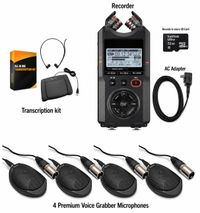
Make an accessory list using exact devices where possible. Include the writer or mask, audio interface, headset, external display, backup destination and any connection used for realtime delivery. List the cables and adapters along with the devices; the missing piece is often between two otherwise suitable products.
Do not assume similar-looking connectors perform the same function. A headphone connection sends audio out; a microphone connection receives it. An adapter may change the physical plug while leaving an incompatible signal or wiring arrangement unresolved. Ask about the complete connection rather than purchasing adapters by appearance.
Consider how the arrangement will fit on a real table. Cables should not pull on sockets when someone moves a chair or places a binder nearby. The screen should be readable while your writing equipment remains comfortable. An external display useful at home may not belong in the travel setup.
Once the arrangement has been verified, photograph or sketch it for your own reference. A clear record of the tested connections helps you rebuild the setup after travel without relying on memory.
A reporter may spend substantial time editing, navigating and reviewing. Keyboard feel, pointer behavior and the way text appears deserve a hands-on assessment when available. Think about the tasks you repeat frequently rather than judging only the appearance of the open laptop.
Check familiar editing keys and function-key behavior in your CAT program. Make sure the display scale allows comfortable reading without hiding essential controls. Try the pointing method you actually use. A comfortable home office arrangement can differ from a portable arrangement used at a narrow deposition table.
The Martel Elite ThinkPad option is worth discussing if you specifically prefer the ThinkPad keyboard and TrackPoint experience. That preference can be meaningful without making it a universal requirement for every reporter.
Keep the decision personal and task based. A familiar control can reduce adjustment during a transition, but the selected model still needs the same software, transfer and audio planning as any other reporting laptop.
Remote proceedings add a meeting application to the reporting workflow. You need to hear participants, speak when necessary and capture the audio required by your approved workflow. Those are separate tasks, even when one screen makes them appear to be a single activity.
Some reporters use separate devices for the meeting and CAT software. Others use a supported single-computer arrangement. The best choice depends on your software, equipment, available space and ability to verify the audio path. Do not assume the meeting’s recording function automatically becomes your CAT AudioSync file.
Tell Martel whether the purchase will replace the CAT computer, the meeting computer or both. An existing laptop may still have a useful role as a meeting device if it supports that task. Reusing it should be a deliberate plan rather than an improvised decision on the morning of a deposition.
For a detailed comparison, use one or two computers for remote depositions. The guide follows listening, talkback and saved audio independently so you can describe the arrangement clearly.
Warranty and support answer different questions. Warranty terms address covered problems with the purchased product. Setup support helps with the reporting environment and its transition. You may value both, but one should not be assumed to include every service associated with the other.
Confirm the warranty attached to the exact package on your quotation or order. Ask about the service arrangement and any conditions that matter to your use. Product options and school packages can differ, so a term attached to another listing should not be carried over automatically.
Also establish how to request assistance after arrival. Know what information to provide, how an appointment is arranged and which software questions may need the software vendor. Avoid planning around an assumed response time unless that service level has been confirmed for your purchase.
Useful support starts with a clear description. Keep your laptop order information, software versions, device names and connection notes together. That preparation can make a later conversation more productive without requiring you to become a computer technician.
Compare the total arrangement you need to begin work. Include the laptop package, any separately licensed software, required accessories, the transfer appointment and time to practice. A purchase that leaves an essential license or connection unresolved is not yet a complete working setup.
Students should obtain the current equipment list from their own program before ordering. A school package may include items or preparation that differ from a general product listing. Use the exact program and course information when asking Martel for a recommendation.
Working reporters should plan around deadlines and existing assignments. Leave room for delivery, personal setup, file verification and a practice session before depending on the replacement. Discuss urgent needs directly rather than assuming a shipping estimate also includes completion of your personal transfer.
Evaluate value through the work the package addresses: a familiar CAT environment, checked audio, usable files and someone to contact afterward. That makes the comparison specific to your livelihood without relying on a generic performance ranking.
Agree on what you want to demonstrate when the setup is ready. Use a fictional practice matter, familiar dictionary entries, a short recording and a representative output file. Keep confidential case material out of an initial demonstration when a harmless practice example can serve the same purpose.
Check the entire sequence: connect equipment, open the correct user, create input, save the job, reopen it, play the intended audio and produce the expected output. If live delivery is part of your work, include a test recipient or supported test environment.
Record unresolved items plainly. Perhaps an older application needs vendor assistance or a particular accessory has not yet arrived. An open issue does not disappear because the rest of the laptop is ready. Assign the next step and repeat the affected check when it is resolved.
This suggested exercise is a customer readiness check, not a description of Martel’s internal testing procedure. It gives you practical evidence that the prepared system fits the work you described.
Consider a freelance steno reporter replacing a familiar computer. She already owns her writer and CAT license, takes some remote assignments and has several active cases. Her buying conversation should emphasize a supported writer connection, transfer of her working user and dictionaries, preserved case audio, comfortable editing controls and the division between her meeting device and CAT device.
For that reporter, a useful demonstration is straightforward: open a copied practice case, confirm a familiar dictionary entry, write new material, save audio and reopen the job. A salesperson showing an unrelated recognition demonstration would not answer her main transition questions.
Now consider a new voice-writing student. He has no existing CAT environment and is choosing equipment around a school’s required method. His first questions concern the current school package, supplied software licenses, mask connections, setup timing and how his instructor expects him to practice. An archive migration plan is less urgent than having the required applications working before instruction begins.
These examples are hypothetical. They show why two people searching for “the best court reporter laptop” may need different buying conversations even when both ultimately choose a Martel system. Neither person needs to begin by ranking components. Each needs the right workflow prepared and a clear way to verify that it is ready.
Use your own circumstances to finish the comparison. State which services are essential now, which items you already own and which tasks can wait. That gives Martel a practical basis for recommending a package and prevents optional future ideas from obscuring the work you need to perform next week.
It must support your exact reporting method, software and connected equipment as a complete system. Personal files, audio configuration, working controls and support also matter. Ask whether you can create and reopen a representative job, hear the required audio and produce your normal output before making the new computer your primary system.
Do not assume that installation, preparation or transfer help includes a new license. Read the selected package and confirm what is supplied, what you already own and what the software vendor must authorize. The same distinction applies to recognition software and optional delivery services.
That is an important transfer question to raise before ordering. Identify the application and version holding each dictionary and preserve a current backup. Confirm the appropriate migration method and verify familiar entries on the new setup. A recognition vocabulary and a CAT dictionary may need separate attention.
Start with the method and applications rather than assuming the packages are interchangeable. Voice writing introduces a Stenomask or microphone, recognition and CAT integration that should be planned together. Martel’s VOX category provides a focused starting point for that conversation.
Provide your reporting method, exact software editions, connected equipment, whether you are replacing an existing system and the assignments the new laptop must handle. Students should add their school’s current requirements. Explain any deadline and any older program you need to retain.
Original guidance prepared by Martel Electronics. Product and software information researched October 30, 2026. Examples and acceptance checks are proposed exercises, not claims of completed testing or guaranteed results. Follow the current instructions for your selected equipment and software edition.