Published · Updated · Martel Electronics
A useful police car video camera purchase starts with a specific assignment: what must this vehicle record, and who must retrieve that recording later? A road-facing camera, an officer microphone and a rear-compartment view solve different problems. Decide which views and sounds your department needs before comparing a headline resolution or a package price.
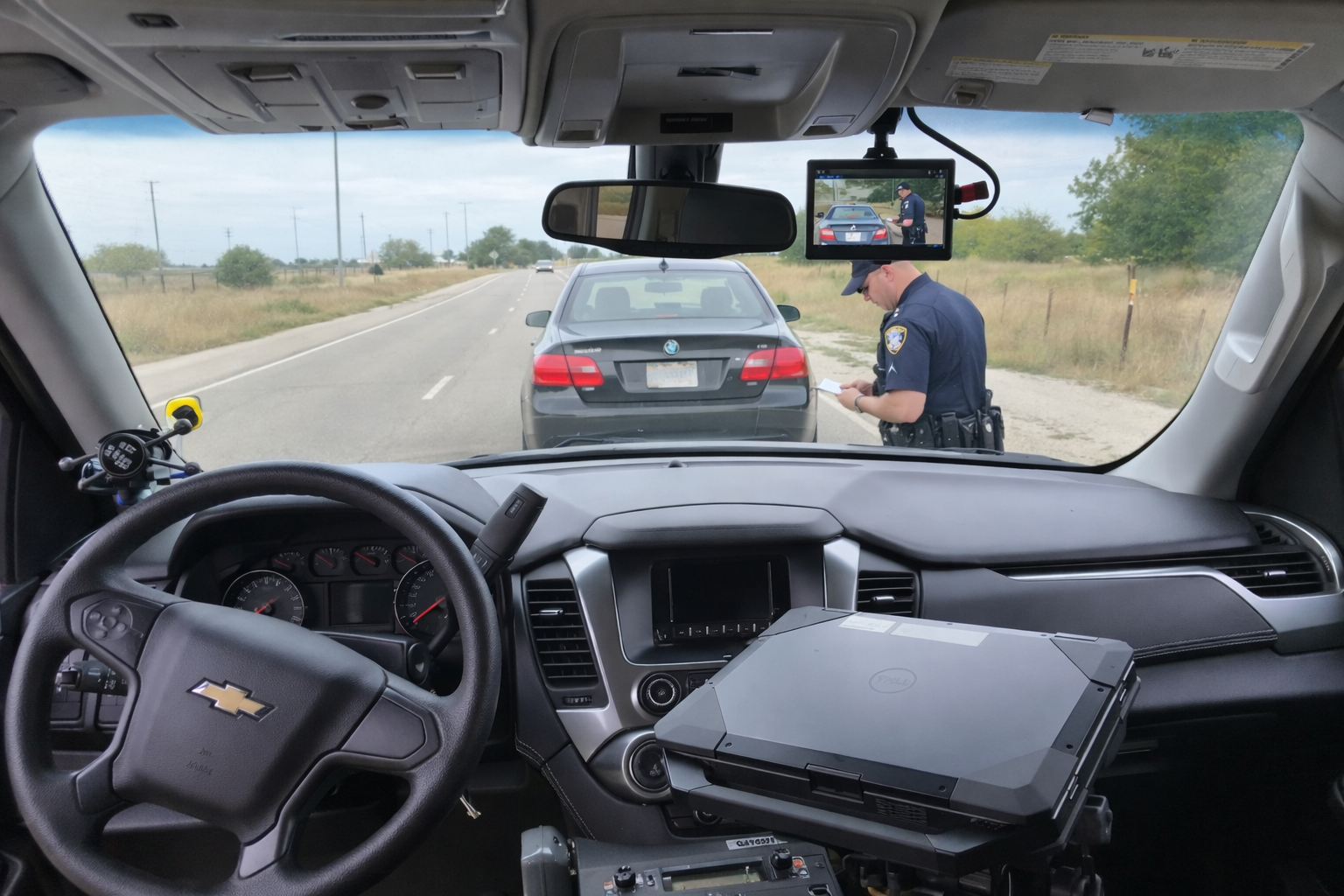
Define the recording job before choosing equipment
Write three short scenarios for the vehicle: a roadside contact, a transport and a scene that requires documentation away from the car. Mark where the camera will remain, where the officer will move and which sounds matter. That exercise exposes gaps a product photograph cannot show.
For a dedicated vehicle installation, begin with the DC7 police car camera system. Martel lists front and rear cameras, a touchscreen, officer wireless audio and MP4 files. If the camera must leave the vehicle for field documentation, review the portable MDP6 police dash cam system. These are different workflows; the right choice depends on the assignment.
Evaluate the complete in-car video system
- Coverage: Demonstrate the required roadway and passenger-compartment views from the actual proposed mounting positions. Look for obstructions from mirrors, partitions and equipment.
- Recorded detail: Review a saved clip in daylight and after dark. Check glare and movement. A 1080p specification alone does not promise readable plates or identifiable faces in every scene.
- Officer audio: Listen to a test conversation while the officer moves through representative locations. Confirm the microphone, receiver and recorder work together.
- Activation: Identify the manual control and each installed automatic trigger. Have the installer demonstrate what actually starts recording.
- File retrieval: Ask a second staff member to locate and play a test event using the department’s intended computer and software.
Keep a short acceptance record
Use a repeatable form with the vehicle identifier, system model, installer, test date, settings and result. For each scenario, record what should happen and what the saved file actually contains. A pass should require usable playback, the expected camera views and intelligible audio—not simply a recording light on the display.
Include a restart check, a microphone check and a transfer check. Ask how the system reports full storage, failed transfers and faults. Where a function is optional, record whether it is included in your written quote. This makes the purchase easier to review and the installation easier to maintain.
Budget for the work after recording
Equipment is one part of the program. Installation, staff training, storage hardware, backup, retrieval time and eventual replacement all need an owner and a budget. Ask who will check that video arrived at the station, who can access it and who responds when storage runs low.
NIST’s digital evidence preservation guidance discusses integrity and storage considerations for digital evidence, including recordings generated by law enforcement. Use your agency’s evidence procedures to define handling responsibilities.
Questions to put on the department quote
Specify the number of vehicles, required views, officer microphones, installation scope and transfer method. Ask for an itemized list of included equipment and optional upgrades. Request a demonstration of any function that is essential to your purchase rather than assuming it follows from the phrase “police camera system.”
Turn a department requirement into a measurable purchase
A purchasing requirement should describe something a reviewer can observe. “Good night video” is difficult to accept or reject. “A saved clip that shows the staged approach area, with intelligible officer speech, in the department’s test location after dark” gives the evaluation a defined purpose. Write the test conditions beside the requirement: vehicle type, camera position, lighting, approximate subject position and selected recording mode. This helps the agency distinguish a missing capability from a poor installation or an unrealistic expectation.
Use three columns in the evaluation worksheet: required function, demonstration result and unresolved question. An item belongs in the unresolved column when the seller has described it but the department has not yet seen it work. For example, an upload option may be available without being included in the basic equipment price. Request the selected configuration in writing and repeat the demonstration after installation. A product demonstration and acceptance of the completed vehicle are two separate milestones.
Technical buying terms: resolution, bitrate and camera coverage
Resolution describes the dimensions of an image. It does not describe how much of a distant subject fills that image. A wide view can cover the roadway while giving relatively few pixels to a small object. Compare the same staged scene from the proposed mounting position and review the exported recording at its native size. Avoid deciding solely from a bright showroom display, a still photograph or a digital enlargement of a small detail.
Bitrate describes the amount of encoded data per second. It affects storage and can affect retained detail when the scene is complex. Resolution, frame rate, compression and scene movement all matter, so ask for a sample captured with the intended settings. For an original planning example, a combined recording rate of 8 megabits per second for two hours produces approximately 7.2 GB in decimal units. This is an arithmetic example, not a DC7 or MDP6 specification.
Specify whether each view must be recorded at the same time. A screen showing a rear camera is not proof that the rear view exists in the saved event. Ask the reviewer to retrieve every required view and the associated audio. Put the distinction between viewing and recording in the acceptance checklist; it is easier to resolve before vehicles enter service than after an important event.
Plan the small-agency pilot before outfitting a fleet
A pilot vehicle should represent the equipment and daily routine of the intended fleet. Include the partition, laptop mount, radio equipment and normal officer seating position. Invite an operator, a fleet installer and the person responsible for receiving video. Give each a separate job: operating controls, evaluating the installation and retrieving a saved event. Differences between their observations often reveal work that a purchasing-only review would miss.
Keep the pilot’s original test clips with its configuration record. When a vehicle model, camera position or recording setting changes, repeat the affected test. This produces a useful comparison without inventing a universal performance score. Document how a camera fault will be reported, who can approve repair and how the vehicle will be handled while its required recording function is unavailable under agency procedure.
Make the final buying decision traceable
Before signing off on a police in-car video system, have the agency identify the exact package, the installation scope and the receiving workflow. Separate required equipment from optional convenience features. Ask whether training covers both officers and evidence staff, and whether a replacement vehicle will require a different mounting or wiring arrangement. A clear record of those decisions makes later maintenance, replacement and expansion more consistent. Continue with the installation planning guide for a more detailed vehicle acceptance process.
How should a department compare demonstration recordings?
Use the same review computer, viewing size and playback level for every test set. Begin with the original export and record the camera position, settings and conditions. Ask two reviewers to locate the same staged detail independently. If one version seems better, identify what improved: framing, motion detail, usable audio or the ease of locating the event. This turns a preference into a documented observation. Do not treat a seller’s edited promotional clip as equivalent to a recording made with the proposed installed configuration.
What belongs in a police camera replacement plan?
Record the components that may need replacement separately: camera, recorder, microphone, mount, storage media and receiving equipment. Ask who can confirm part compatibility when a model changes. Keep a record of the approved setup, installation photographs and the procedure for returning repaired equipment to service. A replacement plan should also identify how the agency will preserve existing recordings and maintain access to them during a hardware change. The ability to buy another camera does not by itself establish a complete continuity plan.
Separate warranty, support and selected services
Ask what the equipment warranty covers, how a fault is reported and which support or installation services are included in the quote. A warranty term does not explain every operating responsibility or the time needed to resolve a particular fault. Have purchasing identify any selected service, renewal or replacement assumption separately from the camera price. Keep the quoted terms with the equipment record so later staff can distinguish an included commitment from an expectation that was never confirmed.
Common questions about police car video cameras
What is the difference between a camera and an in-car video system?
The camera captures an image. The complete setup also needs a recording path, power, controls, audio and a workable process for retrieving files. Compare those pieces as one installation.
Should every patrol vehicle use the same model?
Consistency can simplify training, but vehicle assignments may differ. Define the required job first, then decide whether one configuration covers the fleet or whether a portable setup has a separate role.
Can a police car camera record everything an officer sees?
No single camera angle can show every part of an encounter. Check coverage and audio for the scenarios your agency actually needs to document.
Where should a department start comparing Martel systems?
Browse Martel police body and in-car cameras, then read the DC7 versus MDP6 comparison and the local storage and ownership cost guide.