Dictation Systems for Multiple Attorneys Sharing a Secretary
Plan dictation for multiple attorneys sharing a secretary: compatible recorders, author identification, priorities, workload, corrections and software checks.
Learn how to evaluate wireless officer audio, microphone placement, pairing and saved-recording checks for a police car camera system.
Published · Updated · Martel Electronics
Police dash camera audio deserves its own acceptance check. A clear picture from the patrol vehicle does not tell you whether a conversation beside another vehicle will be intelligible. Evaluate the microphone, wireless link, recording input and saved playback as one path.
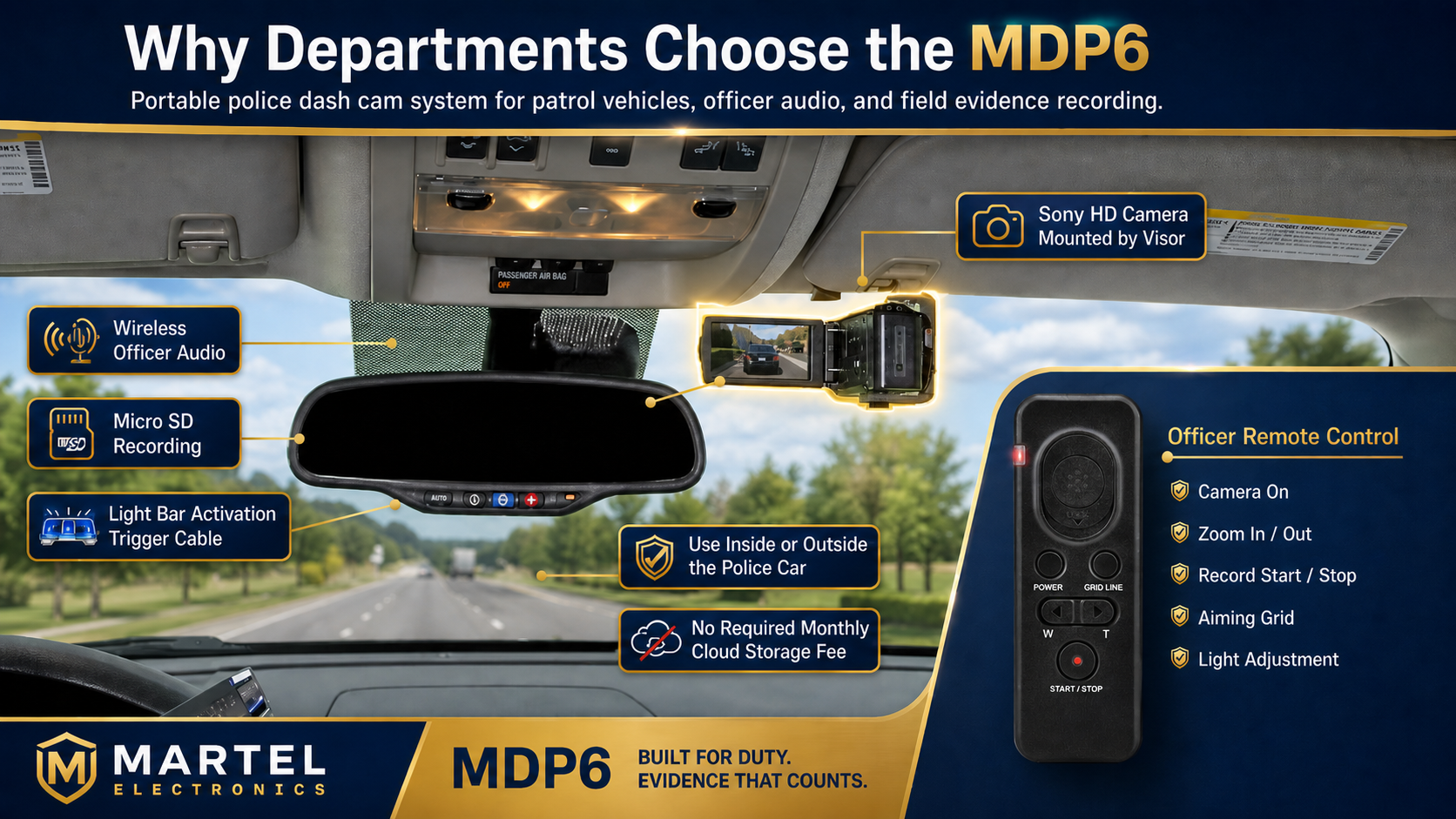
In a wireless officer microphone setup, the worn microphone captures sound and a compatible receiver passes it to the recording system. If any part of that path is missing, incorrectly selected or not working, the resulting clip may lack the expected audio. A paired transmitter or a lit display is only one observation; the saved recording is the result to assess.
Both the Martel MDP6 police dash camera package and the DC7 in-car camera system list wireless officer audio. Confirm the microphone and receiver supplied with your configuration. Compatibility should be established by the exact model and system documentation, not by a similar-looking connector or a shared wireless frequency.
A quoted maximum wireless range does not establish performance in every location. Vehicles, buildings, body position and local radio conditions can change the result. Define a practical acceptance area for your installation and record the test conditions. If the department requires recording beyond that area, ask for a demonstration of that requirement.
Use a consistent playback level when comparing test clips. Increasing volume cannot restore words that were never captured, and heavy processing can make a sample harder to assess. Keep the original test file and document any review copies or processing used for evaluation.
Ask two questions: does the system receive microphone audio, and what starts saving that audio with video? Some configurations may use microphone controls as a recording trigger; that behavior must be confirmed for the installed system. Also verify what happens when the microphone is muted, disconnected, out of range or low on battery.
For an example of how one agency describes its own trigger choices, see the RCMP’s in-car digital video system overview. Its configuration is an example, not a specification for Martel equipment. Our recording triggers and pre-event guide explains the questions to ask.
Assign responsibility for charging, microphone identification, the initial test and reporting faults. In a shared fleet, staff should know which microphone is assigned to which system and how to verify that assignment. Keep a small fault record with the vehicle, time, symptoms and test file so the installer or support team can investigate something concrete.
When a saved event has weak audio, first identify whether the symptom affects the whole recording or only a particular position, microphone or view. Record the event time and the equipment identifiers before changing anything. Then create a controlled test using the same brief spoken passage. Changing microphone placement, recording settings and playback software at once makes the result difficult to interpret. A useful troubleshooting record connects one change to one new test clip.
Separate capture problems from playback problems. If a file sounds poor only on one workstation, compare an approved player and a known working output device before concluding that the officer microphone failed. If the original recording has missing speech in every review location, focus on the capture path. Keep original files intact and use clearly identified working copies for any processing. A louder playback level may make faint sound easier to hear, but it cannot recreate a missing signal.
Clipping occurs when a signal exceeds the level a stage can represent. Speech may sound harsh or broken even when it is loud. A recording that is too quiet presents a different problem: raising playback volume can also raise background noise. Where the equipment provides input adjustment, use its instructions and a representative test rather than applying a setting from another recorder. Ask the installer to show the intended operating range and demonstrate normal conversation and a louder test phrase.
Microphone distance and orientation affect the balance between speech and surrounding sound. Clothing rubbing against the microphone can create noise unrelated to the wireless link. A jacket, equipment strap or body position may change the recording without any menu setting changing. Test normal movement as well as a stationary spoken phrase. Check what happens when the wearer turns, reaches or returns to the vehicle, using a safe staged exercise instead of a live encounter.
In a shared fleet, a charging location should not become the only indication of which microphone belongs with a recorder. Use the agency’s approved identification method and verify assignment through the model’s documented procedure. If a unit is replaced, borrowed or moved between vehicles, repeat the check. A transmitter that is charged and functioning may still be the wrong assigned device for the system being evaluated.
Also distinguish transmission from activation. The recorder may receive a signal only when it is saving an event, or a microphone control may have a separate trigger role if supported. Demonstrate the exact behavior of the installed equipment. Document any mute, connection or battery indication that operators are expected to recognize. Do not train staff to infer saved audio from a general wireless or power icon unless the equipment instructions establish that meaning.
A good fault report includes the vehicle, recorder model, microphone identifier, date, approximate position and a description of the saved result. Describe the symptom plainly: intermittent gaps, rubbing noise, distorted speech or a silent track. Include whether the problem repeats in a controlled recording and whether it occurs on more than one review computer. Those details are more useful than a general statement that the microphone is bad.
Decide who can substitute equipment and when a vehicle can return to normal recording service. After a repair or replacement, repeat the same staged test and compare the result with a known working example. Keep a short equipment history so a recurring problem can be distinguished from an isolated incident. The police video export guide explains how to keep the relevant test event and associated information together for review.
Use the symptom to frame a controlled test, rather than deciding the cause from a single sound. Rubbing can follow movement even when a wireless link remains connected. A gap that repeats in one location may suggest a different problem, but should still be investigated with the model’s instructions and a known working comparison. Record the wearer’s position and movement, then listen to the original clip. If the cause remains uncertain, preserve the test and give support staff the conditions needed to reproduce it.
No. Begin with charge, assignment, mounting, connection and playback checks. An unnecessary configuration change can introduce a second problem and remove a useful reference point. Where an adjustment is authorized, document the previous setting and the specific test it is intended to improve. Repeat the test after the change and keep both results. This approach helps a department establish a working configuration instead of accumulating settings that nobody can explain later.
Suppose speech disappears during one portion of a staged exercise but remains audible elsewhere. Note the exact interval, wearer position and movement before deciding whether the issue is placement, transmission or recording. Repeat the same sequence with the approved setup and compare it with a known working test. If the symptom does not repeat, keep that finding in the report instead of presenting an uncertain cause as established. A useful investigation preserves both successful and unsuccessful observations.
Do not assume it can. Test the intended position and listen to the saved result. Officer-worn audio provides a different capture position from a microphone left inside the cabin.
No. Audio transmission and event activation are separate functions. Confirm the supported trigger behavior and the saved audio in your actual setup.
Start by checking placement, obstructions and the original saved file. Compare a short controlled recording before changing multiple settings. Use the equipment instructions to investigate further.
Review the DC7 versus MDP6 comparison and the current police camera packages. Ask for a microphone demonstration as part of the department evaluation.
