Dictation Systems for Multiple Attorneys Sharing a Secretary
Plan dictation for multiple attorneys sharing a secretary: compatible recorders, author identification, priorities, workload, corrections and software checks.
Build a practical pre-shift police camera check covering power, camera views, microphone readiness, recording and storage exceptions.
Published · Martel Electronics
A police car camera pre-shift checklist should help staff identify a recording problem while there is still time to report it. It should be short enough to use, specific to the issued equipment and connected to a clear response when something is wrong. This guide provides a framework for checking vehicle video, officer audio and storage readiness. Adapt it to the actual model instructions and agency procedure; a generic checklist should not redefine when an officer is required to record.
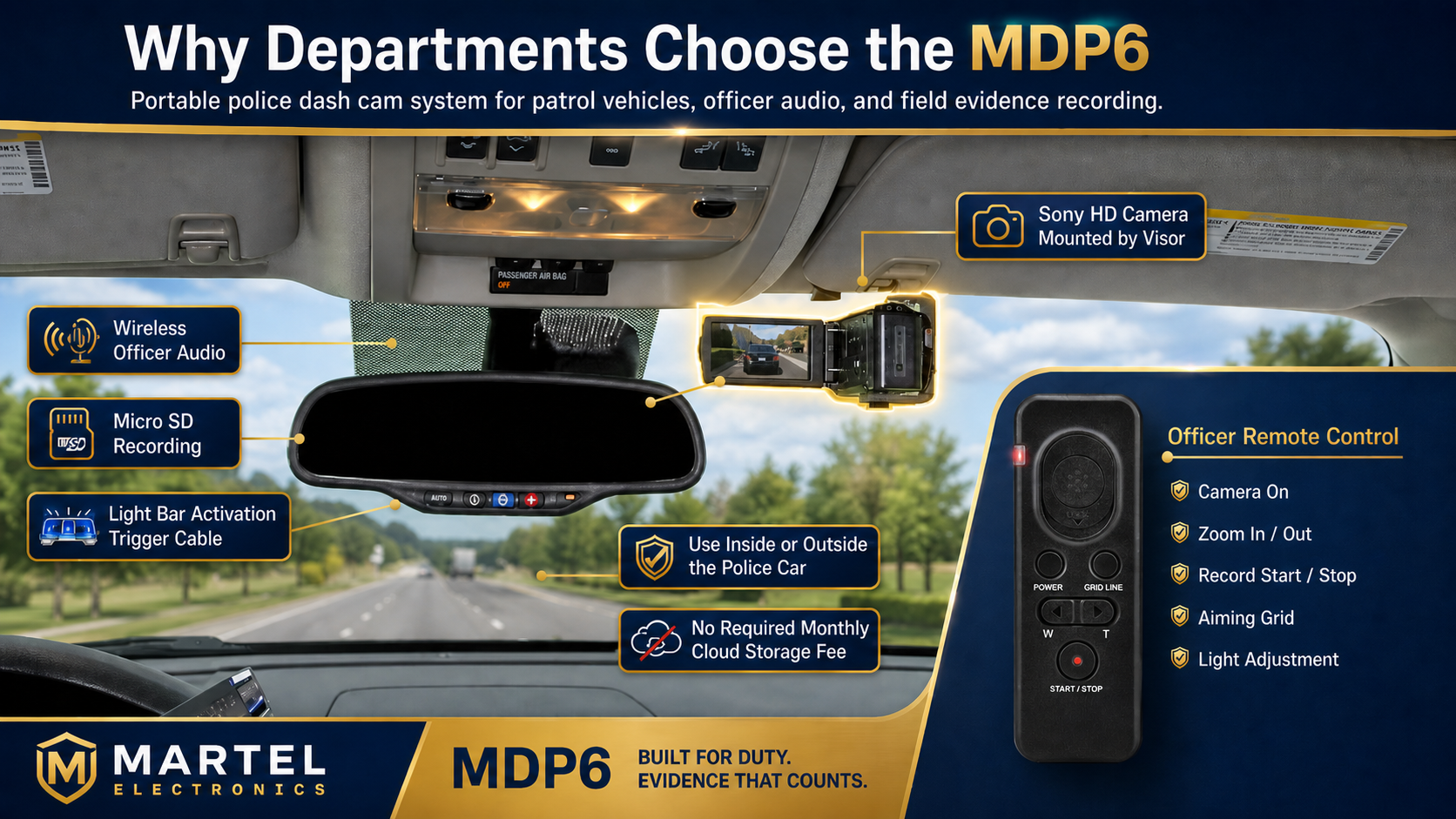
The daily check should reflect a configuration that has already passed installation acceptance. Keep a reference for the required camera views, microphone assignment, recording indications and receiving workflow. Without that reference, staff may be asked to judge whether equipment looks normal without knowing what normal means. A known working test clip and a clear operating card can make the check more consistent across a shared fleet.
The DC7 dedicated in-car system and MDP6 portable police dash cam require evaluation around their respective workflows. A portable camera’s return to its vehicle mount is a distinct readiness question. A dedicated system needs confirmation of its required installed views. Use the installation planning guide to establish the acceptance record that supports daily checks.
Begin with the vehicle identifier and the equipment assigned to it. Use the agency’s approved method to identify the recorder, camera and officer microphone. In a shared fleet, do not assume that the unit found in a charging position is automatically the correct assigned microphone. Record substitutions and repeat any required pairing or assignment check using the equipment instructions.
Keep the record proportionate to the agency’s process. It should let a later reviewer determine which equipment was checked and whether a known fault or replacement was involved. A checklist that says only “camera checked” may be difficult to connect to a specific recorder or microphone when equipment moves between vehicles.
Use the documented startup procedure and identify the expected status indication. A screen with power is not the same observation as a system saving an event. Staff should know which indication represents readiness and which represents active recording. If the indication is unfamiliar or inconsistent with the operating card, report it through the approved route rather than inventing an interpretation.
Inspect the equipment for a visible condition that requires attention under the normal inspection procedure. Do not open enclosures, change wiring or alter vehicle safety equipment as part of a routine officer check. Installation and repair tasks should remain with authorized personnel. The checklist should identify the fault-reporting route and the person responsible for deciding what happens next.
Check each view required for the vehicle assignment. Look for an obvious obstruction, changed angle or normal equipment blocking the accepted scene. Where the process includes a saved test event, inspect the required recorded views rather than relying only on the monitor. Record a changed view in plain language so the installer has a useful starting point.
For a portable camera, verify that it has been returned to the approved vehicle arrangement after field use. Follow the model instructions for the mount and connections. Do not assume that placing it near its normal location restores the original framing or operating state. The front and rear coverage guide explains why camera position and recorded coverage should be assessed separately.
Follow the supported procedure for charge, assignment and connection. Inspect the intended microphone position for a blocked sound opening or contact with clothing and equipment. Include normal movement in any approved staged sound check. A stationary phrase can miss rubbing that occurs when the wearer turns or reaches.
Listen to a saved test where the agency’s procedure calls for one. Keep the phrase short and identifiable so staff can distinguish the current check from an earlier recording. The wireless officer microphone guide explains how to distinguish capture, transmission, activation and playback questions. A general wireless indication alone should not be treated as proof of a complete recorded audio path.
Identify the manual recording control and the expected indication. Demonstrate automatic inputs only within the agency’s approved check procedure and safe conditions. Do not infer support for a trigger from another vehicle or an older camera model. The trigger and pre-event recording guide provides a detailed acceptance matrix for supported inputs.
Check the available status information for storage or transfer exceptions. Staff should know what requires reporting, such as a full-storage warning or a missing expected transfer. Avoid treating a routine checklist as permission to erase, format or reuse media containing important material. The agency’s evidence procedure should determine when and how media can return to normal use.
| Check | Record the observation | If unresolved |
|---|---|---|
| Equipment identity | Vehicle and assigned units | Confirm assignment |
| Starting state | Expected indication or observed fault | Follow fault-reporting route |
| Required views | Clear, obstructed or changed | Request authorized inspection |
| Officer audio | Approved readiness or saved-test result | Document the repeatable symptom |
| Storage and transfer | Normal status or exception | Protect material pending instructions |
A pass should mean the defined checks were completed successfully. An unchecked box should not silently become a pass because a vehicle is needed. Give staff a clear way to record an exception and obtain the appropriate decision under agency procedure. This keeps the checklist connected to actual equipment readiness.
If a test clip appears to lack sound or motion, identify whether the problem repeats in the original saved file and on another approved review setup. A workstation problem can look like a recording problem. Record the file used, equipment identifiers and symptom before changing settings. Changing several variables together makes it difficult to identify what caused an improvement.
Preserve the original sample and use identified working copies for investigation. Note whether the symptom affects one view, one microphone or the entire event. A useful report describes a silent track, intermittent gap, shifted view or missing segment. It also states when the condition was observed and whether a controlled repeat produced the same result.
Update the operating card after an authorized change to equipment, mounting, software or configuration. Repeat the affected acceptance test and keep the new reference with the vehicle record. A daily routine should not continue to teach an indication or control that belongs to an older setup. Assign responsibility for maintaining the instructions so changes do not remain informal knowledge held by one employee.
Build a practical routine from the actual equipment and agency requirements, then measure it during training. There is no universal duration that proves readiness. Keep the checklist focused on observable results and a clear response to exceptions rather than an arbitrary time limit.
No single indication should be assumed to establish every part of the recording path. Use the equipment instructions to understand the indication and verify the views and audio required by the approved check.
Physical installation and repair should follow the authorized process and equipment instructions. Report the visible symptom and preserve useful test information. A routine readiness check should not become an improvised installation task.
Do not treat this checklist as authorization to erase material. Follow agency instructions for preservation, transfer verification and approved reuse. Report the warning and resolve the recording availability issue through the defined route.
Repeat the affected check using a controlled sample and record the result. Confirm that the required recording and receiving functions have been restored before returning the equipment to its intended assignment under agency procedure.
Suppose the assigned microphone appears ready but a current staged test contains intermittent sound. Record the vehicle, microphone identifier, time and position involved. Keep the original test clip and state whether the fault repeats. Do not overwrite the observation with a pass simply because the next step is inconvenient. Use the approved reporting route and let the responsible agency role determine the equipment’s status.
After an authorized correction, repeat the same test and document what changed. A new microphone, different placement and a settings adjustment should not be grouped together as if they were one known solution. Keeping the sequence clear helps staff distinguish a resolved fault from an unexplained temporary improvement. The readiness form becomes a useful equipment history when it records concrete symptoms, approved actions and observed results. That history can also help the department identify recurring problems across vehicles.
Store the completed check and any fault reference where authorized supervisors, fleet staff and support personnel can find them. Connect a repair record to the original exception so the equipment history shows the symptom, action and final result. This avoids relying on an informal conversation when a recurring problem needs investigation.
