Dictation Systems for Multiple Attorneys Sharing a Secretary
Plan dictation for multiple attorneys sharing a secretary: compatible recorders, author identification, priorities, workload, corrections and software checks.
Plan a clear police video export workflow for USB and removable media, with completeness checks, original files and documented handoff.
Published · Martel Electronics
Exporting police car camera video is more than moving a file from one device to another. The department needs the expected event, its required views and audio, and enough information to identify where the material came from. A reliable process also makes clear which files are originals, which are review copies and who checks that the transfer is complete. This guide describes a practical planning workflow for authorized department staff using the system instructions and agency evidence procedures.
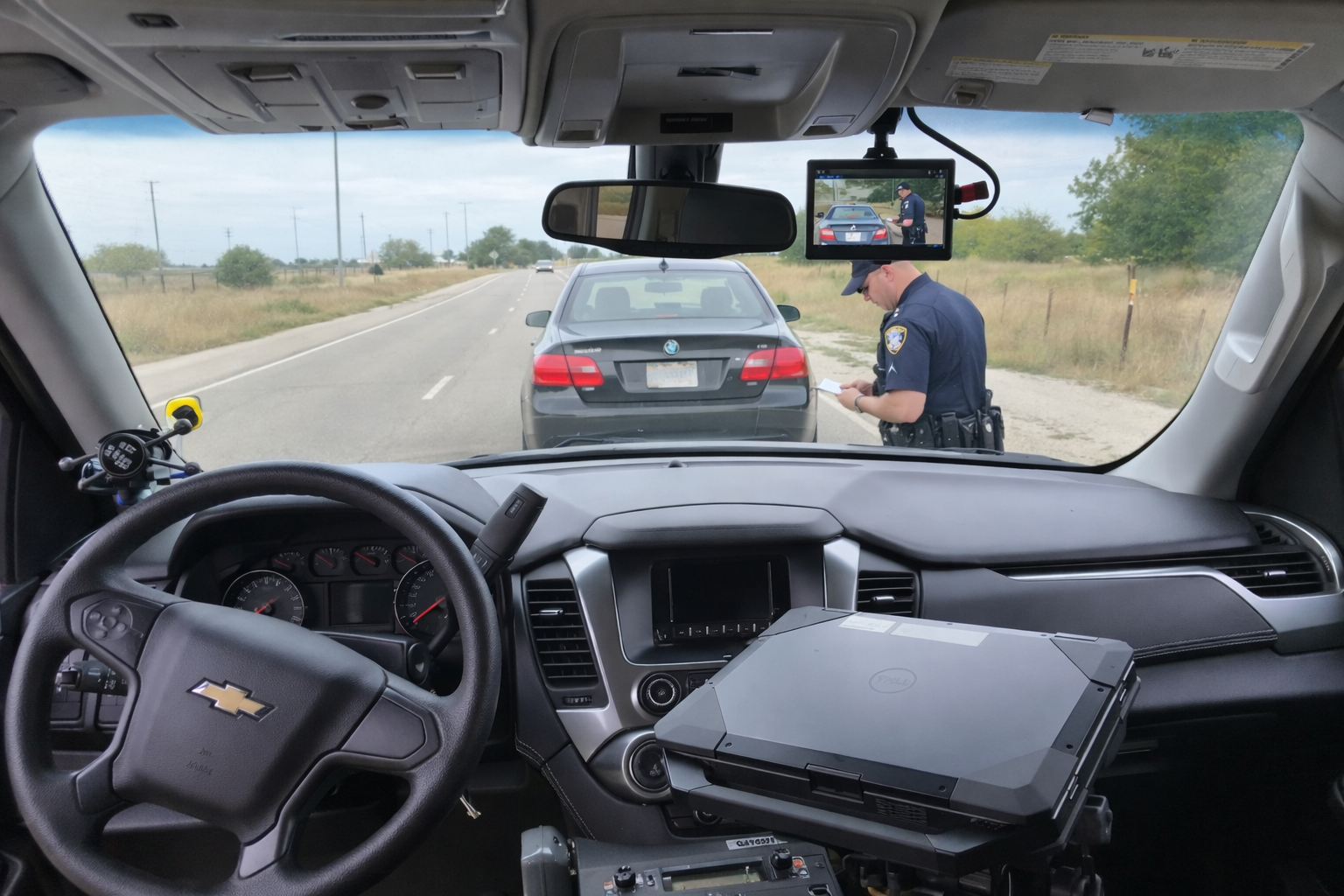
Record the vehicle and recording equipment involved, the requested time range, the relevant camera views and the agency’s event or case reference. Include the date format and time zone where they matter to retrieval. If the recorder’s displayed time differs from the agency’s reference, document the observation through the approved process. Do not silently assume that the requested clock time and the displayed system time are identical.
Ask whether the event includes separate files or segments. A recorder may create more than one component for the requested interval. The export should preserve the material needed to review the sequence, including the beginning and end specified by the agency. A file that opens successfully is not necessarily the complete event, especially when more than one camera or audio source is involved.
The DC7 police car camera system lists USB export and an optional automatic transfer path to a station computer. The MDP6 portable police dash cam records to removable microSD storage. Confirm the exact handling steps for the supplied equipment and selected configuration. This article does not establish a universal button sequence, media format or automatic upload capability for every Martel model.
For an automatic route, ask what the completion indication means and where an authorized reviewer finds the event. For a manual route, identify who starts the transfer and how the receiving destination is selected. Use a staged non-evidence event during acceptance so the department can test the whole process without experimenting on important source material.
Keep the original export and its folder structure as required by agency procedure. Do not discard unfamiliar accompanying files until their purpose is established. They may contain information used to organize or review the event. If a different player, format or edited excerpt is needed for a specific review task, use an identified working copy and keep its relationship to the source clear.
SWGDE’s Best Practices for Data Acquisition from Digital Video Recorders, version 17-V-002-1.4, addresses acquisition and documentation considerations. The agency should use its qualified personnel and approved procedures to select the appropriate approach. A convenient screen recording of playback should not silently become the only retained version of an event when original exports are available.
Keep the outcome observable. “Transfer completed” should have a defined meaning in the department’s workflow. If a check fails, record the specific discrepancy and preserve the available material while the problem is investigated. Avoid reusing source media merely because a transfer was attempted. The agency’s approved process should establish when the transfer and preservation requirements have actually been satisfied.
MP4 is a container format. The video and audio encoded inside it, the accompanying information and the review software also affect how an event is opened. During acceptance, test a representative original export on the actual department workstation. Record the approved review setup and investigate a file that behaves differently there before converting or editing the source.
If one computer plays a file normally and another stalls, produces no sound or fails to show an expected view, document that difference. It may concern the review environment rather than the camera. Keep the original file and the symptoms available to support staff. Converting a file immediately can obscure the original playback problem and create an additional version that must be identified.
A cryptographic hash can help compare file content between two points in a documented process. It does not by itself establish the circumstances of recording, identify every missing event or determine legal admissibility. Use the agency’s approved method and record the tool, algorithm and point at which the value was calculated when those details are required.
NIST IR 8387 on digital evidence preservation discusses integrity and storage considerations. Keep preservation responsibilities, access and handling records connected to the files. A single checksum should not be presented as a replacement for the rest of the evidence process, and a filename or visible thumbnail should not be treated as an integrity check.
Reviewers may need a shorter clip for a defined purpose, but the relationship between that excerpt and the source should remain clear. Use the approved process for creating, labeling and sharing it. Record the selected interval and any processing. Keep source files and review derivatives in the destinations required by the agency so staff can return to the original event when necessary.
Do not use personal messaging or an improvised public upload as the default handoff route. Use the agency’s authorized destination and access controls. When another department role needs the material, document what was supplied and how it can be found again. This guide describes an equipment workflow; authorization, disclosure and retention decisions remain with the agency’s established process.
Record the source device, transfer route, approximate data size, destination and observed error. Note whether the interruption affects one component or the entire event. Preserve the source while authorized staff determine the appropriate recovery step. Do not assume that restarting a transfer automatically resolves questions about complete and partial copies already present at the destination.
For automatic station receiving, define how staff identify a missing expected event or a backlog. For removable media, define identification, custody and approved reuse steps. The local video storage and ownership guide explains capacity and transfer planning, while the pre-shift checklist connects unresolved storage or transfer faults to daily readiness.
It may be only one step. Confirm the requested interval, all required views and audio, accompanying information and the agency’s preservation and handoff requirements. A playable file should not automatically be equated with a complete event.
Follow the agency’s approved procedure. Preserve original names and structure where required, and use a documented index or working-copy method when a different review arrangement is needed. Avoid making unrecorded changes simply for convenience.
No. Define how receiving success is verified and how exceptions are reported. Demonstrate that an authorized reviewer can locate and inspect the complete staged event at its destination.
An attempted transfer is not proof that all required material has been received and preserved. Follow the agency’s instructions for verification and authorized reuse. Resolve any missing or incomplete material before treating the source as available for erasure.
Review the DC7 versus MDP6 comparison and current Police camera packages. Have the written quote identify selected upload options and any receiving equipment the department must provide.
Suppose a transfer stops after some files arrive at the receiving destination. Record the event requested, the source, destination and observed error. Keep the source available under agency procedure and identify the received set as incomplete until authorized staff resolve it. Do not assume that the presence of a thumbnail or one playable segment establishes success for every view and time interval.
Have the responsible staff select the supported recovery method, then repeat the completeness check on the final received event. Document how partial copies were handled and which set is the accepted original export or preserved source copy under the agency’s process. Keep any relevant transfer log with the handoff record. This makes it easier for a later reviewer to distinguish the completed event from an earlier attempt and avoids silently treating several different versions as interchangeable.
Use a non-evidence sample event to train the receiving and review roles together. Ask trainees to identify its source, locate every required view, verify audio and explain which files are original exports and which are working copies. Keep an example of a documented exception as well as a successful transfer. Training that ends with a retrievable complete event is more informative than practicing only the export button sequence.
