Published · Updated · Martel Electronics
When comparing police in-car video systems, start with a simple question: should the camera stay in the patrol vehicle, or must it also travel with an officer to document a scene? Martel’s DC7 and MDP6 answer those needs differently. Compare the equipment around the work it will perform rather than treating one as a smaller version of the other.
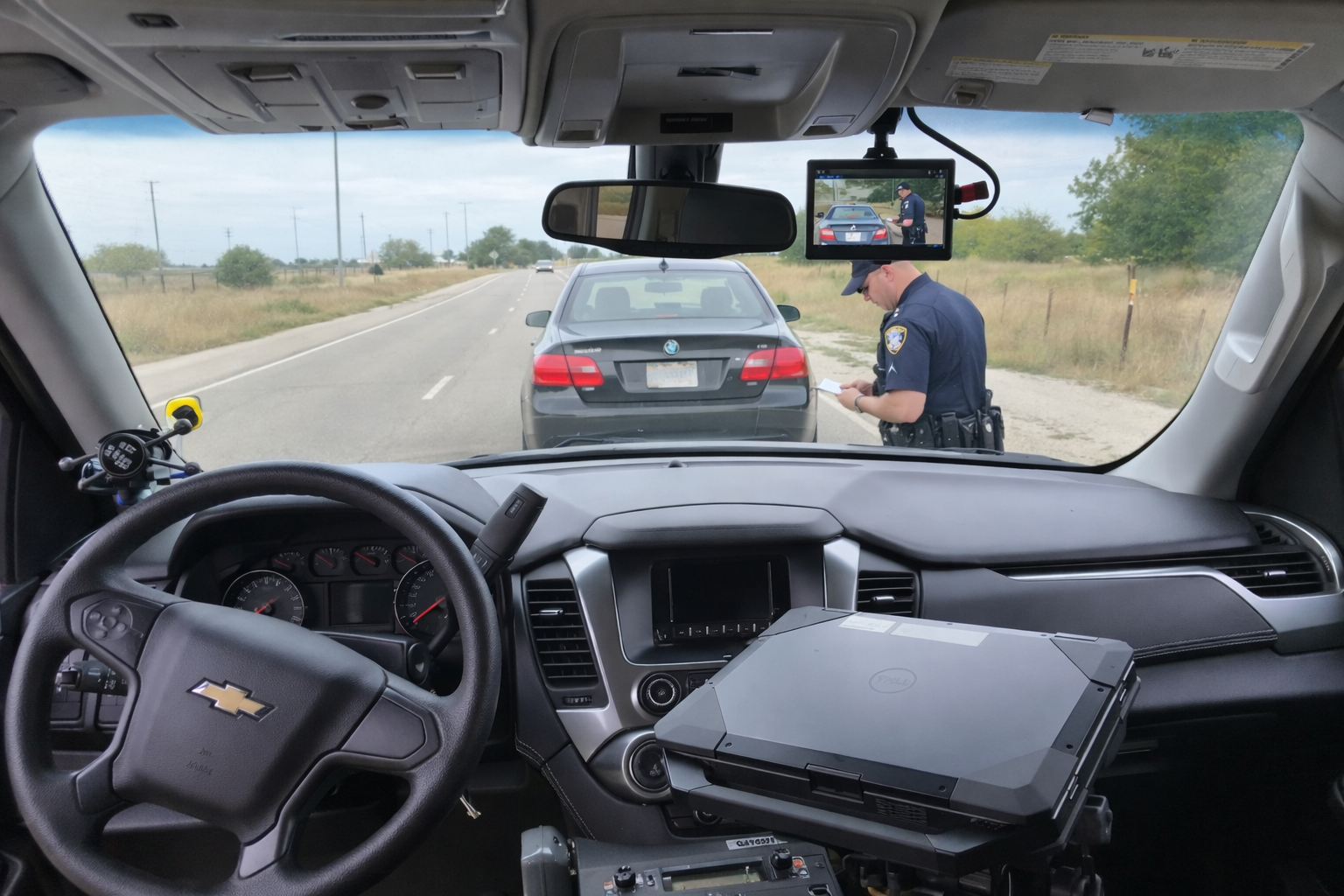
DC7: a dedicated patrol-vehicle setup
The DC7 police car camera system is the place to begin when the requirement is a dedicated front-roadway and rear-compartment installation. Its listed package includes a solid-state DVR, touchscreen, GPS antenna and officer wireless microphone. Martel describes standard MP4 recording and USB export, with automatic wireless transfer to a station computer offered as an option.
For an agency, the practical evaluation is whether those views, controls and transfer steps fit its vehicles. Ask the installer to show camera positions, cable routing, the officer’s recording controls and a completed transfer. Include any optional upload equipment in the quote so purchasing can distinguish the core package from the selected configuration.
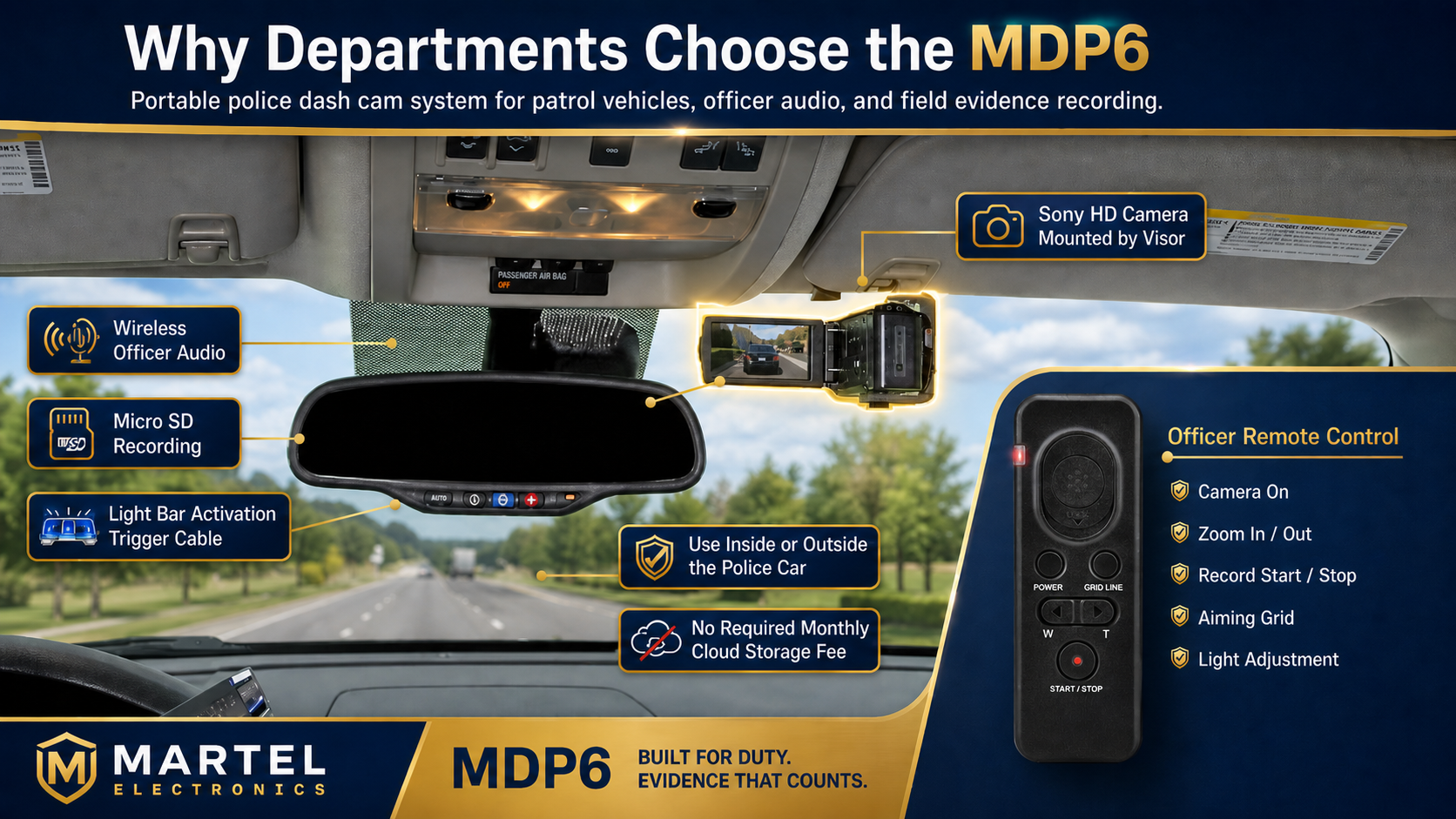
MDP6: vehicle recording with a portable camera role
The MDP6 police dash cam system uses a portable camera for recording in the vehicle and for documentation outside it. Its listing includes 1080p recording, a wireless officer microphone, remote zoom and photo controls, removable microSD storage and a lightbar activation cable.
That portability creates a useful planning question: what happens to the vehicle’s coverage when the camera is taken out? Demonstrate the removal, field use and return-to-mount routine. Decide who will check framing, power, connections and storage after it is reinstalled. Portability is valuable when the assignment calls for it and staff have a clear routine for returning the equipment to service.
Compare by assignment
| Department requirement | Start the evaluation here | Demonstrate before acceptance |
|---|---|---|
| Dedicated roadway and rear-compartment views | DC7 | Both views in the vehicle and in exported files |
| A camera that can leave the car for field documentation | MDP6 | Removal, field recording and return to vehicle use |
| Automatic station uploading | DC7 optional upload configuration | Station connection, successful transfer and failed-transfer handling |
| Removable-card handling | MDP6 | Card identification, file retrieval and approved reuse process |
Run the same sample assignment on both
Choose a safe, staged recording exercise rather than relying only on a showroom demonstration. Capture a short scene, speak a test phrase, stop the event and retrieve it on the intended review computer. Have someone other than the demonstrator find the file and explain how they knew it was complete.
Record any extra steps each configuration requires. A fleet manager may value consistent vehicle controls; a field documentation team may value a removable camera. The useful comparison is the complete routine, including staff time and storage—not the number of features printed in a list.
Get the configuration in writing
Check current product pages for pricing and availability, then request a quote with quantities, package contents, installation, storage responsibilities and selected options. Confirm compatibility with existing department equipment. A quoted capability should be demonstrated on the configuration your agency plans to buy.
A vehicle-assignment worksheet for DC7 versus MDP6
Write down the work of each vehicle before deciding how many systems to purchase. One vehicle may primarily require a consistent roadway and transport-compartment record. Another assignment may require a camera that can be removed to document a scene. Record the required views, whether recording must continue while the camera is away, and who will manage removable media. These are operational requirements that a simple comparison of equipment prices cannot settle.
Consider a staged example involving two vehicles. The first remains assigned to routine patrol and transport; its reviewers need the same front and rear views for each test event. The second supports field documentation and needs a repeatable removal-and-return routine. The example does not establish which model every agency should choose. It shows why the number of officers or the size of the department is less useful than a clear description of the camera’s job.
Compare the operator’s complete routine
Ask an operator to begin with the equipment in its normal starting condition, create a short test event and explain how they know it is recording. Then have that person end the event and complete the expected transfer steps. Record the number of separate decisions the routine requires, including microphone assignment, storage checks and verifying that a removed camera has been returned to service. A process that is clear to a demonstrator may still need clearer instructions for a shared vehicle.
For MDP6 evaluation, treat the return to the vehicle as its own acceptance task. Ask how staff check the mount, cable connections, camera direction and available recording space. For DC7 evaluation, demonstrate the installed front and rear views and the method selected for receiving files. Neither exercise should assume an unlisted capability. Obtain confirmation of any requirement that is not explicitly covered by the current package description and selected installation.
Technical comparison: file handling and review compatibility
The file extension is only the beginning of a playback check. MP4 describes a container; playback also depends on the encoded video and audio inside it and the software used to open it. Test a representative original export on the actual department computer. Confirm that the reviewer can find the correct view, hear the expected audio and move through the event. Keep any accompanying files that the system exports with the video until the agency’s process establishes their purpose.
Compare transfer time using a measured test set rather than an assumed wireless speed. Create a known amount of sample data, transfer it through the intended route and verify completion. A wireless option may reduce manual handling, while manual handling may be adequate for a particular workload. The agency still needs a defined response when a transfer is interrupted or an expected event is missing. A successful demonstration should end with a retrievable file, not simply an upload-start message.
Build a fair ownership comparison
Use the same number of vehicles and the same evaluation period when comparing costs. List equipment, installation, selected options, station hardware, backup arrangements, training and staff time separately. If a department already owns a suitable computer, record that assumption; if it must purchase one, include it. Avoid assigning either package savings that have not been calculated from comparable inputs. Current pricing and package contents should come from the product page and written quotation.
Ask what changes when the system moves into another vehicle or when the agency adds more units. Determine who will maintain the approved configuration and whether spare microphones, mounts or media need a separate budget. Keeping the equipment decision connected to these practical details helps purchasing explain why a configuration fits the assignment. The pre-shift inspection guide shows how that decision becomes a daily operating routine.
How do we evaluate a system without interrupting normal patrol work?
Schedule a controlled demonstration with non-evidence sample recordings and an approved test location. Give each configuration the same recording assignment and use the same review steps. Keep a list of questions that remain unanswered at the end. Do not change an active evidence recorder’s settings or remove media containing important material simply to conduct a comparison. A useful evaluation separates product selection from routine evidence handling while still reflecting the actual vehicle and staff workflow.
What should a written DC7 or MDP6 quote clarify?
Ask for the model, quantity, included equipment, selected options, installation responsibilities and any receiving hardware that the agency must supply. Confirm the intended camera views, operator controls, transfer route and support arrangements. Where a special purchasing schedule is requested, have the written quote state its terms and eligibility. Keep the comparison worksheet with the quote so purchasing can see which demonstrated functions support the choice. That record is more informative than a general claim that one package has more features.
Check replacement-part and spare-equipment assumptions
Ask how the department will identify compatible replacement mounts, microphones, cables and recording media for the selected configuration. A spare should be documented as compatible rather than chosen because it looks similar. Include any necessary reassignment, setup and acceptance steps in the replacement plan. If a component fails during the evaluation, record how the system was returned to the expected state and repeat the affected test. This helps purchasing assess the support workflow as well as the original demonstration.
Common questions about DC7 and MDP6
Does MDP6 have the same two-camera arrangement as DC7?
Do not assume that. Martel presents DC7 as a front-and-rear patrol system and MDP6 as a portable camera package. Use the package lists and a written quote to confirm the exact equipment.
Is wireless uploading included with every DC7?
Martel lists automatic station uploading as an optional upgrade. Ask for it to be itemized if it is part of your intended workflow.
Which system is better for a small department?
Department size alone does not decide it. Compare the required views, portable use, installation work and evidence transfer routine. A small agency may still need a dedicated front-and-rear setup.
What should I read next?
Use the police camera buyer’s guide for the broader purchasing checklist and the wireless officer audio guide for microphone testing. Return to the Police camera category to review the current packages.