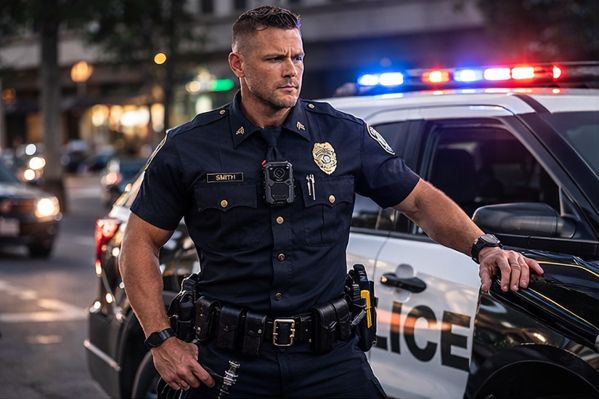
Police Body Cameras With Audio: How to Evaluate Speech Clarity
A police body camera can record sound without making every word understandable. Use this practical audio evaluation to check the camera, its mounting position and the saved file before a department rollout.
By Martel Electronics · Published November 13, 2026
Martel Crime Cam. Review the current product page for supplied equipment and specifications.
Start with the words your department needs to understand
Treat speech clarity as a separate acceptance decision. A sharp picture does not tell you whether a quiet reply can be understood, and a loud recording may still contain clothing noise, wind or overlapping voices. Evaluate the downloaded recording with the people who will actually review it.
For the Martel Crime Cam, the current listing describes selectable recording with sound and a separate audio-only function. Check the actual sound setting on the supplied camera before a trial. An audio-only file and a video file with its audio track are different recording results.
Use a short, repeatable speech exercise
Arrange an authorized training exercise with volunteers. Choose a quiet baseline location, an outdoor location with ordinary background sound, and a stationary vehicle setting that reflects your work. Use fictional details rather than real case information. Keep the speaker, words and approximate distance consistent when comparing mounting positions.
Sample practice passage: “Training recording. The meeting is on Thursday at nine fifteen. The vehicle is blue. The reference number is four seven two nine. Please repeat the time and the reference number.” Ask for a normal conversational response, followed by a softer response. This is practice material, not a certification test.
Have a reviewer who did not hear the exercise write down the words from the saved file. Mark each uncertain word and its playback time. Comparing those notes with the script is more informative than asking only whether the recording sounds good.
Check each cause of unclear audio separately
Test condition
What to keep consistent
What to record in your notes
Quiet conversation
Camera setting, speaker and distance
Missed words, distorted speech or unexpectedly low level
Uniform and outerwear
Same passage and wearer
Rustle, covered microphone area, movement of the mount
Traffic or ventilation
Safe stationary position and speaking level
Which words become uncertain when noise increases
Wearer turns or bends
The same short movement sequence
Whether clothing or equipment changes the sound
Downloaded playback
Original file and ordinary review equipment
Any difference from playback on the camera
Evaluate the complete recording path
Leave the lens and microphone openings unobstructed and use an approved mount. Repeat the exercise with the jacket, vest, radio and other equipment normally worn. A mounting change should be checked for both picture and sound; moving the camera to improve one can change the other.
Download the test recording through the intended station workflow. Open the original file on the department review computer, listen through its usual speakers or headphones, and confirm that both the beginning and end are present. If the camera plays audio but the computer does not, first check the selected playback device, mute state and player support before concluding that recording failed.
Keep the original file unchanged. If a separate listening copy is adjusted for review, label it as a derivative and follow department procedures. Processing cannot establish words that the original recording does not support.
Turn the trial into a purchasing decision
Before testing, specify the ordinary situations in which speech must be usable and who decides whether the result is acceptable. Save the camera settings, mount, clothing, test conditions and reviewer observations together. Repeat a failed condition after changing one factor. This makes the next decision actionable: correct placement, change a setting, improve the review setup, or ask Martel to investigate the equipment.
Many do, but audio capability and the enabled recording mode must be checked. Crime Cam lists recording with sound as selectable on or off. Make a short authorized video and listen to the saved file before relying on it.
Is audio-only recording the same as video with sound?
No. Audio-only recording produces a different record from a video with an audio track. Choose the mode required by department policy and verify the actual saved result.
Does higher video resolution improve speech clarity?
A video-resolution number does not establish audio clarity. Evaluate speech separately with the camera settings and playback equipment your department intends to use.
Can clothing interfere with a body camera microphone?
Yes. Contact with fabric or equipment can introduce noise or cover the microphone area. Test normal outerwear, seated positions and movement with the selected mount.
How far away will a body camera record clear speech?
There is no dependable universal distance. Speaking level, direction, background sound, placement and the recording hardware all affect the result. Test the distances relevant to your assignment.
Should we test only in a quiet office?
No. A quiet recording is a useful baseline, but also test representative outdoor and vehicle conditions in a controlled training setting.
Why is there sound on the camera but none on the computer?
The playback device, mute setting or player may be responsible. Check a known-good sound file on that computer, then try the original test file in the department-approved playback workflow.
Does a pre-event buffer always include audio?
Do not assume that it does. Verify the supplied camera’s supported configuration and inspect the beginning of an actual saved test event.
Can we guarantee that every word will be understandable?
No. Noise, distance, overlapping speakers and physical obstruction can limit a recording. Document uncertain words instead of filling gaps from expectation.
Where should a department start with Martel?
Review Crime Cam and the police body-camera buyer’s guide, then provide Martel with the intended mounting arrangement, shift conditions and download workflow for an equipment discussion.