By Martel Electronics · Published November 13, 2026
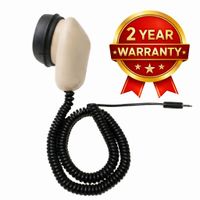
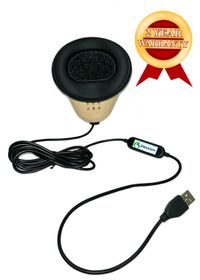
Martel Crime Cam. Review the current product page for supplied equipment and specifications.
Count the deployment before choosing a package
An agency’s total headcount is only the starting point. Write down the maximum number of cameras that must be ready at the same time. Include overlapping shifts, supervisors or specialized assignments that will record, and the reserve units your department decides it needs. Then determine whether cameras will be assigned to individual officers or shared under a documented issue-and-return process.
For example, a training plan that needs ten issued cameras and two reserves calls for twelve available cameras. That arithmetic is an illustration, not a universal reserve recommendation. If another shift overlaps or a unit is away for service, redo the count before placing an order.
A department-wide rollout with multiple storage devices
Who manages receiving, storage, access and recovery across the deployment?
Package names describe camera quantities; they do not establish how many shifts, locations or years of retained video a system will support. Review the current contents on each product page and ask for the exact configuration in the written quote.
Separate cameras, receiving equipment and retained evidence
An individual Crime Cam provides a different purchasing path from a complete department package. A department that already has a suitable receiving computer and approved storage may need additional cameras. A new program may need the cameras, docking, computer, monitor, downloading software and storage arranged together.
The current 6- and 12-officer listings specify two 24 TB storage devices; the 24-officer listing specifies two 40 TB devices; the 50-officer listing specifies two 64 TB devices. The 100-officer listing specifies four 40 TB devices. These are listed device capacities, not promises of usable evidence capacity or retention duration. Drive configuration, RAID, backup allocation and operating headroom change the usable space.
Ask which devices hold working evidence and which hold backup copies. Do not count duplicate copies as additional unique evidence capacity. RAID and a separate backup serve different purposes. Work through the body-camera storage planning guide using your department’s recording volume and retention decisions.
Walk through the busiest return period
Describe how many officers return together, where they place cameras, who checks completed downloads and when the next shift needs charged equipment. A larger camera count may require changes to workstation placement, connections, staff responsibilities or the way receiving is scheduled. A product list alone cannot answer those operating questions.
Run a representative exercise: issue several cameras, make authorized training recordings, dock them, locate each recording, confirm playback, and check charging readiness. Have the intended operators complete the exercise. Resolve naming, assignment and error-reporting questions before scaling up.
Ask for a quote that answers the department’s questions
Quote item
Information to supply or request
Cameras and mounts
Required issued quantity, reserve quantity, clothing and mounting requirements
Docking and charging
Number of simultaneous returns, station locations and turnaround window
Computer and software
Included hardware, supported workflow and staff who will operate it
Storage and backup
Device capacities, configuration, backup responsibility and recovery process
Deployment
Training needs, delivery plan and acceptance exercise
Purchasing
Agency details, requested quantities, tax treatment and approved payment terms
Martel package pages describe a local workflow without a required monthly cloud-storage contract. Plan for your department’s own staffing, backup, maintenance and future hardware needs. For qualifying government agencies, ask about the current budget-year quote options and obtain the applicable terms in writing. Prices and specifications are subject to change without warning.
Questions and answers
Do we already have a complete police body-camera buyer’s guide?
Yes. Martel’s Police Body Camera Buyer’s Guide covers the wider camera, recording and storage decisions. This package guide focuses on translating your deployment plan into quantities and equipment.
Should package size match total department headcount?
Not automatically. Count simultaneous assignments, overlapping shifts, reserve needs and your camera-assignment policy. Total headcount may differ from the number of cameras required at one time.
Can we start with one Crime Cam?
The individual Crime Cam listing provides a path for evaluation, replacement or additional units. Confirm the computer, downloading and storage arrangement for the intended use.
What is the difference between the 6- and 12-officer packages?
Camera quantity is a central difference. Both current listings show two 24 TB storage devices. Compare the full included-equipment lists and determine whether your receiving workflow is ready for the larger camera count.
Is the 100-officer package available?
Martel currently lists a 100-officer package with 100 Crime Cam cameras and four 40 TB NAS devices. Confirm current availability, usable storage configuration and exact contents in the written quote.
Does a larger package guarantee longer video retention?
No. Retention depends on recording hours, file sizes, retained cases, usable capacity and backup allocation. More cameras can also generate more daily footage.
Do the packages require monthly cloud storage?
The current Martel package listings describe on-premises storage without a required monthly cloud-storage contract. A department still needs to plan its local operating and maintenance costs.
Should we add spare cameras?
Set the reserve quantity according to your service plan, overlapping assignments and continuity requirements. There is no single spare-camera percentage that fits every department.
Can we split the equipment purchase across budget years?
Current package quote forms offer budget-year options for qualifying government agencies with approved purchase-order/payment terms. Request the current written terms; a quote option does not establish grant eligibility.
What should we send Martel first?
Provide the number of cameras needed at once, shifts and locations, existing computer and storage equipment, expected daily recording volume, and the department purchasing timeline.
Equipment details and source pages checked November 13, 2026. Confirm the current supplied configuration and written quote before purchasing.
Martel Electronics | 5 hours ago
How to Choose the Right Martel Police Body Camera Package
Choose a Martel police body camera package by the number of cameras needed at the same time, the receiving workflow and the department’s storage plan. Use this guide to turn those requirements into a clear quote request.