Transcription Kits for Court Reporters, Scopists and Proofreaders
Compare transcription kits for court reporters, scopists and proofreaders. Choose audio, video, DM246 channel review or CATalyst AudioSync foot control.
Legal transcription can involve a lawyer's dictation, an interview, a recorded meeting, a video deposition or approved body-camera footage. These assignments do not all require the same equipment or document. Before buying a transcriber, identify the source recording, the person who will type or review it and what the finished work must contain. That turns a broad search for legal transcription equipment into a practical compatibility and workflow decision.
This guide focuses on controlled playback for a human transcriptionist. A compatible application, USB foot pedal and headset let the person listen, stop, revisit a passage and work on the document without repeatedly reaching for the mouse. The person still identifies uncertainty, checks names and numbers, follows the assignment instructions and reviews the result. A playback package should not be assumed to include automatic speech recognition or a transcription service.
For video, examine the Martel All N One Audio/Video Transcription Kit, SKU 1518. For ordinary supported audio, compare the All N One audio kit, SKU 1040. For an integrated author-and-secretary purchase, the lawyer dictation recorder package buyer's guide covers the recording side as well.
A body-camera assignment can contain several files from several devices, movement noise, overlapping speech, quiet responses and events occurring outside the camera's view. The useful equipment features are therefore practical: supported video playback, clear listening, reliable stopping and returning, and the ability to type while the controls remain responsive. Evaluate those functions with a representative authorized export before committing a workstation to a large assignment.
Martel's audio/video kit listing specifically describes police body-camera and Zoom MP4 playback. Its package includes software, a heavy-duty USB pedal and an ultralight headset. The current page also lists Windows operation, two software licenses, playback-speed and backspace controls, bookmarks and volume control. Confirm the supplied edition, license arrangement and exact source-file compatibility rather than treating a long list of video extensions as universal support.
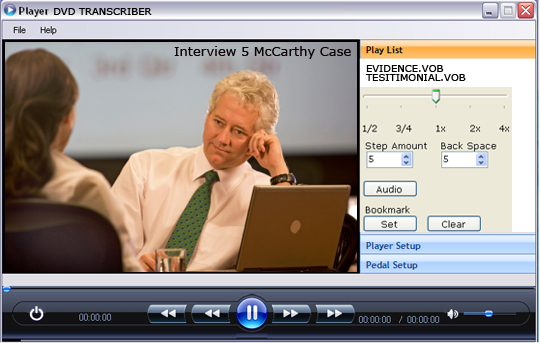
A transcriptionist listens and produces or reviews text according to the assignment. A technical examination of authenticity, synchronization or altered media is a different task. So is scientific voice identification. A playback kit supplies controls for reviewing available sound and pictures; it does not establish those conclusions merely because a file opens and plays.
Keep the deliverable specific. A transcript of supplied material, an excerpt with location references, a summary and a formal forensic report are different products of work. Ask the authorized person assigning the task which one is required. If a recording raises questions outside your role, identify the issue and refer it through the appropriate process rather than silently turning a transcription decision into a technical conclusion.
Record the assignment reference, who supplied the material, the original filenames and the expected recording parts. Note which files belong to which device or source when that information is provided. Keep supplied descriptions separate from facts you have independently checked. A sender's label can help organize the work, but it should not replace listening to the file or checking that the expected contents are present.
Check the approximate duration and whether the supplied files open completely. Review the beginning, a middle section and the ending as an initial technical check. Ask about missing parts, unusually short files or a recording that ends during an exchange. This intake step does not replace listening to the whole assigned material; it helps detect a basic delivery problem before the typist spends hours on an incomplete set.
If the sender supplies a viewing portal or proprietary camera package, establish the approved way to obtain a compatible working file. A video player does not automatically open a protected viewer, bypass an account restriction or decode every manufacturer's export. The file that plays inside an agency's original system may need an authorized export for another playback application. Confirm that step with the responsible sender.
Follow the organization's approved process for retaining received originals and creating working copies. Keep the source identity available even when shorter working names are useful at the typing desk. If a file is converted or a listening excerpt is created, identify that derivative and preserve its relationship to the received source. Avoid replacing the only available original with a convenience version.
The SWGDE Best Practices for Digital Forensic Video Analysis, version 2.0 dated December 10, 2025, provides professional background on documented handling and examination. For a transcription workstation, the practical point is to keep the recording, the working file and any processing notes clearly connected. This reference is background information, not an endorsement of any product.
A transcript remains a separate document from the recording. If the job includes an excerpt, identify its boundaries and source rather than implying that it represents the entire event. If a reviewer later needs a passage outside those boundaries, the file inventory should make it possible to locate the corresponding original material through the approved process.
Confirm the current operating-system support, installation permissions and available ports. Connect the headset and establish the intended audio output before configuring more advanced controls. Open an approved sample and verify that both picture and sound play using the on-screen controls. That separates a basic media or output problem from a pedal-configuration problem.
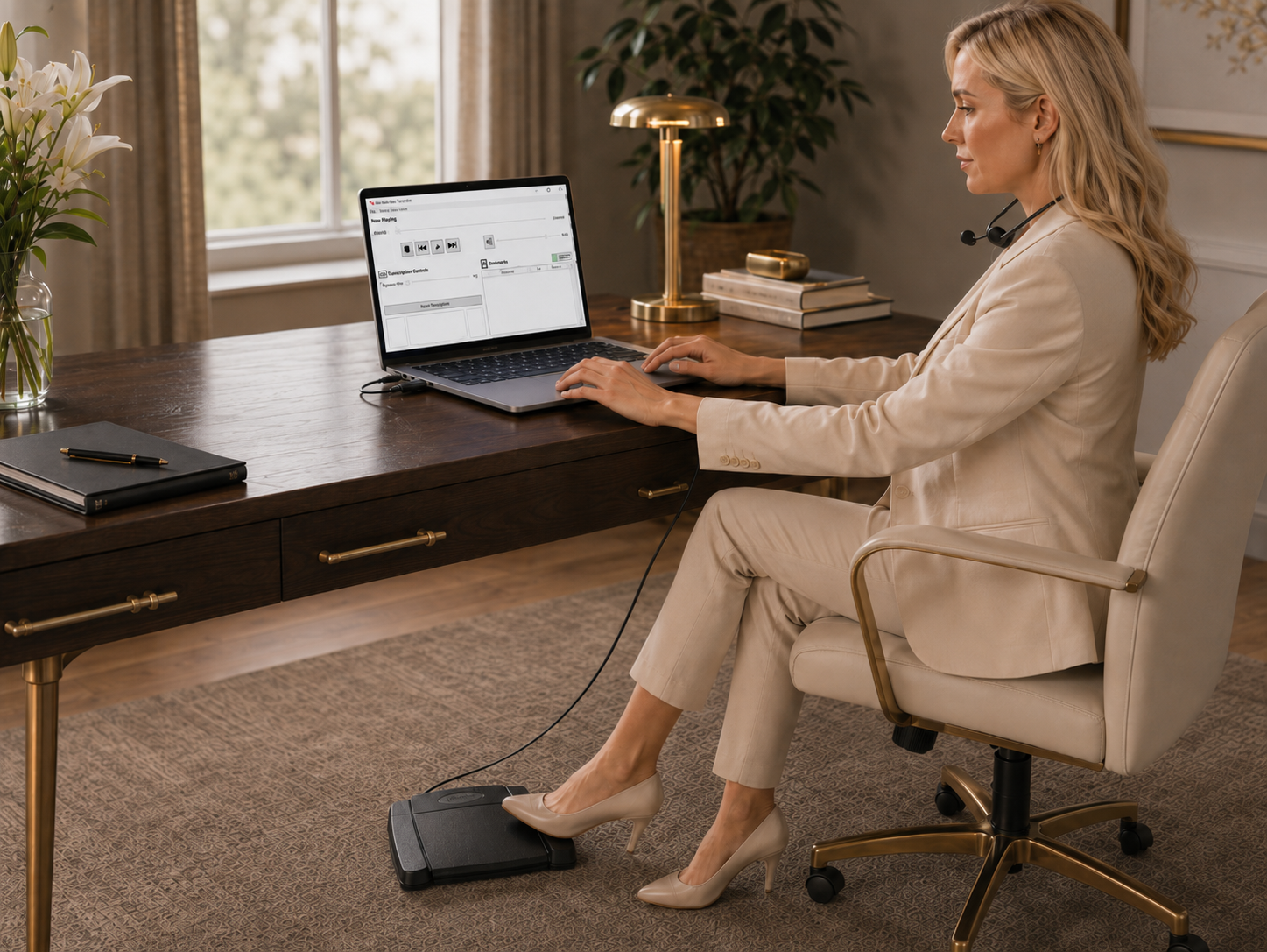
Configure the supported pedal according to the supplied instructions. Test each assigned action, including what happens when you release a control or resume after stopping. Then click into the document application and repeat the test while typing. The important condition is the complete working arrangement, not merely the pedal appearing as a connected USB device.
Arrange the display so the document, relevant video and playback position can be found without constant window changes. Place the pedal securely and route its cable away from chair movement. Use a comfortable listening level and an environment suitable for repeated review. Test the storage location intended for real work, especially if recordings will normally be read from an approved external drive or network location.
Ask how speakers should be labeled, how uncertainty should be marked and what references the reviewer needs. Establish whether the document covers every supplied recording or only a defined segment. Clarify whether non-speech events are to be described and, if so, how. Different assignments can require different levels of detail; the playback equipment does not determine the governing document convention.
Use approved speaker information where available and retain questions when identity remains uncertain. Do not infer a person's identity solely from a face, uniform, display label or position in a scene. The person currently visible may not be the person speaking, and a voice may come from outside the frame. Keep supplied identifications and your observations traceable to their sources.
For dictated legal documents, distinguish the author's intended text from spoken editing instructions according to the office's agreed process. For interview or body-camera work, establish the required treatment of interruptions and incomplete speech. A useful workstation can serve both kinds of job, but the typist must not apply one set of editorial assumptions automatically to the other.
Elapsed playback time means a position measured from the start of a particular file. A clock or timestamp visible in the picture may represent another reference. The device's displayed time can also differ from another camera's displayed time. Identify which reference you use and include the source filename or part number, so a later reader can locate the passage without guessing.
Do not silently treat two device clocks as synchronized. If an assignment requires comparing recordings, obtain the approved reference method and document any supplied relationship. A transcriptionist can report where a passage occurs in each source without making an unsupported claim that identical displayed times prove the events were simultaneous.
For excerpts, record the intended start and ending in the agreed convention. Reopen several marked passages using only your notes to verify that the references work. If a timing difference increases as playback progresses, report the observed pattern through the appropriate technical process rather than applying an invented correction to later references.
Imagine an invented assignment containing two files from Camera A and one from Camera B. The sender asks for a defined exchange, not a transcript of all three recordings. At intake, the typist records the supplied names, expected sequence and requested boundaries. The typist confirms that the files open, that sound is present and that the requested exchange is actually included before estimating completion.
During drafting, a short response is clearer on one recording than the other. The typist records which source and elapsed position helped clarify it, then checks the surrounding conversation. If identity is still uncertain, the text retains the approved uncertainty label. The second recording provides additional material to review; it does not automatically authorize a confident speaker identification.
At delivery, the document identifies the assigned scope and uses references that the authorized reviewer can follow. Unresolved passages appear in the agreed form. The received originals, any working copies and the return document remain distinguishable. This simple example illustrates why a file inventory and reference convention matter as much as learning how to operate the pedal.
Choose legal and body-camera video transcription equipment. Learn source-file checks, foot-pedal setup, speaker references, review and delivery workflows.
Begin with normal-speed listening and enough preceding context to identify the exchange. Try a limited speed adjustment when it helps, then return to normal speed to check the interpretation. Increasing volume may make existing sound easier to hear, but cannot recreate speech that was never captured or undo severe distortion. Avoid treating repeated listening as a requirement to eventually choose a definite word.
When an alternative authorized source is available, compare it deliberately and note which source was used. If independent channels are available from a supported DM246 recording, the four-channel transcription guide explains that separate workflow. A normal body-camera video does not acquire independent original microphone tracks simply because it is opened in a different application.
If a passage remains unresolved, provide a useful reference and follow the assignment's review process. Keep a clear distinction between an unclear word, an uncertain speaker and a missing recording segment. Those are different issues and may require different responses from the person responsible for the work.
Use the organization's approved storage, access and delivery arrangements for actual recordings and documents. Before sharing a file for compatibility testing or support, establish what material may be shared and through which process. A non-sensitive sample is often enough to test basic playback or pedal behavior. Product support should not require a typist to improvise a new handling process for restricted material.
When several people divide the work, assign clear file and segment boundaries. Keep a shared reference convention so their returns can be assembled and reviewed without duplicate or omitted sections. If a new source file arrives after drafting begins, identify it as a new intake item and decide how it affects the assignment. Do not quietly replace a working source and assume every earlier reference still applies.
Before sending the return, verify the intended recipient through the organization's normal process and check the document version. A complete transcript sent with the wrong file reference can be difficult to review. A handoff note should identify the scope, supplied parts and unresolved items in the form the authorized reviewer expects.
An office receiving supported MP3, WAV or Opus recordings may only need the standard All N One audio kit. The audio buying and setup guide explains its software, pedal and headset workflow. Buying video capability is sensible when the job requires it, rather than simply because legal work sounds specialized.
When Zoom recordings form part of the workload, the video and Zoom transcription guide distinguishes MP4 video from M4A audio, chat and caption files. For reporter-linked editing or scoping, compare the court-reporter equipment guide. Keep those different source and application requirements visible when planning a workstation that will handle several kinds of assignment.
Identify the file container, recording source and export method. MP4, MOV and similar names describe containers that can hold different encoded streams. One sample opening successfully is useful evidence about that sample, but does not establish that every file bearing the same extension will behave identically. A protected or proprietary export may need an approved compatibility step before ordinary playback is possible.
Ask about long-file seeking, the intended storage arrangement and the current Windows edition supplied with the package. Avoid treating very old minimum hardware figures as a prediction of every modern video's responsiveness. A representative test should include the kind of file, length and storage path you expect to use, as well as the document application and pedal controls.
If a file needs an authorized conversion, preserve its identity and verify the result against the source. Check duration, beginning, middle, ending and any reference positions important to the assignment. Changing an extension is not conversion. A working copy that is easier to open still needs a clear relationship to the recording from which it was made.
First confirm that the correct complete file was received. Next check whether the application opens it and whether picture and sound play with on-screen controls. Then test headset output and pedal behavior as separate questions. If picture plays but sound does not, describe that distinction. If on-screen controls work but the pedal fails, focus on the supported control configuration.
Compare a known working sample before changing multiple settings. If one sender's files fail while ordinary samples work, ask about the export source. If the same file behaves differently on two approved computers, compare the editions and setup. Record the observed steps and results so support can narrow the issue without asking you to repeatedly recreate the whole assignment.
Do not promise a delivery time based only on the recording's duration before checking its condition and scope. Multiple sources, unclear speech, detailed references and the final review all affect the work. Time a representative portion through completion and include any unresolved technical or source questions in the estimate provided through your normal process.
Create an invented short video with two speakers, an off-camera response, a number, an interruption and a pause. Supply it with a brief assignment describing the intended segment and return format. Have the typist inventory the file, produce the document and mark an uncertain passage with an agreed reference. This tests the equipment without involving real restricted material.
Ask a second person to locate the marked passage using only the returned document and inventory. Check whether they can distinguish the source, elapsed reference and document version. Repeat the test after a significant workstation change. A useful acceptance exercise proves that people can receive, transcribe, review and hand off the work, rather than only that the software launches.
Start with the All N One audio/video kit, SKU 1518, and test a representative authorized export. Confirm the recording source, file type and Windows setup. A listed video format does not establish universal support for every camera system's proprietary or protected package.
This guide describes human transcription and review using playback software, a pedal and headset. Automatic recognition, professional transcription services and any required certification are separate matters. Confirm the actual deliverable and package capabilities before accepting or buying for the work.
Do not assume that. A restricted viewer or proprietary package may need an authorized export process. Work with the responsible sender to obtain an approved compatible file rather than expecting playback software to bypass access restrictions or encryption.
Use the convention agreed for the assignment and identify it clearly. Include the source file or part. Elapsed playback time and a clock displayed in the picture are different references, and another person needs to know which one you mean.
No. Record the references you actually have and obtain the approved comparison method if synchronization matters. Identical displayed times do not by themselves establish a tested timing relationship between two devices.
Not always. A voice may be off camera or continue while the image shows someone else. Use authorized information and the available sequence, and retain uncertainty when identity is not established. Do not turn a plausible visual association into a definite speaker label.
Follow the assignment's uncertainty convention and provide a useful source reference for review. Compare authorized alternative material when available, but do not invent a definite word solely to complete the sentence. Document clarity should not conceal source uncertainty.
The described kit provides playback and typing controls. The organization's approved processes still govern source retention, access, sharing and delivery. Confirm those arrangements separately rather than inferring a complete management system from the ability to play a file.
Establish the approved support and sharing process first. A non-sensitive sample or a description of the source may resolve the initial compatibility question. Avoid improvising a transfer method for restricted material merely because a file will not open.
No. An office working only with supported audio may be served by the standard audio kit. Video capability becomes relevant when the task requires watching and controlling video. Describe the actual files and deliverables before choosing the package.
Check completeness, clarity, source count, reference requirements and review scope. Time a representative portion through a finished, checked result. A recording's duration alone does not predict the effort required for multiple sources or difficult passages.
Visit the transcription kits category and the exact product pages. Bring the file source, computer details and assignment requirements to the buying discussion so compatibility and package contents can be checked before ordering.