Legal and Body-Camera Video Transcription: Equipment and Workflow Guide
Choose legal and body-camera video transcription equipment. Learn source-file checks, foot-pedal setup, speaker references, review and delivery workflows.
Learn how to choose and use a T147 four-channel transcription kit for DM246 recordings, with channel maps, playback checks, review steps and FAQs.
A four-channel transcription kit lets a person review a supported recording while choosing which recorded channels to hear. That is a different capability from simply playing audio. In a courtroom recording arranged around separate microphone inputs, one channel may provide a more useful view of a difficult exchange than the combined sound. The value comes from preserving those recorded channels and selecting them deliberately during review.
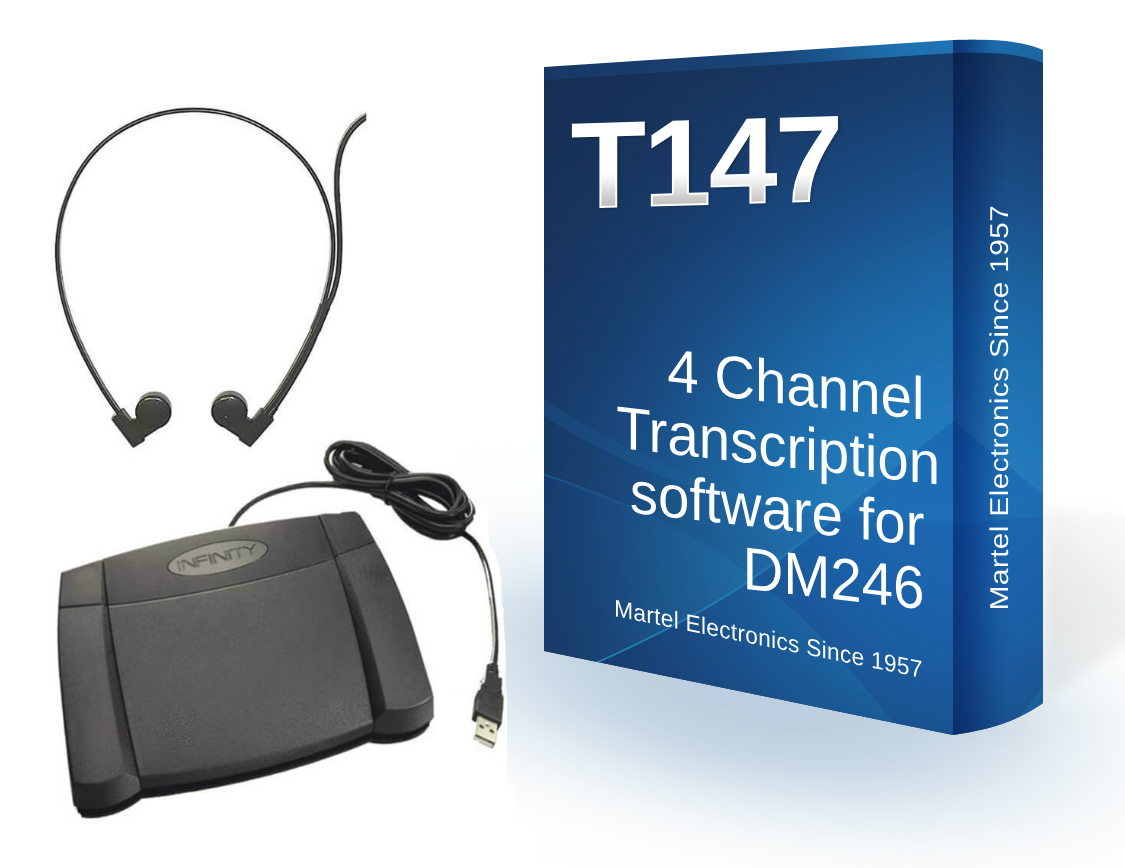
The Martel T147 four-channel transcription kit, SKU 1585, is the kit to examine for the Martel DM246 workflow. Its listing describes standard WAV and four-channel WAV playback, selection of individual channels or combinations, variable speed, adjustable backspace, volume control and a configurable pedal. The package lists transcription software, a heavy-duty foot pedal and an ultralight headset.
This guide explains buying, setup and everyday review of that supported workflow. It does not assume that every recorder making a file called WAV is interchangeable with the DM246. Before ordering for another source, identify the actual recorder, export arrangement and sample file and ask about compatibility. The label four-track is not enough to establish how a particular digital recording is structured.
A microphone is a physical sound input. A recorded channel is a stream of audio retained in the file. A speaker is a person whose voice may reach several microphones. These concepts overlap in a practical recording setup, but they are not identical. Selecting the channel assigned to a witness microphone does not guarantee that only the witness's voice is present on that channel.
Room sound can reach multiple microphones. Two people may speak close to the same microphone, and a person may move away from the input originally assigned to them. A useful channel map describes the recording arrangement; it does not prove the identity of every voice heard later. Listen to the sequence and context rather than treating an input label as automatic speaker identification.
For the same reason, independent channel selection is not an automatic way to reconstruct missing speech. It can reveal a clearer recorded version when one microphone captured a passage better. It cannot create a clean separate speaker track from a recording that contains only a single mixed stream. Preserve that distinction when comparing a multichannel kit with ordinary audio playback software.
Start with the recording source. A DM246 owner who needs to select the recorded channels has a clear reason to examine T147. A person receiving ordinary MP3 interviews has a different need and may be better served by the All N One audio transcription kit. A video assignment points toward the audio/video kit. Choose the task before choosing the most specialized name.
Ask the sender whether the supplied file preserves separate channels or is a combined export. A recording system may offer several delivery choices, and the convenient file sent by email may not retain the structure needed for channel review. If only a mix is supplied, ask whether an authorized original-channel export is available instead of assuming a new player will recover separation that is no longer present.
If you are planning a new recording arrangement as well as transcription, review the current Martel courtroom recorders and recording systems. Establish which package includes transcription equipment and which requires it separately. A recorder-only price, a microphone package and a complete recorder-and-transcriber system are different purchases, even when they share a product-family name.
Create a simple map linking the recorder inputs to the microphone positions in that particular setup. Use the actual channel numbers and clear descriptions of the positions. If a microphone moves during a session, note that change using the organization's normal procedure. A map remembered from last month can be misleading after cables or seating arrangements change.
Use a short rehearsal to verify the map. Have a person speak near each microphone in turn while announcing the intended position. Record the sample using the same setup and transfer it to the transcription workstation. During playback, select each channel and compare what you hear with the written map. This verifies the complete route from microphone placement to the channel controls the typist will use.
Include a modest overlapping exchange in the rehearsal. Listen first to the combined recording and then to individual channels. Notice which combinations provide useful context and which inputs mostly add room sound for that passage. The exercise teaches the operator how the actual room behaves, rather than encouraging a false expectation that each channel always contains a perfectly isolated voice.
Keep the supplied recording files and any accompanying channel notes together under a job reference. Before making changes to names or folder structure, note the original filenames and expected sequence. Ask whether a long session spans multiple parts. A transcription workstation should make it easy to connect a sentence in the document with the exact file from which it was reviewed.
Follow the recorder's supported transfer procedure. Verify that a retained copy exists and opens before treating the transfer as complete. A storage card visible in a reader does not prove that every recording part has been copied. Compare file counts and expected durations, then check the beginning and ending of the received material. Keep the source available according to the organization's approved handling process.
Use a working location appropriate to the assignment and keep originals distinguishable from any derivatives. Do not convert a multichannel recording to a single combined track merely because another program opens that smaller file more conveniently. If a combined listening copy is required for a separate task, label it clearly and retain the channel-preserving version needed for detailed review.
Confirm the supplied software edition, its current Windows requirements and the supported pedal model. The T147 page lists Windows 10 and 11 compatibility and Infinity USB2 and USB3 support, but the instructions supplied with your purchase should govern the actual configuration. Have a sample DM246 recording ready so setup can include a real channel-selection test rather than only an application launch.
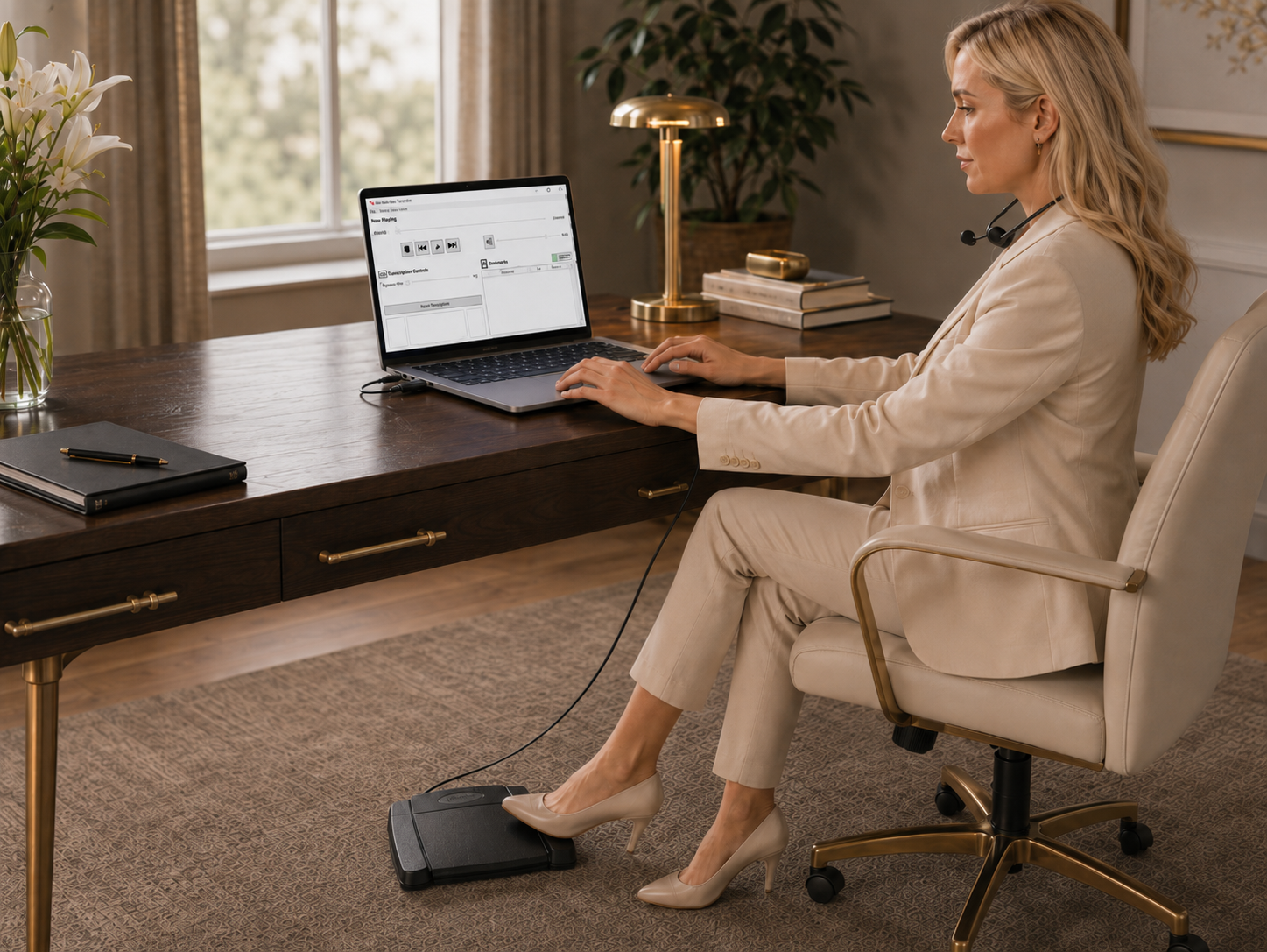
Connect the headset and establish a comfortable output level. Then configure the pedal and test the assigned controls individually. Repeat the playback test while typing into the intended document application. The final working arrangement includes the document window, sound output and pedal behavior together; each component working separately is not the same as the complete routine working reliably.
Open the rehearsal recording and verify that the available channels match the intended source. Select one channel, then another, then a combination. Confirm the expected voice sequence and record the useful settings. If only a combined recording seems available, investigate the supplied file and software configuration before assuming the physical recorder failed to capture separate inputs.
Listen to enough combined audio to understand the exchange before isolating a difficult phrase. Context can establish who was answering, whether someone was interrupted and whether a short response belongs to the preceding question. Jumping immediately to the loudest channel may make individual words more audible while obscuring the sequence that explains them.
When a passage needs attention, note its file and elapsed position. Replay the whole exchange, then compare relevant channels. If one channel makes the response clearer, listen around the boundaries as well as to the uncertain word. Return to the combined sound afterward to confirm that your reading still fits the order of the conversation.
Keep channel decisions tied to particular passages. The best input for the witness's answer may not be the best one for counsel's next question. Avoid leaving a narrow selection active for the rest of the session simply because it helped once. A deliberate return to the normal listening arrangement reduces the chance of missing speech captured more clearly elsewhere.
Imagine an invented rehearsal in which a question ends while a witness begins a short answer and another person moves a chair. The combined sound is difficult at that instant. The typist marks the location, replays the preceding question and compares the input assigned near the witness with the other relevant channels. One recorded view may make the consonants of the answer easier to hear.
The typist then checks the selected interpretation in the surrounding exchange. If the recording still supports more than one possibility, the passage remains uncertain for the assigned review process. The software has provided another listening view, not permission to choose the most convenient sentence. Documenting the location and useful channel makes a later review more efficient without overstating what the recording establishes.
Now consider a different rehearsal where both people spoke into the same microphone and only a combined export was retained. A channel-selection application cannot restore the two original microphone streams from that export. Recognizing this limitation helps an office make better recording and delivery choices before an important session, when preserving separate channels is still possible.
Set a comfortable play-and-pause rhythm before adding repeated channel changes. Test adjustable backspace with ordinary typing so you resume with enough context. If each restart returns too far, you may waste time hearing an entire sentence again; if it returns too little, you may miss a short word at the pause boundary. Change the setting deliberately and note what works.
When a difficult passage needs several listens, record the location before moving farther back or selecting a different combination. A note such as file part, elapsed position and channel number is more useful than a vague reminder that something was unclear near the middle. Keep notes within the approved work process so another reviewer can repeat the same listening check.
If a task involves a supported single mixed recording and no independent-channel requirement, a standard audio kit may provide the needed controls. A specialized system does not automatically improve a recording merely by having more features. Our audio transcription kit guide explains the ordinary software, pedal and headset arrangement.
Court reporters and scopists may also work with linked audio inside their CAT software. That is a different integration question from reviewing a DM246 file in a separate application. Compare the court-reporter and scopist equipment guide before buying a complete workstation to solve a problem that only requires compatible control of an existing one.
Before comparing amounts, list what is included in each offer. Software, a pedal and a headset form a complete listening station only when they are compatible and the computer is ready to run them. If you already own accessories, confirm their exact models rather than relying on a familiar appearance. An extra station can also introduce activation and installation questions that do not arise when replacing only a worn physical component.
Ask whether your planned installation includes testing a representative DM246 file and the channel controls. That makes support more concrete than asking whether the software can be installed. Keep the answer with the order details so the person setting up the computer understands the purpose of the purchase. If several typists will share the work, explain that arrangement before deciding which kit, accessories and licenses to order.
WAV describes a file structure that can carry audio with different characteristics. Channel count, encoding, sample rate and bit depth all affect how a particular recording is stored and interpreted. Do not assume that two files sharing the WAV extension have identical internal arrangements. For a compatibility question, the actual recorder source and a representative sample are more useful than the extension alone.
A combined or downmixed file adds recorded channels together into fewer playback channels. That may be convenient for ordinary listening, but it changes what can be selected later. Keeping an original multichannel file preserves the opportunity to compare its constituent channels in compatible software. It does not guarantee that every unwanted sound will disappear when a particular channel is chosen.
More channels also affect storage. For illustration, uncompressed audio containing four channels at the same sample rate and bit depth uses roughly twice the audio data of an otherwise equivalent two-channel recording. Actual file sizes depend on the recording settings and encoding. Plan storage and transfers using real representative files, including multi-part sessions, instead of estimating from the size of one short compressed interview.
For a questioned passage, retain the job reference, source filename, elapsed position and the channel or combination reviewed. Record any playback-speed adjustment that materially affected the listening comparison. This helps another authorized reviewer locate the same passage without reconstructing your entire work session. It also distinguishes the recorded source from the temporary listening settings used to examine it.
Do not equate a listening note with an independent technical analysis of the recording. A transcriptionist can describe what was reviewed and where uncertainty remains. Questions about authenticity, synchronization, damaged media or scientific voice identification require the appropriate qualified process. Keeping those boundaries clear makes the transcription notes more useful and avoids promising conclusions that the playback kit does not supply.
If the expected separate channels are missing, ask which file was delivered and whether it was combined during export. Compare a known working rehearsal from the supported recorder. If that sample provides channel selection and the new file does not, investigate the new source or export. Reinstalling the pedal is unlikely to restore channels omitted from the supplied recording.
If the selected channel is silent, compare the channel map and the other inputs. A microphone may not have been assigned or active at that moment, or the supplied part may come from a different arrangement. If every channel is silent, check the headset output and on-screen playback first. Describe the precise difference between the expected and observed behavior when asking for help.
If file order is the problem, return to the original inventory and sender's session notes. Do not rearrange recordings solely because their names sort conveniently in a folder. For long sessions, file sequence and the recording's own elapsed positions should remain understandable to the person reviewing the transcript. A small intake mistake can otherwise look like a playback or missing-audio fault later.
Before ordering, state the need explicitly: you have DM246 recordings and require individual-channel review with foot control while typing. Confirm the intended computer and package contents. If you already own a supported pedal or need another installation, ask how that changes the appropriate purchase rather than assuming every software listing includes the same hardware and license rights.
After setup, have the main typist and a backup person review the same invented sample. Each should identify a passage, select the useful channel, make a document correction and leave a location reference the other can follow. Close and reopen the job to test whether the files and notes can be found again. A successful rehearsal includes the handoff between people, not just a successful installation message.
Use the experience to refine the recording-stage channel map. If microphone positions consistently produce confusing labels or one location contributes little useful speech, raise the observation with the person responsible for the approved recording arrangement. Improving the capture and handoff process can make the transcription kit more effective than repeatedly attempting to solve the same avoidable problem after every session.
Examine the T147 four-channel transcription kit, SKU 1585. Its listing describes the DM246 workflow and supported WAV playback with individual-channel or combined selection. Confirm your computer, source files and supplied package before ordering.
No. Channels reflect the recorded input arrangement. Room sound and more than one person's voice may reach a microphone. Use channel selection to compare recorded views, while establishing speaker identity from the available context and approved assignment information.
It cannot restore original independent microphone channels that are absent from a mixed recording. Ask for a supported channel-preserving source when that is available. Choose an ordinary audio kit when independent-channel review is not part of the task.
Do not assume compatibility from the description four-track. The source recorder, encoding and export structure matter. Martel identifies this kit with the DM246 workflow; ask about another recorder using a representative sample before purchasing for that system.
The T147 listing describes reviewing individual channels and combinations. Test the selection controls with your rehearsal recording and learn how to return to the normal combined listening arrangement after resolving a particular passage.
Not automatically. A loud input may omit useful context or favor the wrong microphone for the next response. Begin with the exchange, compare relevant channels when needed and return to the broader conversation to check the interpretation.
It offers additional recorded views when the source preserves them. Some passages can remain unclear on every channel. Mark uncertainty and follow the review process rather than treating a software feature as a guarantee of recoverable speech.
Record the actual input numbers and microphone positions for the particular setup, together with relevant changes. Verify the map using a short spoken rehearsal. Do not rely solely on a seating arrangement or cable assignment remembered from another session.
No. Separate meeting files and one supported multichannel courtroom recording are different structures. Establish each source and its timing relationship. Our video and Zoom guide explains that workflow without assuming T147 compatibility.
Keep the job reference, exact source filename, elapsed position and useful channel selection. Include enough surrounding context to identify the exchange. Follow the organization's approved sharing process for the recording and associated document.
Do not make that decision as a convenience of playback. Confirm retained copies and follow the organization's approved retention process. A combined listening copy does not preserve the same opportunity to select original channels during later review.
Start with the transcription kits category, then review the exact product page for the needed workflow. Use the video and Zoom guide for video and the legal/body-camera guide for those assignments.