Legal and Body-Camera Video Transcription: Equipment and Workflow Guide
Choose legal and body-camera video transcription equipment. Learn source-file checks, foot-pedal setup, speaker references, review and delivery workflows.
A court reporter, scopist and proofreader may all listen to the same proceeding while performing different tasks. One person needs audio linked to text inside a CAT application. Another receives a standalone recording for listening and correction. A third needs selected channels from a courtroom recorder. The best equipment choice begins with that distinction, because a familiar file extension or USB pedal does not establish the complete workflow.
This guide helps you compare the Martel options without assuming every professional needs a new full kit. Start by describing where the audio comes from, where you edit and what the person assigning the job expects you to return. Include the recording format, any video requirement and whether you need text-linked playback. Then test the relevant combination before making it part of a deadline-driven assignment.
The objective is a dependable review process: find the right passage, control playback while working, preserve source references and return clearly documented corrections. Equipment supports those actions. It does not determine the transcript requirements, authorize editorial changes or establish a person's professional qualifications. Keep those responsibilities with the reporter and the process governing the assignment.
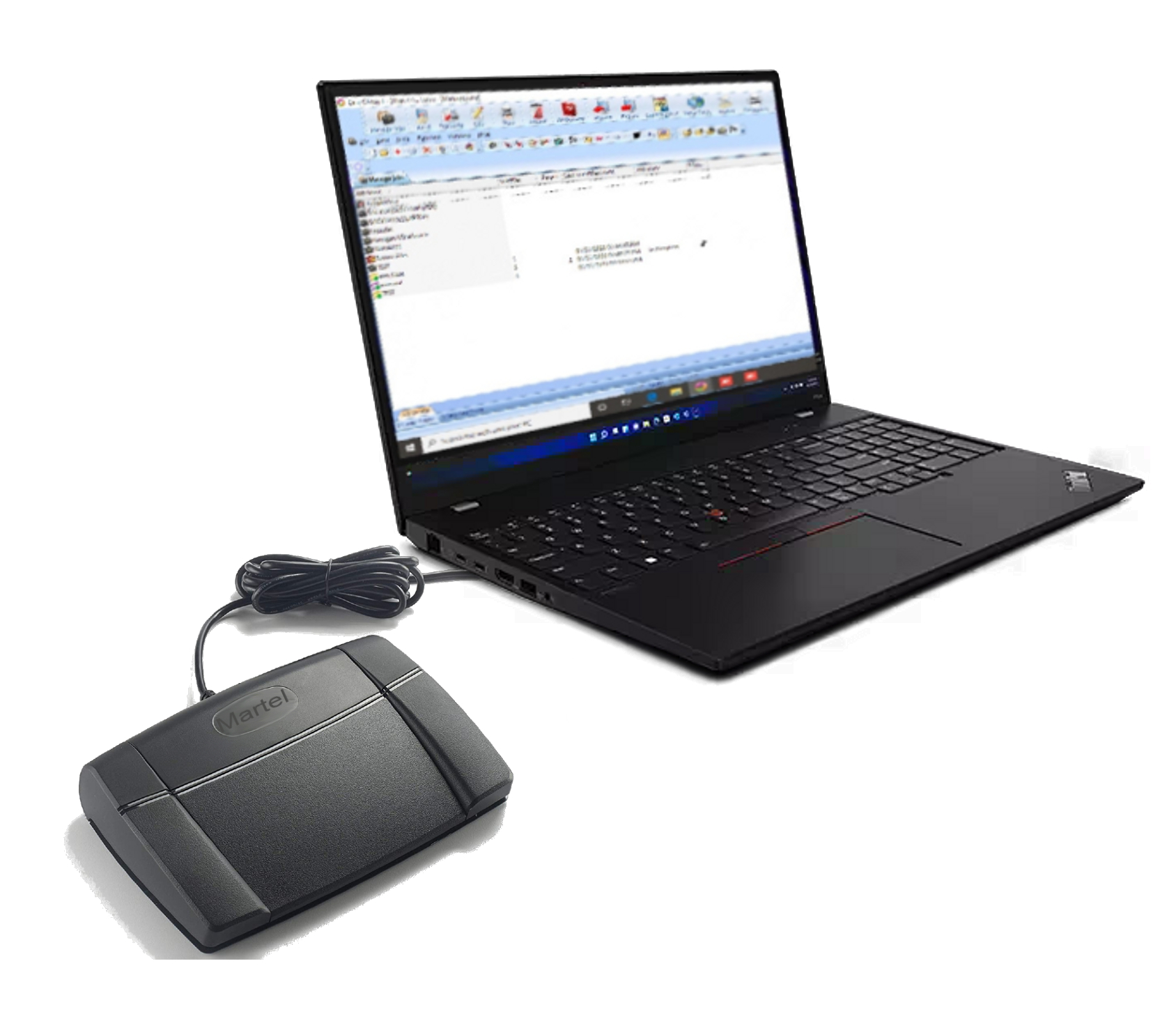
The All N One audio transcription kit, SKU 1040, is the standard option to examine for supported standalone audio, including the WAV, MP3 and Opus workflow described on Martel's current pages. The All N One audio/video kit, SKU 1518, addresses video and broader file-support needs. Both should be evaluated using files representative of your actual work.
The T147 kit, SKU 1585, is the specialized choice to examine for supported DM246 channel selection. The Olympus AS-2700 kit belongs in the discussion when the incoming material is part of an Olympus or OM recorder workflow. The Case CATalyst AudioSync foot pedal, SKU 895, addresses control inside an existing CATalyst setup and is not a separate transcription-software package.
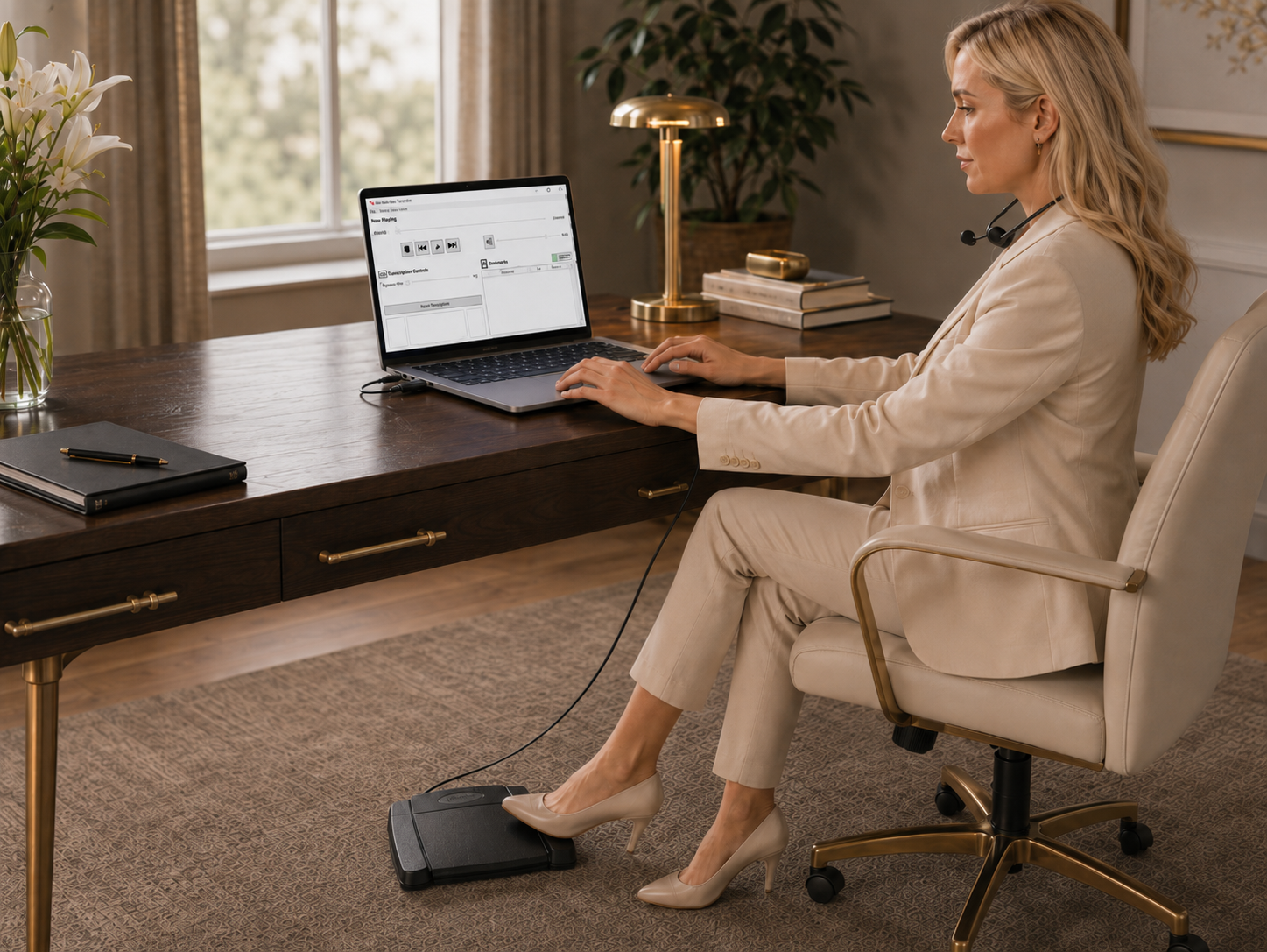
If your daily work relies on linked audio and transcript text, ask how the existing CAT application supports playback and foot control. Keeping those functions together may be useful when you need the cursor and audio to follow the same part of the job. Do not assume that opening an exported recording in another player preserves the text linkage or every feature of the original job.
A standalone player serves a different purpose. It can be useful when the assignment consists of supplied audio, when another reviewer does not use the original CAT environment, or when a supported recording needs independent listening. Establish exactly what transfers with the job. An audio file, a transcript document and the native files of a CAT assignment are different items and may be required in different combinations.
Before buying, write down the problem in practical language. “I want hands-free AudioSync playback in my existing CATalyst installation” is different from “I receive Opus files and need a separate listening station.” A seller can answer a concrete requirement more accurately than a general request for the best court-reporter transcriber.
Martel's SKU 895 listing describes a USB three-way pedal for Case CATalyst AudioSync, with setup assistance. This is the option to examine when you already use CATalyst and need the appropriate hands-free control arrangement. Confirm the current software version and installation instructions. A physical pedal does not supply a CATalyst license or create an audio recording that is missing from the job.
Stenograph publishes official foot-pedal installation guides for supported arrangements. Follow the instructions matching the actual model and software, rather than applying a configuration from an unrelated transcription application. Test normal playback, backward movement and stopping with a practice job before relying on the pedal during a long editing session.
Keep the typing focus in the intended application when evaluating the setup. If you use more than one playback tool, explain that to the installer. A control arrangement designed for one program may need different settings in another, and overlapping control utilities can complicate diagnosis. Document what is configured rather than accumulating settings that no one at the workstation can later explain.
Agree on the assignment reference, the files being supplied and the required return format. Establish whether the task is scoping within a native CAT job, reviewing a document against standalone audio or another defined service. Ask what speaker information, spelling materials and job-specific instructions are available. The equipment should support that agreed task rather than determine it after work begins.
At intake, compare the expected recording parts with what arrived. Open representative files and check the beginning, middle and ending. Confirm that the document corresponds to the same proceeding and version. A technically perfect player cannot resolve a handoff in which the audio belongs to one session and the document belongs to another, so check those basic relationships first.
Keep corrections and unresolved questions distinguishable. Follow the reporter's authorized process for changes, annotations or queries. If a passage remains uncertain, include a useful source reference rather than replacing it with wording that simply makes the paragraph read smoothly. The next reviewer should be able to reproduce your listening step and understand what remains to be decided.
Martel's standard audio kit listing specifically describes Opus playback for Case CATalyst and Eclipse users. That makes it an option to evaluate when you receive suitable standalone Opus recordings. It does not imply that every native CAT job is interchangeable or that linked editing features transfer into the standalone player. Ask which file was exported and what kind of review the sender expects.
Keep a known working, non-sensitive sample from the actual export process for setup testing. A sample created in another application may not expose the same issue. When a new file fails, compare its source and export arrangement with the known sample before changing the entire workstation. Tell support whether the problem affects opening the file, hearing audio, seeking or operating the pedal.
If conversion is proposed, clarify why it is needed and retain the received source. Do not convert by habit when the intended application already supports the file. Conversion can introduce a second version that later needs to be identified and checked. Use the audio transcription kit guide for a broader explanation of file testing and workstation acceptance.
Document proofreading can identify spelling, punctuation, consistency and formatting issues visible on the page. Listening against the recording adds a different comparison: whether the text corresponds to the audible material. Before accepting the work, establish which review is required. A proofreader should not discover halfway through that the assignment includes a complete audio comparison that was never included in the workload plan.
For an audio comparison, identify the playback and document arrangement before starting. Use the pedal to maintain a comfortable listening rhythm and note the reference for anything that requires another person's decision. For document-only review, avoid implying that audio was checked if it was not part of the assignment. Clear scope and clear equipment needs support a more useful finished handoff.
Keep version names meaningful. If a corrected document arrives while listening review is in progress, decide which version becomes authoritative before merging changes. A list of questions linked to the wrong version can generate substantial rework even when every listening observation is correct. The equipment decision should therefore include where working files and reviewed returns will be kept.
First listen at normal speed with enough preceding speech to identify the exchange. Mark the exact source and location, then try a limited speed adjustment if useful. Compare the phrase with neighboring clear speech and any approved spelling information. If the recording contains supported independent channels, follow the relevant channel-review process instead of assuming an ordinary mixed file offers that feature.
Return to the broader context after focusing on a word. Repeatedly looping a tiny fragment can make several interpretations seem plausible. Keep the uncertainty visible if the available audio does not resolve it. A review note should explain what needs attention and where to listen; it should not present a preferred interpretation as an established fact merely because it sounds reasonable.
When a second person reviews the passage, supply the original source reference rather than only a heavily altered excerpt. If a working excerpt is used within the approved process, label it and preserve the link to the full recording. This keeps the next reviewer from losing timing, speaker sequence or surrounding context needed to evaluate the question.
Compare transcription kits for court reporters, scopists and proofreaders. Choose audio, video, DM246 channel review or CATalyst AudioSync foot control.
Choose a headset connection compatible with the workstation and verify the selected output device. A comfortable fit and a stable position can matter over a full editing session. Test ordinary speech and a quieter passage before beginning. If you change headsets between computers, check the connector and output arrangement instead of assuming the same plug behaves identically on every laptop.
Use a comfortable listening level and a room where repeated review is practical. More volume is not a substitute for usable source audio, and an extreme speed setting can make some speech harder to interpret. If fatigue leads to frequent relistening or missed transitions, pause and reset the working arrangement rather than measuring productivity by uninterrupted playback time alone.
Our transcription headset guide covers listening-equipment questions in more detail. Use it alongside the actual package contents, because a replacement headset and a complete software-and-pedal kit solve different problems. Avoid ordering extra accessories until you know which component is responsible for the issue you are trying to fix.
For DM246 recordings that need channel selection, use the four-channel transcription guide. A standard player opening the audio does not prove it supports the needed independent selections. Obtain the appropriate channel-preserving source and a map of the microphone arrangement when that information is available.
For video depositions or Zoom MP4s, read the video and Zoom transcription-kit guide. Determine whether the assignment requires visual context, elapsed references or only a supplied audio recording. A transcript or caption file accompanying a meeting is not automatically the same as a completed, reviewed record of the spoken content.
For police or body-camera material, the legal and body-camera guide addresses source inventories, working copies and reference conventions. A familiar audio workflow should not be applied to an unfamiliar video export without checking its contents, timing and authorized handling process first.
Record the operating system, application edition, pedal model, headset connection and file source used in your successful test. Keep that record with the setup instructions. After a workstation change, it gives you a baseline for comparison. Without one, a small output-device change or a different exported file may look like a general software failure.
Test the pedal while the real editing window is active, then test after switching to another application and back. Confirm the stop behavior as well as play. A control that occasionally continues playback after the typist expects it to stop can create lost locations and repeated correction work. Describe the observed action precisely when asking for help rather than summarizing every control issue as a broken pedal.
Check where the recording is stored during ordinary use. A workstation tested with a short local sample has not fully tested a workflow that normally opens long files from a network or removable drive. Include those real conditions in the rehearsal where permitted. Note whether a delay occurs during opening, seeking or resuming, because those observations help identify the relevant layer of the setup.
Create a fictional short proceeding with two speakers, an interruption, a number and an unfamiliar name. Provide a draft containing several intentional differences from the audio. Ask the reviewer to find those differences using the proposed controls and return a clear set of corrections and unresolved questions. This tests listening, document handling and handoff together without involving real confidential material.
Have another person use the returned references to locate the passages. Check whether they can identify the source file and document version without asking the first reviewer to reconstruct the job. If they cannot, improve the naming and note conventions. A short exercise can reveal a process weakness that would otherwise appear only after several people have worked on a lengthy proceeding.
Repeat the exercise after an important software, pedal or computer change. Keep it proportionate: you need evidence that the actual working functions still behave correctly, not a long ritual unrelated to the job. A clear sample and a brief record of the results provide a practical readiness check before you accept work with a firm delivery commitment.
If you already have the needed application, a compatible control may be the relevant addition. If you receive standalone recordings, a complete listening kit may be more useful. If the workload involves several file sources, compare those sources explicitly. Software, hardware, installation assistance and license rights should be listed separately so you can see what the purchase actually adds.
Ask about a backup workstation before assuming one license or one pedal covers every arrangement. A spare physical accessory, a second installed application and a second person using the same desk are different questions. Explain the intended use to Martel, including whether the station is permanent, shared or used only when the primary computer is unavailable.
Evaluate value by the complete reviewed task. A useful pedal can reduce repeated mouse movement; a suitable player can eliminate an unnecessary conversion step; a clear handoff can prevent hours of version confusion. No equipment purchase guarantees a fixed number of transcript pages per hour. Measure a representative job from receipt through the final authorized return.
Keep the checklist results brief and factual. Record the computer, relevant application edition and pedal arrangement, plus any step needing attention. The point is to establish that the purchase supports the actual task, not simply that Windows recognizes a connected device. A small written baseline also makes a future support conversation easier when the person who originally configured the station is unavailable.
If one step fails, isolate it before expanding the workload. A missing recording part calls for a handoff correction. A working file with unresponsive foot control calls for a control-configuration check. An unsupported video export calls for a source and compatibility discussion. Treating those as distinct problems is more useful than replacing an entire kit whenever the workflow does not behave as expected.
No. Some need control inside an existing CAT application; others receive standalone audio or specialized recordings. Describe the task and file source first. A new kit is useful when it supplies a capability the current working arrangement lacks.
Examine SKU 895, the Case CATalyst foot pedal, and confirm the current supported setup. It is a pedal and assistance offer for that workflow, not a separate CAT software license or a replacement for the job's recording.
Martel's SKU 1040 listing describes Opus playback for Case CATalyst and Eclipse users. Test an actual exported sample and confirm the intended review task. Standalone audio playback does not automatically preserve native CAT text linkage.
Possibly, but compatibility and configuration must be checked for that application and pedal model. The physical plug does not establish supported control. Explain any existing mapping utilities or multiple playback programs when asking for installation help.
No. File playback and independent-channel selection are separate capabilities. For the supported DM246 workflow, evaluate the T147 kit and a channel-preserving sample. Ask about other recording systems before assuming that shared file extensions establish compatibility.
Follow the reporter's instructions and the scope of the assignment. The playback kit supplies listening controls, not editorial authority. Preserve questions for review when the recording or instructions do not support a clear correction.
They are different scopes of work. Establish which is required and what files and equipment it needs. Do not imply that a complete listening comparison occurred when the assigned task was limited to the written document.
Provide the assignment reference, source filename, useful elapsed position and the document version or location. Include relevant channel information when applicable. The next authorized reviewer should be able to repeat the listening check without reconstructing the entire job.
No. The useful measure includes comprehension, correction and final review. Try a representative sample at comfortable settings and compare completed results. An aggressive speed setting that causes missed short answers can increase the total work.
Open the representative file, confirm headset output, operate every assigned pedal function while editing, save the work and reopen the correct source. Check any license-transfer steps using the supplied current instructions and your approved workstation process.
Examine the All N One audio/video kit and test the actual approved export. Confirm whether the task includes watching video, identifying speakers or using time references. Do not assume a standard audio player supplies video controls.
Use the Martel transcription kits category, then read the exact product page for your workflow. Have the source-file types, computer, current software and desired task ready when asking for help choosing.