From Martel’s own product gallery. Illustrative arrangement; room coverage depends on placement, acoustics and testing.
A hybrid meeting can look ready while remote participants struggle with an echo that people inside the room barely notice. The camera works, everyone can see the presentation and the microphone meter moves. Then a remote attendee says a sentence and hears it return. The room operator needs to find the returning audio path, rather than simply turn every microphone down.
Begin with a listener outside the room, an inventory of the devices connected to meeting audio and a short exchange that can be repeated. Remove unnecessary audio paths deliberately. Check the selected microphone and speaker, then evaluate the complete arrangement at ordinary meeting levels. Keep the working setup written down so the same problem does not return when another participant joins from a laptop or phone.
Martel's Zoom multiple-microphone systems help organizations plan distributed pickup positions around a table. Those positions belong within a complete conferencing route that includes remote playback and appropriate processing. Microphone coverage and echo control are related setup concerns, but buying more microphones is not a substitute for identifying an audio loop.
This guide provides an original diagnostic procedure for conference rooms using Zoom or Microsoft Teams. The examples are hypothetical planning exercises, not claims of completed laboratory testing or guaranteed results in a particular room.
Ask the person reporting the problem what they hear and when they hear it. An echo may be a recognizable delayed repetition of their own words. A room may also sound hollow or reverberant without returning a distinct copy of a remote sentence. A sustained whistle or ringing tone deserves a different immediate response from a faint voice or a brief interruption.
These descriptions are useful because the next comparison should match the symptom. If remote attendees hear their own speech return, investigate how incoming meeting sound could reach an outgoing microphone. If local speakers sound distant and roomy to outsiders, investigate the pickup arrangement and room conditions as well. Both problems can exist together.
Use ordinary language in the test record. “Remote participant hears the final words again after finishing” is more actionable than “bad digital sound.” Do not argue over a technical label before establishing the observation. A clear description gives both the room operator and the outside listener the same target.
Also write who hears the problem. One participant's complaint does not immediately identify that participant's equipment as the cause. The returning path may be elsewhere in the meeting. Locating it requires cooperation and a controlled test, particularly when several rooms or personal devices are involved.
Draw the outgoing and incoming paths separately
For the room being tested, describe the outgoing path from people to microphones to the meeting computer. Then describe the incoming path from remote participants through that computer to the room's speaker arrangement. These two descriptions should be understandable without an equipment diagram full of unexplained abbreviations.
A simple note might say: “Table microphones feed the room USB controller; the meeting application uses that input. Remote voices play through the designated room speaker.” Add every other device that can hear or reproduce the call. A presentation laptop, mobile phone or display with its own audio connection may matter even when it was brought in for another purpose.
The useful question is whether any incoming meeting sound can travel through an unintended route and be sent back. Trace the actual physical and application arrangement. A neat cable bundle does not prove there is only one audio path, and a muted icon does not tell the whole story about playback.
Keep a separate line for recording if a recorder or second application is used. An additional recording connection can be intentional, but it must be understood. Do not disconnect unidentified equipment impulsively during an important meeting. Use the room plan to distinguish a necessary route from an accidental duplicate.
Inventory devices that joined the meeting audio
Make a list of every computer, phone and room system participating from the same physical space. Ask how each device joined: video and content only, computer audio, telephone audio or another supported connection. People often remember the purpose of a device rather than the audio state it actually has.
A laptop opened to share an agenda may also have joined audio. A phone used because someone could not initially hear the room may remain active after the main connection is restored. These are ordinary setup changes, so the room's operating routine should detect them without blaming the person who tried to help.
Zoom identifies co-located active audio devices and simultaneous computer-and-telephone connections among its echo troubleshooting cases. Its guidance notes that muting a microphone leaves the speaker operating; unnecessary computer audio should be disconnected where that duplicate path is the problem. See Zoom's echo guidance.
For the test, identify one intended shared-room audio arrangement and remove unnecessary alternatives using the application's supported controls. Participants may still need their own screens or documents. The aim is to make their audio behavior deliberate and consistent with the room's design.
Understand why a muted laptop can still matter
A microphone mute addresses that microphone's outgoing signal. It does not necessarily stop the same device from reproducing meeting sound through its speaker. If that sound reaches another active microphone in the room, the returning route may remain open.
This distinction explains why an operator can see several muted icons and still have an unresolved echo. Looking only at outgoing microphone states misses the incoming side of the path. Examine which devices are playing remote audio and whether those speakers belong in the intended arrangement.
During a controlled test, disconnect unnecessary meeting audio rather than merely turning one playback control down slightly and hoping it is enough. Preserve the device's required content-sharing role where the software permits it. Confirm the change with the outside listener before altering the main room system.
The room instructions should use a precise action. “Keep your microphone muted” may be appropriate for some meeting tasks but is not a complete instruction for avoiding an extra room speaker. Write what participants should do with meeting audio when they use their own device in a room that already has a designated shared audio connection.
Establish an outside listening position
Use a participant outside the room to judge the result. Someone sitting beside the room equipment hears the direct conversation and the room speakers. That experience can hide the problem arriving at the far end. The remote listener provides an observation the operator cannot obtain merely by looking at meters.
The listener should use a sensible independent audio arrangement and be willing to repeat the same short exchange. Establish which person will speak first and which person will report the result. If the listener is also operating another nearby meeting device, simplify that situation before evaluating the conference room.
Choose fictional test material. For example: “The green folder contains the Monday draft.” Ask the remote participant to speak the sentence, pause and describe whether any recognizable copy returns. Then have someone in the room respond. The pauses make it easier to hear what happens after each side stops speaking.
Keep the listening instructions narrow. First determine whether the echo exists in the simple one-speaker exchange. Only after that result is clear should the group add realistic interruptions or a presentation. A complicated opening test can make several unrelated audio problems appear to be the same fault.
Isolate the affected location with the host
When several sites are connected, the host can help identify where the returning path enters the meeting. Coordinate a brief test rather than having participants change devices independently. Name the site or attendee being checked and explain the temporary action so people know when to speak again.
Zoom's official guidance includes muting attendees in a controlled sequence to isolate the source. Use that as a meeting-management aid, then investigate the identified location's audio arrangement. The point is to narrow the room or connection that needs attention, not to leave an intended participant unable to contribute.
If the echo stops when one location's outgoing audio is removed, record that observation. It suggests the returning path involves that location, but the next investigation still needs its selected devices, playback sources and room conditions. Avoid treating the name beside a mute button as the name of a defective product.
Once the affected location is identified, pause unrelated experiments elsewhere. A remote colleague changing a headset while the room operator changes speakers can obscure the result. The host's most useful role is to keep the comparison orderly and make sure the intended people can rejoin after each temporary test.
Confirm the microphone and speaker independently
Inspect the meeting application's microphone and speaker selections. A connected room system may be available without being the active choice. Similarly, remote playback may be going to a display, laptop or other device instead of the planned speaker arrangement.
Zoom provides speaker and microphone tests in its audio-testing guidance. Teams exposes microphone and speaker choices in its device settings. Check the current client you are using, since labels and available controls can differ by platform and account.
Write the selected names beside the physical devices they represent. That small step is especially useful when a docking station or display adds a similar-looking audio name. Make one selection change, repeat the short exchange and record what happened before changing anything else.
A successful test tone establishes that sound reaches the chosen output. It does not by itself prove that remote speech will remain free of echo during a complete conversation. Use the built-in checks to establish the intended devices, then return to the outside listener for the room-level result.
Check speaker level without sacrificing intelligibility
A room speaker should be loud enough for participants to understand remote voices. Raising it beyond that need can make the rest of the audio arrangement harder to manage. Evaluate the level from the seats that must hear it rather than from the operator's position alone.
Ask the remote listener to deliver a short passage at a normal level. Have local participants report whether the passage is understandable. If the speaker is excessively loud near the microphones while distant seats still struggle, the solution may involve the playback arrangement rather than another increase in volume.
Make a modest, controlled adjustment and repeat the same exchange. Record whether the remote echo changed and whether local intelligibility remained acceptable. A change that removes echo by making the room unable to hear callers has not completed the job.
Avoid using the microphone gain control as the only response to an incoming-speaker problem. Turning down local pickup can make quiet people disappear while leaving the basic arrangement poorly understood. The room needs both a usable outgoing voice signal and a manageable incoming playback path, tested together.
Consider speaker and microphone placement together
A microphone intended for local speech should be positioned around the local speaking task. A speaker intended for remote playback should serve listeners without being placed carelessly beside a pickup point. Evaluate their relationship in the occupied room, including the positions people use when presenting or reading.
Begin with a sketch showing microphones, speakers, people and the display. Mark which parts can move. If a presenter routinely relocates a microphone next to the playback speaker, include that behavior in the test instead of assuming the equipment remains where it was installed.
Do not improvise a universal minimum separation from a photograph or an unrelated product description. The useful arrangement depends on the actual equipment and room. Follow its supported setup instructions and compare the complete conversation. A small adjustment that improves one seat may create a different issue elsewhere.
For long tables, distribute useful pickup positions thoughtfully. Several microphones should serve the intended voices, with clear cable routes and ordinary table activity in mind. Martel's multiple-microphone comparison provides package choices to discuss around that plan, while the speaker arrangement and meeting processing remain part of the complete conferencing setup.
Preserve appropriate echo processing while troubleshooting
Audio-processing choices should match the meeting task and equipment. A spoken hybrid discussion is different from a specialized music session. Do not switch to a mode intended to preserve a different kind of source merely because its name sounds more professional or less processed.
Zoom documents echo-cancellation controls among its advanced audio settings, with availability depending on platform. It also cautions that these controls are for users who understand their hardware and software configuration. Record the working state before experimenting, and use supported guidance for the actual room.
If a setting comparison is justified, keep the physical layout and device selections constant. Test ordinary turn-taking and a brief overlap after the simple exchange works. Listen for missing speech as well as a returning copy of remote sound. A control that changes processing may affect more than the one symptom you were concentrating on.
When the setting's purpose is unclear, obtain help instead of trying every option. A reproducible sample and a diagram of the audio route give support a much better starting point than a room whose settings have been altered repeatedly without notes.
Distinguish room reverberation from a returning call
A hard-surfaced room can make local voices sound hollow or distant. That deserves attention even when there is no distinct remote voice returning through the call. Use the outside listener's description to separate a long, roomy sound from a repeated phrase.
For an original comparison exercise, have a local participant speak from a troublesome seat while the remote participant remains silent. Then have the remote participant speak while the room is quiet. Ask the listener to describe these two results separately. This helps the operator avoid treating every unpleasant sound as the same echo problem.
If the local voice is distant and roomy, compare a closer supported microphone position while keeping the rest of the setup constant. If the remote sentence returns, continue investigating the playback-to-pickup route. If both occur, document them separately and solve one controlled question at a time.
The room may eventually benefit from changes beyond microphones, such as a more suitable playback arrangement or professional acoustic advice. State the specific remaining symptom when requesting that help. A clear room description is more useful than claiming that one software switch will correct every reflective surface or speaking position.
Build a test sheet that preserves the cause and result
Use a small table during the rehearsal. The goal is to identify what changed and how the complete conversation responded. Avoid a long configuration inventory that never records whether participants could actually understand one another.
Comparison
Before the change
One controlled change
Result to record
Extra laptop audio
Intended room audio plus another active device
Disconnect unnecessary meeting audio
Does the repeated remote phrase stop?
Wrong playback route
Sound emerges from an unintended device
Select the intended speaker
Can all local seats hear the caller?
Excessive output level
Playback louder than the room needs
Reduce the appropriate output modestly
Does echo improve without losing words?
Pickup position
Microphone placed for cable convenience
Move within the supported arrangement
Do local voices remain clear?
Processing choice
Current documented setting
Apply one justified supported change
Are both turns and overlap usable?
These comparisons are planning examples, not guarantees about a particular fault. Use the rows that fit the observed symptom. If an action has no effect, write that result instead of repeating it blindly. An unsuccessful controlled test can still rule out a tempting explanation.
Keep the final working configuration separate from the troubleshooting history. Daily users need the setup that works. Support may need the history if the symptom returns. Those are different uses of the same information.
Hypothetical example of a presentation laptop loop
Imagine a boardroom where the installed meeting computer handles the shared audio. A participant opens a laptop to present a spreadsheet and joins the same call. Remote attendees soon report hearing their own words return. These events form an illustrative scenario, not a report about a named customer or measured equipment.
The operator confirms that the laptop was intended for presentation, then inspects its meeting-audio state. Muting its microphone alone does not change the complaint. The next test removes its unnecessary meeting-audio connection while preserving the required presentation function through the supported workflow.
The outside listener repeats the same short sentence. The echo is absent, and the room still hears that person through its intended playback route. The group then checks a local response and a brief exchange to confirm that the shared microphone arrangement still works.
The lasting correction is an operating rule for additional room devices, not a general instruction to replace every microphone. The room owner records how presentation laptops should join, adds it to the startup sheet and includes a check when another participant arrives late. A specific observation has produced a repeatable prevention step.
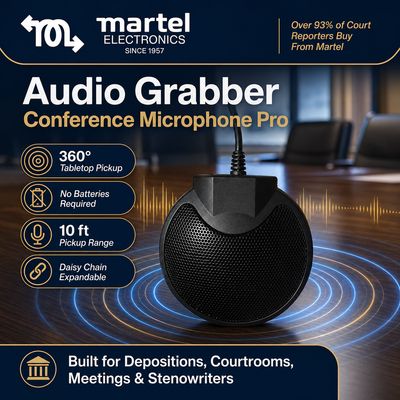
A closer look at Martel’s Audio Grabber tabletop microphone. Microphone placement and the complete connection path should be checked for your room.
Hypothetical example of a room with two separate symptoms
Consider another illustrative room where callers report both a returning voice and difficulty hearing the far side of the table. The operator initially lowers microphone input until the echo becomes less noticeable. The distant participants are now even harder to understand. This is not a complete solution; two observations have been mixed together.
The rehearsal first identifies and removes an unnecessary incoming playback route. With the returning remote phrase resolved, the operator restores a sensible local voice test and evaluates the far seats. Those positions remain faint, so the next controlled comparison improves microphone placement within a supported setup.
The outside listener now understands the remote-to-room exchange and the local far-end response. The notes preserve two independent actions: eliminate the duplicate path and provide useful pickup where intended participants sit. The solution is easier to maintain because each action has a defined purpose.
This example also shows why equipment promotion should be grounded in a real need. A distributed microphone package can be an appropriate response to inadequate pickup positions. It should not be sold as a universal repair for every software choice, extra meeting device or network interruption that produces an audio complaint.
Test both sides of a conversation after the simple loop is gone
A room should be evaluated in conversation, not only by a test tone. Once the repeated phrase is absent, ask the remote participant a question and have someone in the room answer normally. Change speaking positions and include a brief clarification from another local participant.
Listen for understandable beginnings and endings at each turn. A room can appear quiet while making people wait awkwardly for audio to recover after the other side speaks. Document that observation separately from the original returning echo so the next comparison has a clear target.
Use a short overlapping exchange that resembles ordinary discussion. The purpose is not to make several simultaneous voices perfectly separable. It is to determine whether normal interruptions leave remote participants unable to follow the thread. If the result is difficult, test a more orderly turn-taking routine along with the supported audio settings.
A chairperson can help by recognizing speakers and pausing before the next contribution. That is especially useful when minutes, decisions or a transcript will be reviewed later. Meeting habits support the audio arrangement; they should not be used to excuse a room that cannot carry normal speech from required positions.
Verify the recording independently
If the meeting requires a saved record, include that requirement in the rehearsal. Live participants hearing one another does not prove that every intended voice reaches the recording route. Review a permitted saved sample containing a remote sentence, a local response and a contribution from a difficult seat.
Name the person responsible for starting, checking and handing off the recording. Write which file or recording location represents the test. A reviewer should not have to guess between several similarly named assets after the meeting. Use fictional test content where possible so the sample can be checked without exposing real discussion.
Distinguish a recording failure from a live-call failure. If callers hear a useful conversation but the saved file lacks one side, investigate the recording route rather than moving every room microphone again. If both outcomes have the same echo, preserve that observation and the associated test settings.
For later transcription, retain the source and mark uncertain passages. A transcript that reads smoothly can still conceal a repeated phrase, a missed response or an incorrect speaker change. Good capture and deliberate review serve different parts of the workflow. The Martel recording and transcription guides can help connect those stages.
Plan a Martel microphone purchase around the remaining room need
After the echo investigation, decide whether the room still needs better local pickup. If intended seats remain too far from useful microphone positions, compare a supported multi-microphone arrangement. Begin with the seating sketch and the positions that failed, rather than a promise that any single central microphone must cover the whole room.
Include the meeting computer, intended app, remote speaker arrangement and any saved-recording requirement in that discussion. Microphone inputs, speaker playback and recording outputs should be planned together. Do not assume an input package supplies speakers, independent saved tracks or hardware echo cancellation unless the exact configuration documents those functions.
A useful purchase target is specific: “Provide intelligible local contributions from these seats through our meeting computer while preserving a manageable remote-playback route.” That is a practical requirement to test after installation, and it gives the room owner a basis for accepting the finished setup.
Make a policy for personal devices in the room
People bring laptops and phones because they need agendas, notes and content-sharing tools. A room procedure should support those tasks while making meeting-audio behavior clear. Explain which shared system carries the conversation and what participants should do when joining on an additional device.
Use a short instruction delivered before the session begins. Ask the operator to confirm the audio arrangement when a late participant opens a device. Keep the language practical and courteous. The problem is an unintended route, not the presence of a colleague who wants to follow the agenda.
Include a recovery step. If a new echo begins after someone joins or changes equipment, pause and identify that change before altering the whole room. Restore the intended arrangement, repeat one remote phrase and then continue. A known recovery routine reduces disruption because participants understand why the brief check is necessary.
Where different meetings use different joining methods, maintain a separate procedure for each supported arrangement. Do not combine instructions from a personal laptop call, a telephone dial-in session and a fixed room setup into one ambiguous sheet. The operator should be able to choose the procedure matching the session in front of them.
Prepare a portable kit for repeated setups
A portable microphone system changes rooms, operators and table layouts. Its connection plan should travel with it. Keep an inventory of the supported microphones, controller, power accessories and cables supplied for the arrangement, and assign a place for each part in the case.
At the destination, sketch the occupied table before distributing microphones. Identify the remote-playback location and any existing room equipment. A kit that works at one table can encounter a different audio path when connected to another computer or display. Reuse the diagnostic method, not an assumption that every destination behaves identically.
Pack a concise setup card with the selected meeting-input check, a reminder about extra audio devices and a short outside-listener exercise. The card should help an occasional operator reach the working state without remembering a long troubleshooting conversation from a previous event.
After the meeting, record any arrangement change that mattered. If a cable, adapter or computer connection needs different support, resolve it before the next deployment. Counting the parts at pack-down is useful because a missing accessory is easier to replace deliberately than to improvise around five minutes before a meeting.
Keep advanced changes accountable
Assign someone to own the room configuration. This person does not need to attend every meeting, but should know how approved changes are recorded and how staff obtain help. Without that responsibility, a succession of reasonable personal adjustments can leave the room in an undocumented state.
Before an advanced change, record the current setting, reason for the comparison and test that will judge the result. Afterward, preserve the successful state or restore the earlier one if the change did not help. Avoid keeping a control altered merely because it was the last option tried.
When a software update or equipment replacement changes the available interface, rerun the important parts of acceptance: selected devices, remote exchange, difficult seat and saved sample where required. A version change is a reason for a focused verification, not an automatic reason to rebuild the entire room.
Keep ordinary-user instructions separate from diagnostic options. Everyday staff should know how to connect the supported system and perform a quick check. Detailed processing experiments can remain with the room owner or support. That division makes the setup easier to use while preserving a path for investigating real faults.
Send support a reproducible description
A support request should identify the meeting application, computer, audio equipment and exact symptom. Include the selected microphone and speaker, the additional devices in the room and what the remote listener heard before and after one controlled change.
If the host isolated a particular location, say so. If the problem appears only in the saved recording, state that clearly. If the first five minutes work but a problem begins after a presentation laptop joins, include that timing. These details are more useful than a broad statement that the room has never sounded right.
A short fictional test sample can be helpful when sharing is appropriate. Explain which moment demonstrates the issue and who is speaking. Do not send an entire confidential meeting merely because a small repeatable exchange would show the same symptom. Keep the investigation focused on the actual question.
For equipment advice, start from the Martel multiple-microphone category and use the site's current contact option. Supply the seating sketch and the working parts of the route. That allows the product discussion to address a documented room need instead of replacing equipment without a diagnosis.
Decide what to do when echo interrupts a live meeting
A rehearsal allows careful comparison. A live interruption needs a shorter response that preserves the meeting's purpose. The chair can pause the exchange, ask the operator to confirm the intended audio arrangement and give participants a clear instruction while the immediate duplicate path is checked.
Start with the most recent meaningful change. Did another laptop join? Did someone switch from computer audio to a phone? Did the presentation move to a different device? Use that observation to choose one reversible action, then ask the outside participant to repeat a sentence. Avoid a simultaneous round of microphone, speaker and processing changes across the whole meeting.
If the simple recovery does not work, use the organization's supported fallback rather than improvising an untested combination. State which functions the fallback preserves and which requirements still need attention. For example, continuing an audible discussion and maintaining a complete saved record are separate decisions; the operator should not assume one automatically guarantees the other.
Write down the interruption time and the arrangement used after recovery. That record helps the later reviewer understand a gap or a changed source. Schedule the fuller investigation after the meeting, while the sequence of events is still clear. A calm, limited response during the session and a proper rehearsal afterward are more useful than turning an important meeting into an uncontrolled audio experiment.
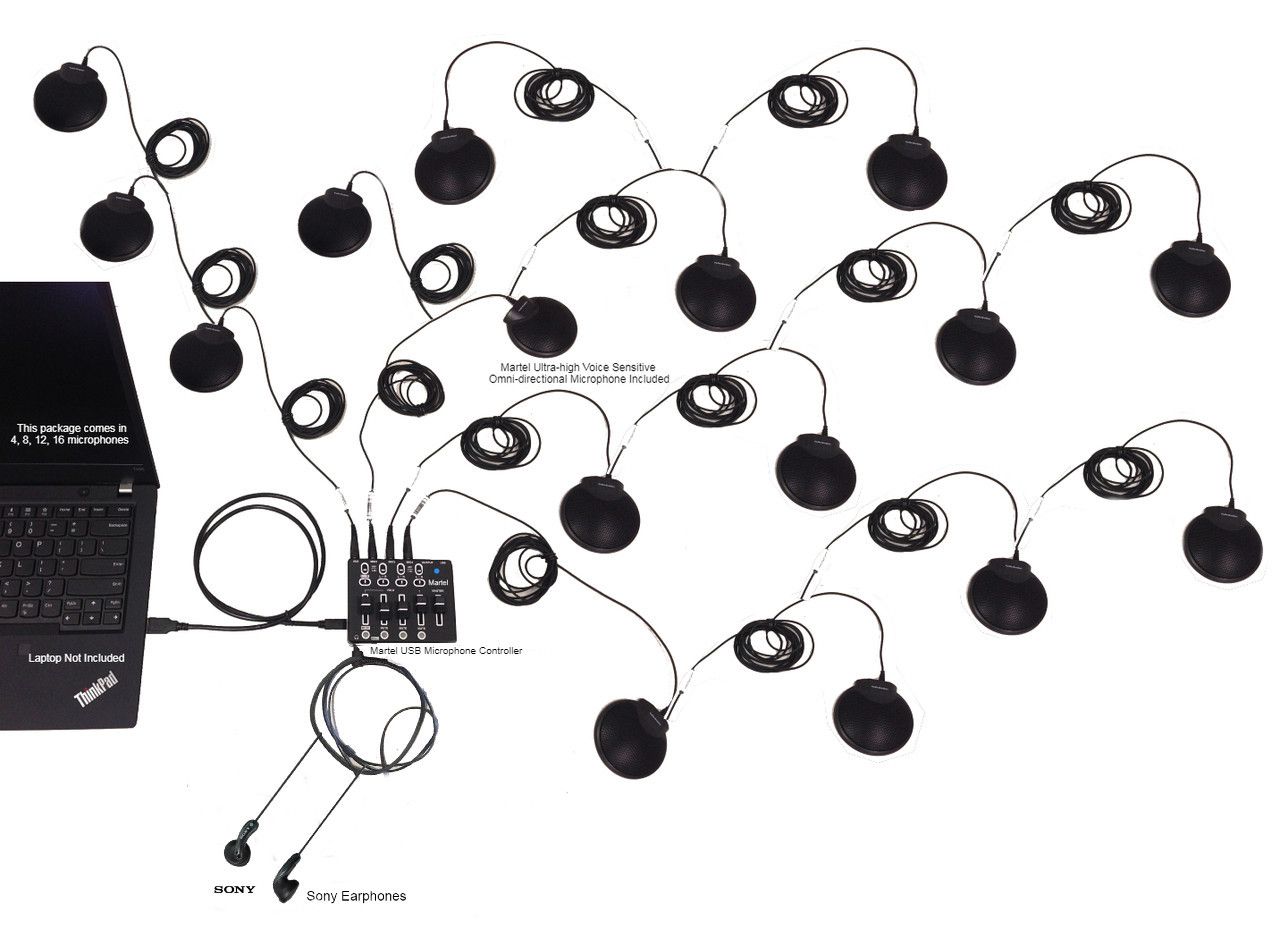
Meeting-room illustration from Martel’s gallery. It illustrates distributed microphone placement; it is not a measured coverage plan or an exact package inventory.
Separate microphone needs from other system faults
A clear purchase decision names the problem a microphone package is expected to solve. Useful local pickup is a legitimate reason to compare more positions around a table. A disconnected meeting-audio route, an unidentified playback device or an unstable computer session needs its own investigation.
Before ordering, write two lists: the voices that remain unclear and the parts of the route already verified. This preserves the evidence supporting the purchase. It also prevents an old symptom from being reintroduced when new equipment arrives and staff reconnect every device differently.
After installation, compare the proposed benefit using the same room task. Test the seats that were difficult, include ordinary local activity and ask the outside listener to report specific words. Keep the chosen microphone and speaker selections in the acceptance record. The product should be assessed as part of the complete supported arrangement it will actually serve.
This approach gives Martel a practical equipment conversation and gives the organization a useful acceptance standard. The aim is a system chosen for a documented room requirement, with a setup the assigned staff can repeat.
Questions about hybrid-room echo
Why do remote attendees hear an echo when the room sounds normal?
The local operator hears direct voices and room playback. A remote listener hears what returns through the outgoing meeting path. Those are different listening positions. Use the outside listener to repeat a short phrase while the operator checks the actual incoming and outgoing routes.
Can a muted presentation laptop still contribute to the problem?
A muted microphone does not necessarily disable the same device's speaker. Check whether an unnecessary device is still reproducing meeting sound into the room. The relevant action is to restore the intended complete audio arrangement, using the meeting application's supported controls.
Should we reduce every microphone level until the echo stops?
Do not use that as a substitute for identifying a loop. It may make intended local speakers too quiet. First examine unnecessary audio devices, selected outputs and playback conditions, then test suitable settings and placement while preserving intelligible local speech.
Does buying more microphones remove echo?
Additional pickup positions address a coverage requirement. They do not automatically remove an unintended playback route or choose appropriate meeting processing. Select a microphone system around the voices you need to carry, and evaluate it within the complete supported conferencing arrangement.
Is every hollow room sound an echo from the call?
No. Ask the listener to distinguish a recognizable returned sentence from local speech that sounds roomy or distant. Test local and remote speech separately. Document both symptoms if they coexist, because a placement comparison and a call-route comparison answer different questions.
How should we test after changing speaker placement?
Use the same remote sentence and local response, at normal meeting levels, from the same positions. Ask whether the echo changed and whether local listeners can still understand callers. Then include the difficult local seats before accepting the new arrangement.
Do we need a separate recording check?
Yes, whenever a saved record is part of the requirement. Review an actual short sample containing both room and remote voices. A live conversation can work while a separate recording route omits a source or preserves a different problem.
What should a successful rehearsal produce?
It should produce an understandable conversation, a written working setup and a clear routine for extra room devices. If a limitation remains, name it and assign the next action. A one-time quiet moment is not the same as a room staff can prepare reliably.
Build the room around a conversation people can follow
Treat echo troubleshooting as a route-finding exercise. Identify where sound enters, where it plays and where it can return. Use an outside listener, make one meaningful change at a time and verify ordinary conversation after the simple repeated phrase disappears.
When the remaining need is clearer local speech from several table positions, compare Martel's Zoom multiple-microphone systems. Choose the supported package around the people and layout you need to serve, then test it with the actual meeting computer and remote-playback arrangement. That connects the equipment purchase to a result staff and attendees can recognize: a meeting where the discussion reaches everyone who needs to hear it.
Martel gallery image of the 16-microphone system. See the product page for the supplied configuration.
Martel Electronics | 7 hours ago
How to Troubleshoot Echo in a Hybrid Conference Room
Trace hybrid-meeting echo through devices, speakers and microphones. Use controlled Zoom and Teams checks, then plan a suitable Martel microphone system.