Microphones and room setup
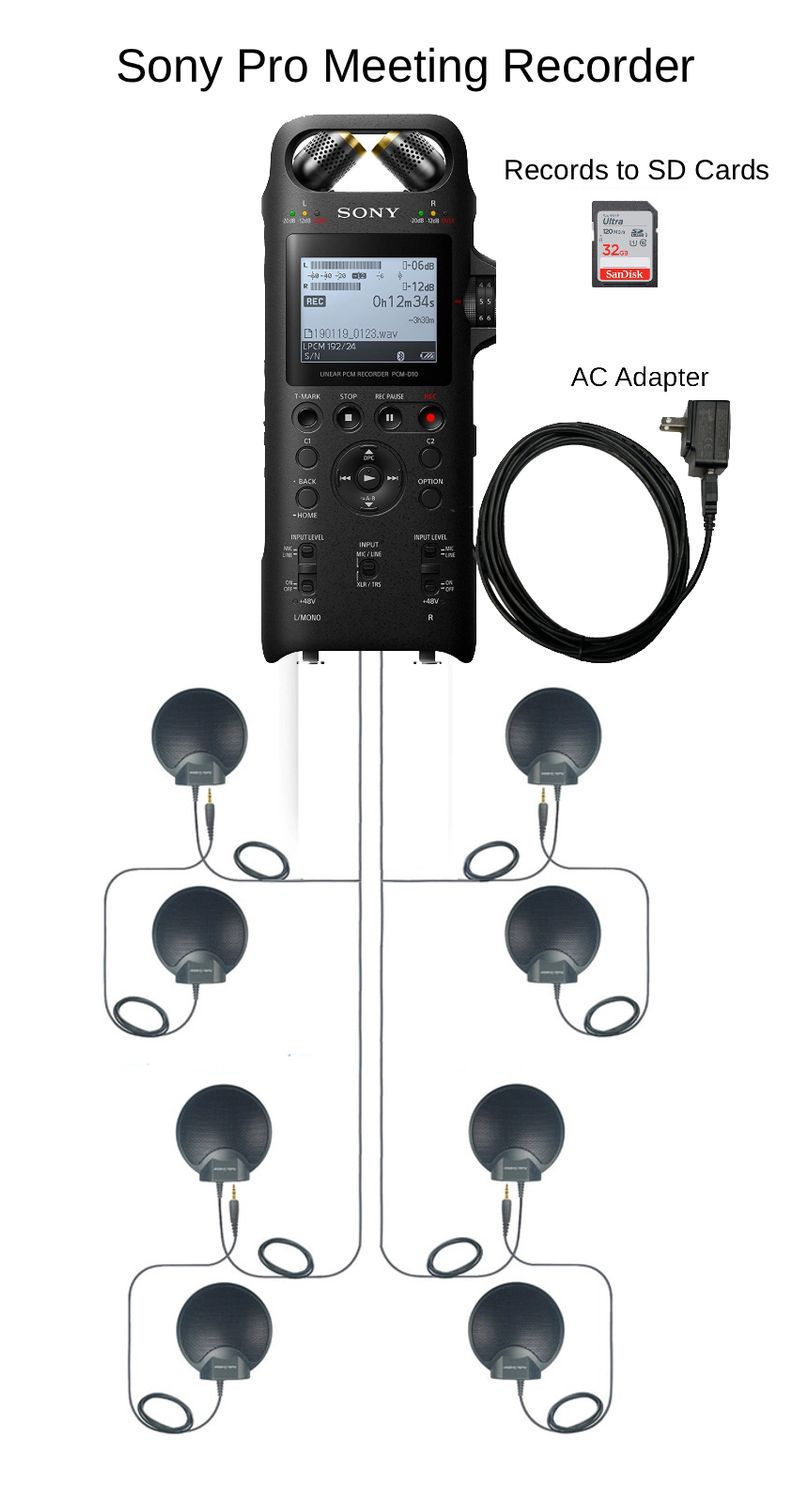
To record a long conference table reliably, give every important speaking position a useful path to a microphone, then verify the complete saved recording. Start with the most difficult seats, not the recorder’s advertised maximum range. A loud chairperson beside the equipment is a poor test of whether the quiet member at the far end can be understood.
A practical setup combines deliberate microphone positions, compatible connections, a named operator and a repeatable check. The exact microphone count depends on the occupied room and the recording task. This guide provides an original planning and acceptance procedure; its examples are illustrative, not reports of laboratory tests or guaranteed seating capacities.
If you are still choosing the recorder, begin with the meeting recorder buyer’s guide. Here the focus is what happens around the table after you have defined the job.
Make a seating map before placing equipment
Draw the table as it will actually be used. Add chairs on both sides, the chairperson at the end, the clerk’s laptop and anyone seated behind the main participants. Include a presentation position if people stand to speak. The table’s length is useful, but the distances between mouths and possible microphone positions are more useful.
Mark the speaker who is usually quiet, the person who reads while looking down and the seat that faces away during presentations. These are your first test positions. Add doors, room loudspeakers and equipment that runs during meetings. A layout drawn in an empty, silent room can conceal the main recording challenges.
Next, assign an operator position. The recorder should be accessible enough for someone to see its status and respond without reaching over another person’s documents. Microphones can occupy the table while the recorder remains beside the person responsible for it, provided the approved cables and package support that arrangement.
Keep the sketch with the equipment. It becomes a setup reference for the next employee and a place to record any arrangement changes made during the test.
Separate the speaking area from the room size
A large room does not always require recording the entire space equally. A small committee may occupy one end of it. Conversely, a modest room can contain a long, narrow table with an important participant well away from a central recorder.
List the voices the recording must include: seated members, the clerk, a standing presenter, an audience questioner and remote participants. Decide how each will reach the recording. An audience question from a doorway should not be left to chance merely because the board members sound good.
For an illustrative workshop, there might be twelve seats at the main table and a presenter beside a screen. Test the presenter from that position, including speech delivered while looking at the screen. If the organizer expects a question from every seat in the room, that is a different requirement and should be included when selecting equipment.
Record these expectations in ordinary language. “All seated board members and the designated presentation position” is a clearer acceptance target than “excellent room coverage.” It also tells staff when a changed seating arrangement needs another test.
Divide a long table into useful microphone zones
Think of a zone as a group of nearby speaking positions served by a deliberate pickup location. It is a planning tool, not a fixed acoustic circle. Start by proposing positions near the people who must be heard, then adjust them using recordings from the actual seats.
With several microphones, avoid placing all of them beside the recorder simply because the connections are convenient. That uses multiple devices at almost the same location while leaving the distant seats distant. Spread the useful pickup positions along the occupied area within the approved cable arrangement.
The Martel Ultimate Meeting Recorder Package, SKU 1814, supplies four Voice Grabber microphones with individual 25-foot cables, plus the recorder and transcription equipment. Those are four physical microphone positions to plan. They are not a promise of four independently recorded tracks or a universal four-zone room capacity.
Mark proposed locations A, B, C and D on the sketch. For each one, write which seats it is intended to serve. If a location has no clear purpose, reconsider it. If one seat depends on hearing a voice across most of the table, make that seat the next test priority.
Choose microphone count from the failed positions
Start with a supported arrangement and test it. Add or change equipment to solve an observed coverage problem, not simply to reach a large microphone count. The useful question is whether the next pickup position improves the difficult speech while preserving a manageable complete recording.
| What your test shows | What to investigate | What to verify next |
|---|---|---|
| All intended seats are understandable. | Keep the setup simple and document it. | Normal paper movement, quiet speech and the saved-file handoff. |
| One end is weak. | Reposition a supported microphone toward that seating area. | Whether the original seats remain usable. |
| Several distant positions fail. | Consider a package with additional distributed microphones. | Approved connections and the combined recording. |
| Only the standing presenter fails. | Plan a dedicated presentation pickup position. | Speech while turning toward the display. |
| Everyone sounds distant and noisy. | Review placement and the room before increasing gain. | Whether closer pickup or a room change improves clarity. |
Compare the options in Martel’s Conference Recorders category, then confirm which complete package supports the microphone arrangement you need. Avoid expanding a kit with unverified splitters just because there are unused spaces on the table.
Keep the microphone’s working area clear
Documents, laptop screens and table activity belong in the placement test. A microphone that was unobstructed during setup may sit behind an open screen once the meeting begins. Reserve a small clear area and explain its purpose to participants.
Follow the mounting instructions for the microphone type. A true boundary microphone is intended to work at its specified surface; a recorder with built-in microphones may have different placement instructions. Do not apply one universal rule about stands, pads or tabletop contact to every design.
Use a realistic desk trial. Put the clerk’s laptop and normal paperwork in place. Have someone read while another person turns pages at an ordinary pace. Move the noisy activity or the microphone and compare a second saved sample. Label the files so the later reviewer knows what changed.
Leave service loops where appropriate and route cables so normal chair movement does not pull a connector. Keep walking routes clear using the organization’s approved cable-management method. Do not stretch a cable across a doorway to gain a slightly shorter microphone distance.