Updated · By Martel Staff
A smartphone app can be useful for occasional spoken notes. A dedicated dictation recorder can be useful when you want physical controls and a repeatable handoff to an assistant. For lawyers, the right choice depends on the complete process from speaking to a reviewed document.
Smartphones can record and edit dictation
Do not assume that phones cannot correct recordings. Apple’s current Voice Memos guide describes trimming a selection, replacing audio from a chosen point, and saving an edited version as a new recording to preserve the original. Test those steps against the correction and delivery tasks your office needs. Apple Voice Memos editing instructions. Available functions differ by app, device, subscription and operating system. Apple’s Voice Memos editing guide.
Philips also offers smartphone and recorder workflows through SpeechLive. A mobile app and dedicated hardware can therefore be alternative capture methods within a supported system. Confirm the services and account required for your chosen arrangement. Philips SpeechLive overview.
When a dedicated dictation recorder is worth considering
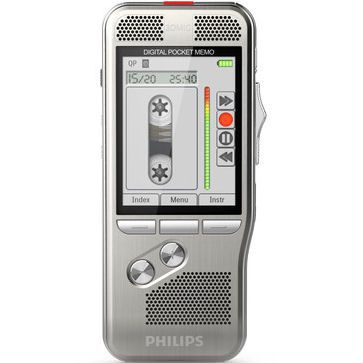
Physical controls may suit frequent start, stop, review and correction. A separate recorder also lets you reserve your phone for calls and other work. Compare the actual control layout, transfer method, recording features and support included in the package.
Neither category has a universal recording-distance, battery-life or sound-quality advantage. Test your actual device where you dictate. For interviews or meetings, assess microphone placement and room coverage separately from close-range personal dictation.
Compare the workflow your law office will use
| Question | Check before buying or subscribing |
|---|---|
| Who finishes the document? | Confirm whether an assistant types from audio, you dictate into an application, or software creates a draft for review. |
| How do you correct a recording? | Test review, replace, insert or append functions in the chosen recorder or app. |
| How does the assistant receive work? | Try the approved transfer route, exact file format and playback software. |
| What happens to confidential files? | Ask your firm’s administrator about account access, cloud processing, retention, deletion and backups. |
| What happens during an interruption? | Test the app’s behavior during calls, screen locking and connection changes. Plan charging and file recovery. |
Audio files and transcription compatibility
Before changing equipment, send a test file to the person who will transcribe it. Verify that their application can open the exact format and, where applicable, an encrypted sample. OM SYSTEM’s support documentation distinguishes formats and encrypted-file support by application. A familiar extension is not a compatibility guarantee. OM SYSTEM format support.
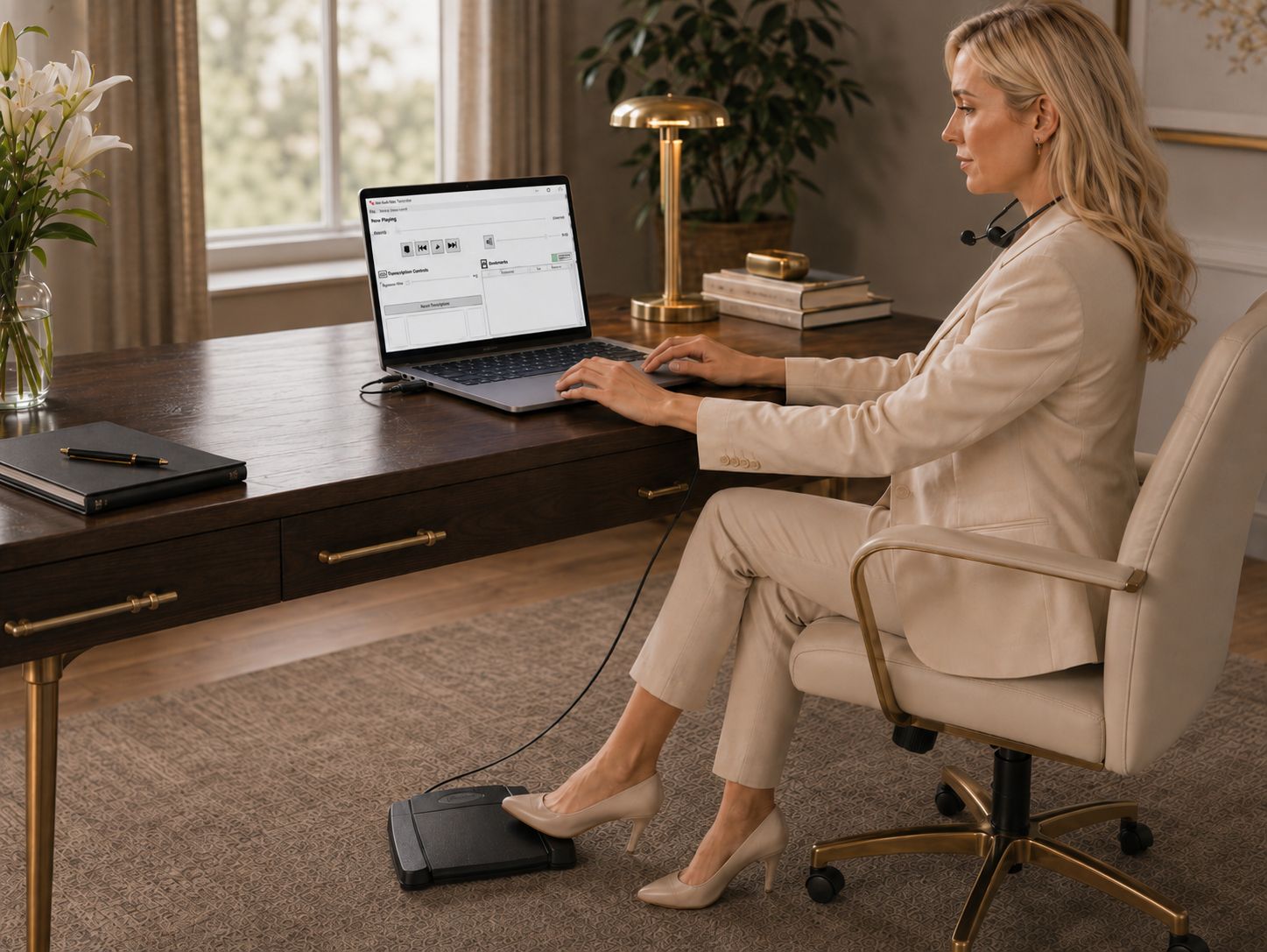
For computer playback, a compatible transcription kit with a foot pedal can help the typist control supported playback while using the keyboard. Confirm what software and licenses are included.
Keep legal dictation practical
Use a consistent file-naming convention, identify the document type and make spoken instructions clear. Ask the recipient to acknowledge successful receipt before deleting the source recording. Review every draft for names, figures, dates, quotations and meaning; speech recognition does not remove that step.
Avoid choosing on the promise of automatic compliance or perfect accuracy. Ask the appropriate person in your firm to approve the way recordings are handled. Security features need suitable configuration and working practices.
Find your Martel dictation setup
View lawyer dictation equipmentView Philips dictation recorderPrefer an arrangement without computer-based playback? Review the exact compatible components in Martel’s NO PC law-office recorder and transcriber set.
Try one real document before changing systems
Dictate a short sample, make a correction, transfer it, have the recipient open it and review the finished document. Compare those steps and the total package cost, including subscriptions and setup help, rather than comparing the capture device alone.
Continue with our slide-switch versus push-button comparison and complete dictation machine buying guide.
Related Martel equipment
Common Questions and Answers
Can a lawyer use a smartphone for dictation?
A phone can work if its app supports the editing, file export and approved handling your office needs. Test a complete sample with the person who will transcribe it before adopting that workflow.
Is a dedicated recorder always clearer than a phone?
No. Microphone placement, background sound, recording settings and technique all affect the result. Compare saved recordings under similar conditions, including normal speaking volume and the file your typist actually receives.
Can I correct dictation without recording the whole document again?
That depends on the recorder or app and the chosen format. Test insert, overwrite, append or other editing tools using a short disposable sample; control style alone does not establish which edits are available.
What should my typist test before we choose a device?
Check that the transferred file opens, plays clearly and works with the intended transcription software, headset and foot pedal. Also confirm who receives files and how completed work is returned through your office’s approved process.