Dictation Systems for Multiple Attorneys Sharing a Secretary
Plan dictation for multiple attorneys sharing a secretary: compatible recorders, author identification, priorities, workload, corrections and software checks.
Choose a recording format your typist or transcription software can actually use. Learn what the file extensions mean, when editing features matter and how to test a handoff.
The best dictation file format is the one that fits your complete workflow. Start with the person or software receiving the recording. A small file is convenient, but it is useful only if the recipient can open it, control playback and complete the document.
When comparing dictation recorders, look beyond recording time. Confirm the file extension, available editing features, transcription software and any security settings. This guide explains the differences in plain language, then shows how to test them before changing your office routine.
| Format | Main purpose | What to check |
|---|---|---|
| DSS (.dss) | Compact, speech-focused dictation | Compatible dictation and transcription software |
| DSS Pro (.ds2) | Professional dictation workflows with supported advanced features | Software support and configured encryption, if needed |
| MP3 (.mp3) | Compressed audio for convenient playback and sharing | Supported bit rate, editing and playback software |
| WAV (.wav) | Audio container commonly used for PCM recordings | Actual encoding, sample rate, channels and storage needs |
These extensions identify different recording choices. Renaming a file from .ds2 to .mp3 does not convert its audio. If a recipient needs another format, use software that can genuinely export it, and retain the original recording.
DSS is a compressed format intended for speech. DSS Pro commonly uses the .ds2 extension. These formats are relevant when an office wants a professional dictation workflow, including compatible recorder editing and specialist transcription tools.
DSS Pro can support encryption on equipment and software that implement it. The extension alone does not tell you that encryption was enabled, that the recipient has the required access, or that the transfer method is appropriate. Test the configured recorder and receiving software together.
For example, OM SYSTEM’s ODMS R8 transcription module lists DS2, DSS, WAV and MP3 playback support. That is a useful compatibility starting point, but check the exact kit, software version, license and operating system offered with the Martel package you are considering.
MP3 is a practical choice when your receiving application supports it and you want manageable audio files. It uses lossy compression, meaning some audio information is discarded to reduce size. The chosen bit rate affects both file size and the result you hear.
For spoken notes, the right test is whether the actual recipient can clearly understand the sample and operate their playback controls. Avoid repeatedly converting a file through several lossy formats. Conversion cannot recreate speech that the original microphone failed to capture.
WAV is a container, not a promise that every file has identical quality or size. Many recorders save linear PCM audio inside WAV files. With uncompressed PCM, sample rate, bit depth, number of channels and duration determine the approximate audio data size.
A PCM WAV recording can be useful when the next application expects that format and storage is available. It will not fix poor microphone placement, clipping or a noisy room. Choose the capture setup first, then the supported recording settings.
Do you insert missing words into an existing dictation, overwrite a phrase, or only append new speech? Check those actions separately. A recorder may offer several formats while reserving particular editing operations for certain modes.
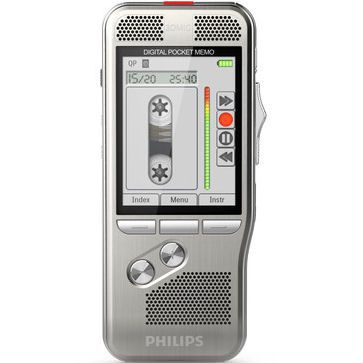
Philips lists insert editing for DSS/DSS Pro on the DPM8000 series, with overwrite and append options also listed for MP3 and PCM. The lesson is practical: do not assume that recording MP3 gives you every editing behavior available in a dictation mode. Read the exact model’s instructions.
Keep the sample with your setup notes. Include the recorder model, selected mode and receiving software version. When a computer or program changes, repeating that same test gives you a clear comparison instead of troubleshooting with a time-sensitive job.
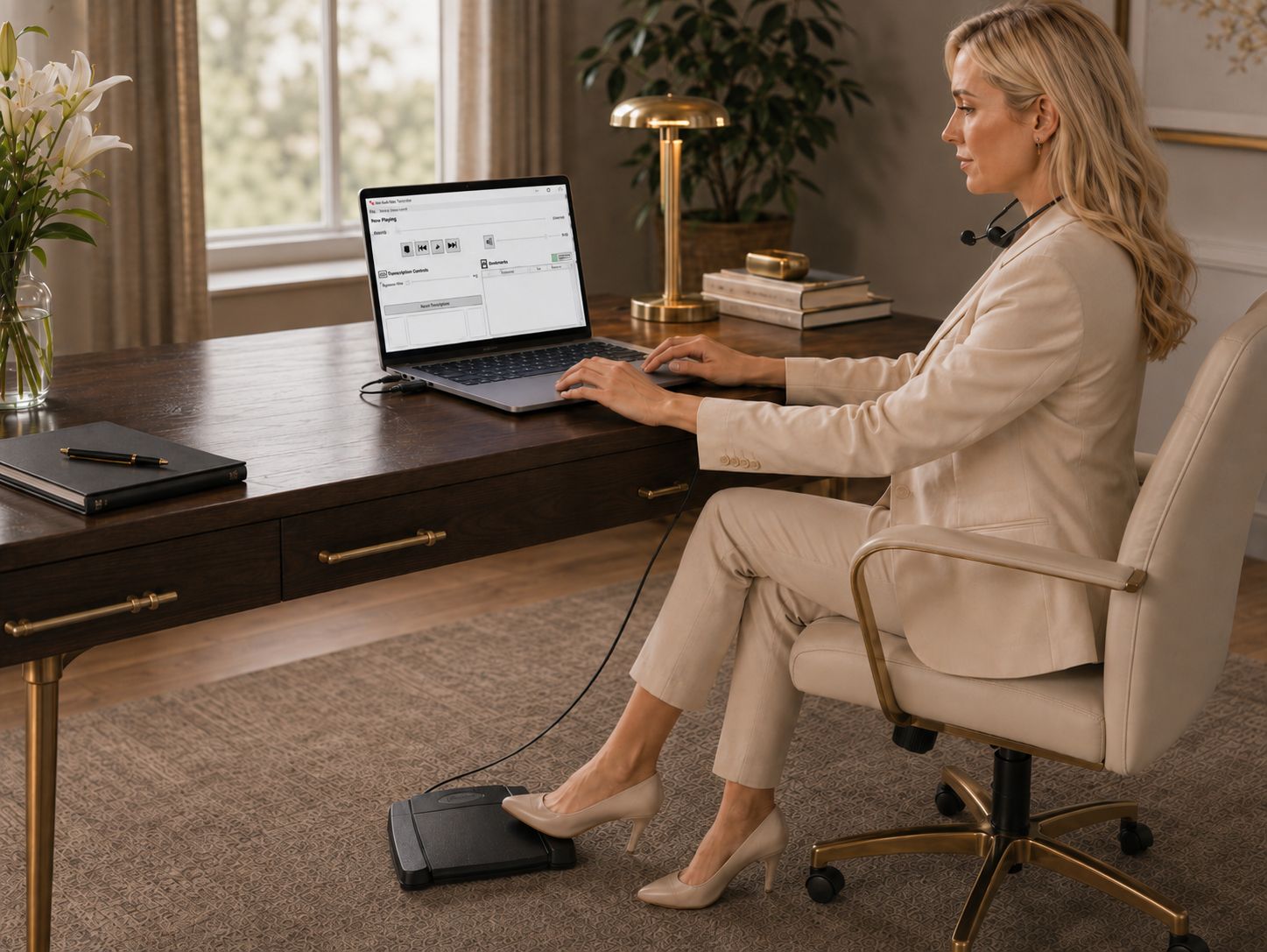
Browse dictation and transcription packages if you want to plan both ends together. Compare transcription kits by supported formats and software, rather than assuming every USB foot pedal can open or decode an audio file by itself.
For uncompressed PCM, multiply samples per second by bits per sample and channels, then divide by eight for bytes per second. As a worked example, 48,000 samples × 16 bits × one channel produces about 96,000 bytes per second, or 346 MB for an hour using decimal megabytes. Two channels approximately double that audio data.
For a constant 128 kbit/s compressed file, one hour is roughly 58 MB before small overheads. These are arithmetic examples, not claims that every Martel recorder offers those settings. Variable bit rate and other encodings change the calculation. Always use the supported modes on your actual recorder.
No. DS2 usually identifies DSS Pro audio. It requires compatible software; changing the extension to MP3 will not make it play in an MP3-only application.
No. The original microphone signal, room and recording settings matter. A larger file can still contain unclear speech. Compare saved samples in the actual transcription workflow.
The playback software or recorder must support the file, and the pedal must work with that system. Verify the complete combination rather than the pedal connection alone.
Begin with the typist’s supported formats and your editing needs. Test a sample end to end before standardizing the office. Use the same check when software or recorder models change.
Continue with the dictation machine buying guide or how dictation recorders and transcribers work. Technical references: Philips DPM8000-series specifications and OM SYSTEM ODMS R8 format support.
