Software, compatibility and remote work
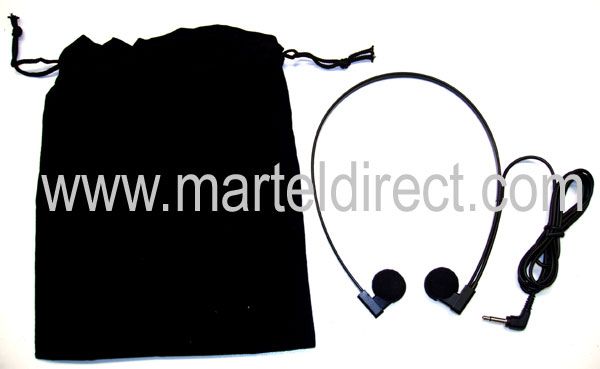
Remote dictation works when the secretary receives the right recording, can control its playback and knows exactly which assignment to complete. A portable recorder or a phone is only the capture end of that arrangement. The receiving computer, transcription software, foot pedal, approved delivery route and return of the draft are equally important.
This guide explains how to plan equipment and file handoff for a legal secretary working away from the author. It uses original planning examples and acceptance checks, rather than assuming that any recorder is automatically a complete remote system. Start with the dictation machine buying guide if you have not yet decided whether the office needs human transcription, speech recognition or a combination of both.
Define remote work in practical terms
“Remote” can mean a secretary at home, an assistant in another office or an author traveling while the usual secretary remains at the main location. Those arrangements share a distance problem, but they may need different equipment and access. Describe where the author records, where the audio is transferred and where the secretary prepares the document.
Also establish whether the secretary is an employee using an office-managed workstation or an outside service receiving assignments through an agreed process. The equipment should fit the approved relationship. A product page’s mention of file transfer does not establish that every possible recipient, account or storage location is appropriate for your office.
Write a one-sentence requirement: “The author records at location A, sends an identifiable audio file through route B, and the secretary at location C returns a draft for review.” If a part of that sentence is missing, resolve it before ordering accessories.
Choose the audio handoff before choosing a package
A shared physical recorder can be a sensible same-office arrangement. Martel’s Dictaphone Machine, SKU 1843-2, describes the lawyer handing the recorder to a secretary who uses the matching cradle, foot pedal and headset. That is a specific workflow. It should not be presented as an automatic remote-delivery system simply because the recorder is portable.
A computer-file arrangement creates a different possibility: the recording reaches a computer, then follows an approved delivery route to the recipient. Martel’s SKU 405 lawyer and secretary package includes recorder equipment and computer-based transcription tools. Confirm the exact current components and software requirements before choosing it for either location.
A smartphone app may also provide an export or service-based route. The same questions apply: what is delivered, which account controls it, what does the secretary need and can the actual file be played? The capture method alone does not settle those questions.
Separate the author station from the secretary station
| Location | Required job | What to verify |
|---|---|---|
| Author | Record and identify an assignment. | Controls, correction method, saved audio and assignment naming. |
| Transfer point | Deliver the complete recording. | Supported export or connection and the approved destination. |
| Secretary | Open and navigate the received audio. | Computer, software, file support, foot pedal and headset. |
| Review point | Return and check the draft. | Document format, version identification and unresolved questions. |
| Office administration | Maintain access and continuity. | Ownership, backup, retention and coverage arrangements. |
These are roles, not necessarily five separate devices or people. One author computer may handle transfer and review, while a secretary’s workstation handles playback and typing. Mapping the roles prevents an office from buying a second recorder when its actual missing component is a supported receiving application.
Check the recipient’s workstation first
Ask the secretary to identify the operating-system version, playback application and pedal model that will be used. Confirm that the required software can be installed and licensed there. If the office manages the workstation, arrange the installation through that process. If an outside service provides its own tools, ask for its accepted audio formats and delivery requirements.
Do not assume a recorder that transfers files to one computer establishes full compatibility on a different recipient computer. File access, application support and pedal control are separate checks. A general media player may play the audio while the intended transcription application cannot open it or use the required control.
Have the secretary open a sample before the equipment purchase is finalized where practical. This brings the receiving requirement into the buying decision, rather than treating the recipient as someone who must adapt after the author has selected a favorite device.
Specify what the author actually sends
Decide whether an assignment is delivered as an audio file, an application-managed job or a link to approved storage. These forms can behave differently. An attachment may create another copy; a shared link may require continuing access; a managed job may depend on a particular service account and software. Test the form the office intends to use.
Identify the recording format and any required export setting. If the receiving process needs conversion, decide who performs it and how the original is retained. Do not build a daily routine around an unexplained conversion step that only one person knows how to perform. The dictation format guide covers DSS, DS2, MP3 and WAV considerations.
A clear handoff also includes a brief instruction: assignment identifier, document type, responsible author and requested return time. Use the office’s approved system for this information. The audio should not arrive as an unexplained file whose purpose must be inferred from its duration.
Use identifiers that connect audio, questions and drafts
Create a short identifier for each assignment and keep it with every related item. In a fictional example, TEST-031-Letter might identify the recording, the secretary’s question and the returned draft. The exact naming pattern is less important than avoiding accidental reuse and making the relationship recognizable.
Distinguish a new assignment from a revision to an existing one. A follow-up recording should say which job it changes and whether it adds information or replaces a particular instruction. If a new file supersedes an old one, state that clearly through the assignment process. A filename ending in “new” or “latest” is not a reliable instruction by itself.
Keep the amount of descriptive information in filenames consistent with office policy. A long filename containing matter details may not be necessary to identify the job. The administrative goal is reliable matching, not embedding every fact about the work into each copied file.
Agree on what acknowledgment means
For remote work, successful delivery needs a meaningful acknowledgment. “I received a notification” and “I opened the correct complete audio” are different statements. Establish which one the secretary is expected to send before the author considers the handoff complete.
A useful acknowledgment can be short: the assignment identifier, confirmation that the file opens and any immediate problem. If the audio is incomplete, unclear or inaccessible, the author should learn that before the expected return time. This convention also helps distinguish a delayed transfer from an assignment waiting in the recipient’s queue.
Do not delete the only source recording merely because a send operation appeared successful. Verify the intended destination and then follow the office’s retention process. The equipment can provide recording and transfer functions, but it does not decide which files the office must retain.
Make priority and timing explicit
Give a requested return time in a form both locations understand. When people work in different time zones, include the zone or use the office’s established scheduling convention. Separate the time a draft is needed for review from any later external deadline. The secretary should know which delivery is expected, while the author remains responsible for the underlying work.
Define how urgent work enters the queue. If every assignment is described as urgent, the label stops helping. A designated priority field or a clear instruction can be useful, but it needs an agreed meaning. Do not rely on an email’s arrival order to communicate importance.
Consider what happens when a new urgent job interrupts one already in progress. The secretary needs a way to preserve position, identify unfinished work and avoid returning an incomplete draft by mistake. Use supported application features or the office’s existing tracking process.
Keep questions attached to the assignment
A remote secretary cannot always lean across a desk to clarify a name or correction. Agree on a simple question format: assignment identifier, the relevant playback time if available, the unclear phrase and the question. The author can then respond to a specific point rather than listen to the entire recording to discover the problem.
In a fictional example, the secretary might write, “TEST-031, about 02:10: does the revised sentence replace the whole second paragraph?” That question separates uncertainty about the instruction from uncertainty about the sound. Both need resolution, but they may require different answers.
Do not encourage guesses about names, amounts, dates or intended meaning. A question marker in the draft can be useful if the office agrees how it is displayed and removed. The reviewer should be able to find unresolved points before approving the document.