Courtroom Microphones: Choosing One Microphone or a Multi-Microphone System
Compare single and multiple courtroom microphones. Plan speaker coverage, recording inputs, mixed audio versus separate tracks, monitoring and setup tests.
Move a law office from tape dictation to digital recording. Plan recorder controls, secretary playback, old tapes, file handoff and a tested transition.
Replacing a tape dictaphone is an office workflow change as well as an equipment purchase. The lawyer may be comfortable dictating with a familiar switch. The secretary may know exactly how a cassette reaches the desk, how to rewind it and where completed tapes belong. A successful digital upgrade preserves the useful parts of that routine while changing how recordings are stored and delivered.
Start by describing the current process in ordinary terms. Who records? Who receives the audio? Can the lawyer continue dictating while the secretary types? Where do older recordings remain? Those answers help you choose between computer-based transcription and a recorder-based no-PC arrangement. They also prevent the new recorder from becoming an isolated purchase that leaves the secretary without compatible playback.
Write down the model names of the recorder, transcriber, foot control and headset. Record the cassette type too. Standard cassettes, microcassettes and other dictation media are not interchangeable simply because all of them contain magnetic tape. This inventory matters especially if the office has a backlog that must remain playable during the transition.
Ask staff to list the actions they perform most often: start recording, pause, review a phrase, correct wording and mark a job finished. Have the secretary identify any recurring problem, such as unclear labels, tapes delivered out of sequence or uncertainty over whether a correction replaces the original instruction. A digital system should address those problems explicitly instead of recreating them as confusing filenames.
Separate active work from archived material. Active work needs a dependable route to transcription today. Older recordings may need continued access under the office’s established retention process. Do not discard the only working tape player just because the new digital equipment has arrived. First determine which recordings still depend on it.
| Workflow | How audio reaches the secretary | Best question to ask |
|---|---|---|
| Computer transcription | Downloaded recording opened in playback software | Can the actual workstation, software and pedal handle the files? |
| One shared no-PC recorder | The lawyer hands over the recorder for playback | Can the lawyer release the unit while typing takes place? |
| Two-unit no-PC arrangement | Supported removable media moves to the playback unit | Is there a clear media rotation for overlapping work? |
Computer transcription can suit an office that wants a visible queue of downloaded assignments. Recorder-based playback can suit staff who prefer a physical handoff and do not want audio playback to depend on a desktop application. Neither choice removes the need for job identification, review and sensible handling of completed recordings.
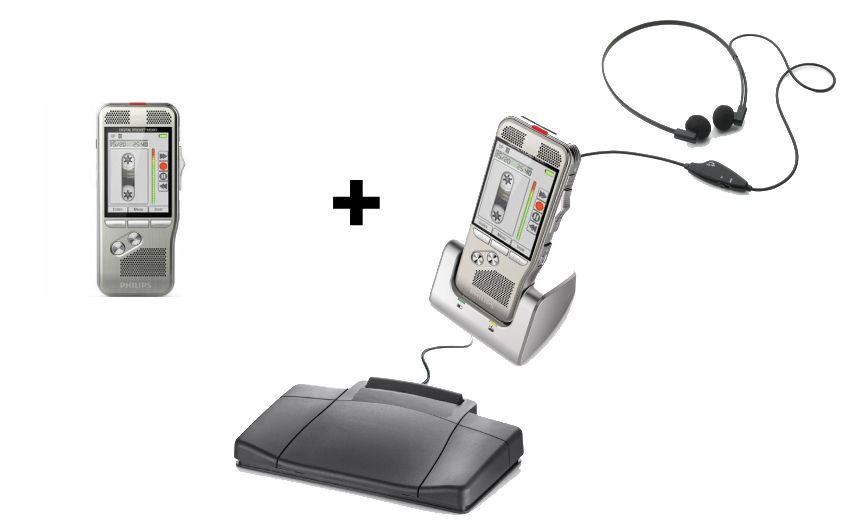
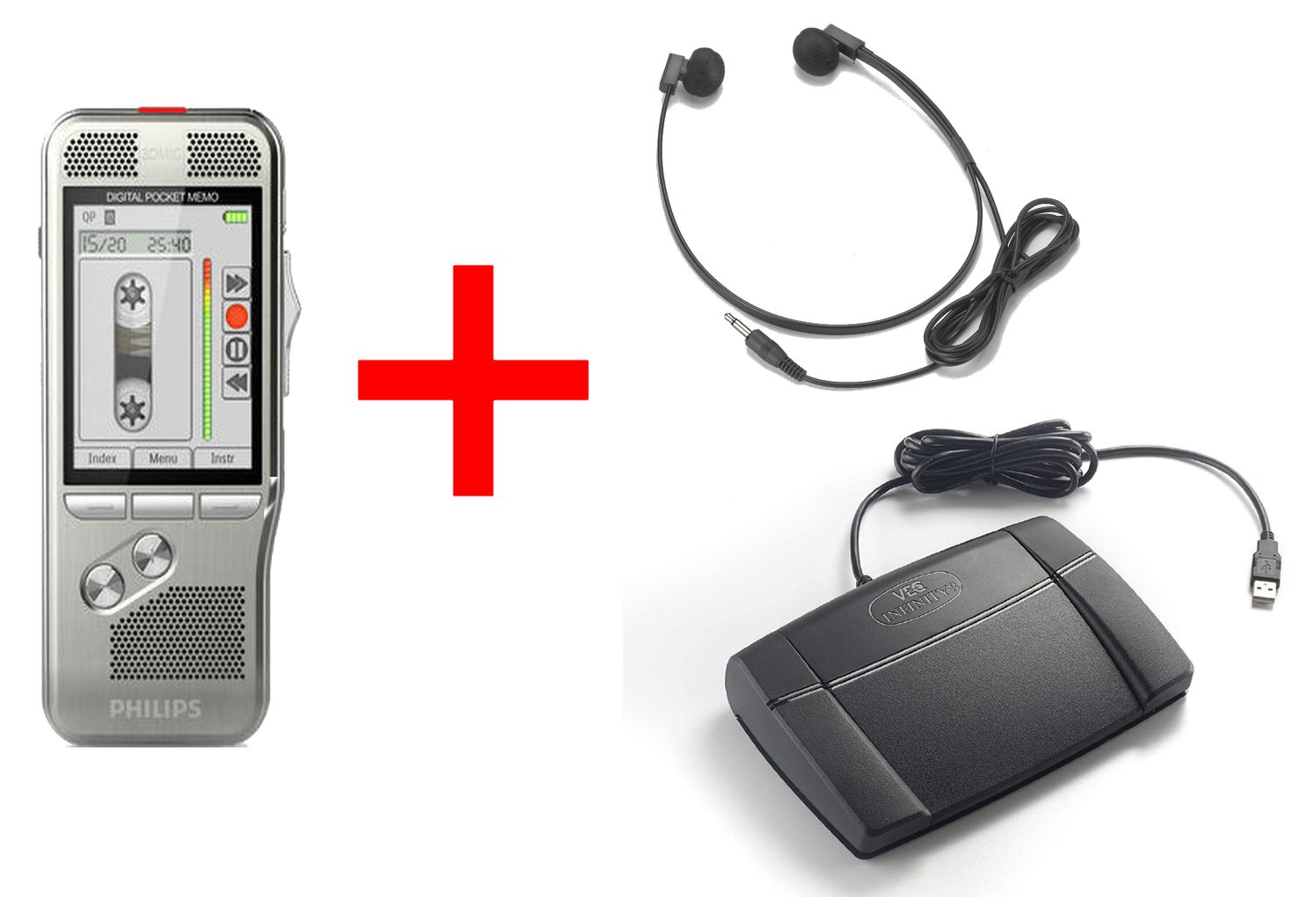
The Lawyer Dictation Recorder + Free Secretary Transcriber is a computer-workflow option to review when replacing both author recording and secretary playback tools. Confirm the supplied software edition, foot control and operating-system requirements for the secretary’s actual workstation. A recorder’s ability to transfer files does not establish that every transcription application will run on that computer.
The NO PC Recorder & Transcriber in 1 uses one recorder for the author and secretary. It can be practical when dictation and typing happen at different times. If a lawyer often needs to record new instructions while earlier work is being typed, the shared device may become a scheduling constraint.
The NO PC Law Office Pro recorder and transcriber set separates the author and playback units. Plan compatible media for both desks and a clear return procedure. Two devices do not let two people use the same physical card simultaneously. Our one-recorder versus two-recorder guide walks through that choice in more detail.
Let the lawyer handle the new recorder before making the transition final. A slide switch may feel familiar to someone who used professional tape dictation, but the positions and editing behavior still need practice. Push-button models can also work well when their operation suits the user. The useful comparison is whether routine actions are easy to perform consistently.
Test a correction on disposable audio. Dictate a sentence, return to the middle and try the supported editing method. Play the entire result afterward. Insert, overwrite and append are different operations, and availability can depend on the recorder’s format or mode. Do not assume that a digital unit treats a correction exactly like the old tape machine.
Use the slide-switch versus push-button comparison for a closer look at the controls. Keep a short desk card with the steps the office actually uses. A concise instruction such as “stop, identify the job, transfer, verify” is easier to remember than a feature list copied from a brochure.
Choose one lawyer and one secretary for the first complete test. Dictate a fictional letter containing a heading, two paragraphs, a date, an unfamiliar name and an intentional revision. Include spoken instructions that the secretary must interpret, rather than merely producing a transcript of every word. This tests the work the office truly needs.
Deliver the recording through the chosen method and have the secretary type it using the supplied playback tools. Check that play, pause, rewind and forward behave as expected. Review the document together and identify any unclear instructions. Verify that the saved audio can be found after the equipment is disconnected or the work session ends.
Keep the pilot separate from real assignments until the full cycle is repeatable. Then choose a clear changeover point, such as the start of the next workday or the next new matter. Mark remaining tape work distinctly so an older cassette does not disappear among new digital assignments. Avoid running two poorly labeled queues indefinitely.
A digital recorder does not automatically open a cassette. If older audio must be converted, the office needs a working player for that exact tape type and a suitable recording connection or transfer service. Check the source player’s output and the destination’s input before purchasing an adapter. A matching plug shape alone does not establish the correct signal level or wiring.
Make an inventory before conversion. Identify each tape, its sides, its condition and the reason it remains needed. Test with a noncritical sample first. After transfer, compare the new recording against the source for correct speed, complete beginnings and endings, and audible speech. Keep the original until the office has approved the result and made its retention decision.
Do not promise that digitizing damaged tape will recover information that is no longer readable. Uneven playback speed, worn media and a faulty source machine can become part of the new recording. If a recording is important and the tape or player is questionable, obtain appropriate specialist help before repeated playback makes the situation worse.
Confirm the new recording format against the playback application, using a file made by the actual recorder. A familiar extension is not enough to settle every compatibility question. See our DSS, DS2, MP3 and WAV guide for the differences that affect handoff and editing.
Check each old accessory independently. A tape-transcriber pedal may use a device-specific connector and control arrangement. It should not be assumed to operate a USB transcription program. Likewise, a mono headset may need a compatible output or the correct adapter. Reuse accessories only after testing the complete combination, rather than treating reuse as an automatic saving.
For computer playback, document software activation and installation information where an authorized office administrator can find it. For removable-media workflows, label the physical media and define who may clear it. In either case, keep a usable copy according to office policy before approving deletion of the source recording.
Possibly, but do not assume so. The pedal must match the new playback device or software, including its connection and control protocol. Compare the exact model numbers. Our transcription foot-pedal buyer’s guide explains why a recorder-dock control and a computer USB pedal are different purchases.
Not by itself. Digital recording stores the audio electronically. Human transcription uses playback tools so a person can listen and type. Automatic speech recognition is a separate capability, and any resulting draft still needs a defined review process before becoming a finished office document.
Yes. The no-PC description concerns audio playback. The secretary can listen through the recorder-based system while using a word processor to create the document. Confirm that the supplied foot control and headphones belong to that playback arrangement.
A small pilot is usually easier to troubleshoot. Prove the handoff with one author and one typist, then expand using the same agreed process. Set a clear changeover point for each person and keep any remaining tape jobs visibly separate until completed.
List author controls, audio handoff, secretary playback, simultaneous use, file compatibility and access to old tapes. Add every required accessory and software entitlement. Browse legal dictation recorders and dictation and transcription packages with those answers beside you.
After staff can repeat the complete new workflow and the office has resolved access to remaining tape recordings. Confirm the new system’s saved audio, playback controls and review process first. Equipment replacement and decisions about retaining older recordings are separate steps.
For computer installation after selecting a package, continue with the lawyer-and-secretary setup guide. For the meaning of “transcription” in product listings, read voice recorders with transcription explained.