Published · Martel Electronics
A police car camera installation is successful when the department can operate the equipment consistently and retrieve the expected recording. A neat bracket and an illuminated screen are only part of that result. Before a vehicle enters service, the agency should know what each camera covers, how recording begins, where audio comes from and how a reviewer finds the saved event. This guide is a planning and acceptance framework for fleet staff and buyers; the selected equipment instructions and vehicle manufacturer guidance govern the physical installation.
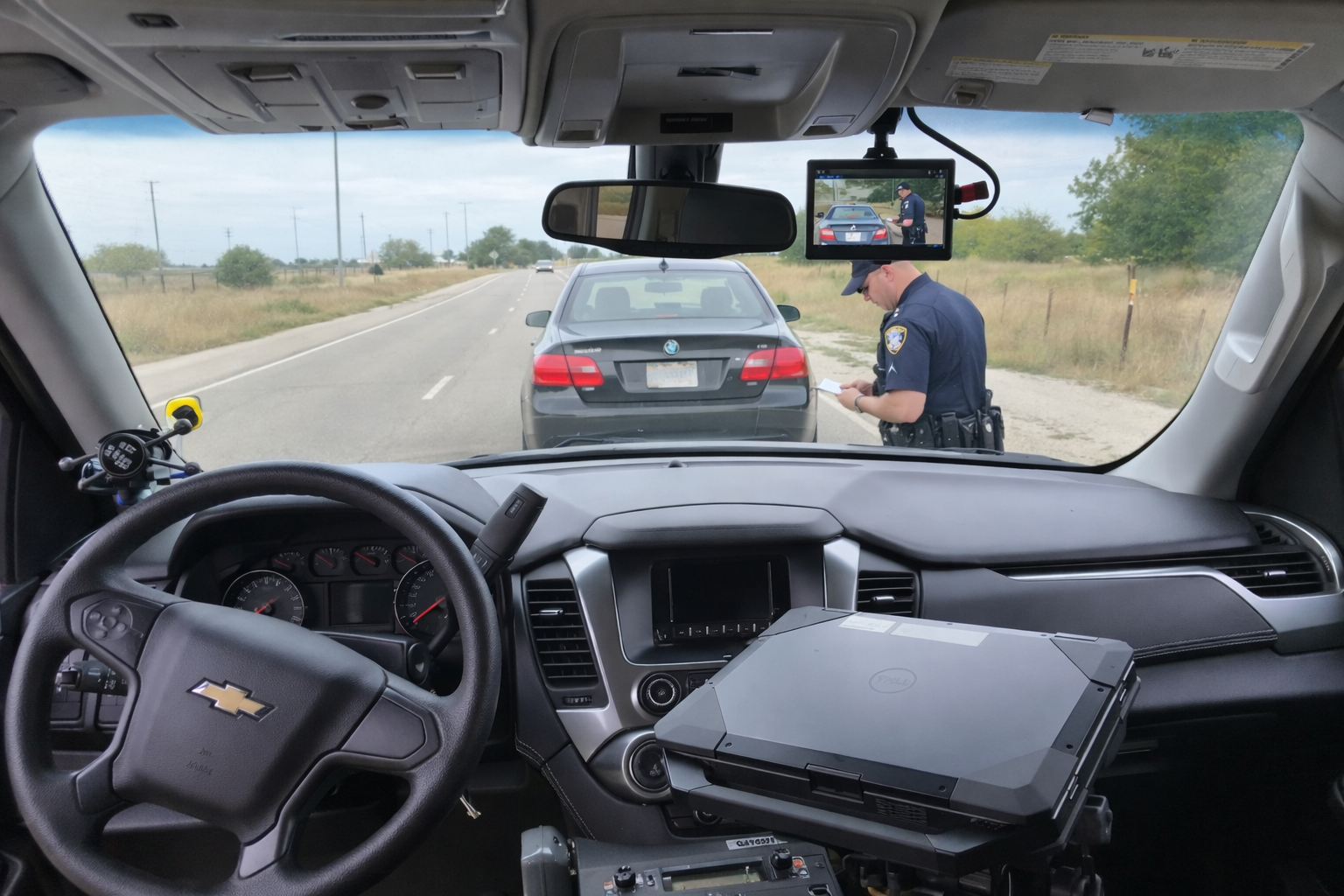
Start with the vehicle’s recording assignment
List the views required for this specific vehicle. A roadway view, a transport-compartment view and a removable field camera have different mounting and operating needs. Mark the positions that matter in a staged recording exercise, and note which cameras must remain available at the same time. Do this with the normal partition, laptop mount, mirrors and other equipment in place. An installation planned around an empty vehicle may give a misleading impression of the usable view.
For a dedicated vehicle configuration, review the DC7 police car camera system and its listed front and rear coverage. For a camera that also leaves the vehicle, review the MDP6 portable police dash cam package. The installation plan should reflect that distinction. A removable camera needs an approved return-to-mount routine, while a fixed installation needs a documented approach to maintaining its intended views.
Make a mounting plan before hardware is fitted
Ask the installer to identify each proposed mounting point and the reason for choosing it. Discuss the driver’s view, access to normal controls, occupant space, vehicle safety systems and future service access. The completed arrangement should be evaluated with an operator in a normal seated position. Do not assume that a mount used successfully in a different vehicle model is suitable for this one. Vehicle equipment, trim, partitions and work positions can change the available space.
Request a temporary view demonstration before a camera position becomes the accepted permanent location. Inspect the actual saved framing as well as the monitor. Look for visible obstructions and for equipment that might move into the view during routine use. Have the installer explain how the mount will resist movement and how staff can report a changed angle. Avoid selecting a position solely because it makes the display look tidy.
Plan power, wiring and recording inputs together
Give the installer the exact equipment model and selected options. Ask for a documented power and connection plan based on the system and vehicle instructions. The department should understand when the recorder starts, what happens during a normal vehicle restart and how any approved shutdown behavior works. There is no universal wire color, fuse position or voltage setting that should be copied from a general article into an unfamiliar vehicle.
Include recording trigger inputs in the same plan. An activation cable must be connected and configured for the intended vehicle signal; possessing the cable is not proof that the function works. Request a demonstration of each installed input. Identify which cameras and audio sources should be saved when it activates, and verify that expectation in the exported event. Keep this trigger record with the vehicle’s installation documentation.
Put controls where operators can understand them
The officer should be able to identify the recording control, the recording indication and the microphone check without guessing from a collection of unrelated lights. Ask a person who did not install the system to follow the proposed operating instructions. Watch where they hesitate. That observation can reveal unclear labels, awkward placement or a missing training step before those problems become normal practice in a shared vehicle.
Check service access separately from operator access. A recorder, connector or storage device may need inspection or replacement later. Ask which tasks require an installer and which are authorized for trained department staff. Document the route for reporting a fault rather than encouraging operators to improvise around wiring or mounting problems. A clear division of responsibilities helps preserve both equipment reliability and the agency’s recording procedures.
Use a staged installation acceptance worksheet
- Identity: Record the vehicle, recorder, cameras, microphone and selected options.
- Views: Save a staged event containing each required camera angle and inspect the exported result.
- Audio: Capture a short identifiable phrase with the assigned officer microphone and listen on the review computer.
- Activation: Test manual controls and every confirmed automatic input separately.
- Restart: Demonstrate normal startup and restart behavior with non-evidence test material.
- Transfer: Follow the selected export route until the event is available to an authorized reviewer.
- Fault handling: Identify the indication and response for a problem without creating a fault in an active evidence recording.
Give every item an expected result and an observed result. An unresolved question should remain visible on the worksheet. If a requirement cannot be demonstrated, record who will resolve it and whether the vehicle is acceptable for its intended assignment under agency procedure. Keeping the original test clips makes later comparisons more useful than a simple checkmark alone.
Technical detail: viewing, recording and timing are separate
A monitor can display a camera without establishing that the same view is included in the saved event. Likewise, an audio connection does not establish that the expected track is present during recording. Ask the reviewer to open each required view and listen to its associated sound. Treat the recording as the acceptance result. This distinction is especially useful when several cameras, display modes or optional inputs are involved.
Check the displayed time against the reference chosen by the agency, and record any observed difference during testing. Keep the time zone and date format in the installation record. A later reviewer may otherwise confuse a clock difference with a delayed start. For detailed activation questions, continue to the recording triggers and pre-event guide; for daily readiness, use the police camera pre-shift checklist.
Document changes after the first installation
Retest affected functions when a camera is repositioned, a partition is replaced, a microphone is substituted or the system moves to another vehicle. Keep an installation revision record with the date, change, responsible person and result. A known working test clip provides a useful reference for the next inspection. The objective is to preserve the intended recording function as the vehicle changes through its service life.
Manufacturer installation planning guidance illustrates the value of checking the vehicle, confirming camera views and testing the completed system. Those general principles inform this checklist; that manufacturer’s electrical specifications and connection instructions are not Martel installation specifications. Always use the instructions for the actual equipment being installed.
Common questions about police car camera installation
Can a department move a system into a replacement vehicle?
Ask Martel and the qualified installer to confirm compatibility, mounting requirements and connection changes for the replacement vehicle. Record which components can be reused and which need replacement. Repeat the affected coverage, activation and export checks. A successful installation in the previous vehicle does not establish acceptance of the new arrangement.
Should the camera be aimed using only the live monitor?
Use the monitor to help position the camera, then inspect a saved test event. Check the required scene in normal operating conditions. The exported result shows whether the accepted view is actually recorded and available to reviewers.
What should be supplied with the completed installation?
Request equipment identifiers, selected settings, connection and mounting documentation appropriate for the agency, operating instructions and acceptance results. Include the original non-evidence test clips and the route for reporting faults. Keep these records available to the staff responsible for maintenance.
Does a lightbar cable guarantee automatic recording?
No. The selected equipment, installation and configuration must support the intended input. Demonstrate the completed function safely and inspect the saved event. The DC7 versus MDP6 comparison helps buyers identify package and option questions before installation.
Where can we compare the current Martel packages?
Use the Police body and in-car camera category for current equipment choices, then request confirmation of the installation scope for the vehicles involved. Keep purchasing questions, physical installation requirements and evidence-handling responsibilities together in the department’s plan.
Example: compare two proposed mounting positions
Suppose the installer proposes two positions for the front camera. Use the same stationary vehicle, staged scene, recording mode and review workstation for both tests. Record what changes in each saved view: an obstruction disappears, a required area moves outside the frame or a reflection becomes more noticeable. Keep the result tied to the position and conditions rather than giving one location an unexplained preference score.
Next, have the operator sit in the normal work position and assess the approved controls and view of the road. Have fleet staff assess service access and mounting requirements. The accepted location must satisfy those different requirements together. If no position meets an essential recording and vehicle requirement, record the issue for resolution rather than accepting an arrangement because it was the first one demonstrated. Repeat the affected checks after the final installation and retain the non-evidence reference recording. The worksheet then explains both the chosen location and the practical reasons behind the decision.