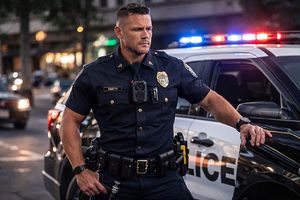
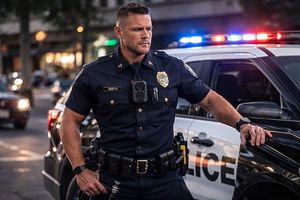
Crime Cam Night Recording: How to Evaluate Infrared Video Before Deployment
Evaluate Crime Cam infrared recording around the details your department needs to see. Use original staged test plans, playback checks, battery and storage questions, package prices and twenty buyer FAQs.
Night recording should be evaluated around the details your department needs to see. A clip can look bright on a small screen while still failing to show a moving hand clearly, separate a person from a dark background, or preserve a readable view when a flashlight enters the scene. A useful body-camera trial therefore asks more than whether a picture appears after sunset. It checks the complete recording, the conditions that produced it, and the way another person will review the saved file.
The Martel Crime Cam lists infrared recording, automatic and manual infrared operation, a light sensor, and a built-in white light. This guide explains how to turn those published features into a controlled evaluation. It does not claim that Martel has performed the sample trials described below, and it does not present product photographs as night-recording samples. The exercises are original planning examples that a department can adapt to its equipment, operating instructions, and approved procedures.
Begin with a useful night-recording question
Write the viewing task before writing a technical requirement. The task might be following a person's movement across a parking area, observing a staged hand movement at conversational distance, or understanding the sequence of a doorway interaction. Each requires a different kind of detail. A camera that shows the presence of a person at one distance may not show the smaller detail needed for another task at that same distance.
Separate scene coverage from identification. A wide view can help explain where people stood, while a closer view may be needed to distinguish a small object. Neither goal should be represented as guaranteed simply because a product lists a resolution or approximate illumination range. Define what the reviewer must be able to describe from the saved recording and choose a trial that actually includes that detail.
NIST's public-safety video guidance emphasizes matching a viewing task to the scene and evaluating the path from capture to viewing. That is a useful foundation for a department's trial. The practical exercises in this article apply that principle to body-worn nighttime recording; they are not a certification method or a substitute for your agency's acceptance requirements.
What Crime Cam's published infrared features mean for planning
At the time of review, Martel lists an approximate infrared night-vision range of 33 feet, automatic or manually activated infrared operation, a built-in light sensor, and a white illumination light. The description also lists a 140-degree lens, a two-inch playback screen, selectable HD recording modes, and MP4 files. Verify the delivered revision and its instructions before preparing a final acceptance form.
Treat the approximate range as a planning reference. It is not a promise that every face, object, label, or hand movement will be identifiable across that distance. Clothing, background, movement, angle, illumination, and the detail being reviewed can change what is useful. Record the distance and task separately so an evaluation does not turn a general illumination statement into an unsupported identification claim.
Keep feature verification distinct from performance observations. One part of the report can confirm that the delivered camera has the specified menu choices. Another can describe what a reviewer actually observed in a controlled recording. This distinction gives purchasing staff a clearer record than a single box labeled night vision passed.
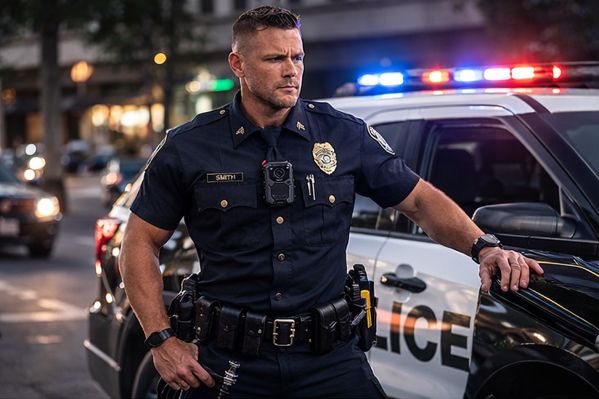
Martel Crime Cam police body camera, SKU 3301. Martel product photograph; not a frame from an evaluation trial.
Infrared recording is different from ordinary color recording
An infrared recording mode uses a different part of the light reaching the camera from the visible scene people ordinarily see. Consequently, apparent brightness and material appearance may differ from a daytime recording. Do not assume that a bright garment in an infrared image preserves the garment's visible-light color or that two similarly bright materials were the same color at the scene.
Evaluate a recording for the task it can support. The shape and movement of an object may be visible even when a color description is not. If color is important to a particular use case, include that requirement explicitly and evaluate the relevant visible-light conditions separately. Avoid turning an infrared image into a more specific statement than the recording itself supports.
Use a comparison scene with harmless, clearly documented objects and clothing. Record what the objects actually are before the trial so the reviewer can compare the footage against known ground truth. Keep the answer sheet separate from the first viewing if you want to see whether the recording supports the description without coaching. Label the exercise as staged.
Prepare a controlled and repeatable evaluation area
Choose a location where the department can stage the exercise without interfering with traffic, operations, or members of the public. Use consenting participants and harmless props. Assign an organizer to record conditions and a second person to perform the planned movements. Any operational or installation decisions remain governed by your agency's procedures and the equipment instructions.
Select several repeatable positions. Mark a close conversational position, a moderate separation, and a farther position appropriate to the task. Measure or otherwise document those positions consistently. The point is not to turn an informal exercise into a laboratory; it is to keep the second recording comparable with the first instead of moving people and changing settings without a record.
Note the available lighting. A parking light, building light, vehicle light, or reflected illumination can materially change a scene. Record which light sources were present and whether they remained constant. If you call a test dark, explain what that meant in the actual location. A useful report describes conditions rather than relying on dramatic labels.
Record the camera configuration before each series
Document the camera identifier, date and time settings, recording mode, quality setting, and infrared selection used for the trial. Include relevant firmware or revision information available through the approved equipment process. Do not assume every camera in a shipment has the same configuration merely because its exterior looks identical.
Change one deliberate variable at a time when comparing results. For example, compare automatic and manual infrared behavior using the same location and movement, then compare a second distance. If several settings, the mounting position, and the illumination all change together, the report cannot reliably explain which change affected the result.
Keep an untouched reference configuration available. If someone experiments with a menu option during the exercise, document it and return to the baseline before continuing the comparison. A repeatable configuration is useful for training as well as purchasing. It helps another operator reproduce the exercise and makes a later support question more specific.
Check automatic infrared transitions without assuming a response time
Stage a gradual move between a brighter area and a dimmer area while the camera is recording. Include a normal pause and a simple movement that the reviewer can follow. Observe whether the delivered camera changes its infrared state under those conditions and whether the saved recording remains useful during the change.
Do not invent a required switching time from a product feature label. If a transition time matters to the department, define that requirement and record the result under the stated conditions. Check the instructions for how the automatic mode is enabled and what indicators are available. A camera set to manual operation should not be described as failing an automatic test it was never configured to perform.
Repeat the transition in the opposite direction. A doorway, vehicle interior, or building entrance may produce a rapid change in light. The test should include the direction relevant to the intended work. Describe any moment in which a reviewer loses useful detail, rather than reducing the observation to an overall impression that the picture looked acceptable.
Compare a stationary scene with ordinary movement
A stationary object is a helpful reference, but a body-worn camera is often used while people move. Record the same staged scene with the wearer still, then with the wearer walking at an ordinary controlled pace. Include a participant making a slow, harmless hand movement. Use the same task and approximate positions for both recordings.
During review, separate changes in framing from changes in detail. A small object may leave the field of view because the wearer turned, or remain in the frame but lose useful detail during motion. Those are different limitations. A clear evaluation identifies which occurred and whether a different mounting angle, operating routine, or scene arrangement changes the result.
Do not instruct participants to create an unsafe or unrealistic confrontation for a camera test. Ordinary staged movements are enough to expose many practical differences between a still demonstration and a wearable recording. If your agency has a formal scenario-testing process, integrate the camera tasks into that process with the appropriate supervision.
Evaluate bright objects and dark backgrounds together
Night scenes frequently contain both very bright and very dark areas. A nearby reflective surface can dominate part of the image while a person farther away remains difficult to distinguish. NIST identifies variable lighting as an important public-safety video consideration. Your trial should therefore include a realistic contrast problem rather than only a uniformly lit subject.
Use an ordinary staged arrangement with a brighter area and a darker background. Keep the items harmless and documented. Observe whether the recording shows the intended movement and whether a reviewer can distinguish the relevant subject from the background. Repeat the scene after a controlled change in position if that change represents something operators could realistically encounter.
Do not treat digital enhancement or a brighter playback display as proof that missing detail was captured. Review settings can affect visibility, but they cannot justify an unsupported description of an object. Keep your observations tied to what the original recording actually permits the reviewer to see.
Include windows, reflective surfaces, and nearby equipment
A body camera may record near a vehicle window, a doorway, a glossy sign, or reflective material on clothing. Include relevant surfaces in a controlled trial and watch for reflections or nearby bright areas that interfere with the intended subject. Do not assume that a recording made in an open area predicts the result through a window or beside reflective equipment.
Test from the mounting position the wearer will actually use. The relationship between the lens, the nearby surface, and the subject matters. A handheld demonstration performed away from the uniform may omit the very reflection or obstruction that appears when the camera is worn in service.
Record the problem and its location in the frame. If a reflection covers the subject for part of the exercise, identify that portion of the file and the viewing task it affects. Avoid an absolute conclusion about all glass, all reflective clothing, or every night scene based on a single arrangement. The purpose is to learn how the intended setup behaves in the relevant conditions.
Check the mounting angle with normal duty equipment
Use the approved mount and the clothing arrangement intended for deployment. A coat, vest, radio position, or other equipment may change what the lens sees. Confirm that the mounting method is appropriate for the delivered camera and the agency's equipment rules. A camera that records a clear scene on a desk still needs an evaluation when worn.
Include standing, sitting, and a controlled entry or exit from the intended seating arrangement when appropriate. Observe whether the camera shifts, points too high or low, or becomes partly covered. Check the saved footage after the movement. The camera's physical position at the end does not necessarily show what happened throughout the recording.
If operators use different clothing or protective equipment, document the combinations that were checked. One trial on one person is not evidence that every wearer has the same view. The practical objective is a training routine that helps each operator recognize a blocked or poorly aimed camera before relying on it for important recording.
Check audio as part of the nighttime recording
Useful night footage may still leave a reviewer unable to understand the accompanying conversation. Include normal speech in the controlled exercise. Have the wearer and a second participant speak from the intended positions, then review the saved file using a suitable listening setup. State whether sound recording was enabled in the configuration.
Consider the environment as well as the camera. Wind, clothing movement, nearby equipment, and overlapping speech can change the listening result. Compare an ordinary sentence spoken while still with the same sentence during a controlled movement. Identify whether the issue is an obstruction, environmental noise, changing distance, or another condition you can document.
Do not infer speech intelligibility from a visible waveform, a sound icon, or the fact that the video plays. Listen to the actual sample. If an important phrase cannot be understood, record that limitation without guessing what was said. The body-camera acceptance testing guide provides a broader framework for checking video, audio, mounting, and saved-file handling together.
Review on the camera, then review the saved computer file
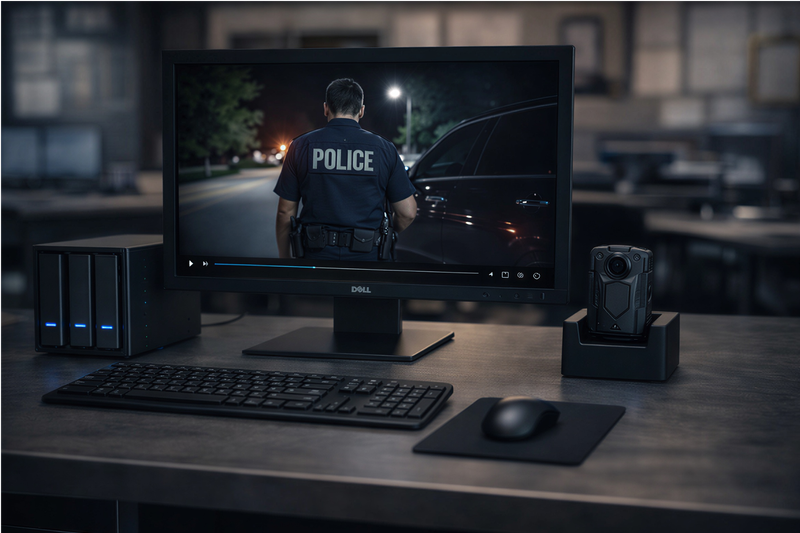
The Crime Cam's listed two-inch screen offers an on-device review option, but a small display is not the only viewing condition that matters. Check a short sample on the camera if the instructions and your procedures permit it. Then transfer the test recording through the intended workflow and review the saved computer file.
Use the department's actual review computer and supported playback software. The product lists H.264 and H.265/HEVC choices; verify that the chosen recording configuration can be played correctly on the intended workstation. A file extension alone does not establish that every computer has the same decoding capability or will present the recording identically.
Check the beginning, a representative middle section, and the end of the file. Confirm the intended event is present and that the video and audio can be reviewed. If a transfer produces a problem, keep the camera source according to the approved workflow while investigating. Do not erase the only usable copy merely because a receiving folder contains a file with a plausible name.
Keep a clear evaluation log
Give each exercise a simple identifier. The log can include the camera identifier, configuration, participant positions, illumination, movement, mount, and the corresponding file name. Record the viewing task and a short observation. A reviewer should be able to connect a conclusion to the specific recording that supports it.
Use results such as task supported, task not supported, or additional trial needed, with an explanation. For example, a staged movement may be visible while a smaller detail remains unclear. That is more informative than a generic pass. Avoid recording a guessed object identity as if the camera had established it.
Keep test materials separate from actual incident recordings. Use approved storage and access arrangements, and make sure staged footage is recognizable as staged in the department's records. The evaluation log is a working record of an equipment exercise; it should not create confusion about whether a real operational event occurred.
Use an original scenario matrix for the night trial
The following matrix is a suggested planning tool, not a set of measured Crime Cam results. Select the rows relevant to your work, define the intended viewing task, and record observations from your delivered equipment. A smaller set of well-documented trials is more useful than many clips whose settings and conditions cannot be reconstructed.
Staged condition
Variable to document
Question for the reviewer
Person stationary in a dim area
Position, mount, selected mode
Is the relevant posture or movement visible?
Person walking through the same area
Movement and direction
Does the intended detail remain useful during motion?
Transition through a brighter doorway
Light sources and infrared setting
What happens to useful detail during the transition?
Nearby reflective item and a darker subject
Relative positions
Does the bright area interfere with the viewing task?
Normal conversation during movement
Sound setting and environment
Can the intended words be understood in the saved file?
Transfer to the department workstation
Codec, receiving path, playback software
Can another authorized reviewer locate and play the complete sample?
Repeat any ambiguous result under the same baseline conditions before drawing a conclusion. Document both successful and unsuccessful observations. A test report that only preserves the most attractive clip gives purchasing staff an incomplete view of the configuration's practical limits.
Plan battery and storage around the actual night configuration
Infrared use, screen use, recording settings, temperature, and battery condition can affect the time a camera remains usable. Martel publishes estimated runtime under stated recording modes, but those estimates should not be converted into a promise about a specific nighttime duty period. Test the intended configuration and include the department's reserve requirement.
Record the beginning charge state using the available indicators and approved charging routine. During a controlled trial, note any low-battery indication and the operating conditions. The purpose is to understand the configuration, not to encourage a camera to run out during an important assignment. Establish the agency's charging, spare-equipment, and exception procedures separately.
Measure storage using actual saved files from the chosen settings. A short test can help establish a file-size planning input, but recording time varies with the amount of footage created and the retention requirements. Continue with body-camera video storage planning for a more complete storage worksheet, including reserve capacity and backup responsibilities.
Compare an individual Crime Cam with department packages
The individual camera price and the cost of a complete department workflow answer different purchasing questions. A department adding a camera to an existing approved setup may need a different purchase from an agency establishing docking, a receiving workstation, and local storage. Review the complete contents of each offer before comparing the totals.
These prices were checked directly on the Martel product pages on November 5, 2026. They are listed equipment prices and may change. Confirm the current configuration, tax, shipping, availability, and any approved purchasing terms through the linked page and written quote.
Martel six-officer Crime Cam package, SKU 3001. Martel product photograph; not a frame from an evaluation trial.
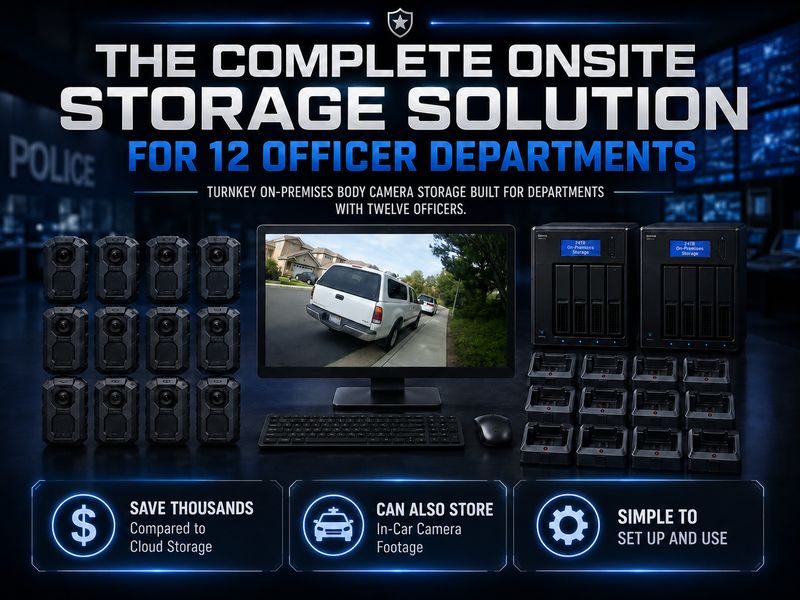
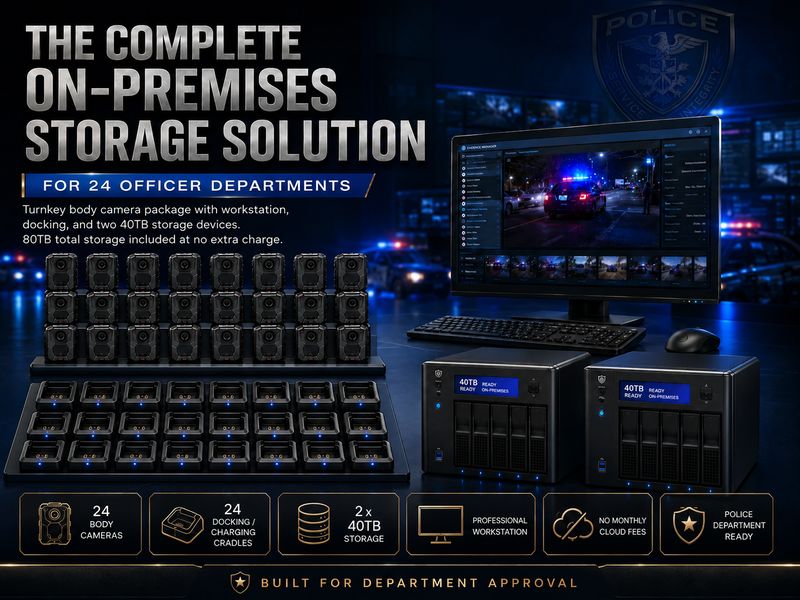
The current package pages describe cameras, docking, a workstation, and local storage arrangements. Listed disk capacity is not automatically usable archive capacity after configuration and protection requirements. Ask for the final configuration in writing. Body cameras without monthly cloud fees explains why department-controlled storage still needs an operating and backup plan.
Martel twelve-officer Crime Cam package, SKU 3002. Martel product photograph; not a frame from an evaluation trial.
Prepare purchasing questions from the test results
Send Martel the intended viewing tasks and the configuration you want quoted. If a night trial revealed an unclear transition, a playback issue, or a mounting question, describe that specific result. Include a test-file identifier and equipment configuration through the approved support process rather than sending unrestricted operational recordings.
Ask which camera revision, accessories, software arrangement, and support terms are included. Confirm how the proposed configuration handles receiving, review, and file organization. If budget-year purchasing matters, request the current eligible written-quote option rather than treating a payment schedule shown for one quantity as a rule for every package or buyer.
Keep the full equipment price visible in the approval record. A budget-year arrangement changes how an approved purchase is scheduled; it does not remove the total cost or the department's storage and staffing responsibilities. The police body-camera cost guide can help organize the wider cost categories alongside the results of your nighttime evaluation.
Martel twenty-four-officer Crime Cam package, SKU 3003. Martel product photograph; not a frame from an evaluation trial.
Train operators to recognize an unhelpful recording
Training should include more than locating the infrared control. Show operators approved examples of a clear view, an obstruction, a shifted mount, and a transition that loses useful detail. Use staged recordings and explain the conditions behind them. Avoid presenting a polished demonstration as a guarantee of what every operational event will show.
Have each operator repeat a simple approved exercise with the equipment they will wear. Ask them to check the camera's state through the permitted indicators, then review the saved result. The exercise can reveal a mounting or handling habit that would not be obvious from a product specification sheet.
Maintain a way to report exceptions. An operator who encounters a damaged mount, uncertain recording state, or review problem needs a clear path for getting equipment checked. Document the observed issue and follow department procedures. This helps the agency improve its configuration without encouraging improvised changes to important recording settings during field activity.
Worked planning example: a parking-area conversation
Imagine a department evaluating a staged conversation in a parking area. The organizer identifies the task as following a participant's ordinary movement and understanding a short exchange. The plan specifies the camera mount, recording setting, starting position, and available building lights. The participants use the same harmless routine for each comparison. This is an example of a test plan, not a statement that Crime Cam achieved a particular result at a particular distance.
Begin with a stationary conversation at the close position. Then repeat the conversation after one participant moves to the next marked position. Finally, add a controlled walking movement while preserving the other conditions. The reviewer can now compare three recordings whose differences are known. If the farther recording is less useful, the report can describe the exact viewing or listening task affected instead of making a broad claim that night recording works or does not work.
Include a separate contrast comparison if the location commonly has bright vehicle or building lights. Document which lights were operating and where they appeared in the frame. Keep that trial separate from the basic distance comparison. A result affected by a strong nearby light should not be attributed solely to distance when the illumination also changed.
Preserve the complete evaluation set, including the reference scene and the less successful attempts, through the agency's approved process. A purchasing reviewer can then understand the tradeoffs. If further assistance is needed, the department has a specific configuration and observation to discuss with Martel rather than a collection of clips with uncertain settings.
Worked planning example: a doorway and dim corridor
A doorway exercise can examine changing illumination without staging an operational confrontation. The organizer identifies a bright starting area and a dimmer destination. A participant makes an ordinary movement that the reviewer must be able to follow. The wearer records the approved route using the baseline configuration, and the organizer notes the camera's selected infrared mode.
Review the transition rather than only the brightest and darkest parts of the clip. Does the important movement remain visible while the wearer passes through the doorway? Does clothing or nearby equipment cover the camera during the turn? Can the reviewer understand the associated speech? A useful evaluation can distinguish an illumination issue from a framing or mounting issue.
If a second trial uses a different infrared setting, return to the original positions and repeat the same movement. Keep the observations qualified to the tested conditions. Do not announce a universal switching-time result from a trial whose lighting was not measured and controlled to that purpose. The department can still learn a great deal from a modest, accurately documented exercise.
Prepare a receiving-workstation review packet
The operator who made the recording and the person who reviews it may be different people. Prepare a packet that lets the receiving reviewer find the correct samples without relying on the wearer's memory. Include the exercise identifiers, file references, camera configuration, relevant lighting notes, and the question assigned to each sample. Do not include an object description as an established video finding before the reviewer has evaluated it.
Have the reviewer describe what is visible and audible before comparing the result with the staged answer sheet. If the recording supports a general description but not a smaller detail, preserve that distinction in the report. This guards against accidentally crediting the camera with information supplied by the organizer rather than information present in the file.
Finish with an exception list. Note any file that could not be opened, any portion that appeared incomplete, and any task requiring another trial. Identify who will resolve each exception before purchasing or deployment approval. A complete handoff demonstrates more of the intended night-recording workflow than an attractive demonstration played only on the camera's own screen.
Questions and answers about Crime Cam night recording
1. Does Crime Cam have infrared night recording?
Martel's current Crime Cam page lists infrared night vision with automatic or manual operation. Confirm the delivered unit's revision, available settings, and operating instructions before preparing a deployment routine. A listed infrared function establishes a capability to evaluate; it does not establish that every nighttime scene will meet your department's viewing requirements.
2. Does the approximate 33-foot range guarantee identification at that distance?
No. The listed approximate range should not be treated as a guarantee that a face, small object, label, or hand detail can be identified at that distance in every scene. Define the viewing task and test it under documented conditions. Distance, movement, angle, illumination, subject size, and background all matter to the result a reviewer can support.
3. Is infrared body-camera video the same as thermal imaging?
The Crime Cam product description identifies an infrared recording function and a CMOS camera system. It does not describe the camera as a thermal imager that displays temperature differences. Buy and evaluate the product according to its published features. If an agency needs a different imaging technology for a specific task, that requirement should be addressed separately.
4. Can I rely on the visible color of an object in an infrared recording?
Do not assume that an object's brightness or appearance in infrared mode preserves its ordinary visible-light color. Describe only what the recording supports. If color is important to your task, include an appropriate visible-light evaluation and document the original scene. A brighter infrared image does not automatically provide a reliable color identification.
5. Should the test include walking and turning?
Yes, when those ordinary movements reflect the intended use. A stationary demonstration does not show every limitation of a worn camera. Use controlled, safe movements and compare them with a stationary baseline. During review, distinguish a subject leaving the frame from detail becoming less useful while the subject remains visible. Document the mounting arrangement and configuration used.
6. Can a wide-angle lens make up for a blocked camera?
A wider view cannot capture through an obstruction covering the lens. Check the actual mounting position with the clothing and equipment the operator will wear. Review staged standing, sitting, and movement samples where appropriate. If a camera shifts or becomes covered, document the condition and evaluate the approved mounting arrangement before relying on it for important recording.
7. Should I test both automatic and manual infrared modes?
If both are relevant to the proposed deployment, compare them through the delivered camera's documented controls. Keep the location, movement, and viewing task consistent when making the comparison. Record which setting was used. Do not describe a camera as failing to switch automatically when the test configuration placed it in manual operation.
8. Does a bright picture on the camera screen prove the file is useful?
No. Brightness and a useful viewing result are different questions. Review the intended detail in the saved computer file as well as checking the camera's playback screen where permitted. Confirm the beginning and end of the recording and listen to its audio. Use the workstation and playback software intended for the department's actual review process.
9. Will maximum resolution always be the best night setting?
A higher listed resolution does not by itself establish the best configuration for every task. Compare useful detail, motion, storage demand, playback compatibility, and battery planning under the intended conditions. Use the delivered camera's supported settings and document the result. Select a configuration that meets the agency's viewing and workflow requirements rather than choosing solely from one specification.
10. Should I check bright lights and reflective surfaces?
Yes, when they are relevant to the expected scenes. Use a controlled arrangement to observe whether nearby brightness or reflections interfere with the subject you need to see. Keep the positions and lighting documented so another person can understand the result. Avoid a broad conclusion about all night recording based on one unusually bright or unusually dark demonstration.
11. Can I infer battery life from a short nighttime sample?
A short sample can confirm some recording behavior, but it cannot establish a complete duty-period runtime. Test the intended configuration with the appropriate charging routine and a defined reserve requirement. Infrared operation, display use, temperature, recording settings, battery age, and condition can affect results. Keep the manufacturer's estimates distinct from the department's own observations.
12. Does an MP4 extension mean every workstation will play the file?
The extension alone does not establish identical playback support. Check the chosen codec and recording configuration on the department's intended workstation and approved software. If a camera sample plays locally but the transferred file does not, preserve the source through the approved process while investigating the transfer and playback path. Do not assume the recording itself is missing from one playback failure.
13. Does downloading a night recording automatically create a backup?
A transfer places a file at a destination; a backup requires a separately planned protection arrangement. Verify that the receiving process completed and that an authorized reviewer can locate and open the file. Define who checks the protected copy and how exceptions are handled. The recording-to-review workflow guide covers these handoffs in more detail.
14. Should night video and audio be evaluated together?
Yes, if both are required for the intended recording. A clear-looking scene can still have speech that is difficult to understand. Include ordinary conversation and relevant environmental conditions in the staged trial. Listen to the saved recording through a suitable review setup. Document unclear portions honestly instead of using the known script to guess words that the file does not make understandable.
15. Can an individual Crime Cam be evaluated before a larger purchase?
Ask Martel about the current evaluation and purchasing options for the proposed configuration. The individual camera and complete department packages serve different equipment needs. A useful trial should represent the camera settings, mounts, receiving workflow, and review process intended for rollout. Do not assume that a camera-only demonstration establishes every part of a larger department installation.
16. What should a department compare in the 6-, 12-, and 24-officer packages?
Compare the current camera quantities, docking arrangement, workstation, software, local storage configuration, support, and full equipment price. Match these to assignments, shift returns, recorded hours, and retention needs. The prices in this article were checked on the linked product pages, but the final purchase should use an up-to-date written configuration and quote rather than an old article alone.
17. Are the photographs in this article actual infrared test frames?
No. They are Martel product and package photographs from the website. They identify the equipment being discussed. The trial scenarios are original suggested exercises, and no measured night-video performance is represented by those photographs. Any real evaluation sample should carry its own camera configuration, lighting conditions, and test record so viewers understand what it demonstrates.
18. Where can I review the full body-camera buying process?
Use the police body-camera buyer's guide for the broader decision, then compare the Crime Cam and linked department packages. For questions about the proposed configuration, use Contact Martel or written quotes. Bring the department's viewing tasks and workflow requirements so the equipment discussion remains specific.
19. Should the built-in white light be included in an evaluation?
Include it when your intended operating procedure permits and needs that function. Martel lists a white illumination light separately from the infrared features. Follow the delivered instructions and department procedures, then document which lighting function was used. A sample made with additional visible illumination should not be presented as evidence of performance under a different lighting condition.
20. What should we do with a result that is difficult to interpret?
Record the uncertainty and repeat the relevant controlled trial. Check the configuration, mount, lighting, transfer, and playback arrangement before assigning a cause. Keep the original sample through the approved evaluation process. An inconclusive result can identify a useful support question or a missing requirement; it should not be turned into either a performance guarantee or a definite equipment failure without supporting evidence.
For a complementary vehicle and portable scene-documentation workflow, continue with using the MDP6-2 inside and outside the patrol car. Keep the specifications for each camera separate when comparing the two recording viewpoints.
Research and product references
Crime Cam features and all prices were checked against the linked Martel product pages. General evaluation principles were checked against NIST's public-safety video use-case guidance, lighting-level guidance, and Defining Video Quality Requirements. The scenarios, explanations, evaluation matrix, and questions above are original Martel editorial content. Product details can change; the delivered equipment and current written configuration govern the actual trial.