Court recording software saves sound from the inputs it receives. Depending on the system, it can also keep separate audio channels, a session log, and time markers. Court reporting software can save the reporter’s input, its translation into text, and the editable transcript. Some reporting systems also record audio and link it to places in the job. The distinction shows up when you reopen a job. Can you hear the witness, find the disputed answer, change a speaker label, or reproduce the copy you delivered? Each task calls for something different.
Imagine a witness who identifies two crates but signs for only one. The microphone can capture the sentence. A marker can take you near it. The working transcript can show which question the witness answered and where the answer ends. If you close your laptop with only a file called “Morning session,” what can you do tomorrow? This guide follows one answer from the microphone to the reading copy, with a practice job you can run on your own equipment.
Start with the task you need to do tomorrow
Ask a colleague to finish this sentence before discussing a purchase or a file handoff. “Tomorrow I need to open this job and…” A recording operator might finish with “hear the witness’s answer by itself.” A scopist might say “read the question above the answer and play both from the text.” A reporter preparing delivery may need to look up a spelling correction, insert the approved front matter, and produce the agreed page layout. Someone who asked only for a reading copy may want the page and line numbers cited in a letter. The word “save” covers all four requests rather badly.
| Tomorrow’s task | What to look for in the saved material | A quick demonstration |
|---|---|---|
| Hear a particular exchange | Playable audio containing the people who spoke | Close the session, reopen it, and listen to a question and its answer. |
| Jump to the start of cross-examination | A marker or log entry associated with the right recording and position | Select the entry and check the first voice you hear. |
| Review one side of overlapping speech | Separately captured inputs and a player that can select them | Listen first to the whole exchange, then to each available channel. |
| Correct a translated word or speaker label | An editable reporting job with the necessary text and input | Make a small correction in a practice copy and reopen it. |
| Click a line and hear the corresponding exchange | A saved relationship between text and audio plus access to the sound | Test a passage near the beginning and another after a break. |
| Read the version sent to the client | The exact delivery copy in its requested format | Open the delivered file by itself and find a cited page and line. |
The U.S. Courts’ description of the federal court reporting program distinguishes the methods used to capture proceedings from the preparation of written transcripts. One district’s public instructions describe separate arrangements for requesting a transcript of an electronically recorded proceeding and for receiving live text. Those are concrete examples of why it pays to name the deliverable. For a particular assignment, use the instructions of the court or commissioning office responsible for it. Federal Court Reporting Program · Southern District of New York court reporting and transcripts
Martel equipment in this guide
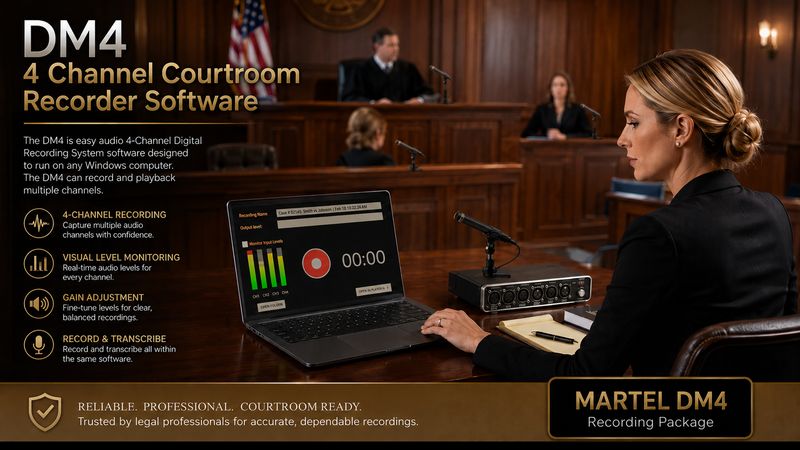
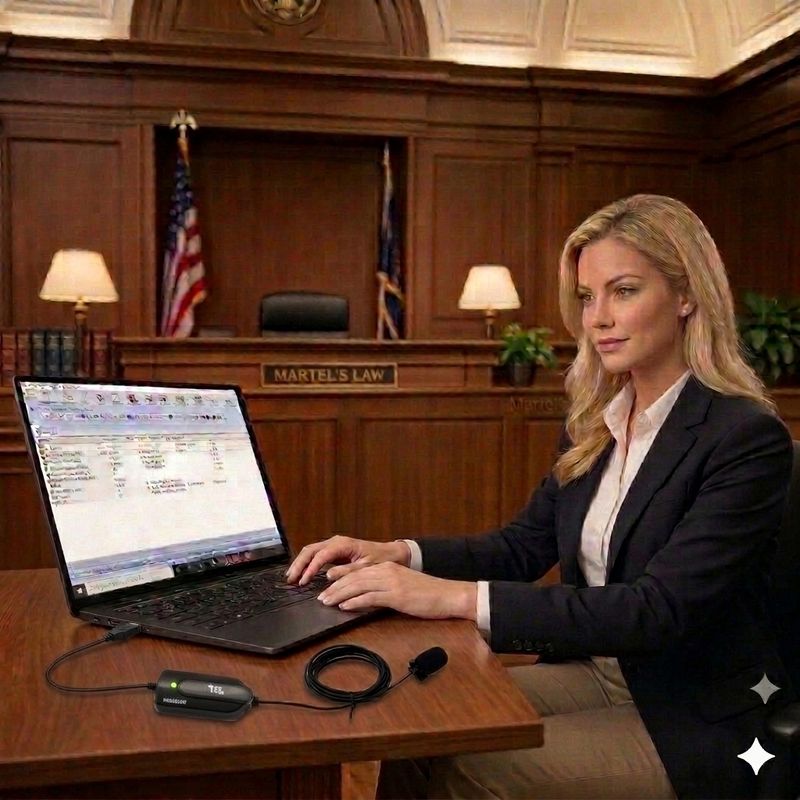
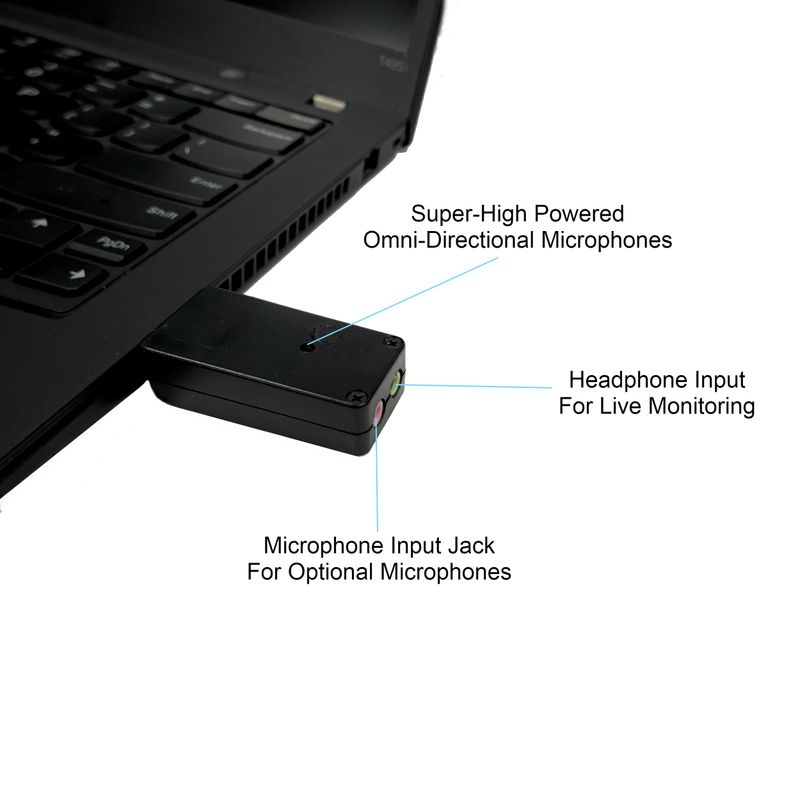
Follow one fictional witness answer through three saves
For this example, Elena Voss is a fictional receiving clerk. Every person, shipment, and recorded exchange below was invented for practice. Counsel asks, “Which crate had the blue seal, and which card did you initial?” Voss replies, “The first crate had the blue seal. I initialed the card for the second crate.” Both halves sound straightforward in print. In the room the witness looks down at the card as she says “second,” and a chair moves just before the word “card.” Those details give the reporter three separate jobs.
The audio preserves the exchange the selected input picked up
Suppose the recording begins at the start of the morning session. Playback reaches the question at about 12 minutes 14 seconds and the answer at about 12 minutes 17 seconds. The saved sound gives you a chance to hear the question, the movement of the chair, and the words of the reply in sequence. If the witness remained intelligible while looking down, you can hear the distinction between the two crates. If the chair covered a syllable at the microphone, bringing the file back tomorrow cannot establish what that syllable was.
Listen from the question first. The two clauses ask for different things, a crate with a particular seal and a card carrying initials. Playing only the last three words would tell you a crate number while discarding the question that gives it meaning. If the system captured separate inputs, listen to the combined exchange first so you understand its order. Then select the witness input, if useful. Call it the witness input only after you have checked which pickup it actually contains. A microphone on the witness table may also hear counsel.
The time marker preserves a route back to the sound
At elapsed time 00:12:17 in the morning segment, the operator creates a marker labeled “Voss — seal and initials.” That short entry is useful even if the chair movement made a word hard to hear. It names the topic without guessing at the disputed detail. The marker can send the next reviewer near the beginning of the answer if the system retains the link. It might live inside a recording session, in a separate log, or in an export that lists the segment and elapsed time. Find out which by opening the saved job.
An entry made after a long answer may land several seconds past its beginning. You can still make good use of it. Tell the reviewer that the entry falls at the end of the answer and leave enough lead-in to hear the question. A label such as “second crate signed” introduces a different problem. It could send a reader into the review expecting the crate itself to have been signed. The fictional witness said she initialed a card. Two ordinary nouns and a timestamp make a better route back than a hurried conclusion.
The editable job holds the words you can review and revise
In this practice job the first-pass text reads, “The first crate had the blue seal. I initialed the cart for the second crate.” That one-letter difference changes what the witness handled. The reporter returns to the question, checks the recorded answer against the reporting input available in the job, and resolves the practice error as “card.” The reporter also checks that both sentences belong to Voss’s answer. A correction to the editable text leaves the original spoken exchange on the recording. A reading copy generated before the correction still needs its own version check.
Now suppose a colleague asks, “Did Voss sign the second crate?” The small packet offers three ways to respond to the underlying review request. The audio lets the authorized reviewer hear the exchange. The marker saves searching through twelve minutes of testimony. The reviewed passage gives the reader the question and Voss’s exact description of initialing a card. Preserve the distinction in the written answer. Expanding “initialed” into “signed for” or moving the blue seal to the second crate would create facts the witness did not supply.
Know what is inside a recording session
A recording program receives one or more inputs and stores their signals over time. A small setup might save a single mixed track for the room. A larger setup may retain multiple inputs separately along with a mix for routine playback. The number of microphones on the table tells you little about what the computer ultimately saved. An interface can combine several pickups before the program sees them. Two playback channels can also carry the same mix. Only an actual recording with distinguishable input on each path will tell you which arrangement you have.
Give each pickup a separate cue during practice. From the witness position, say, “Receiving clerk, first crate.” From the questioner’s position, say, “Counsel, second crate.” Reopen the test and select each available channel. Listen for where each voice is strongest and whether you can mute one channel independently. Hearing some of both voices on each channel can be normal in a shared room. Write down the actual result, such as “left playback favors counsel and right favors witness,” rather than promising a seat can be isolated whenever people talk at once.
The recording session may also hold descriptive information. A session name can identify the morning, a log can list speakers or topics, and a marker can point to a time within one segment. A court in Florida describes a digital reporting workflow in which the person operating the system keeps a running log of speakers and important words. The same court explains that its recording format has particular playback requirements. That local example illustrates two purchasing questions worth asking about any system. Who records the log, and what does an authorized recipient need in order to open the recording? Southern District of Florida Bankruptcy Court digital audio recording FAQ
Try opening the session through its normal project command, and then open an exported audio copy on its own. Note whether the copy carries your marker labels, the separate channels, or just the sound you heard in the mix. Either outcome can suit the right request. A colleague needing to review a single passage may value the index. A recipient authorized only for audio may need a different export. Keep track of the source session you used to make each copy so a later request refers back to the right material.
Know what is inside an editable court reporting job
For a stenographic reporter, the input can include the steno stroke sequence written during testimony. Translation uses the software’s settings and dictionaries to turn that input into working text. A job may retain both strokes and the current translation. A dictionary entry can affect how an outline translates. A text correction can affect a particular occurrence. Before making a change across a job, check which operation you have selected. The example error “cart” can be corrected in one answer without deciding how every future instance of “cart” should read.
For a voice writer, identify the source of each stream before describing what the job contains. The reporter’s dictated input can drive a text draft. If the setup also captures proceeding audio, that second source can provide the voices in the room. A playback of the reporter repeating Voss’s answer and a playback of Voss giving the answer serve different review purposes. During practice, assign different spoken cues to the two inputs. Reopen the working job to determine which source a click on the answer actually plays and whether the other is available.
A reporter or transcriber working from a monitored recording may create the editable job later. In that workflow, look for the saved audio session, any log that travels with it, and the working document used to prepare the transcript. The person editing the document may have received only a particular export. If clicking the text does nothing, ask which files and features the receiving setup supports. A printed timestamp or a time typed into a margin can help locate a passage even when automatic line-to-audio playback is unavailable.
An editable job may also contain items that have no place in a reading copy. An unresolved spelling flag, a private query to the reporter, or a temporary speaker label can be useful in production. A delivery export can omit, include, or visibly render such items depending on the software and choices made. Search the actual output for a distinctive practice flag and look at the page where it appeared. Then reopen the source document separately and make sure the authorized production team still has what it needs to finish its review.
Understand the clocks before you trust a timestamp
One job can present several ways to express time. The wall clock reports time of day. Elapsed playback time measures from the beginning of a particular recording or segment. A printed timestamp in the working text may come from when someone wrote a passage, when a marker was added, or another setting. The most useful question about any displayed time is “What does zero mean here?” Ask a colleague to find Voss’s answer using only the note “12:17.” They might look just after noon or at twelve minutes into the first recording. Add the segment and the kind of time.
Here is a worked comparison using invented times. The morning segment begins at 9:02:00 a.m. If it runs continuously, its elapsed position 00:12:17 corresponds to 9:14:17 a.m. A separately authorized practice recorder starts eight seconds later, so the same answer falls at 00:12:09 on that device, assuming both run continuously at the same rate over this interval. Those positions describe one event. An afternoon file can also contain an elapsed position 00:12:17, with a different exchange entirely. Naming the device and segment makes the numbers usable to someone outside the room.
| Item in the fictional job | Entry the reviewer sees | What the reviewer can establish |
|---|---|---|
| Morning session log | Morning A, 00:12:17, Voss, seal and initials | Where to begin listening on the primary recording |
| Second recording | Morning B, 00:12:09 | Where the same answer begins on the device started later |
| Reviewed text | Witness says she initialed the card for the second crate | The wording the reporter retained after reviewing the exchange |
| Early reading copy | “Cart” still appears on the exported page | This copy predates the correction and needs a version check |
To check a suspected timing error, locate a recognizable phrase near the beginning and another near the end. If both are off by a similar interval, a start offset is one explanation worth testing. If they align before a recess and differ afterward, look for a segment change or a pause on one device. If the gap increases gradually, collect a third comparison before changing any settings. Record the observed pairs of times. That allows another person to reproduce the problem without accepting a guess about its cause.
Pick equipment for the particular piece you need to save
Start at the receiving device. In a laptop-centered setup the program needs an input it can select on that computer. The Martel HGM-USB Elite is a USB-powered court reporter microphone, and Martel documents live headphone monitoring for that setup. It is a practical option when the issue is getting table speech into the laptop and hearing the signal while setting up. Place the pickup where it can hear both the question and the reply. In the program that will actually save the job, select it, record a practice exchange, and play the saved result. Martel HGM-USB Elite court reporter USB microphone
If you want a headphone connection at the microphone, the Martel USB Miracle Mic product page identifies that feature. It can help a reporter check a pickup while deciding where it belongs on a crowded table. Work out exactly what the headphones monitor in your arrangement. A live feed lets you judge input such as a rubbing cable. The reopened file also tests the recording application’s input selection and whether the session was written successfully. A shopper who already hears clean audio in the file but cannot jump to a transcript line should investigate software linking before choosing a different microphone. Martel USB Miracle Mic for Court Reporters
For a writer or a separate recorder, begin with its model and input specification. A USB microphone intended for computer input and a microphone intended for a compatible recorder socket serve different arrangements. A headset socket of the same diameter as a plug can have another purpose. A useful question for a supplier includes the receiving device model, the input you plan to use, where you need to listen, and which program should save the sound. Those details also help separate a connection issue from a missing setting in the job. Martel court reporter equipment compatibility guide
In a demonstration, make the pass condition concrete. If the task is to distinguish “card” at a witness chair, bring a colleague and speak from that position at a conversational level. If the task is to move between text and playback after a recess, create two segments and reopen the second one. If you need to send a job to a scopist, have a second authorized operator open a fictional practice package at their workstation. Save your observations by task. A microphone purchase answers the first question only when the resulting sound is clear at the chosen seat.
Make an editable job usable on a second workstation
Consider a scopist who receives the working text, can move the cursor through Voss’s testimony, and hears nothing when selecting the answer. Before sending another copy, open the original job on the first workstation. Is the passage playable there? If it is, write down the recording name and the segment the program opens. Some systems store audio within the job package. Others rely on separate media present on the original workstation. An export intended for reading can also strip the link. Each situation calls for a different handoff.
Use your program’s supported job backup, archive, or transfer command when it provides one for this work. Read its component list and choose what the receiving person is authorized to have. In a practice transfer, include the editable text, the required media, and supported linkage or index information. On the receiving workstation open the transferred copy, navigate from Voss’s question to the sound, edit one deliberately misspelled practice name, then close and reopen it. The colleague has now shown that they can locate the passage, hear the intended media, and retain the edit.
A shared job may open successfully while silently using a resource on the first computer or in a shared folder. For an honest rehearsal, place a fictional test package on a second authorized workstation that has no access to the practice source directory. Avoid unplugging or renaming files attached to a working case. If the copied job depends on a shared resource by design, record the resource and access the recipient needs. That detail can explain why a transfer succeeds in the office and fails away from it.
When production work returns, establish which copy contains the accepted edits. One person may have corrected the word “card” while another updated Voss’s last name or the appearance page in an older file. A clean filename or a recent modification time cannot tell you which revisions a copy contains. Open each candidate and inspect the known changes. Use your approved revision workflow to reconcile them, then generate the delivery copy from the agreed working version. Keep a note of which file produced the delivered pages so you can answer a later page reference.
Read the exported page as its recipient will
Open the delivery copy independently of your editing workspace. Locate the question about the seal, then read both answer sentences on the page. Inspect a speaker change, a page boundary, and a correction made late in production. If the recipient asked for searchable text, search for a distinctive phrase and try selecting it. If a page-and-line reference matters, compare it against the final pagination. A search capability, page layout, and access to an editable job are different conveniences. Verifying each in the requested output takes very little time with three known passages.
An export can also reveal what a colleague should receive earlier in the process. A reader checking spelling may need searchable text and a defined way to report a location. A scopist working through an unresolved overlap may need the editable job plus authorized, linked media. The person assembling an exhibit index may need exhibit designations and page references from the final pagination. In each case identify the requested deliverable, who can receive it, and whether its instructions permit the components you are considering. Keeping extra media in a production folder does not by itself authorize sending it.
If the export includes a label such as “draft,” verify its appearance on the pages that require it under your assignment instructions. If the assignment calls for a particular certification process, follow that process. A file extension, a timestamp, or a filename containing “final” cannot supply the reporter’s review or establish that all required steps took place. Use a short internal delivery note with the released version, recipient or approved destination, and the component delivered. Follow the applicable office procedure for retention and access.
A practical exercise you can finish with a colleague
Use a new practice job, invented names, and a quiet period at the equipment you normally operate. Give one colleague the two sentences attributed to Voss. Give another person the question about the seal and the card, or read the question yourself. You will record a first exchange, pause for a pretend recess, and record a second exchange. The second question is “Where did you place the card?” The invented reply is “In the shallow drawer beside the ledger.” Prepare a blank note with spaces for the segment, elapsed time, and the file or job you eventually reopen.
- Establish the inputs. From each speaking position, read a different short cue. Start the practice recording and check each input your system is supposed to save. If you are also using a separately authorized practice recorder, start it a few seconds later and note which device started first. With a single recording path, you can complete the entire exercise by comparing the morning and afternoon segments.
- Write and mark the first exchange. Let the questioner and witness speak naturally. In the log, enter “Voss — seal and initials” and record the displayed time and segment. In a training copy of the working text, deliberately substitute “cart” for “card.” Keep the practice recording untouched. With the difference in place, create an early reading copy so you have a genuine older version to compare.
- Make the pretend recess visible. Follow the normal procedure in your practice setup for ending one segment and beginning another. Read the drawer question and answer. Make a separate marker labeled “Voss — location of card.” Write down whether the displayed elapsed counter starts over or continues. Both results can be usable when a colleague knows where to look.
- Close everything and review the answer. Reopen the job through its normal workflow and select the first marker. Back up enough to hear the entire question. Compare the recorded word, the practice input available to you, and the first-pass text. Correct “cart” to “card” in the working job. Save, close, and reopen it. Use the second marker to locate “shallow drawer” and check that you hear the later answer.
- Hand off only the practice deliverable. Give the colleague the output you intend to test. For an editable handoff, have them reopen it on a second authorized system and play both answers if audio is part of the package. For a reading copy, have them find the two answers and tell you what Voss initialed. Ask which spelling appears in the older export. Record the answers beside the filenames.
The expected sequence is simple enough to grade. The primary audio should contain “card” both before and after the text edit. The early reading copy should still contain the deliberately introduced “cart.” The corrected working job and its new reading copy should say “card.” The second marker should lead to the drawer exchange in its own segment. If one result differs, record exactly which action failed and which file was open. That single observation will narrow a support question far more effectively than “The software did not save my job.”
Questions working court reporters ask about saved audio and transcripts
1. What should I ask for when someone says they need “the recording”?
Ask what the recipient needs to do with it and confirm what the assignment allows them to receive. A request to hear one exchange, review a whole day with markers, or transcribe from individual channels can call for different outputs. Find out whether the recipient has the necessary playback program. Put the agreed file coverage and delivery destination in the job notes before preparing anything.
2. How can I tell whether my court reporting software also recorded audio?
Open a closed practice job and try its documented playback command from a passage you wrote. Listen for a distinctive phrase spoken in the room, then search for the saved media or recording information through the program. A selectable microphone and an enabled audio setting establish what the program was configured to use. Hearing the expected phrase from the reopened job establishes what this particular test saved.
3. Does a time marker automatically save the words spoken at that moment?
A marker can store a position, a label, or both. Some systems let an operator type words into that label. Inspect one in a closed job and find out what it actually contains. Even a detailed log note records whatever the operator entered. Return to the source and the reporting input before using an abbreviated note to resolve an uncertain passage.
4. Why can I hear the room in my headphones while the saved file is silent?
What Do Court Recording Software and Court Reporting Software Each Save?
Follow one fictional witness answer from recorded audio to a time marker and the reviewed transcript. Compare what each program saves, then test playback, editing, and file handoff on your own setup.
The point you monitor may be earlier in the signal path than the program that writes the file. Inside the recording application, verify the selected input, the armed channel if applicable, and whether recording started. Capture a short practice phrase and reopen the saved file. If it is silent there, test ordinary playback with a known good file before attributing the fault to the microphone.
5. Will four microphones give my reviewer four separate audio tracks?
That depends on how the pickups reach the recording program and how the program stores or exports them. Four microphone positions can feed one mix. Ask to see four inputs being recorded and to hear each from a reopened session. Then repeat the check using the type of file your reviewer will receive. A mix for convenient playback can coexist with separate source channels.
6. What information helps identify a speaker when participants change seats?
A dated seat map or session note can identify the change, when your procedures allow it. Record the segment, the approximate time, and the speaker identification established in the proceeding. A channel labeled for a seat still follows the equipment connected to that channel. If two people share a microphone after the break, the channel label alone cannot distinguish which one answered.
7. What should a scopist receive to play audio from the text cursor?
They need an editable job compatible with their working system, the authorized supporting audio, and whatever link or timing information the system requires. Have the scopist select a line from the beginning and another after a recess. If their player opens the file but their cursor never finds a passage, report those two results separately. The media transferred successfully while the text relationship still needs investigation.
8. Why does the exported transcript have no playback button?
Many reading copies are designed to show text, page numbers, and layout. Interactive playback might be available only in the working job or through a specific export and compatible reader. Check what the requester ordered and what your software can produce. If the delivery calls for readable pages, their lack of a playback button says little about the audio retained in the production job.
9. Can I use a printed page timestamp to find a word in a recording?
Usually it can help narrow the search once you know which clock it represents and where the recording began. Test a phrase that is easy to recognize, record its printed time and actual playback position, and see how well the next phrase lines up. A timestamp attached to a line or paragraph may lead near the passage without identifying the precise start of every word.
10. When does an audio marker end up on the wrong answer?
Several patterns can explain it. A hurried entry may land late, a marker list may belong to a different segment, or a practice transfer may have attached the wrong recording. First listen for the marker’s topic a little earlier in the same segment. If the surrounding voices or subject are unfamiliar, verify the session identity before moving any markers or changing timing settings.
11. What is the difference between my personal dictionary and a text edit?
A dictionary entry tells a supported translation system how to interpret particular input under applicable settings. A text edit changes the passage you selected in the working document. When a witness introduces an unusual surname, check whether the intended change applies only to that name in this job or should affect future translations. Use a fictional sample to learn the scope of each dictionary command.
12. If the job retranslates, what could happen to previously edited text?
The result depends on which part you retranslate and how the program treats edits. Before testing, make an authorized practice copy with one easily identified correction and one unchanged passage. Run the intended command on that copy, inspect the correction, and compare both passages. Check a name defined in the job dictionary as well. Those observations tell you which production work needs protection in your system.
13. Can a voice writer hear their own dictation and the room separately?
They may be able to with a setup configured to capture separate inputs. Establish the result in a practice job. Speak one phrase into the reporter’s input and have a colleague say a different one from the witness position. Reopen the job and play each available stream. Note which stream a transcript line opens by default, which contains the witness, and which can be included in an authorized transfer.
14. Can speech recognition produce an editable transcript from court audio?
Some workflows can produce editable draft text from speech. Check the actual export and examine speaker changes, names, numbers, and words affected by overlap. In the Voss example, either “card” or “cart” forms a grammatical sentence. A readable result alone cannot settle which word the witness said. Resolve the draft against the available source material and the assignment’s review requirements.
15. Where should I place a marker if the witness corrects an answer?
Choose a location and label that help a reviewer hear the original answer and the correction in their spoken sequence. For a long interval, two markers may be more useful. Include the segment for each and label the topic neutrally, such as “delivery date” and “witness returns to delivery date.” Record the actual testimony in the appropriate working record. The labels are there to help you find it again.
16. How do I preserve the context when two people speak over each other?
Hear the combined exchange to establish where the overlap begins. Then listen to any genuinely separate inputs in the source session. A reviewer can compare the wording with available notes and the speaker sequence. If the source still leaves uncertainty, follow the procedure for your assignment. Moving two fragments onto separate draft lines for convenience should never be treated as proof of their exact spoken order.
17. Why does the recording start at zero again after lunch?
The system may have opened a new segment with its own elapsed-time counter. Check the segment name, start time if available, and the first spoken phrase. Give another reviewer the afternoon segment identifier along with the elapsed time. For a printed log, start a clearly labeled afternoon section. Otherwise a numerically correct marker can point a reviewer to an entirely unrelated morning exchange.
18. How do I describe a gap without guessing what caused it?
Record what you can observe on either side. Identify the source, segment, last intelligible phrase before the gap, next intelligible phrase, and displayed positions. If another authorized source covers the interval, describe what you found there separately. A flat display, unexpected silence, and a jump between two files are distinct observations. Keeping them distinct gives whoever reviews the incident a better starting point.
19. Is a second copy of a recording the same as independent backup audio?
A copy preserves the material present in its source. When the source missed a phrase, copying it preserves that gap. A separate recording device can have a different input or storage path and may have captured the phrase, subject to how it was set up. Check whether separate recording is authorized. In a practice comparison, identify each device and match the exchange using words heard on both.
20. What can I learn from the recording’s file size?
Size can flag an unexpected result, such as a very small file after a lengthy test. It varies with duration, channel count, encoding, and other settings, so a single number cannot establish that the witness was intelligible. Open the file, check the expected duration and segments, and listen to representative passages. Compare sizes only against a practice recording made with similar settings.
21. What if the audio works in one player and fails in another?
Identify what the original system recorded and which playback formats the receiving system supports. A native session may require a specific reader, while a supported export may open more widely. Test an allowed sample with the recipient’s actual tools. If you create another copy, verify its channels, duration, and any promised markers. Record which version was sent and how the recipient can open it.
22. Can I rename an audio file once it is linked to a transcript?
Some jobs track a filename or location, while others manage media inside a package. Renaming a working file outside the program can leave a usable recording that the text no longer finds. Try the documented rename or relink procedure on a fictional copy. Reopen passages before and after the recess and make a transfer test before adopting a new naming convention for active jobs.
23. Should the working job and the approved reading copy have different names?
Choose names consistent with your office’s procedure that make it easy to identify the session, purpose, and version. Two files can both contain the corrected words while serving different readers. Record which working version generated the approved reading copy and where the delivered item was saved. When asked about a page citation later, open that specific delivery copy before answering.
24. What if the page and line numbers change after a small correction?
Even a modest change can alter how later words wrap and can affect pagination. Check the corrected page, the following page boundary, and any index entries or references affected by the change. Regenerate the reading copy using the intended layout. If a colleague is using an earlier set of page references, identify the editions involved and use a distinctive spoken phrase to locate the same passage.
25. How do I check the spelling of a name that sounds like another name?
Sound can establish pronunciation without resolving a spelling. Review spellings supplied during the proceeding and any materials you are authorized to use, following the assignment’s procedure for unresolved names. In a training job, try using two fictional people with the same pronunciation and distinct spellings. That test shows why one global replacement can introduce a second error while fixing the first.
26. What fields belong in a practical session log?
Start with fields the next authorized person can actually use. For example, record the session or segment identifier, time reference, topic, and speaker identification when established. For separate recordings, add the source name. A short entry locating an exhibit discussion can be sufficient. Long paraphrases take time and can imply a level of transcription that an operator’s navigational note was never intended to provide.
27. How can I check whether private working notes appear in an export?
Create a fictional note with an unmistakable phrase and use the same note feature you use in production. Generate the intended practice output. Search for the phrase, look at the page where it was attached, and inspect any comment or annotation panel the recipient can open. A clean-looking page can display differently from a document opened with its annotations visible. Record which export settings you confirmed.
28. What should I include when contacting support about a missing passage?
Give support a reproducible practice example whenever possible. Identify the receiving device, selected input, program version, whether the sound plays from the native session, and what the intended export contains. Describe a specific result, such as “the afternoon marker opens the morning file.” Follow your office’s authorization procedures for job material. A short fictional demonstration can illustrate the fault without disclosing testimony.
29. How do I decide between buying a microphone and changing my software setup?
Listen to a closed practice file before buying. If voices from the intended seats are weak or obscured, test placement and the microphone receiving path. If the reopened recording is clear and complete but a click on the edited passage opens nothing, investigate the link, recording association, or export settings. Bring the supplier a description of the failing task and the devices you already own. Martel court reporter microphone buying guide
30. What is the shortest useful end-of-job check?
Choose a recognizable line near the beginning and another in the last segment. Reopen the saved job and hear both if your setup is supposed to save audio. Find a known correction in the editable text. Open the actual delivery copy, find that correction there, and verify which version you are sending. Add the checks your assignment requires for its particular record, permissions, and delivery method.
Sources and product references
- U.S. Courts — Federal Court Reporting Program. National overview of federal recording methods and the preparation of written transcripts.
- U.S. District Court for the Southern District of New York — Court Reporting and Transcripts. Local descriptions of stenographic reporting, electronic recording, transcript orders, and realtime text.
- U.S. Bankruptcy Court for the Southern District of Florida — Digital Audio Recording FAQ. A public example of a session log and specific playback requirements.
- Martel court reporter equipment compatibility reference. Model-specific receiving devices, monitoring features, and practice checks for equipment discussed here.
This guide is for educational purposes and uses fictional testimony for equipment and workflow practice.