Courtroom Microphones: Choosing One Microphone or a Multi-Microphone System
Compare single and multiple courtroom microphones. Plan speaker coverage, recording inputs, mixed audio versus separate tracks, monitoring and setup tests.
Improve court reporter microphone placement for long tables and quiet speakers. Learn room checks, paper-noise control, cable planning and playback tests.
Good court reporter microphone placement begins with the people who must be heard. A microphone beside the laptop may be convenient to connect, yet poorly positioned for a quiet witness at the far end of a table. Before changing recording settings or adding equipment, identify the most difficult speaking position and test it.
This guide focuses on placement for depositions, hearings and courtroom audio workflows. It covers long tables, low voices, paper noise and practical verification with Martel microphones. Equipment choice matters, but the useful result is a saved recording in which the relevant speech remains understandable. A moving level meter alone does not prove that result.
Identify the witness position, counsel seats, bench or other speaking areas. Notice which participants may turn away from the reporter and whether anyone speaks while looking down at documents. Include the positions used for permitted bench conferences or remote participants when they are part of the assigned recording workflow.
Listen to the room while nobody is speaking. Ventilation, projectors, computer fans and nearby conversations can all compete with low voices. Look for hard reflective surfaces and locations where people will handle papers. The quietest spot for equipment is not always the center of the table, and a visually tidy arrangement is not always the best acoustic arrangement.
Confirm where equipment and cables may be placed. Keep exits, walking routes, chair movement and document handling clear. If the room has an established audio system or placement rules, coordinate with the responsible person. Do not relocate court equipment or create a new recording arrangement simply because a different microphone position looks attractive.
Ask a test speaker to sit where the quietest or most distant participant is expected. Have that person speak at an ordinary level, then read a short passage while looking toward the place they would normally face. A loud “testing, one, two” directed at the microphone is an easy test that can conceal a difficult real-world position.
Record the passage and listen through headphones. If speech sounds distant beneath room noise, consider a closer microphone position before increasing gain. A closer placement can improve the relationship between the intended voice and surrounding sound. The microphone still needs suitable orientation and clearance according to its design.
Then test the closest, louder speaker. A setup adjusted only for a quiet witness may distort when a nearby person speaks forcefully. The goal is usable speech across the required positions. Find a workable balance and make a recording that includes the expected range of voices before the proceeding starts.

Begin with a clear position that gives the microphone an unobstructed path to the participants. Keep it away from stacks of exhibits, laptop exhaust and the area where people repeatedly place cups or phones. Test all seats, especially the person who speaks softly or turns toward counsel rather than toward the table center.
One microphone may be enough if the saved test remains clear at every required seat. Do not add more merely because extra inputs are available. Each added microphone introduces another cable, placement decision and possible source of noise. Expand when the test identifies a coverage problem that a different position cannot reasonably solve.
A microphone near one end must cover a much less favorable distance to the other end. Instead of placing several microphones together beside the reporter, divide the table into useful pickup areas. Put additional pickup points where they shorten the distance to the difficult voices, subject to the room’s placement rules.
Martel’s HGMUSB3 microphone package provides a multi-microphone USB arrangement to evaluate for compatible computer recording. Plan its actual cable routes before the job. Keep the microphone count separate from the number of independently saved tracks; multiple pickup points do not automatically mean separate audio channels in the recording file.
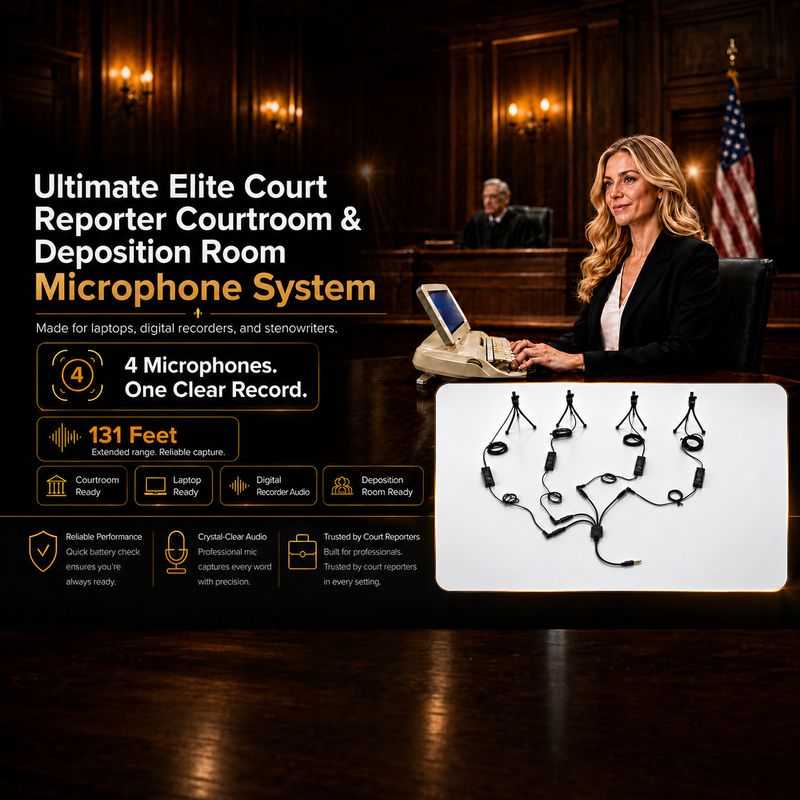
Map the bench, witness area and counsel positions before selecting a system. A single microphone at the reporter’s station may have very different paths to each speaker. The Ultimate Elite four-HGM-2 microphone system is an option for distributing pickup points across a compatible setup. Verify the connected recording path as well as physical coverage.
Test each location individually, then test the full arrangement. A microphone serving a quiet witness should not be buried under bench papers or aimed mainly toward a loudspeaker. If participants move between locations, include that movement in the trial rather than assuming that a test from one fixed chair covers the entire assignment.
Keep microphone openings clear of loose documents, bags and clothing. Place exhibit stacks where they will not slide across the microphone or its cable. When possible, leave a small working area around the pickup point so a participant can turn pages without brushing the equipment.
Table contact can create sounds that are much closer to the microphone than the desired voice. Test ordinary actions such as typing, moving a folder and setting down a pen. If those dominate the recording, move the pickup away from the activity or use the supported mounting arrangement. Do not cover the microphone with improvised padding that blocks its intended acoustic path.
Keep cables from rubbing against furniture or being dragged by chair movement. Provide enough slack at the microphone and receiving device without leaving loose loops across walking routes. A cable that looks tidy under tension may pull the microphone out of position when someone shifts a laptop.
Listen for understandable words rather than judging only overall loudness. Check a name, a number and a short quiet answer. Write down the placement that worked, using a simple room sketch or a list of seats and microphone positions. This makes the next setup faster and provides a useful starting point if the room arrangement changes.
Shure’s microphone technique guidance explains that microphone distance affects the balance of direct sound and ambient sound. Applied to reporting, the practical lesson is to test proximity and room conditions rather than relying on a single advertised pickup-distance number. A maximum range claim does not describe every quiet voice in every reflective room.
Gain raises the signal being received, including unwanted sound. If the desired voice is already buried in room noise, more gain alone may not make it distinct. Check the microphone position, input choice and normal speaking level before making large adjustments. Watch for distortion when the closest person speaks, and verify the saved result after changing settings.
Multiple microphones can receive the same voice at slightly different times. When signals are combined, placement can affect the resulting sound. Use the system’s instructions and listen to the combined recording; do not assume that activating every available microphone always improves intelligibility. The relevant test is the actual mix or tracks saved by the equipment.
Live monitoring is helpful, but the recorded file remains an essential check. Confirm the selected external input, the recording application and storage destination. Our recorder setup and backup guide covers the recording side, while the microphone connection guide explains USB and analog matching.
No. The best practical position depends on the speakers, noise sources and microphone design. A center position is a reasonable starting point in some rooms, but test every required seat. A quiet participant at one end may need a different placement or another pickup point.
It may raise the level, but it also raises other sound reaching the microphone. First check distance, orientation and surrounding noise. Record and replay a normal quiet answer. If the voice remains unclear, placement or coverage may need to change.
Keep the microphone clear of document stacks and the area where papers are handled. Test page turning during setup and move the pickup or paperwork when practical. Avoid covering the microphone or blocking its openings with improvised material.
There is no universal number. Test the farthest and quietest seats, then add pickup points only where needed. Consider cable routes and the supported recording system. Our single versus multiple courtroom microphone guide explains that decision.
No. A system can combine several microphones into one input path. Separate tracks require suitable recording hardware, routing and software. Confirm the saved-file structure before choosing playback tools or promising independent speaker review.
Browse court reporter microphones by the device receiving the audio. A compatible computer USB setup and a recorder microphone-input setup can require different products. Start with the connection, then choose the coverage needed for your room.