Updated · By Martel Staff
Choose a court reporter microphone by the device you record into, the people you need to hear, and whether you need live listening. Start with compatibility, then compare placement, monitoring and room coverage. The best microphone is the one that gives you clear, usable playback in your actual setup.
A witness speaks softly. An attorney turns away. Papers move across the table while the ventilation runs overhead. Your audio still needs to be useful when you return to an uncertain word during transcript preparation.
Buying a microphone for court reporting means planning that whole recording process. This guide compares Martel microphones for laptops, steno writers, digital recorders and larger rooms, with practical checks before you order.
Why court reporters benefit from a purpose-built microphone
A podcast microphone often serves one person speaking close to it. A court reporter may need several people at different distances and directions. A microphone that makes your own voice sound good on a video call may leave the witness at the far end of the table difficult to understand.
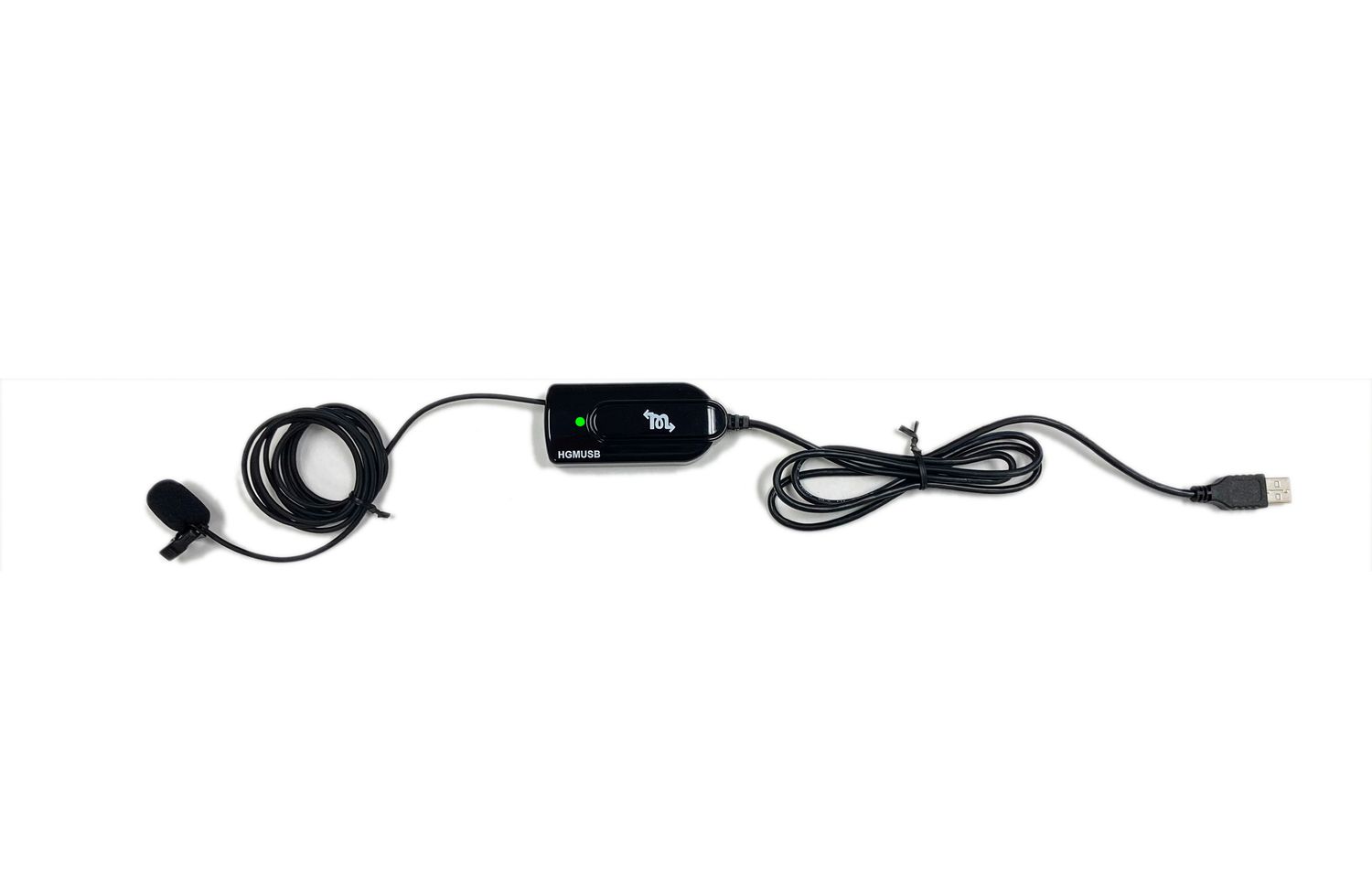
Equipment designed around court reporting can give you a better fit for that work: room-oriented voice pickup, practical microphone placement, the right recording connection, and monitoring options. For example, a small microphone head on a cable lets you position the pickup point separately from your laptop.
Look for these benefits in the exact model you are considering:
- Useful speech pickup: a design suited to the seating arrangement and speaking distances.
- The right connection: USB for a laptop, or a compatible microphone input for a writer or recorder.
- A manageable work area: suitable cables, mounting options and a size that fits around exhibits and equipment.
- Monitoring when needed: a way to hear the audio through a supported headphone or computer setup.
- Support for your workflow: help identifying the microphone and setting up the recording application.
A general-purpose microphone can work if it meets these needs. “Court reporter microphone” is not a universal technical certification. The value comes from the equipment’s design, supported connections and performance in your room—not the label alone.
What your CAT software needs from the microphone
CAT means computer-aided transcription. In an audio-enabled CAT workflow, the microphone supplies sound; the software records it and provides its supported playback or audio-to-text synchronization features. The microphone itself does not create AudioSync or automatically turn room speech into an accurate transcript.
Before buying for Case CATalyst, Eclipse, ProCAT, StenoCAT or digitalCAT, confirm these five points with the documentation or support team for your exact version:
- Your edition includes audio recording. A computer recognizing a microphone does not establish that every software edition can record audio.
- The input is supported and selected. Choose the intended external microphone in the recording settings. Do not assume the program switched away from the laptop’s built-in microphone.
- The operating system permits microphone access. Check application permissions when a device appears in Windows but does not record in the program.
- Recording levels are appropriate. Quiet speech should remain understandable and louder speech should not distort. Follow your software provider’s setup instructions, then test.
- The saved file plays back with the job. Test audio review and synchronization in the actual CAT application, not only in a separate sound recorder.
For CATalyst users, Stenograph’s setup guide includes Windows and microphone configuration. Its recommended settings are application-specific; avoid applying one program’s settings to every recording workflow.
Compare Martel court reporter microphones
Use this table to narrow your options. Product pages contain current prices, package contents and purchase controls. Confirm your exact equipment before ordering.
| Your priority | Martel option | Check before buying |
|---|---|---|
| Laptop recording with a separately positioned microphone head | HGMUSB Elite USB Microphone | USB connection, CAT recording input and computer monitoring setup. |
| A compact microphone that plugs directly into the laptop | Court Reporter USB Micro Microphone | Port position; this model does not provide a headphone jack or live listening. |
| Compact USB recording with a built-in headphone connection | USB Miracle Mic | Headphone monitoring and compatible Audio Grabber expansion options. |
| Battery-powered audio for a writer or digital recorder | HGM-2 with Battery Tester | Exact microphone socket, cable and device compatibility. |
| A microphone powered by a compatible Luminex writer | Luminex Microphone Kit | Exact writer model and its recording and headphone settings. |
| Several pickup locations around a larger room | Ultimate Elite Four-Microphone System | The complete connection path into your laptop, writer or recorder. |
| A multi-microphone package for USB laptop recording | Elite USB 3 Microphone Package | Placement, supplied cables and the final recording input. |
Choose the microphone around your working day
For laptop AudioSync and deposition tables
HGMUSB is worth considering when you want USB laptop recording and a microphone head you can move toward the people speaking. That separation can be useful when the laptop must stay beside your writer. Its live listening uses the supported computer audio workflow; confirm how your headphones will connect.
Choose the Micro Microphone when a compact direct-plug setup is your priority. It reduces what you carry, but your pickup location stays close to the laptop’s USB port. If you must listen live, compare a monitoring-equipped option instead.
For USB recording with live headphone listening
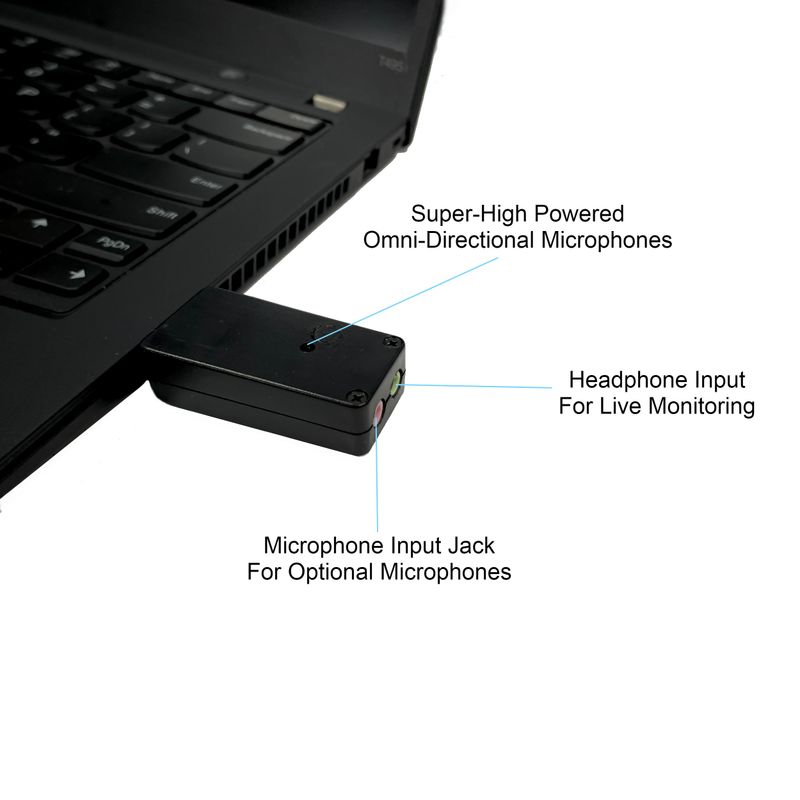
The USB Miracle Mic offers a built-in headphone connection for live monitoring and an input for compatible additional microphones. It is an option when you want a small USB unit with room to expand. Ask which Audio Grabber microphones and cables match the current configuration.
For steno writers and digital recorders
The HGM-2 is a battery-powered option for compatible writer and recorder microphone inputs. Its built-in battery tester helps you check power before starting. Confirm the plug, input requirements and any adapter for your exact device; a socket that looks similar is not enough.
The Luminex Microphone Kit is designed for compatible Luminex writer recording and draws power from the writer. That serves a different connection path from a USB laptop microphone. Check the writer’s model-specific instructions for recording and listening.
For courtrooms and several speaking locations
Compare the Ultimate Elite four-microphone system and Elite USB 3 package when one pickup location does not suit the room. The four-microphone system offers several placement points and supported writer, recorder or laptop connection arrangements. Elite USB 3 is a USB laptop package.
Place microphones to serve actual speaking areas. Multiple microphones do not automatically mean separate audio tracks, automatic speaker identification or better clarity in every room. Confirm how the package combines its inputs and how your application records them.
Pickup pattern and placement: clarity before distance claims
An omnidirectional microphone receives sound from around its pickup point. That can suit people seated on different sides of a table. It also receives unwanted sound. A directional microphone favors a particular area, which can help with a planned speaking position but requires appropriate aiming.
Distance specifications cannot tell you exactly how a quiet witness will sound in your room. Echo, ventilation, speaking volume and nearby noise all affect intelligibility. As Shure explains in its microphone-placement guidance, a microphone cannot fix the acoustic environment around it.
Keep the pickup point clear of paper stacks, laptop fans and objects that block speech. If the farthest speaker is unclear, try a better microphone position or an appropriate additional pickup point before simply increasing gain. More gain can increase unwanted noise as well as speech.
Remote and hybrid depositions need an audio plan
A room microphone captures sound in the room. Remote participants’ audio arrives through the meeting application. Do not assume choosing a USB microphone in Zoom also sends every participant into your CAT recording.
In Teams, avoid Voice isolation when the shared room microphone needs to capture several speakers, because that mode suppresses other voices. In Zoom, use the microphone test and listen to its replay, then confirm that the separate CAT recording also contains both local and remote participants. Microsoft Teams audio settings. Zoom audio testing instructions. Confirm the routing supported by your meeting application and CAT software. Avoid relying on a microphone hearing the laptop speakers as your untested recording plan. For equipment options, explore Martel’s teleconference and recording kit and confirm the configuration for your software.
A practical recording test before your first job
- Connect the complete setup. Include the hub, adapter, extension cable and headphones you intend to use.
- Select the input in your CAT software. Confirm that recording is active.
- Test different positions. Ask someone to speak normally, softly and while turned slightly away from each important seat.
- Check louder speech. Listen for harsh distortion as well as weak voices.
- Test remote participants if applicable. Verify that both sides are saved.
- Play back the saved recording. Check clarity and the software’s audio review functions.
- Check the backup. If you use a separate recorder, verify its saved file too.
Write down the device name and settings that worked. Recheck after changing a cable, USB port, computer or software configuration. A microphone power light is useful, but the saved recording is the proof that the complete path worked.
What to include in your budget
Compare the complete working package: microphone, compatible cables, required interface, headphones, carrying protection and setup support. Check whether monitoring and extra microphones are included or optional. For battery-powered equipment, include a practical battery-checking and replacement routine.
Use the current product page for price and contents, and read the return policy before ordering. Ask about exact device compatibility before you rely on a new setup for an assignment.
Common questions
Do I need a microphone made specifically for court reporters?
You need a microphone suited to court reporting. Purpose-built options can make the connection, room placement and monitoring choices easier. Judge the actual features and saved audio, rather than assuming either a general-purpose or specialist label guarantees results.
Will a new microphone improve my CAT translation accuracy?
In a stenographic workflow, a room microphone supports audio capture and review; it does not change how the software translates your steno strokes. Voice-writing recognition uses a different audio path. Keep the voice-recognition input and room-audio input clearly identified.
Can any USB microphone record directly into my steno writer?
Do not assume so. A USB laptop microphone and a writer microphone use different connection arrangements. Choose equipment explicitly supported for your writer and its microphone input.
Does live monitoring replace checking the recording?
No. Live listening helps you monitor sound, but you still need to confirm that your intended software or recorder saved that sound.
Find the right Martel microphone for your setup
Start with your laptop, CAT software and version, writer or recorder model, and the room you work in. Tell us whether you need live listening, remote audio or several microphone positions.
Shop court reporter microphones Ask Martel for helpRelated Martel equipment