HGM-2 Battery Microphone vs. HGMUSB: Choosing a Court Reporter Recording Path
Compare the Martel HGM-2 battery microphone and HGMUSB microphone. Choose a recording path, check inputs and power, and test the saved sound.
Choose a pedal for Case CATalyst AudioSync or separate transcription software. Compare setup, playback behavior, testing and the Infinity IN-USB-3.
Martel Equipment Guides · Court reporting
A useful foot control begins with the application you need to operate. This guide explains how to choose between an AudioSync setup for an existing CATalyst job and a pedal used with separate transcription playback software.
View the Case CATalyst pedalView Infinity IN-USB-3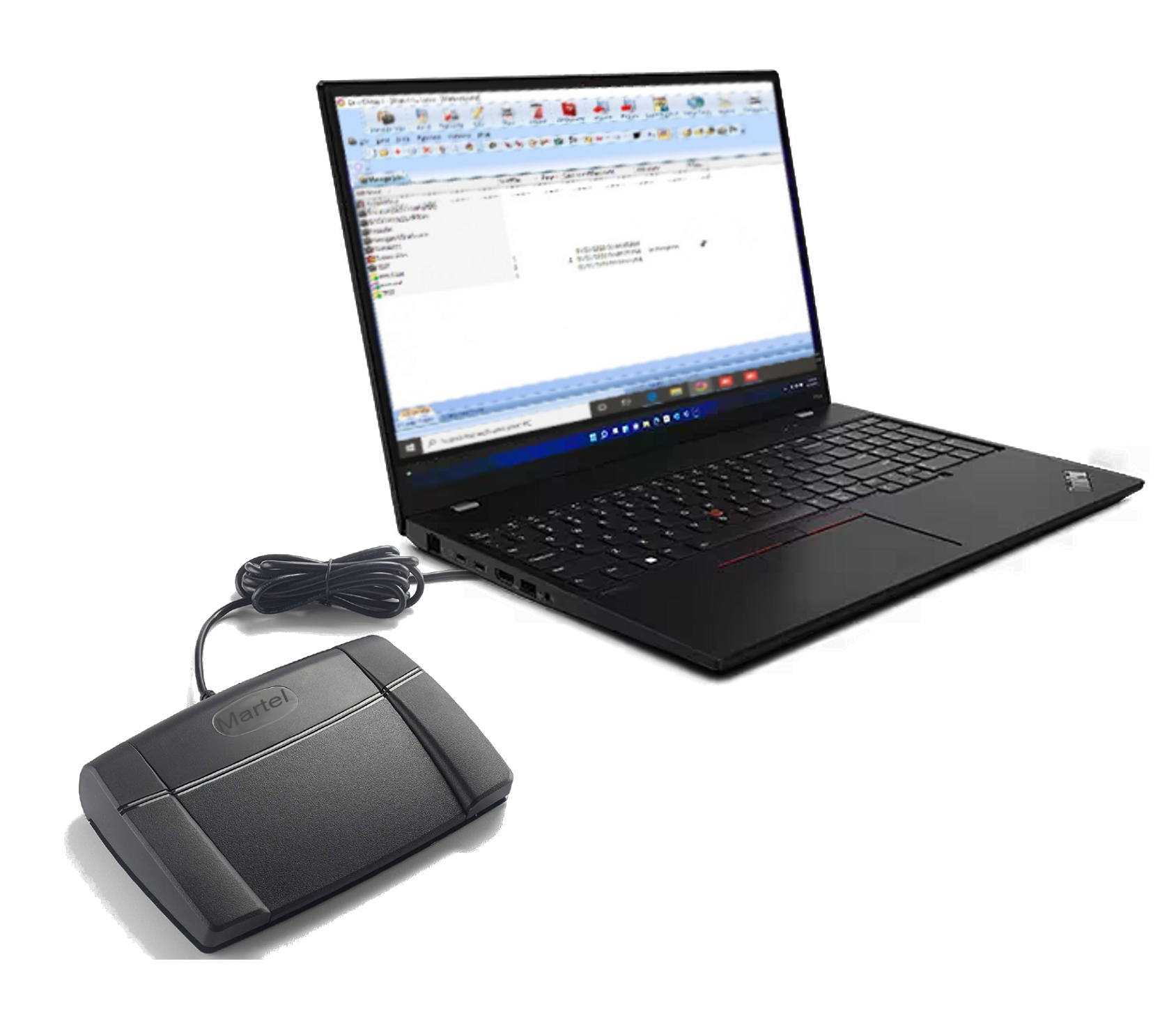
A reporter asks for a pedal because pressing a key every few seconds interrupts the work. A scopist asks for one because repeated listening needs to fit around editing. An office assistant asks for one because an interview recording must become a document. Those requests sound alike, yet they can lead to different purchases. The important difference is where the recording is opened and how the person reaches the passage that needs attention.
In an AudioSync workflow, the reporter is working inside Case CATalyst with a job and its associated audio. In a separate transcription workflow, a player opens a supported recording while the person types or edits in another application. A foot pedal supplies control input. The application decides what that input means. Choosing the pedal before identifying the application leaves the most important part of the purchase unresolved.
Martel offers a Case CATalyst pedal package for an existing CATalyst environment and the Infinity IN-USB-3 as a computer foot control. A customer who also needs playback software should compare the transcription kits. These are different purchasing starting points, even when the controls under the desk look similar.
Describe one typical assignment in a sentence. “I edit a CATalyst transcript and replay the audio linked to the words” is a useful description. So is “I receive saved interviews and type them in a separate document.” “I need a USB pedal” describes a connector, but it does not establish whether the proposed setup will perform either task.
Next, name the software and its edition. A shortcut sheet, a license screen, or the application's About window is more useful than a broad label such as court reporting software. Record the version and the operating system already in use. If a replacement computer is planned, distinguish the current environment from the future one. The goal is to ask a specific compatibility question that a supplier can answer.
Then identify the recording. Is it the audio associated with the CATalyst job, an externally supplied audio file, a video interview, or a multichannel recording from a dedicated recorder? A pedal cannot supply a missing decoder, associate an unrelated recording automatically, or create channel separation that the source does not contain. Resolve file handling first, then decide how the operator will control it.
Write this purchasing note: “I use [application and version] on [computer environment]. I open [type of job or source recording]. I want my foot to perform [specific actions] while I work in [editing application]. Please confirm the complete setup and the included support.” This short description prevents many mismatched orders.
CATalyst brings the transcript and audio review into one working environment. Stenograph's Playing Audio in CATalyst documentation describes starting playback from the cursor location and provides playback controls within the application. That relationship matters to a scopist: reaching a word in the transcript and reaching a time in an independent player are related tasks, but they are not identical operations.
Picture a reporter reviewing a disputed name halfway through a job. In a linked workflow, the reporter wants to move to the relevant passage, hear context, make an informed correction, and continue editing. The pedal should support that routine without sending the operator on an unnecessary search through another player's timeline. The useful test is whether the complete sequence works, rather than whether a light appears when the USB cable is connected.
Not every existing recording is already associated correctly. Stenograph documents Associate Audio File and separate synchronization tools. Those features belong to CATalyst and depend on the installed version and source. A pedal is a convenient way to invoke configured controls; it is not the part that establishes the relationship between a transcript and an audio file.
This distinction helps with support. If playback starts at the wrong passage, the symptom could concern association, synchronization, cursor position, or a command assignment. Replacing a functioning pedal would leave the real issue untouched. First show that the desired operation works with the application's normal controls. Once it does, verify that the foot control performs that same intended operation.
A standalone player is useful when the assignment is organized around a saved media file rather than an existing CATalyst job. The operator may listen to an interview, stop at a phrase, type into a document, replay a short interval, and move forward. In this arrangement the application must open the file and recognize the proposed pedal or its supported controller configuration.
The editing program and the player may be two different windows. That makes focus behavior important. After the operator clicks in the document, will the pedal still control the player as intended? The answer comes from the actual software arrangement. A demonstration with the player selected is incomplete if the everyday task requires typing in a second application.
File requirements also become more visible. An office handling ordinary audio can have different needs from one handling body-camera video, exported conference recordings, or material from a specialized recorder. Start with representative, authorized sample files and confirm playback. Keep any source-specific requirements on the buying checklist. A claim that a pedal is universal should never stand in for checking the software's supported inputs.
If the office has no suitable player, buying only a pedal leaves another purchase or setup decision. A matched transcription kit can be the easier route when software, listening equipment, and support are needed together. If the existing player works well and explicitly supports the IN-USB-3, an individual control may be all that is missing. The existing workstation determines which route is sensible.
| Question | AudioSync within CATalyst | Separate transcription playback |
|---|---|---|
| Where is the main job? | A CATalyst transcript with the relevant audio available in that environment. | A supported recording in a player, with text created or edited in the chosen writing application. |
| What must already work? | The job must open and the intended audio operation must work through CATalyst's controls. | The player must open the actual file and provide the required listening controls. |
| What should the pedal do? | Invoke the agreed CATalyst playback actions through the supported setup. | Invoke the player's supported playback actions while the person completes the document. |
| What deserves a specific test? | Cursor position, associated audio, configured commands, and stopping behavior. | Application focus, file support, pedal recognition, and replay behavior. |
| When is an accessory enough? | When the existing CATalyst environment is ready and only foot control is missing. | When a suitable, compatible player and listening arrangement are already available. |
| What should the order identify? | The intended CATalyst use, included configuration help, and exact current pedal package. | The exact IN-USB-3 support, included software if any, and every required component. |
The table is a decision aid, not a claim that the two arrangements are mutually exclusive. A reporter can use CATalyst for one assignment and a separate player for another. That person should keep two documented configurations and test the transition between them. The same physical connector does not ensure that both applications will interpret a control in the same way.
Suppose a scopist can open a job, position the cursor, and hear the desired audio with the keyboard. The repeated hand movement is the inconvenience. The existing recording, playback software, and transcript relationship have already passed their basic tests. This is a strong reason to discuss the dedicated CATalyst pedal setup with Martel and confirm the required commands and support.
The acceptance test should begin with a short practice job. Ask the scopist to review several passages exactly as they normally would. Include stopping quickly, replaying context, moving to another passage, and continuing to type. The outcome should be a predictable sequence the scopist understands. There is no need to introduce unrelated software merely because another package has a longer feature list.
Now imagine an assistant receiving several file types from clients and producing documents outside CATalyst. The first question is whether a suitable player can handle those files. The second is whether the desired foot control is supported. A working USB connection answers neither question by itself. This customer may need a complete kit rather than an accessory intended for an established CATalyst setup.
Use a small sample set that represents the work: a short interview, a longer recording, a file with quiet speech, and video if the office must view it. Keep private case material out of an initial sales demonstration where a nonconfidential sample will do. The useful result is evidence that the proposed application opens and navigates the required material while the operator types.
A reporter may scope in CATalyst in the morning and handle an externally supplied recording in another player later. Here the buying question includes the changeover. Determine whether one supported control can serve both configured uses and how the operator selects the intended application. Do not assume that running two control utilities at once will produce a useful result.
Create two labeled practice tasks and test each after restarting the computer. Record which utility must be running and which application receives the command. Then test switching back. A clear transition routine is more valuable than discovering during a deadline that the pedal is operating the wrong window. If separate controls or setups are recommended, ask why and document that answer.
Three controls can be assigned many ways. One setup may use a center press to begin playback and another action to stop it. Another may use a hold-and-release pattern. Rewind may mean a fixed jump, repeated movement, or a distinct application command. A photograph showing three pads cannot establish those behaviors.
Stenograph's Foot Pedal Installation Guides includes a configuration path for VEC Infinity 3 and identifies CATalyst keyboard commands used in that path. The documentation is useful evidence that software configuration matters. It does not mean every supplied pedal package arrives with one immutable layout, or that a layout from another application should be copied without testing.
Ask for the intended press and release behavior in plain words. “What happens when I press the center?” and “What happens when I lift my foot?” are separate questions. Test a brief press, a longer hold, and a second press. Watch the application and listen to the result. Keep the chosen behavior consistent enough that the operator can predict it without looking under the desk.
Choose a replay interval that supports understanding. Very short repeats can remove the context needed to distinguish similar words; very long repeats can make review tedious. The useful interval depends on the speaker, recording, and operator. Adjust one setting at a time in the application that owns it and use the same practice passage when comparing results.
Do not confuse a playback control with a recording control. Before using a pedal during live work, establish exactly which application commands it invokes. A person expecting play/pause should not discover that a configured shortcut affects microphone state or another action. Test against a practice file and keep the command list with the workstation's setup notes.
Use a nonconfidential recording with clear, recognizable speech. Open the intended application and demonstrate the necessary operations without the pedal. Confirm sound through the selected listening device. If the reference playback is already unreliable, resolve it first. Otherwise every later failure will be difficult to attribute to the correct component.
Write down the starting condition: application version, selected file or practice job, playback position, and the normal action that works. This need not be a formal technical report. A few precise notes allow the operator and support person to repeat the same test. Avoid changing multiple software settings before seeing what the original condition does.
Connect the proposed pedal according to the supported setup. Test one control at a time and compare the actual outcome with the agreed command. Include release behavior. If the application visibly moves but no sound plays, separate control recognition from the audio-output problem. If nothing happens, record which application was active and whether the expected controller software was running.
After each control works individually, perform a short sequence: begin playback, stop at a phrase, replay context, type a correction, and resume. The sequence reveals problems that a single tap can miss. Use normal typing speed and the same window arrangement expected during work. The aim is a usable workstation, not a successful isolated button demonstration.
Save the practice work, close the applications, and restart through the ordinary routine. Confirm that the pedal still works after reopening. If a utility must be launched, make that part of the written start-up sequence. Test a planned disconnect only when it is safe for the practice session and follow the supplier's reconnection instructions.
Also test what happens after switching windows. Click where text will be edited and verify that the next pedal action goes to the intended place. When two playback applications are installed, close the unused one for the first test. Then evaluate any required shared setup deliberately, rather than assuming every application can remain open without affecting command routing.
Record the successful mapping in ordinary language, including any application that must remain open. Note the tested file types and the date. Keep the product name and support contact with that note. A second staff member should be able to repeat the practice sequence from the instructions without guessing what the first operator meant.
Repeat only the affected part of this test after a material change, such as replacing the computer, updating a controller utility, or changing the playback application. There is no value in making every workday a technical project. A concise verified routine gives the operator confidence and makes an actual support problem easier to describe.
If the recording will not play through the normal application controls, begin with the file, audio device, and application setup. If normal playback works but the pedal does nothing, focus on recognition and command configuration. If one action works and another does not, compare that individual assignment. This order avoids treating every listening problem as a defective pedal.
If playback reaches the wrong place in a CATalyst job, examine the relationship between the job and audio. Stenograph's EZ Sync at Cursor documentation describes a synchronization tool for associated audio. Use the vendor's instructions for the applicable situation; do not randomly change pedal assignments to compensate for an audio alignment problem.
If a command affects the wrong window, describe the exact window sequence to support. “It fails” is less useful than “It works in the player, then stops after I click in the document.” That observation narrows the question to the actual workflow. Retain the known good configuration while testing one proposed correction at a time.
If sound is distorted or missing, compare ordinary playback with and without using the pedal. A control input does not improve the recorded speech. The microphone, recording settings, file, listening device, and playback settings are separate parts of the path. Keep the original recording intact while diagnosing the listening problem.
For established CATalyst AudioSync work, review the Case CATalyst pedal and tell Martel how you currently replay audio. For a supported standalone player, review the Infinity IN-USB-3. If software and listening equipment are also missing, compare the complete transcription options.
Check the current product page for the supplied components, price, support, and terms. A pedal-only purchase and a software kit should be compared by what they provide. Ask about the exact workflow that matters to you, retain the answer, and schedule the first practice test before an important assignment. The right purchase is the one that leaves the operator with a dependable sequence from recording to reviewed text.
No. In the workflow discussed here, it supplies control for playback in an existing CATalyst environment. The recording, transcript association, and application remain separate requirements. Someone who has no usable recording will not gain one by adding the pedal. Someone who already replays a linked job successfully can evaluate whether foot control makes that review more convenient. State the existing setup clearly when discussing the purchase so the order addresses the component you actually need.
Do not treat a foot-control listing as a CATalyst license purchase. Martel's CATalyst pedal serves an existing software environment. Confirm the current package contents and setup assistance on its product page. If a new computer or additional user is involved, resolve software licensing separately with the appropriate supplier. Keeping hardware, application rights, and installation services on distinct lines makes the order easier to understand and avoids discovering an essential missing item during the first work session.
Use the current model name, Infinity IN-USB-3, when describing a separate USB transcription control. Also name the player that must recognize it. A model number alone is insufficient when several applications are installed or when a utility translates pedal actions into shortcuts. Tell Martel whether you need a replacement for a previously working device or are establishing a new workstation. Those situations require different checks even though the same product may be considered.
Stenograph publishes a configuration guide covering Infinity 3, so the hardware can be part of a documented CATalyst control arrangement. That does not make an unconfigured pedal and a supported package the same purchase. Ask which instructions, controller software, and assistance apply to your version and intended commands. Test the resulting behavior with your practice job. The correct conclusion is that the whole supported configuration matters, rather than that any USB pedal works automatically.
Each application has its own method of receiving and interpreting controls. One may recognize the hardware directly; another may depend on a supported utility or command mapping. A successful test in the first application therefore does not establish the second application's readiness. Record which program is open, which one is active, and what action occurs. Give support that sequence instead of changing several settings together. The observation often identifies the part of the setup that needs attention.
Consistency can make switching tasks easier, but the available actions and meanings must come from each application's supported setup. A similar-sounding command can move the audio position, the transcript cursor, or both. Decide what outcome you want in each program and verify it. If the mappings differ, keep a brief labeled note for each task. Do not force a familiar label onto an action that behaves differently and then depend on memory during a deadline.
It can be. Press, hold, release, and a second press are separate events that a configured system may handle differently. Ask the installer to demonstrate each part of the chosen behavior. Practice stopping at a particular spoken word, releasing, and resuming. The most suitable arrangement is the one you can operate predictably while editing. Avoid changing behavior immediately before an important assignment; allow enough practice to replace the old movement with a reliable new routine.
No universal answer applies across applications or commands. CATalyst distinguishes playback controls from cursor position in its documentation, and a separate player has its own timeline behavior. Watch both the visible editing location and the audio position during the acceptance test. Write down the actual result. This is especially useful when an operator believes the wrong words are playing: the issue may concern which location a command uses rather than whether the pedal is sending input.
A pedal is not an automatic alignment tool. If the relationship between audio and text is wrong, use the applicable CATalyst association and synchronization instructions, such as the official EZ Sync material, after establishing what caused the problem. Keep a copy of the practice job for testing. Once the audio relationship is correct, verify foot control again. Changing navigation assignments to compensate for misalignment makes the workstation harder to understand and can hide the underlying issue.
Have the exact application name and version, pedal model, computer environment, and a nonconfidential practice recording ready. Describe the operation that works with the keyboard and the operation you want from the pedal. Note whether another playback program or control utility is open. Follow your organization's approval process for remote assistance. A clear test case lets the support person work toward a specific result and reduces time spent reconstructing a problem from broad descriptions.
That depends on the supported application and controller arrangement. Test it rather than assuming background control is present. Begin playback, click into the document where you normally type, and try the intended stop and replay actions. If the behavior changes, record the exact sequence. A player-only demonstration is not enough for a workflow that requires a second application. Ask for the supported way to achieve the required behavior before adopting a workaround from unrelated software.
Multiple utilities can make it difficult to identify which one is handling a command, so treat their coexistence as a configuration question. Do not install or enable several approaches at once in the hope that one will work. Begin with the supplier's intended arrangement and establish a clean reference. If a second application requires another utility, ask how the supported changeover should work and test it. Keep the known successful configuration documented before making changes.
Check whether the supported controller application is running and whether the intended playback program is open. A setup that worked immediately after installation may have depended on a utility that has not started in the new session. Follow the instructions for that specific configuration instead of adding arbitrary startup items. Include a restart in the original acceptance test, and keep the required launch sequence in plain language so another authorized operator can reproduce it later.
No. The question is whether the actual hub, connections, computer, and supported pedal arrangement operate reliably together. Establish the supplier's recommended connection first. If the workstation needs a hub, include it in the practice test rather than assuming the result from a direct connection carries over. Keep the writer, microphone, and other connected equipment in view when planning ports. Do not change several devices and adapters together when trying to isolate one control symptom.
It can make repeated listening more convenient, but it does not alter the information captured in the original recording. Use enough context, a suitable listening device, and sensible playback settings. If a phrase remains unclear, preserve that uncertainty according to the assignment's review process. Avoid treating repeated playback as evidence that a preferred interpretation must be correct. The pedal supports your listening decisions; it does not make those decisions or supply words that were never captured.
No fixed percentage or page rate follows from adding a pedal. The benefit depends on the recording, task, operator, and existing habits. Compare a representative practice assignment from opening the file through saving the reviewed result. Look for fewer disruptive movements and easier recovery after a pause, while retaining the same review standard. A short timed experiment can inform your own purchasing decision, but its result should not be presented as a universal performance claim.
Inventory the software, pedal, listening device, and support you already have. A kit may still be useful if the missing player or configuration assistance is the main need, but compare actual contents rather than assuming every included accessory adds value to your desk. If the existing player and headphones are suitable, a compatible separate pedal may be enough. Review the current Martel package before ordering and ask which components are essential for your particular source files.
The playback application's support determines whether the proposed control can operate the required media workflow. A pedal does not gain video decoding merely because it has play and rewind controls. Test a representative video, including seeking and stopping while the writing window is active. If viewing the picture matters to the assignment, confirm that the proposed software supplies that function. Choose the appropriate audio/video package when that is the missing part of the system.
No. The application and its supported decoding path determine whether a recording can be opened and played correctly. The pedal provides input to that application. Keep these checks separate: first verify the recording through ordinary controls, then test the pedal against the same file. If one unusual source is important to the business, use a permitted sample from its real export process. A successful test with an unrelated file does not settle that requirement.
No. Independent channel review requires an appropriate recording and software support. A foot action may select a supported command, but it cannot recover isolation that was not captured in the file. If channel selection is required, explain the recorder, source format, and review task before purchasing. Verify the intended channel behavior with a known sample. Keep that specialist requirement separate from a simple need to play, stop, and repeat ordinary mixed audio.
Create a short fictional conversation with two voices, a name, a number, and one interruption. Give the operator a brief document with several intentional differences. Ask them to find and review those points using the proposed controls. This exercise tests practical navigation without involving private proceedings. The example need not sound like a formal deposition; it should make the operator stop, recover context, type, and resume in the way ordinary work will require.
Choose a clearly recognizable sentence in the practice file and stop at several different places using the agreed command. Repeat while the editing window is active and after switching away and back. Observe whether playback stops when expected and whether a release or additional press is required. Describe any unexpected continuation precisely. A control that starts successfully has passed only part of the test; predictable stopping is essential to maintaining your place during editing.
Begin with a known setting and a repeatable passage. If the interval is too short to recover context or unnecessarily long for your work, adjust it in the application that controls it and compare the same task again. Write down the accepted value. Avoid simultaneous changes to speed, jump length, and button mapping, because you will not know which change helped. The goal is an understandable routine that fits your listening, rather than the most customized screen.
They can plan a shared arrangement, but they should agree on the supported configuration and identify any separate software-account or license requirements. Keep each person's preferences from silently changing the next operator's expected controls. A brief workstation card can show the standard mapping, starting applications, and recovery contact. Test the shared routine with both users. Sharing a physical pedal is different from assuming that software permissions, user profiles, and every saved preference are interchangeable.
First compare the expected assignment with the actual result in the practice task. Confirm that the other actions and normal application controls still work. Record whether the problem follows a particular button, command, or application. Follow the supplier's supported diagnostic steps and avoid opening the hardware or changing multiple utilities without a reason. Those observations help support distinguish a configuration issue from a physical problem and make any replacement discussion more specific.
The original is your reference for what was received or captured. Converting, shortening, or replacing it while investigating a control issue adds another variable and may remove the context needed to reproduce the problem. Use an authorized working copy when appropriate and label any test derivative clearly. A pedal problem should normally be demonstrated with an unchanged practice sample first. Preserve real assignment materials according to the responsible organization's procedures and instructions.
Transfer the documented setup as well as the physical device. The new computer may have a different application version, connection arrangement, or controller configuration. Open the practice job, verify ordinary playback, test each foot action, and include a restart. Keep the old known working arrangement available until the new station meets the required checks where practical. A familiar pedal under a new desk does not establish that the complete software path has been recreated.
Use a representative set that covers materially different sources and requirements. A routine interview, a specialized recorder export, and a video can expose different needs. There is little value in testing hundreds of nearly identical files while ignoring the one uncommon format essential to your office. Describe your selection to Martel and record what was actually demonstrated. If a new source arrives later, verify it before promising that the established workstation will handle it.
No. Equipment selection and permission to record are different matters. The court, client, employer, and applicable rules determine what recording and use are authorized. This guide addresses control of playback in an approved workflow. If the configured pedal can invoke recording-related commands, identify them carefully during setup. Keep practice exercises separate from live proceedings so a training mistake does not create uncertainty about what was recorded, stopped, or changed during an actual assignment.
Include the pedal model, application and version, required controller program, and the actual outcome of each control. Add the normal start-up sequence, a reference to the practice file, and the support contact. Keep it short enough to use at the desk. Record an approved change when it occurs instead of relying on memory. A useful quick reference lets an alternate operator begin correctly and gives support a concrete baseline if behavior changes.
List the hardware, software if supplied, setup assistance, ongoing support, and relevant terms for each offer. Compare the result needed at your workstation. A lower price for a bare accessory is not the same offer as a configured package, and a more expensive kit may contain software you already have. Use current product-page prices and clarify unresolved contents before ordering. Your comparison should explain what will be working when the installation is complete.
If the everyday task is reviewing linked audio inside an existing CATalyst job, begin with the Martel Case CATalyst pedal discussion. If it is controlling saved files in a separate player, establish that player's support for the IN-USB-3 or examine a suitable complete kit. Then run the short practice sequence described above. This keeps the decision tied to the place where you work and the actions you repeat, which are the reasons for buying the pedal.
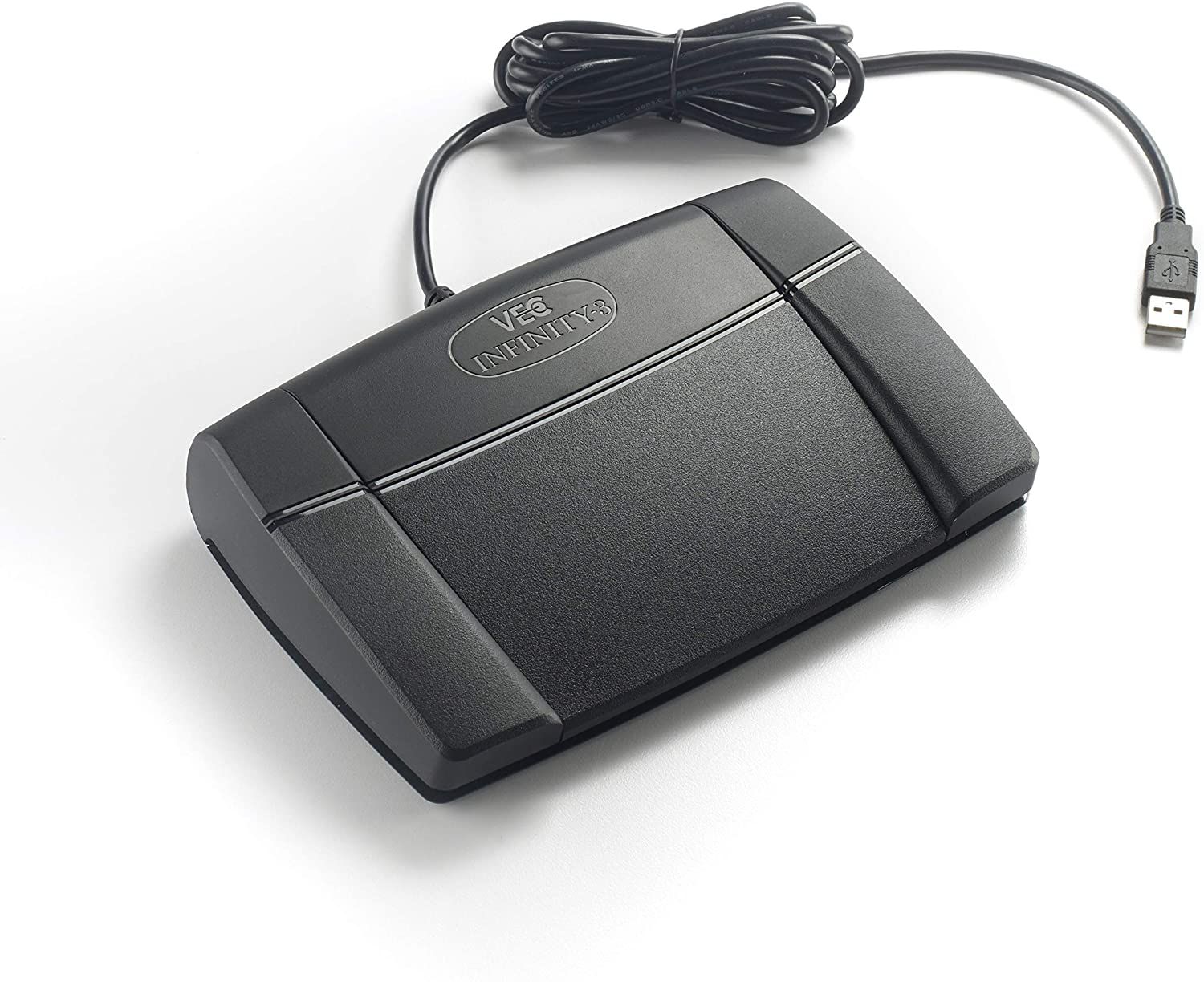
Shop the CATalyst pedalShop IN-USB-3Compare transcription kits
Technical references are Stenograph's Playing Audio in CATalyst, Foot Pedal Installation Guides, Associate Audio File, and EZ Sync at Cursor. Product choices link to Martel's current offerings. The buying examples, diagnostic order, practice procedure, and explanations were written specifically for this guide. No customer case or measured productivity result is claimed.
