HGM-2 Battery Microphone vs. HGMUSB: Choosing a Court Reporter Recording Path
Compare the Martel HGM-2 battery microphone and HGMUSB microphone. Choose a recording path, check inputs and power, and test the saved sound.
Plan a police body camera rollout from 12 to 24 or 50 cameras. Compare docking, file transfers, storage work, training and Martel package options.
Martel Equipment Guides · Police body cameras
Use the experience from a smaller deployment to plan the next purchase. Compare camera assignments, the busiest return period, staff workload, and the archive that must remain accessible as your department grows.
View the 24-officer packageView the 50-officer package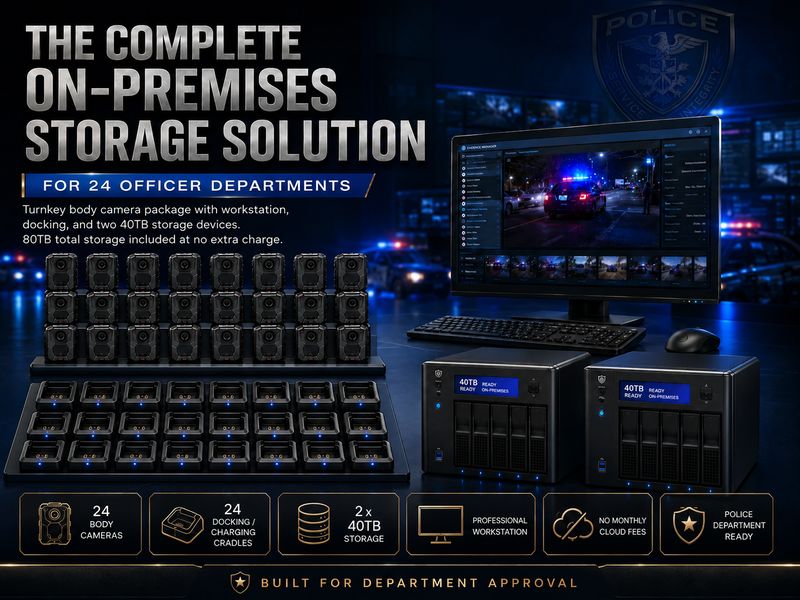
The most useful document for a body camera expansion is often already in the department: the record of what happens during an ordinary week. Which cameras are out, how many return together, how long files take to become available, and which employees handle exceptions provide a stronger starting point than an officer total alone. Expansion gives the agency an opportunity to use that experience rather than start the purchasing discussion from zero.
A move from twelve cameras to twenty-four can double the number of devices while leaving the number of receiving employees unchanged. A move to fifty can add new shifts, specialized assignments, or a second location. Neither transition should be described only as a larger box of cameras. The purchase should explain how the new units enter a working program and how recordings from the earlier program remain usable.
Martel's 12-officer, 24-officer, and 50-officer Patrolcams packages combine cameras with supporting receiving, computer, and local-storage equipment described on their product pages. This guide focuses on choosing and introducing the next configuration. Obtain an itemized proposal for the actual expansion; the package name alone does not establish which existing parts will be reused.
Choose a representative period that includes ordinary shift changes and at least one busy return. Use the department's approved records to establish the number of cameras issued, recording hours, receiving volume, unresolved transfers, and devices unavailable for service. A quiet day can conceal the very pressure that prompted expansion. If the week was unusual, keep that qualification visible instead of treating it as the permanent baseline.
For each return period, record when devices arrive and when the authorized receiving process is complete. Distinguish waiting for a connection, transferring data, verifying completion, and preparing the camera for another assignment. These are different uses of time. Buying additional cameras may address one constraint while a connection or staffing change addresses another.
Ask the person who actually receives the equipment to describe interruptions. Perhaps the workstation also handles administrative work. Perhaps late returns arrive after the normal receiving employee leaves. These details belong in the expansion request because the larger deployment will inherit them. A plan that looks comfortable in a meeting can still be awkward at the busiest desk.
Use the baseline to describe what is already successful. Keep the settings, naming conventions, and training practices that staff can explain and repeat. The goal is not to replace every existing decision. It is to identify which assumptions remain valid at the next size and which need a fresh demonstration.
| Expansion type | Purchasing question | Evidence to request |
|---|---|---|
| Add units to the current arrangement | Which existing docks, software, computer, and storage are supported with the added cameras? | An itemized compatibility statement and a test of the larger receiving load. |
| Introduce a larger complete package | Which old equipment remains in service and which functions move to the new arrangement? | A transition plan covering assignments, receiving, old recordings, and support. |
| Add another receiving location | Where do recordings become available and who maintains each location? | A demonstrated retrieval process for an authorized reviewer who was not present at the return. |
| Replace aging units while increasing quantity | How many purchases replace existing devices and how many create new capacity? | Separate replacement and growth counts, with a record of the accepted configuration. |
A department can combine these approaches, but it should name each part. For example, twelve added devices and twelve replacements are a different proposal from twenty-four additional assignments. The total shipped quantity may match while the effect on daily operations differs. Keep the equipment inventory and the operational change beside each other in the approval packet.
The Bureau of Justice Assistance vendor acquisition guide emphasizes evaluating agency requirements and both immediate and later costs. For an expansion, that principle means comparing complete proposals against the same growth scenario. Do not compare an accessory-only quote with a full package as though every omitted component is unnecessary.
At this stage, a useful question is whether the agency is adding more of the same work or a different kind of work. More patrol officers using the same assignment and return routine may fit an incremental expansion. Adding a special unit with a different uniform, duty schedule, or return location introduces new conditions even if the camera quantity is modest.
Make the additional assignments visible. In a fictional planning example, an agency may want eight new routine assignments, two temporary replacements, and two training devices. That explains the twelve-unit increase more clearly than saying that the next package is twice as large. The actual allocation must come from the department's staffing and recording requirements; this example is simply a way to structure the discussion.
Then ask whether all twenty-four units can reach the intended receiving process when needed. The devices may return in several groups or nearly together. Test the group that creates the highest demand, using approved training recordings with realistic lengths. Check the time until each camera can be issued again, not just the time until the first download begins.
Preserve a clear distinction between accepted existing settings and proposed changes. If expansion includes a new recording mode, the agency is testing both more cameras and a new data rate. Measure them separately where practical. That makes it easier to explain why storage or receiving time changed and avoids blaming quantity for a setting change that would have affected twelve cameras too.
A fifty-camera program may involve more people who never participated in the original setup. Instructions that twelve experienced users carried in memory should become visible operating information. New wearers need a consistent introduction; receiving employees need a shared status record; supervisors need a clear method for requesting and locating the appropriate recording.
Start by mapping teams and locations. Identify which groups return to the same place, which return outside normal hours, and which may exchange equipment during a shift. Ask whether a central workstation remains the intended design or whether the proposal includes another receiving arrangement. Do not infer a multi-location capability from the number of cameras in a package.
Identify a primary owner for the expanded program and name the operational responsibilities that remain with other staff. A program owner need not perform every transfer or answer every technical question. The role should make unresolved issues visible, keep configuration decisions consistent, and ensure that someone follows through when a problem crosses unit boundaries.
Plan the introduction of fifty devices in manageable groups. Each group should reach the same readiness standard before routine issue: identified equipment, accepted settings, suitable mounting, completed training, and a demonstrated receiving path. A delivery date is useful for scheduling, but it is not evidence that every person and supporting function is ready on that date.
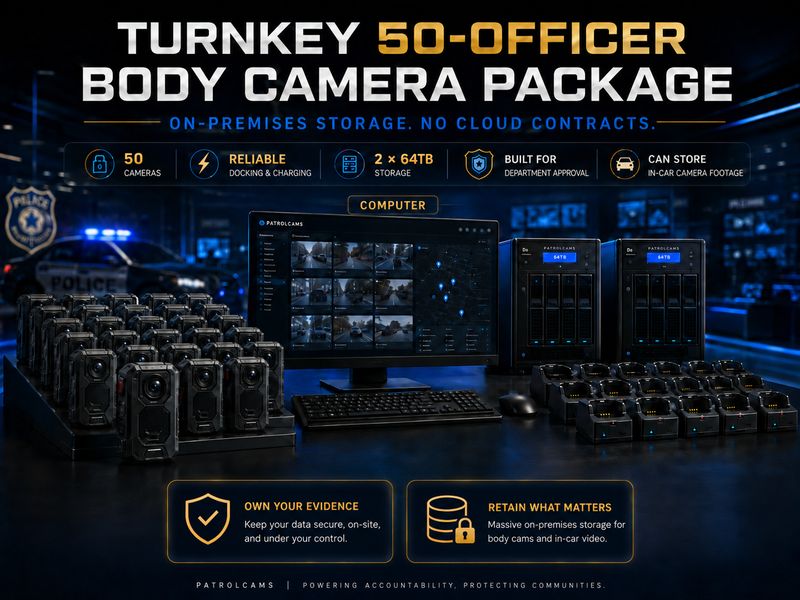
Build three numbers rather than one: the peak number of required active assignments, the number of devices ready for issue, and the number reserved for defined purposes. The reserve may cover a planned training activity or an approved equipment contingency. Explain each reserve category so it is not mistaken for unexplained excess purchasing.
In a second fictional example, a department planning twenty-four devices could have twenty needed at the busiest overlap and four allocated for approved contingencies. That is different from twenty-four simultaneous wearers with no additional capacity. The package quantity is identical; the coverage question is not. Put the intended use of each group into the worksheet before comparing proposals.
Use the same distinction when assessing the existing fleet. A camera on the inventory may be out for service, awaiting a receiving issue to be resolved, or reserved for an investigation. An inventory count should not automatically be used as the ready-for-duty count. The expansion plan needs an honest view of both the property record and operating availability.
Keep the process proportionate. A small table with device identity, assignment, status, and the responsible employee can answer the key question without creating a second unmanageable system. Follow the department's approved controls for that information, and decide who updates it when equipment is exchanged.
A single camera transferring a short clip is a useful functional test. It is not a workload test for a group arriving at the end of a busy shift. Rehearse the expected return pattern with training recordings, the proposed connections, the receiving software, and the storage destination that will actually be used. Include ordinary competing workstation tasks if they are part of the approved design.
Measure both elapsed time and staff attention. A process can run unattended for part of its duration while still requiring careful checking at the beginning or end. Another process may finish quickly but require repeated manual intervention. Document the difference so command staff understand whether the proposal needs additional equipment, a changed schedule, or a defined receiving assignment.
For illustration only, suppose eighteen cameras arrive within a short interval and each carries six gigabytes of training material. The receiving batch is 108 gigabytes before any later copies. That arithmetic describes the test workload; it predicts no particular Martel transfer speed. Time the actual proposed arrangement and ask what happens if one device fails while the others are progressing.
Keep a record of incomplete cases. Staff should be able to identify the device, the visible status, the last verified step, and the next authorized action. Avoid a routine where a camera's position on a desk is the only signal of completion. At fifty units, an informal pile can contain several different states that look alike from across the room.
Use file sizes measured at the agency's intended settings. Divide the total size of representative original clips by their recorded duration to establish an observed rate. Combine that rate with expected recorded hours, the number of devices producing those hours, and the retention categories approved for the program. Keep units explicit so gigabytes, terabytes, and elapsed days are not mixed inadvertently.
Illustrative calculation, not a camera specification: If training files average 3 GB per recorded hour and each device produces 2 recorded hours on each of 20 operating days, twelve devices produce 1,440 GB in that month. Twenty-four produce 2,880 GB; fifty produce 6,000 GB. These figures exclude recovery copies, exports, long-held material, and other data. Replace every assumption with your own measured and approved inputs.
Use the forecast to ask about usable capacity in the proposed configuration. A package may identify multiple storage devices, but their roles must be explained. A device dedicated to a recovery copy should not also be counted as independent space for more original recordings. Have the responsible technical staff confirm the design and demonstrate retrieval and recovery through the supported process.
Do not shorten a retention requirement merely to make a calculation fit the available equipment. Records and legal staff should supply the governing categories and holds. The equipment plan then addresses those requirements. BJA's technology guidance treats storage and evidentiary controls as part of the broader camera solution; the department's expansion worksheet should do the same.
Before changing receiving software, storage locations, or computers, establish how authorized staff will find recordings already held by the department. A successful new-device demonstration does not prove that an older case remains accessible. Include an older approved test file in the acceptance exercise, alongside a new training recording and a case involving several camera identities.
If information must move, require a documented transition plan from the responsible staff and supplier. Identify the material in scope, the destination, the verification method, and the people who approve completion. Preserve the earlier arrangement until the authorized verification and retention process permits retirement. This article does not prescribe deletion, conversion, or migration commands for evidentiary material.
Check identifiers before routine issue. New devices should be distinguishable from old ones, replacements, and temporary assignments. Where a system generates its own identifiers, ask how those are related to the department's equipment record. Avoid inventing a naming rule that conflicts with the supported software; the point is to make the actual identifiers understandable across the transition.
The NIJ digital evidence policies manual is a reference for developing agency-specific handling procedures. The expansion team's practical task is to make sure the approved procedure still works after the equipment change. A reviewer should not need the original installer's personal memory to locate the right material.
A wearer, receiving employee, reviewer, and technical administrator do not need the same exercise. Give each person a practical task that demonstrates their responsibility. A wearer should recognize the accepted configuration and report an equipment issue. A receiving employee should recognize an incomplete handoff. A reviewer should locate an authorized test event. An administrator should understand the supported maintenance and recovery path.
BJA's training guidance notes that different roles may need different content and that outside justice-system partners can be affected. Use that distinction when expanding: adding cameras can create more work for people who never touch a camera. Ask the appropriate records and review teams what changes they need to prepare for.
Keep training examples separate from operational evidence. Create a fictional set of events that includes an equipment exchange, a late return, and a recording requested by someone who was not present. Let staff complete those handoffs through the proposed process. Record where they needed help and revise the instructions before introducing the next group.
Arrange a training return that resembles the busiest expected group. Give each device known material and record its identifier before the exercise. Have the receiving staff follow the proposed instructions while an observer records the sequence. The observer should watch for ambiguity: which cameras are waiting, which are progressing, which are complete, and which require attention. This is an operating rehearsal, not a race to achieve a promotional transfer number.
At the end, choose a sample through the agency's approved verification procedure and ask the reviewer to locate the expected recordings. If one device needs assistance, document how the operator recognizes it and who receives the issue. The exercise should establish that an exception remains visible without making the status of every other camera uncertain. Use the findings to refine the supported arrangement before expanding the next group.
Use two training cameras to represent a planned equipment exchange. Identify the first assignment period, make a short fictional recording, document the exchange, and make another short recording with the replacement. The receiving and review teams should be able to connect the two periods using the approved information. This tests continuity when the department has more devices than permanent wearers or moves equipment between teams.
Do not assume that software performs every association automatically. If a required feature is automatic, have the supplier demonstrate it. If a staff record provides the relationship, test whether another trained person can interpret it. The desired result is a clear account of the approved exercise, supported by the actual system and procedure, without an installer filling the gaps verbally.
Give an authorized reviewer a request for an older training event captured before the expansion. Include the ordinary identifying information that a real request would contain, not a direct link supplied by the person who organized the installation. Ask the reviewer to find and play it through the intended post-expansion process. This checks whether the transition preserves practical access to earlier material.
Then repeat with a new event. The two searches may use different approved paths, but those paths should be documented and supportable. Identify who maintains the older path for as long as the department requires it. New cameras can be ready for duty while an archive-transition question remains open; the acceptance record should show both facts accurately instead of collapsing them into one completion label.
Agree in advance on the observations that will inform the next decision. Useful measures can include unresolved receiving exceptions, the number of late returns requiring another employee, recording volume at accepted settings, time spent locating an approved training event, and the readiness of replacement equipment. Use definitions that employees can apply consistently. A count is helpful only when everyone understands what was counted.
Compare the observations with the original baseline and explain material differences. More total data may be expected when more cameras operate; more failed transfers requires a different investigation. A new team working longer recorded hours may change the forecast even if each device performs normally. Keep the explanation tied to the observed period, then decide which supported change is needed.
Use those results to update the next purchasing request. The twenty-four-camera stage can provide a much better foundation for fifty than a theoretical forecast alone. Preserve the accepted configuration and the reason for each change so the department builds a usable history of its program. Expansion then becomes a series of informed decisions with clear ownership.
Tell Martel the present configuration, target number of assignments, receiving locations, proposed reused equipment, and expected timing. Request separate lines for additional cameras, replacements, receiving equipment, computer and storage changes, setup, and selected support. State which components the department intends to supply itself so the proposal does not silently assume they are included.
Compare the current 24-officer package and 50-officer package using the same workload assumptions. If retaining the existing twelve-camera arrangement is part of the proposal, include its role explicitly. Request current price and contents in the written quote instead of treating an older article's numbers as the authority for a new purchase.
Make the final approval packet tell one coherent story: what is changing, why the current arrangement needs that change, what the department will receive, what staff will operate, and how readiness will be demonstrated. That is a stronger case for expansion than a larger camera count alone.
Not necessarily. A complete twenty-four-camera package and an order for twelve additional cameras are different proposals. The right choice depends on the existing equipment, the supported expansion route, and which shared components need to change. Tell Martel what is already installed and ask for an itemized comparison. Show the resulting total in service separately from the quantity being purchased so approving staff can understand whether each line supports growth, replacement, or both.
The department should first establish which assignments require equipment at the same time and how it intends to issue devices. Individual assignment, shared use, training, and contingency needs can lead to different quantities. The package name is a convenient purchasing reference, not a substitute for that operational decision. Use an actual schedule, including overlap, and explain proposed reserve devices. The final quantity should support the approved recording duties and a realistic readiness plan.
Ask Martel and the responsible technical staff to evaluate the exact computer, software, connections, and proposed workload. An existing computer being available does not prove it can support the enlarged arrangement, but availability can be a useful starting point. Include it in the realistic receiving rehearsal. Record any required upgrade or configuration change in the proposal. Reuse should be an explicit supported decision, not an assumption made by removing a computer line from a quote.
Confirm compatibility for the exact models and supplied configuration. Similar connectors or a shared product family do not establish every required charging and data function. Inventory the existing docks and ask the supplier to identify which can remain in service. Then test the approved arrangement with representative training material. Keep unsupported combinations out of routine issue until the question is resolved, rather than discovering during a busy return that a connection performs only part of the task.
There is no universal percentage in this guide. Start with the department's required coverage, equipment availability history, training needs, and supported response to faults. Describe the purpose of the proposed reserve and the person who controls it. A reserve for planned instruction is different from a replacement device kept ready for an assignment. Use observed experience to review the quantity after expansion instead of choosing a number that cannot be explained in the purchasing packet.
It can reduce one equipment count while adding turnaround and assignment work. Compare the whole supported arrangement: return timing, charging opportunity, receiving completion, equipment exchanges, and staff attention. A shared camera that is not ready when the next approved assignment begins does not provide the planned coverage. Model a representative week and rehearse the busiest handoff. The decision should account for operating duties as well as the number of cameras initially purchased.
Equipment and staff need to handle the periods when work arrives together. A modest daily average can coexist with a crowded shift change. Count the devices that return in that interval and the time before they are needed again. Measure the proposed process with comparable training data. This shows whether the plan needs additional receiving capacity, a supported scheduling change, or a clearer staff assignment, without assuming that more cameras alone will solve the constraint.
No. Treat readiness for power and completion of the approved file handoff as separate checks. Staff should use the supplied software's documented status and the department's verification procedure to establish receiving completion. During training, ask an operator to explain how each outcome is recognized. A camera physically connected overnight may still need an unresolved data issue addressed. Keeping those states distinct becomes especially helpful when many units are returned close together.
Only after the intended configuration and role of each device are confirmed. One may serve a recovery purpose rather than add independent working archive space. Ask technical staff and the supplier to state usable capacity and demonstrate the approved recovery method. Keep that answer beside the workload forecast. A purchasing description containing two device capacities is not, by itself, a promise that both are available for separate original recordings in the department's final design.
No. Martel's local-storage packages address a particular equipment and purchasing approach; the department still needs people responsible for the installed system. Include capacity monitoring, approved access, maintenance, support, and recovery verification in the operating plan. The relevant question is whether the agency has a practical supported routine for those duties. Compare current package terms and the department's responsibilities together, rather than treating the absence of a required cloud subscription as the absence of operating needs.
Measure representative original file sizes at the intended settings, calculate the observed size per recorded hour, and combine it with the expected recorded hours and active devices. Keep every assumption visible. Then apply the agency's approved retention and preservation requirements and account separately for copies and other material. The illustrative arithmetic in this guide shows the method, not a Patrolcams specification. Actual results should replace the example before a storage decision is approved.
Retention decisions belong to the department's authorized records and legal process. Equipment planning should use those approved requirements. If the forecast exceeds the proposed capacity, discuss a supported capacity or operating change through the proper process instead of silently changing the retention assumption. Keep holds and material with different retention categories visible. A storage worksheet is useful because it exposes the gap before purchase, not because it grants authority to remove recordings.
Do not assume that it will. Explain the existing archive, software, naming method, and retrieval requirements to the supplier and technical staff. Ask what remains in place, what may be migrated, and how completion will be verified. Include an older training event in the post-expansion retrieval test. The new equipment can work well for new recordings while the older archive requires a separate supported access path; that responsibility should be documented before transition.
After the department's responsible staff verify the approved transition and determine that its required functions and records remain accessible under the governing procedures. Do not retire it merely because the new cameras have arrived. Identify who approves that decision and what evidence they require, including any ongoing access to earlier material. This guide provides planning questions rather than deletion or migration instructions. Preserve the existing arrangement until the authorized process permits the change.
They should be distinguishable within the actual supported equipment and assignment records. Some identifiers come from the system or device and should not be replaced casually. Ask how the agency's inventory references relate to those identifiers and document exchanges and replacements. Test whether another trained employee can locate the correct device and assignment period. The objective is an unambiguous relationship among camera, wearer, time, and recording, rather than an attractive label that software cannot use.
A supported change may be appropriate, but treat it as a separate decision with its own review. New settings can affect file sizes and the material produced, so a larger data volume may not be caused solely by adding cameras. Keep the accepted old and proposed new settings identified and compare representative training recordings. Have the responsible staff approve the selected configuration. Preserve enough information to explain which settings applied to each stage of the program.
They need the applicable department policy and equipment instruction, plus practice reflecting their actual assignments. Different clothing, working locations, and return times can create additional questions. Include those conditions in the proposed rollout rather than assuming that a patrol demonstration answers everything. BJA's training guidance recognizes that roles can require different content. Keep the resulting instructions specific to the approved unit use while maintaining consistent program administration and a known route for support.
Use the proposed supported mount with representative clothing in a safe training setting. Check the recorded view and audio while the wearer performs ordinary permitted movements. Have someone who was not present review the saved result. Record the accepted position and any limitations. The purpose is to evaluate the configuration actually being purchased, not to generalize from a photograph or a successful clip recorded on a different uniform arrangement.
Specify its staff, connections, computer and storage responsibilities, operating hours, and the authorized path for later review. Ask the supplier to demonstrate the proposed configuration. Do not infer multi-location synchronization or shared search from a package's camera count. Use a training recording received at the second location and ask the intended reviewer to find it through normal approved steps. A second desk becomes useful capacity only when its handoff and maintenance duties are clear.
Include late and irregular returns in the operating schedule. Identify who can complete or monitor the approved receiving process and how an unresolved condition remains visible for the next authorized employee. Test that handoff during training. A process based entirely on one person's presence may work during a small pilot yet become inconvenient as assignments expand. The solution should fit department policy and the supported system, rather than relying on informal instructions that vary by shift.
That is an organizational decision, but the plan should make the expanded workload visible. List administration, equipment issues, training coordination, technical maintenance, and review requests, then assign responsibility and alternates. One person can coordinate a program without performing every task. Use the baseline and early expansion observations to discuss available time realistically. Avoid assuming that responsibilities will be absorbed automatically simply because the original owner managed a smaller deployment successfully.
Yes, when their work is affected, they should describe the authorized retrieval and handling tasks the proposed arrangement must support. More recordings can create more questions for people who never wear cameras. Give them a training request to complete using the proposed post-expansion process. Their observations can identify missing identifiers, unclear access paths, or unnecessary steps before the new equipment enters routine service. Keep each request within the agency's approved access and evidence procedures.
Do not assume automatic synchronization, common event identifiers, or shared evidence software unless the exact proposed combination provides those functions and they are demonstrated. Body and vehicle cameras can supply complementary material while using different receiving paths. State the required combined-review task in the quote request. Test a fictional event with both sources and ask an authorized reviewer to locate each recording. That establishes the actual supported relationship instead of relying on matching supplier names.
Choose a period that can exercise the conditions important to the department rather than adopting a universal number of days. It should include the relevant return pattern, staff handoffs, representative recording volume, and any new unit or location. Define completion by the required demonstrations and resolved essential questions. An arbitrary calendar deadline can end a pilot before a key condition occurs. Record any untested condition so the decision-maker understands the evidence available.
Capture the device identity, visible message or status, connection arrangement, last verified step, and the time and circumstances through approved documentation. Keep observation separate from diagnosis. “The device was not recognized at the assigned connection” is more useful than an unsupported claim about a failed component. Follow the supplier's supported response and preserve the training or operational material appropriately. The record should let another responsible person continue without guessing what the first operator already tried.
Not necessarily. A staged introduction can help the department verify training and supporting work in manageable groups. If operational requirements call for a simultaneous rollout, the readiness checks should still cover every relevant role and configuration beforehand. In either case, identify which devices are accepted for routine issue and which remain in preparation. The preferred schedule is the one that fits the approved deployment while preserving a clear understanding of readiness.
Use the same target assignments, receiving workload, storage assumptions, and support requirements for both. Mark each component as supplied, reused, separately purchased, or unresolved. Include the work needed to introduce the new configuration and preserve access to the earlier material. A price comparison is meaningful only when the resulting operating arrangements are comparable. Ask for current itemized proposals rather than subtracting an older package price from a newer one and assuming the difference buys expansion.
Use a dated written quote and identify its validity and assumptions. Product-page pricing can change, and an expansion may include different items from a standard package. Keep the full proposed amount, any approved payment schedule, and operating responsibilities distinct. Update the worksheet before final approval. This article intentionally links to current packages instead of treating an earlier published price as a lasting commitment for the department's future order.
Payment timing and supplied quantity are separate parts of the proposal. Confirm the equipment scope, delivery arrangements, and any qualifying government terms in the written quote. The agency's purchasing staff must determine whether the proposed commitment fits its rules and approvals. A payment schedule does not itself establish procurement authority, eligibility, or operational readiness. Keep the whole purchase visible so command staff and finance can assess the same proposal from their respective responsibilities.
Keep the accepted equipment list, relevant configuration, itemized proposal, approvals, training material, readiness results, and responsibilities for ongoing support and earlier recordings. Include the reason for material changes. Store the information through the agency's approved process so authorized staff can use it. A concise record helps when equipment is replaced, a new employee takes over, or the next budget request is prepared; it should remain useful after the original project meeting is forgotten.
Compare the actual workload and coverage at that stage with the department's approved requirements. Review unresolved exceptions, readiness at peak assignment periods, storage growth, and staff capacity. If the required work is supported, the department may have a sound operating stage while planning future needs. If an essential gap remains, identify it specifically before selecting another quantity. The number alone cannot answer whether the current configuration supports the agency's actual program.
Send the present equipment description, desired total assignments, planned additions and replacements, receiving locations, busiest return pattern, and items proposed for reuse. Include the department's approved storage assumptions and required demonstrations. Request an itemized comparison of the relevant twenty-four- or fifty-officer configuration and any supported expansion route. That gives Martel a concrete need to address and gives the department a proposal it can review without filling important gaps from memory.
Review the 12-officer starting packageShop the 24-officer packageShop the 50-officer package
Primary planning sources include the Bureau of Justice Assistance vendor acquisition guide, technology guidance, and training guidance, plus the NIJ digital evidence policies manual. Product links lead to Martel's 12-, 24-, and 50-officer packages. All numerical operating scenarios are original illustrations, not measured product performance or descriptions of an actual department.
