A Mock Court Hearing From Roll Call to Readback With Speechmatics
Run a complete fictional footbridge hearing with Martel stenomasks, two witnesses, exhibits, a recess, a disputed readback, and four separate scores.
Choose a foot control for computer-aided transcription (CAT) software or a separate player. Compare the exact setup and try a practice passage before ordering.
Martel Equipment Guides · Court reporting
Which window should respond when you press the pedal? In computer-aided transcription (CAT) software, you may want to hear the part of a practice transcript you are editing. In a separate player, you may be listening to a saved interview while typing elsewhere. The recording, the application and the actions you need determine which control is worth testing.
View the Martel reporting pedal, SKU 895View Infinity IN-USB-3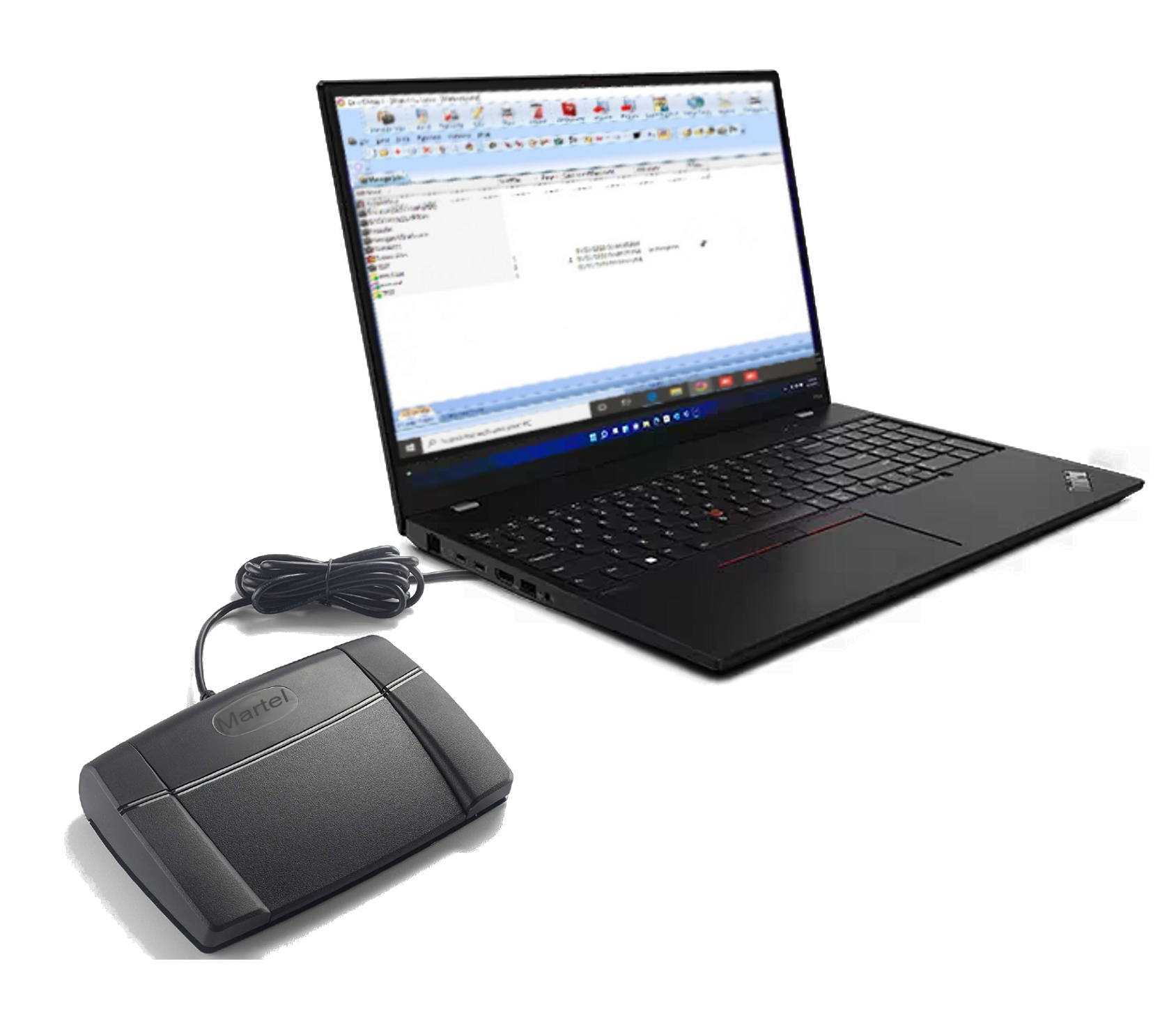
A reporter asks for a pedal because pressing a key every few seconds interrupts the work. A scopist asks for one because repeated listening needs to fit around editing. An office assistant asks for one because an interview recording must become a document. Those requests sound alike, yet they can lead to different purchases. The important difference is where the recording is opened and how the person reaches the passage that needs attention.
For a linked transcript, begin with a job that already plays its associated recording using the application’s own controls. For separate playback, begin with a file your player opens and a document you can edit. In either case, the pedal supplies a control input. Whether that input starts playback, pauses it or moves the listening position depends on the supported setup.
Compare the Martel reporting foot pedal (SKU 895) and the Infinity IN-USB-3 (SKU 617) when discussing your workstation. Martel lists the IN-USB-3 as a separate control for compatible software. If you also need a player, compare the Martel transcription kits. Give Martel the product number, software edition and version before choosing.
Describe one assignment in a sentence. “I edit a transcript and need to hear the passage around the words I select” gives Martel a different test from “I receive recorded interviews and type in a separate document.” Add what should happen when you take your foot off the control. That detail can matter as much as the connection.
Record the program name, edition and version shown on the workstation, together with the operating system and model of any pedal already in use. If you are replacing a computer, describe both setups. This gives a supplier enough detail to confirm available support and explain any configuration needed for the one you plan to use.
Identify the source you must review. It might be audio already linked to a transcript, a separate media file from a client, or a multichannel recording. Demonstrate how the application opens the right material and how you hear the wanted passage. A pedal acts on the player’s controls after the player has opened the source.
Write this purchasing note: “I use [application and version] on [computer environment]. I open [type of job or source recording]. I want my foot to perform [specific actions] while I work in [editing application]. Please confirm the complete setup and the included support.” This short description prevents many mismatched orders.
Where your CAT software supports audio linked to text, select a recognizable passage in a practice transcript. Use the on-screen playback control you normally use, then write down what you heard and where the editing cursor stayed. Those observations establish what you want a supported pedal setup to reproduce. An application with separate playback may instead open at a saved time on its own timeline.
Picture a reporter reviewing a disputed name halfway through a job. In a linked workflow, the reporter wants to move to the relevant passage, hear context, make an informed correction, and continue editing. The pedal should support that routine without sending the operator on an unnecessary search through another player's timeline. The useful test is whether the complete sequence works, rather than whether a light appears when the USB cable is connected.
Try two identifiable places in the practice recording, such as a fictional exhibit number near the start and a surname near the end. If the ordinary on-screen control plays an unrelated passage, check that the correct recording is associated with the job and follow your edition’s guidance for alignment. Resolve the association before comparing what different pedal presses do.
This distinction helps with support. If playback starts at the wrong passage, the symptom could concern association, synchronization, cursor position, or a command assignment. Replacing a functioning pedal would leave the real issue untouched. First show that the desired operation works with the application's normal controls. Once it does, verify that the foot control performs that same intended operation.
A separate player can suit work organized around a saved media file. For example, an operator may open an interview, stop at a phrase, type into a document, replay a short interval, and resume. Demonstrate that the player can open the file type and confirm how it accepts the proposed foot control while the operator types.
The editing program and the player may be two different windows. That makes focus behavior important. After the operator clicks in the document, will the pedal still control the player as intended? The answer comes from the actual software arrangement. A demonstration with the player selected is incomplete if the everyday task requires typing in a second application.
File requirements also become more visible. An office handling ordinary audio can have different needs from one handling body-camera video, exported conference recordings, or material from a specialized recorder. Start with representative, authorized sample files and confirm playback. Keep any source-specific requirements on the buying checklist. A claim that a pedal is universal should never stand in for checking the software's supported inputs.
If the office has no suitable player, buying only a pedal leaves another purchase or setup decision. A matched transcription kit can be the easier route when software, listening equipment, and support are needed together. If the existing player works well and explicitly supports the IN-USB-3, an individual control may be all that is missing. The existing workstation determines which route is sensible.
| Question | Audio linked to a CAT transcript | Separate transcription playback |
|---|---|---|
| Where is the main job? | A practice transcript and the correct recording, with linked playback confirmed where the software supports it. | A supported recording in a player, with text created or edited in the chosen writing application. |
| What must already work? | The job opens, and its ordinary audio controls play a recognizable passage. | The player must open the actual file and provide the required listening controls. |
| What should the pedal do? | Carry out the specific supported playback action you have tested in the transcript. | Invoke the player's supported playback actions while the person completes the document. |
| What deserves a specific test? | Cursor position, associated audio, configured commands, and stopping behavior. | Application focus, file support, pedal recognition, and replay behavior. |
| When is an accessory enough? | When ordinary playback and listening already work, and the supplier confirms the proposed control for that setup. | When a suitable, compatible player and listening arrangement are already available. |
| What should the order identify? | The software edition and version, intended actions, pedal model and any included setup assistance. | The exact IN-USB-3 support, included software if any, and every required component. |
One office can use both arrangements. A reporter might review a linked transcript in the morning and listen to a separate interview later the same day. Write a separate test for each arrangement. A successful pedal press in the first program does not establish how that same press behaves in the second.
Suppose a scopist can select the word “Alder” in a practice transcript and hear the full correction “Alder, with an e.” Reaching for the mouse every time interrupts editing. The scopist can now ask Martel a specific question about SKU 895. Give the installed program version, describe the working on-screen action, and ask whether the proposed package can carry it out by foot.
The acceptance test should begin with a short practice job. Ask the scopist to review several passages exactly as they normally would. Include stopping quickly, replaying context, moving to another passage, and continuing to type. The outcome should be a predictable sequence the scopist understands. There is no need to introduce unrelated software merely because another package has a longer feature list.
Now imagine an assistant who receives several file types from clients and types in a separate document. Test a short interview in the proposed player first. Then ask whether the exact foot control is supported while the assistant types. If the office needs a playback application as well as the pedal, compare the contents of a transcription kit with the equipment it already has.
Use a small sample set that represents the work: a short interview, a longer recording, a file with quiet speech, and video if the office must view it. Keep private case material out of an initial sales demonstration where a nonconfidential sample will do. The useful result is evidence that the proposed application opens and navigates the required material while the operator types.
A reporter may edit inside CAT software in the morning and open a supplied recording in a separate player later. Ask for a separate compatibility answer for each program. If one model is supported in both, practice the changeover and note which window should receive the next press. If different equipment is required, label each arrangement.
Create two labeled practice tasks and test each after restarting the computer. Record which utility must be running and which application receives the command. Then test switching back. A clear transition routine is more valuable than discovering during a deadline that the pedal is operating the wrong window. If separate controls or setups are recommended, ask why and document that answer.
Three controls can be assigned many ways. One setup may use a center press to begin playback and another action to stop it. Another may use a hold-and-release pattern. Rewind may mean a fixed jump, repeated movement, or a distinct application command. A photograph showing three pads cannot establish those behaviors.
Write down the actions you need before choosing a button layout. For example, a reporter might want the center pedal to play while held and stop on release. Ask whether the software, pedal and any required controller support that exact behavior. If the available action is a toggle, compare two consecutive taps and write down how the second tap changes playback.
Ask for the intended press and release behavior in plain words. “What happens when I press the center?” and “What happens when I lift my foot?” are separate questions. Test a brief press, a longer hold, and a second press. Watch the application and listen to the result. Keep the chosen behavior consistent enough that the operator can predict it without looking under the desk.
Choose a replay interval that supports understanding. Very short repeats can remove the context needed to distinguish similar words; very long repeats can make review tedious. The useful interval depends on the speaker, recording, and operator. Adjust one setting at a time in the application that owns it and use the same practice passage when comparing results.
Do not confuse a playback control with a recording control. Before using a pedal during live work, establish exactly which application commands it invokes. A person expecting play/pause should not discover that a configured shortcut affects microphone state or another action. Test against a practice file and keep the command list with the workstation's setup notes.
Use a nonconfidential recording with clear, recognizable speech. Open the intended application and demonstrate the necessary operations without the pedal. Confirm sound through the selected listening device. If the reference playback is already unreliable, resolve it first. Otherwise every later failure will be difficult to attribute to the correct component.
Write down the starting condition: application version, selected file or practice job, playback position, and the normal action that works. This need not be a formal technical report. A few precise notes allow the operator and support person to repeat the same test. Avoid changing multiple software settings before seeing what the original condition does.
Connect the proposed pedal according to the supported setup. Test one control at a time and compare the actual outcome with the agreed command. Include release behavior. If the application visibly moves but no sound plays, separate control recognition from the audio-output problem. If nothing happens, record which application was active and whether the expected controller software was running.
After each control works individually, perform a short sequence: begin playback, stop at a phrase, replay context, type a correction, and resume. The sequence reveals problems that a single tap can miss. Use normal typing speed and the same window arrangement expected during work. The aim is a usable workstation, not a successful isolated button demonstration.
Save the practice work, close the applications, and restart through the ordinary routine. Confirm that the pedal still works after reopening. If a utility must be launched, make that part of the written start-up sequence. Test a planned disconnect only when it is safe for the practice session and follow the supplier's reconnection instructions.
Also test what happens after switching windows. Click where text will be edited and verify that the next pedal action goes to the intended place. When two playback applications are installed, close the unused one for the first test. Then evaluate any required shared setup deliberately, rather than assuming every application can remain open without affecting command routing.
Record the successful mapping in ordinary language, including any application that must remain open. Note the tested file types and the date. Keep the product name and support contact with that note. A second staff member should be able to repeat the practice sequence from the instructions without guessing what the first operator meant.
Repeat only the affected part of this test after a material change, such as replacing the computer, updating a controller utility, or changing the playback application. There is no value in making every workday a technical project. A concise verified routine gives the operator confidence and makes an actual support problem easier to describe.
If the recording will not play through the normal application controls, begin with the file, audio device, and application setup. If normal playback works but the pedal does nothing, focus on recognition and command configuration. If one action works and another does not, compare that individual assignment. This order avoids treating every listening problem as a defective pedal.
If playback reaches the wrong place, first compare the same passage using the application’s own controls. Listen for a recognizable phrase near the beginning and then one later in the practice job. If both control methods reach the same wrong material, check the selected file and any documented audio-to-text link before remapping the pedal. If ordinary playback is right, compare the pedal action and the window receiving it.
If a command affects the wrong window, describe the exact window sequence to support. “It fails” is less useful than “It works in the player, then stops after I click in the document.” That observation narrows the question to the actual workflow. Retain the known good configuration while testing one proposed correction at a time.
If sound is distorted or missing, compare ordinary playback with and without using the pedal. A control input does not improve the recorded speech. The microphone, recording settings, file, listening device, and playback settings are separate parts of the path. Keep the original recording intact while diagnosing the listening problem.
For work inside a CAT transcript, ask Martel about SKU 895, the reporting foot pedal, with your program name, edition and version at hand. For a separate player, check its stated support for the Infinity IN-USB-3. If the office also needs playback software, compare transcription kits and confirm their current contents.
Check the current product page for the supplied components, price, support, and terms. A pedal-only purchase and a software kit should be compared by what they provide. Ask about the exact workflow that matters to you, retain the answer, and schedule the first practice test before an important assignment. The right purchase is the one that leaves the operator with a dependable sequence from recording to reviewed text.
In the setups discussed here, the control tells compatible software to perform an action on audio already available for review. The microphone and recording arrangement captured the speech. Test the distinction with a saved practice clip. Listen using the on-screen control first, then repeat using the proposed pedal. If the clip is missing, find the correct recording before evaluating the foot control.
Look at the specific SKU and list what the product page includes. Martel’s separate IN-USB-3 listing describes a foot control without bundled software. A kit is a different purchase and may have a different list of components. If you need a player, setup assistance or use on a second workstation, ask Martel to confirm those items for the package you are considering before ordering.
Use the current model name, Infinity IN-USB-3, when describing a separate USB transcription control. Also name the player that must recognize it. A model number alone is insufficient when several applications are installed or when a utility translates pedal actions into shortcuts. Tell Martel whether you need a replacement for a previously working device or are establishing a new workstation. Those situations require different checks even though the same product may be considered.
Ask for confirmation of the exact model, software edition and version, operating system and playback action you need. A statement that the pedal works in a separate transcription player answers a different question. Ask whether the program recognizes the model directly or needs a supported controller. Try the proposed setup with a harmless job in which ordinary playback already works and check the press, hold and release behavior that matters to you.
Each application has its own method of receiving and interpreting controls. One may recognize the hardware directly; another may depend on a supported utility or command mapping. A successful test in the first application therefore does not establish the second application's readiness. Record which program is open, which one is active, and what action occurs. Give support that sequence instead of changing several settings together. The observation often identifies the part of the setup that needs attention.
Consistency can make switching tasks easier, but the available actions and meanings must come from each application's supported setup. A similar-sounding command can move the audio position, the transcript cursor, or both. Decide what outcome you want in each program and verify it. If the mappings differ, keep a brief labeled note for each task. Do not force a familiar label onto an action that behaves differently and then depend on memory during a deadline.
It can be. Press, hold, release, and a second press are separate events that a configured system may handle differently. Ask the installer to demonstrate each part of the chosen behavior. Practice stopping at a particular spoken word, releasing, and resuming. The most suitable arrangement is the one you can operate predictably while editing. Avoid changing behavior immediately before an important assignment; allow enough practice to replace the old movement with a reliable new routine.
The editing cursor and listening position can serve different purposes. Put the caret beside a distinctive word in a practice transcript, start ordinary playback, and then use the supported rewind action. Watch both the caret and any visible time indicator. Listen for the surrounding phrase. Repeat with the foot control and note the actual result. That tells you whether you can return to the same text location after replaying a passage.
A pedal can repeat the action it is configured to send. A timing difference between text and audio needs its own check. Play a distinctive phrase using the ordinary control, then compare the pedal at the same point. If both play the same wrong passage, verify the intended file and consult your edition’s instructions for linked audio. If only the pedal reaches another spot, check what action its button is sending.
Have the exact application name and version, pedal model, computer environment, and a nonconfidential practice recording ready. Describe the operation that works with the keyboard and the operation you want from the pedal. Note whether another playback program or control utility is open. Follow your organization's approval process for remote assistance. A clear test case lets the support person work toward a specific result and reduces time spent reconstructing a problem from broad descriptions.
That depends on the supported application and controller arrangement. Test it rather than assuming background control is present. Begin playback, click into the document where you normally type, and try the intended stop and replay actions. If the behavior changes, record the exact sequence. A player-only demonstration is not enough for a workflow that requires a second application. Ask for the supported way to achieve the required behavior before adopting a workaround from unrelated software.
Multiple utilities can make it difficult to identify which one is handling a command, so treat their coexistence as a configuration question. Do not install or enable several approaches at once in the hope that one will work. Begin with the supplier's intended arrangement and establish a clean reference. If a second application requires another utility, ask how the supported changeover should work and test it. Keep the known successful configuration documented before making changes.
Check whether the supported controller application is running and whether the intended playback program is open. A setup that worked immediately after installation may have depended on a utility that has not started in the new session. Follow the instructions for that specific configuration instead of adding arbitrary startup items. Include a restart in the original acceptance test, and keep the required launch sequence in plain language so another authorized operator can reproduce it later.
No. The question is whether the actual hub, connections, computer, and supported pedal arrangement operate reliably together. Establish the supplier's recommended connection first. If the workstation needs a hub, include it in the practice test rather than assuming the result from a direct connection carries over. Keep the writer, microphone, and other connected equipment in view when planning ports. Do not change several devices and adapters together when trying to isolate one control symptom.
It can make repeated listening more convenient, but it does not alter the information captured in the original recording. Use enough context, a suitable listening device, and sensible playback settings. If a phrase remains unclear, preserve that uncertainty according to the assignment's review process. Avoid treating repeated playback as evidence that a preferred interpretation must be correct. The pedal supports your listening decisions; it does not make those decisions or supply words that were never captured.
No fixed percentage or page rate follows from adding a pedal. The benefit depends on the recording, task, operator, and existing habits. Compare a representative practice assignment from opening the file through saving the reviewed result. Look for fewer disruptive movements and easier recovery after a pause, while retaining the same review standard. A short timed experiment can inform your own purchasing decision, but its result should not be presented as a universal performance claim.
Inventory the software, pedal, listening device, and support you already have. A kit may still be useful if the missing player or configuration assistance is the main need, but compare actual contents rather than assuming every included accessory adds value to your desk. If the existing player and headphones are suitable, a compatible separate pedal may be enough. Review the current Martel package before ordering and ask which components are essential for your particular source files.
The playback application's support determines whether the proposed control can operate the required media workflow. A pedal does not gain video decoding merely because it has play and rewind controls. Test a representative video, including seeking and stopping while the writing window is active. If viewing the picture matters to the assignment, confirm that the proposed software supplies that function. Choose the appropriate audio/video package when that is the missing part of the system.
No. The application and its supported decoding path determine whether a recording can be opened and played correctly. The pedal provides input to that application. Keep these checks separate: first verify the recording through ordinary controls, then test the pedal against the same file. If one unusual source is important to the business, use a permitted sample from its real export process. A successful test with an unrelated file does not settle that requirement.
No. Independent channel review requires an appropriate recording and software support. A foot action may select a supported command, but it cannot recover isolation that was not captured in the file. If channel selection is required, explain the recorder, source format, and review task before purchasing. Verify the intended channel behavior with a known sample. Keep that specialist requirement separate from a simple need to play, stop, and repeat ordinary mixed audio.
Create a short fictional conversation with two voices, a name, a number, and one interruption. Give the operator a brief document with several intentional differences. Ask them to find and review those points using the proposed controls. This exercise tests practical navigation without involving private proceedings. The example need not sound like a formal deposition; it should make the operator stop, recover context, type, and resume in the way ordinary work will require.
Choose a clearly recognizable sentence in the practice file and stop at several different places using the agreed command. Repeat while the editing window is active and after switching away and back. Observe whether playback stops when expected and whether a release or additional press is required. Describe any unexpected continuation precisely. A control that starts successfully has passed only part of the test; predictable stopping is essential to maintaining your place during editing.
Begin with a known setting and a repeatable passage. If the interval is too short to recover context or unnecessarily long for your work, adjust it in the application that controls it and compare the same task again. Write down the accepted value. Avoid simultaneous changes to speed, jump length, and button mapping, because you will not know which change helped. The goal is an understandable routine that fits your listening, rather than the most customized screen.
They can plan a shared arrangement, but they should agree on the supported configuration and identify any separate software-account or license requirements. Keep each person's preferences from silently changing the next operator's expected controls. A brief workstation card can show the standard mapping, starting applications, and recovery contact. Test the shared routine with both users. Sharing a physical pedal is different from assuming that software permissions, user profiles, and every saved preference are interchangeable.
First compare the expected assignment with the actual result in the practice task. Confirm that the other actions and normal application controls still work. Record whether the problem follows a particular button, command, or application. Follow the supplier's supported diagnostic steps and avoid opening the hardware or changing multiple utilities without a reason. Those observations help support distinguish a configuration issue from a physical problem and make any replacement discussion more specific.
The original is your reference for what was received or captured. Converting, shortening, or replacing it while investigating a control issue adds another variable and may remove the context needed to reproduce the problem. Use an authorized working copy when appropriate and label any test derivative clearly. A pedal problem should normally be demonstrated with an unchanged practice sample first. Preserve real assignment materials according to the responsible organization's procedures and instructions.
Transfer the documented setup as well as the physical device. The new computer may have a different application version, connection arrangement, or controller configuration. Open the practice job, verify ordinary playback, test each foot action, and include a restart. Keep the old known working arrangement available until the new station meets the required checks where practical. A familiar pedal under a new desk does not establish that the complete software path has been recreated.
Use a representative set that covers materially different sources and requirements. A routine interview, a specialized recorder export, and a video can expose different needs. There is little value in testing hundreds of nearly identical files while ignoring the one uncommon format essential to your office. Describe your selection to Martel and record what was actually demonstrated. If a new source arrives later, verify it before promising that the established workstation will handle it.
Make a short invented recording with a name, a number and a question. The person testing can replay a distinct phrase without needing anyone’s case material. If the office must review a particular file type, prepare a permitted sample in that format. Once setup is complete, follow the office’s own procedures for the recordings it receives and the people who may access them.
Include the pedal model, application and version, required controller program, and the actual outcome of each control. Add the normal start-up sequence, a reference to the practice file, and the support contact. Keep it short enough to use at the desk. Record an approved change when it occurs instead of relying on memory. A useful quick reference lets an alternate operator begin correctly and gives support a concrete baseline if behavior changes.
List the hardware, software if supplied, setup assistance, ongoing support, and relevant terms for each offer. Compare the result needed at your workstation. A lower price for a bare accessory is not the same offer as a configured package, and a more expensive kit may contain software you already have. Use current product-page prices and clarify unresolved contents before ordering. Your comparison should explain what will be working when the installation is complete.
Start inside the program where you spend the assignment. Replay one recognizable phrase with its normal controls. Note whether you want the pedal to start, stop or return to that phrase while you edit. Give Martel the application version and the task. Use a written compatibility answer and a practice test to choose between an accessory and a kit with a suitable player.
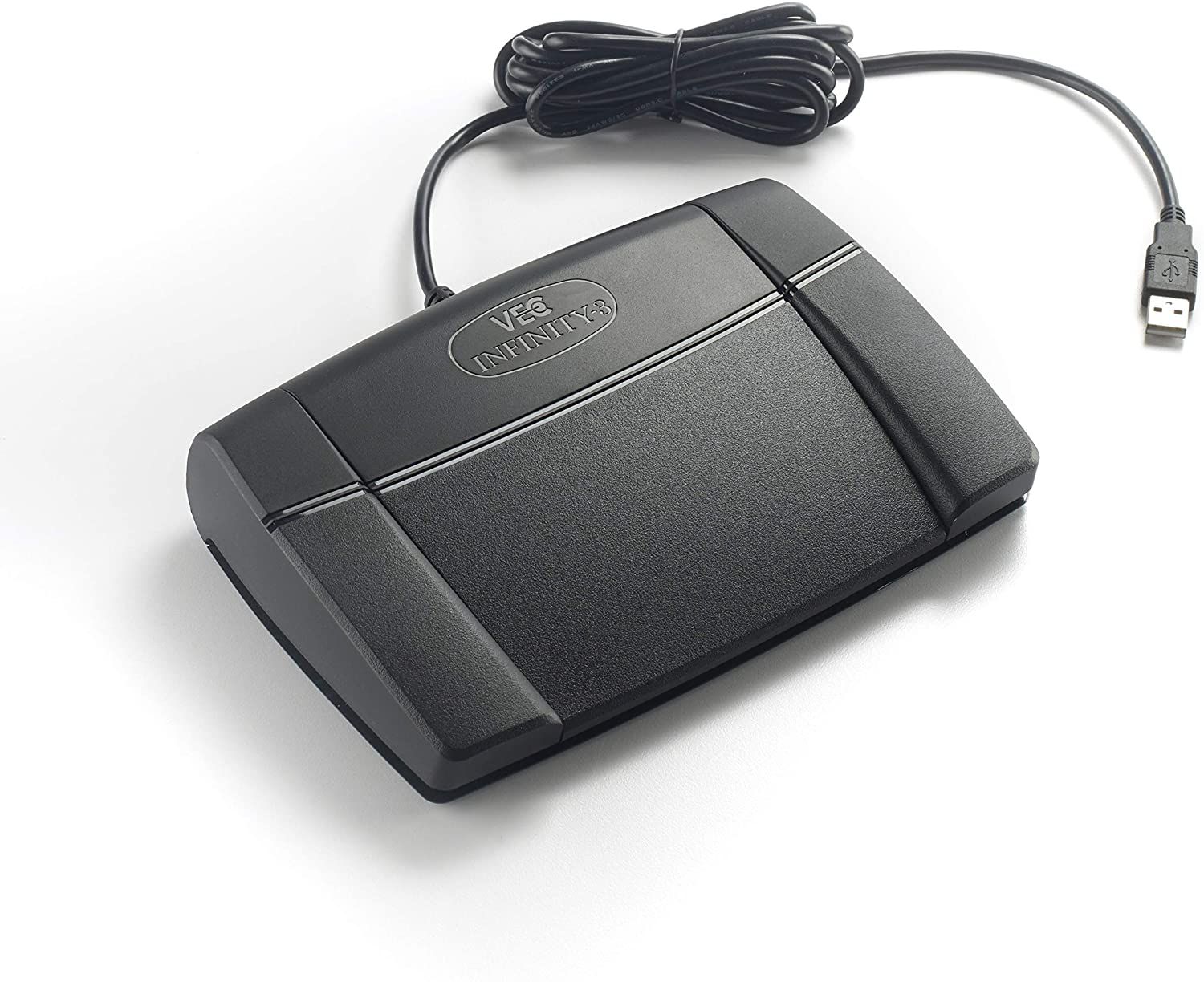
View Martel pedal SKU 895 View the IN-USB-3 Compare transcription kits
Martel’s reporting foot pedal listing and IN-USB-3 listing identify the individual products. Review the listed software support and confirm what applies to your workstation. To practice finding a particular word before you compare controls, read Using Reference Audio to Verify a Word in a CAT Transcript.