
Body Cameras for Security Guards: Buying Guide
Evaluate body camera equipment for security teams. Plan mounting, audio tests, charging, downloads, local storage and staff recording routines.
Compare voice-activated and continuous recording for interviews, lectures and backup audio. Understand triggers, quiet speech, pauses and timing.
Compare voice-activated and continuous recording for interviews, lectures and backup audio. Understand triggers, quiet speech, pauses and timing.
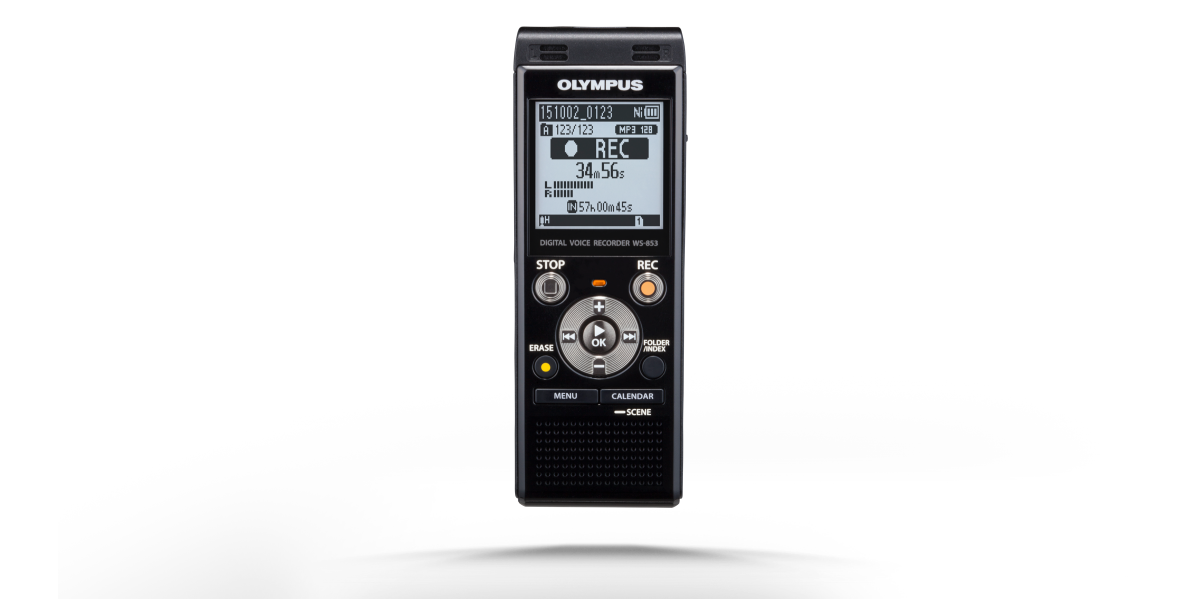
Voice-activated recording and continuous recording solve different problems. Voice activation attempts to leave out periods when the input is below a chosen sound threshold. Continuous recording keeps recording through speech and silence until someone stops it, a limit is reached, or a problem interrupts the device. Neither label tells you whether a particular recording will be intelligible, complete, or suitable for your work.
For a short personal reminder, removing quiet gaps may be convenient. For an interview where a thoughtful pause matters, preserving the passage of time may be more valuable. For a lecture, you may want the instructor's quiet introduction as well as the louder explanation that follows. The useful buying question is therefore not simply whether a recorder has voice activation. Ask which parts of an event you cannot afford to lose.
This guide compares the two approaches, explains the controls that are often confused with them, and shows how to evaluate a recorder before relying on it. The planning examples are original illustrations, not reports of laboratory testing. Martel's recorder packages provide practical shopping options, while the manufacturer documentation linked at the end explains model-specific behavior. Check the exact supplied recorder and its manual before transferring a setting from one model to another.
The name can suggest that a recorder understands when a person is talking. Ordinary sound-triggered recording does not work that way. It responds to the signal reaching its microphone input and compares that signal with an activation setting. A chair scraping across the floor may start recording. A quiet answer spoken farther away may fail to start it. The trigger follows sound level, not the importance of the words.
Manufacturers use different names and implementations. OM SYSTEM, for example, documents a Variable Control Voice Actuator, or VCVA, on the WS-883/WS-882 family. Its manual describes an adjustable activation level and an automatic pause when sound falls below the selected level. That is a specific example of the general idea, not evidence that every Olympus-branded package uses that model or behaves identically.
Sensitivity introduces a tradeoff. A setting that responds to soft speech may also respond to ventilation, paper movement, or distant conversation. A setting that ignores more room noise may also miss desired speech. You cannot settle that tradeoff by looking at the label alone. The actual voices, microphone position, and room conditions need to be part of the evaluation.
Listen especially to the beginning of an utterance. A recorder might capture the louder middle of a sentence while leaving a weak opening incomplete. That matters when the missing material is a name, a negative, or a short answer. A test that contains only a long, loudly spoken sentence can hide this weakness. Include ordinary starts, trailing words, and a person who naturally speaks quietly.
Continuous recording is usually the clearer starting point when the event's sequence matters. Once the recorder is recording normally, quiet gaps remain in the file along with the speech. A person reviewing the audio can hear an extended pause, a change in the room, or the interval between a question and an answer. Those details may help explain the conversation.
Continuous does not mean invulnerable. A full card, depleted battery, loose connection, accidental stop, or device fault can still interrupt capture. Some devices divide long sessions into successive files. Others have format or file-size limits. Find out what the selected recorder does and practice opening the resulting files. A continuous recording setting is one part of a complete recording plan.
It also does not solve distant-microphone problems. Recording an entire meeting from the wrong position may produce an uninterrupted file of mostly room noise. Continuous mode preserves what reaches the recorder; it does not turn weak input into clear speech. Placement, connections, and levels still deserve attention even when no sound trigger is being used.
Consider the difference between an intact timeline and complete understanding. A file can contain every second of an interview while a few words remain impossible to hear. Conversely, a sound-triggered file can sound clear in each captured segment while omitting the gaps between segments. A useful review asks about both intelligibility and continuity instead of treating them as the same measurement.
Automatic recording level, microphone sensitivity, low-cut filtering, and voice activation are separate features. Their names can appear near one another in a menu, but they do different jobs. Automatic level control changes how strongly incoming audio is recorded. Voice activation determines whether recording continues when the incoming signal becomes quiet. Turning on one does not necessarily turn on the other.
A low-cut filter reduces some lower-frequency content. Depending on the recorder and environment, it may help with rumble or mechanical noise, but it cannot selectively remove every unwanted sound. It should not be presented as a guarantee that ventilation will stop affecting a sound trigger. Evaluate the combination using the exact input and ordinary room conditions.
Noise reduction during playback is another separate function. It may change what the listener hears without changing the decision the recorder made earlier about whether to capture a passage. No playback control can recreate words that were never recorded. This is why a clean-sounding demonstration is not enough to establish that voice activation preserved all the required speech.
Write down the settings by function rather than relying on a single label such as “meeting mode.” A useful note might identify the recording format, microphone sensitivity, activation setting, filter, and input source. Preset scene modes can change several settings together. If a preset is changed later, revisit the test instead of assuming that the earlier result still describes the device.
A device may be powered on without saving audio. It may show an input meter while waiting to record. It may be in a manually paused state, or it may be waiting for sound after voice activation has been enabled. Learn the display and indicator behavior for each of these states before a real session begins.
An elapsed-time counter can be a useful clue, but its meaning depends on the device. Determine whether the displayed figure advances during sound-triggered standby and whether the resulting file retains the time spent waiting. Do not infer this from a blinking light or from another recorder you used years ago. The manual and a saved-file test provide stronger evidence.
Practice returning from a break. Starting a session is often easier to remember than resuming after a conversation at the doorway, a battery check, or a change of room. Decide who operates the controls and what visible sign that person will check. A short spoken identification after a restart can help you distinguish successive files during review.
Hold or control-lock functions can prevent accidental button presses, but they must be understood before use. Verify whether the lock affects recording controls, power, or other operations on the supplied model. A control intended to protect a running recording becomes a problem if the operator cannot confidently unlock the recorder when the session ends.
Personal notes are often the strongest candidate for sound-triggered operation. The speaker can control distance, repeat a sentence, and inspect the result immediately. If the purpose is to collect brief reminders throughout a private planning session, omitting long quiet intervals may make later listening easier. Even here, practice with brief words and soft starts before assuming every reminder was captured.
Lectures introduce less control. The instructor may turn toward a board, move away from the recorder, or lower their voice while explaining an important distinction. A student may also need audience questions that come from another part of the room. When recording is permitted, continuous capture is generally the simpler starting point for preserving that changing sequence. Placement and permission remain separate requirements.
Interviews contain meaningful pauses, interruptions, and short responses. The interviewer may need to distinguish hesitation from an equipment gap. Continuous recording makes that distinction easier to examine because the quiet interval remains in the source. Voice activation should be a deliberate project choice, not a default selected only because it advertises longer recording capacity.
Professional backup audio should follow the requirements of the primary workflow. If the backup is intended to help reconstruct the sequence of a proceeding, a collection of sound-triggered passages may not serve the same purpose as a continuous source. Determine what the backup must support, who may record, and how its files will be reviewed before choosing the setting.
A microphone close to the intended speaker receives a different balance of voice and room sound from one across the table. That balance affects both intelligibility and activation. If voice activation behaves unpredictably, inspect the physical arrangement before repeatedly changing the threshold. A software setting cannot move the microphone closer to a quiet participant.
For a compact setup, start with the recorder in a stable, permitted position and record representative speech. For a longer table, consider whether a compatible external microphone can serve the difficult position. The Martel Olympus recorder package lists a microphone input, a supplied 32GB card, an AC adapter, and telephone support. Confirm the exact current model and desired activation behavior with Martel.
When several speaking areas need coverage, the Philips Simple Meeting Recorder with four microphones offers four separate microphone positions, extension cables, and a carrying case. Multiple pickup points can address placement needs. They do not by themselves establish four isolated recording tracks, automatic speaker identification, or a particular voice-activation feature.
Avoid turning a room-coverage purchase into a claim about guaranteed trigger performance. A suitable microphone arrangement may improve the input reaching the recorder, but the mode still needs evaluation. Test the quietest required voice, the noisiest ordinary activity, and any microphone extension or splitter that will be used in practice.
Use harmless practice content and create a written script with contrasting speech conditions. Include a normal sentence, a softly spoken answer, a short negative such as “not yet,” a name, a number, a pause, and a sentence spoken while turning slightly away. This gives you something concrete to compare with the saved file without needing confidential work as test material.
Record the exercise once in continuous mode and once with the intended activation setting. Keep the microphone, seating, and speaking style as similar as possible. Do not announce that one version performed better before you have listened to both. The purpose is to reveal differences in captured content, not to prove that a preferred setting was right.
A simple worksheet can list each scripted item and provide space for observations: complete beginning, complete ending, intelligible number, preserved pause, unwanted noise, and any unexpected file split. These are listening observations rather than an accuracy percentage. A single small trial cannot establish a universal performance rate for every speaker or room.
Repeat only the conditions that matter after a change. If the microphone moves to the far end of the table, retest that arrangement. If the room becomes noisier when equipment starts, include that noise. If another person has a softer voice, include their permitted practice speech. Record what changed so a later comparison has a meaningful basis.
Imagine a practice interview about planning a community workshop. The interviewer asks when materials will arrive. The participant first says, “Thursday,” waits, and then quietly adds, “No, Wednesday afternoon.” The correction changes the information someone would use. An audio file that preserves the first answer but misses the correction could lead to a misleading transcript.
This example is not a measured result from any Martel recorder. It is a way to design a test. Put an initial answer, a pause, and a quieter correction in your practice script. Listen for all three parts. Then try a different microphone position if the correction is weak. If evaluating activation, compare the saved result with a continuous version of the same exercise.
The exercise also shows why listening to the loudest passage is insufficient. Recording quality matters at the edge of the conversation: the soft answer, the trailing phrase, the speaker who turns away. Choose settings around the material that is hardest to capture usefully, while checking that a nearby loud speaker does not become distorted.
For a personal reminder, repeating the correction may be easy. For an interview that cannot be repeated, the consequence is different. The decision about recording mode should reflect that difference. A convenience feature can be valuable without being the right default for every job.
Elapsed playback time describes a position in the saved recording. It does not automatically describe the same amount of time passing in the room. If a recording process removes quiet intervals, a point ten minutes into the saved file may occur later than ten minutes after the session began. The size of the difference depends on what the device retained.
Do not create wall-clock timestamps by simply adding playback time to a starting clock reading unless the relationship is established. Voice activation, manual pauses, edited material, and successive recording files can all complicate that relationship. A file's creation date is also not enough to prove the timing of every passage inside it.
For ordinary transcription, identify the source file and use its elapsed position consistently. If real-world timing is required, determine the approved method before recording. Explain any known interruptions or omitted intervals in the accompanying notes. The Martel timestamp guide develops this distinction for reviewers who need to return to exact passages.
A transcript can still be useful when the source is sound-triggered, provided its limits are understood. Label the time basis accurately. Do not describe pauses as measured conversational silence if the recording process may have shortened them. The text should reflect what the source supports, not reconstruct a timeline from assumptions.
Long advertised recording capacities often depend on a particular low-bit-rate mode. They do not tell you how long a card will hold the settings you intend to use. Compare capacity using the actual format and quality level, then include the length of the session and reasonable operating margin. A recording-time headline is not an intelligibility test.
For an illustrative calculation, an uncompressed mono recording at 48,000 samples per second and 16 bits per sample carries 768,000 audio bits per second. Dividing by eight gives 96,000 bytes per second, or about 346 MB per hour in decimal units, before small container overheads. This is arithmetic for that hypothetical format, not a claim that a particular recorder offers it.
Compressed formats use different rates and may vary with encoding settings. The recorder's own remaining-time display can help, but check which storage location and recording mode it represents. Internal memory and a removable card may be selectable destinations. A card inserted into the device is not necessarily the active recording destination.
Sound triggering may reduce stored duration when quiet sections are omitted, but the saving is not predictable from the feature name. A noisy room may keep the recorder active for most of the session. Do not plan critical capacity around an assumed percentage of silence. Plan enough storage for the work even if activation produces less reduction than expected.
Memory capacity and battery runtime are independent limits. A recorder with space for hundreds of hours can still stop when its battery is depleted. Similarly, a fully charged device can run out of available storage. Check both before the session and learn how the recorder signals a low-power or low-memory condition.
Do not assume that sound-triggered standby extends battery runtime by the same proportion as it reduces saved audio. The device may still be monitoring its input and running other functions. Use the manufacturer's rating for the specific mode as a planning reference, then leave margin for settings, temperature, battery condition, and ordinary operation.
External power needs its own check. A USB connector can support charging, data transfer, or different operating states depending on the device. Confirm whether the recorder can record while powered through the supplied arrangement. Make this a harmless practice test before depending on it during a long interview or full training day.
If a session is long enough to require a change of power source or a planned stop, make the transition part of the recording plan. Identify the new file and note the interruption. A documented break is easier to interpret than an unexplained gap discovered after the participants have left.
A small configuration note can prevent a large misunderstanding later. Include a plain-language entry such as “continuous capture; one planned break” or “sound-triggered capture; waiting intervals may not be represented.” Add the source filenames and the operator's initials. The purpose is to help the next listener interpret the files, not to create an elaborate technical report for an ordinary personal recording.
For a team, choose one place for this information. It might be the session log or a companion text file stored with the audio. If each operator records the settings differently, a reviewer may overlook a mode change. A consistent field makes comparisons easier without requiring every colleague to remember the menus on every recorder.
Include configuration changes that affect interpretation. Switching microphones, changing the active card, restarting after a break, or enabling an activation feature can explain a difference in the recording. Do not silently treat a later segment as if it came from the original arrangement. A brief factual note usually provides enough context for ordinary review.
The same approach helps when requesting support. Instead of saying that the recorder “misses things,” describe the selected mode, the microphone position, the weak phrase, and whether the issue appears in a saved continuous comparison. Provide a harmless sample when requested through an approved support process. This turns a general complaint into an observation that can be investigated without exposing confidential interview content.
After recording, stop the device normally and allow it to finish saving. Transfer the files through the supported connection. Keep the originals until the intended copies have been checked and the project's retention process allows removal. A successful copy message confirms a transfer operation; it does not establish that the right session was captured completely.
Open the beginning, a middle passage, and the ending as an initial usability check. For work requiring full verification, review the entire required recording. Check the expected voices, ordinary pauses, and the restart after any break. If voice activation was used, listen specifically for abrupt starts, clipped endings, and missing short answers.
When detailed typing follows, a manual transcription workstation can make repeated listening more manageable. The All N One Transcription Kit combines supported audio playback, a USB foot pedal, a headset, and installation assistance. The person listening creates and reviews the transcript; the kit is not a substitute for words that were never recorded.
Keep a simple distinction between the original recording, a working copy, and a transcript. Give each a clear filename and version. If a later edit removes pauses, identify it as an edited derivative. This preserves the usefulness of the initial source when someone needs to revisit the sequence or compare a disputed passage.
Describe the event before asking for a recorder recommendation. State whether you are recording one person, a seminar, a long meeting table, or professional backup audio. Include the longest expected session, whether equipment can be placed near speakers, and how the recording will be reviewed. These details are more useful than requesting maximum recording hours alone.
Ask which current package supports the desired input, power arrangement, and file format. If voice activation is essential, ask for the exact feature name, model documentation, and a description of how waiting intervals appear in the saved files. If continuity is essential, ask about file splitting, pause controls, and storage behavior instead.
For a portable single-recorder setup, compare the Olympus recorder package. For several pickup positions, compare the Philips four-microphone system. If most of your time will be spent producing text afterward, include the transcription kit in the discussion. Buying capture and review equipment around one defined workflow helps avoid an accessory that solves the wrong problem.
The best choice is the setup you can operate and evaluate confidently. Voice activation earns its place when the omitted quiet time is genuinely unnecessary and the required speech survives the test. Continuous recording earns its place when preserving the sequence is the priority. Both require an intentional start, a verified saved file, and suitable microphone placement.
No. Sound-triggered recording decides whether to capture input based on a signal condition. Speech recognition attempts to turn speech into text. A recorder can offer activation without creating a transcript, recognizing speakers, or understanding which sounds are meaningful. Check those capabilities separately when comparing equipment.
No. Background sounds can exceed the activation level. A door closing, chair moving, or nearby conversation may trigger recording. The useful question is whether the chosen setting handles your room and desired voices acceptably. Evaluate the saved result under ordinary conditions instead of relying on the feature name.
Yes, depending on the input level and the device's threshold behavior. Include quiet answers, short words, and trailing phrases in a practice exercise. Better placement may help, but it does not establish universal capture. If every part of the exchange matters, consider continuous recording as the starting point.
It normally continues saving the incoming signal through quiet periods while recording remains active. That can preserve the duration and character of a pause. Confirm the device's file limits and normal operation, because continuous mode does not prevent interruptions caused by power, storage, controls, or equipment faults.
It can be, especially when the speaker controls the microphone distance and can inspect or repeat a reminder. Begin with a small practice session containing both loud and quiet starts. Convenience is most useful when the saved notes reliably contain the information you intended to keep.
Continuous recording is generally easier to interpret when the relationship between questions, answers, and pauses matters. Follow the project's requirements and recording permissions. If activation is being considered, explicitly decide whether omitted quiet intervals and possible weak starts are acceptable for the intended use.
Not necessarily. Placement, intelligibility, usable controls, storage, and power may matter more. Instructors change direction and level, and audience questions can be distant. When recording is permitted, compare ordinary speech from the relevant positions before treating activation as a required purchasing feature.
That depends on the recorder. Some settings require recording to stop. Learn the supported procedure in advance and document any interruption that affects the source. A mid-session experiment is a poor substitute for a short practice test completed before important material begins.
No. Automatic gain concerns signal level; activation concerns whether capture continues below a threshold. The functions may coexist or be bundled into a scene preset, but they are not interchangeable. Read the selected model's settings and keep a note of the actual configuration.
It may change some low-frequency content, but it cannot guarantee that unwanted sounds will remain below the trigger. Speech and background noise overlap in complicated ways. Test the filter and activation together, then judge whether complete desired phrases survive without unacceptable noise-triggered segments.
No universal indicator rule applies. A light can represent standby, pause, recording, or another state depending on the device. Learn the model's display, counter, and indicators. Confirm their meaning with a saved recording so the operator can recognize the active state without guessing.
No. Include the quietest required voice and a nearby louder voice. The quiet speaker can reveal missed starts, while the louder speaker can expose overload or imbalance. A useful setup serves the full required conversation rather than demonstrating one easy speaking position.
A suitable external microphone in a better position can change the balance of desired voice and room noise reaching the recorder. That may help, but the connection, power, and trigger still need checking. Confirm compatibility and repeat the practice exercise with the final cable arrangement.
No. The number of microphone heads describes pickup positions, not necessarily the recorded channel structure. A package can combine several microphones into one or two recorded channels. Ask how the specific system routes and saves its audio if independent tracks are necessary for your work.
Only when the recording's continuity and timing relationship support that conclusion. Omitted quiet intervals, manual pauses, edits, and file changes can break a simple one-to-one relationship. Identify timestamps as positions in a named source file unless another time basis has been established.
Do not assume that calculation is valid. If waiting intervals were removed, elapsed playback duration may be shorter than elapsed real-world time. Use an approved timing method when clock time matters, and describe known gaps or mode changes in the recording notes.
No. Reduced saved duration does not establish an equal reduction in power use. The device may continue monitoring sound while waiting. Check the manufacturer's mode-specific information and leave operating margin. Memory savings and battery planning should remain separate calculations.
Use that number only with its format and quality assumptions. The longest mode may differ from the setting you need for intelligible review. Compare the actual session length, active storage destination, available capacity, and chosen recording format before selecting a package.
Keep the room, microphone position, script, speaker distance, and ordinary speaking style as similar as practical. Change one recording mode at a time. Record any other changes so you do not attribute an improvement from moving the microphone to a different activation setting.
Long enough to include the conditions that could cause trouble: starts, pauses, quiet corrections, room noise, and a restart. A brief targeted exercise can be useful without representing every future session. Longer endurance checks are a separate task when power or file splitting needs evaluation.
Monitoring can help identify input problems if the device supports it, but the saved file remains the decisive check for capture. Listen to a recorded sample before important work. A sound heard through headphones does not by itself prove that the intended file was saved correctly.
Keep the files together and identify their sequence. Test playback around each boundary and document any interruption. Do not merge or rename the only originals casually. A reviewer needs to know which source contains a passage and whether the sequence is continuous.
No. It may reflect a wrong setting, weak input, accidental stop, power issue, or another recording problem. Interpret the file alongside the operator's notes and device behavior. Absence of captured speech is not reliable evidence that no speech occurred in the room.
No. Playback controls can help a person revisit captured sound, but they cannot recover audio that was never saved. Mark unresolved content accurately. If another authorized recording exists, review it as a separate source and document its use rather than inventing the missing word.
Wait until the intended copies have been checked and your retention process allows removal. Verify filenames, duration, and playback before clearing storage. For important work, follow the organization's backup and retention rules instead of using the recorder's available space as the only decision factor.
Record that capture paused, why the break occurred if appropriate, and which file or passage resumes afterward. Avoid presenting the gap as measured conversational silence. A clear note helps later readers distinguish an equipment or operator interruption from the event's natural sequence.
Describe the voices, room, longest session, microphone positions, desired format, and review method. State whether preserving pauses is important and whether activation is essential. Include the exact computer and any existing microphones so the discussion addresses the complete setup rather than one isolated feature.
No. Similar labels can hide different thresholds, delay behavior, file handling, and controls. Use the manual for the actual supplied model. A setting remembered from an older recorder should be treated as a starting question, not an instruction for a different product.
State the configuration and what was heard in the saved sample. For example, note that the required practice phrases were intelligible at the tested seats. Avoid converting a small trial into an unlimited guarantee about every room, speaker, battery condition, or future recording.
Choose continuity when the full sequence must remain reviewable. Consider activation when omitted quiet time is acceptable and representative testing supports the intended use. Then verify power, storage, controls, and the saved file. A clear operating routine matters as much as the menu selection.
The manufacturer reference explains one documented implementation of sound-triggered recording. The examples, worksheets, calculations, and purchasing framework above are original practical guidance. Features must be confirmed for the exact package supplied.